

Luma AI is an AI-powered creative platform built around video and image generation, best known for its Dream Machine video model. It lets creators produce cinematic short-form videos from text prompts or images — no camera, crew, or editing experience required.
As of 2026, Luma AI has expanded well beyond its original 3D scanning roots into a full multimodal agent, with its latest Ray 3.2 video model and Uni-1 brand intelligence system. Whether you are an indie creator, a marketer, or a developer integrating AI video into a pipeline, this guide covers everything you need to know about how Luma AI works, what it actually costs, where it excels, and where it falls short.
Key Takeaways
- Luma AI runs on a credit-based system; the free tier offers roughly 30 generations per month at draft quality, with a watermark and no commercial license.
- Dream Machine's flagship model, Ray 3.2, supports text-to-video, image-to-video, video-to-video, and lip sync — but 1080p output is only available on paid plans.
- In March 2026, Luma launched Luma Agents — a multimodal agentic creative platform wrapping the same models alongside partner models like Veo 3.1, Kling, and Seedance.
- Luma AI is a strong tool for general cinematic clips and ad content, but it lacks native music video workflow support, built-in audio generation, and structured shot planning.
- For creators who need a full music video or product ad pipeline — from audio to storyboard to final export — VidMuse is specifically designed for that end-to-end workflow.
What Is Luma AI Dream Machine?
Luma AI Dream Machine is Luma AI's consumer-facing video generation product. It is accessible at dream-machine.lumalabs.ai and generates video from text prompts or reference images. The core model powering Dream Machine is the Ray series — currently Ray 3.2, which supports text-to-video, image-to-video, video-to-video (Modify), loop, extend, reframe, lip sync, and inpainting.
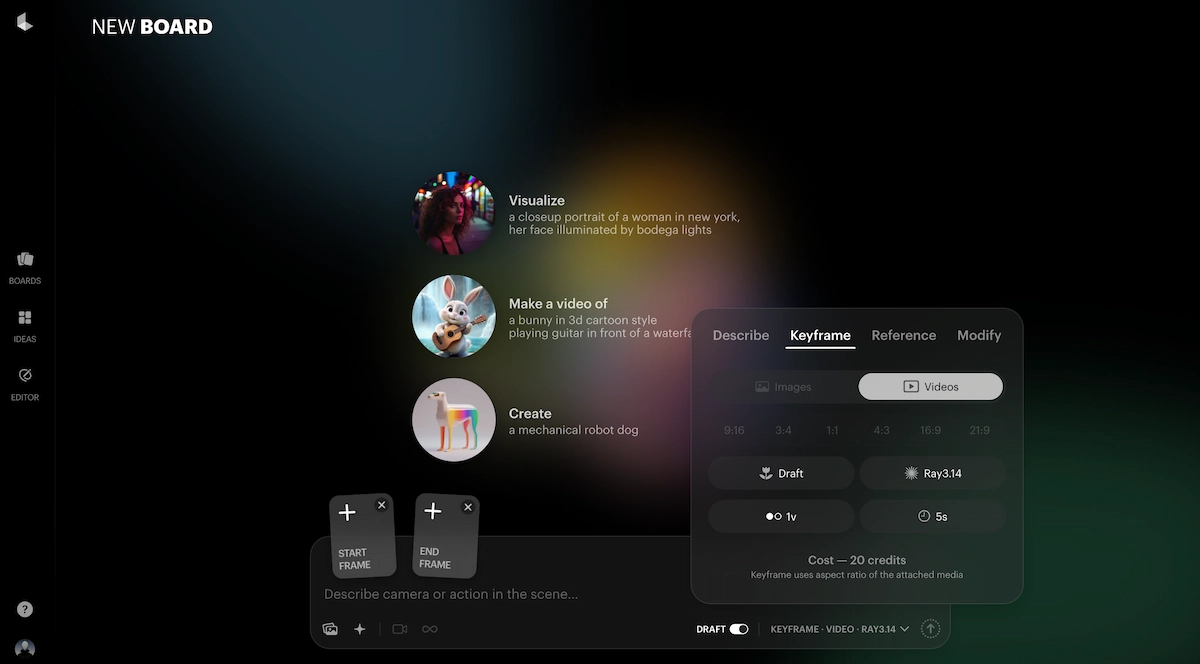
The broader Luma platform positions itself as an agentic creative tool — agents research, generate, and refine across video, image, audio, and text, while brand parameters stay consistent throughout.
In short: Dream Machine is the creative front-end for individual creators; the Luma Agents platform is aimed at creative teams and marketing organizations producing at scale.
How Does Luma AI Work?
Luma AI's Dream Machine generates video through a three-step process that takes a user from prompt to playable clip in minutes.
Step 1 — Input your idea.
You enter a text description or upload a reference image. Dream Machine accepts both text and image inputs on every plan, including the free tier. The more specific your prompt — subject, lighting, camera angle, motion direction — the higher the keeper rate.
Step 2 — Select your preferences.
Choose the video model (Ray 3.2 is the current flagship), set aspect ratio, resolution, and toggle any special features like HDR output or audio generation. Draft and 540p are the most credit-efficient options for iteration; 1080p and 4K are reserved for final output.
Step 3 — Generate and download.
The platform produces videos with realistic lighting, transitions, and camera movements, and the output is ready to download directly from the interface.
Beyond this core flow, the Luma Agent layer adds a Brainstorm Mode — a conversational planning interface where you can describe a full campaign concept and have the agent suggest scenes, generate reference images, and iterate before spending video generation credits.
Luma AI Video Features Explained
Luma AI Dream Machine supports a wide range of video generation and editing modes, making it one of the more versatile single-platform AI video tools available in 2026.
Text-to-Video.
Enter a text description and Ray 3.2 generates a 5 or 10-second clip. The model handles realistic physics, cinematic camera motion, and environmental lighting well. Prompt specificity matters significantly — vague prompts produce inconsistent results.
Image-to-Video.
Upload a still image and the model animates it according to your text direction. This is one of Dream Machine's most reliable use cases, as the reference frame gives the model strong visual grounding. Credit cost is slightly lower than pure text-to-video as a result.
Keyframes.
Keyframe control lets you set a start and/or end image, and the model generates the motion between them. This is particularly useful for product shots and character continuity work.
Video-to-Video (Modify).
Upload existing footage and apply a text-directed style or motion change. This supports clips up to 18 seconds on Ray 3.14.
Lip Sync.
Luma's lip sync feature synchronizes a character's mouth movement to a provided audio clip. The platform supports both Sync and Lipsync 2 Pro modes, with best practices documented in the learning hub.
Extend and Loop.
Generate a 5-second clip and extend it forward or backward in time, or create a seamless loop. Note that reframe and extend round credit usage up to the next full second.
Reframe.
Change the aspect ratio of an existing clip — useful for repurposing 16:9 content into 9:16 for social formats.
Inpainting.
Select a region in a generated frame and re-generate just that portion, leaving the rest intact.
Brainstorm Mode.
A conversational agent planning tool where you describe a creative direction and the platform suggests scene concepts, reference images, and prompt variations before you commit credits to video generation.
Luma AI Image-to-Video: A Practical Guide
Luma AI's image-to-video feature is one of the best single-shot animation tools available in 2026, particularly for product shots and lifestyle content.
To get the best results from Luma AI's image-to-video mode, follow these steps:
- Prepare your reference image.
High-contrast images with a clear subject and uncluttered background produce significantly better motion. Avoid images with strong lens distortion.
- Upload the image in Dream Machine.
Click the image icon in the prompt field and select your file.
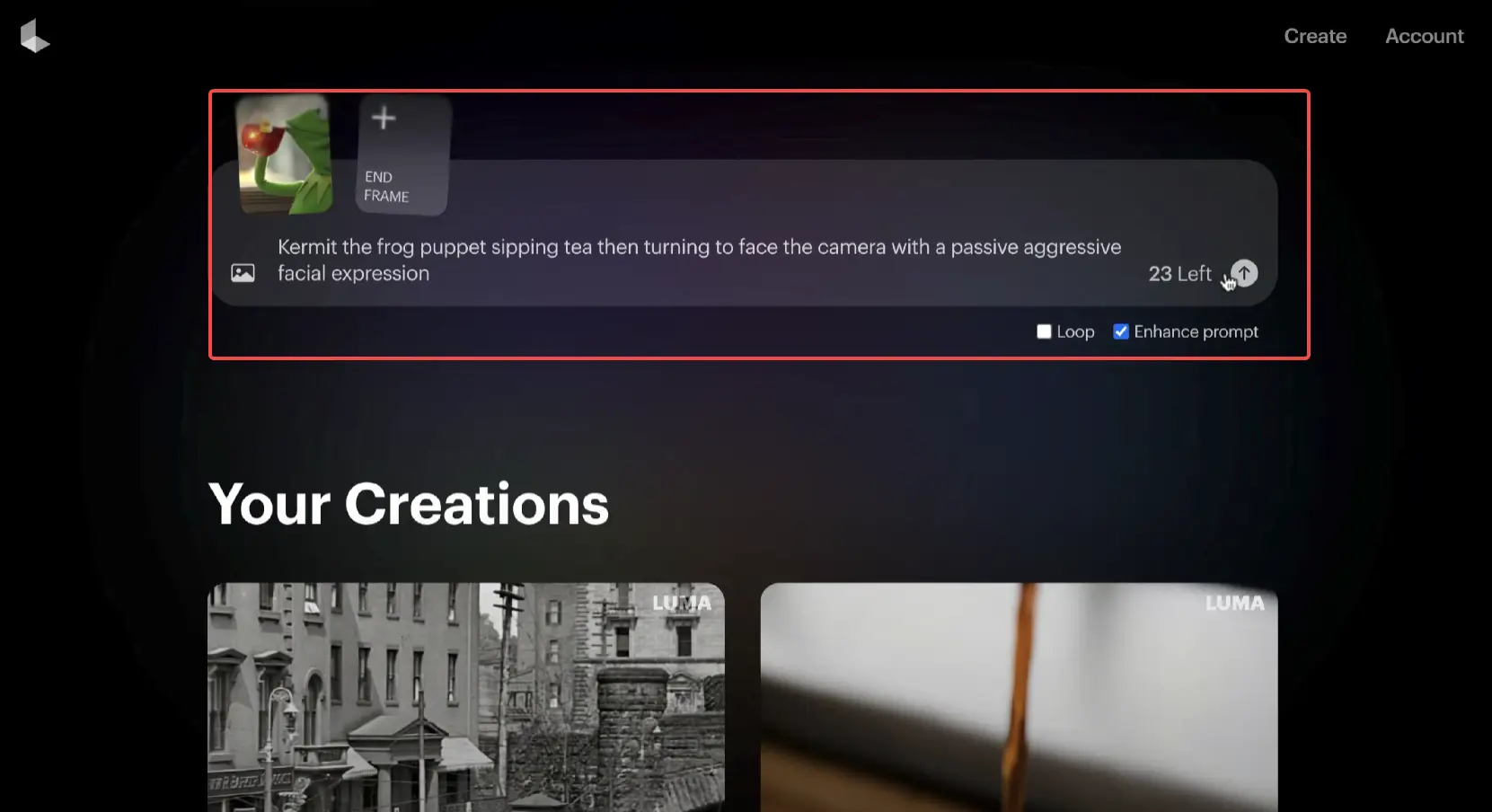
- Write a motion-specific prompt.
Instead of describing the subject again, describe the camera and motion: "slow pan right, subject turns toward camera, soft bokeh background."
- Select Ray 3.2 as the model.
For image-to-video, Ray 3.2 offers the strongest subject consistency and motion coherence at present.
- Start with Draft or 540p quality.
Validate your prompt before spending the credits on 1080p. A 5-second 540p Ray 3.2 clip costs 250 credits; a 1080p version costs 2,000.
- Use Keyframes for fixed start/end points.
If you need the clip to begin and end at specific visual states, set both keyframes rather than relying on a single input image.
- Iterate in Edit Threads.
Dream Machine keeps your generation history in threaded sessions, so you can branch from any clip without losing earlier versions.
When image-to-video is not the right approach: If your goal is a sustained narrative longer than 10 seconds, or if you need continuity across multiple scenes with the same character or product, image-to-video alone will not hold consistency. Use Character Reference alongside Keyframes for multi-shot work, or consider a platform with explicit shot-planning and storyboard tools.
Luma AI Video-to-Video: Modify and Transform Footage
Luma AI's video-to-video mode, called Modify, lets you apply a style or motion change to existing footage using a text instruction. This is one of the more differentiated features in Dream Machine, as most competing platforms treat input video as a keyframe rather than a full source.
The Ray 3 Modify mode supports video-to-video transformation, character reference controls, and clips up to 18 seconds.
Practical applications for the Modify feature include:
- Style transfer: Convert a live-action product shot into a stylized, branded visual
- Re-lighting: Change the mood and time-of-day in existing footage
- Character restyling: Apply a consistent visual style to a character across clips
- Footage cleanup: Smooth out unstable or low-quality source video
The credit cost for Ray 3.2 video-to-video is notably higher than text-to-video: a 720p video-to-video clip costs 72 credits per second on Ray 3.2, versus 100 credits for a 5-second text-to-video at the same resolution. For longer source clips, costs compound quickly. Test Modify on short segments at draft quality before committing to full 1080p processing.
Luma AI Pricing: Plans and Credit Costs in 2026
Luma AI pricing in 2026 operates on a credit system across two product tiers — the older Dream Machine standalone product and the newer Luma Agents platform — which causes some confusion for new users.
The Two Pricing Ladders
Through most of 2025, Luma sold one product — Dream Machine — with four tiers: Free, Lite, Plus, and Unlimited. In March 2026, Luma launched Luma Agents with three new tiers at $30, $90, and $300 per month. Both ladders currently coexist.
Current Luma Agents Plans (lumalabs.ai)
The three individual plans are: Plus at $30/month ($25/month billed annually), Pro at $90/month ($75/month billed annually), and Ultra at $300/month ($250/month billed annually). Business plans — Team and Enterprise — are available via sales inquiry and add team management, SSO, custom fine-tuning, and shared credits.
Is Luma AI Free?
Luma AI does have a free tier in 2026. No credit card is required at sign-up and the free plan is active the moment your account is created. The free plan includes roughly 30 generations per month at standard generation speed. Commercial use is not permitted on the free tier, and all exports carry a Luma watermark.
Credit Costs per Video Generation
For Ray 3.2, a 5-second video at 720p costs 100 credits; at 1080p, 400 credits for 5 seconds. For Seedance 2.0, a 720p generation with audio costs 107 credits. Kling Omni at 1080p with audio costs 49 credits per generation.
Monthly credits do not roll over, and failed generations still consume them. This is the most important practical cost consideration — budget for a keeper rate well below 100%, especially when iterating on complex scenes.
Annual vs. Monthly Billing
The annual discount is approximately 20% across all paid plans. If you are confident you will use Luma for six or more months, annual billing produces better value. There is no early termination penalty, but unused months are not refunded.
| Plan | Monthly Price | Annual Price | Best For |
|---|---|---|---|
| Free | $0 | $0 | Evaluation only |
| Plus (Agents) | $30/mo | $25/mo | Solo creators, commercial work |
| Pro (Agents) | $90/mo | $75/mo | Weekly video output, teams |
| Ultra (Agents) | $300/mo | $250/mo | High-volume production |
Luma AI Strengths and Limitations
Where Luma AI Excels
Cinematic physics and realism. The Ray 3 model delivers physics-based video that makes motion feel grounded rather than generated. The result is footage that looks shot rather than AI-produced, particularly for product and lifestyle content.
Multimodal agent workflow. The Luma Agents platform now handles ideation, image generation, video generation, and audio in a single interface — useful for marketing teams who previously switched between four different tools.
Model variety. Luma Agents Plus subscribers can access third-party models including Seedance 2.0, Kling Omni, and Kling 3.0 alongside Ray models, giving flexibility to match the right model to the use case without maintaining separate subscriptions.
Iteration tools. Edit Threads, More Like This, Keyframes, Extend, and Inpainting together form a solid iteration loop that reduces wasted credits compared to single-shot generation.
Where Luma AI Falls Short
No native music video workflow. Dream Machine has no structured shot-planning, storyboard, or music-sync layer. Creating a 60-second music video requires manual prompt management for each scene, with no guarantee of visual continuity across clips.
No built-in audio generation. Luma does support audio capabilities through its agent platform, but unlike purpose-built music video platforms, it does not natively integrate AI music composition.
Credit burn on iteration. The effective cost per usable clip is 1.7 to 3 times the raw credit cost, because no AI video model produces a usable clip on every attempt. This makes it expensive for workflows that require precise output on a budget.
No structured ad template system. Luma generates video clips well, but it does not offer pre-built ad templates, TVC structures, or UGC-style ad formats. Marketers building product ads from scratch must construct the entire creative framework themselves.
Character consistency limitations. Ray 3.14 — the faster, cheaper model iteration — does not support Character Reference. For identity-locked character work, you fall back to base Ray 3, which is slower and more expensive.
Luma AI Alternatives: When to Look Elsewhere
If Luma AI Dream Machine does not match your use case, several purpose-built alternatives are worth considering. Choosing the right platform depends on your primary output type, volume needs, and whether you need structured workflow support.
For raw video generation volume on a budget: Kling AI offers more credits per dollar at comparable motion quality. Kling is widely considered the value pick — $24–37/month buys significantly more credits than Luma Plus, and Kling 3.0 is competitive on motion quality.
For narrative long-form video: Sora 2 (via OpenAI API) handles longer narrative coherence better than Ray models for extended multi-scene sequences.
For video editing workflows with AI assistance: Runway Gen-4 integrates more tightly with traditional editing pipelines, though its per-credit value is comparable to Luma.
For music videos and product ads with a complete production pipeline: VidMuse — covered in the next section — is specifically designed for this use case and addresses the gaps Luma leaves open.
Skip the Clip-by-Clip Grind
VidMuse plans your entire music video or product ad — storyboard, shots, and generation — in one agent-driven workflow. No manual prompt juggling required.
VidMuse: The Purpose-Built Alternative for Music Videos and Ads
VidMuse solves a specific problem that Luma AI does not address: producing a complete, structured music video or product ad from audio to final cut, without manual prompt management per scene.
Where Dream Machine gives you a powerful video generation tool with no production structure, VidMuse operates as an AI Director — planning the full video rather than executing one-shot prompts. The difference matters for creators who need a finished deliverable, not individual clips.
See the AI Director in Action
VidMuse handles the full pipeline — music, visuals, shots, and export — so you can focus on the creative, not the prompts.
How VidMuse Approaches the Workflow Differently
VidMuse follows a structured six-stage pipeline:
- Assets Upload — upload your audio track, product images, or reference visuals
- Creative Brief — define the mood, style, target audience, and output format
- Reference Generation — generate visual references aligned to the brief
- Scene & Shots List — the AI Director plans every scene with shot-by-shot logic
- Storyboard — visual storyboard is generated before a single video frame is rendered
- Video Generation — clips are generated against the storyboard, not against open prompts
This structured approach reduces iteration waste, maintains visual consistency across scenes, and produces a sequenced output rather than a collection of disconnected clips.
Music Video Use Case
For indie musicians, VidMuse integrates Suno AI directly into the platform, meaning you can generate an original track and produce a synchronized music video without leaving the app. Studio Mode uses Nano Banana Pro for image generation and primarily Seedance 2.0 Pro and Kling V3.0 Pro for video, producing broadcast-quality output. Lite Mode uses Seedream 5.0 Lite and Seedance 2.0 Fast for faster, more cost-efficient drafts.
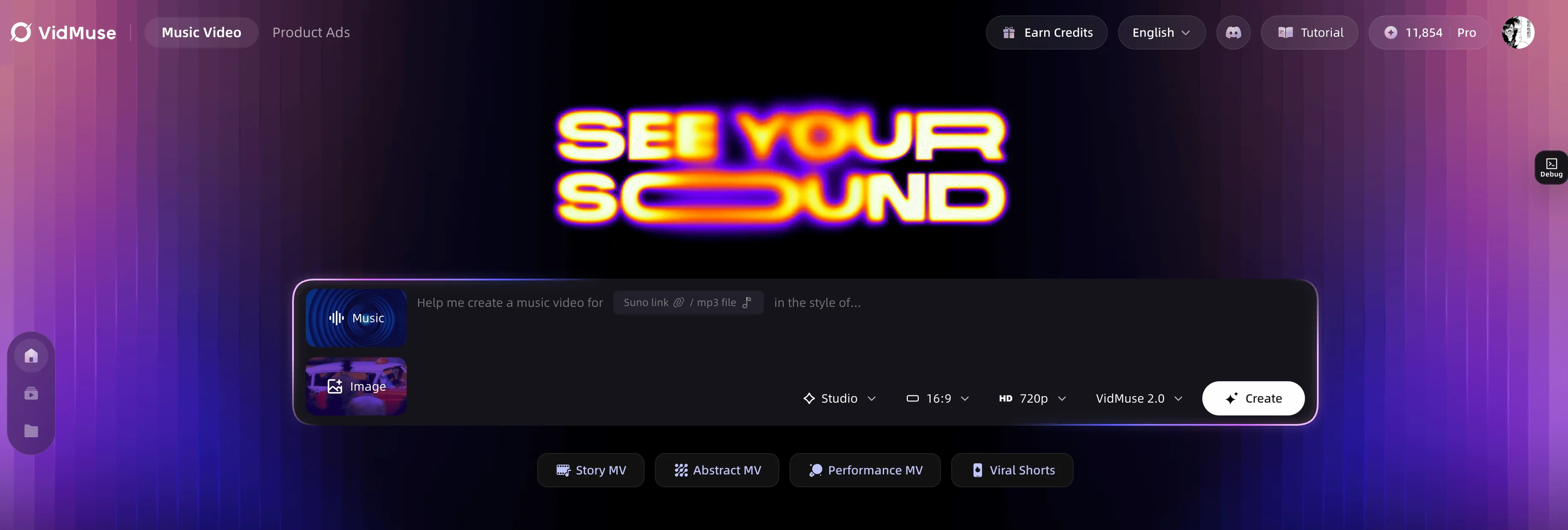
VidMuse 2.0 also introduces Shot Refine by Quoting — the ability to pull a specific shot from the storyboard and regenerate just that clip without restarting the entire production — a direct answer to the credit-burn problem in open-ended generation tools.
Ad Templates
VidMuse includes purpose-built ad formats: TVC, Explainer, UGC-Style Ads, Unboxing Ads, Viral Demo Ads, Product Review Ads, Digital TV Spot, and Tutorial Ads. Each template pre-populates the Creative Brief with the structural logic for that ad type, reducing the production setup time that open tools like Dream Machine require.
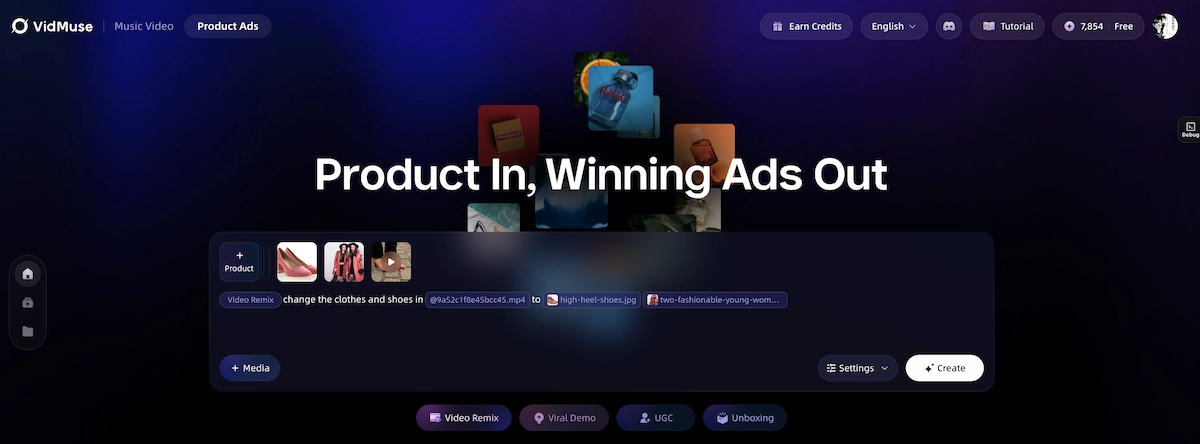
If you are a musician using Suno or Udio to generate tracks and need a structured video production workflow, or if you are an SMB building product ads without a production team, VidMuse addresses those needs more directly than a general-purpose video generator. You can explore the full VidMuse AI platform and read the VidMuse guide to understand the complete workflow.
Common Mistakes When Using Luma AI
Most quality problems in Dream Machine come from a small set of avoidable errors. These are the most common pitfalls and how to work around them.
Treating the free plan as a workflow tool. The free tier exists for evaluation, not production. Free plan exports are watermarked and commercial use is not permitted. Any creator building client deliverables or monetized content needs at minimum the Plus plan.
Using vague, abstract prompts. "A beautiful sunset" produces random results. "A slow push-in on a rooftop terrace at golden hour, warm backlight, city skyline bokeh" gives the model specific visual and motion directions to work from.
Skipping draft quality for iteration. Generating directly at 1080p to evaluate a concept is one of the fastest ways to exhaust your monthly credit allocation. Always draft at 540p or Draft mode first.
Not accounting for credit failure. Dream Machine can fail on a generation (technical error or content policy trigger) and still charge the credit. Build a buffer into your monthly credit budget.
Ignoring the Edit Threads system. Each new prompt from scratch creates a new context. Using Reply and Edit Threads to iterate from an existing clip preserves the model's visual reference and produces more consistent output than regenerating from zero each time.
Expecting character consistency across separate sessions. Dream Machine does not maintain character memory between sessions. For multi-video character work, use the Character Reference feature and save your reference assets to the Asset Library.
Over-relying on Modify for complex transformations. Video-to-video works well for style shifts, but it struggles with major structural changes (e.g., changing a character's identity or a location's architecture entirely). For those cases, image-to-video from a new reference is more reliable.
FAQ
What is Luma AI?
Luma AI is an AI research and product company based in Palo Alto that builds generative video, image, and 3D tools. Its main consumer product is Dream Machine, a text-to-video and image-to-video generation tool powered by the Ray model series. The platform has expanded in 2026 to include Luma Agents, a multimodal creative agent for teams and brands.
Is Luma AI free?
Yes, Luma AI has a free tier that requires no credit card at sign-up and is active the moment your account is created. The free plan includes roughly 30 generations per month at standard speed, but all exports carry a watermark and commercial use is not permitted. For commercial work, you need at minimum the Plus plan at $30/month.
What is Luma AI Dream Machine?
Dream Machine is the consumer video generation interface within Luma AI, accessible at dream-machine.lumalabs.ai. It uses the Ray model series (currently Ray 3.2) to generate short-form video from text prompts or uploaded images. Features include text-to-video, image-to-video, keyframes, video-to-video (Modify), lip sync, extend, loop, reframe, and inpainting. It operates on a credit system with plans ranging from free to $300/month.
What does Luma AI price look like for video generation in 2026?
Luma AI's current paid plans are Plus at $30/month, Pro at $90/month, and Ultra at $300/month, with a 20% discount for annual billing. A 5-second video at 720p using Ray 3.2 costs 100 credits; at 1080p, 400 credits for 5 seconds. All plans use a credit system, and credits do not roll over month to month.
How does Luma AI image-to-video work?
Upload a reference image in Dream Machine's prompt field, add a motion-specific text description, select Ray 3.2, and generate. The model uses the image as a visual anchor and animates the scene according to your text direction. Image-to-video is slightly more credit-efficient than text-to-video because the reference frame reduces the model's generative uncertainty. For locked start and end states, use the Keyframes feature alongside image upload.
How does Luma AI video-to-video work?
The Modify feature in Dream Machine accepts an uploaded video clip and applies a text-directed style or motion transformation, supporting clips up to 18 seconds on Ray 3.14. It is useful for style transfer, relighting, and character restyling of existing footage. Credit cost for video-to-video is higher per second than text-to-video at equivalent resolution, so testing at draft quality before committing to 1080p processing is recommended.
What are the best Luma AI alternatives for music videos?
For general-purpose video generation, Kling AI and Runway Gen-4 are the most comparable alternatives. For music video production specifically — where you need audio-visual synchronization, storyboard planning, and multi-scene continuity — purpose-built platforms like VidMuse offer an agent-based AI Director workflow that handles the full production pipeline from track upload to final export, including built-in Suno AI integration for music generation.
Take Home
Luma AI and Dream Machine represent one of the most technically accomplished AI video generation platforms available in 2026. The Ray 3.2 model delivers convincing cinematic motion; the Luma Agents platform bundles image, video, audio, and text generation into a single agentic creative environment; and the credit system, while complex, gives users flexibility to match usage to budget.
That said, Dream Machine is a video generation tool, not a video production system. It produces individual clips well but has no native structure for music video production, no built-in audio generation for track sync, and no pre-built ad templates to scaffold SMB creative briefs. Creators who need a finished music video or product ad — rather than individual high-quality clips — will still need to build their own production workflow on top of it.
For those use cases, exploring VidMuse's agent-based AI Director workflow is a natural next step. The platform's structured shot planning, integrated Suno AI music generation, and purpose-built MV and ad templates address precisely the gaps that Dream Machine leaves open.
Ready to try a full music to video AI or AI Ad Generator pipeline without building one from scratch? Explore VidMuse AI and see the AI music video generator workflow in action.
Your Next Music Video Starts Here
Upload your track, set your brief, and let VidMuse direct the rest — from storyboard to final cut. Studio-quality output without a studio budget.

Written By
VidMuse Team
Continue Reading
Latest blog posts related to AI video creation.
PixVerse V6 x VidMuse AI: Model Guide and Video Workflow
PixVerse V6 review and VidMuse integration guide. Capabilities, 15s 1080p video, prompt tips, model comparison, pricing, and how to use V6 in VidMuse workflows.
FLUX 3: What It Is, Capabilities, and How to Access It
FLUX 3 is Black Forest Labs' multimodal AI model for image, video, audio, and action. Full guide: capabilities, FLUX 3 vs FLUX 2, availability, and pricing.
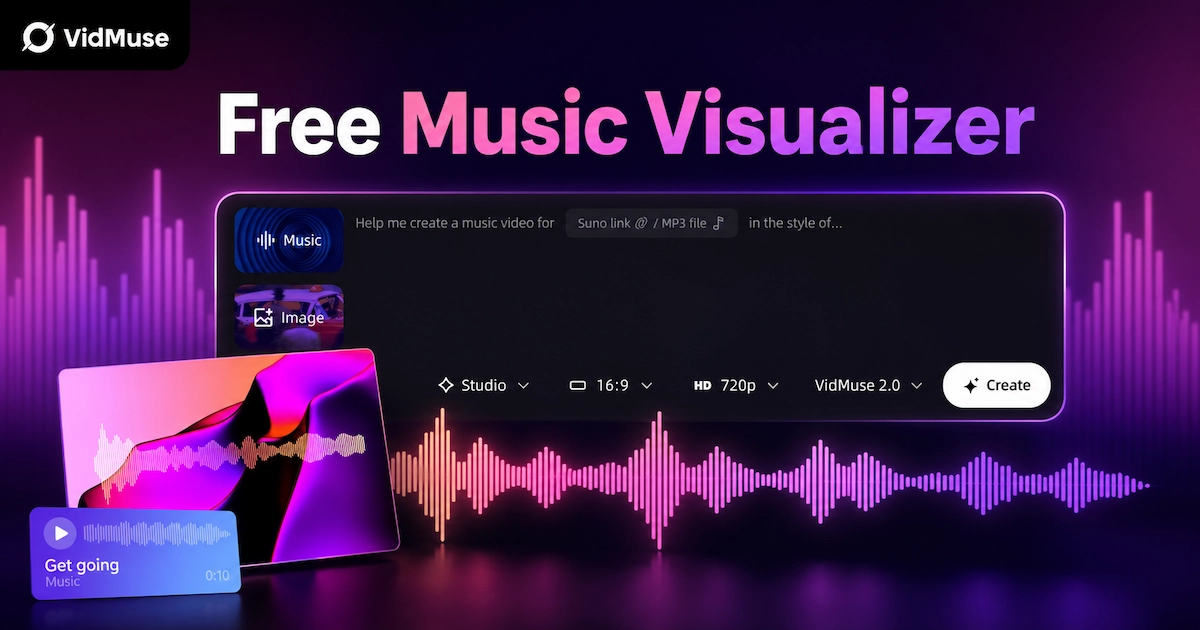
Free Music Visualizer: 10 Best Free Tools in 2026
Compare 10 best free music visualizers in 2026. Waveform tools, AI music video makers, watermark policies, export limits, and which tool fits your workflow.