

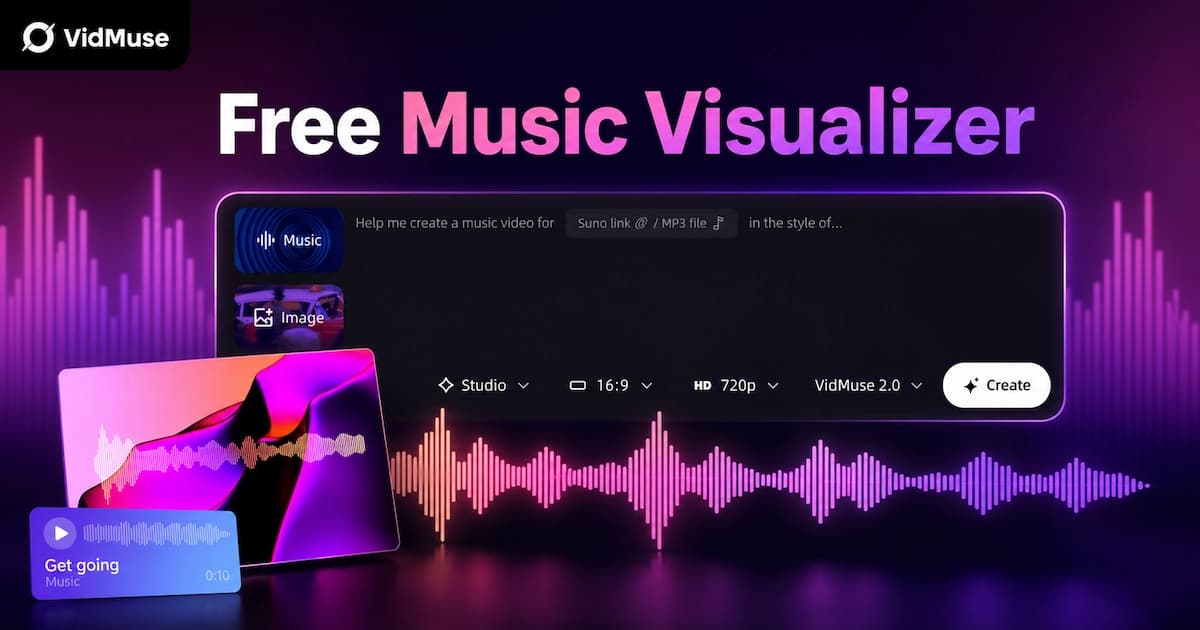
Free Music Visualizer: 10 Best Free Tools in 2026
The best free music visualizer in 2026 is Vizzy for completely free no-watermark output, Specterr for dedicated waveform and spectrum visualizers, and VidMuse for AI-generated music videos that go beyond waveforms into full scene-based visuals. A free music visualizer turns your audio into animated visuals — waveforms, spectrum bars, particles, or AI-generated scenes — synced to your track for publishing on YouTube, TikTok, Spotify Canvas, or social media.
This article compares 10 free music visualizer tools, explains the two distinct types (waveform vs AI music video), and helps you choose the right tool for your use case. For an in-depth tutorial on how music visualizers work, see our music visualizer guide.
Key Takeaways
-
Vizzy is the only completely free music visualizer with no watermark and no export limits — the best zero-budget option.
-
Free music visualizers fall into two categories: traditional waveform/spectrum tools (Specterr, Vizzy, Beatsee) and AI music video generators (VidMuse, Freebeat) that create scene-based videos.
-
Most free plans add watermarks, cap resolution at 720p, or limit exports per month — always check before publishing.
-
For Spotify Canvas, YouTube uploads, or TikTok, match the tool to the platform's aspect ratio and duration requirements.
-
VidMuse goes beyond visualizers — it turns tracks into full AI music videos with planned scenes, shots, and beat-synced narrative structure.
Two Types of Free Music Visualizer
Free music visualizers fall into two distinct categories, and understanding the difference saves you from choosing the wrong tool.
| Type | What It Does | Visual Output | Music Awareness | Example Tools |
|---|---|---|---|---|
| Waveform / Spectrum Visualizer | Reacts to audio amplitude or frequency data | Waveforms, spectrum bars, particles, geometric shapes | Amplitude only (most); BPM + frequency (Beatsee) | Specterr, Vizzy, SoundTools, VibeMV, Beatsee, Renderforest, VEED, CapCut, Clipchamp |
| AI Music Video Generator | Analyzes the full song (BPM, structure, mood, lyrics) and generates planned scenes with storyboard and shots | Story-driven scenes, characters, environments, cinematic shots | Full song analysis: BPM, structure, mood, drops, lyrics | VidMuse, Freebeat |
If you need a waveform animation for a YouTube audio upload or a Spotify Canvas loop, a traditional visualizer is fast and effective. If you want an actual music video with scenes, narrative, and cinematic visuals synced to your track's structure, you need an AI music video generator.
Most tools on this list are traditional visualizers. VidMuse and Freebeat are the two AI-based options, and they produce fundamentally different output — planned scenes and storyboarded shots instead of audio-reactive shapes.
10 Best Free Music Visualizers in 2026
Here are the 10 best free music visualizers in 2026, ranked by what each free plan actually delivers — watermark policy, resolution, export limits, and music awareness.
| Tool | Type | Free Plan | Watermark | Max Resolution | Export Limit | Music-Aware | Best Free Use |
|---|---|---|---|---|---|---|---|
| Vizzy | Waveform | ✅ Fully free | ❌ None | 1080p | Unlimited | Basic | Best completely free option |
| Specterr | Waveform/Spectrum | ✅ Free tier | ✅ Yes | 720p | 3/month | Amplitude | Classic waveform visualizer |
| SoundTools | Waveform | ✅ Free | ❌ None | Varies | Unlimited | Basic | Browser-based, 14 styles |
| VibeMV | Waveform | ✅ Free | ❌ None | 1080p | Check site | Basic | 1080p no-watermark |
| Beatsee | 3D Visualizer | ✅ Free tier | ✅ Yes | Up to 4K (paid) | Limited | BPM + frequency | Real 3D WebGL visuals |
| Renderforest | Template | ✅ Free tier | ✅ Yes | 360p | Limited | Basic | Huge template library |
| VEED | Video editor + visualizer | ✅ Free tier | ✅ Yes | 720p | Unlimited | None | General video editor |
| CapCut | Video editor + visualizer | ✅ Free | ❌ None | 1080p | Unlimited | Basic | Mobile + desktop |
| Clipchamp | Video editor + visualizer | ✅ Free | ❌ None | 1080p | Unlimited | Basic | Windows users |
| VidMuse | AI Music Video Generator | Check site | Check site | Up to 1080p+ | Check site | Full (BPM, structure, mood) | AI music videos with scenes and storyboard |
Free-plan details as of July 2026. Check each tool's official site for current availability.
1. Vizzy — Best Completely Free (No Watermark)
Vizzy is the only tool on this list that is genuinely, completely free — no watermark, no export limits, no subscription wall. The browser-based editor includes cinematic effects (Glitch, VHS, Fisheye), an audio analyzer that controls how effects react to your music, and lyric mapping for syncing text to audio.
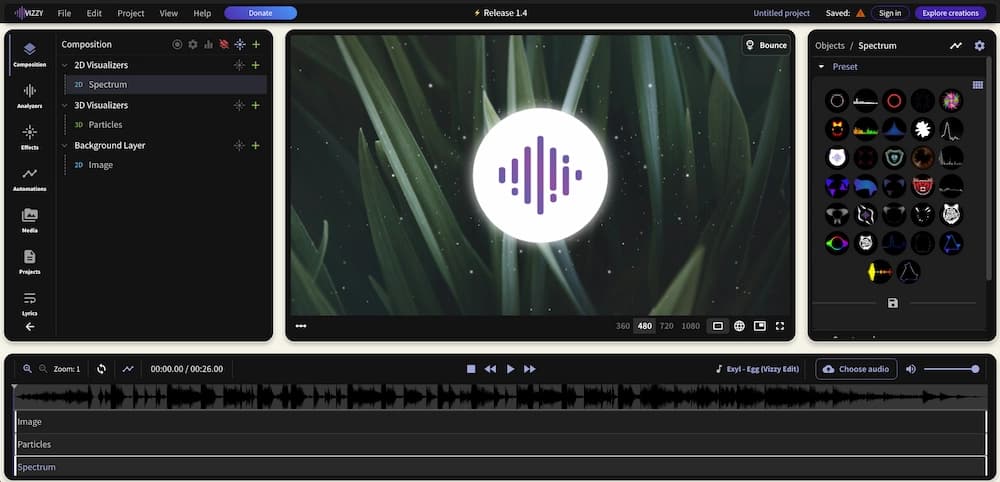
Output is 1080p with a 4GB file size limit. The visual styles are 2D effects and overlays — no 3D rendering or AI scene generation. But for creators on a strict zero-dollar budget who need clean, publishable output immediately, Vizzy is the strongest starting point.
Best for: Zero-budget creators who need a no-watermark music visualizer right now.
2. Specterr — Best Free Waveform Visualizer
Specterr is purpose-built for music visualization — not a video editor with a visualizer bolt-on. It offers waveform, spectrum bar, and frequency visualizer templates with a real-time live preview that updates as your music plays. The editing experience feels designed for musicians, not generic video creators.
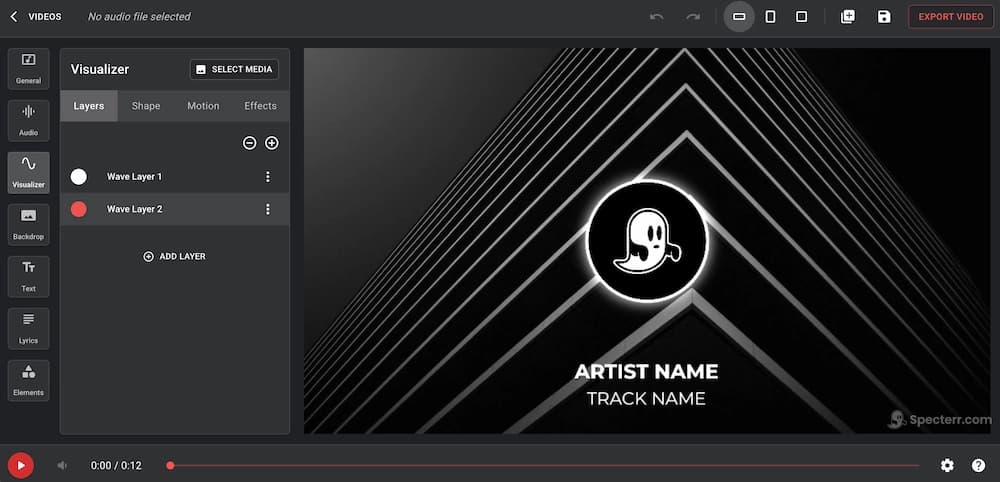
Free plan includes 3 video downloads per month at 720p with watermark. Pro plan at $9.99/month removes the watermark and unlocks 1080p at 60fps. Cloud rendering handles the export — no powerful hardware needed on your end.
Best for: Musicians who want a dedicated, professional-looking waveform visualizer with a real-time preview.
3. SoundTools — Best Free Browser-Based Visualizer
SoundTools offers 14 visualizer styles — free, no watermark, no sign-up required. Open the page, upload a track or use your microphone, choose a style, and export a video for YouTube or TikTok. It's the lowest-friction option on this list.
The tool runs entirely in the browser with no account creation. Visual output is clean but basic — amplitude-reactive shapes and waveforms. Good for quick results when you don't want to create an account or learn an editor.
Best for: Quick, no-friction visualization when you need a video in minutes without signing up for anything.
4. VibeMV — Best Free 1080p Visualizer
VibeMV delivers a free music visualizer with 1080p export and no watermark. Upload your song, add cover art, choose from polished visualizer templates, and export in 16:9 or 9:16. The templates are specifically designed for music uploads — clean, professional, and ready for YouTube or social media publishing.
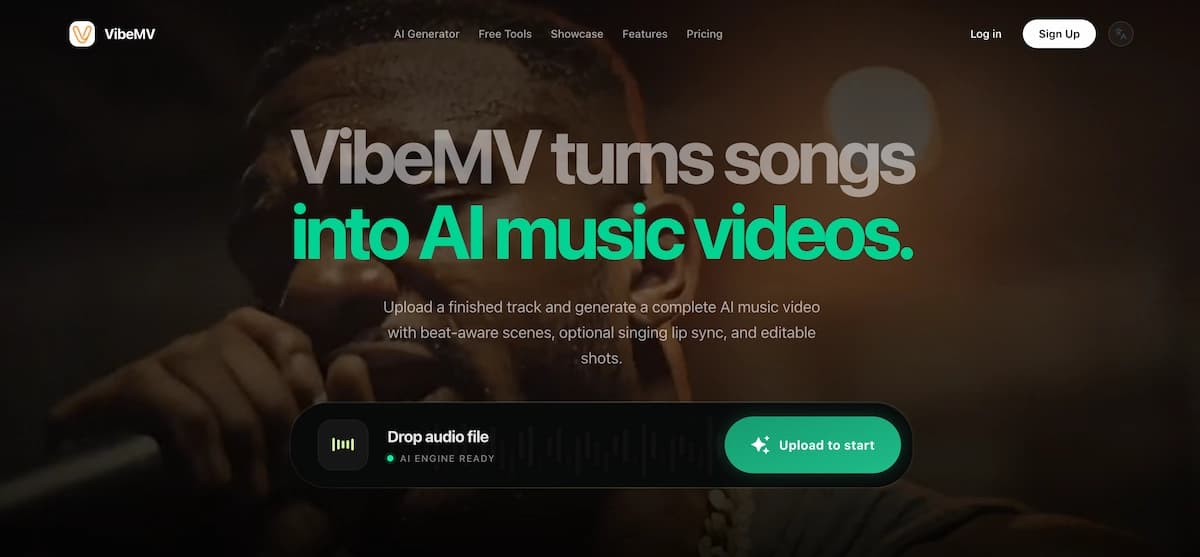
The interface is straightforward: upload → customize → export. No complex editor to learn. Output quality at 1080p is noticeably better than tools that cap free plans at 720p.
Best for: Musicians who want a polished 1080p music visualizer for YouTube audio uploads with album art.
5. Beatsee — Best Free 3D Music Visualizer
Beatsee uses WebGL and Three.js to render actual 3D scenes that react to your music in real time — not template overlays or 2D animations. You can build 3D environments with models, text, images, particle effects, and spectrum bars, all responding to audio frequency data, beat detection, and BPM-aware animation.
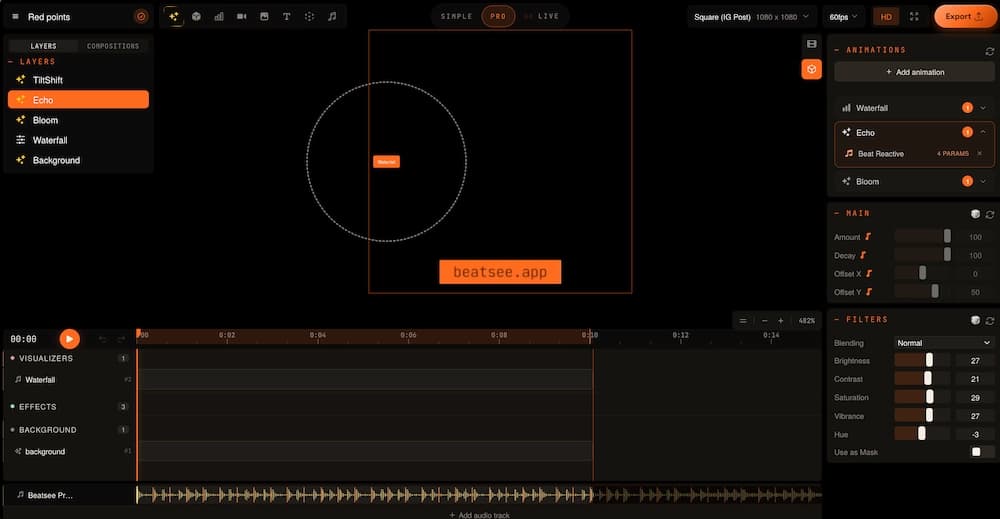
Free tier includes a watermark. Producer plan at €3.99/month (annual billing) unlocks watermark-free exports up to 4K. The 3D output quality is the closest any browser-based tool gets to After Effects or Blender visuals.
Best for: Producers and beat makers who want real 3D depth and audio-reactive visuals, not flat waveforms.
6. Renderforest — Largest Free Template Library
Renderforest offers one of the largest template libraries in the visualizer space — over 1,000,000 templates including spinning vinyl, sci-fi equalizers, and particle-based animations. Pick a template, upload your track, add your artist name, and export.
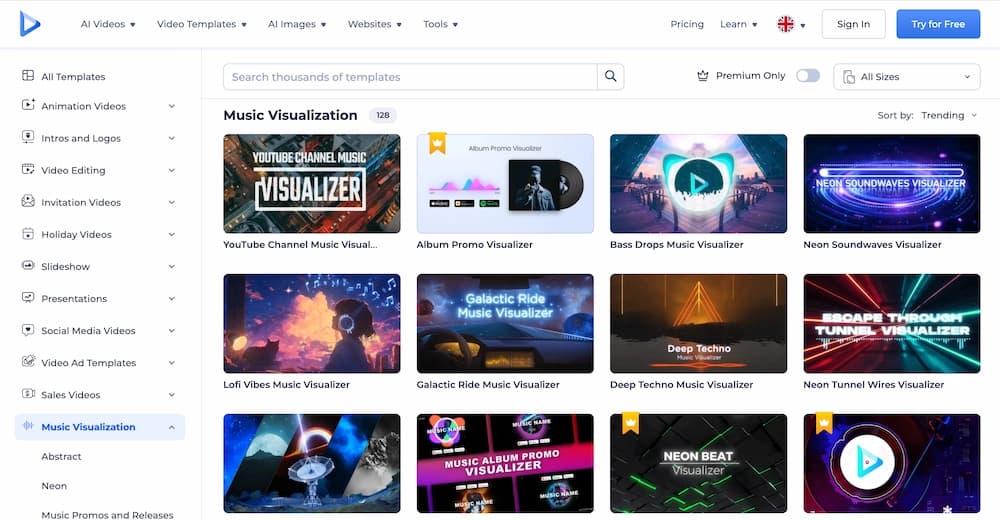
The catch: the free plan is severely limited. Output is 360p, 1 minute maximum, with watermark. For most publishing use cases, 360p is not usable. Paid plans start at $9/month for 720p. Per-export pricing at $24 (1080p) or $49 (4K) is available if you don't need a subscription.
Best for: Quick template-based visualizers when you need variety — but expect to pay for publishable quality.
7. VEED — Best Free Video Editor with Visualizer
VEED is a full-featured online video editor that includes a music visualizer as one of many tools. The free plan offers unlimited exports — more than most competitors — but adds a watermark and caps resolution at 720p.
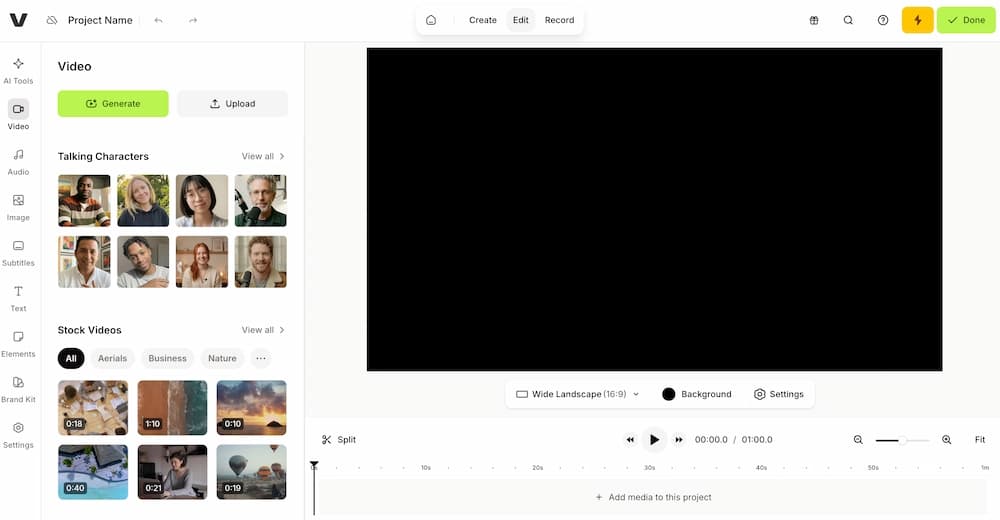
The visualizer creates audiogram-style waveform overlays. Auto-subtitles in 50+ languages make it useful for lyric overlays. But VEED is not music-aware — it treats audio as generic file content, not as music. No BPM detection, no beat sync, no frequency mapping.
Best for: Creators who need video editing and basic audio visualization in one tool, not just a visualizer.
8. CapCut — Best Free Mobile Music Visualizer
CapCut is a free video editor with audio visualizer overlays — available on desktop and mobile. No watermark on standard exports, 1080p output, and an extensive template library make it a popular choice for TikTok creators.
The visualizer functionality is part of a broader video editor, so you get additional tools (trimming, effects, transitions, text) alongside the audio visualizer. The visualizer itself is basic — waveform and spectrum overlays — but the overall package is strong for short-form social content.
Best for: Mobile-first creators making short music clips for TikTok and Instagram Reels.
9. Clipchamp — Best Free for Windows Users
Clipchamp is Microsoft's browser-based video editor with built-in audio visualizer. The biggest advantage: free 1080p exports with no watermark. It includes music bars and pulsing waveform styles that automatically react to uploaded audio.
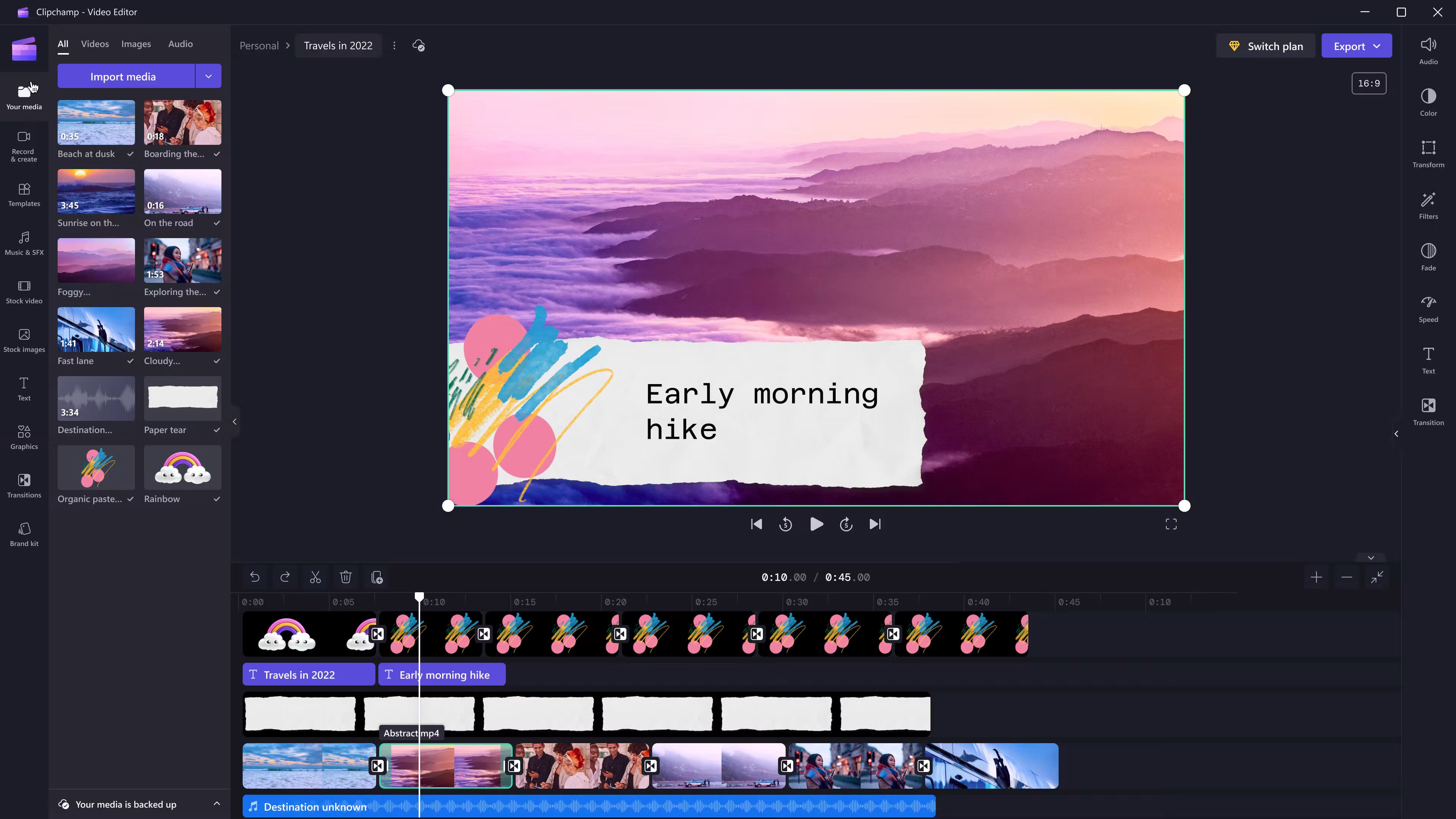
The visualizer options are limited — bars or waveforms, basic color customization — but the free no-watermark 1080p output makes it genuinely usable for publishing. Included with Microsoft 365 Personal and Family subscriptions.
Best for: Windows users who want a free, no-watermark music visualizer without installing extra software.
10. VidMuse — Best AI Music Video Generator
VidMuse is not a traditional waveform visualizer — it's an AI music video generator that creates scene-based videos from your track. Upload a song (or generate one with built-in Suno AI), and VidMuse's AI Director analyzes the music, plans scenes and shots, generates a storyboard, and produces beat-synced video clips with cinematic visuals.
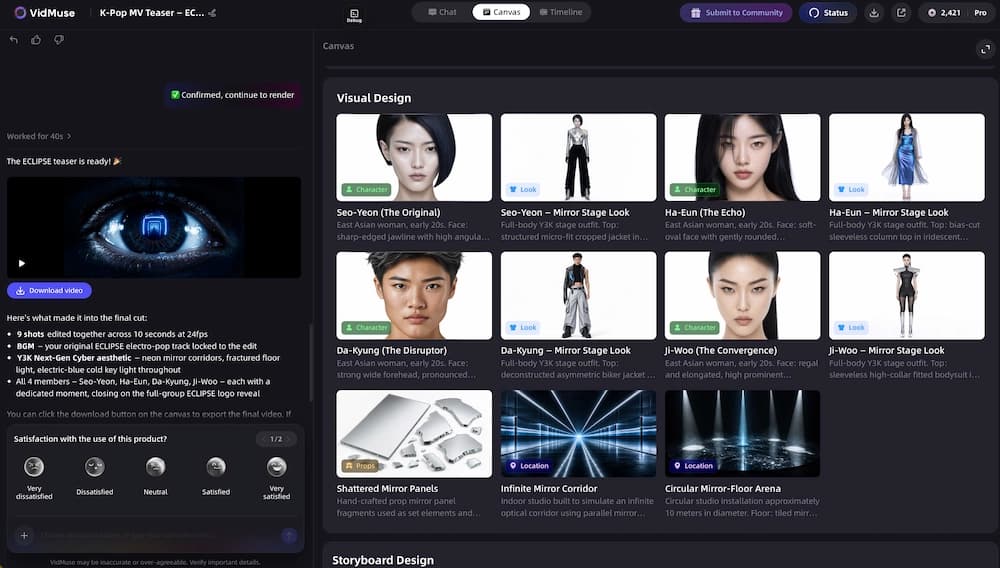
What separates VidMuse from every other tool on this list:
- Beat-Aware Pacing — connects rhythm, tempo, hooks, and drops to scene pacing and visual energy. Not just amplitude — the AI reads the song's structure.
- Song-to-Story Planning — translates your track into a visual concept, narrative arc, scene list, and mood direction. You get a storyboard before any video is generated.
- Suno-to-Video Workflow — paste a Suno link directly and VidMuse generates a full music video from the AI-generated track without a separate download step.
- Studio and Lite Modes — Studio for maximum quality and visual continuity; Lite for faster, cost-efficient generation.
- AI Refine on Timeline — select any clip on the timeline, describe a revision via chat, and VidMuse regenerates that clip in place. For production control details, see VidMuse 2.0.
The output is a full music video with planned scenes, shot-by-shot structure, voiceover/subtitle support, and platform-ready formats (9:16, 16:9). For creators who want more than a waveform — an actual music video — VidMuse is the tool that bridges the gap.
Best for: Creators who want an AI-generated music video with scenes, storyboard, and beat-synced visuals — not just a waveform animation.
Go Beyond Waveforms — Make AI Music Videos
Upload your track and VidMuse turns it into a full music video with scenes, shots, and beat-synced visuals.
How to Choose the Right Free Music Visualizer
The right free music visualizer depends on what you're publishing, where you're publishing it, and whether you need waveforms or actual scenes.
| If You Need… | Best Free Tool | Why |
|---|---|---|
| No watermark, zero cost | Vizzy or Clipchamp | Genuinely free, clean output, no subscription |
| Classic waveform for YouTube | Specterr or VibeMV | Purpose-built visualizer templates, polished output |
| 3D visuals with real depth | Beatsee | WebGL 3D rendering in the browser |
| Quick mobile visualizer | CapCut | Free app, no watermark, 1080p |
| Spotify Canvas loop | Specterr or VibeMV | Short-loop templates in correct format |
| AI music video from your track | VidMuse | Scene-based, storyboarded, beat-synced |
| Suno/Udio song → music video | VidMuse | Native Suno link support → full AI MV |
| Podcast audiogram | VEED or Clipchamp | Simple waveform + subtitle tools |
Quick rule: If you want to show your audio, use a visualizer. If you want to tell a story with your audio, use an AI music video generator.
For Spotify Canvas specifically, see our Spotify music visualizer guide.
How to Make a Free Music Visualizer Video
Making a free music visualizer video takes three basic steps with any tool on this list:
- Upload your audio file — MP3, WAV, or paste a link (Suno/Spotify where supported). Most tools accept drag-and-drop uploads with no conversion needed.
- Choose a visual style — waveform, spectrum bars, particles, 3D, or template. Customize colors, logo, background image, and text overlays.
- Export — select your target format (16:9 for YouTube, 9:16 for TikTok/Reels, 1:1 for Instagram) and render. Check watermark and resolution before publishing.
For an AI music video instead of a visualizer: Upload your track to VidMuse music to video AI, and the AI Director analyzes the song, plans scenes, generates a storyboard, and produces beat-synced video clips. You get a full music video — not a waveform animation. VidMuse also supports lyric video output with lyric timing and subtitle treatment.
Free Music Visualizer Limitations
Every free music visualizer has limits. Know them before you commit to a tool for publishing:
Watermarks. Most free plans add a visible watermark to exports — a dealbreaker for professional publishing. Exceptions: Vizzy, SoundTools, VibeMV, CapCut, and Clipchamp offer watermark-free free output.
Resolution caps. Many free tiers are locked at 720p or lower. Renderforest's free plan caps at 360p — unusable for most platforms. Check the free-plan resolution before starting a project.
Export limits. Specterr limits free users to 3 videos per month. Beatsee and Renderforest have limited free generations. If you publish regularly, volume limits matter more than features.
No music awareness. Most free visualizers react to audio amplitude only — they don't understand BPM, song structure, key changes, or lyric timing. Output looks the same for a ballad and a drum & bass track. Only Beatsee (BPM + frequency) and VidMuse/Freebeat (full song analysis) offer deeper music awareness.
Duration limits. Some tools cap free output at 30 seconds, 1 minute, or 4 minutes. For full-length tracks, verify the duration limit before uploading.
No scenes or narrative. Waveform visualizers create animations from audio data — they can't generate actual music video scenes, characters, environments, or storyboards. For that, you need an AI music video generator like VidMuse.
When to upgrade: If you're publishing regularly, need watermark-free output in 1080p+, or want music-aware AI-generated scenes, a paid plan or an AI music video tool is the natural next step.
FAQ: Free Music Visualizer
What is the best free music visualizer?
Vizzy is the best completely free music visualizer — no watermark, no export limits, 1080p output, fully browser-based. For waveform and spectrum visualizers, Specterr offers the most polished dedicated tool (free tier with watermark, 3 videos/month). For AI-generated music videos that go beyond waveforms, VidMuse creates scene-based, beat-synced videos with storyboarded shots from your track.
Is there a free music visualizer without watermark?
Yes. Vizzy, SoundTools, VibeMV, CapCut, and Clipchamp all offer free music visualizer output without watermarks. Specterr, Beatsee, Renderforest, and VEED add watermarks to free-tier exports — removing the watermark requires a paid plan on each of these tools.
What is the best free music visualizer for YouTube?
For a standard YouTube audio upload with album art and waveform animation, Specterr or VibeMV produce clean 16:9 visualizer videos. Vizzy is the best zero-cost option with no watermark. For a full AI-generated music video instead of a waveform, VidMuse creates scene-based videos with beat-synced visuals in platform-ready formats.
Can I make a free music visualizer online?
Yes. All 10 tools in this comparison work online in a browser — no software download required. Upload your audio file, choose a visual style, customize, and export. SoundTools and Vizzy require no sign-up at all, making them the fastest options for getting started immediately.
What is the difference between a music visualizer and an AI music video?
A music visualizer creates audio-reactive animations — waveforms, spectrums, particles — that respond to sound amplitude or frequency data. An AI music video generator like VidMuse analyzes the full song (BPM, structure, mood, lyrics) and creates planned scenes with storyboards, characters, environments, and cinematic shots. Visualizers show your audio. AI music videos tell a visual story from your audio.
Can I use a free music visualizer for Spotify Canvas?
Yes. Specterr and VibeMV produce short-loop visualizer videos suitable for Spotify Canvas format. Vizzy can export short clips in the correct aspect ratio. For a more cinematic Canvas, VidMuse can generate a short AI-generated music video loop. For a detailed walkthrough, see our Spotify music visualizer guide.
Do free music visualizers work with Suno songs?
Yes. Download your Suno track as MP3 and upload it to any visualizer on this list — all 10 tools accept MP3 files. VidMuse goes further: paste a Suno link directly, and VidMuse generates a full AI music video from the track without needing a separate download step.
Conclusion
The best free music visualizer depends on what kind of visual you need. For waveform and spectrum animations, Vizzy delivers the most usable free output — no watermark, no limits. Specterr is the strongest dedicated visualizer for musicians. Beatsee leads if you want real 3D depth. CapCut and Clipchamp cover mobile and Windows users with solid free, watermark-free options.
For creators who want more than waveforms — actual music videos with scenes, storyboards, and beat-synced narrative — VidMuse bridges the gap between visualizer tools and full AI music video production. Upload a track, and VidMuse's AI Director turns it into planned scenes, cinematic shots, and platform-ready output.
If your goal is a visual for an audio upload, any tool on this list handles it. If your goal is a music video, VidMuse turns your track into planned scenes and cinematic shots — beyond what a waveform can do.
Turn Your Track into a Music Video
Waveform visualizers show your audio. VidMuse turns it into a storyboarded, scene-based music video with beat-synced visuals.

Written By
VidMuse Team
Continue Reading
Latest blog posts related to AI video creation.

How to Make Product Video Ads with AI (Step-by-Step)
Learn how to make product video ads with AI step by step. Full 6-phase VidMuse tutorial, input tips, ad type guide, and alternative approaches compared.

Best AI Clone Video Generator 2026: 7 Tools Compared
Compare the 7 best AI clone video generators in 2026. Avatar clones, viral ad clones, pricing, features, and how to pick the right tool for your workflow.
Product Launch Video: Create Launch Videos with AI
Learn how to create a product launch video with AI. Structure framework, 6 video types, VidMuse tutorial, and best practices for your next product launch.