
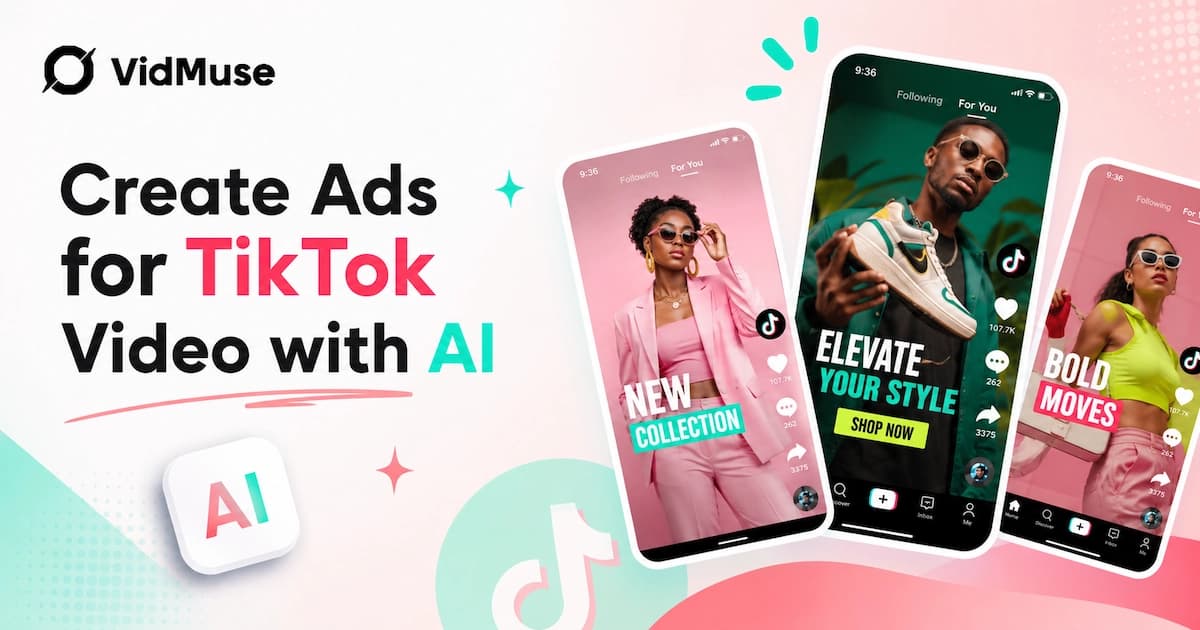
You can create ads for TikTok video with AI by providing a product image or link, choosing an ad format, letting an AI system plan the storyboard and generate video clips, then exporting a 9:16 MP4 ready to upload to TikTok Ads Manager — no filming, no editing software, no agency required. This guide walks through exactly how that workflow works, which tools handle which tasks, and what separates a forgettable TikTok ad from one that stops the scroll.
Key Takeaways
- AI can build a complete TikTok ad — from storyboard to final MP4 — starting from just a product image, Amazon link, or text description.
- 9:16 vertical format and a hook in the first 3 seconds are the two non-negotiables for TikTok ad performance.
- Music matters as much as visuals — TikTok's own data shows users are significantly more likely to remember a brand when the video features music they respond to.
- AI agent-based tools outperform single-prompt generators because they plan the full video structure (hook → benefit → CTA) rather than producing one generic clip.
- Remix workflows let you match competitor ad styles without copying footage — a major time advantage for small teams and solo sellers.
What You Need Before You Start
Creating TikTok ads with AI requires minimal input, but better input leads to better output. Before you start:
- Product visuals — product photos (minimum one clean shot on a neutral background), or an Amazon / eBay / Shopify URL the AI can scrape automatically
- Key selling points — two or three specific benefits your target buyer cares about, stated plainly
- Target audience clarity — age range, interest category, problem the product solves
- Ad goal — awareness, click-through, conversion, or app install
- A reference ad (optional but valuable) — a competitor or inspiration ad whose visual style you want to match
You do not need a script, a storyboard, or editing experience. The AI handles all of that from your brief.
Ready to Create TikTok Ads with AI?
Upload a product image or paste your Amazon link — VidMuse plans the storyboard, generates the video, and exports a 9:16 MP4 ready for TikTok Ads Manager.
Top TikTok AI Ad Video Makers Compared 2026
The right TikTok AI ad tool depends on your workflow: whether you need a full production pipeline, a fast avatar-forward approach, or deep integration with TikTok Ads Manager. The tools below represent the main options currently available, evaluated across the dimensions that matter most for TikTok ad production.
1. VidMuse — Agent-Based Full Production Pipeline
Best for: E-commerce sellers, SMBs, and creators who need a complete AI video ad — storyboard, image generation, video animation, audio, and final export — without assembling multiple tools.
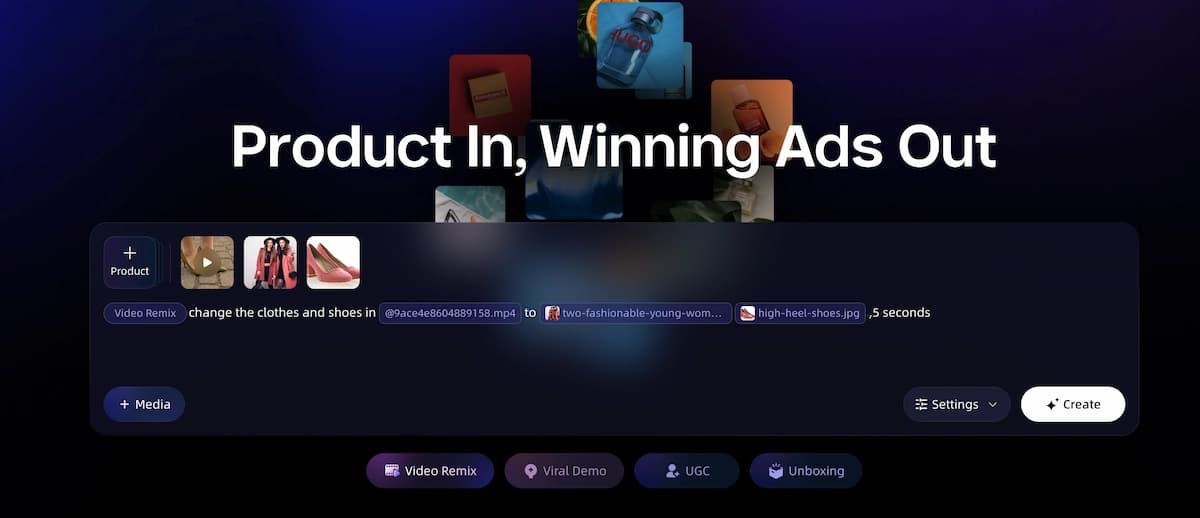
How it works: ai ad generator operates as an AI Director, not a one-shot prompt generator. You provide a product link, photos, or a reference ad. The system selects a template, writes a script, plans a shot-by-shot storyboard, generates keyframe images, animates them using its multi-model video generation stack (Seedance 2.0 Pro, Kling V3.0 Pro, Veo 3.1, and others), produces AI voiceover in multiple languages, generates or syncs background music, burns in subtitles and CTAs, and renders the final MP4.
See the Full Workflow in Action
From product link to platform-ready MP4 in under 30 minutes. Try the complete AI ad generation workflow on your own product — no editing skills required.
Key strengths:
- Product link input (Amazon / eBay auto-scrape) — fastest path from listing to ad
- Agent-based workflow plans structure rather than generating one isolated clip
- Multi-model video generation (Seedance, Kling, Veo, Hailuo, and more) in one platform
- AI Avatar presenter ads via Omnihuman V1.5 and Kling AI Avatar V2 Pro
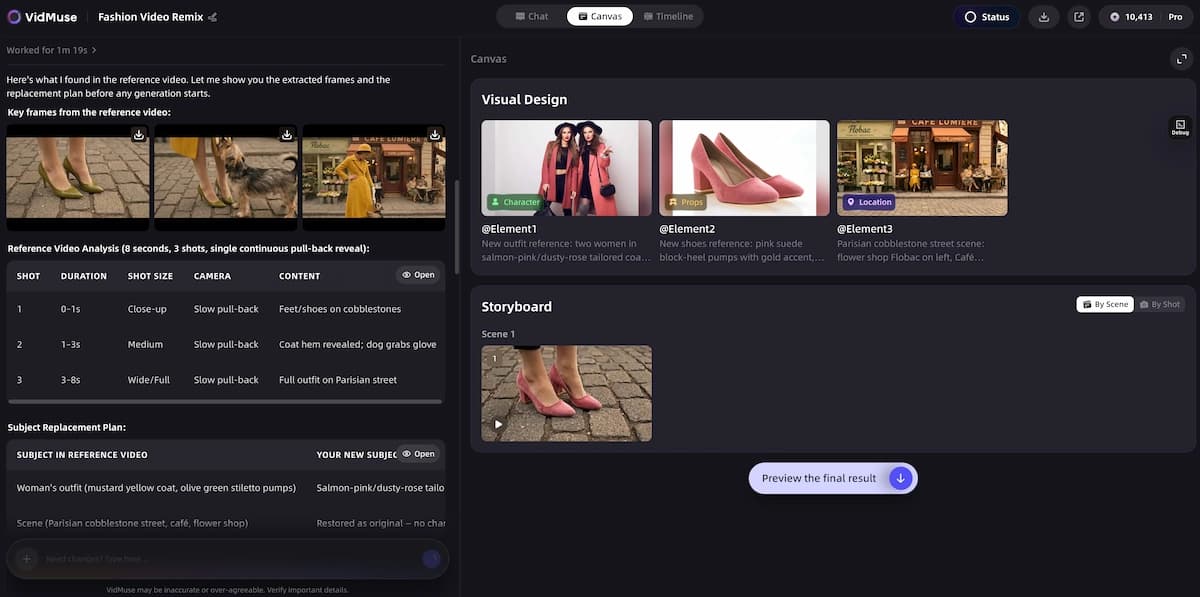
- Remix feature — match a competitor ad's style and replace the product
- Multi-language voiceover (EN, ZH, JA, KO, FR, ES, DE, and more)
- Shot Refine, Timeline Editor, and Asset Library in VidMuse 2.0
- AI music video generator support through integrated Suno AI music generation — original tracks without leaving the platform
Current limitations:
- Cannot edit existing live-action footage
- No real-hands unboxing — all visuals are AI-generated
- TikTok / Instagram links not supported as direct download sources
Output: 9:16 vertical MP4, 15–60 seconds, 720p (upgradeable)
Ideal prompt starting point: "Here's my Amazon link — make a 30-second UGC-style TikTok ad with AI voiceover in English and Spanish."
2. TikTok Symphony Creative Studio — Native Platform Tool
Best for: Advertisers already running TikTok Ads Manager campaigns who want direct integration between creative generation and campaign launch.
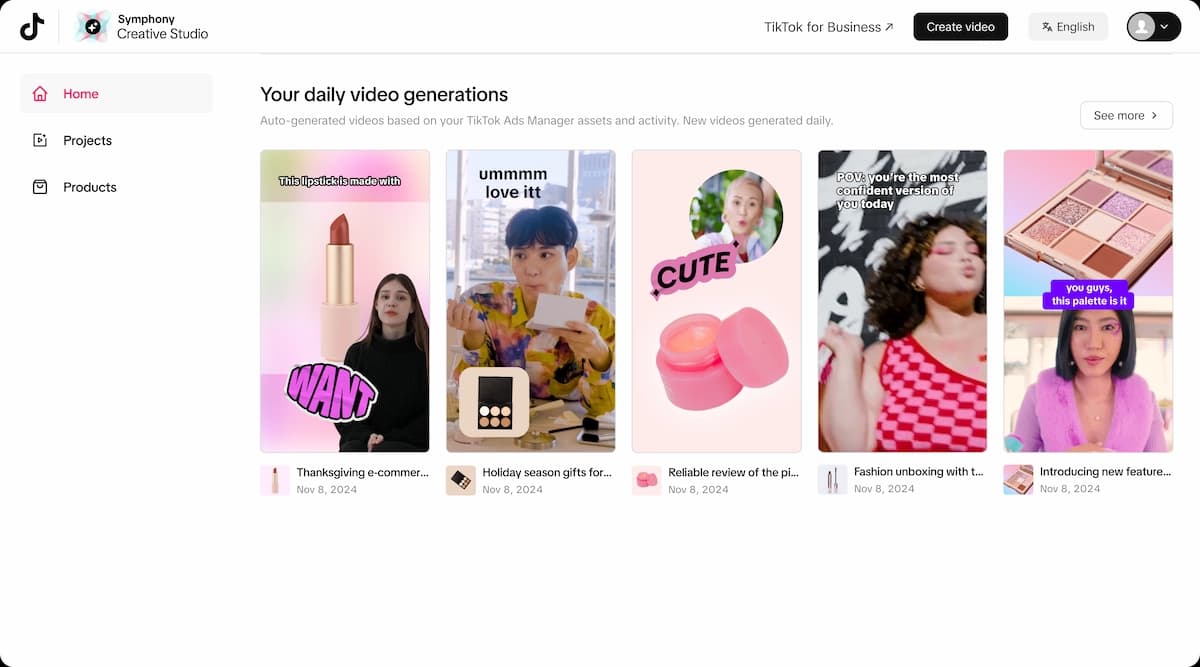
How it works: Symphony Creative Studio is TikTok's own AI creative tool, powered by Dreamina Seedance 2.0. You provide product details and existing assets, and the studio generates or remixes TikTok-ready videos. It also supports digital avatar presenters, multilingual video dubbing and translation, script generation, and a general video editor with AI-assisted captioning, royalty-free music, and language translation.
Key strengths:
- Direct integration with TikTok Ads Manager — no download and re-upload required
- TikTok trend intelligence informs creative direction
- Avatar video creation built in
- Translate and dub existing videos into multiple languages
- Free to use with a TikTok Ads account
Limitations:
- Designed primarily for TikTok placements — not a multi-platform production tool
- Less flexibility in video model selection compared to third-party platforms
- Asset generation quality tied to Dreamina Seedance 2.0 specifically
- No product link auto-scrape or e-commerce workflow
Best use case: Remixing existing brand footage with TikTok-native scripts; dubbing existing ads for new markets; running avatar ads directly from Ads Manager.
3. Creatify — Avatar and Script-Forward Approach
Best for: Teams who want to produce high-volume TikTok creatives built around AI avatar presenters and AI-generated scripts, with direct TikTok Ads Manager push.
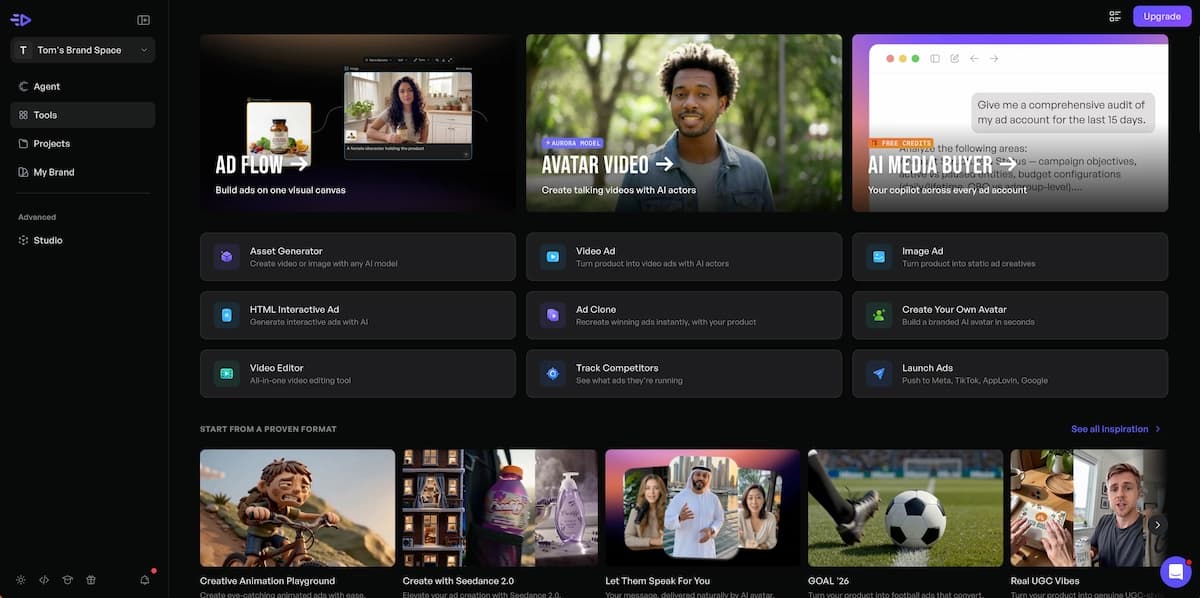
How it works: Creatify focuses on a URL-to-video workflow for product ads — paste a product URL, and the system generates an avatar-driven script-based ad. It has a library of AI avatars in various styles and a direct integration with TikTok Ads Manager for one-click publishing.
Key strengths:
- URL-to-video ad generation
- Large avatar library with diverse presenter styles
- Direct TikTok Ads Manager push (TikTok App Center certified)
- Fast turnaround for avatar-led creatives
Limitations:
- Avatar-centric format — less suited to product-visual-forward ads (unboxing, lifestyle, hype formats)
- Less model variety than multi-model platforms
- Output style tends toward talking-head formats
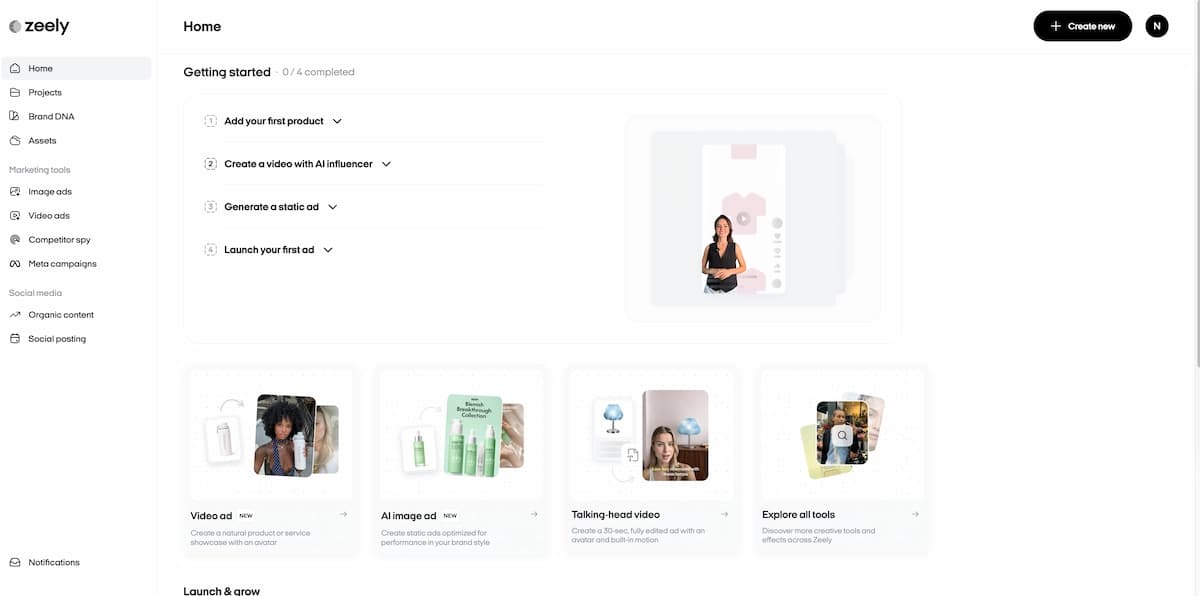
4. Zeely.ai — Mobile-First Small Business Tool
Best for: Solo sellers and small business owners who want a mobile-friendly way to produce social ad creatives quickly, without desktop software.
How it works: Zeely.ai positions as a mobile-first AI ad generator supporting multiple social platforms including TikTok, Instagram, and Facebook. It uses a combination of AI video generation, UGC-style avatars, and static ad creation to produce social-ready creatives from a product input.
Key strengths:
- Mobile-friendly interface
- Broad platform support (TikTok, Instagram, Facebook, YouTube, Snapchat, LinkedIn)
- UGC video and static ad creation in one tool
- AI talking head and avatar options
Limitations:
- Less video model depth than dedicated video ad platforms
- Output quality constrained by mobile-first architecture
- Better suited to static and short-clip formats than full structured video ads
5. InVideo AI — Template-Based Video Ad Creator
Best for: Creators who prefer template-driven workflows and want to repurpose script or text content into TikTok video ads with voiceover, stock footage, and basic editing.
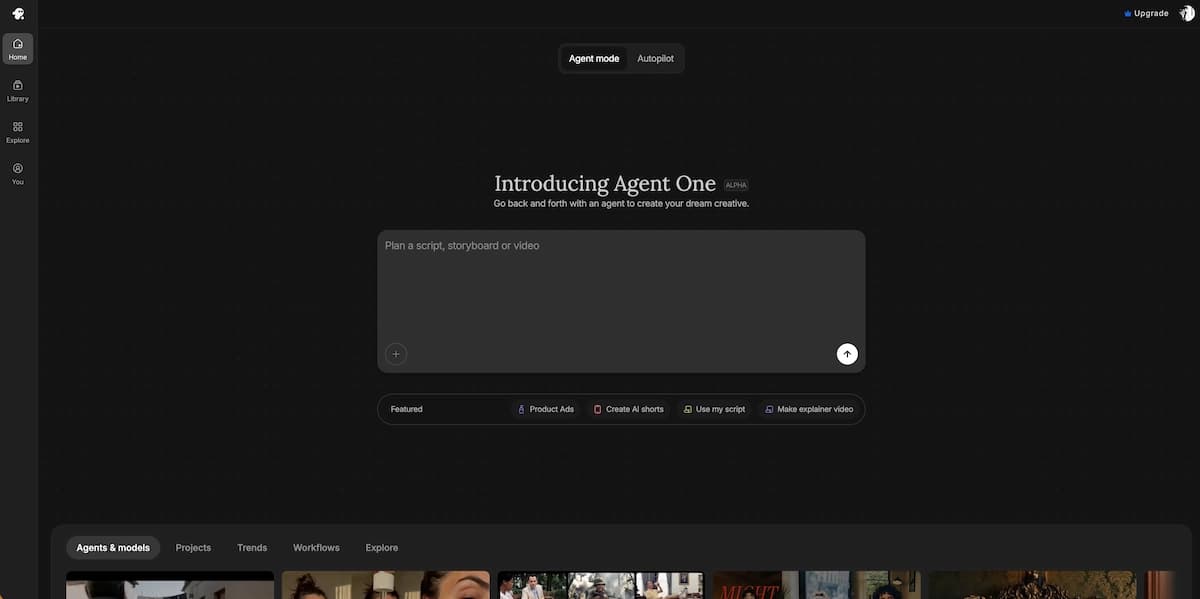
How it works: InVideo AI generates videos from text prompts or scripts, using a library of stock footage, AI voiceover, and customizable templates. Its TikTok-specific output is handled through vertical template selection.
Key strengths:
- Large stock footage library for lifestyle and background visuals
- Script-to-video workflow
- AI voiceover generation
- TikTok vertical templates available
Limitations:
- Relies on stock footage rather than product-specific AI generation — not ideal for branded product ads
- No product link input or e-commerce workflow
- Less suited to pure AI-generated product visuals
Comparison Table: TikTok AI Ad Video Makers
| Feature | VidMuse | Symphony Studio | Creatify | Zeely.ai | InVideo AI |
|---|---|---|---|---|---|
| Product link input | Amazon / eBay | ❌ | ✅ URL | ✅ | ❌ |
| Agent-based storyboard | ✅ Full planning | ⚠️ Partial | ⚠️ Script-level | ❌ | ❌ |
| Multi-model video generation | ✅ 10+ models | ⚠️ Seedance 2.0 | ❌ | ❌ | ❌ |
| AI avatar presenter | ✅ | ✅ | ✅ | ✅ | ❌ |
| Multi-language voiceover | ✅ 7+ languages | ✅ | ✅ | ⚠️ Limited | ✅ |
| Remix / competitor style | ✅ | ✅ | ❌ | ❌ | ❌ |
| TikTok Ads Manager integration | ❌ | ✅ Direct | ✅ Direct | ⚠️ | ❌ |
| Music generation | ✅ Suno AI built-in | ✅ Royalty-free | ⚠️ | ⚠️ | ✅ Library |
| Beat-synced pacing | ✅ | ⚠️ | ❌ | ❌ | ❌ |
| 9:16 vertical output | ✅ | ✅ | ✅ | ✅ | ✅ |
| E-commerce ad templates | ✅ 10+ types | ⚠️ | ✅ | ⚠️ | ⚠️ |
| Timeline editor | ✅ (2.0) | ✅ | ❌ | ❌ | ✅ |
Which Tool Should You Choose?
Choose VidMuse if you need a complete AI production pipeline from product input to final MP4 — especially if you're working with e-commerce products, need multi-model video quality (Seedance, Kling, Veo), want to produce multiple ad formats (UGC, avatar, unboxing, lifestyle, hype), or need remix and multi-language capabilities without switching tools.
Ready to Create TikTok Ads with AI?
Upload a product image or paste your Amazon link — VidMuse plans the storyboard, generates the video, and exports a 9:16 MP4 ready for TikTok Ads Manager.
Choose Symphony Creative Studio if you're already running TikTok Ads Manager campaigns and want the fastest path from creative to live campaign — particularly for dubbing existing videos into new languages or producing avatar ads that push directly to Ads Manager.
Choose Creatify if your primary format is avatar-led talking-head ads and you want direct TikTok Ads Manager publishing with a URL-to-avatar-video workflow.
Choose Zeely.ai if you're a solo seller or small business owner who needs a mobile-friendly tool for quick social creatives across multiple platforms without desktop software.
Choose InVideo AI if your content is script- or text-driven and you want to overlay voiceover and stock footage rather than produce brand-specific AI-generated product visuals.
How VidMuse Creates TikTok Video Ads End to End
VidMuse AI is an AI ad generator that operates as an agent-based system — meaning it plans, structures, and executes the full ad video rather than generating one-shot clips from a text prompt. That distinction matters for TikTok, where a functional ad needs a defined structure, not just a pretty image in motion.
Create Your TikTok Ad with VidMuse
Paste your product link, choose your format, and let VidMuse plan the scenes, generate the visuals, and deliver a beat-synced 9:16 TikTok ad — ready to publish.
The workflow starts when you provide a product input. You can paste an Amazon or eBay URL and VidMuse auto-scrapes the product name, images, and details. You can upload your own photos. You can describe the product in text. Or you can submit a reference ad — a competitor video whose style you want to remix with your own product.
From there, VidMuse's AI Director function takes over:
- Creative planning — selects the best ad template from formats including UGC-Style Ads, Unboxing Ads, Viral Demo Ads, Product Review Ads, and Digital TV Spots; defines the visual style and color palette; writes the ad script and voiceover; plans the scene structure and shot list with exact timing.
- Image generation — generates a keyframe image for each shot using models from VidMuse's image generation matrix, with visual consistency maintained across all shots.
- Video clip generation — animates each keyframe using video generation models (including Seedance 2.0 Pro, Kling V3.0 Pro, and Veo 3.1 among others), with camera motion added to match the energy level and music tempo.
- Audio generation — produces AI voiceover narration (multi-language, including EN, ZH, JA, KO, FR, ES, and DE), and generates or processes background music synced to the shot durations.
- Timeline assembly — arranges all clips in sequence, mixes audio, burns in subtitles and CTA text overlays, normalizes color and audio, and renders the final MP4.
The output is a 9:16 vertical video at a duration of 15, 30, or 60 seconds, ready to upload directly to TikTok Ads Manager.
For teams that need creative variants, VidMuse's Remix feature lets you take any reference ad, swap in your product, and regenerate the video matching the pacing, camera language, and scene rhythm of the original. A different visual style or music track can be applied to the same product to create multiple variants for A/B testing without rebuilding from scratch.
VidMuse also supports AI Avatar ads — the Digital Human Presenter format — where an AI avatar delivers your product pitch with lip-sync and natural gestures, eliminating the need to find or book a creator for talking-head content.
How to Create TikTok Ads Using VidMuse AI — Step-by-Step
This is the core production workflow used by VidMuse AI ad platforms today. Steps 1–3 are your inputs; steps 4–8 happen automatically.
Step 1: Provide your product input
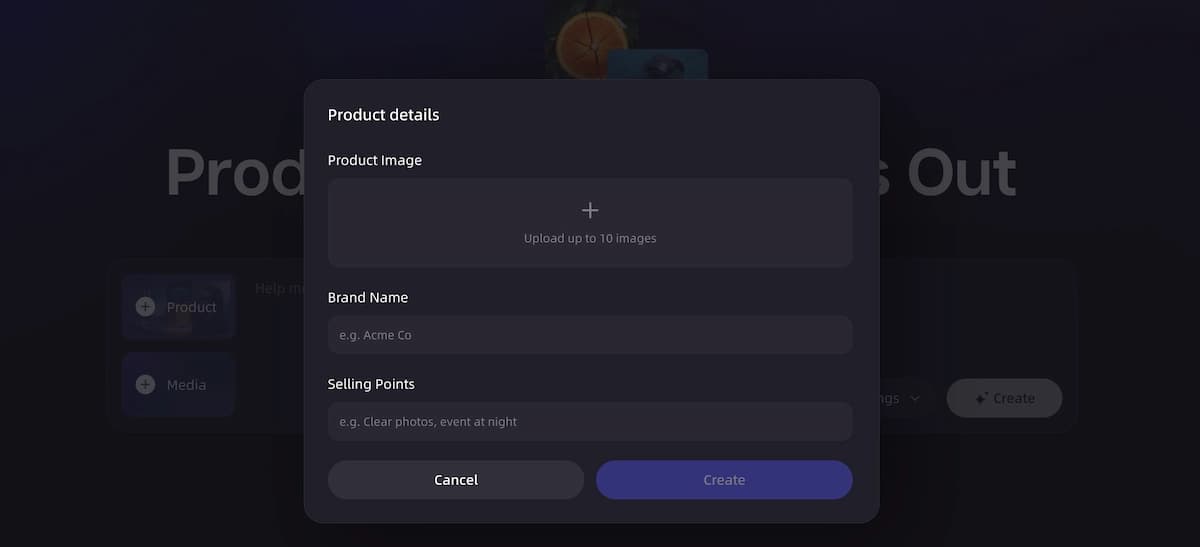
Paste an e-commerce link or upload product photos. If using a link, the AI scrapes the product name, images, features, and category. If uploading images, choose your clearest hero shot as the primary asset. You can also add a text description with the key selling point and target audience.
Step 2: Choose your ad type
Select the format that matches your campaign goal. Unboxing ads work for first-look products; Lifestyle ads work for skincare, food, and wellness; Hype / Dynamic ads work for fashion and youth products; Explainer ads work for tech and SaaS. (Full format breakdown in the next section.)
Step 3: Set your visual style and duration
Choose a visual style — Luxury, Natural, Trendy, Cinematic, Casual, or Futuristic — and select your duration: 15 seconds, 30 seconds, or 60 seconds. For TikTok, 15–30 seconds is the standard for paid ads.
Step 4: AI generates a storyboard
The AI plans a shot-by-shot sequence: hook shot, product reveal, benefit highlights, social proof moment, CTA. Each shot has a defined duration and a visual description. You can review and approve this before generation begins.
Step 5: Keyframe images are generated
For each shot in the storyboard, the AI generates a keyframe image. Visual consistency is maintained across shots — same lighting, color palette, and product presentation throughout.
Step 6: Audio is generated in parallel
AI voiceover narration is produced based on your brief — available in multiple languages including English, Chinese, Japanese, Korean, French, Spanish, and German. Background music is generated or processed, and timing is synced to shot durations.
Step 7: Video clips are generated
Each keyframe image is animated into a short video clip with camera motion — pans, zooms, reveals — matched to the music tempo and the energy level of your chosen format.
Step 8: Timeline assembly and final render
All clips are assembled in sequence, audio is mixed in, subtitles and CTA text are burned in, and the final MP4 is rendered at 9:16 for TikTok. Total time for a 30-second ad is typically 15–25 minutes.
See the Full Workflow in Action
From product link to platform-ready MP4 in under 30 minutes. Try the complete AI ad generation workflow on your own product — no editing skills required.
AI Prompt Examples for TikTok Video Ads
A well-structured prompt is the fastest way to improve the quality of your AI-generated TikTok ad. Vague inputs produce generic outputs. Specific inputs — product category, visual style, tone, duration, and platform — give the AI enough direction to produce a first draft that's close to usable rather than one that needs to be regenerated from scratch.
The prompts below follow a consistent structure: [Product] + [Format] + [Visual style] + [Duration] + [Platform] + [Specific creative direction]. Copy them directly, swap in your product details, and adjust the style or tone to match your brand.
1- Unboxing / Product Reveal Ads
Example 1 — Consumer electronics
"Create a 30-second vertical TikTok unboxing ad for a wireless Bluetooth speaker. Start with a close-up of a clean black box on a wooden surface, reveal the product dramatically with slow-motion motion, show three key features (sound quality, waterproof design, 24-hour battery) as animated text callouts, and end with a bold CTA: 'Shop Now — Link in Bio.' Visual style: cinematic, dark tone with warm accent lighting. Beat-synced cuts."
Example 2 — Beauty / skincare gift set
"Make a 15-second TikTok unboxing ad for a luxury skincare gift set. Open with a satin ribbon being pulled, reveal the products in soft natural lighting, and close on a glowing skin transformation shot. Style: luxury, pastel tones, slow reveal pacing. Add elegant music and subtitle: 'Your skin deserves this.' 9:16 vertical format."
2. Lifestyle / In-Use Ads
Example 3 — Fitness product
"Generate a 30-second TikTok lifestyle ad for a portable resistance band set. Show someone going from a cluttered gym bag to a clean, minimalist home workout. Highlight three use cases: upper body, core, and legs. Visual style: energetic, natural lighting, warm tones. Include AI voiceover: 'Your gym, anywhere.' CTA: 'Get yours today.' Vertical 9:16."
Example 4 — Food / beverage
"Create a 15-second TikTok ad for an organic matcha powder. Show the preparation ritual: powder into a glass bowl, hot water poured, frothy whisk moment, final drink in a ceramic cup on a clean white surface. Style: natural, fresh, ASMR-paced. No voiceover — only ambient sound and soft music. End with product name and URL. Vertical format."
3. UGC-Style Ads
Example 5 — Everyday consumer product
"Make a 30-second UGC-style TikTok ad for a reusable water bottle. Creator-style framing, slightly handheld feel, casual and authentic. Open with the creator saying 'I've been using this for 3 months and I'm never going back' (AI voiceover). Show the product in real settings: desk, gym bag, outdoor hike. End with discount code on screen. No polished studio look — keep it scroll-native."
Example 6 — Tech gadget
"Generate a 30-second creator-style TikTok video for a portable phone charger. Open with a phone at 4% battery in a dramatic situation, cut to the charger saving the day. UGC-style framing, relatable humor, fast pacing. Include AI voiceover: 'This little thing has saved me more times than I can count.' End with product shot and 'Link below.' Trendy visual style."
4. Hype / Dynamic Ads
Example 7 — Streetwear / fashion
"Create a 15-second TikTok hype ad for a limited-edition hoodie drop. Fast cuts, 0.5-second shots, bold typography appearing and disappearing on screen. Show the product from multiple angles: flat lay, worn on a model walking, close-up of embroidered logo. Style: high energy, dark background, neon accent. Music: trap or electronic. End with 'Drop live now — tap the link.' No voiceover — music and text only."
Example 8 — Sports / athleisure
"Make a 20-second energetic TikTok ad for running shoes. Open with a foot hitting the pavement at sunrise, fast-cut to shoe detail shots, elevation view of a runner on a trail. Include feature callouts: 'Lightweight. Responsive. Built to push.' CTA: 'Run your best — shop now.' Style: cinematic, dawn lighting, high contrast. Beat-synced transitions."
5. Digital Human / Avatar Presenter Ads
Example 9 — SaaS / app
"Generate a 30-second TikTok ad featuring a professional female AI avatar presenting a task management app. Avatar addresses the camera directly: 'If your to-do list is a disaster, you need this.' Walks through three features in quick succession with screen mockup cutaways. Ends with: 'Download free — link in bio.' Style: clean, white background, modern UI aesthetic. Multi-language version: English and Spanish."
Example 10 — Health supplement
"Create a 45-second TikTok digital human presenter ad for a collagen supplement. Avatar is warm, credible, early-30s female presenter. Opens with: 'I looked into the science on collagen before recommending anything.' Covers three evidence-based benefits. Ends with product shot and discount code. Style: natural lighting, clean white and green palette. Subtitle track enabled."
6. Remix / Competitor-Style Ads
Example 11 — Style remix from a reference ad
"Take the visual style and pacing of this reference ad [upload URL or file] and recreate it for my product: a ceramic pour-over coffee dripper. Match the scene rhythm, music energy, and camera language. Replace all visuals with my product. Keep the same 3-scene structure: lifestyle moment → product close-up → CTA. Duration: 30 seconds. Style: warm, artisan aesthetic. 9:16 vertical."
Example 12 — Before and after
"Generate a 20-second before-and-after TikTok ad for a stain remover spray. Split-screen or sequential: left/first shows stubborn stain on white fabric, right/second shows the same fabric spotless after product use. Include bold text callout: 'Gone in 30 seconds.' Style: clean, satisfying, bright lighting. CTA: 'Get it on Amazon — link in bio.' Short punchy AI voiceover."
7. Prompt Structure Reference
Use this framework to build any custom TikTok ad prompt:
| Prompt Element | What to Fill In |
|---|---|
| Product | Name, category, 1–2 key features |
| Format | Unboxing / Lifestyle / UGC / Hype / Avatar / Before-After |
| Visual style | Luxury / Natural / Trendy / Cinematic / Casual / Futuristic |
| Duration | 15s / 30s / 45s / 60s |
| Platform format | 9:16 vertical (always for TikTok) |
| Audio direction | Voiceover script or tone, music energy level |
| CTA | Exact text to display and/or speak |
| Special direction | Pacing, specific shots, text callouts, language |
The more specific you are about the hook (first 1–3 seconds), the audio direction, and the CTA, the less post-generation editing you will need.
You Have the Prompt — Now Generate the Ad
Copy any prompt above, paste it into VidMuse, and get a full TikTok video ad with storyboard, motion, voiceover, and music in minutes.
TikTok Ad Specs and Technical Requirements
Getting the technical specs right before you generate is faster than fixing them after. TikTok enforces specific file, dimension, and duration requirements at the ad upload stage — a video that doesn't meet them will either be rejected or rendered incorrectly in-feed. AI ad generators apply these specs automatically when you select TikTok as the output platform, but understanding the requirements helps you set inputs correctly from the start.
Video Dimensions and Aspect Ratio
TikTok's primary ad format is vertical. The standard aspect ratio for In-Feed Ads, TopView, and Branded Mission is 9:16, which maps to a resolution of 1080 × 1920 pixels. This is the only format that fills the full screen natively in the TikTok app.
Square (1:1, 1080 × 1080px) is accepted for In-Feed Ads but occupies less screen space and performs below vertical in most categories. Horizontal (16:9) is technically accepted for some placements but is strongly discouraged — it produces black bars and feels like repurposed YouTube content, which damages native performance.
| Aspect Ratio | Resolution | Placement | Performance |
|---|---|---|---|
| 9:16 (Vertical) | 1080 × 1920 px | In-Feed, TopView, Spark Ads | ✅ Recommended |
| 1:1 (Square) | 1080 × 1080 px | In-Feed Ads | ⚠️ Acceptable |
| 16:9 (Horizontal) | 1920 × 1080 px | In-Feed Ads | ❌ Not recommended |
File Format and Size
- File format: MP4 or MOV (MP4 is the standard output from AI ad generators)
- Maximum file size: 500 MB
- Minimum file size: No enforced minimum, but very small files often indicate low bitrate
Video Duration
TikTok In-Feed Ads support a duration range of 5 seconds to 60 seconds. The practical performance window is tighter:
- 5–15 seconds — highest completion rate; best for single-benefit product ads and high-energy hype formats
- 15–30 seconds — standard for most product ads; enough room for hook, benefit, and CTA
- 30–60 seconds — reserved for storytelling, explainers, and problem/solution narratives; requires strong pacing to hold attention
TopView placements support up to 60 seconds. Branded Hashtag Challenges support 5–60 seconds.
Video Bitrate and Frame Rate
- Minimum bitrate: 516 kbps (higher is better for visual clarity)
- Recommended frame rate: 23.98, 24, 25, 29.97, or 30 fps; 60 fps is accepted but not necessary
- Codec: H.264 or H.265
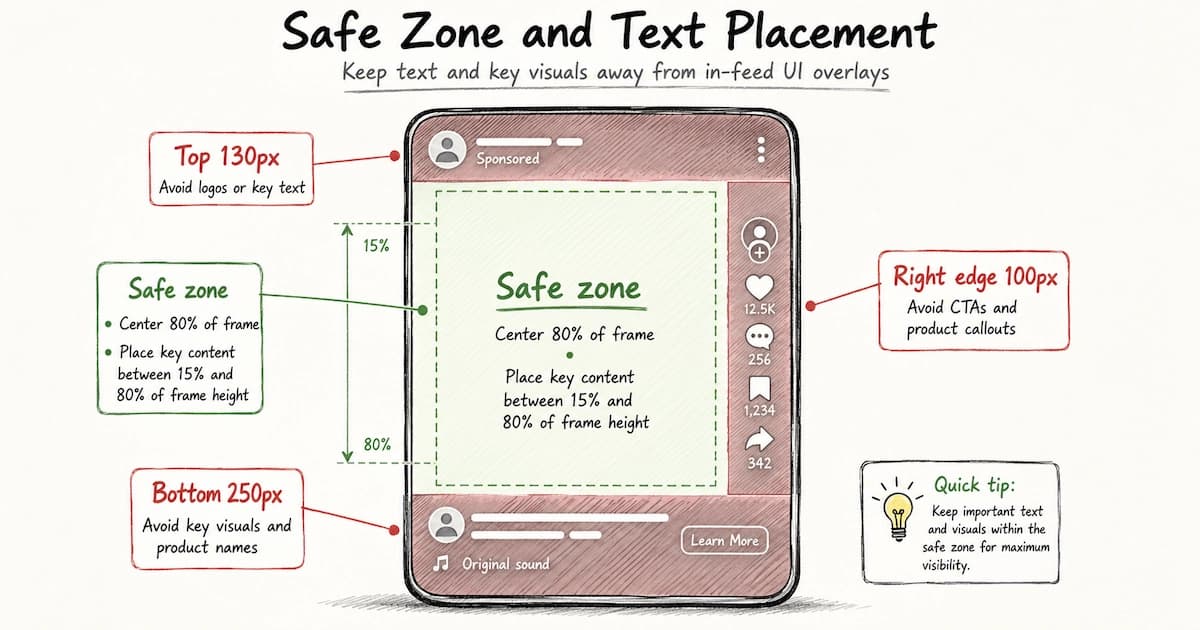
Safe Zone and Text Placement
TikTok overlays UI elements on top of your video — the username, caption, sound name, share buttons, and CTA button all occupy space within the frame. Placing text or key visuals in these zones causes them to be covered in-feed.
Follow these safe zone guidelines:
- Top 130px — avoid placing logos or key text (TikTok profile icon and ad label appear here)
- Bottom 250px — avoid key visuals and product names (caption, sound, and CTA overlay appear here)
- Right edge 100px — avoid CTAs and product callouts (share, like, and comment buttons sit here)
- Safe zone for key content: center 80% of the frame, vertically between approximately 15% and 80% of frame height
Caption and Text Requirements
- Ad text / caption: 1–100 characters (text shown below the video in-feed, not burned into the video itself)
- Hashtags: Supported in caption; TikTok recommends 1–3 relevant hashtags
- CTA button: Selected from TikTok's predefined list (Shop Now, Learn More, Sign Up, Download, Book Now, Contact Us, Apply Now, and others)
Audio Requirements
- Audio codec: AAC or MP3
- Sample rate: 44.1 kHz recommended
- Mute-safe: Burn in subtitles — a measurable share of TikTok feed sessions begin muted before a viewer taps to unmute
Quick Reference: TikTok In-Feed Ad Specs
| Spec | Requirement |
|---|---|
| Aspect ratio | 9:16 (recommended), 1:1, or 16:9 |
| Resolution | 1080 × 1920 px (for 9:16) |
| File format | MP4 or MOV |
| Max file size | 500 MB |
| Duration | 5–60 seconds |
| Frame rate | 23.98–30 fps (recommended) |
| Bitrate | 516 kbps minimum |
| Codec | H.264 or H.265 |
| Audio codec | AAC or MP3 |
| Caption length | 1–100 characters |
AI ad generators like VidMuse export at 9:16 / 1080 × 1920 by default when TikTok is the target platform, so these specs are handled automatically — but verifying your output against this table before uploading to TikTok Ads Manager saves rejection cycles.
Common Mistakes When Creating TikTok Video Ads with AI
Even with a capable AI tool, these mistakes consistently reduce TikTok ad performance:
Skipping the hook design.
The first 1–3 seconds determine whether a viewer swipes or stays. If the AI generates a generic product shot as the opener, replace or regenerate it with something visually surprising, emotionally resonant, or explicitly curiosity-baiting.
Using the wrong aspect ratio.
TikTok is a 9:16 platform. Horizontal (16:9) ads look like repurposed YouTube pre-roll and perform significantly worse. Always generate or export in vertical format.
Choosing a visual style that mismatches the product category.
A "Futuristic / Tech" visual style applied to an organic skincare product creates a disconnect that undermines trust. Match style to category before generating.
Ignoring the CTA.
A TikTok ad without a visible, audible CTA wastes the conversion opportunity. Include CTA text overlay and spoken CTA in the voiceover. "Shop Now," "Get Yours Today," and "Link in Bio" are the most common and most effective.
Generating a single variant and stopping.
TikTok ad performance varies significantly across creative variants. Generating 3–5 versions — different hooks, different formats, different music energy — and testing them gives you signal on what actually converts for your product.
Expecting live-action footage from an AI generator.
Current AI video ad tools generate all visuals from images and prompts — they do not incorporate or edit existing filmed footage. If you need live unboxing or real hands-on product demos, AI-generated ads are not a substitute. They are a production track that runs parallel to live-action content.
Using long-form video duration by default.
60-second ads work for storytelling formats and explainer content. For most TikTok product ads, 15–30 seconds is the functional window. Longer ads only perform when every second is earning its place.
FAQ
How do I create TikTok ads using AI without any video editing skills?
You provide the product input — a link, photos, or text description — choose a format and visual style, and the AI handles everything else: storyboard planning, image generation, video animation, audio production, subtitle burning, and final export. No editing software, no timeline skills, and no filming are required. Platforms like VidMuse are designed so the entire process from brief to downloadable MP4 requires no prior video production knowledge.
Can I create a TikTok video with AI from just a product link?
Yes. Several AI ad platforms, including VidMuse, support Amazon and eBay URL input. When you paste a product link, the AI scrapes the product name, images, category, and feature information automatically, then uses that data to generate the storyboard, visuals, and voiceover. You get a draft ad from a URL alone in under 30 minutes.
What is the best AI tool to create TikTok ads for e-commerce?
The right tool depends on what you prioritize. VidMuse uses an agent-based workflow that plans the full video structure — template selection, storyboard, shot list, image generation, video animation, and audio — and supports product link input, AI avatar presenter ads, and remix workflows. TikTok's own Symphony Creative Studio is a free option that integrates directly with TikTok Ads Manager. Creatify and Zeely.ai offer avatar-forward approaches focused on short UGC-style creatives. If you need end-to-end AI video ad production with model variety (Seedance, Kling, Veo, and more), VidMuse's ad generator covers that workflow.
How long should an AI-generated TikTok ad be?
For most TikTok paid ad placements, 15–30 seconds is the effective range. Short-form ads (15s) work for high-energy product categories like fashion, gaming, and beauty where the benefit is immediately visual. Thirty-second ads work when you need to include a hook, a benefit explanation, and a CTA. Longer formats (60 seconds) are appropriate only for storytelling and explainer ads targeting higher-intent viewers.
Can AI generate the voiceover and music for my TikTok ad?
Yes. Current AI ad generation platforms produce both elements. AI voiceover narration is generated from your ad script in multiple languages — platforms like VidMuse support English, Chinese, Japanese, Korean, French, Spanish, German, and more. Background music is generated or processed and synced to your shot durations and music tempo. Subtitles are burned in automatically, so your ad performs for both muted and unmuted viewers.
What ad formats work best for TikTok ads made with AI?
The three formats that consistently perform on TikTok and are well-suited to AI production are the Short-form Social Ad (15–30 seconds, thumb-stopping hook with visual punch), the UGC-Style Ad (creator-style framing that looks organic in the feed), and the Digital Human Presenter Ad (AI avatar delivering a product pitch, which performs well for tech, supplements, and apps). All three are available as templates in AI ad generators and can be produced without live filming.
How do I make sure my AI-generated TikTok ad doesn't look like an AI ad?
The key factors are visual style selection, reference input, and avatar or lifestyle shot quality. Matching the visual style to your product category (Casual/Authentic for everyday goods, Trendy/Energetic for youth brands) avoids the "generic AI aesthetic." Providing a reference ad as style input gives the AI a strong creative direction to work from, rather than defaulting to a generic template. Using AI avatar presenter formats adds a human element that blends naturally with organic TikTok content.
What prompts work best for creating TikTok ads with AI?
The most effective AI prompts for TikTok ad generation combine five elements: product name and category, ad format (unboxing, UGC, hype, avatar, lifestyle), visual style (natural, cinematic, trendy), duration (15–30 seconds for most TikTok placements), and a specific hook direction for the first 1–3 seconds. Adding an explicit CTA ("Shop Now — link in bio") and audio direction (voiceover tone, music energy) further reduces the need for post-generation edits. Vague prompts like "make a TikTok ad for my product" produce usable but generic results; structured prompts with specific creative direction produce near-ready first drafts.
What is the best AI tool to create TikTok video ads in 2026?
The best tool depends on your workflow. VidMuse is the strongest option for end-to-end AI product ad production — it handles storyboard planning, multi-model video generation, AI voiceover, music, subtitles, and remix from a single product input, with no separate tools required. TikTok's own Symphony Creative Studio is the best choice if direct TikTok Ads Manager integration is the priority. Creatify leads for avatar-presenter-forward creatives with one-click TikTok publishing. For mobile-first solo sellers, Zeely.ai offers broad platform coverage in a lightweight interface.
What are the video dimensions and specs required to run ads on TikTok?
TikTok In-Feed Ads require a minimum resolution of 1080 × 1920 pixels at a 9:16 aspect ratio for vertical video, MP4 or MOV file format, a maximum file size of 500 MB, and a duration between 5 and 60 seconds. The recommended frame rate is 23.98 to 30 fps with H.264 or H.265 codec. Square (1:1) video is accepted but underperforms vertical. Horizontal (16:9) is technically supported but not recommended for TikTok placements. AI ad generators configured for TikTok apply these specs automatically at export.
Conclusion
Creating ads for TikTok video with AI is now a practical production workflow, not an experimental shortcut. The core process — product input, format selection, AI storyboarding, image generation, video animation, audio production, and final export — is available in platforms purpose-built for this task, and it produces platform-ready 9:16 vertical ads in under 30 minutes.
The biggest advantage AI brings to TikTok ad production is not cost reduction alone — it is the ability to generate and test multiple creative variants quickly enough to keep pace with TikTok's content velocity. A single creative, no matter how well-produced, will fatigue. Volume and variety are the performance levers on TikTok, and AI production finally makes those accessible to brands of any size.
If you're ready to create TikTok video ads with AI, start with your product link or best product photo, choose the Short-form Social Ad or UGC-Style Ad format, and generate your first draft. Then remix it. Then test both.
Try VidMuse's AI Ad Generator →
Create Your First AI TikTok Ad Today
Turn your product into a scroll-stopping TikTok video ad — no filming, no editing, no agency. Start with a link or photo and publish in under an hour.

Written By
VidMuse Team
Continue Reading
Latest blog posts related to AI video creation.
AIVA AI Review 2026: Features, Pricing & Verdict
Is AIVA AI the right music generator for you? This 2026 review covers features, pricing, pros, cons, and when to choose a better alternative.
Midjourney V8.1 Review: Faster, Smarter, HD Default
Midjourney V8.1 is now the default model. Here's what changed: native 2K HD, 4–5x faster generation, Draft Mode, and better prompt adherence.
How to Make an AI Brainrot Video (2026 Guide)
Learn how to make an AI brainrot video fast — chaotic visuals, AI voiceover, bold captions & phonk music. Full step-by-step guide with VidMuse AI.