

Suno AI Music Generator: Complete Guide for 2026
Suno AI is a free-to-use AI music generator — with a permanent free tier that gives you 10 songs per day, no subscription required. Built by the US-based company Suno Inc. (headquartered in Cambridge, Massachusetts), the platform lets anyone generate complete songs with vocals, instrumentation, and structure just by typing a text prompt. If you've been searching for a fast, accessible way to create original music — and then take that music further into a professional visual — this guide covers everything you need to know.
Key Takeaways
- Suno AI is free forever — the Basic plan gives 10 songs daily with no card required; paid plans start at $8/month and unlock commercial rights.
- Free-plan songs are owned by Suno, not you. You need a Pro ($8/mo) or Premier ($24/mo) subscription to own and monetize your tracks.
- Suno is a US company founded in 2021 and headquartered in Cambridge, Massachusetts, now valued at $2.45 billion.
- Suno faces active copyright litigation from major record labels over its AI training data — the legal outcome is still unresolved for the core RIAA case.
- VidMuse AI can transform any Suno-exported audio into a full music video using an agent-driven production workflow, no filmmaking experience needed.
Create Your Suno Music Video in Minutes
Turn Your Suno Track into a Video with VidMuse.
What Is the Suno AI Music Generator?
Suno AI is a text-to-music platform that generates complete, production-ready songs — including vocals, melody, harmony, and arrangement — from a simple text prompt. Unlike basic beat generators or loop libraries, Suno creates original, full-length tracks (typically 2–4 minutes) in a chosen genre, mood, and style.
The platform runs entirely in-browser, requires no digital audio workstation (DAW), no instrument knowledge, and no prior production experience. You describe what you want — genre, mood, instrumentation, lyrical theme — and Suno's AI model handles composition, arrangement, and performance.
Who it's built for:
- Indie musicians who want a fast demo or reference track
- Content creators and YouTubers who need original, royalty-free background music (on paid plans)
- Songwriters looking to prototype ideas before committing to full production
- Small businesses that need affordable custom music for ads and brand content
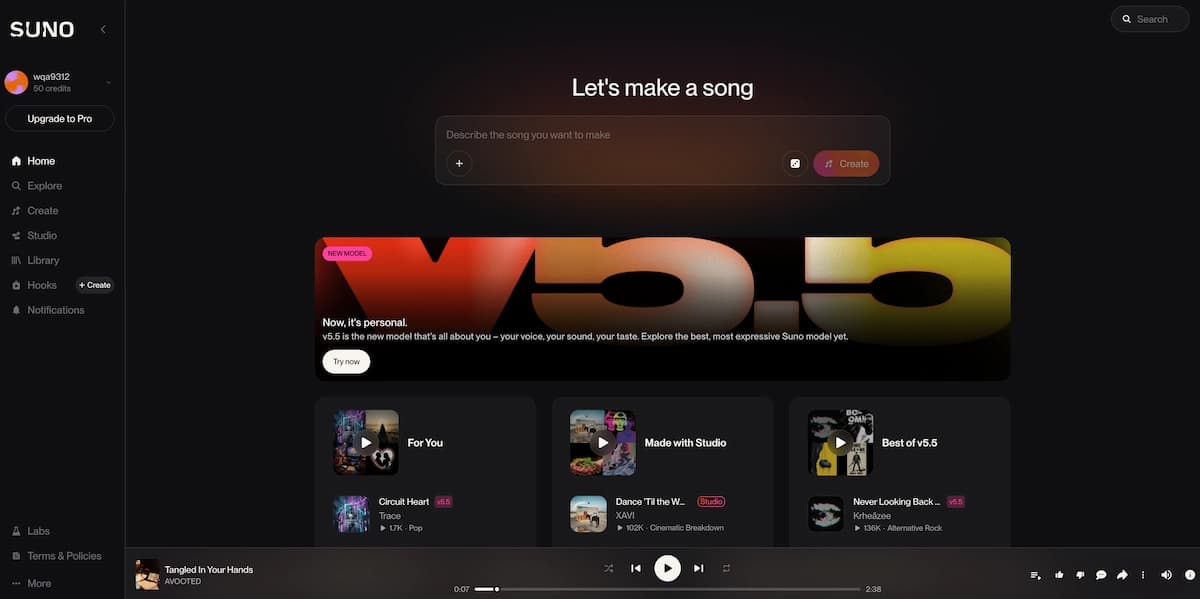
Suno's latest model, v5.5, is available on Pro and Premier plans and focuses on higher vocal realism and expanded creative control, including a feature called Voices that lets you shape singer style and gender, and Custom Models that let you fine-tune v5.5 on your own audio samples.
Is Suno AI Free? Plans and Pricing Explained
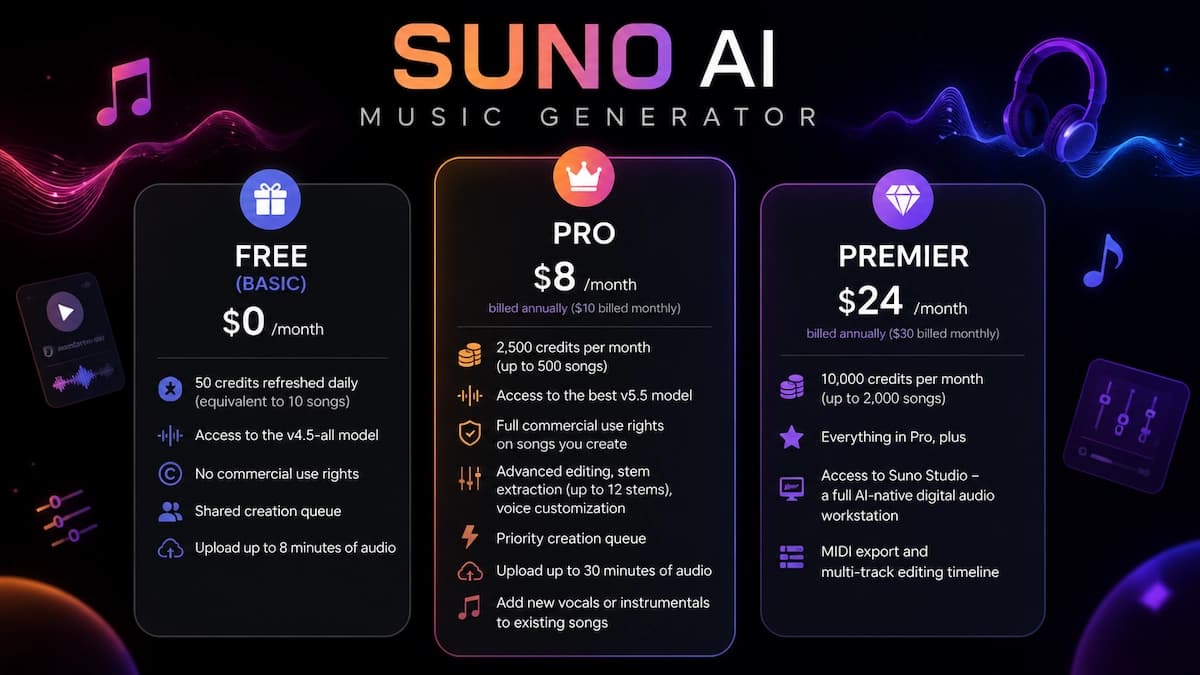
Yes, Suno AI has a free plan — and it is free permanently, not a time-limited trial. Here is what each tier includes:
Free (Basic) Plan — $0/month
- 50 credits refreshed daily (equivalent to 10 songs)
- Access to the v4.5-all model
- No commercial use rights
- Shared creation queue
- Upload up to 8 minutes of audio
Pro Plan — $8/month (billed annually; $10/month billed monthly)
- 2,500 credits per month (up to 500 songs)
- Access to the best v5.5 model
- Full commercial use rights on songs you create
- Advanced editing, stem extraction (up to 12 stems), voice customization
- Priority creation queue, upload up to 30 minutes of audio
- Ability to add new vocals or instrumentals to existing songs
Premier Plan — $24/month (billed annually; $30/month billed monthly)
- 10,000 credits per month (up to 2,000 songs)
- Everything in Pro, plus access to Suno Studio — a full AI-native digital audio workstation
- MIDI export and multi-track editing timeline
When the free plan is not enough: If you want to release music on Spotify, use tracks in client work, or publish songs on YouTube with monetization enabled, you need at least the Pro plan. The free tier is strictly for personal, non-commercial use, and Suno retains ownership of those songs.
Suno Free Plan
Best for
- 10 songs per day
- No subscription required
- Good for personal testing
Watch out
- No commercial use rights
- Suno retains ownership
- Limited model access
Suno Pro or Premier
Best for
- Commercial use rights
- v5.5 access
- Stems, editing, and higher-volume generation
Watch out
- Paid subscription required
- Copyright eligibility still depends on human authorship
How to Make a Song with Suno AI — Step by Step
Suno AI reduces song creation to four steps, none of which require musical training.
Open Suno and choose your mode
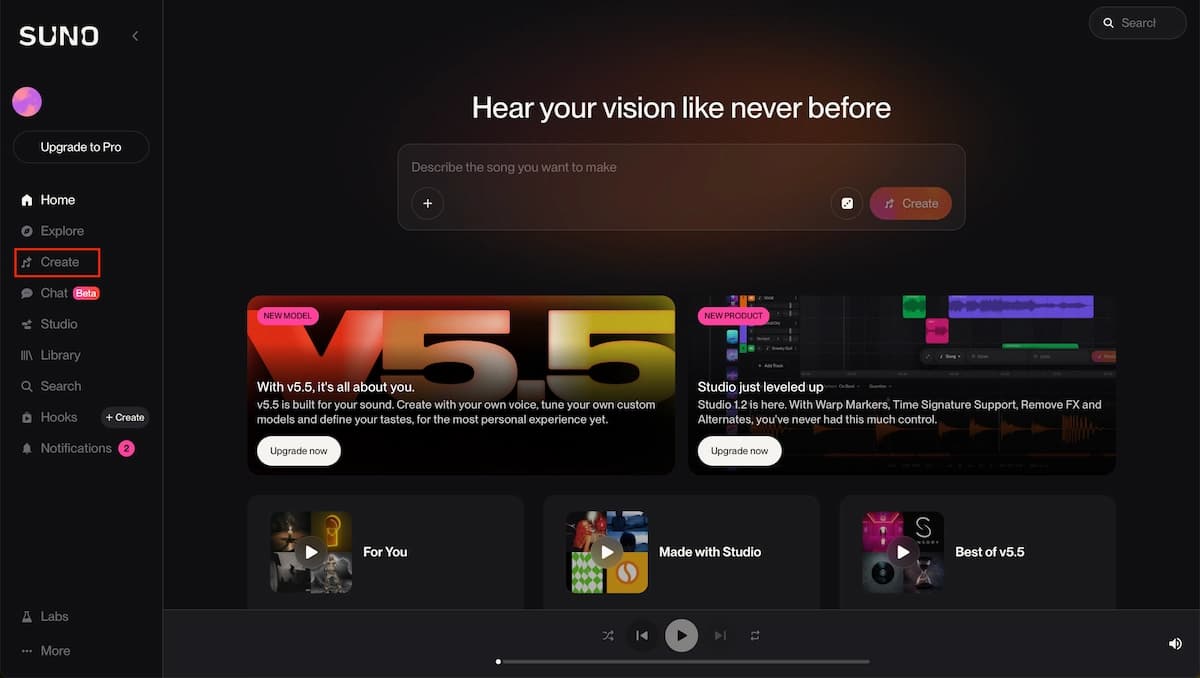
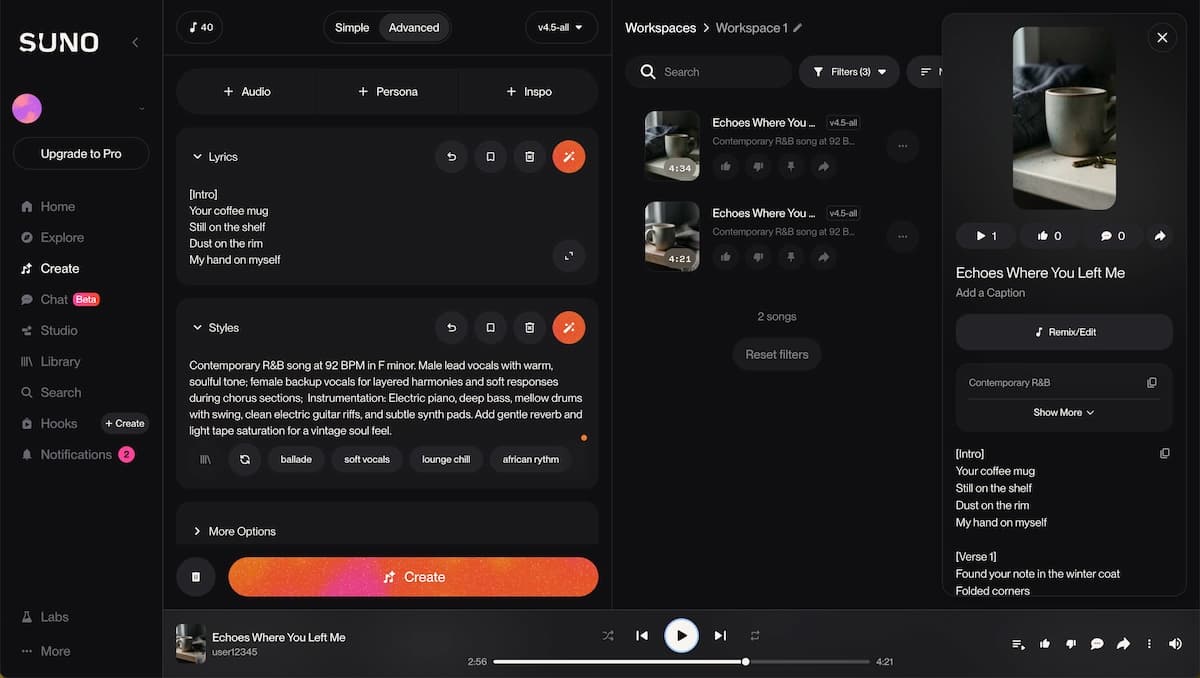
Log in, go to Create, and choose Simple Mode for a quick generation or Advanced Mode for lyrics, structure, BPM, key, and vocal style.
Write your prompt
Specify genre, mood, instrumentation, voice style, lyrics, and emotional tone so the model has clear creative direction.
Generate and select
Create two versions, listen closely, pick the stronger take, and iterate with prompt changes if needed.
Edit, export, and share
Export MP3 on free, or use Pro/Premier features such as WAV export, stems, Song Editor, Suno Studio, and MIDI export.
Step 1 — Open Suno and choose your mode
Visit suno.com, log in (Google, Apple, or Discord), and go to the Create page. Choose Simple Mode for a quick one-prompt generation, or Advanced Mode if you want to write your own lyrics, define song structure with section tags ([Verse], [Chorus], [Bridge]), specify BPM, key, or vocal style.
Step 2 — Write your prompt
Be specific. A prompt like "upbeat synthwave track, female vocals, 110 BPM, chorus with a big synth hook" will outperform a vague one like "happy electronic song." In Advanced Mode, paste your lyrics directly and use section markers to guide the structure. You can also specify voice style, instrumentation, and even emotional tone (e.g., "warm and nostalgic" vs. "cold and cinematic").
Step 3 — Generate and select
Press Create. Suno returns two versions. Listen to both and pick the one closest to your vision. If neither fits, adjust the prompt and generate again — iteration is normal and expected.
Step 4 — Edit, export, and share
On the free plan, export as MP3. On Pro, you can export WAV files, split into stems, and open the Song Editor for section-level rearrangement. On Premier, Suno Studio gives you a full multi-track workspace with timeline editing, MIDI export, and DAW-ready stems.
Pro tips for better results:
- Use [Verse 1], [Chorus], [Bridge] tags in lyrics to give the AI structural direction
- Generate 3–5 versions of the same prompt before committing — early results vary more than you expect
- On Pro, use the stem extractor to isolate the vocal track and add your own live vocals on top
- Reference a specific sub-genre rather than a broad one ("lo-fi hip hop" works better than just "hip hop")
Suno AI Copyright: What You Actually Own
Copyright ownership on Suno depends entirely on which plan you use — and even paid ownership has important nuances.
- Free plan users: Suno retains ownership of the generated songs. You may use them for personal, non-commercial purposes only.
- Pro and Premier subscribers: You own the songs you create and are granted a commercial use license to distribute, monetize, or publish them.
However, ownership and copyright eligibility are separate questions. In the United States, copyright law protects works created by a human. Music generated entirely by AI — without human authorship of the lyrics or composition — is currently not eligible for copyright registration according to US Copyright Office guidance. Writing the text prompt does not, on its own, constitute authorship of the song.
What this means in practice:
- If you wrote the lyrics yourself and used Suno to produce the music, you likely own the lyrics and may be able to register the song.
- If you generated everything via prompt, you own the right to use and monetize the song (on paid plans), but you cannot register it for copyright protection in the US.
- Some distributors (DistroKid, TuneCore) may decline songs not eligible for copyright. Research the terms of your chosen distributor before publishing.
Because copyright law is still evolving rapidly around AI-generated content, consult a local copyright attorney or your country's copyright office before attempting formal registration.
Why Is Suno Being Sued? The Legal Story
Suno is currently facing active copyright litigation over how it trained its AI models — not over the songs users create with the platform.
In June 2024, the Recording Industry Association of America filed copyright infringement cases against Suno in the US District Court for the District of Massachusetts on behalf of Universal Music Group, Sony Music Entertainment, and Warner Music Group. The core allegation is that Suno copied large volumes of copyrighted sound recordings without permission to train its AI.
Warner Music Group has since settled its lawsuit with Suno, moving from litigation to a licensing partnership. Under the settlement terms, Suno agreed to launch licensed AI models in 2026 to replace its current platform, and will require paid accounts for users who want to download songs and upload them to streaming services.
The RIAA-backed case — representing UMG and Sony — remains active and focuses solely on fair use arguments around AI training. In addition, a separate class action lawsuit filed by independent artist Anthony Justice and 5th Wheel Records in June 2025 argues that specific songs generated by Suno's AI substantially copy original recordings — a new legal theory that goes beyond training data to target the outputs themselves.
What this means for users today:
The lawsuits target Suno the company, not its users. Your use of the platform is covered by Suno's Terms of Service. That said, the legal landscape for AI training data is still evolving, and the outcome of the ongoing UMG/Sony case could affect Suno's operations in the future.
Best Suno AI Alternatives for 2026
If Suno doesn't fit your workflow, these alternatives are worth trying — each excels in a different area.
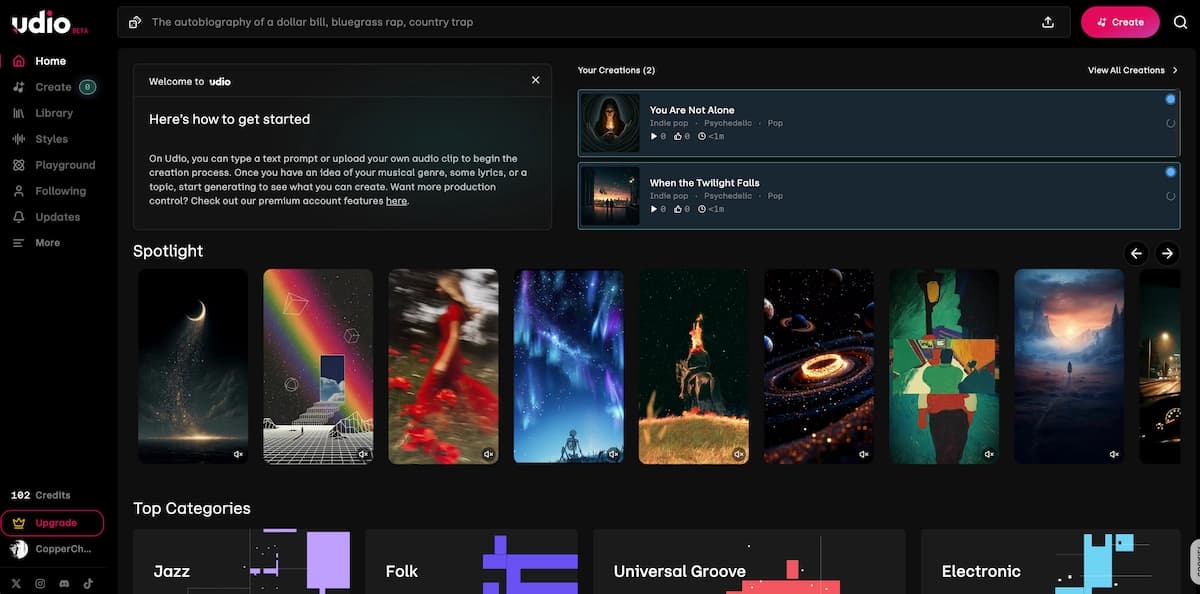
Udio — Best for vocal realism
Udio prioritizes audio fidelity and emotional depth over generation speed. It excels in genres that require nuanced human vocal delivery, such as blues, jazz, and country. The trade-off is a more segment-by-segment workflow rather than Suno's one-shot full track generation.
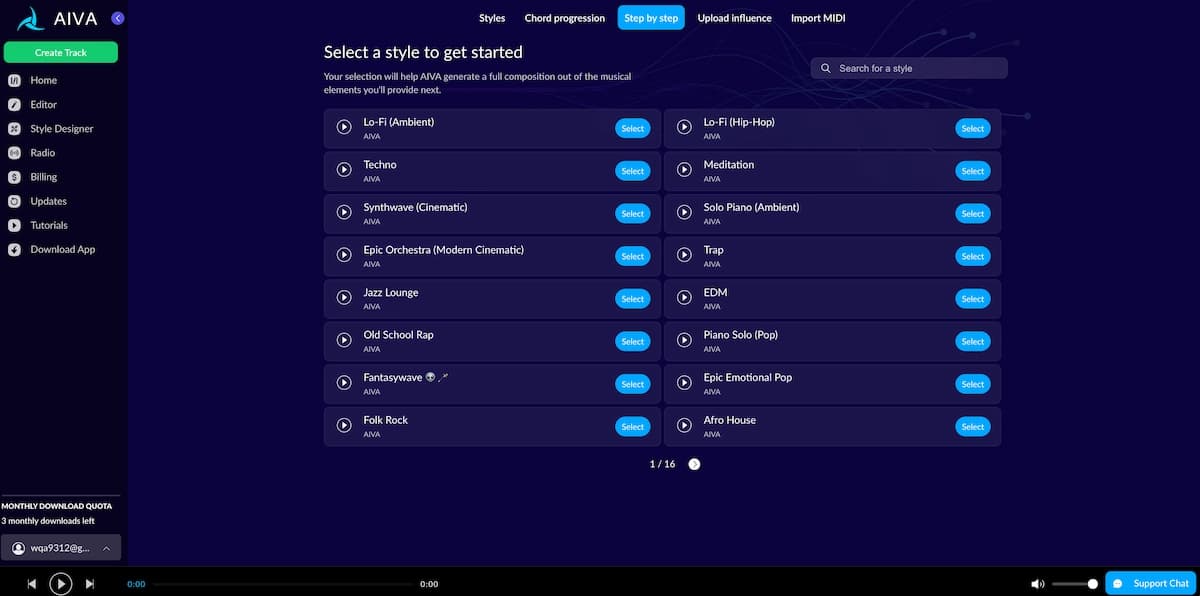
AIVA — Best for professional and orchestral composition
AIVA is designed for serious music production. It accepts MIDI file uploads as compositional references and exports MIDI, giving you the ability to continue the work in your own DAW. Best suited for film scoring, game soundtracks, and composers who want AI assistance without losing control of the arrangement.
SOUNDRAW — Best for video editors and content creators
SOUNDRAW lets you customize duration, tempo, mood, and arrangement intensity, making it well-suited for video timelines where the music needs to match specific moments. Because its models are trained on in-house sounds rather than scraped audio, it carries lower copyright risk.
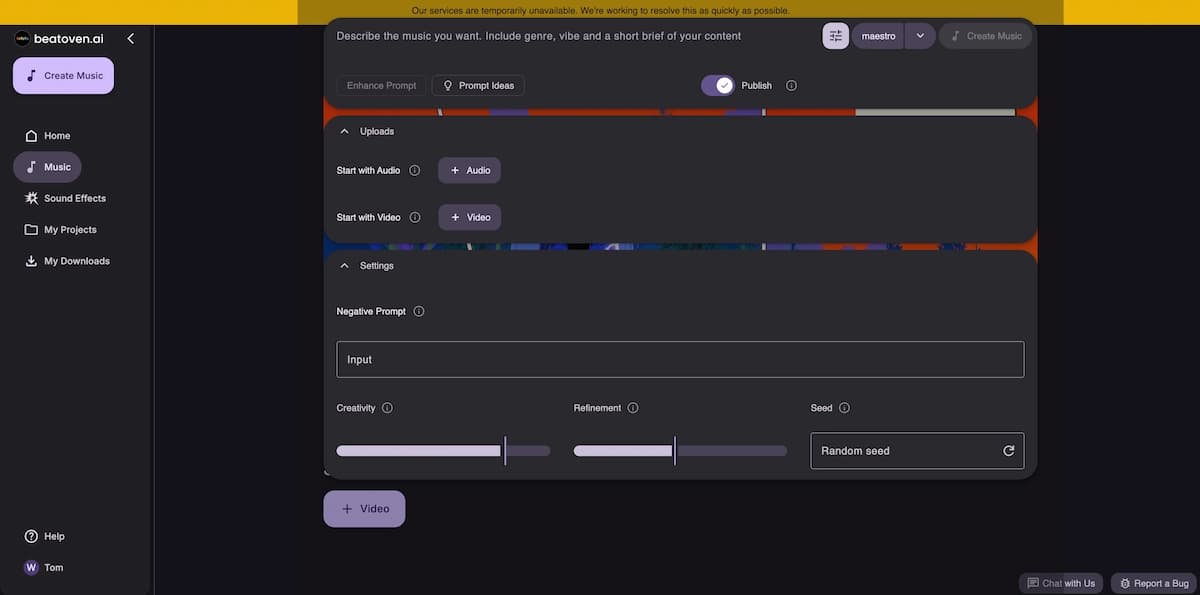
Beatoven.ai — Best for emotion-driven background music
Beatoven.ai lets you specify the emotional arc of a track — shifting from "tense" to "triumphant" at specific timestamps. It's designed for podcast producers, YouTubers, and game developers who need music that reacts to narrative moments.
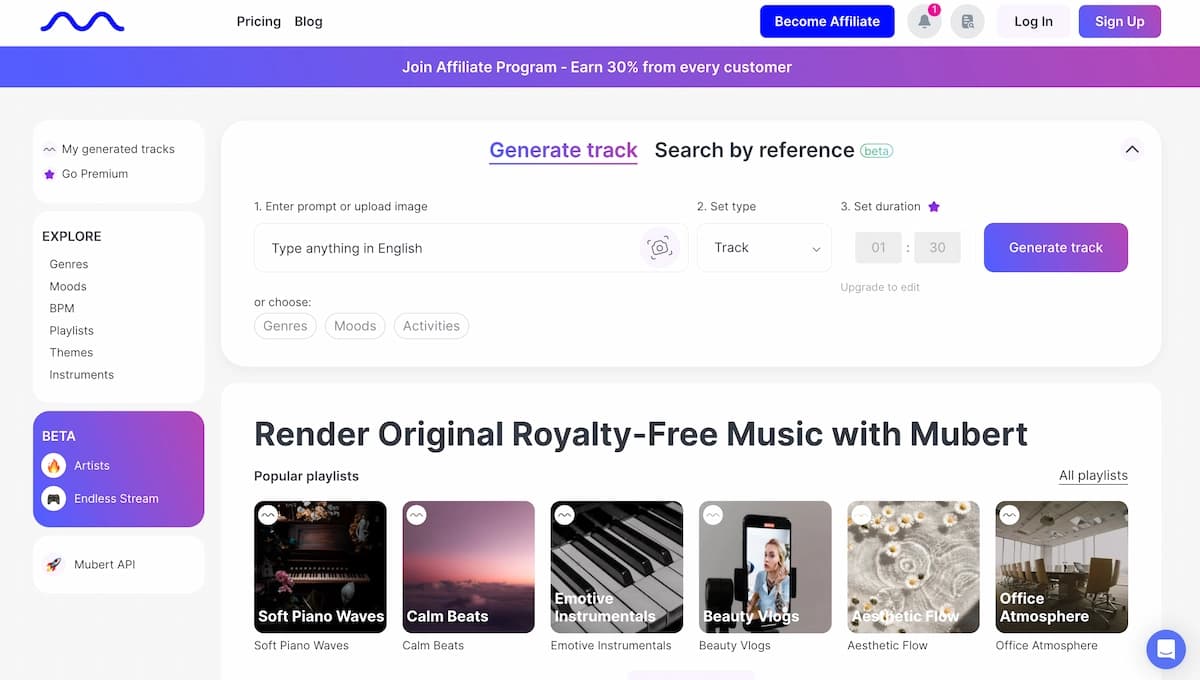
Mubert — Best for developers and brands
Mubert offers a robust API for developers who need to integrate generative music into apps, games, or brand platforms. It generates royalty-free audio streams from a library of human-produced samples, making it a reliable option for commercial product environments.
Tad AI — Best multi-model option
Tad AI routes your prompt through multiple AI music engines including Suno and Mureka, letting you compare results across models. If you want to use Suno's generation capabilities alongside others without manually switching platforms, Tad AI is a practical aggregator.
When Suno is still the better choice: If you want the fastest path from idea to a complete, listenable song with natural-sounding vocals — and you're not yet focused on commercial release — Suno's free tier is still the fastest on-ramp in 2026.
Suno AI
Best for
- Fast full-song generation
- Strong vocal-first workflow
- Generous free on-ramp
Watch out
- Commercial rights require paid plan
- Legal landscape remains active
Alternatives
Best for
- More specialized controls
- Options for DAW, API, or timeline workflows
Watch out
- May be slower
- May require more manual editing
- Feature depth varies by tool
How to Turn Your Suno Song into a Music Video with VidMuse AI
VidMuse AI is purpose-built to solve the problem that Suno leaves open: you have a great track, but no visuals to match it. While Suno's Pro plan can export a basic lyric video, VidMuse free AI music video generator creates a full director-level music video — with scene planning, shot sequencing, storyboarding, and multi-model video generation — all from an agent-driven workflow.
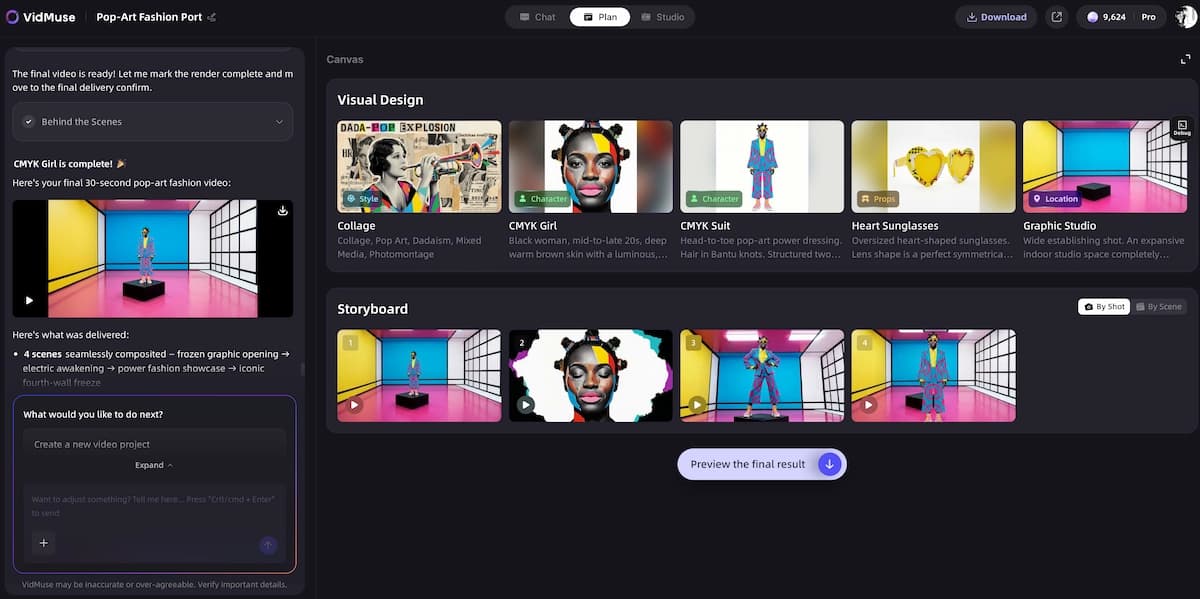
Here is how to go from Suno audio to finished music video:
Export your Suno track
Export MP3 on free, or WAV and stems on Pro/Premier when you want higher quality and tighter video sync.
Start a project in VidMuse AI
Use the Creative Brief to provide mood, theme, genre, visual references, and the direction behind the song.
Review and customize the Scene & Shot List
Adjust scenes, reorder shots, and choose the format: Performance MV, Abstract MV, Story MV, Viral Short, TVC, or Explainer.
Generate Storyboard and Video
Turn the shot list into storyboard references, refine individual shots by quoting, and generate clips with the model matrix.
Edit on the Timeline
Arrange clips, sync cuts to the song, adjust timing, and reuse generated assets from the Asset Library.
Step 1 — Export your Suno track
On the free plan, export as MP3. On Pro or Premier, export as WAV for the best audio quality. If you want to work with separate stems (vocals, bass, drums), use Suno's Pro stem extractor first.
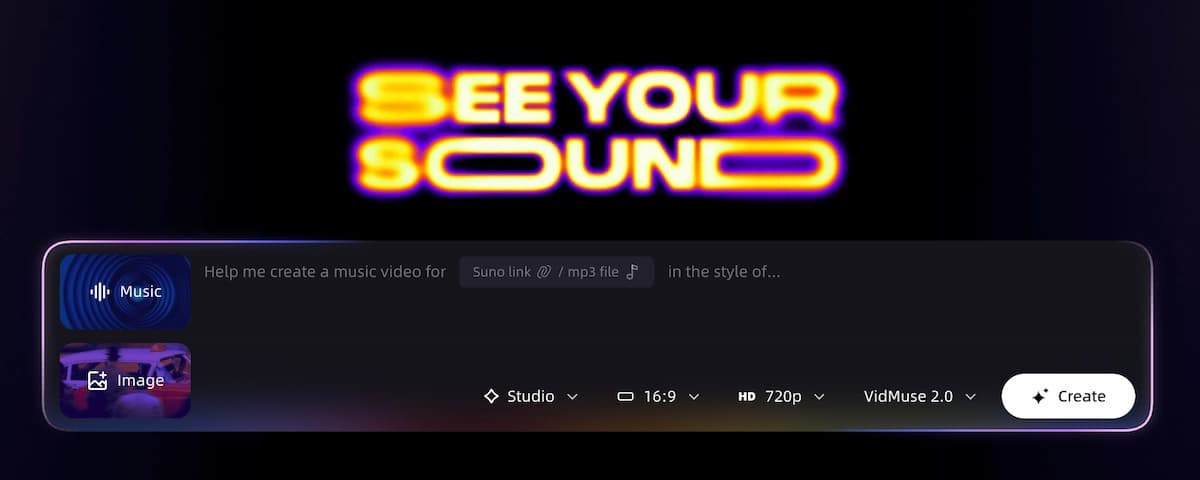
Step 2 — Start a project in VidMuse AI
Open VidMuse and begin with the Creative Brief stage. Input your song's mood, theme, genre, and any visual references you have in mind. VidMuse's agent-based logic reads the brief and begins planning the full MV — not just one clip, but a structured sequence of scenes.
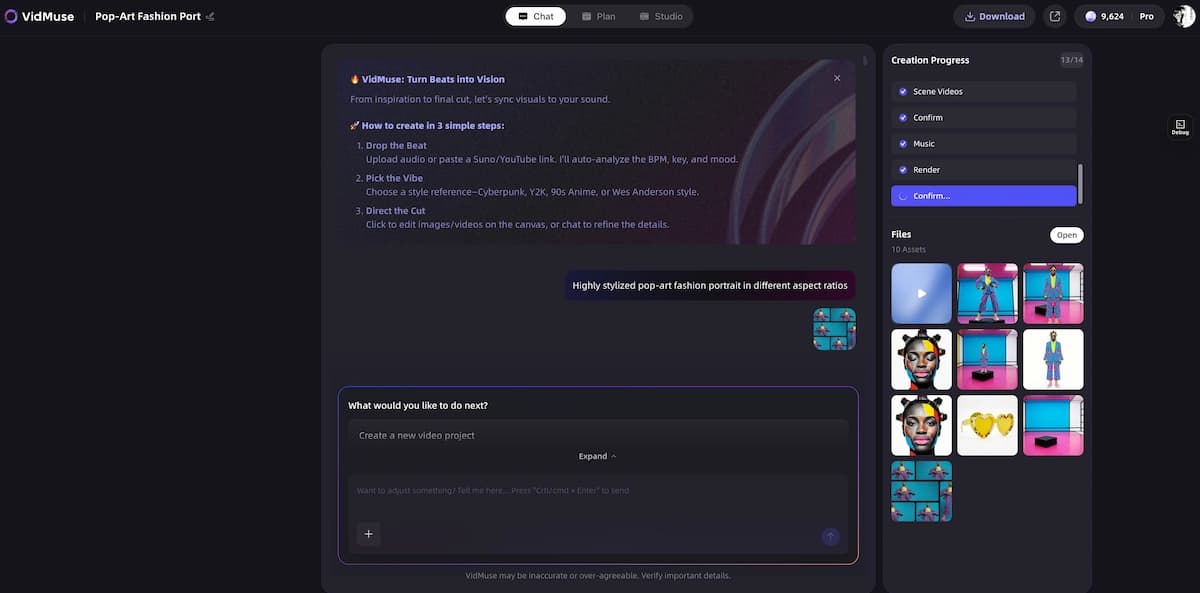
Step 3 — Review and customize the Scene & Shot List
VidMuse generates a Scene & Shots List automatically from your brief. You can review each scene, adjust descriptions, reorder sequences, or add specific visual instructions. This is where you define the visual narrative: a Performance MV (artist-centric footage), an Abstract MV (mood-driven visuals), a Story MV (narrative arc), or a Viral Short.
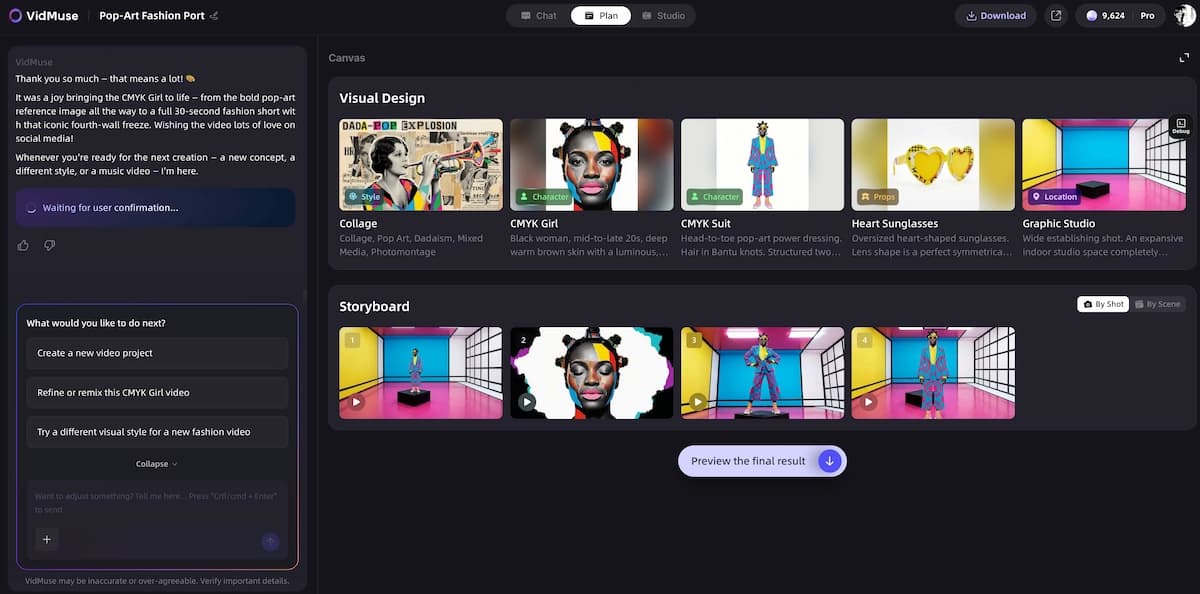
Step 4 — Generate Storyboard and Video
VidMuse converts your shot list into a Storyboard with reference images. You can refine individual shots using the Shot Refine by Quoting feature (a VidMuse 2.0 capability) — highlight a specific frame and instruct the AI to revise it in detail. Then generate the video using your preferred model from VidMuse's matrix, which includes Seedance 2.0 Pro, Kling V3.0 Pro, Veo 3.1, Sora 2 Pro, and more.
Step 5 — Edit on the Timeline
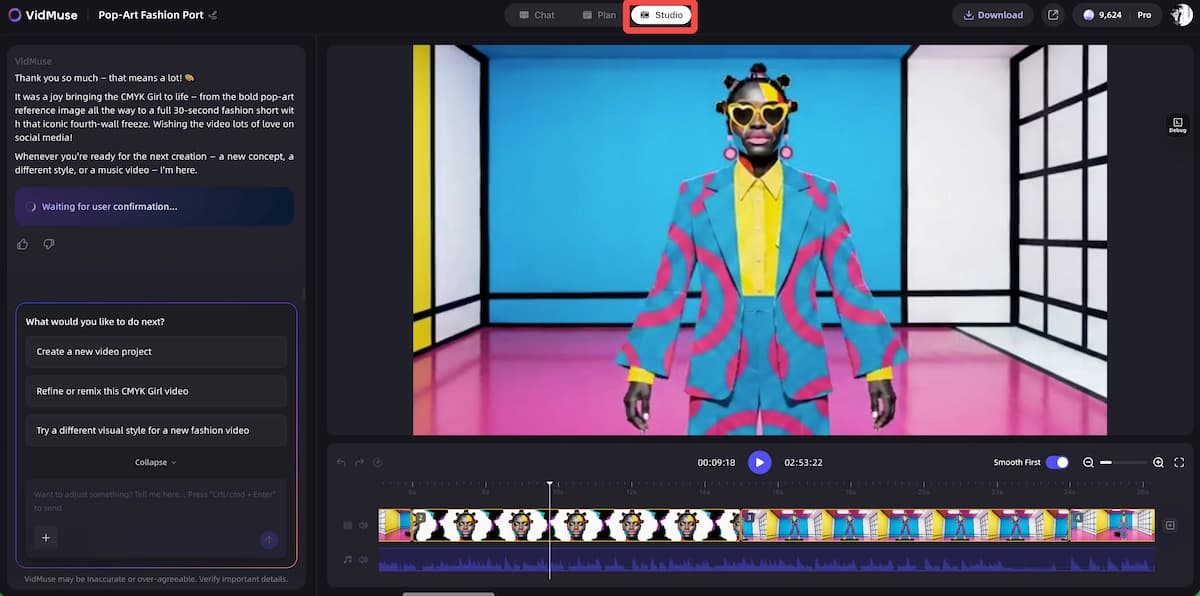
VidMuse 2.0's Timeline Editor lets you arrange clips, adjust timing, and sync cuts to your Suno audio. Your generated assets are saved in the Asset Library for reuse across scenes.
Template types available in VidMuse:
- Story MV — narrative-driven, works well for singer-songwriter tracks
- Abstract MV — mood-forward, ideal for electronic and ambient productions
- Performance MV — artist or avatar-based footage, pair with VidMuse's AI Avatar models
- Viral Short — optimized for 30–60 second social clips
- TVC — structured for brand and product advertising
- Explainer — works for audio-driven educational content
The result: A Suno-generated song that took 10 seconds to create can become a 60–90 second music video with cinematic shot variety, consistent art direction, and audio-visual sync — without a camera, crew, or editing background.
Create Your Suno Music Video in Minutes
Turn Your Suno Track into a Video with VidMuse.
Common Mistakes to Avoid with AI Music Creation
Vague prompts produce generic outputs.
Suno works best with specific, descriptive prompts. Telling it the tempo, key mood, vocal style, and one or two instruments you want in the mix will produce a far more distinctive track than "upbeat pop song."
Skipping the stem export for video work.
If you plan to sync your Suno track to a music video in VidMuse, export stems rather than a single stereo mix. Having a separate vocal stem lets you align lyric moments to visual cuts much more precisely.
Assuming free-plan songs can be monetized.
Free-tier songs belong to Suno. Publishing them to Spotify, using them in monetized YouTube videos, or licensing them to a client without upgrading to Pro is a terms-of-service violation.
Expecting one generation to be the final result.
AI music generation is iterative by design. Plan to generate 3–5 versions of any prompt before you commit. Small prompt changes — changing "melancholic" to "bittersweet," or "guitar" to "fingerpicked acoustic" — can dramatically shift the output.
Ignoring the legal landscape for commercial release.
If you plan to distribute on streaming platforms, research your distributor's policy on AI-generated content before uploading. Some distributors require human authorship for copyright registration and may flag or remove AI-generated tracks.
FAQ
Is Suno AI free to use?
Yes. Suno offers a permanent free plan that renews 50 credits (10 songs) every day with no subscription required. The free plan gives access to the v4.5-all model, but songs made on it cannot be used commercially, and Suno retains ownership. Paid plans start at $8/month and unlock the v5.5 model, commercial rights, and advanced editing features.
What is Suno AI?
Suno AI is an AI-powered music generator that creates complete songs — including vocals, melody, harmony, and arrangement — from a text description. Developed by Suno Inc., it runs in-browser without any musical or technical knowledge required. Users describe a genre, mood, and style; Suno's model composes and performs the track in under a minute.
Which country owns Suno AI?
Suno is a US-based company headquartered in Cambridge, Massachusetts. It was founded in 2021 and reached a $2.45 billion valuation in 2025 following a $250 million Series C round led by Menlo Ventures. It is an American company with no foreign ownership involved.
Why is Suno being sued?
Suno faces copyright infringement litigation filed in June 2024 by major record labels including Universal Music Group, Sony Music Entertainment, and Warner Music Group, coordinated through the RIAA. The labels allege Suno trained its AI on copyrighted sound recordings without permission. Warner Music has since settled and entered a licensing partnership with Suno, while the UMG and Sony case remains active. A separate independent artist class action was also filed in mid-2025.
Is Suno AI legal?
Using Suno AI as a platform is legal. The platform is a legitimate, commercially operating business. The ongoing lawsuits target how Suno trained its AI models — a question of whether using copyrighted recordings as training data constitutes infringement — not whether users can use the app. However, the legal landscape for AI training data is unresolved, and outcomes could affect Suno's operations going forward.
Do I own the songs I make on Suno AI?
It depends on your plan. Free-plan songs are owned by Suno, and you can only use them for personal, non-commercial purposes. Pro and Premier subscribers own their generated songs and receive a commercial use license. Even with ownership, AI-generated songs may not be eligible for copyright registration in the US unless you authored the lyrics yourself.
What is the Suno AI pro plan?
The Suno Pro plan costs $8/month (billed annually) and includes access to the v5.5 model, 2,500 monthly credits (up to 500 songs), full commercial rights, stem extraction up to 12 tracks, advanced editing, priority generation queue, and the ability to add your own voice to tracks.
Can I use Suno music in a music video?
Yes. On the Pro or Premier plan, you have commercial rights to your generated tracks and can use them in video productions. For creating a full music video with cinematic shots, storyboarding, and professional visual direction, VidMuse AI is purpose-built for this workflow — it can take your exported Suno audio and produce an agent-directed music video complete with scene planning, shot sequencing, and multi-model video generation.
What are the best Suno AI alternatives?
The top alternatives in 2026 include Udio (for vocal realism and emotional depth), AIVA (for professional orchestral work and MIDI export), SOUNDRAW (for video editors needing timeline-synced music), Beatoven.ai (for emotion-responsive background music), Mubert (for developer API integration), and Boomy (for immediate distribution to streaming platforms). Each excels in a different use case, so the best choice depends on whether you need realism, control, distribution speed, or API access.
Take Home
The Suno AI music generator is one of the most accessible ways to go from a creative idea to a complete, listenable song in under a minute. The free tier is genuinely generous for personal use, the Pro plan makes commercial release viable at a minimal cost, and the v5.5 model represents a meaningful leap in vocal and compositional quality.
That said, Suno is a starting point, not a complete production pipeline. The copyright questions around ownership, registration, and training data are real and worth understanding before you invest in distribution. The ongoing litigation from major labels is an evolving situation that users should monitor.
And once you have your track, the gap between an audio file and a compelling music video is where most indie creators get stuck. That's exactly the problem VidMuse AI is built to solve — turning a Suno-generated song into a fully directed music video through an agent-driven workflow that handles scene planning, storyboarding, and multi-model video generation, all without a camera or crew.
Ready to take your Suno song to the next level? Start your first music video project in VidMuse AI today.
Create Your Suno Music Video in Minutes
Turn Your Suno Track into a Video with VidMuse.

Written By
VidMuse Team
Continue Reading
Latest blog posts related to AI video creation.
Free Music Visualizer: 10 Best Free Tools in 2026
Compare 10 best free music visualizers in 2026. Waveform tools, AI music video makers, watermark policies, export limits, and which tool fits your workflow.
How to Make Product Video Ads with AI (Step-by-Step)
Learn how to make product video ads with AI step by step. Full 6-phase VidMuse tutorial, input tips, ad type guide, and alternative approaches compared.

Best AI Clone Video Generator 2026: 7 Tools Compared
Compare the 7 best AI clone video generators in 2026. Avatar clones, viral ad clones, pricing, features, and how to pick the right tool for your workflow.