
Seedance 2.0 Direct Answer
Seedance 2.0 is ByteDance's next-generation AI video generation model. Built around a multimodal audio-video generation architecture, it can work with text, image, audio, and video inputs and produce short, multi-shot video outputs with synchronized audiovisual details.
For creators using VidMuse AI, Seedance 2.0 fits naturally into fast music video production workflows. VidMuse uses model routing, creative briefs, storyboards, and shot refinement to make Seedance-style generation accessible without requiring filmmaking or API expertise.
Create Your AI Video in Minutes
Turn your music, references, and creative brief into a complete AI video workflow with VidMuse.
Key Takeaways
- Seedance 2.0 is a multimodal AI video model by ByteDance Seed that can use text, image, audio, and video references in a single generation workflow.
- The model is designed for short, high-quality, multi-shot video with synchronized audio-visual detail.
- Compared with Seedance 1.5, Seedance 2.0 improves complex motion handling, physical realism, reference use, and instruction-following.
- In VidMuse, Seedance-series generation is especially useful for fast drafts, performance scenes, storyboards, and cost-efficient iteration.
- VidMuse's agent-based workflow, from Creative Brief through Storyboard to Timeline Editor, helps creators get more value from Seedance 2.0's multimodal reference capabilities.
What Is Seedance 2.0?
Seedance 2.0 is the latest model in ByteDance Seed's video generation series. Instead of generating video from a single text prompt, Seedance 2.0 can reference multiple asset types at once, including images, videos, audio clips, and natural language instructions.
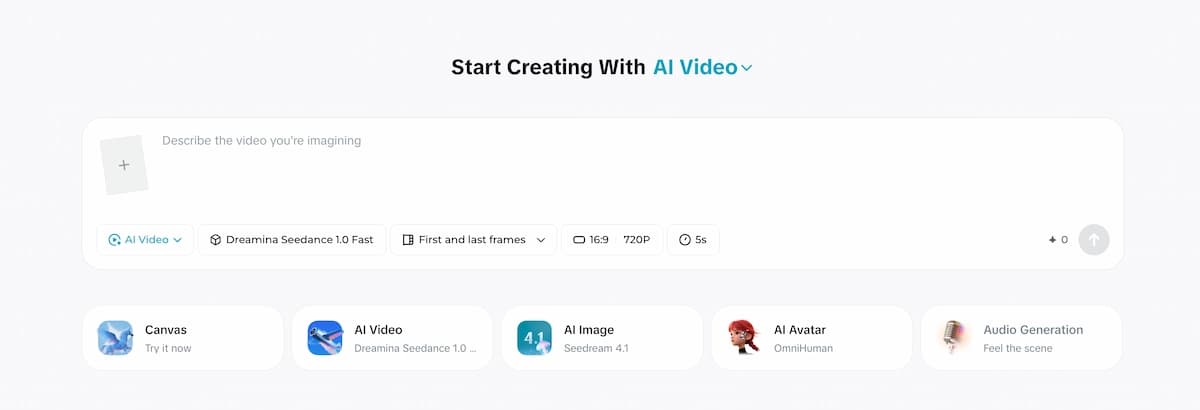
This "all-round reference" approach makes Seedance 2.0 especially relevant for structured content production. Instead of hoping a one-shot prompt produces something usable, creators can provide a storyboard image, a reference clip, a music track, and a scene description, then let the model synthesize them into a coherent shot.
The model is developed by ByteDance Seed, ByteDance's frontier AI research division, and is accessible through developer APIs and integrated creative platforms.
Key Features of Seedance 2.0
Complex Motion Stability at Physical Scale
Seedance 2.0 delivers a major step forward in motion fidelity. Earlier AI video models often struggled with rapid multi-person movement, synchronized sports sequences, dance lifts, or crowd interactions because the physical logic broke down across subjects.
Seedance 2.0 is designed to synthesize higher-fidelity interactive scenes, including closely timed subject motion and more physically plausible movement. This matters for music video production, where performers interact closely and every movement needs to feel intentional.
Multimodal All-Round Reference
This is Seedance 2.0's most commercially useful capability. The model can combine text, image, video, and audio references, then parse what each asset contributes. A storyboard can define composition. A video clip can define camera language. A music track can influence pacing.
Video Editing and Extension
Seedance 2.0 supports targeted video editing and continuation workflows. Instead of regenerating an entire scene, creators can modify specific clips, characters, actions, or story beats within an existing generation.
For AI music video production, this means creators can iterate on a performance shot, camera angle, or subject position without rebuilding the whole sequence.
Dual-Channel Audio with Scene-Synchronized Sound
Seedance 2.0 supports synchronized sound design, including ambient texture, background audio, and voiceover-style outputs on supported workflows. For music videos, creators usually provide the main track themselves, but ambient sound, crowd presence, and environmental detail can still make a generated clip feel more grounded.
Prompt-Driven Camera Planning
Seedance 2.0 supports natural-language camera direction. Creators can specify tracking shots, push-ins, low-angle openers, and fast-panning transitions, and the model can use those instructions to shape the generated shot.
How to Use Seedance 2.0 in VidMuse
VidMuse integrates Seedance-style generation as part of its fast, cost-efficient production workflow. The platform plans a complete music video structure before generation starts, so creators are not stuck writing one isolated prompt at a time.
Create Your AI Video in Minutes
Use VidMuse to plan scenes, generate shots, and refine clips without managing a model API.
Set up your Creative Brief
Upload or describe your track, visual style, target duration, references, and mood direction.
Choose your template
Pick Story MV, Abstract MV, Performance MV, Viral Short, TVC, or Explainer based on the format you want.
Review the scene and shot list
Check VidMuse's generated scene breakdown before rendering, and sharpen vague shot descriptions.
Select Lite mode for fast generation
Use Lite mode for cost-efficient drafts, then reserve Studio mode for hero shots that need maximum fidelity.
Upload reference inputs
Add character images, storyboard frames, existing clips, or visual references to improve alignment.
Refine and assemble
Use Shot Refine by Quoting, then arrange generated clips in the Timeline Editor.
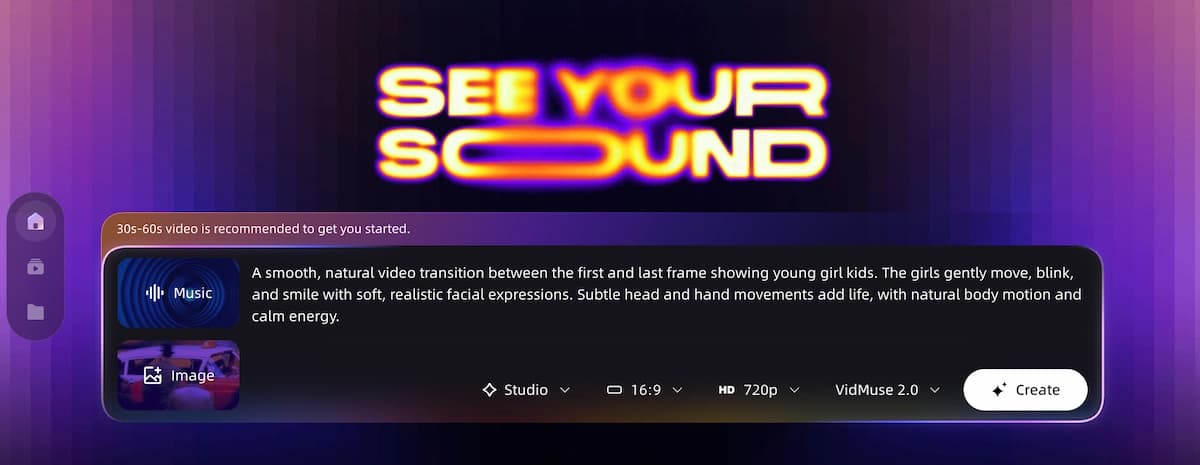
Step 1: Set Up Your Creative Brief
In VidMuse, start by entering your Creative Brief. This includes your track, visual style direction, target duration, and reference links or mood boards. The brief feeds the agent's planning phase.
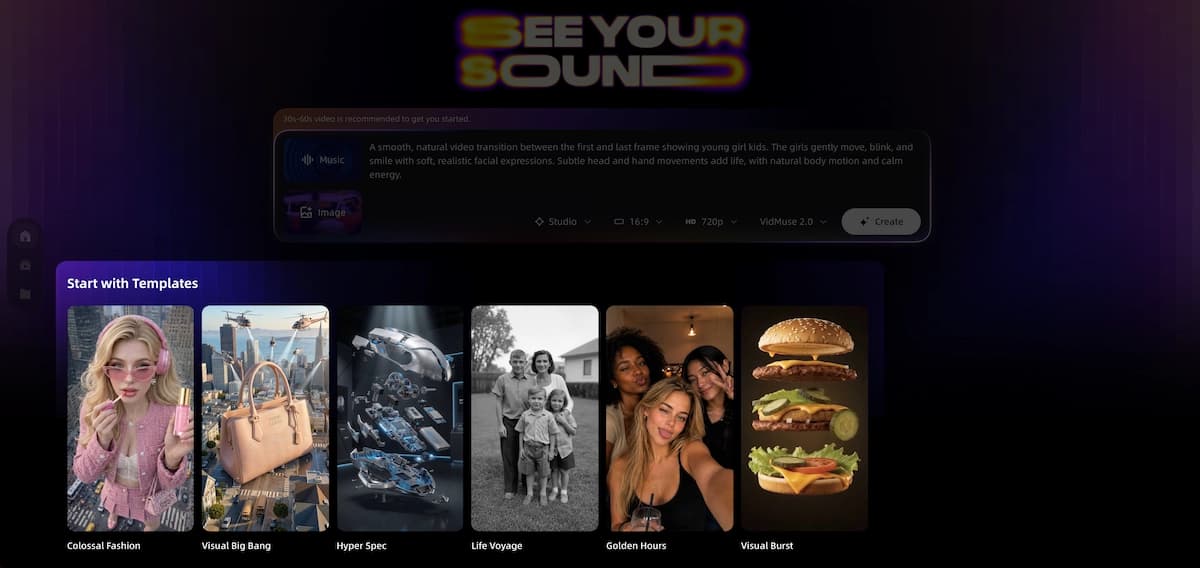
Step 2: Choose Your Template
VidMuse offers template types including Story MV, Abstract MV, Performance MV, Viral Short, TVC, and Explainer. For Seedance 2.0's strengths, Performance MV and Story MV are the most natural fits.
Step 3: Review the Scene and Shot List
VidMuse's agent generates a scene-by-scene breakdown and shot list before video rendering. Review this carefully. Seedance 2.0 benefits from specific prompts, so this is the right moment to sharpen vague shot descriptions.
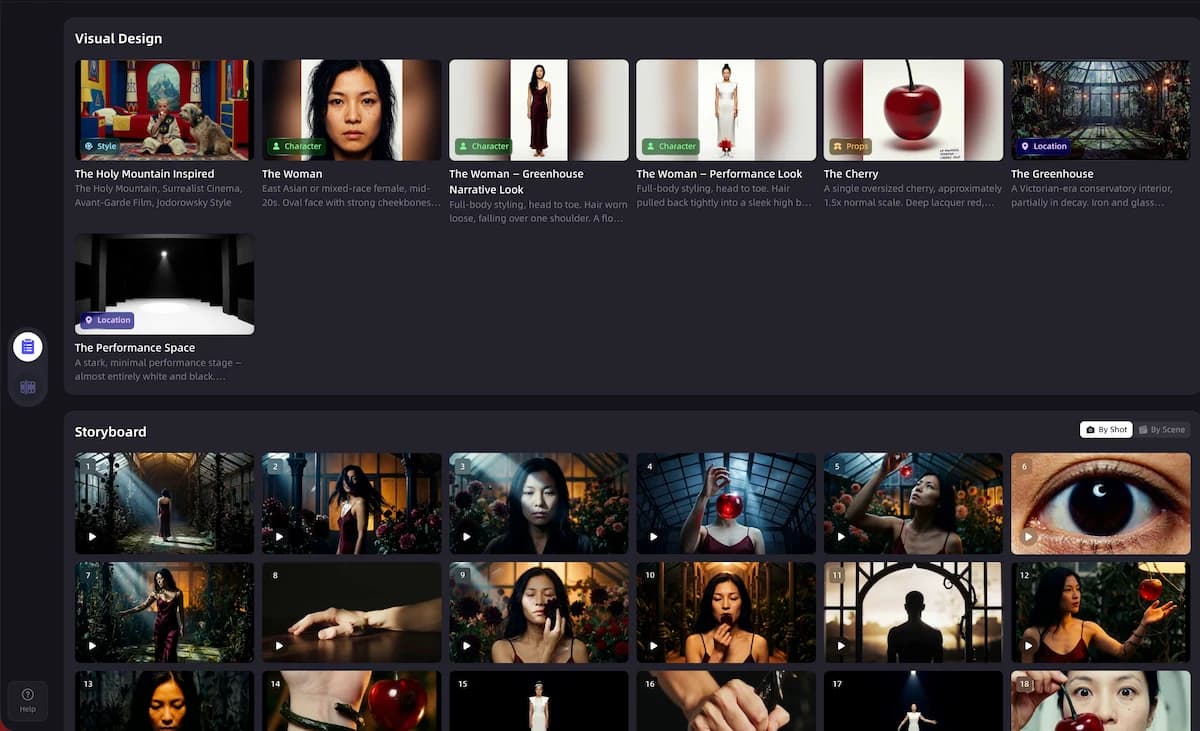
Step 4: Select Lite Mode for Generation
When proceeding to video generation, select Lite mode for speed and cost efficiency. If a shot requires maximum visual fidelity for a hero moment, consider Studio mode for that specific clip.
Step 5: Use Reference Inputs Where Available
Seedance 2.0's multimodal reference capability is one of its strongest differentiators. In VidMuse's storyboard stage, upload reference images, character visuals, or existing footage. The model can use those assets to improve composition, motion, and visual style alignment.
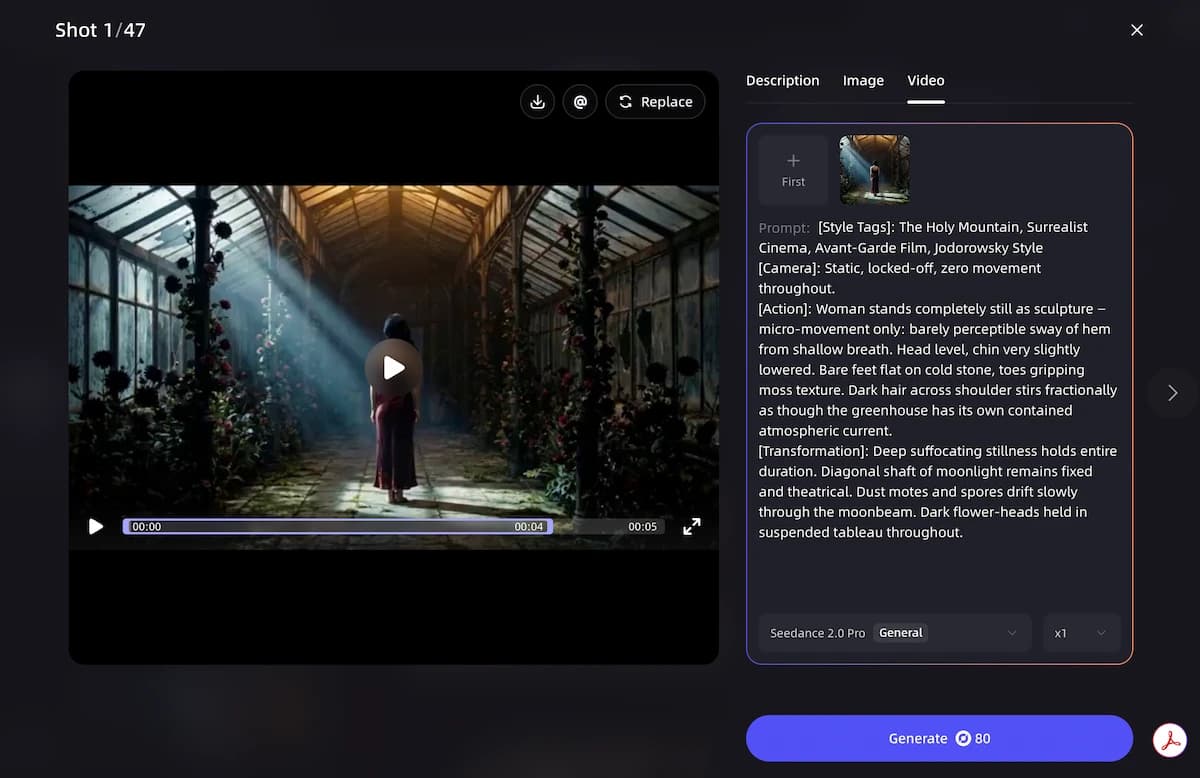
Step 6: Iterate with Shot Refine by Quoting
VidMuse 2.0 includes Shot Refine by Quoting, which lets you select a specific segment or generated frame and request changes without regenerating the whole scene.
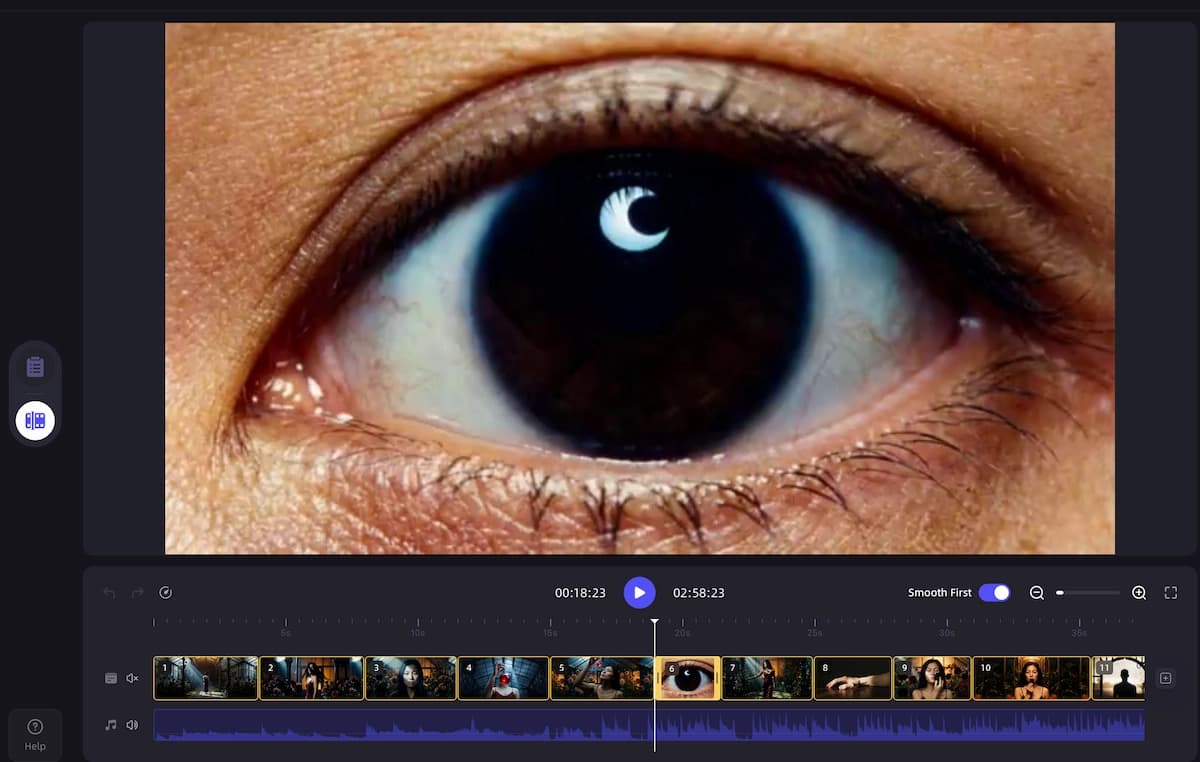
Step 7: Assemble in the Timeline Editor
VidMuse's Timeline Editor lets you arrange, trim, and sequence generated clips into a final cut. Generated assets are stored in the Asset Library for reuse across scenes or future projects.
Seedance 2.0 vs. Seedance 1.5
Seedance 1.5 introduced synchronized audio-visual generation. Seedance 2.0 expands that foundation into a more unified multimodal architecture.
Seedance 1.5
Best for
- Useful audio-visual sync generation
- Good fit for simpler text and image driven clips
- Lower conceptual complexity for basic workflows
Watch out
- Limited multimodal reference support
- Less reliable on complex multi-subject motion
- No targeted editing workflow
Seedance 2.0
Best for
- Text, image, audio, and video references in one workflow
- Improved complex motion stability
- Targeted editing and video extension support
- Better camera planning and instruction following
Watch out
- Still has limits in text rendering and multi-subject consistency
- Access and pricing depend on platform implementation
ByteDance Seed has noted that Seedance 2.0 still has areas for improvement, including detail stability, hyper-realism in certain scenes, multi-subject consistency, and text rendering accuracy.
Seedance 2.0 for Music Videos: Real Use Cases
Indie Musicians Turning Tracks Into Visuals
For independent artists working with AI-generated music from tools like Suno, the gap between audio and visual production has historically been expensive. Seedance 2.0, accessed through VidMuse's fast generation workflow, helps close that gap by generating performance footage, abstract visuals, and scene-matched clips from a structured brief.
SMB Marketing and Short-Form Content
Seedance 2.0's scenario adaptability extends to commercial content. The Viral Short and TVC templates in VidMuse are built for this use case, supporting product integration, character-driven narrative, and cinematic composition.
Abstract and Style-Driven MVs
For artists whose music calls for non-literal visuals, such as geometric motion, texture-driven sequences, or atmosphere over narrative, Seedance 2.0's camera planning and audiovisual sync make it a strong fit.
Seedance 2.0 Pricing and API Access
Seedance 2.0 is available through developer and platform access paths, including BytePlus API workflows and integrated creator tools. Pricing and availability can change, so developers should consult current BytePlus documentation for API details.
For non-developers, Seedance 2.0-style generation is accessible through creative platforms that integrate the model. Within VidMuse, Seedance-style generation is part of the fast, cost-efficient production path, with VidMuse pricing separate from BytePlus API pricing.
Common Mistakes and How to Avoid Them
Vague prompts for complex scenes. Seedance 2.0 performs best when the scene description includes specific motion instructions, camera direction, subject details, and atmosphere cues.
Skipping the reference upload step. Multimodal reference is one of Seedance 2.0's core advantages. Use reference images, storyboard frames, or existing clips whenever the shot requires consistency.
Using Lite mode for hero shots that need maximum quality. Lite mode is optimized for speed and cost. For high-stakes moments, consider Studio mode for that specific clip.
Expecting perfect multi-subject consistency across cuts. Multi-subject consistency still requires planning, reference assets, and shot-by-shot review.
Ignoring audiovisual sync opportunities. If you are using Seedance 2.0 for non-music video content, synchronized ambient or scene audio can add production value.
FAQ
What is Seedance 2.0 and how does it work?
Seedance 2.0 is a ByteDance Seed video generation model designed for multimodal workflows. It can use text, image, audio, and video references to generate short, multi-shot video outputs with synchronized audiovisual detail.
What is Seedance 2.0's biggest improvement over previous versions?
The biggest improvements are broader multimodal input support, stronger complex motion stability, better instruction following, targeted video editing, and video extension workflows.
Is there a free version or free trial for Seedance 2.0?
Trial availability depends on the platform. BytePlus offers developer access, while creator platforms that integrate Seedance 2.0 may provide free trials or starter credits.
What is the Seedance 2.0 API and how do I get access?
Seedance 2.0 API access is available through BytePlus and related developer channels. Creators who do not need direct API access can use platforms such as VidMuse for a structured production workflow.
Can Seedance 2.0 create Pixar-style animated content?
Seedance 2.0 is primarily a general video generation model, not a dedicated animation engine. Stylized references can guide aesthetics, but results differ from purpose-built 3D animation workflows.
Can I use Seedance 2.0 to create full music videos?
Seedance 2.0 generates short clips, not a one-click full MV. VidMuse uses models like Seedance 2.0 inside a larger workflow that plans scenes, generates multiple clips, refines shots, and assembles the final timeline.
What are the known limitations of Seedance 2.0?
Known limitations include detail stability, hyper-realism in some scenes, multi-subject consistency across extended sequences, text rendering accuracy, and complex editing effects.
Final Thoughts
Seedance 2.0 marks a meaningful step in AI video generation because it makes a wider range of controlled production scenarios viable. The combination of multimodal reference input, improved physical motion, editing and extension workflows, and synchronized audio output gives creators a more controllable production tool.
For music video creators specifically, the practical impact is significant: a model that can reference a character image, match camera language from a storyboard, align pacing to an audio track, and generate short multi-shot footage can compress a production workflow dramatically.
VidMuse's integration of Seedance 2.0-style generation makes that workflow accessible without API setup or prompt engineering expertise. The platform's agent-based approach plans the full production before generating frames, which is exactly the kind of structure that helps multimodal video models perform better.
Create Your AI Video in Minutes
Turn your idea, song, or storyboard into a complete video workflow with VidMuse.
Related Articles

Written By
VidMuse Team
Continue Reading
Latest blog posts related to AI video creation.
Seedance 2.5 Guide: Specs, Prompts, and AI Video Workflow
Seedance 2.5 explained: 30-second native clips, 50 references, and region editing. See prompt tips and how to plan shots before you generate.
Amazon Product Video Ads Generator: VidMuse AI Guide 2026
Turn any Amazon product link into UGC, unboxing, or avatar-led video ads with VidMuse's AI ad generator, plus how it compares to Amazon's own native tool.

Facebook Video Ads Creator Guide: Specs, Sizes & AI Workflow
Learn the right facebook video ads creator setup — 2026 sizes, specs, examples, and AI prompts — plus how VidMuse turns a product link into a publish-ready ad.