
Facebook Video Ads Creator Guide: Specs, Sizes & AI Workflow
A facebook video ads creator is any tool or workflow — manual editing or AI-driven — that turns a product, script, or reference clip into a video sized and formatted for Meta's ad placements. The short answer: match your aspect ratio to the placement (roughly 4:5 or 1:1 for Feed, 9:16 for Reels and Stories, 16:9 optional for In-Stream), export as H.264 MP4 or MOV under 4GB, and open with a hook in the first three seconds because most Feed video plays with sound off. AI creators like VidMuse can generate that video directly from a product link, photos, or a reference ad, which is the faster route if you don't have raw footage to edit.
Key Takeaways
- Facebook video ads span at least four aspect ratios (1:1, 4:5, 9:16, 16:9) and the right one depends on placement, not personal preference.
- Vertical, sound-off-legible video with a hook in the first three seconds is the baseline for Feed, Stories, and Reels in 2026.
- Codec matters as much as aspect ratio: H.264 video with AAC audio in an MP4 or MOV container is the safe combination for upload.
- A good AI video prompt for Facebook ads specifies product, hook, shot sequence, tone, duration, and aspect ratio — not just "make an ad."
- AI ad generators can plan, generate, and assemble a Facebook-ready ad from a product link or photos, but they don't guarantee ad performance or replace a review of Meta's current specs before launch.
What Is a Facebook Video Ads Creator?
A facebook video ads creator is a tool that produces video assets sized, formatted, and structured for Meta's ad placements — Feed, Reels, Stories, In-Stream, and Messenger. That can mean a manual editor like Premiere or CapCut, a template-based web tool, or an AI system that generates the clip from a product description, photos, or a reference video.
The manual route works if you already have footage: you cut, resize, and caption it for each placement. The AI route works when you're starting from a product link, a set of photos, or a reference ad you want to remix — the tool plans the script, generates the visuals, and assembles the final cut. VidMuse falls into this second category: it takes an Amazon/Shopify link, product photos, a text description, or a reference video and builds toward a publishable ad rather than a raw clip you still have to edit.
Either way, the destination is the same: a video that fits Meta's technical specs and holds attention long enough to make the CTA land.
Skip the Editing, Ship the Ad
VidMuse plans the script, generates the visuals, and renders a publish-ready MP4 for your Facebook campaign.
VidMuse Features for Facebook Video Ad Creation
A few features from VidMuse's ad toolkit are most relevant to building Facebook-ready video specifically:
- Product Understanding from Inputs — pulls category, audience, tone, and USP straight from a product link, photos, or description, so the ad angle isn't generic. It works from what you provide; it doesn't independently verify claims about the product.
- AI Creative Brief and Script Planning — turns the value proposition into a hook, script, and shot list, which is the same structure a strong video prompt needs (see section 4).
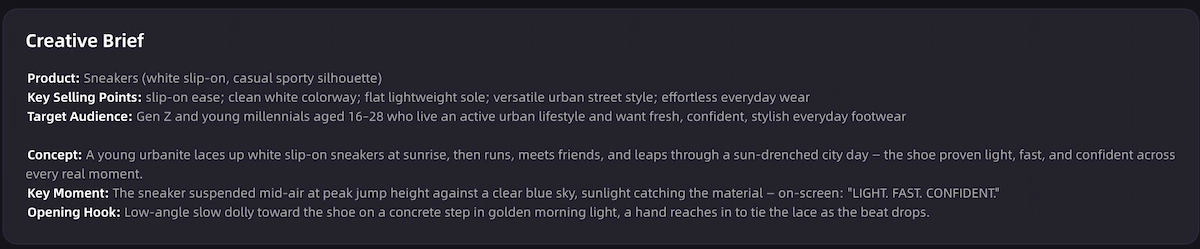
- Ad Template and Use-Case Workflows — maps the product to the formats in section 3 (unboxing, UGC, showcase, explainer, storytelling, digital human presenter) instead of one fixed style.
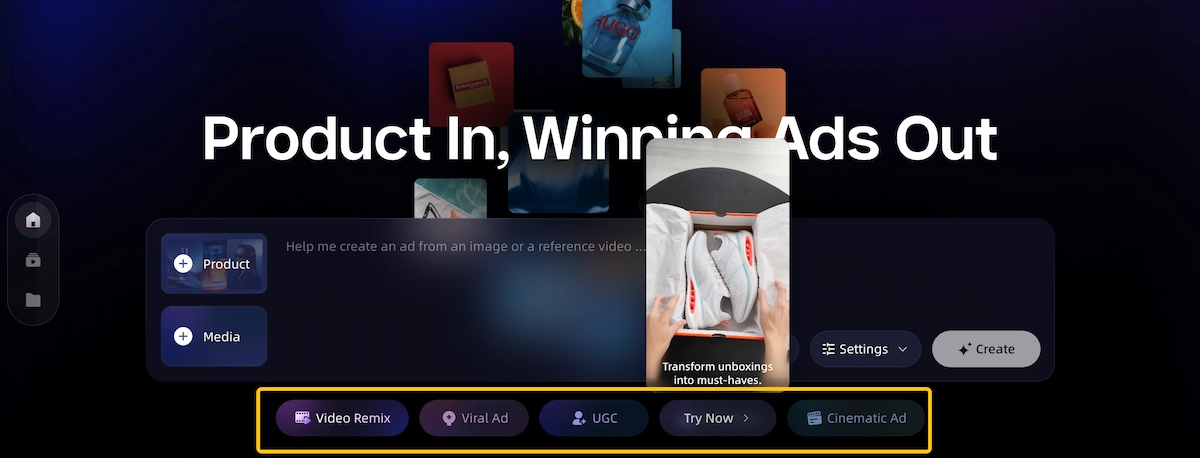
- Voiceover, Music, Subtitles, and CTA — builds in narration, background music, and burned-in-style subtitles, which matters since most Feed video plays muted.
- Timeline Assembly and Output Control — arranges clips and checks duration against your target output (9:16, 16:9, and common lengths), so the export is easier to align with the placement specs in section 2.
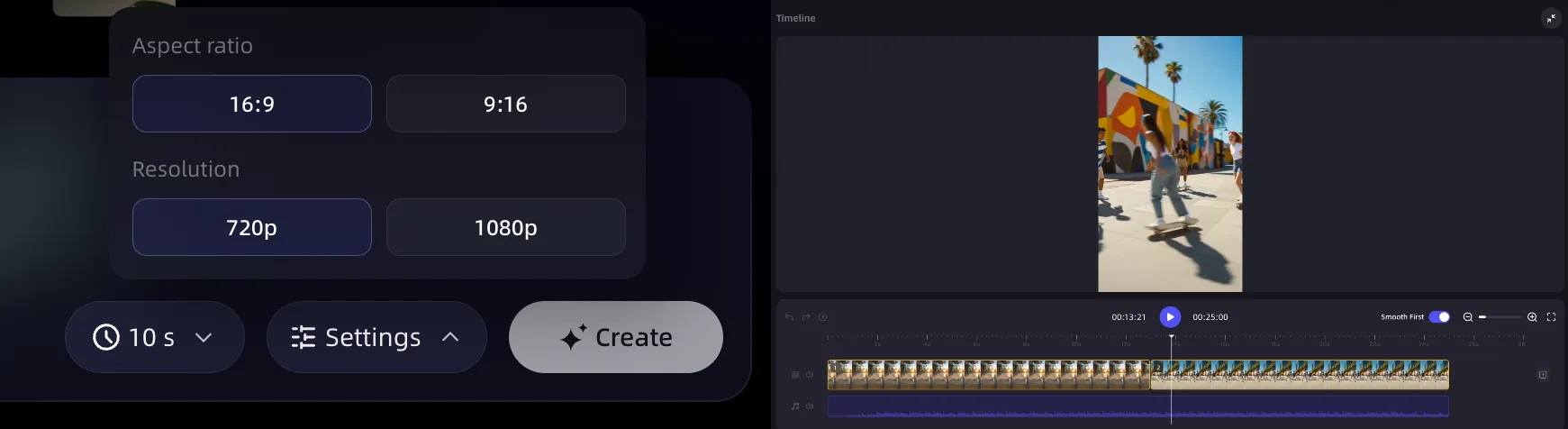
For remixing an existing reference ad's style or pacing rather than starting from scratch, the video-to-video maker covers that workflow; it rebuilds structure and direction rather than copying an exact platform video.
Turn Your Product Into a Facebook-Ready Ad
Give VidMuse a product link, photo, or reference ad — get a scripted, captioned video sized for Feed, Reels, or Stories.
Step-by-Step: Creating Facebook Video Ads with VidMuse AI Workflow
VidMuse structures AI ad production as six phases that map directly onto the prompt elements above:
- Input & Understand — feed in a product link, photos, description, reference video, or brand assets; the system extracts category, audience, tone, and selling points.
- Creative Planning — pick an ad template (unboxing, UGC, showcase, explainer, etc.), and the system drafts a hook, script, voiceover plan, and shot list.
- Asset Generation — keyframes are generated per shot, with voiceover and background music produced alongside.
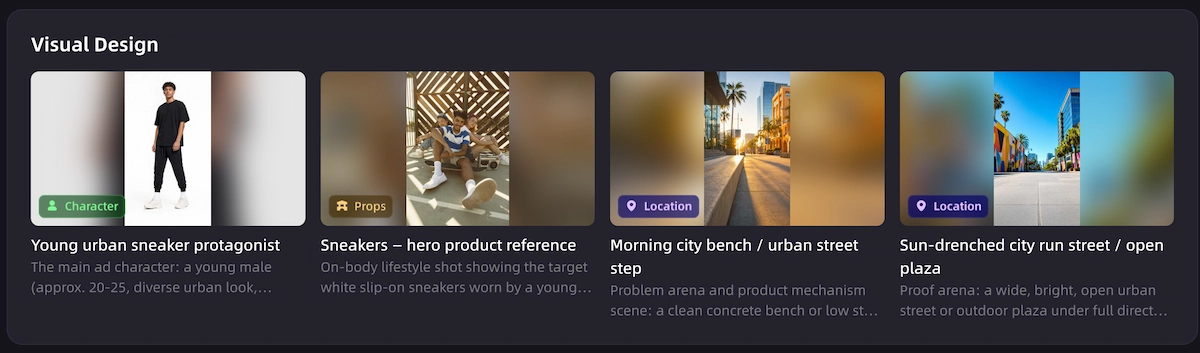
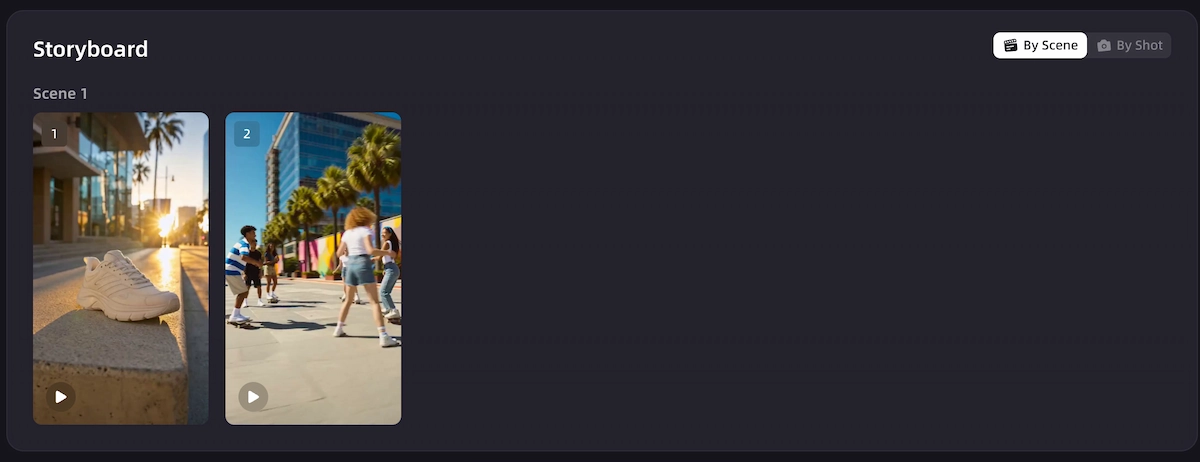
- Video Clip Generation — clips are generated from the keyframes with camera motion, matched to pacing.
- Timeline Assembly — clips, music, voiceover, subtitles, and CTA text are arranged and duration is checked against your target placement.
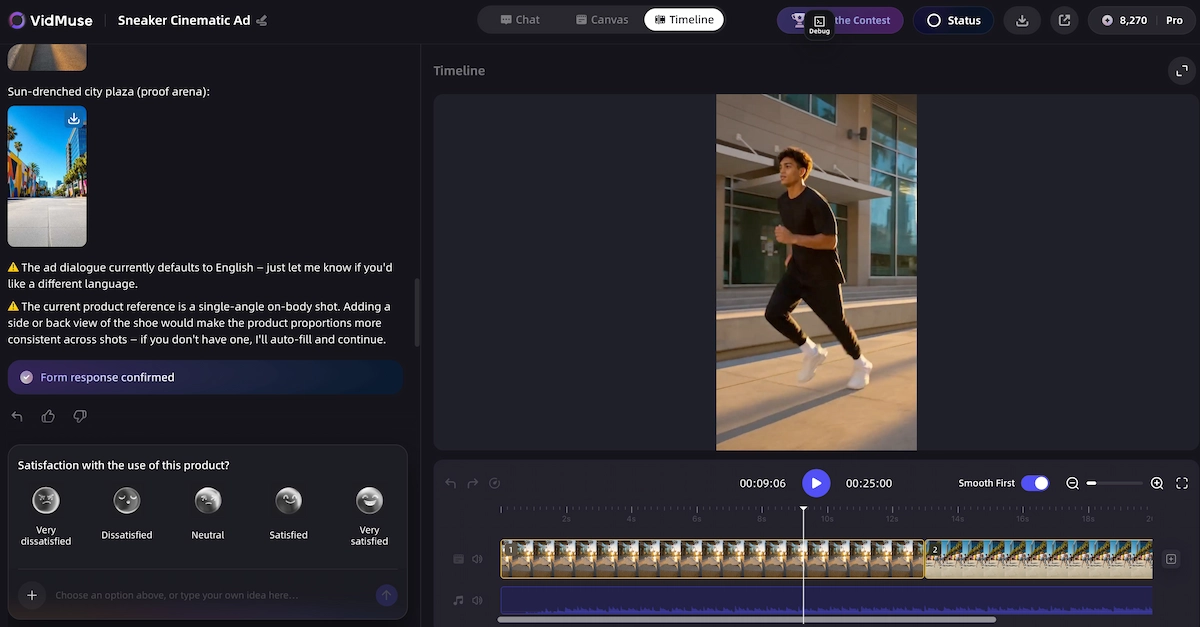
- Render & Deliver — tracks are merged, subtitles burned in, and the file exported as MP4 — ready to size-check against section 2's specs before upload.
For product ad and ecommerce workflows specifically, the AI ad generator applies this same sequence starting from a product link or photo set.
How to Write a Facebook Video Ads Video Prompt
If you're generating the ad with AI rather than editing raw footage, the prompt is the brief. A weak facebook video ads video prompt just says "make a product ad." A usable one specifies:
- Product and USP — what it is, who it's for, and the one thing that differentiates it.
- Ad format — unboxing, UGC, hero showcase, explainer, or storytelling (see section 3).
- Hook — the first line or visual in the opening seconds; name a problem, show an unexpected visual, or open mid-action.
- Shot sequence — a short list of scenes (e.g., hook shot → product in use → close-up detail → CTA card).
- Tone and pacing — energetic and beat-synced vs. calm and explanatory.
- Voiceover/subtitle needs — narration language, on-screen captions (important since most Feed video is watched muted).
- Duration and aspect ratio — tie this directly to the placement specs from section 2 (e.g., "9:16, 15 seconds, for Reels").
- CTA — the exact action and text you want on the closing card.
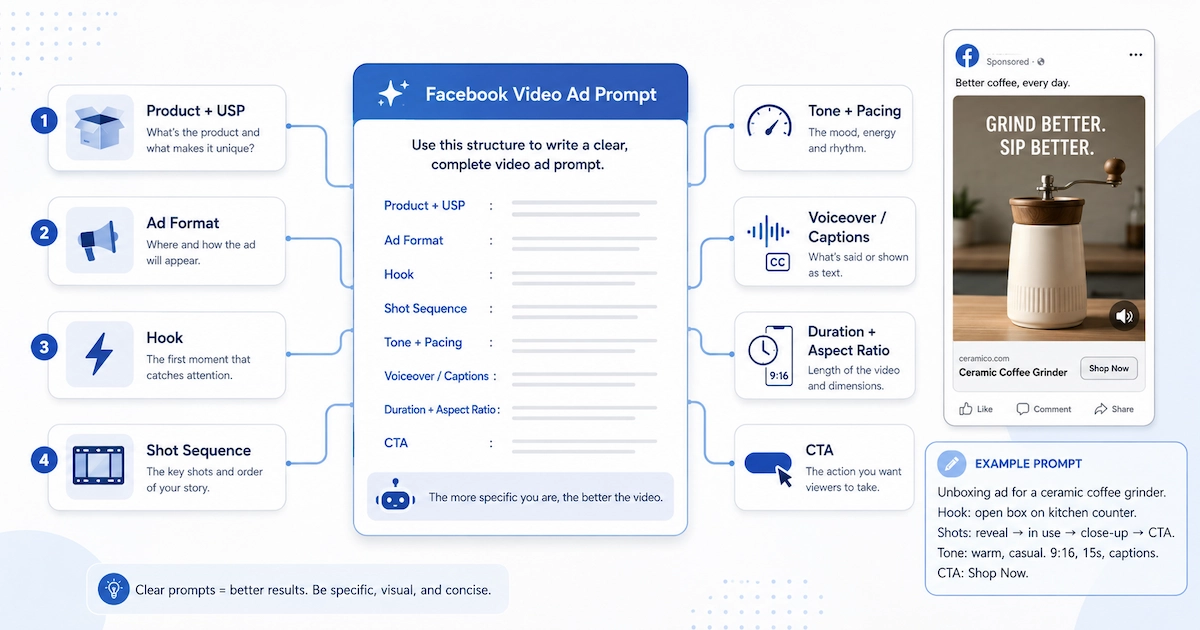
Example structure: "Unboxing-style ad for a ceramic coffee grinder. Hook: hands opening the box on a kitchen counter. Shots: reveal → grinder in use → close-up of ground coffee → CTA card 'Shop Now.' Tone: warm, casual, background music. Vertical 9:16, 15 seconds, burned-in captions." A prompt this specific gives an AI ad generator enough to plan a script and shot list instead of guessing at a generic template.
Facebook Video Ad Sizes and Specifications for 2026
Facebook video ad specs vary by placement, and the biggest source of upload rejections is applying one size everywhere.
As of 2026, Meta's Feed and carousel placements default to a 1:1 (1080×1080) format, while Stories and Reels use 9:16 (1080×1920), and several guides now recommend 4:5 (1080×1350) as the best single Feed size because it covers mobile and desktop Feed while using more vertical screen space without being rejected.
Placement-by-placement facebook video ads size reference:
| Placement | Recommended aspect ratio | Typical resolution | Duration guidance |
|---|---|---|---|
| Feed (mobile + desktop) | 4:5 (also 1:1 supported) | 1080×1350 | Aim short; 15–60 seconds is the practical range, watch-through drops after 30 seconds on cold traffic |
| Reels | 9:16 | 1080×1920 (1440×2560 is Meta's higher-res recommendation for Reels placement) | Short, hook-first |
| Stories | 9:16 | 1080×1920 | Up to 20 seconds; longer clips are auto-split into multiple Story cards |
| In-Stream | 16:9 or 1:1 | 1920×1080 or 1080×1080 | Can run as short as 15 seconds for In-Stream placements |
| Messenger Inbox | 1:1 | 1080×1080 | Short and direct performs best in a conversational context |
File and codec requirements:
- Container: MP4 or MOV, up to 4GB, with a supported duration range of roughly 1 second to 240 minutes.
- Video codec: H.264 is required — H.265/HEVC, AV1, and VP9 are not accepted for ad uploads, which matters if your export tool defaults to a newer codec.
- Audio codec: AAC at 128 kbps or higher; MP3 inside an MP4 container and Dolby tracks are not accepted, though stereo is fine.
- Frame rate: 30fps is standard, and 60fps uploads get re-encoded; keep frame rate constant rather than variable to avoid processing errors.
- Safe zones: for vertical Stories/Reels placements, keep logos, text, and product shots inside the central band and treat roughly the top and bottom 250px as UI-covered bleed.
- Copy limits: primary text is capped around 125 characters and headlines around 40 characters before Meta may truncate them.
Because Meta updates specs periodically, confirm current numbers on Meta's official ads guide before a launch — the figures above are a 2026 planning reference, not a substitute for that check.
Facebook Video Ads Examples: Formats That Convert
The format matters as much as the spec. A few facebook video ads example categories consistently show up across current guides and creative libraries:
- UGC-style talking-head ads — a creator speaks directly to camera about the product; these read as native to the Feed rather than as an ad.
- Unboxing / product reveal — first-person reveal of packaging and product, useful for ecommerce and Amazon-style listings.
- Hero product showcase — clean, product-forward shots that emphasize design and features.
- Explainer — short walkthrough of a problem and how the product solves it, often voiceover-led.
- Storytelling / lifestyle — the product shown in a real-use scenario rather than on a plain background.
- Dynamic / hype cuts — fast-paced, beat-synced editing for attention-grabbing Reels-style placements.
- Digital human presenter — an AI or on-screen presenter delivers the pitch, useful when you don't have a live creator on hand.
Each of these maps to a distinct production approach, and picking the wrong one for your product category is a common reason ads underperform even when the specs are technically correct.
Pre-Publish Checklist
Before uploading, confirm:
- [ ] Aspect ratio matches the target placement (4:5/1:1 Feed, 9:16 Stories/Reels, 16:9 optional In-Stream).
- [ ] Video codec is H.264, audio is AAC, container is MP4 or MOV, file is under 4GB.
- [ ] Key text, logos, and CTAs sit inside the safe zone for vertical placements.
- [ ] Captions are legible with sound off.
- [ ] Hook lands in the first 3 seconds — no logo intro or slow build-up.
- [ ] Primary text and headline are within Meta's character limits to avoid truncation.
- [ ] Duration fits the placement (short for Stories/Reels; 15–60 seconds is a reasonable Feed range).
- [ ] Product claims in the script are accurate and match what you can substantiate.
Limitations and Common Mistakes
AI-generated ads still need human review before launch. A few limitations to keep in mind:
- No guaranteed performance. Neither VidMuse nor any generator can promise a specific CTR, conversion rate, or CPM — those depend on targeting, bidding, and audience, not just the creative.
- Specs change. Meta periodically updates aspect ratios, safe zones, and file limits; treat section 2 as a 2026 planning reference and re-check Meta's official ads guide before a launch.
- Not a raw-footage editor. VidMuse plans and generates ad assets from inputs like product links, photos, and references — it isn't built to directly download or re-edit existing platform videos.
- One size ≠ every placement. Reusing a single export across Feed, Stories, and Reels typically means cropping or letterboxing; plan for at least a 4:5 and a 9:16 version if you're running multiple placements.
- Reference remixing has boundaries. Using a reference ad to guide style or pacing is different from claiming to replicate a specific competitor's video exactly — keep creative direction distinct from unsupported rights claims.
FAQ
What size should my Facebook video ad be?
It depends on placement: roughly 4:5 (1080×1350) or 1:1 (1080×1080) for Feed, and 9:16 (1080×1920) for Stories and Reels. If you can only produce one version, 1:1 renders acceptably across most placements but leaves screen space unused in vertical spots.
What are the current Facebook video ad specifications for file format?
MP4 or MOV containers with H.264 video and AAC audio are the safe combination. Files up to roughly 4GB are generally accepted, but always confirm current limits on Meta's official specs page before uploading.
Can I see a facebook video ads example before building my own?
Yes — common formats include UGC-style talking-head ads, unboxing/reveal videos, hero product showcases, explainer walkthroughs, and storytelling/lifestyle cuts. Reviewing a few in your product category before scripting your own is a useful step.
How do I write a good facebook video ads video prompt for an AI generator?
Specify the product and USP, the ad format, the opening hook, a short shot sequence, tone, voiceover/caption needs, target duration and aspect ratio, and the CTA. Vague prompts like "make a product ad" produce generic results.
Do vertical or square video ads perform better on Facebook?
Full-screen vertical formats are the native fit for Reels and Stories, while Feed still supports 1:1 and 4:5. Rather than a single universal answer, match the ratio to the placement you're actually buying and test creative within that format.
Can AI create the whole ad, or do I still need to edit it manually?
An AI ad generator like VidMuse can carry a product input through scripting, visuals, voiceover, and assembly to a rendered MP4. You should still review the output against the checklist in section 7 and Meta's current specs before publishing.
Conclusion
Getting a Facebook video ad live comes down to two things: matching the technical spec to the placement, and having a creative that earns attention in the first three seconds. If you're starting from a product link, photos, or a reference ad rather than raw footage, the AI ad generator carries that input through planning, generation, and assembly toward an export you can check against the specs above — see also the AI unboxing video maker and AI UGC workflows for two of the formats covered in section 3.
Make Your Facebook Video Ad in Minutes
From product link to finished ad — unboxing, UGC, or showcase style, sized for every placement.

Written By
VidMuse Team
Continue Reading
Latest blog posts related to AI video creation.
Seedance 2.5 Guide: Specs, Prompts, and AI Video Workflow
Seedance 2.5 explained: 30-second native clips, 50 references, and region editing. See prompt tips and how to plan shots before you generate.
Amazon Product Video Ads Generator: VidMuse AI Guide 2026
Turn any Amazon product link into UGC, unboxing, or avatar-led video ads with VidMuse's AI ad generator, plus how it compares to Amazon's own native tool.
VidMuse AI FAQ
Find answers to common VidMuse AI questions about credits, pricing, billing, video generation, project setup, character consistency, style control, editing, exporting, and support.