

Wan 2.7 Direct Answer
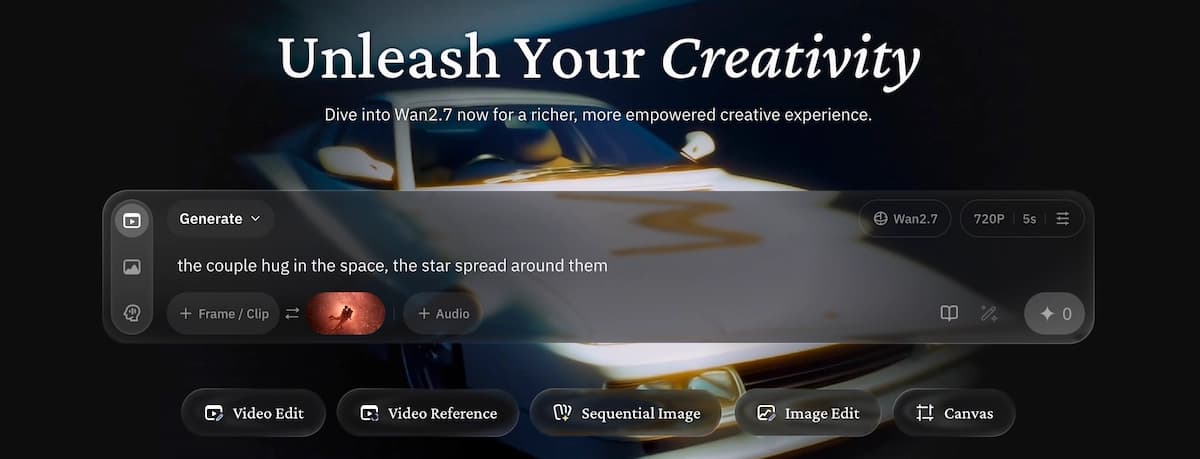
Wan 2.7 is Alibaba's latest AI video generation model release, and it represents a meaningful leap beyond the earlier Wan series. It introduces first-and-last-frame generation, instruction-based video editing, multi-subject referencing, and native 1080p output, bringing the model closer to a full video production tool rather than a simple text-to-video generator.
Whether you want to test Wan 2.7 through an API, build local or ComfyUI workflows when supported weights are available, or use Wan-series models inside a full creative workflow, this guide covers the practical details creators should know.
Create Your AI Music Video in Minutes
Turn your song, references, and creative brief into a complete AI music video workflow with VidMuse.
Key Takeaways
- Wan 2.7 expands creator control with first-and-last-frame generation, video editing, subject referencing, and native 1080p output.
- First-and-last-frame generation gives creators explicit control over where a shot begins and ends, reducing trial-and-error compared with text-only prompting.
- Subject referencing helps maintain consistent character or product appearance across multiple generated scenes.
- Instruction-based video editing lets creators transform existing footage with natural-language commands.
- Platforms like VidMuse make Wan-series workflows easier for creators who want structured planning, storyboarding, and refinement without managing model infrastructure.
What Is Wan 2.7?
Wan 2.7 is the newest release in Alibaba's Wan video generation model series. It builds on the Wan lineage that drew attention for motion quality, open model research, and broad video generation capabilities.
The Wan 2.7 feature set includes text-to-video, image-to-video, first-and-last-frame generation, reference-to-video, and instruction-based video editing. Output resolution can reach 1080p, generation durations extend up to 15 seconds per clip on supported endpoints, and common aspect ratios include 16:9, 9:16, 1:1, 4:3, and 3:4.
For content creators, the practical significance is that Wan 2.7 narrows the gap between "AI-generated" and "production-ready," especially for teams that need consistent subjects, controlled shot composition, and the ability to edit, not just generate.
Key Features of Wan 2.7
First-and-Last-Frame Generation
First-and-last-frame control is one of the most impactful Wan 2.7 features. Rather than specifying only a prompt and hoping the model generates a usable clip, you supply a starting image and an ending image. The model then generates the in-between motion.
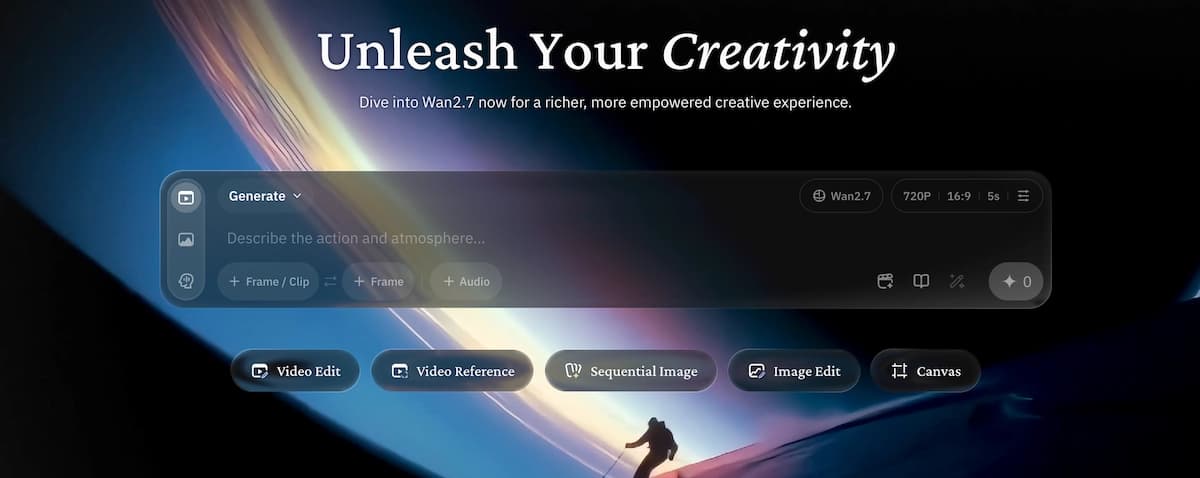
This is useful for:
- Transition sequences between scenes in a longer edit
- Product reveal animations that start with a closed box and end with the product displayed
- Morphing effects where a character or object transforms between two defined states
- Music video cuts that need to land on a specific visual beat
For any creative work where shot composition is intentional rather than random, this feature alone makes Wan 2.7 worth evaluating.
Instruction-Based Video Editing
Wan 2.7 supports video-to-video transformation through natural language instructions. You upload an existing clip and describe what you want to change, such as the style, background, costume, or lighting. The model then re-generates the affected areas while preserving motion and structure.
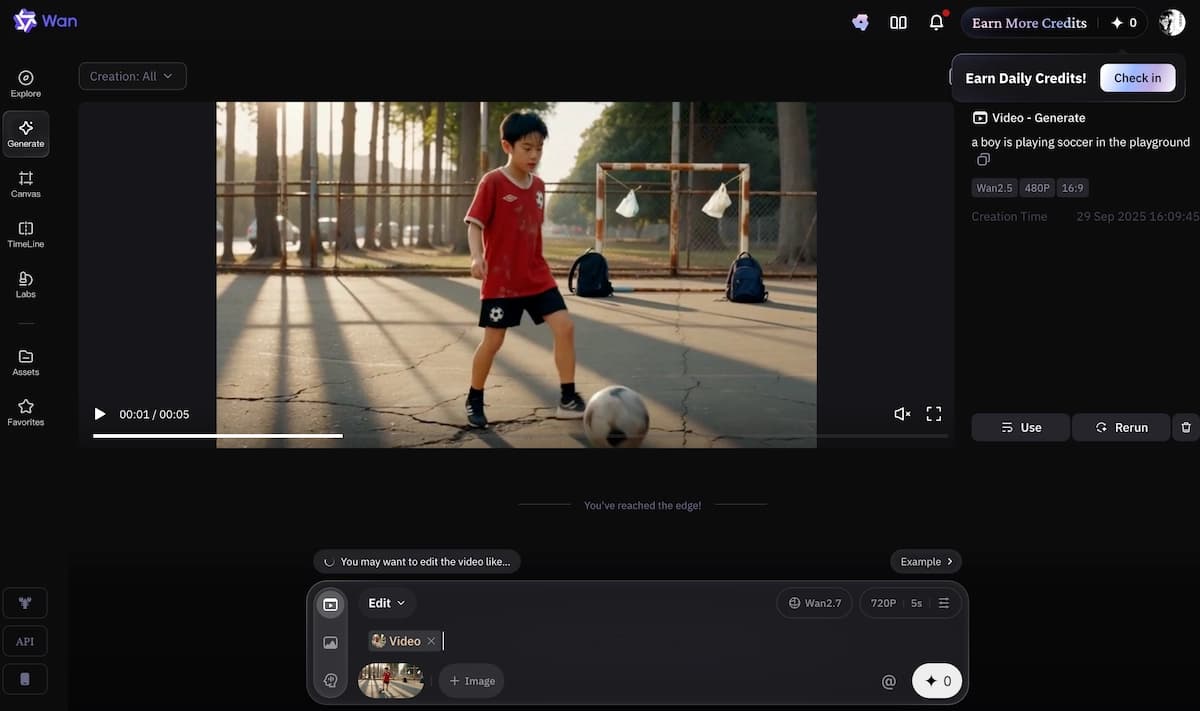
Practical applications include:
- Converting live-action footage to an animated aesthetic
- Applying consistent color grading or stylistic treatment across multiple clips
- Updating product footage for seasonal or campaign changes
- Removing or replacing background elements without reshooting
The key improvement for creators is temporal consistency. Edited frames are less likely to flicker or visually drift between frames, which was a common issue in earlier video editing workflows.
Multi-Subject Referencing
Subject referencing solves one of the most persistent frustrations in AI video production: characters and objects that look different from shot to shot. With Wan 2.7, creators can use reference images or videos to help lock in the visual identity of each subject.
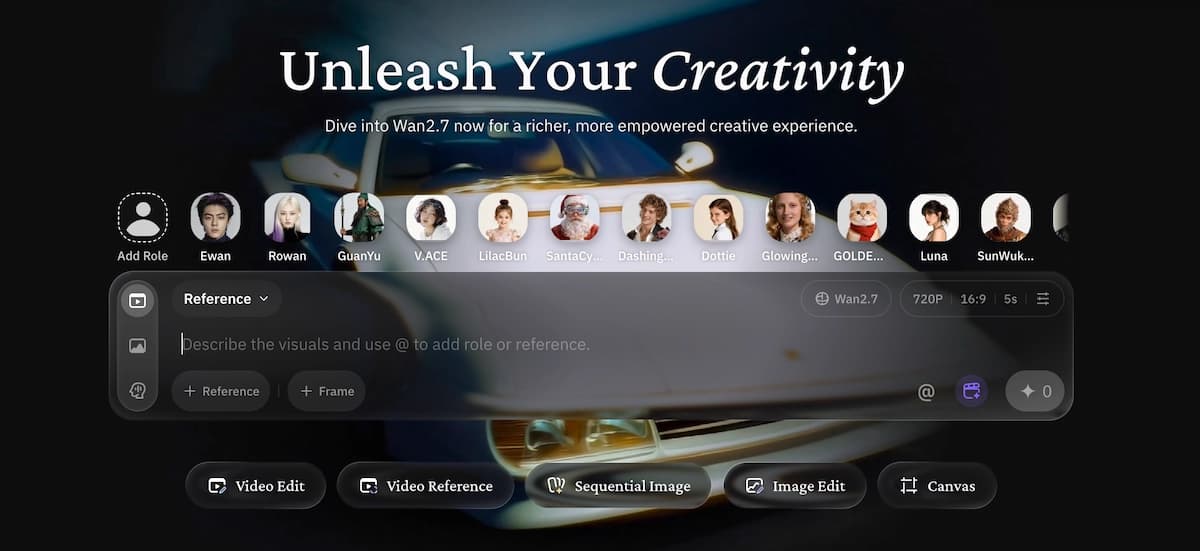
This is particularly valuable for:
- Brand characters or virtual spokespersons that need to appear consistently across a content series
- Product visualization where a specific item must look identical across angles and scenes
- Narrative shorts with recurring characters
- IP or mascot content for entertainment brands
Advanced Camera Control
Wan 2.7 supports a wide range of cinematographic camera movements specified in natural language, including push-in, pull-out, pan, track, crane movement, Hitchcock zoom, rising reveal, and handheld follow. Camera movement matters in music video production and commercial content because motion often carries as much storytelling weight as the subject itself.
Text-to-Video and Image-to-Video
The baseline text-to-video and image-to-video modes are also improved. Prompt adherence is stronger, multi-subject prompts render more reliably, and text rendering within video frames has improved, though it remains a difficult problem across the industry.
Image-to-video allows teams with existing visual assets, such as product photos, character illustrations, or storyboard panels, to generate dynamic video without starting from scratch.
Wan 2.7 vs. Wan 2.6: What Changed?
Wan 2.7 is a significant upgrade rather than an incremental patch. The main changes include:
- Native 1080p output on supported endpoints
- Extended clip duration up to 15 seconds
- First-and-last-frame generation
- 9-grid multi-image input for reference generation
- Instruction-based video editing
- Subject and voice referencing on supported workflows
- Improved motion smoothness and visual coherence across frames
For teams that built workflows on Wan 2.6, the upgrade path is meaningful. The new features represent qualitative changes in how much control a creator has over the output.
How to Use Wan 2.7
There are several ways to access Wan 2.7 depending on your technical comfort level and production needs.
Choose your access path
Use an API for quick testing, local or ComfyUI workflows for deeper control, or a creative platform if you want the production process structured for you.
Prepare visual inputs
Gather prompts, reference images, first and last frames, existing footage, and target aspect ratios before generation.
Generate draft clips
Start at draft quality when available, validate motion and identity consistency, then move to higher resolution for final outputs.
Refine by shot
Adjust specific clips with reference images, editing instructions, or storyboard targets instead of restarting the whole project.
Option 1: Use Wan 2.7 via API
Platforms such as fal.ai have integrated Wan 2.7 endpoints for text-to-video, image-to-video, reference-to-video, and video editing. This is the fastest way to test the model without managing infrastructure.
- Create an account on the API platform and generate an API key.
- Choose an endpoint based on your use case.
- Install the client in your environment using pip or npm.
- Write your API call with prompt, resolution, duration, and aspect ratio.
- Retrieve the output URL and download or process the generated video.
Option 2: Run Wan 2.7 Locally When Supported Weights Are Available
When supported weights are available under terms that match your use case, local inference can remove per-generation API costs and improve privacy for internal workflows.
- Check hardware requirements before committing to local inference.
- Download official model weights from the official repository.
- Set up the inference environment with required Python and GPU dependencies.
- Run inference using the supported input type.
- Iterate and fine-tune only if the license and project requirements allow it.
Option 3: Use a Platform with Wan-Series Models Integrated
If you do not want to manage APIs or local infrastructure, platforms with pre-integrated Wan-series models offer the lowest barrier to entry. This is especially useful for creators who want a complete workflow rather than a raw model endpoint.
Wan 2.7 ComfyUI Integration
Wan 2.7 in ComfyUI gives local power-users a node-based visual interface for building complex generation pipelines without writing code directly.
To use Wan 2.7 in ComfyUI:
- Install ComfyUI and confirm the correct Python and CUDA versions.
- Install the relevant Wan 2.7 custom node package through ComfyUI Manager or the community repository.
- Load the Wan 2.7 weights into the correct models folder, or configure an API endpoint for cloud inference.
- Build your workflow using nodes for image inputs, text conditioning, first/last-frame inputs, and reference images.
- Queue generation and iterate on node parameters.
The ComfyUI approach is useful for creators who want to chain Wan 2.7 into larger pipelines, such as generating a keyframe, using it as a first-frame input, then passing output through an upscaler node.
Wan 2.7 Image Generation
While Wan 2.7 is primarily a video model, its reference system includes strong image-handling capabilities. The Wan 2.7 image input system supports:
- 9-grid multi-image input for reference fusion
- Long-text rendering across 12 languages on supported workflows
- Precise color palette control when using reference images
- High-fidelity frame extraction for thumbnails, storyboards, and static assets
For teams working at the intersection of video and static asset production, Wan 2.7 can serve as both a video generator and a source of reusable image assets.
Wan 2.7 vs. Seedance: Which Should You Use?
Both Wan 2.7 and Seedance are strong video generation models. The right choice depends on your team's priorities.
Wan 2.7
Best for
- Strong first-and-last-frame control
- Useful subject referencing workflows
- Flexible video editing modes
- Better fit for controlled transitions and multi-subject planning
Watch out
- Access path and licensing require verification
- Local workflows can be more technical to set up
Seedance
Best for
- Fast API-based iteration
- Strong expressive character motion
- Lower setup burden for quick tests
Watch out
- Less flexible for local deployment
- Reference workflows may be more limited depending on endpoint
The practical framework is simple: if you need controlled transitions, consistent multi-subject content, or deeper infrastructure flexibility, Wan 2.7 is worth testing. If you need fast, low-setup access for expressive single-character shots, Seedance remains competitive.
It is also worth noting that VidMuse integrates a broader model matrix, including Wan-series models, Seedance, Kling, Veo, Sora, Hailuo, Vidu, and others, so creators do not have to commit to one model for every shot.
Using Wan 2.7 Inside VidMuse for Music Video Production
For indie musicians and content creators, the most practical way to use Wan 2.7 is not always through raw API calls or ComfyUI. It is often through a platform that structures generation inside a full creative workflow.
Create Your AI Music Video in Minutes
Turn your idea into a video with VidMuse's agent-based creative workflow.
VidMuse AI music video generator is built specifically for music video production, and its agent-based system plans a complete MV rather than executing one-shot prompts. The workflow moves through defined stages:
Creative Brief
Describe the track's mood, visual concept, audience, references, and desired pacing.
Reference Generation
Create or upload visual references that define the aesthetic and subject identity.
Scene and Shot List
Let the agent break the concept into shots with camera direction and scene logic.
Storyboard
Review generated frames before committing to full video production.
Video Generation
Render shots using the model best suited to each scene.
Timeline Edit
Arrange, trim, and refine clips into a complete music video.
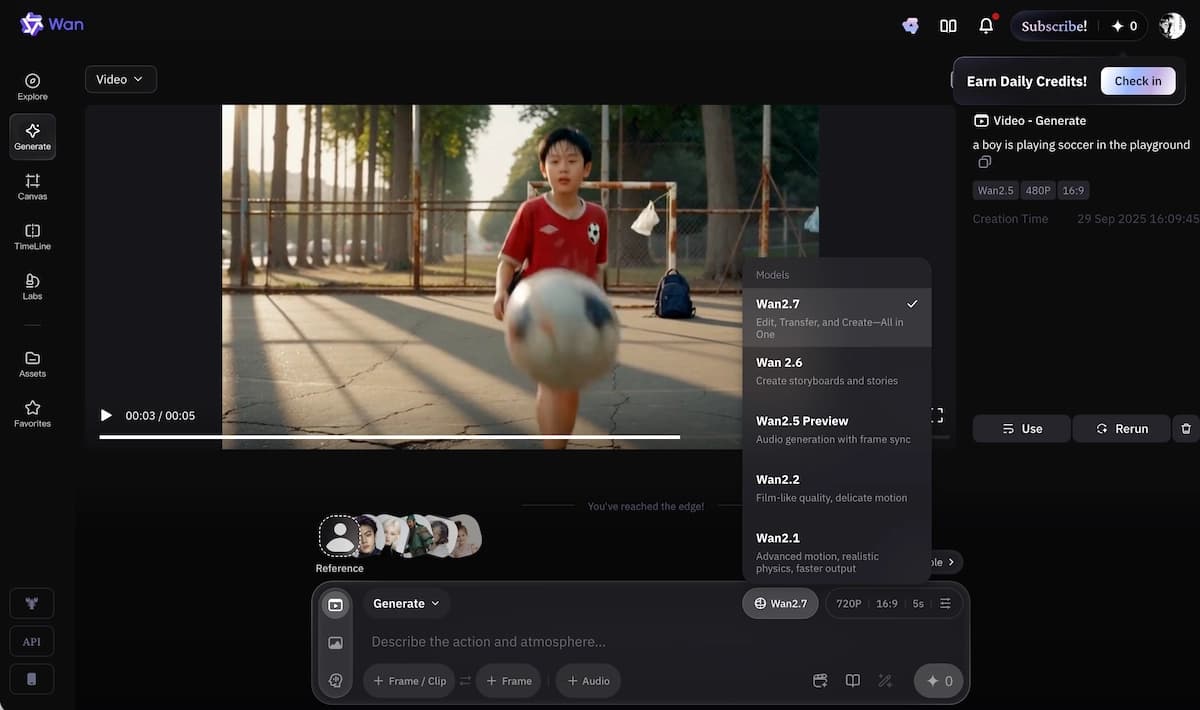
Where Wan 2.7 fits naturally in this workflow is in scenes that require controlled motion between defined visual states. If you have a storyboard panel for the opening shot and a target image for where that shot needs to land, first-and-last-frame generation handles the in-between.
VidMuse's model matrix is structured to incorporate newer model versions as they are validated for production use. For creators who generate Suno or Udio tracks and want visually consistent music videos without managing model infrastructure, VidMuse provides the structure raw model access does not.
Common Mistakes and How to Avoid Them
Over-relying on text prompts alone. Wan 2.7's strongest features, including first-and-last-frame and reference generation, depend on visual inputs. If you only write prompts and never provide reference images, you leave control on the table.
Ignoring aspect ratio planning. Wan 2.7 supports multiple aspect ratios, but you need to specify output format upfront. Generating in 16:9 and cropping for 9:16 Reels afterward can hurt quality and composition.
Using low-resolution reference images. Subject referencing works better with high-quality, well-lit reference images. Blurry or low-contrast references produce inconsistent character outputs.
Skipping the test phase before committing to resolution. 1080p generation costs more compute time and API credits, or more inference time locally. For storyboarding and iteration, draft first, then move to final output quality.
Assuming one model fits all shots. Within a longer video project, different shots may be better served by different models. Wan 2.7 may be ideal for controlled transitions, while another model may perform better on expressive performance shots.
FAQ
What is Wan 2.7 and who made it?
Wan 2.7 is an AI video generation model from Alibaba's Wan model series. It supports workflows such as text-to-video, image-to-video, first-and-last-frame generation, subject referencing, and instruction-based video editing.
Is Wan 2.7 open source?
Wan 2.7 access and licensing should be verified from the official model page before use. Earlier Wan releases included open model work, but creators should not assume identical terms across versions.
How do I use Wan 2.7 in ComfyUI?
Install ComfyUI, add the relevant Wan 2.7 node package through ComfyUI Manager or a trusted community repository, load the supported weights or API endpoint, and build a workflow using text, image, reference, or first-and-last-frame inputs.
What does Wan 2.7 image generation support?
Wan 2.7 includes strong image input capabilities through its reference system, including multi-image reference fusion, color palette control, and frame extraction for thumbnails or storyboard assets on supported workflows.
How does Wan 2.7 compare to Wan 2.6?
Wan 2.7 adds stronger creative controls such as native 1080p output, longer clips, first-and-last-frame generation, multi-image reference input, instruction-based editing, and improved motion coherence.
Can I use Wan 2.7 for commercial projects?
Commercial use depends on the exact model license and platform terms. Always review the official Wan 2.7 license and the terms of any API provider before using outputs in commercial work.
What platforms currently support Wan 2.7?
Wan 2.7 is available through some API platforms such as fal.ai. Local, ComfyUI, and platform workflow support can change quickly, so check the current official model and provider documentation.
Final Words
Wan 2.7 is one of the most interesting AI video model releases for creators who care about control, consistency, and production workflows. Its combination of first-and-last-frame control, multi-subject referencing, instruction-based editing, and native 1080p output makes it more than a prompt-to-video toy.
For developers, API availability makes Wan 2.7 straightforward to test. For ComfyUI power-users, node-based workflows can support complex pipelines when the right community or official integrations are available. For musicians and content creators who want production benefits without managing model infrastructure, VidMuse wraps Wan-series models inside a structured music video workflow that takes you from creative brief to finished timeline.
The question is not just whether Wan 2.7 is worth testing. It is which access path makes the most sense for your production context. Start with an API if you want to test quickly, evaluate local workflows if you need volume economics or data privacy, and use a platform workflow if you want creative structure already in place.
Produce Your First AI Music Video
Use VidMuse to turn a song and creative concept into a complete, shot-by-shot music video workflow.

Written By
VidMuse Team
Continue Reading
Latest blog posts related to AI video creation.
Free Music Visualizer: 10 Best Free Tools in 2026
Compare 10 best free music visualizers in 2026. Waveform tools, AI music video makers, watermark policies, export limits, and which tool fits your workflow.

How to Make Product Video Ads with AI (Step-by-Step)
Learn how to make product video ads with AI step by step. Full 6-phase VidMuse tutorial, input tips, ad type guide, and alternative approaches compared.

Best AI Clone Video Generator 2026: 7 Tools Compared
Compare the 7 best AI clone video generators in 2026. Avatar clones, viral ad clones, pricing, features, and how to pick the right tool for your workflow.