

The best free AI music video generators in 2026 let you turn an audio file or MP3 into a visual music video without professional editing skills or a studio budget. Tools like FreeBeat, Neuralframes, and VidMuse offer free tiers or trials that range from watermarked exports to limited monthly credits — so whether you need a quick visualizer or a full narrative MV, there is an option at every budget. This guide breaks down what each tool actually offers for free, what the real limitations are, and when it makes sense to upgrade.
Key Takeaways
- Most "free" AI music video generators offer limited credits, watermarked exports, or capped resolution — read the fine print before committing time to a project.
- The best free AI music video generator for a specific use case depends on your goal: simple audio-reactive visuals, narrative MVs, or social-media clips each require different tools.
- Free tiers are best for experimenting with style and workflow; anyone releasing content professionally will likely hit the ceiling quickly.
- VidMuse AI offers an agent-based workflow — Creative Brief → Storyboard → Video — that is better suited to full-length MVs than one-shot generators, with a free trial available.
- Watermark-free exports and HD resolution (1080p) are the most common upgrade triggers among free-tier users.
Create Your AI Video in Minutes
Turn your idea into a video with VidMuse.
What Is a Free AI Music Video Generator?
A free AI music video generator is a web-based or app-based tool that uses artificial intelligence to convert audio, lyrics, or music metadata into a synchronized video. The AI analyzes the beat, mood, and structure of a track, then generates or assembles matching visuals — without the user needing to edit footage, write frame-by-frame prompts, or hire a director.
In 2026, "free" means different things across different platforms:
- Truly free with watermark: You can export video, but the platform branding is burned in.
- Free credits on signup: A fixed number of generation credits — once spent, you pay or wait for a monthly reset.
- Free limited resolution: Exports are capped at 480p or 720p; 1080p requires a paid plan.
- Free no sign-up: Some tools allow one or two test generations without an account, then gate further access.
Understanding which category a tool falls into saves you from building an entire project, only to discover the export is locked behind a paywall.
The 6 Best Free AI Music Video Generators in 2026
These are the most widely used options available in 2026, covering the range from simple audio-reactive visualizers to full narrative MV pipelines.
VidMuse
Best for
- Full narrative MV workflow
- Creative Brief to Storyboard to Video
- Supports MP3 upload and reference images
Watch out
- Full production requires credits after the free trial
Visualizer tools
Best for
- Fast setup
- Good for short social clips
- Useful for beat-reactive visuals
Watch out
- Often limited by watermarks, short length, or abstract-only output
Template editors
Best for
- Quick stock-footage assembly
- Good for lyric and promo videos
Watch out
- Less control over generated scenes and character consistency
1. VidMuse (vidmuse.ai)
VidMuse is an agent-based AI music video platform that plans and generates full narrative MVs through a structured Creative Brief → Storyboard → Video workflow.
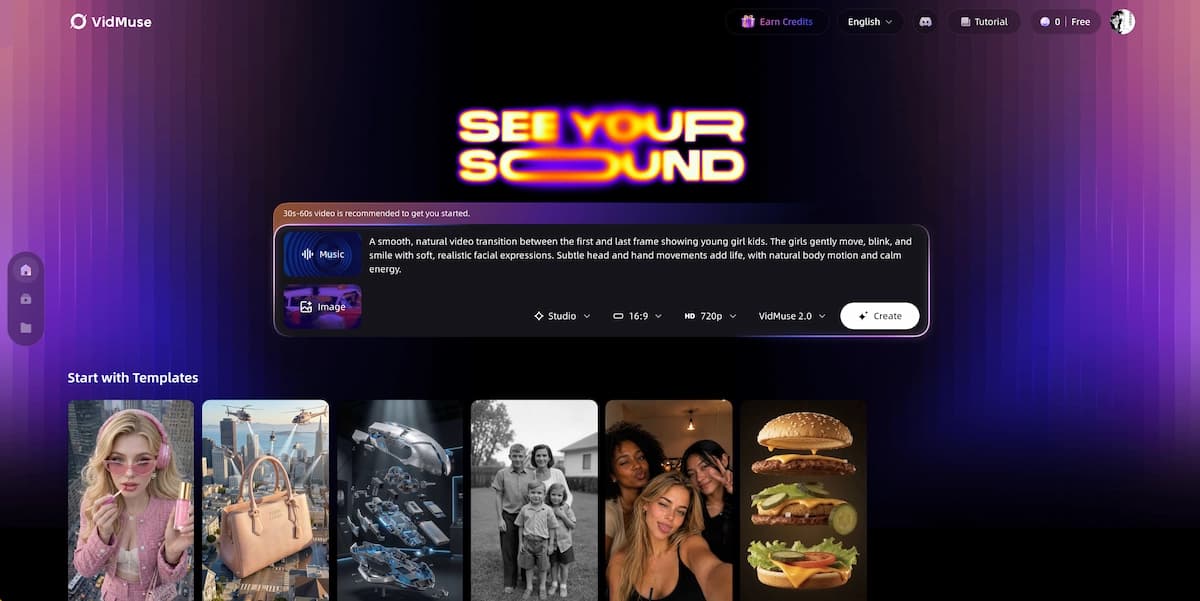
VidMuse AI occupies a different category from the tools below. Rather than generating a looping visualizer or a template-assembled clip, VidMuse operates as an AI Director: it analyzes your music, proposes a narrative structure, generates a storyboard, and then produces synchronized video shots.
VidMuse AI supports a wide model matrix — including Seedance 2.0, Kling V3.0 Pro, Veo 3.1, and Sora 2 Pro — and includes an integrated AI music creation tool (Suno AI) for artists who haven't finalized their track. A free trial is available, and the platform is positioned for anyone who wants a complete, export-ready MV rather than a short-form visualizer.
- Best for: Full-length narrative MVs (30s–2min), indie musicians, SMB content teams
- Free limitation: Free trial with credit limits; full production requires a paid plan
- Supports: MP3 upload, reference images, template selection, AI avatars, AI music generation
Create Your AI Video in Minutes
Turn your idea into a video with VidMuse.
2. FreeBeat (freebeat.ai)
FreeBeat gives users a free starting credit balance to generate beat-synced music videos from uploaded audio.
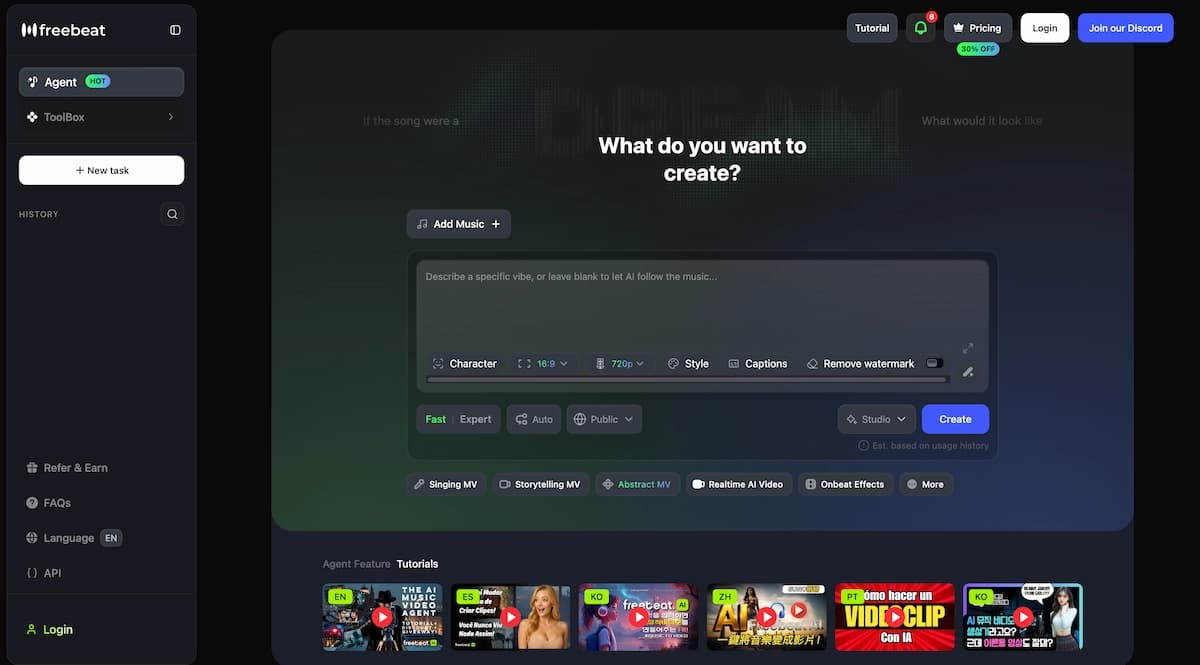
FreeBeat is purpose-built for beat-driven content. You upload a track, choose a visual style or template, and the platform generates a video synchronized to the rhythm. It is popular with hip-hop and electronic producers who want quick social media clips. The free tier includes a limited number of generation credits; exports may include a watermark depending on the plan selected at signup.
- Best for: Beat-synced short-form content, social media clips
- Free limitation: Credits are finite; watermark on free exports
- Supports: MP3 audio upload, style selection
3. InVideo (invideo.io)
InVideo offers a free AI music video maker that combines stock footage with uploaded audio and text prompts.
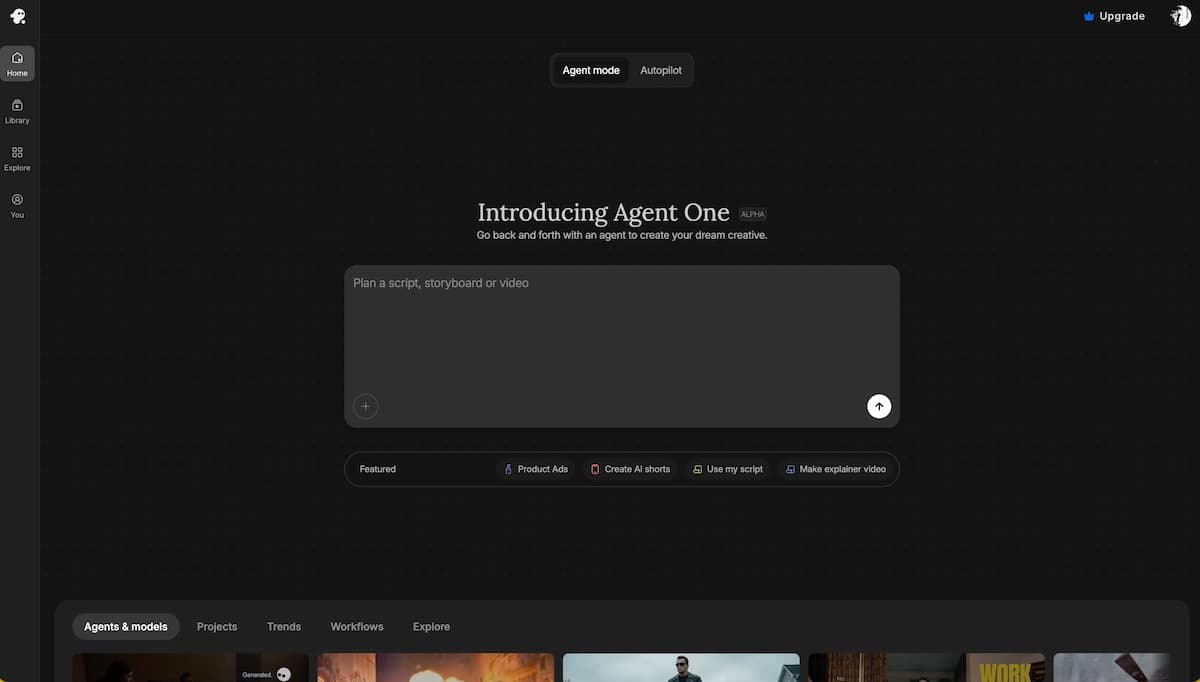
InVideo takes a template-first approach. You describe a concept, upload or link your music, and the platform assembles a video from its stock footage library synced to the audio. It is a strong option for artists who want a professional-looking video quickly without generating footage from scratch. The free plan includes exports with an InVideo watermark.
- Best for: Lyric videos, promotional clips, template-based MVs
- Free limitation: Watermark on all free exports; limited AI generation credits
- Supports: MP3/audio upload, text prompts, stock footage library
4. Neuralframes (neuralframes.com)
Neuralframes generates abstract, AI-driven visual animations synchronized to any audio file.
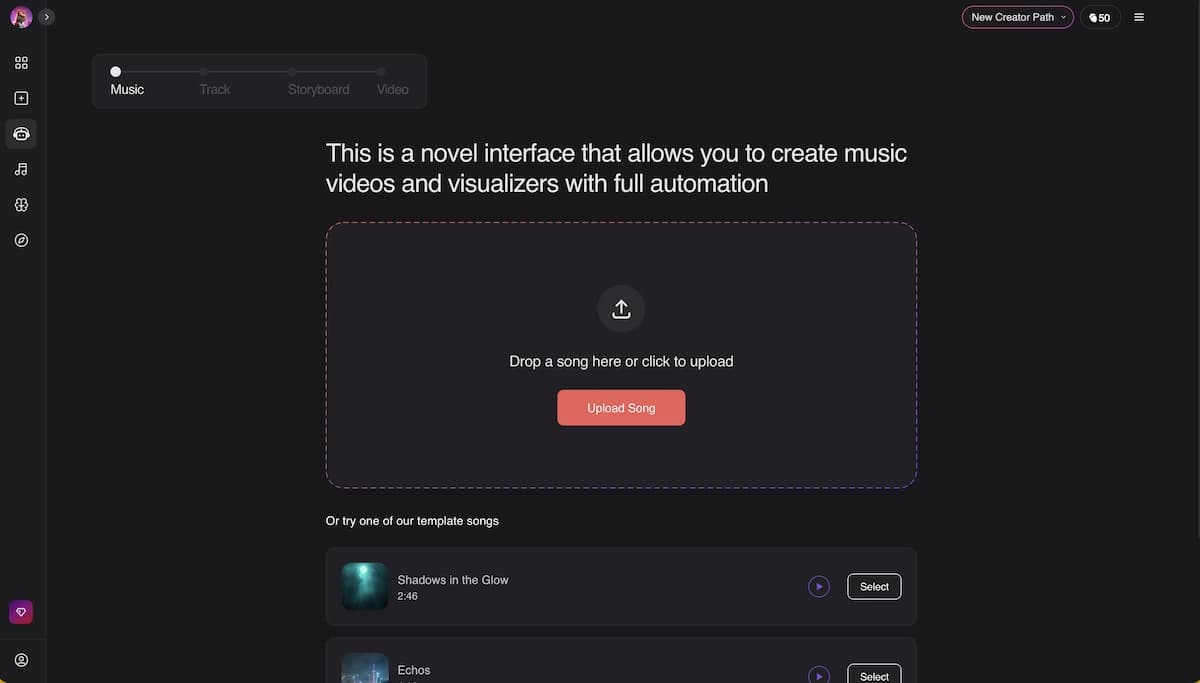
Neuralframes is a favorite among electronic and ambient musicians. The tool uses diffusion-model-based frame generation to produce psychedelic, abstract visuals that pulse and shift with the music. There is a free trial that allows limited video generation. It does not produce narrative or character-driven videos — the output is always abstract and audio-reactive.
- Best for: Electronic, ambient, experimental, or instrumental music
- Free limitation: Trial credits only; watermark on free exports
- Supports: MP3 upload, style/prompt control per section
5. Adobe Firefly (adobe.com/products/firefly)
Adobe Firefly's AI video generator lets users create short video clips from text prompts, with music video use cases highlighted in the product.
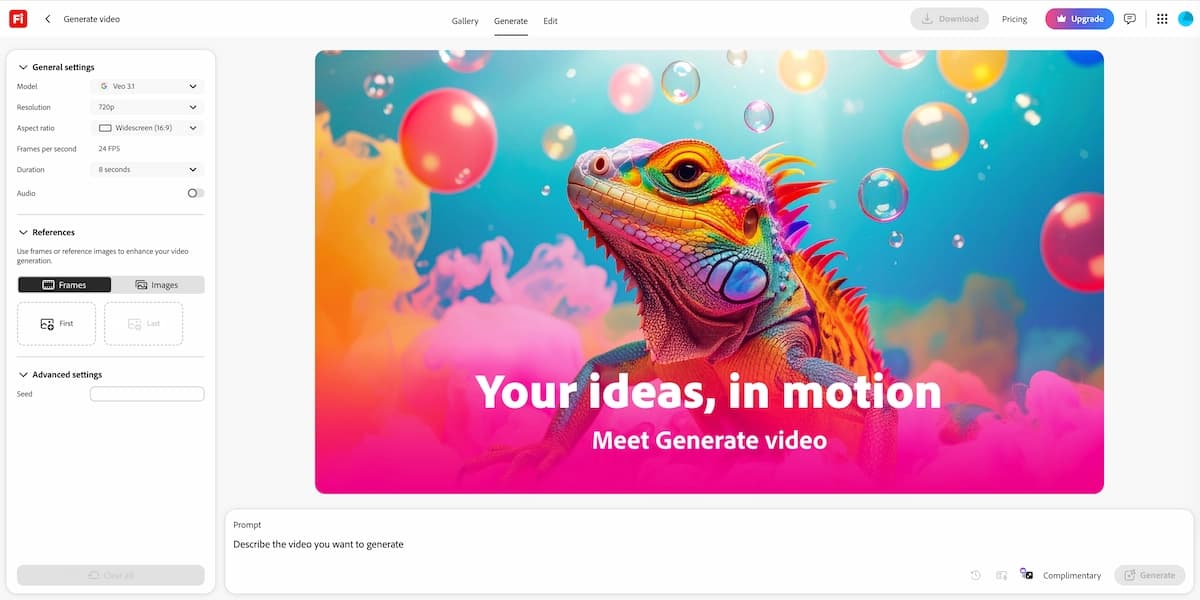
Adobe Firefly offers a free generative credits system tied to an Adobe account. Users can generate short video clips from text or image prompts, then assemble them around their audio in a separate editor. It is not a one-click music video tool; it requires more manual assembly than the other options on this list. The advantage is output quality and the absence of third-party branding on generated content within Adobe's ecosystem.
- Best for: Creators already in the Adobe ecosystem; those who want precise visual control
- Free limitation: Monthly free generative credit cap; requires manual video assembly
- Supports: Text-to-video and image-to-video generation
6. Plazmapunk (plazmapunk.com)
Plazmapunk is a free AI music video generator focused on music-reactive visuals with a no-sign-up entry point.
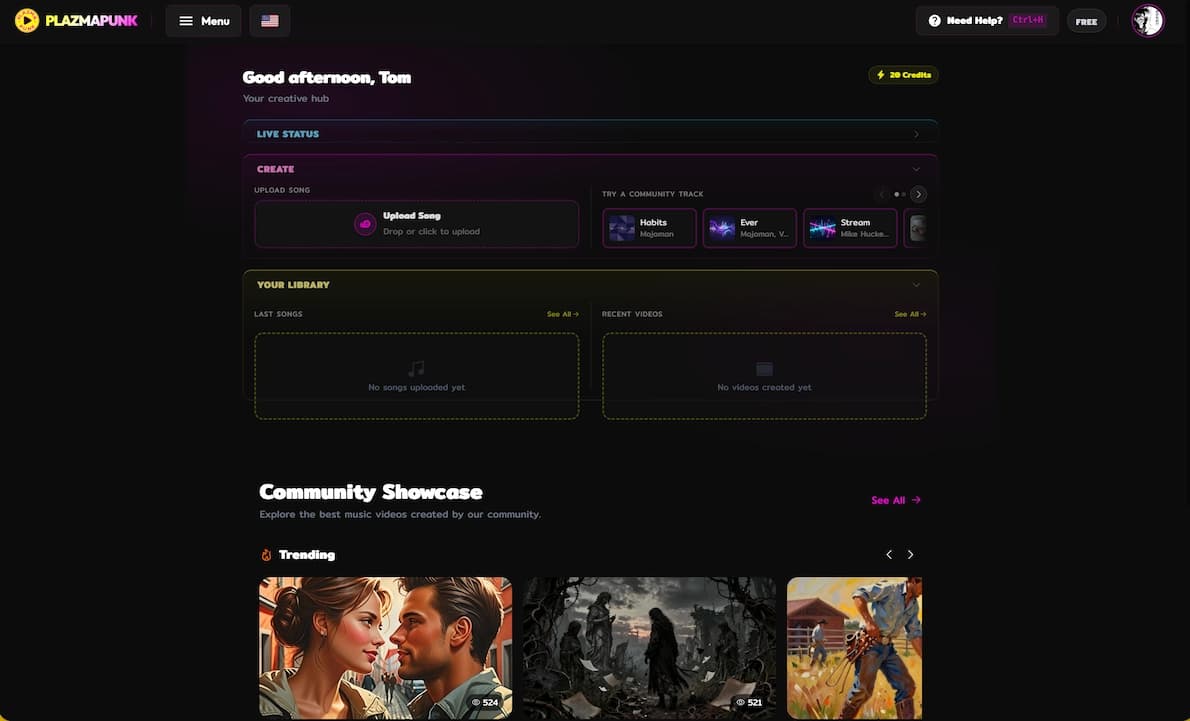
Plazmapunk offers one of the more accessible free-entry experiences — some generation is available without requiring account creation. The visual output is audio-reactive and stylized, making it popular with musicians who want an instantly shareable clip. It is best suited for shorter content.
- Best for: Quick reactive visuals, musicians who want to test output before committing
- Free limitation: Limited generation without account; full access requires signup
- Supports: Audio upload, visual style selection
Free vs. Paid: What You Actually Get
Understanding the difference between free and paid tiers across these tools prevents wasted time. Here is what commonly changes when you upgrade:
| Feature / Limit | Free Tier | Paid Tier | Impact on Musicians |
|---|---|---|---|
| Watermarks | Platform branding added to exports | Completely removed | Major Blocker: Unprofessional for public music video releases. |
| Resolution | Capped at 720p or lower | Unlocks 1080p or higher | Major Blocker: Looks pixelated on modern screens or YouTube. |
| Video Length | Caps output at 15–30 seconds | Longer generations unlocked | Required for full-length music videos (MVs). |
| Model Access | Standard / Older models | Highest-quality Pro models | Better visual fidelity and prompt accuracy for your concepts. |
| Credit Limits | Small, often non-renewable | Monthly allowances that reset | Essential if you need to iterate on multiple scenes. |
| Priority Queue | Longer wait times for rendering | Fast-track processing | Free tiers can slow down your editing and release workflow. |
For a musician releasing content publicly, watermarks and resolution caps are the most common blockers that drive the decision to upgrade.
How to Make a Free AI Music Video (Step-by-Step)
This workflow applies broadly across most free AI music video generators, with VidMuse used as the example for a full-length narrative MV.
Prepare your audio
Export a clean MP3 or WAV, and start with a 30-60 second clip to conserve free credits.
Choose the right generator
Match the tool to your goal: reactive visuals, template clips, or a full narrative MV workflow.
Set canvas and output preferences
Choose aspect ratio, resolution, and export settings before spending generation credits.
Upload audio and context
Add MP3, reference images, visual style, lyrics, or prompt context depending on the platform.
Review before generating
Use Creative Brief, storyboard, or preview stages to catch issues before video credits are spent.
Export and check limitations
Confirm watermark, resolution, video length, and license restrictions before publishing.
Create Your AI Video in Minutes
Turn your idea into a video with VidMuse.
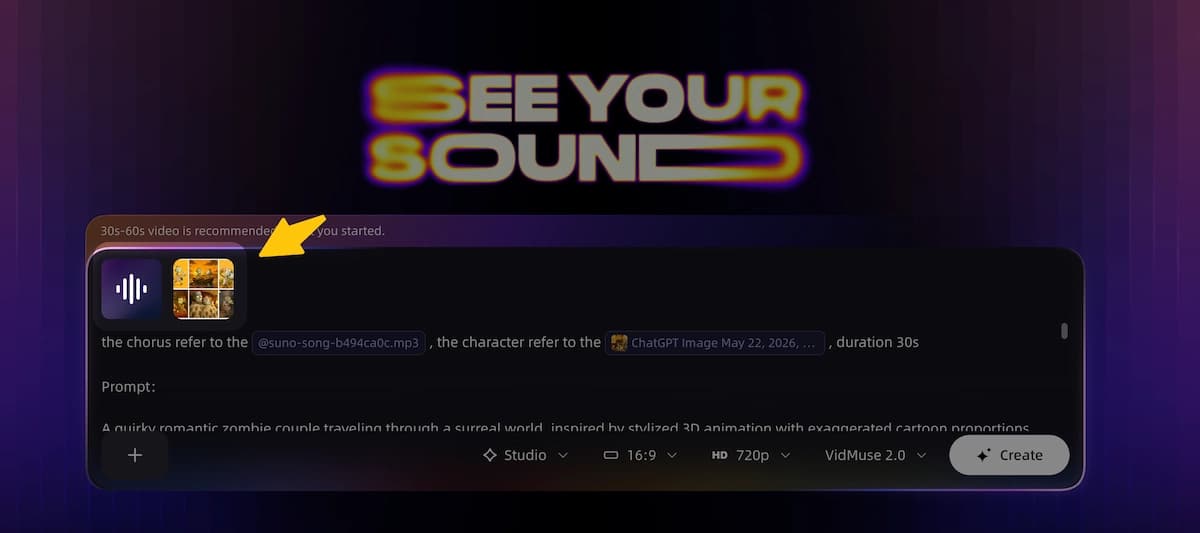
Step 1 — Prepare your audio
Export a clean MP3 or WAV of your track. For a first attempt, use a 30–60 second clip to conserve generation credits and reduce processing time.
Step 2 — Choose a tool matched to your goal
Use Neuralframes or Plazmapunk for abstract/reactive visuals. Use InVideo or FreeBeat for quick template-based clips. Use VidMuse for narrative or performance MVs.
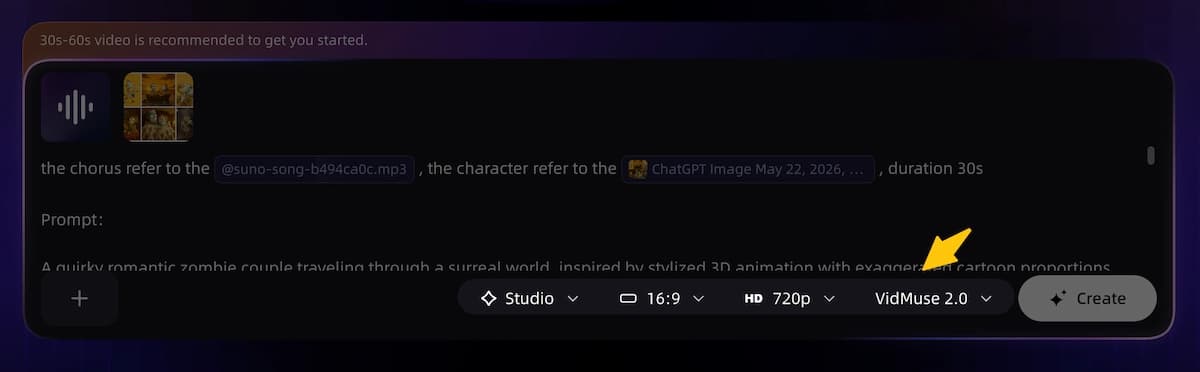
Step 3 — Set your canvas and output preferences
On VidMuse, set your aspect ratio (landscape or portrait) and resolution before uploading. On other tools, look for resolution or export settings before generating.
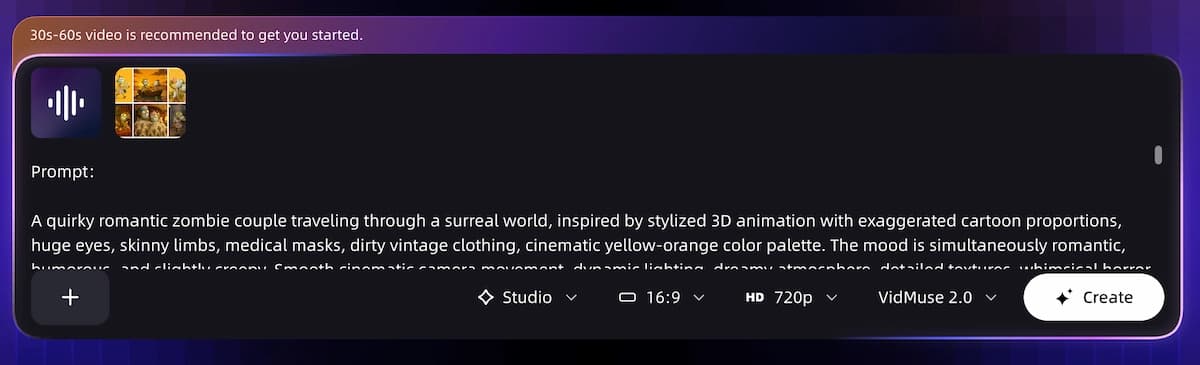
Step 4 — Upload your audio and provide context
Upload your MP3. On VidMuse, add reference images for characters or styling. On other tools, select a visual style or enter a text prompt describing the mood.
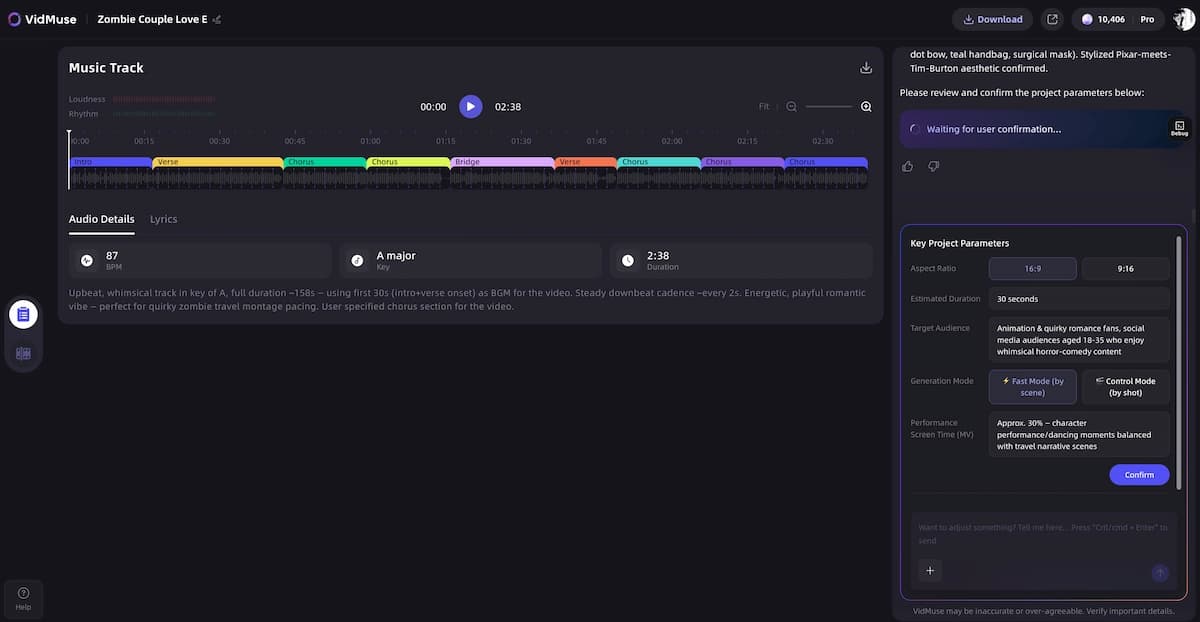
Step 5 — Review the AI's creative plan before generating
On tools that provide a preview or Creative Brief (like VidMuse), read it thoroughly before approving. Corrections at this stage are free or low-cost; corrections after generation consume credits.
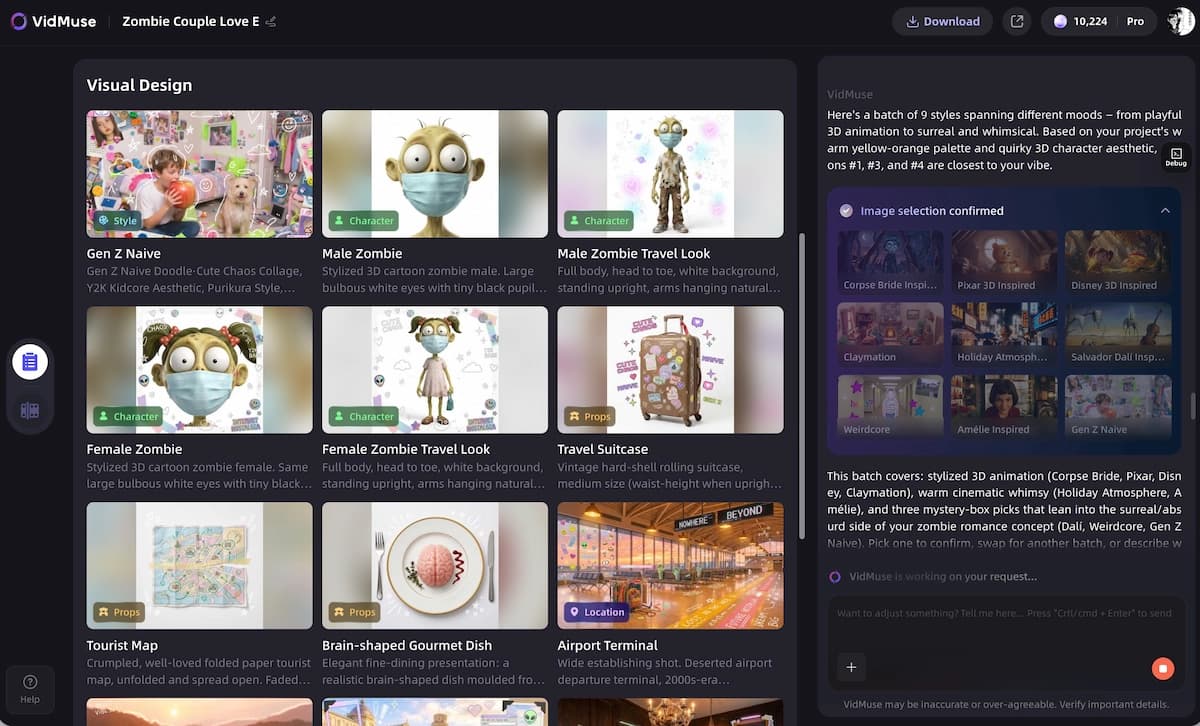
Step 6 — Generate and review shots or segments
For short-form tools, you'll get a single output to review. For VidMuse, shots are generated individually and can be refined via the Shot Refine or storyboard edit tools before final assembly.
Step 7 — Export and check for watermarks
On a free tier, your export will likely include a watermark. Decide at this point whether to publish as-is, upgrade to remove branding, or continue refining on the free tier before upgrading.
When Free Tools Are Not Enough
Free AI music video generators are the right starting point for experimentation, style exploration, and short social clips. They are not the right tool when:
- You are releasing a single, EP, or album with a professional MV as the primary visual asset
- You need a specific character, performer likeness, or branded visual identity maintained across shots
- Your track is longer than 60 seconds and requires a cohesive narrative arc
- You are producing content for a brand, client, or commercial use where watermarks are unacceptable
- You need 1080p output for YouTube, streaming platforms, or broadcast
In these cases, a paid plan — even at the entry level — resolves the most significant limitations without requiring professional video production resources.
How VidMuse Fits Into Your Workflow
VidMuse is built for musicians and content teams who need more than a visualizer. Its core differentiator is agent-based logic — instead of executing a single text prompt, VidMuse plans the entire MV before generating a single frame.
Create Your AI Video in Minutes
Turn your idea into a video with VidMuse.
The workflow moves through five stages:
- Creative Brief — VidMuse analyzes your music and generates a director's script covering plot, pacing, and visual style. You review and approve before any generation credits are spent.
- Reference Generation — Character designs, costumes, and scene references are generated as images, letting you lock in the visual identity before video generation.
- Scene and Shot List — The full video is broken into scenes and individual shots, each with camera directions, duration, and shot type. You can adjust timing and cuts here at no additional credit cost.
- Storyboard — Each shot is visualized as a still frame. This is where most creative decisions are made, and individual shots can be refined via chat or direct edit.
- Video Generation — Shots are animated using the selected model from VidMuse's model matrix, including options like Seedance 2.0 Fast for speed or Kling V3.0 Pro for cinematic quality.
VidMuse also integrates Suno AI for artists who want to compose and produce their track directly in the platform, and supports AI avatars via Omnihuman V1.5 and Kling AI Avatar V2 Pro for performance shots without a physical shoot.
The VidMuse 2.0 feature set adds Shot Refine by Quoting (target and regenerate specific moments in a shot), a Timeline Editor, and an Asset Library with memory for character and style consistency across projects.
For a complete walkthrough of the platform, see the VidMuse ultimate guide.
Common Mistakes to Avoid
Starting with a full-length track on a free tier
Free credits run out fast. Start with a 30–60 second clip to test the tool's output style before committing a full track.
Skipping the Creative Brief or style confirmation step
On VidMuse and similar tools, the planning stage is free or low-cost. Skipping it and going straight to generation is the most common cause of wasted credits.
Using vague prompts
"Make it look cool" produces inconsistent results. "Cinematic slow-motion, golden hour lighting, close-up on the performer's face" gives the model something to work with.
Uploading unclear character reference images
On tools that support character references (like VidMuse), images with cluttered backgrounds or multiple people in frame cause consistency issues across shots. Use clean, single-subject images.
Assuming "free" means unlimited
Every free tier has a ceiling. Check the credit or generation limit before starting a project you intend to publish.
Changing the visual style mid-project
On VidMuse specifically, changing the confirmed visual style after the reference stage wastes a significant amount of credits. Lock in your style early.
FAQ about Free AI Music Video Generator
Can I use a free AI music video generator from an MP3 file?
Yes. Most free AI music video generators accept MP3 uploads directly. You upload your audio file, and the platform analyzes tempo, mood, and structure to generate matching visuals. Tools like FreeBeat, Neuralframes, and VidMuse all support MP3 input. File length and format restrictions vary by platform, so check the upload requirements before exporting a specific format.
Is there a free AI music video generator with no sign-up required?
Some tools, including Plazmapunk, allow limited generation without creating an account. However, most platforms require a free signup to access even their free tier, both to manage server costs and to apply generation credit limits. If you need to test output quickly before committing to a platform, Plazmapunk is currently one of the most accessible no-sign-up options available.
How do I get a free AI music video without a watermark?
Most free tiers include a watermark on exports. To remove it, you typically need to upgrade to a paid plan — even the entry-level tier on most platforms removes platform branding. Some platforms offer a one-time watermark-free export as part of a signup promotion, so it is worth checking for those offers when you first create an account.
What is the best free AI music video generator for indie musicians?
The best choice depends on the type of content you need. For abstract or beat-reactive visuals, Neuralframes and FreeBeat are strong free options. For narrative MVs with a coherent story arc and character consistency, VidMuse offers the most structured workflow — the free trial is enough to produce and preview a complete storyboard before committing to generation credits. Indie musicians releasing on streaming platforms or YouTube should budget for at least an entry-level paid plan to access watermark-free 1080p exports.
Can I generate a music video from lyrics using a free AI tool?
Yes. Several tools support lyric-to-video workflows. VidMuse incorporates lyrics into its music analysis stage to plan narrative scenes that align with the song's thematic content. InVideo supports lyric video creation using text prompts combined with the uploaded audio. For tools that do not explicitly support lyric input, you can include lyric themes in your visual style prompt to guide the output.
Is there a completely free AI music video generator with no credit limit?
As of 2026, there is no widely available AI music video generator that offers unlimited free generation without any form of restriction. Generating video is computationally expensive, and all platforms offset this through credit systems, generation caps, or watermarked exports on free tiers. The closest option to unrestricted free use is a platform's trial period — use it to test output quality and workflow compatibility before deciding whether to upgrade.
What AI models are used in the best free AI music video generators?
Different platforms use different underlying models. VidMuse's model matrix includes Seedance 2.0 Fast and Pro, Kling V3.0 Pro, Veo 3.1, Sora 2 Pro, and others — with the highest-quality models available on paid tiers. Neuralframes uses diffusion-based image synthesis. FreeBeat and InVideo use proprietary or licensed generation pipelines. Model quality is one of the clearest differences between free and paid tiers: free plans typically route to faster, lighter models, while paid plans unlock flagship-quality generation.
Conclusion
Free AI music video generators have made it genuinely possible to produce visual content for your music without a production budget. In 2026, the range of tools covers everything from instant beat-reactive visualizers to structured, narrative MV pipelines — and most of them offer a free entry point. The trade-offs are predictable: watermarks, credit limits, and resolution caps are the most common constraints on free tiers.
For anyone producing content for public release, the free tier is best used as a testing environment. Use it to validate a tool's style output and workflow before upgrading. For a single-clip social post, many free tools are sufficient as-is. For a complete MV tied to a release, the step up to a paid plan is usually straightforward and resolves the most significant limitations.
If you are ready to produce a full narrative music video, try VidMuse for free and walk through the Creative Brief → Storyboard → Video workflow before committing to a generation. The planning stages are low-cost and give you a clear picture of the final output before spending credits on video generation.
Create Your AI Video in Minutes
Turn your idea into a video with VidMuse.

Written By
VidMuse Team
Continue Reading
Latest blog posts related to AI video creation.
Free Music Visualizer: 10 Best Free Tools in 2026
Compare 10 best free music visualizers in 2026. Waveform tools, AI music video makers, watermark policies, export limits, and which tool fits your workflow.
How to Make Product Video Ads with AI (Step-by-Step)
Learn how to make product video ads with AI step by step. Full 6-phase VidMuse tutorial, input tips, ad type guide, and alternative approaches compared.
Best AI Clone Video Generator 2026: 7 Tools Compared
Compare the 7 best AI clone video generators in 2026. Avatar clones, viral ad clones, pricing, features, and how to pick the right tool for your workflow.