

Hailuo 3.0: MiniMax's 4K 60FPS AI Video Model (Guide)
Hailuo 3.0 is MiniMax's next-generation AI video model — generating native 4K video at 60FPS with Director Mode camera control, Motion Brush localized animation, Smart Expansion, and native synchronized audio. Clips run 5 to 30 seconds from text prompts or images, tripling Hailuo 2.3's 10-second cap. It is the first Hailuo model with native audio generation and film-style camera controls, making it a direct competitor to Seedance 2.5, Kling 3.0, and Veo 3.1 for cinematic AI video.
This guide covers Hailuo 3.0's key features, a direct comparison with Hailuo 2.3, how it compares to other AI video models, VidMuse integration, limitations, and FAQ.
Key Takeaways
-
Hailuo 3.0 generates native 4K at 60FPS — no upscaling. Double the frame rate and triple the clip duration of Hailuo 2.3.
-
Six new or upgraded features: Director Mode camera control, Motion Brush, Smart Expansion, native audio with Music Prompts, character consistency, and 30-second clips.
-
Supports text-to-video and image-to-video in 16:9 and 9:16, with bilingual prompts (English and Chinese).
-
VidMuse currently integrates Hailuo 2.3 Pro, Standard, and Fast; Hailuo 3.0 integration depends on API availability.
-
Character consistency holds across camera angles and shot transitions — usable for serialized content and branded multi-shot sequences.
What Is Hailuo 3.0?
Hailuo 3.0 is MiniMax's next-generation AI video model — generating native 4K video at 60FPS with Director Mode camera control, clips up to 30 seconds, and native audio in a single generation pass.
MiniMax is the Chinese AI lab behind the Hailuo video model family. Hailuo 2.3 established the line as a strong mid-tier video generator (1080p, 30FPS, 10s clips). Hailuo 3.0 is a generational upgrade across every major spec.
Hailuo 3.0 Key Features
Hailuo 3.0 combines native 4K rendering, Director Mode camera control, localized Motion Brush animation, and native audio in a single generation pass — here are the six core capabilities.
Native 4K at 60FPS
Hailuo 3.0 generates at true native 4K resolution and 60FPS — not upscaled from a lower resolution. Every frame carries broadcast-ready detail across lighting, skin texture, and surface materials. 60FPS doubles Hailuo 2.3's 30FPS, making fast movement, action sequences, and camera tracking noticeably smoother. Output is directly publishable for paid advertising, product showcases, and social media without post-processing.
Director Mode Camera Control
Select a specific camera movement — pan, zoom, orbit, tracking, or crane — before generating. The model applies that movement with consistent framing, stable subjects, and accurate scene composition throughout the full clip. This replaces manual camera operation with a single selection and works for both text-to-video and image-to-video modes.
Motion Brush
Motion Brush lets you define which elements move and which stay still within a scene. Animate a product rotating while the background remains static, or make a character gesture while the environment holds. This localized control avoids the "everything moves or nothing moves" problem common in other models.
Smart Expansion
Extend an existing clip beyond its original duration while maintaining characters, lighting, camera direction, and motion. Grow a 15-second generation to 30 seconds without re-generating from scratch or stitching a disconnected new clip onto the end. Useful for meeting platform-specific duration requirements.
Native Audio and Music Prompts
Sound effects and ambient audio are generated alongside video in a single pass — the first Hailuo model to include this. Music Prompts let you describe audio style, genre, or rhythm directly in your prompt so the generated audio matches the scene's tone. Toggle audio off per generation for custom post-production.
Extended Duration (5-30 Seconds)
Three times Hailuo 2.3's 10-second maximum. 30 seconds is long enough for a complete product demo, a short narrative scene, or a social video sequence without stitching multiple clips. Combined with Smart Expansion, even longer sequences are possible.
Hailuo 3.0 vs Hailuo 2.3
Hailuo 3.0 upgrades resolution to 4K, doubles frame rate to 60FPS, triples clip duration to 30 seconds, and adds native audio — four major improvements over 2.3.
The jump from 2.3 to 3.0 is generational, not incremental. Resolution, frame rate, duration, and audio are all new or doubled. For VidMuse users currently using Hailuo 2.3, the 3.0 upgrade represents a significant quality increase when it becomes available.
Hailuo 3.0 vs Other AI Video Models
Hailuo 3.0 leads on resolution and frame rate but competes with Seedance 2.5, Kling 3.0, and Veo 3.1 on audio, duration, and availability.
All models are strong in different areas. For pure resolution and frame-rate smoothness, Hailuo 3.0 leads. For availability in multi-model workflows today, Seedance and Kling are already integrated in VidMuse. For additional model comparisons, see our PixVerse V6 and FLUX 3 guides.
Model specs as of July 2026. Check each provider's official site for current capabilities.
Hailuo 3.0 in VidMuse Workflows
VidMuse currently integrates Hailuo 2.3 Pro, Standard, and Fast — when Hailuo 3.0 APIs become available, 4K 60FPS generation could enter VidMuse's multi-model pipeline.
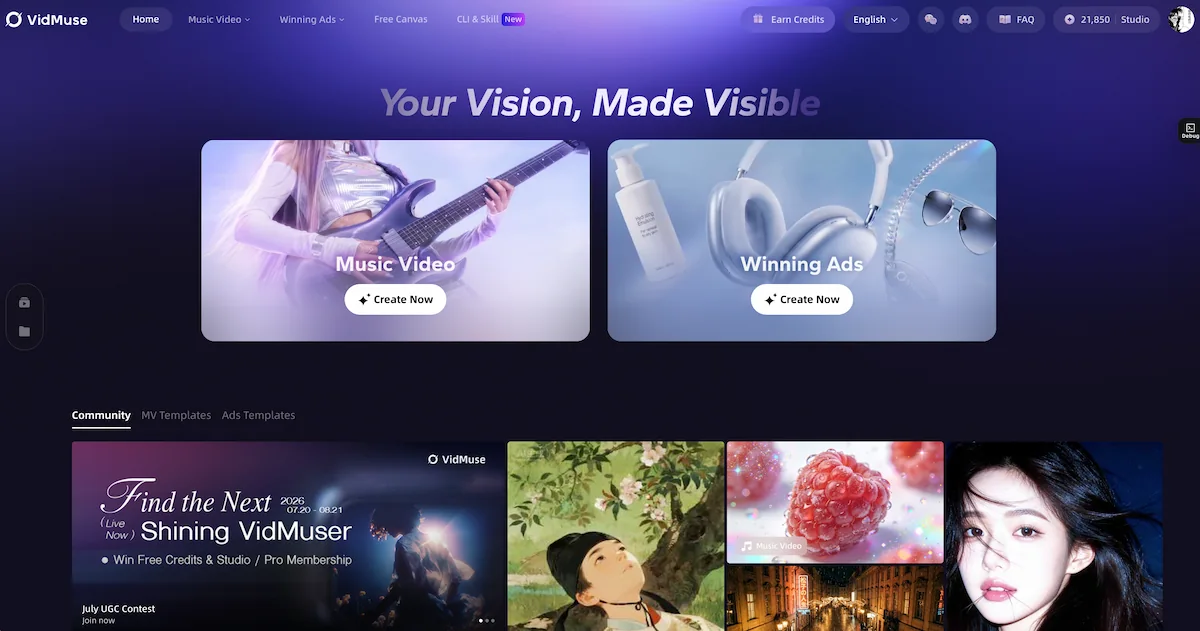
VidMuse's AI Director workflow runs: Assets Upload → Creative Brief → Reference Generation → Scene & Shots → Storyboard → Video Generation. Hailuo 2.3 operates at the final stage alongside Seedance, Kling, Veo, and PixVerse V6. Users select models per shot or let VidMuse auto-select.
When Hailuo 3.0 becomes available via API, it would bring native 4K 60FPS, Director Mode, and native audio into VidMuse's existing pipeline — an upgrade from 2.3's 1080p 30FPS output.
Music video use case: Hailuo's realistic human rendering + Director Mode camera work suits story MV and performance MV shots. Plan storyboards with VidMuse's AI music video generator, then select Hailuo for cinematic clips.
Ad video use case: 4K product demos with Motion Brush (animate product, static background) + native audio. Use VidMuse's AI ad generator workflow for script and shot planning.
VidMuse 2.0 Shot Refine by Quoting lets you iterate on any model's output — select a clip, describe the revision, and regenerate in place.
Create Videos with VidMuse
VidMuse integrates Hailuo 2.3 and 20+ video models in its AI Director workflow. Turn your creative brief into scenes, storyboard, and final video.
Hailuo 3.0 Limitations
Hailuo 3.0 leads on specs but has availability and access constraints to consider.
1. Limited availability. Not yet on all platforms. Access is through third-party integrators (Imagine.Art, Dzine AI, etc.) rather than a single official MiniMax portal.
2. No open weights. Closed model — no local inference, no fine-tuning, no self-hosting.
3. No official benchmarks. Specs come from integration partners and community testing, not MiniMax-published head-to-head data.
4. Pricing varies. No single official price — cost depends on which platform you access Hailuo 3.0 through. Check each provider's pricing page.
5. Not in VidMuse yet. VidMuse integrates Hailuo 2.3; 3.0 availability in VidMuse depends on MiniMax API access.
FAQ: Hailuo 3.0
What is Hailuo 3.0?
Hailuo 3.0 is MiniMax's next-generation AI video model generating native 4K video at 60FPS, with Director Mode camera control, Motion Brush, Smart Expansion, and native audio. Clips run 5-30 seconds from text or image inputs. It succeeds Hailuo 2.3 as MiniMax's flagship.
How is Hailuo 3.0 different from Hailuo 2.3?
Four upgrades: resolution from 1080p to native 4K, frame rate from 30FPS to 60FPS, duration from 10s to 30s, and native synchronized audio added for the first time. Director Mode, Motion Brush, and Smart Expansion are also new.
Is Hailuo 3.0 free?
Hailuo 3.0 is available through third-party platforms with various pricing tiers. Free trials may be available on some platforms. It is not a standalone free tool — check each provider's current pricing as of July 2026.
Can I use Hailuo 3.0 in VidMuse?
VidMuse currently integrates Hailuo 2.3 Pro, Standard, and Fast. Hailuo 3.0 is not yet available in VidMuse — integration depends on API availability from MiniMax. Hailuo 2.3 remains a strong option for VidMuse workflows today.
What is Director Mode in Hailuo 3.0?
Director Mode lets you choose a camera movement (pan, zoom, orbit, tracking, crane) before generating. The model applies it with consistent framing and stable subjects throughout the clip. It works for both text-to-video and image-to-video modes.
Conclusion
Hailuo 3.0 is MiniMax's biggest model upgrade — native 4K at 60FPS, 30-second clips, Director Mode, Motion Brush, Smart Expansion, and native audio. It is a generational leap over Hailuo 2.3 and competes directly with Seedance 2.5, Kling 3.0, and Veo 3.1 on specs.
For VidMuse users: Hailuo 2.3 is integrated today across Pro, Standard, and Fast tiers. When Hailuo 3.0 APIs become available, 4K 60FPS generation with Director Mode and native audio could enter VidMuse's AI Director pipeline alongside 20+ other models.
From Prompt to Video
VidMuse's AI Director plans scenes, generates storyboards, and renders video with 20+ models — including the Hailuo family.

Written By
VidMuse Team
Continue Reading
Latest blog posts related to AI video creation.

Instagram Reel Ads: How to Create AI Video Ads for Reels
Learn how to create Instagram Reel ads with AI. Full guide: specs, safe zones, AI video creation with VidMuse, Meta Ads Manager setup, and best practices.
VidMuse Discord Support Guide: How to Get Help Faster
Learn how to join the official VidMuse Discord, create a private support ticket, and share the right details so our team can help you faster.
Ad Creative AI: Review and Best Alternatives (2026)
Ad Creative AI review and best alternatives for 2026. What it does, pricing, limits, and which tools to use for video ads, static creatives, and UGC content.