

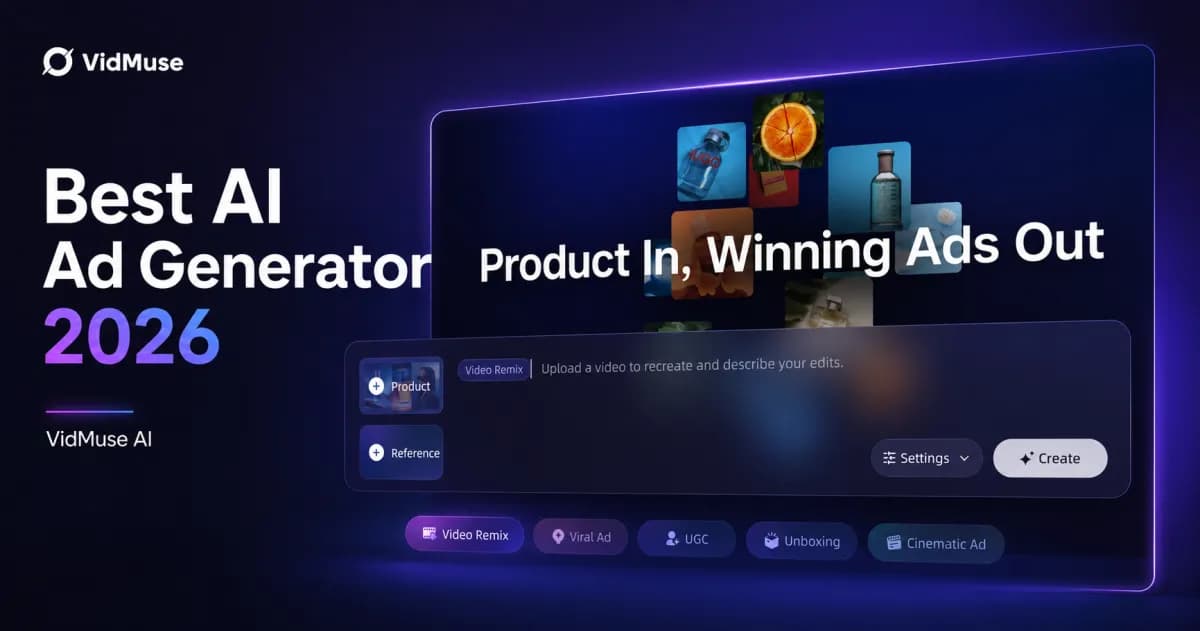
Best AI Ad Generator in 2026: 8 Top Tools Compared
VidMuse is the best AI ad generator for end-to-end product video ads in 2026. It handles the full pipeline — from product link to published MP4 — using an AI Director workflow that plans, scripts, generates, and assembles your ad without a production team. For UGC-style video with AI avatars, Creatify and Arcads are strong alternatives. For static ad creatives at scale, AdCreative.ai remains the top pick.
This article compares 8 AI ad generators side by side, with mini-reviews, a comparison table, a decision framework, and a step-by-step workflow so you can pick the right tool for your ads.
Key Takeaways
-
VidMuse is the best AI ad generator for product video ads, offering a full AI Director workflow from product input to rendered MP4 — no other tool covers the complete pipeline with this depth of creative control.
-
For UGC-style video with AI actors, Creatify ($33/mo) and Arcads (~$100/mo) lead, but they focus on avatar-driven clips rather than full ad assembly.
-
For static ad creatives, AdCreative.ai (from $39/mo) and Canva (from ~$15/mo) remain the strongest options.
-
Free plans exist from Creatify, JoggAI, Canva, and Predis.ai — but expect watermarks, limited exports, or capped resolution.
-
No AI ad generator replaces human review. Every tool on this list requires you to check brand consistency, factual accuracy, and platform compliance before publishing.
What Is an AI Ad Generator?
An AI ad generator is software that turns product information, text prompts, or reference materials into ad-ready creative — static images, video, or both. You supply the inputs (product URL, photos, descriptions, brand assets), and the tool handles scripting, layout, visuals, and export.
The category splits into three main approaches:
-
Image-first generators produce static banners, social images, and display ads. Tools like AdCreative.ai and Canva focus here.
-
Avatar/UGC video generators create spokesperson-style video ads using AI actors. Creatify, Arcads, and JoggAI lead this segment.
-
Full-workflow video generators handle the end-to-end process: understanding your product, planning the creative, generating assets, assembling the timeline, and rendering the final video. VidMuse operates in this category.
According to the IAB's 2025 Digital Video Ad Spend report, 86% of ad buyers already use or plan to use generative AI for video ads, and generative AI is projected to power roughly 40% of video ads by 2026. The question isn't whether to use AI for ads — it's which tool fits your workflow.
Best AI Ad Generators in 2026 — Quick Comparison
| Tool | Best For | Input Types | Output Formats | Starting Price | Free Plan |
|---|---|---|---|---|---|
| VidMuse | End-to-end product video ads | Product URL, photos, text, reference video, brand assets | Video (9:16, 16:9), 15–60s+, MP4 | Check site | Check site |
| Creatify | URL-to-video at scale | Product URL, scripts | Video + image ads | $33/mo | Yes (10 credits/mo, watermark) |
| Arcads | AI actor UGC video | Text scripts, AI actors | UGC video, images | ~$100/mo (reported) | No |
| AdCreative.ai | Static ad creatives at volume | Brand assets, URL, prompt | Static images, video, copy | $39/mo | 7-day trial |
| JoggAI | Avatar-based video ads | Product URL, images, scripts | Avatar/video ads | $7/mo (Lite) | Yes (limited) |
| Canva | All-in-one design + simple ads | Prompt, brand kit, URL (via Grow) | Static, video, copy | ~$15/mo | Yes (~50 AI credits/mo) |
| Predis.ai | Social ads + auto-publishing | Prompt, URL, brand kit | Static, video, carousels | $19/mo | Free trial |
| Pencil | Predictive ad scoring | Brand assets, briefs, ad history | Image + video ads | $14/mo | Free guided trial (6 ads) |
Pricing verified from official sources and cross-referenced reviews as of July 2026. Prices may vary by billing cycle and region.
See How VidMuse Compares
VidMuse is the only tool on this list with a full AI Director workflow for product video ads — from product link to published MP4.
1. VidMuse — Best for End-to-End Product Ad Videos
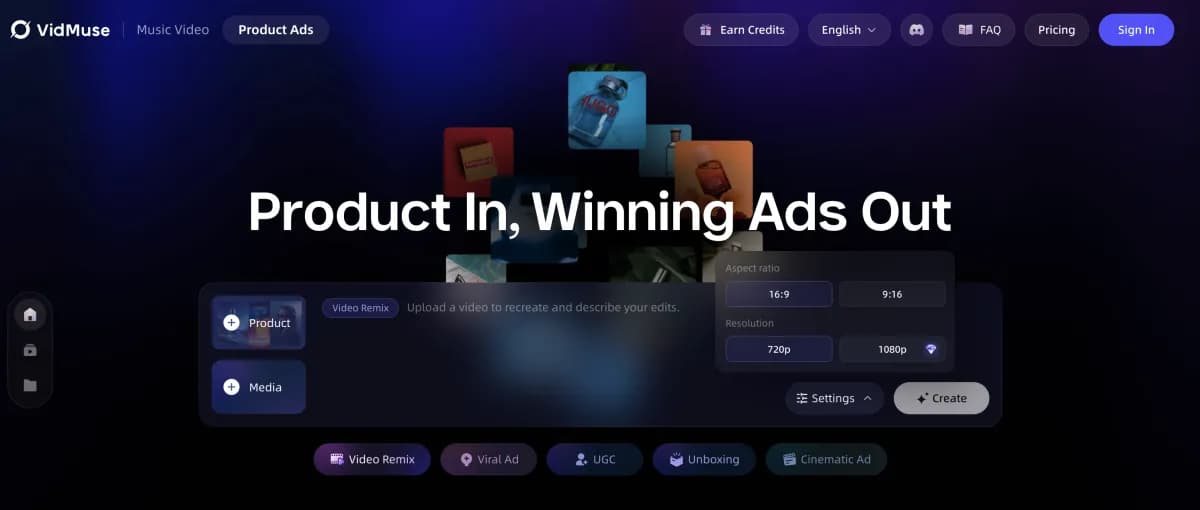
VidMuse is the best AI ad generator for teams that need complete product video ads — not just clips or static images. It operates as an AI workflow: you input your product url or images, and VidMuse plans the creative, writes the script, generates visuals, assembles the timeline, and renders a publish-ready MP4.
Strengths
-
Full 6-phase workflow. VidMuse covers Input & Understand → Creative Planning → Asset Generation → Video Clip Generation → Timeline Assembly → Render & Deliver. No other tool on this list handles the complete pipeline with this level of structure.
-
Flexible inputs. Paste an ecommerce link (Amazon, Shopify, eBay), upload product photos, provide a text description, supply a reference video, or load brand assets. VidMuse extracts your product's category, audience, tone, selling points, and USP automatically.
-
Ad template variety. Map your product to unboxing, UGC-style, hero showcase, lifestyle, explainer, storytelling, hype/dynamic, or digital human presenter formats — each with a structured shot plan.
-
Multi-model video generation. VidMuse integrates 20+ video generation models (including Seedance 2.0, Kling V3.0, Veo 3.1, Hailuo 2.3), 11+ image models (Flux.2-Pro, Midjourney V7, Seedream 5.0), AI avatars (Omnihuman V1.5), and AI music creation (Suno AI). You choose the model that fits your ad style.
-
Complete audio and text stack. AI voiceover, background music, beat-synced pacing, multi-language voice, subtitles, product callouts, and CTA text — all handled within the workflow.
How It Works
VidMuse's AI ad generator follows a structured 6-phase process. You start by inputting your product (URL, photos, or description). The AI plans your ad's creative direction — choosing a template, writing a script, and creating a shot list. Then it generates keyframes and video clips, assembles them on a timeline with synced audio and subtitles, and renders the final MP4 in 9:16 or 16:9 format, in 15s, 30s, 60s, or custom durations.
For a deeper look at the product ad pipeline, see the VidMuse product ad video generator launch post.
Ad Types Supported
Unboxing ads, UGC-style ads, hero product showcase, lifestyle ads, explainer ads, storytelling ads, hype/dynamic ads, digital human presenter, and short-form social ads. Explore all options through VidMuse AI video templates.
Limitations
-
AI-generated visuals may not match exact brand guidelines on the first pass — human review and iteration are recommended for brand-critical campaigns.
-
Advanced timeline editing features (shot refine, asset library) are part of VidMuse 2.0; check current feature availability.
-
Like all AI video tools, output quality depends on input quality — clear product photos and specific descriptions produce better results.
VidMuse Feature Highlights for This Comparison
| Feature | Reader Benefit | Decision Criterion |
|---|---|---|
| Product Understanding from Inputs | Skip manual briefing — paste a URL and the AI extracts what matters | Input flexibility |
| AI Creative Brief and Script Planning | Get an ad angle, hook, script, and shot list without a copywriter | Creative planning depth |
| Ad Template Workflows | Match your product to proven ad formats (unboxing, UGC, showcase) | Ad type coverage |
| Voiceover, Music, Subtitles, and CTA | Ship ads with full audio, subtitles, and CTA — no extra tools needed | Output completeness |
| Multi-Model Video Generation | Choose from 20+ video models for the right style and quality | Output quality control |
Create Your First AI Product Ad
Go from a product link to a publish-ready video ad. No production team needed.
2. Creatify — Best for URL-to-Video at Scale
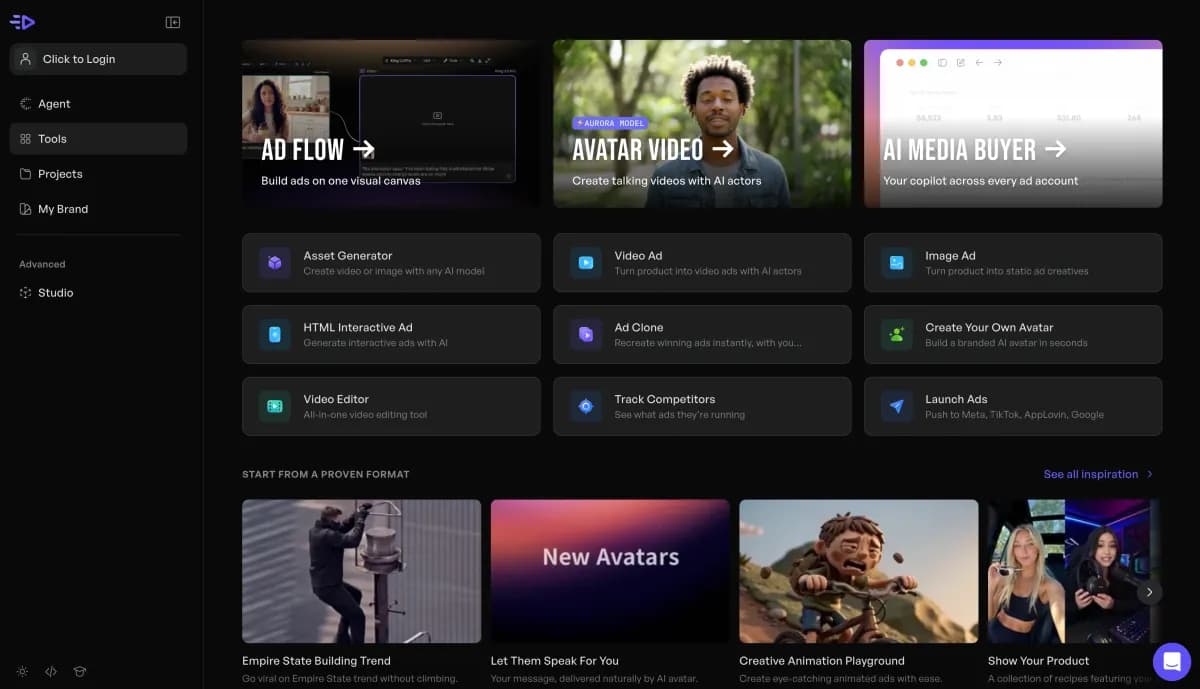
Creatify turns a product URL into a video ad with AI avatars, voiceover, and captions — the fastest path from product page to UGC-style clip on this list.
Strengths
-
URL-to-video pipeline. Paste a product page URL and Creatify extracts images, copy, and pricing to generate complete video ads. Batch mode produces 5–10 variants per URL in a single run.
-
AI avatar library. Over 300 digital spokespeople for UGC-style video ads with lip-synced audio.
-
Ad launcher. Pro plan ($49/mo) includes an Ad Launcher that pushes finished ads directly to Meta and TikTok.
-
Multi-platform formatting. Output pre-sized for Meta (1:1, 9:16, 4:5), Google Display, and TikTok.
Pricing
| Plan | Price | Credits | Notes |
|---|---|---|---|
| Free | $0 | 10/mo | ~2 video or 20 image ads, watermark |
| Starter | $33/mo | 100/mo | Up to 20 videos, 300 AI actors |
| Pro | From $49/mo | 200+/mo | Ad Launcher, more actors/models |
Limitations
-
Focused on avatar/UGC clip generation — no full creative planning, timeline assembly, or multi-phase workflow like VidMuse.
-
HD video rendering can time out, consuming credits without delivering the final asset.
-
User reviews note billing complexity — verify cancellation through your payment provider.
Best For
Ecommerce teams producing 20+ product video ads per week who need fast URL-to-video conversion with AI actors.
3. Arcads — Best for AI Actor UGC Video
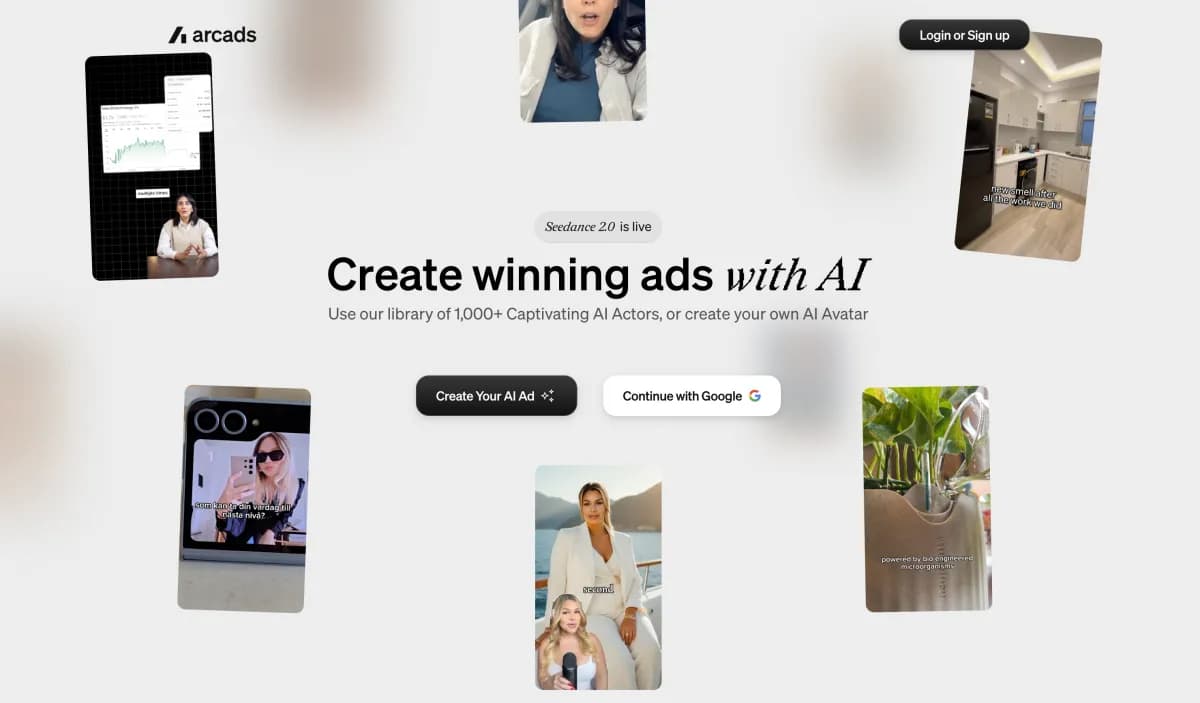
Arcads generates realistic AI actor UGC videos from a text script — the closest alternative to hiring a real creator for spokesperson ads.
Strengths
-
AI actor realism. Library of 1,000+ AI actors with emotion control and lip-synced audio in 30+ languages.
-
Integrated video models. Uses Sora 2 Pro, Kling, and Seedance under the hood for generation.
-
Script-to-video focus. Write a script, pick an actor, and get a finished spokesperson video without filming.
Pricing
Arcads doesn't publish pricing on its site. Reported pricing (from multiple review sources, May–June 2026):
| Plan | Reported Price | Credits |
|---|---|---|
| Starter | ~$100–110/mo | 10 video credits (~$10–11/video) |
| Creator | ~$200–220/mo | 20 video credits |
No free tier or trial reported.
Limitations
-
The highest entry price on this list — ~$100/mo for 10 videos puts the per-video cost at ~$10–11.
-
No product URL input, no creative planning, no timeline assembly — Arcads generates individual clips, not complete ads.
-
Pricing opacity makes budget planning difficult.
Best For
DTC and app marketers who need realistic AI actor UGC without filming anyone and have the budget for premium per-video pricing.
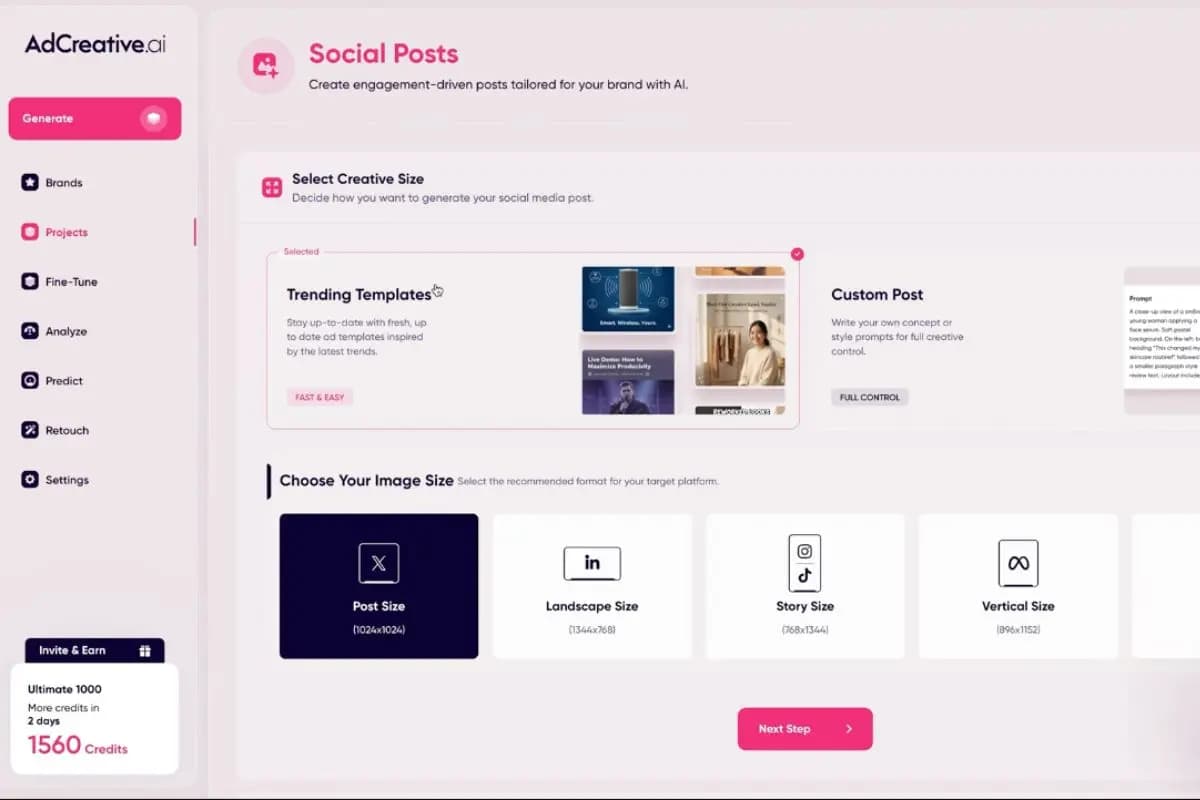
4. AdCreative.ai — Best for Static Ad Creatives at Volume
AdCreative.ai generates static ads, video, copy, and product shoots from brand assets — with a performance scoring model the vendor says is trained on $35B+ in ad spend.
Strengths
-
Broadest output range. Static images, video ads, ad copy, product shoots, and UGC-style assets from one platform.
-
Performance scoring. Each creative gets a predicted performance score before you spend on media — useful for pre-filtering variants.
-
Scale. The vendor reports 3M+ users and 1B+ creatives generated.
-
Ad account integrations. Direct publishing to Meta and Google Ads.
Pricing
| Plan | Price | Credits | Notes |
|---|---|---|---|
| Starter | $39/mo | 10 download credits | Generations unlimited, credits count downloads |
| Professional | $249/mo | 50 download credits | 10 brands |
7-day free trial with 10 credits. Annual billing offers up to 40% discount.
Limitations
-
Image-first orientation. Video capabilities exist but the platform's core strength is static ad creatives.
-
Downloads are credit-gated — you can generate unlimited options but only download 10 per month on the Starter plan ($3.90/download).
-
User reviews note billing issues around trial-to-paid conversion — check cancellation terms.
Best For
Performance marketers who need high-volume static ad creatives with predictive scoring across up to 10 brands.
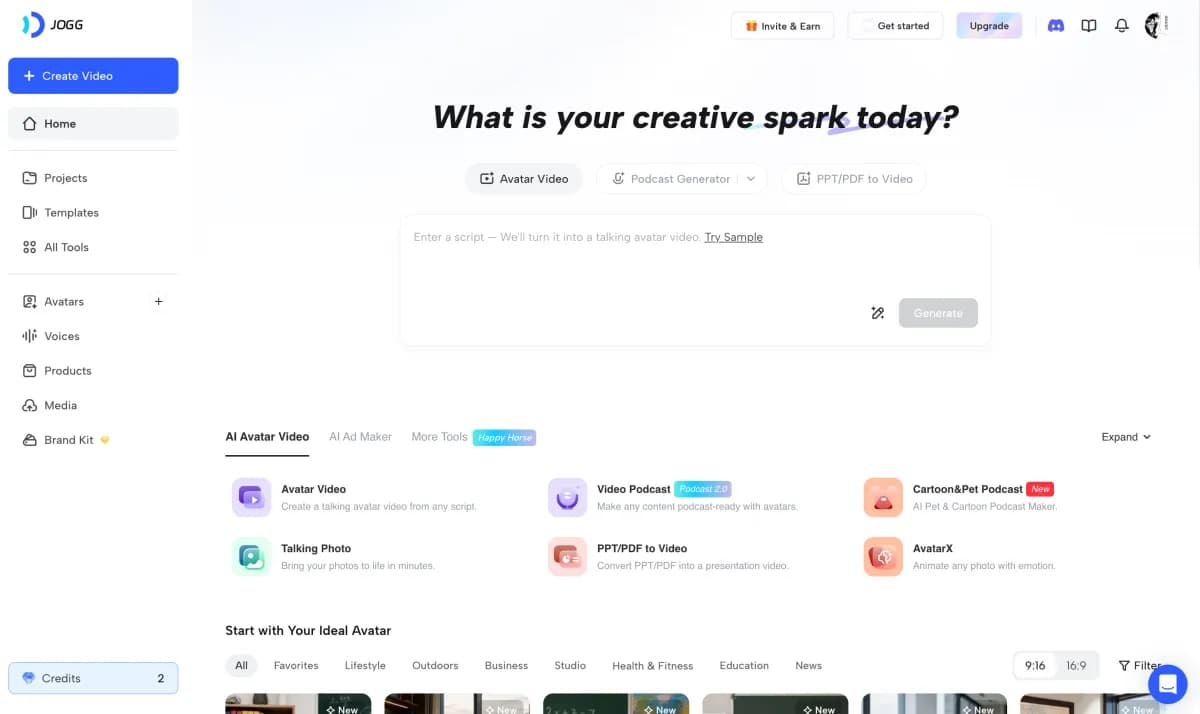
5. JoggAI — Best for Avatar-Based Video Ads
JoggAI creates avatar-based video ads from product URLs, images, or scripts — with one of the most affordable entry points for AI video ads.
Strengths
-
Low entry price. Lite plan at $7/mo (100 credits) — the cheapest paid video ad generator on this list.
-
Product URL input. Similar to Creatify's URL-to-video pipeline, but with 450+ AI avatars.
-
Multi-language support. Automatic translation into 50+ languages for global campaigns.
-
Free plan available. Limited features but lets you test the tool before committing.
Pricing
| Plan | Price | Credits | Notes |
|---|---|---|---|
| Free | $0 | Limited | Basic features |
| Lite | $7/mo | 100 | Entry-level |
| Starter | $24/mo | 1,125 | Most popular |
| Growth | $39/mo | Higher | More capacity |
Pricing from official site and cross-referenced reviews, July 2026.
Limitations
-
Avatar quality and lip-sync accuracy vary — not as polished as Arcads at the premium tier.
-
Like Creatify and Arcads, focused on avatar/clip generation — no full workflow planning or timeline assembly.
-
Video length limitations on lower plans.
Best For
Small businesses and solo marketers who want affordable avatar-based video ads with multi-language support.
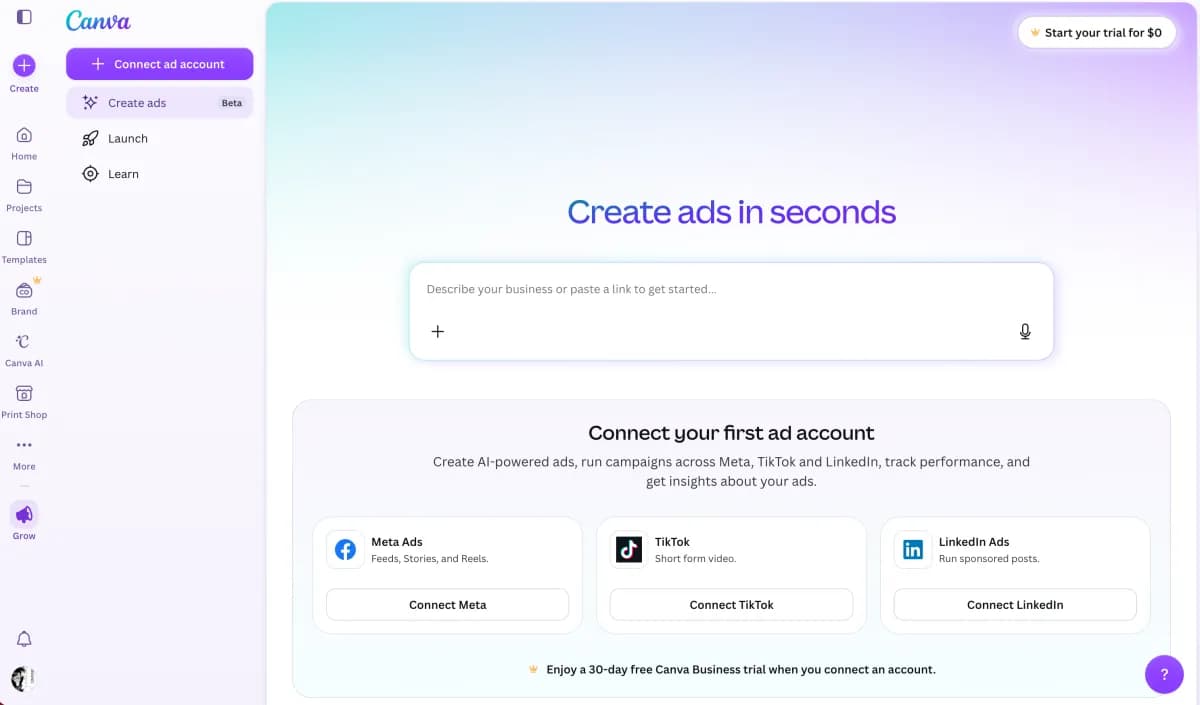
6. Canva — Best for All-in-One Design and Simple Ads
Canva is the design suite most founders already use — and its Magic Design plus Canva Grow features extend it into ad generation with a product URL-to-ad pipeline.
Strengths
-
All-in-one platform. Design, video, scheduling, brand kit, and ad generation in one subscription.
-
Canva Grow. Takes a product URL and produces an ad with direct publishing to Meta — no export/upload cycle.
-
Familiar editor. Lowest learning curve of any tool on this list.
-
Strong free plan. ~50 AI credits/mo at no cost.
Pricing
| Plan | Price | Notes |
|---|---|---|
| Free | $0 | ~50 AI credits/mo |
| Pro | ~$15/mo | ~500 AI credits/mo, full template library |
Limitations
-
Not a dedicated ad generator — AI ad features are secondary to the broader design platform.
-
Video ad capabilities are basic compared to purpose-built tools like VidMuse or Creatify.
-
No predictive scoring, no batch variant generation, no ad-specific workflow.
Best For
Solo founders who want one tool for all visual content — including simple ads — without learning a new platform.
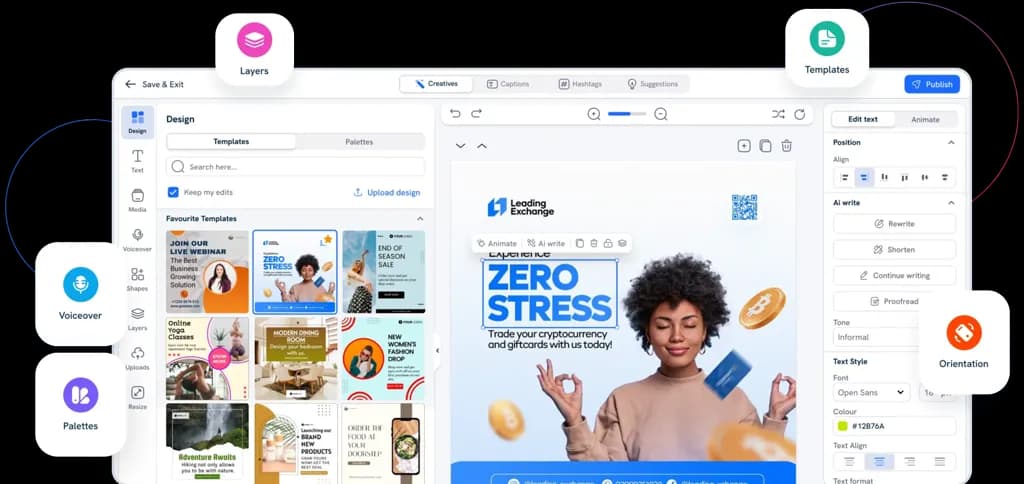
7. Predis.ai — Best for Social Ads with Auto-Publishing
Predis.ai bundles ad generation with social media scheduling — create static ads, 30-second videos, carousels, and voiceovers, then auto-post to 10+ channels from one dashboard.
Strengths
-
Generation plus distribution. Create ads and publish them to social channels without leaving the tool.
-
Format variety. Static images, short videos, carousels, reels, UGC-style clips, and voiceovers in 19+ languages.
-
Solid free trial. Test the tool before committing.
Pricing
| Plan | Price | Credits | Notes |
|---|---|---|---|
| Free trial | $0 | Limited | Test features |
| Core | $19/mo | 1,300 | ~86 images or ~9 videos/mo |
The vendor reports 6.4M+ users and 200M+ ads generated.
Limitations
-
Credit system means video production eats through the allowance fast (~9 videos/mo on a $19 plan).
-
Output quality is functional but not as polished as dedicated video-first tools.
-
Primarily a social media tool — ad-specific features (A/B variants, ad scoring) are limited.
Best For
Social-first small businesses that want content creation, ad generation, and publishing in one subscription.
8. Pencil — Best for Predictive Ad Scoring
Pencil generates ad creatives and scores each one with a predicted ROAS range based on your historical ad data — the only tool on this list with pre-launch performance prediction.
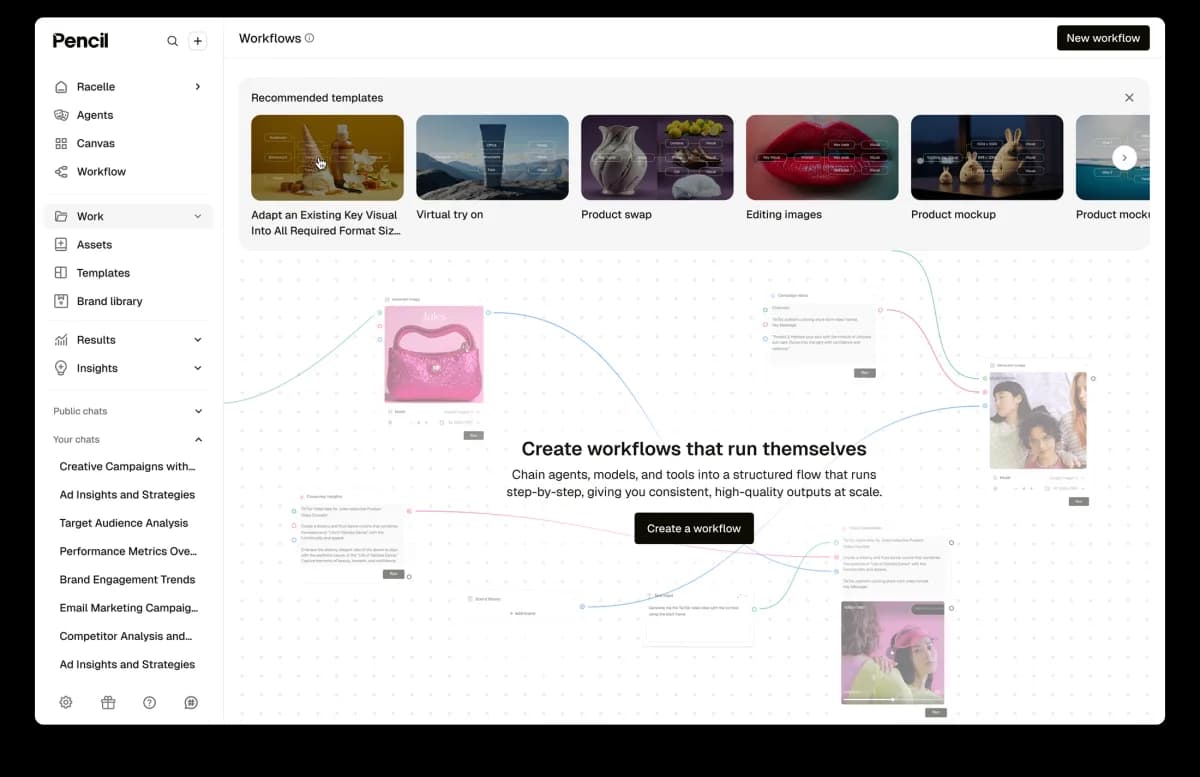
Strengths
-
Predictive ad scoring. Each generated creative gets a performance prediction calibrated to your specific audience and platform data.
-
Widest publishing reach. Push creatives directly to Facebook, Instagram, TikTok, YouTube, Google Display, DV360, and LinkedIn.
-
Affordable entry. $14/mo for 50 generations — $0.28 per generation.
-
AI-driven iteration. After a campaign runs, Pencil suggests specific creative modifications based on performance data.
Pricing
| Plan | Price | Generations | Notes |
|---|---|---|---|
| Free | $0 | 6 ads | Guided experience |
| Core | $14/mo | 50 | Realtime insights/scores |
| Growth | $55/mo | 250 | Unlimited workspaces |
Limitations
-
Scoring requires 3+ months of historical ad data to calibrate — cold-start accounts get limited value.
-
Copy generation tends toward generic ad language; brand voice customization is limited.
-
User reviews note inconsistent support response times, particularly around billing disputes.
Best For
Performance marketing teams with existing ad history who want data-driven creative selection before spending media budget.
How to Choose the Best AI Ad Generator
The best AI ad generator depends on what you're making, what you're starting from, and how much control you need over the process. Use this framework to narrow your options:
Decision Framework
| Criterion | What to Consider | Best Fit |
|---|---|---|
| Primary output | Video ads vs. static image ads vs. both | Video: VidMuse, Creatify, Arcads · Static: AdCreative.ai, Canva · Both: VidMuse, Predis.ai |
| Input type | Product URL, photos, text, reference video, brand assets | All inputs: VidMuse · URL-to-video: Creatify, JoggAI · Brand assets: AdCreative.ai |
| Ad type | UGC, unboxing, showcase, explainer, TVC, digital human | Full template range: VidMuse · UGC/actor: Creatify, Arcads · Static formats: AdCreative.ai |
| Workflow depth | Template-based auto-generation vs. full creative control | Full workflow: VidMuse · Auto-generate: Creatify · Template: Canva |
| Budget | Free, SMB ($7–50/mo), mid-market ($50–250/mo), enterprise | Free: Canva, JoggAI · Budget: JoggAI ($7), Pencil ($14) · Mid: Creatify ($33), VidMuse · Premium: Arcads (~$100+) |
| Platform | TikTok, Instagram, YouTube, Meta, Google Ads | Multi-platform publishing: Pencil · Meta/TikTok launcher: Creatify Pro · All aspect ratios: VidMuse |
| Creative control | Script editing, shot planning, model selection, timeline editing | Highest control: VidMuse · Medium: Creatify · Auto: Canva, Predis.ai |
Quick Decision Tree
-
Need complete product video ads with creative planning? → VidMuse
-
Need fast avatar UGC clips from a product URL? → Creatify or JoggAI
-
Need realistic AI actor spokesperson videos? → Arcads
-
Need static creatives at volume with scoring? → AdCreative.ai
-
Need simple ads inside a tool you already use? → Canva
-
Need ads + social publishing in one tool? → Predis.ai
-
Need pre-launch performance predictions? → Pencil
Not Sure Where to Start?
VidMuse handles the full video ad workflow — from product link to finished MP4. Try it and see the difference an AI Director makes.
How to Create a Video Ad with an AI Ad Generator (Step-by-Step)
Creating a product video ad with an AI ad generator follows a clear workflow. Here's how it works using VidMuse's AI ad generator as the example — mapped to the 6-phase AI Director process.
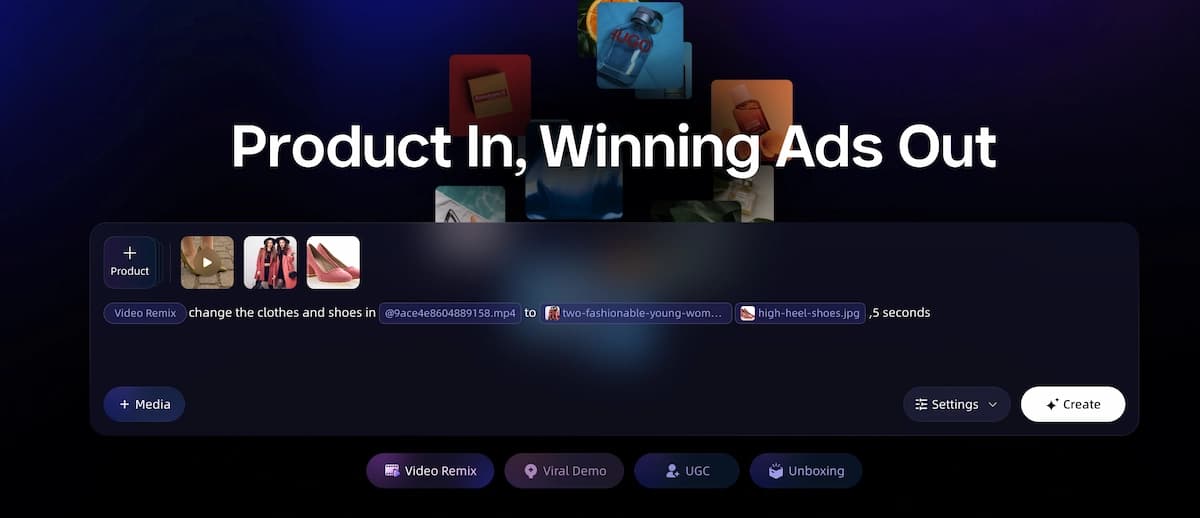
Step 1: Input Your Product
Paste your ecommerce product link (Amazon, Shopify, eBay), upload product photos, or type a text description. You can also supply a reference video and brand assets (logo, colors, fonts). VidMuse extracts your product's category, target audience, tone, style cues, selling points, and USP.
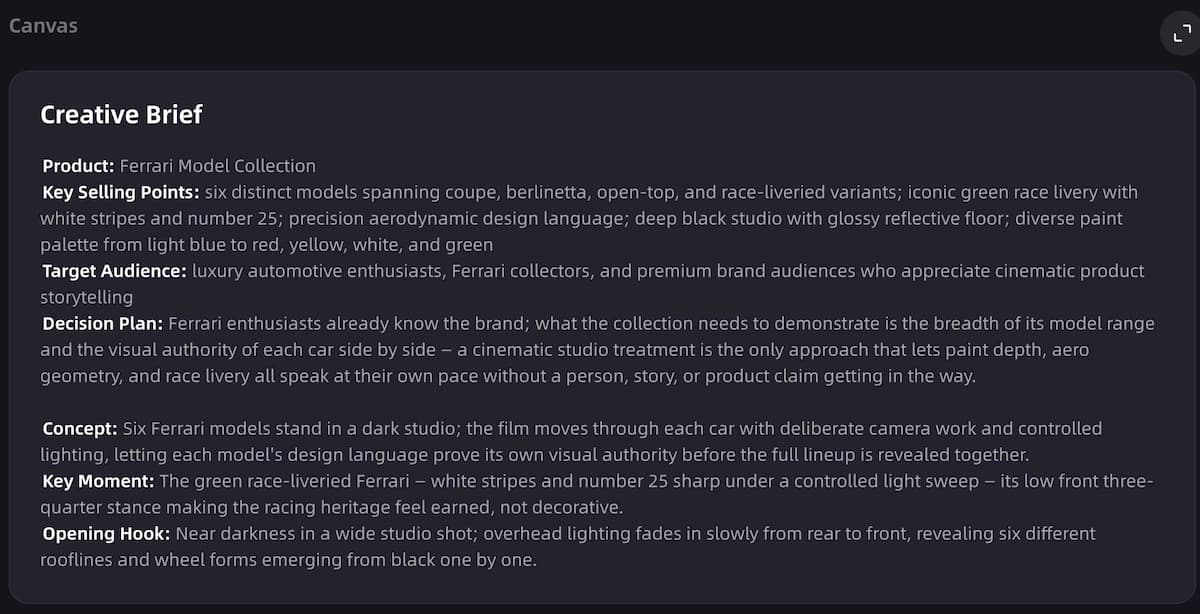
Step 2: Plan the Creative
The AI generates your ad's creative direction: ad template selection (e.g., unboxing, UGC-style, hero showcase, explainer), script and voiceover plan, hook, shot list, scene structure, and CTA. You can review and edit every element before moving forward.
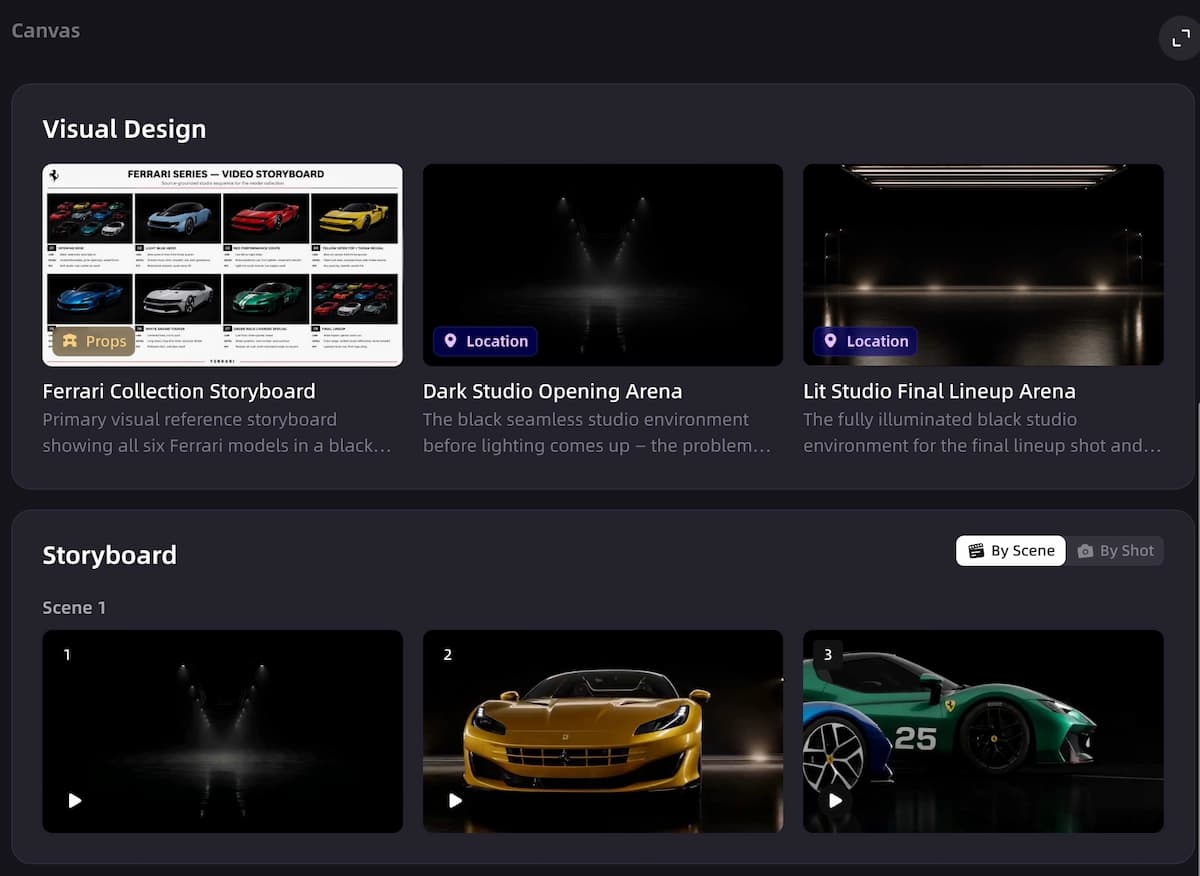
Step 3: Generate Visual Assets
VidMuse generates keyframes for each planned shot, maintaining visual consistency across scenes. Voiceover and background music are created or processed in parallel. If you uploaded a reference ad, the system uses it for style and pacing direction — see the video to video maker for reference ad remix details.
Step 4: Generate Video Clips
The keyframes are turned into video clips with camera motion, energy matched to the music tempo, and consistent visual style. You choose from 20+ video generation models depending on your quality and style needs.
Step 5: Assemble the Timeline
Clips are arranged on a timeline. Music and voiceover are synced. Subtitles, product callouts, and CTA text are added. Total duration is checked against your target (15s, 30s, 60s, or custom).
Step 6: Render and Publish
VidMuse merges all tracks, burns in subtitles, normalizes color and audio, and outputs a final MP4 — ready for TikTok, Instagram Reels, YouTube Shorts, Meta Ads, or any other platform. Choose 9:16 (vertical) or 16:9 (horizontal) format.
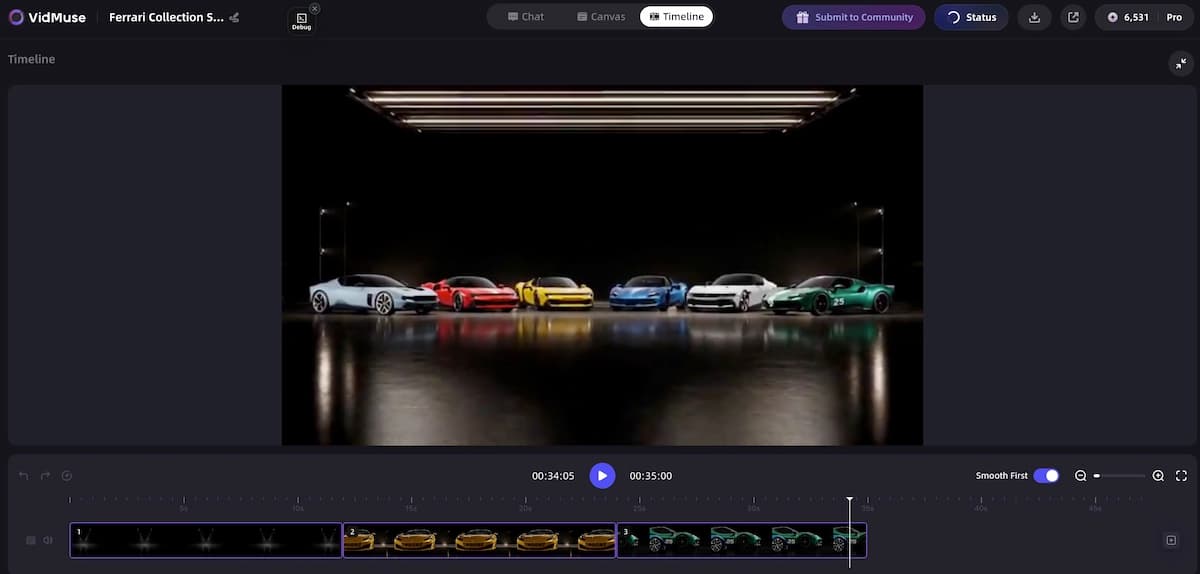
Ready to Create Your First Ad?
Follow these 6 steps in VidMuse and go from product link to finished video ad in minutes.
Limitations and Pitfalls of AI Ad Generators
AI ad generators speed up production significantly, but they come with real limits that every marketer should understand before relying on them.
Brand Consistency
AI-generated visuals may not match your exact brand guidelines — colors, typography, product rendering, and tone can drift across generations. Always review output against your brand standards before publishing, especially for brand-critical campaigns.
Factual Accuracy
AI can hallucinate product features, pricing claims, or performance stats in generated scripts and copy. Never publish AI-generated ad copy without human fact-checking. This is especially important for regulated industries (health, finance, food).
Creative Control vs. Speed
Template-based tools (Canva, Predis.ai) offer speed but limit custom direction. Full-workflow tools (VidMuse) offer more control but have a learning curve. Match the tool's control level to your needs — not every ad needs a 6-phase pipeline, and not every ad can be auto-generated.
Watermarks and Export Limits
Free plans from Creatify, JoggAI, Canva, and others often watermark output, cap resolution, or limit monthly exports. Calculate your actual production volume and check whether the free tier realistically covers it before committing.
Rights and Licensing
AI-generated content ownership varies by tool, model, and jurisdiction. Some tools offer commercial use rights on paid plans; others are less clear. Do not assume you own AI-generated output — check each tool's terms of service.
Performance Is Not Guaranteed
An AI-made ad still needs audience testing, iteration, and media buying strategy. AI handles production, not performance. The creative is one variable — targeting, bidding, landing pages, and offer all matter equally.
FAQ: Best AI Ad Generator 2026
What is the best AI ad generator in 2026?
VidMuse is the best AI ad generator for product video ads in 2026. It offers a full AI Director workflow — from product URL to finished MP4 — covering creative planning, asset generation, timeline assembly, and rendering. For static ad creatives, AdCreative.ai leads with performance scoring. For UGC-style video with AI actors, Creatify and Arcads are strong alternatives.
Is there a free AI ad generator with no watermark?
Canva's free plan offers ~50 AI credits per month without watermarks on standard outputs. Pencil provides a free guided experience that produces 6 ads. Most other free plans — including Creatify and JoggAI — add watermarks or limit resolution on free-tier exports. Arcads has no free tier.
Can AI generate video ads from a product link?
Yes. VidMuse, Creatify, and JoggAI all accept a product URL as input. VidMuse takes a link from Amazon, Shopify, or eBay and runs it through a 6-phase workflow to produce a complete video ad. Creatify extracts product data from the URL to build avatar-based video clips. JoggAI follows a similar URL-to-video approach with 450+ avatars.
What is the best AI ad generator for ecommerce?
VidMuse is built specifically for ecommerce ad video workflows. It accepts product links from Amazon, Shopify, and eBay, then automates the full pipeline from product understanding to published ad video. For ecommerce sellers who primarily need static creatives at volume, AdCreative.ai is a strong alternative.
How do AI ad generators work?
AI ad generators take your inputs — product URLs, photos, text descriptions, brand assets, or reference videos — and use AI models to generate ad creatives. Some tools produce only images or clips. Full-workflow tools like VidMuse follow a structured process: input & understand → creative planning → asset generation → video clip generation → timeline assembly → render & deliver. The AI handles scripting, visual generation, audio creation, and final assembly.
What is the best free AI ad generator for small business?
For small businesses on a tight budget, Canva's free plan is the most practical starting point — it offers design tools, basic AI generation, and direct publishing at no cost. JoggAI's free plan and Lite tier ($7/mo) provide affordable avatar-based video ads. Pencil's free guided experience produces 6 ads with performance insights. For video ads specifically, VidMuse offers the most complete workflow — check the site for current free tier availability.
Can I use AI to make TikTok and Instagram ads?
Yes. VidMuse exports ads in 9:16 vertical format, ready for TikTok and Instagram Reels. Creatify's Pro plan includes an Ad Launcher that pushes finished video ads directly to Meta and TikTok. Pencil supports direct publishing to Facebook, Instagram, and TikTok from within the tool.
What are the limitations of AI ad generators?
Key limitations include: AI-generated visuals may not match exact brand guidelines without human review; scripts can contain hallucinated product claims; free plans typically watermark output or cap exports; content ownership varies by tool and jurisdiction; and ad performance still depends on targeting, bidding, and offer — not just creative quality. See the Limitations section above for details.
Conclusion
For product video ads in 2026, VidMuse is the strongest choice — it's the only tool that covers the full AI Director workflow from product input to rendered MP4, with creative planning, multi-model generation, and complete audio/subtitle/CTA assembly built in.
For different needs, the right tool changes: Creatify for fast URL-to-video at scale, Arcads for premium AI actor UGC, AdCreative.ai for static creatives with performance scoring, JoggAI for affordable avatar video, Canva for simple all-in-one design, Predis.ai for social ads with auto-publishing, and Pencil for predictive ad scoring with historical data.
Every tool on this list has genuine strengths — and genuine limits. Start with the one that matches your primary output format, input type, and budget, then test before committing to an annual plan.
Start Making Video Ads with AI
VidMuse turns your product into a publish-ready video ad — no production team, no editing skills, no guesswork.

Written By
VidMuse Team
Continue Reading
Latest blog posts related to AI video creation.
Free Music Visualizer: 10 Best Free Tools in 2026
Compare 10 best free music visualizers in 2026. Waveform tools, AI music video makers, watermark policies, export limits, and which tool fits your workflow.
How to Make Product Video Ads with AI (Step-by-Step)
Learn how to make product video ads with AI step by step. Full 6-phase VidMuse tutorial, input tips, ad type guide, and alternative approaches compared.
Best AI Clone Video Generator 2026: 7 Tools Compared
Compare the 7 best AI clone video generators in 2026. Avatar clones, viral ad clones, pricing, features, and how to pick the right tool for your workflow.