

The best AI music video generators in 2026 are VidMuse, Neural Frames, Kaiber, RunwayML, Freebeat, and Pika — each suited to a different workflow. Whether you're an indie musician turning a Suno track into a viral visual, a content creator building short-form clips, or a brand producing polished TVCs, there's an AI music video tool that fits your needs and budget. This guide compares the top platforms on audio-reactivity, output quality, ease of use, and pricing so you can choose the right one without wasting time on free trials that don't deliver.
Key Takeaways
- VidMuse is the only platform that uses an agent-based workflow — it plans a full music video scene by scene rather than generating isolated clips, making it the strongest choice for indie musicians who want a cohesive, director-quality output.
- Neural Frames leads on audio-reactivity; it separates your audio stems and drives visual motion from your track's actual frequencies, making it the go-to for synchronized abstract visuals.
- Free options (Pika free plan, Neural Frames 20-second trial, Freebeat) exist for testing, but any video longer than 30 seconds will require a paid plan on most platforms.
- The most important feature to evaluate is not generation quality — it's workflow completeness. Can the tool take you from audio file to finished, exportable video without switching apps?
- For musicians using Suno or Udio, VidMuse and Neural Frames both accept MP3 uploads and handle beat-synced generation, making them the best AI music video generators for Suno users in 2026.
What Is an AI Music Video Generator?
An AI music video generator is software that takes an audio file, a set of lyrics, or a text prompt and uses machine learning models to produce synchronized video content — scenes, transitions, character animations, and visual effects — without requiring a film crew, an editor, or a production budget.
The category has evolved significantly. Early tools (2022–2023) generated frame-by-frame AI art that creators stitched together manually in editing software. By 2025, platforms began offering end-to-end pipelines: upload a track, receive a complete video. In 2026, the best tools go further — they plan the narrative arc of a video, maintain visual consistency across scenes, support lip sync, and let you refine individual shots without regenerating from scratch.
For independent musicians, this matters practically: a professional music video used to cost $2,000 minimum and take weeks to produce. Today, a polished 90-second music video can be completed in under 30 minutes at a fraction of that cost.
Create Your AI Video in Minutes
Turn your idea into a music video with VidMuse.
What to Look for Before You Pick a Tool
Not all AI music video generators solve the same problem. Before comparing platforms, define what you actually need.
Audio reactivity — does the tool sync visuals to your audio waveform, BPM, or stem frequencies, or does it just generate from text prompts with music playing in the background? These are fundamentally different experiences.
Workflow completeness — can you go from MP3 to finished, downloadable video inside one platform? Tools like RunwayML produce excellent clips but require you to assemble and sync them in a separate editor.
Character and scene consistency — if your video features a recurring character (yourself, an animated persona, a band), can the tool maintain that character's appearance across multiple scenes?
Output resolution and aspect ratio — are you making a YouTube video (16:9), a TikTok (9:16), or both? Check whether the platform supports your target format and resolution at your price tier.
Model access — in 2026, the underlying video generation model matters. Platforms that let you choose between models (Kling, Seedance, Veo, Hailuo, and others) give you more control over visual quality, motion realism, and cost per generation.
Pricing structure — some platforms charge by minutes of generated video, others by credits per clip. For a 2-minute music video, calculate total cost before committing.
The Best AI Music Video Generators in 2026
VidMuse AI — Best for Full Music Video Production
VidMuse is built specifically for music video creation and positions itself as an AI Director rather than a clip generator. Where most tools execute one prompt at a time, VidMuse runs an agent-based pipeline: it takes your creative brief, generates a scene and shots list, builds a storyboard, and then produces the full video — maintaining visual logic and pacing across the entire runtime.
Create Your AI Video in Minutes
Turn your idea into a music video with VidMuse.
What makes it different:
- The agent workflow plans the complete MV before a single frame is generated, which means the output has narrative coherence rather than a series of unrelated visuals
- Multiple video generation models are available — including Seedance 2.0 Pro, Kling V3.0 Pro, Veo 3.1, Hailuo 2.3 Pro, and others — so you can balance quality against cost per scene
- Image generation is built in (Flux.2-Pro, GPT Images 2.0, Midjourney V7, and more), so reference images and scene stills can be created inside the same platform
- AI Avatar generation (Omnihuman V1.5, Kling AI Avatar V2 Pro) supports consistent character performance across scenes
- Suno AI integration means you can generate an original track and turn it into a video without leaving the platform
- VidMuse 2.0 introduces Shot Refine by Quoting (refine any shot by referencing it directly), a Timeline Editor, and an Asset Library that stores your visual memory across projects
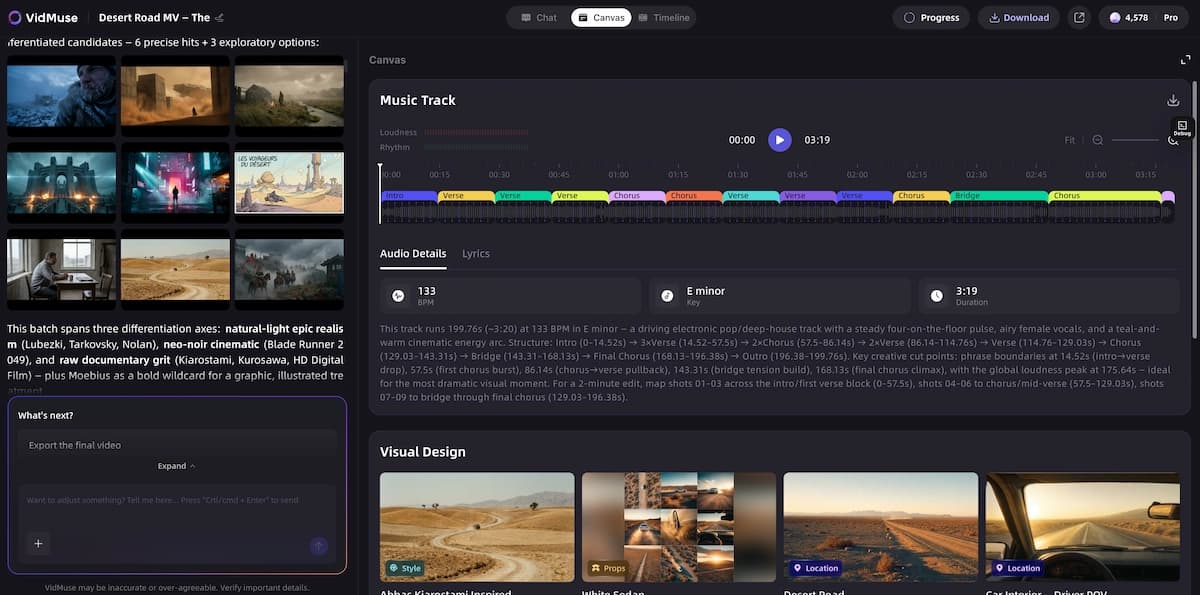
Template types: Story MV, Abstract MV, Performance MV, Viral Short, TVC, Explainer
Generation modes: Studio (flagship quality) and Lite (Seedance series, faster and more cost-efficient)
Best for: Indie musicians, Suno/Udio users who want a complete MV from their AI-generated tracks, small music labels, SMB marketing teams, content creators producing lifestyle content.
Limitation: The agent-based planning step adds time before generation begins. If you need a 10-second clip right now, a simpler tool is faster. VidMuse is built for full MVs, not quick social media fillers.
Neural Frames — Best for Audio-Reactive Visuals
Neural Frames is the leading dedicated AI music video generator from audio, with a workflow built around stem separation and beat-driven visual generation. It detects your track's BPM, analyzes drums, bass, and vocals separately, and drives visual motion from those specific frequencies — producing visuals that actually react to the music rather than running parallel to it.
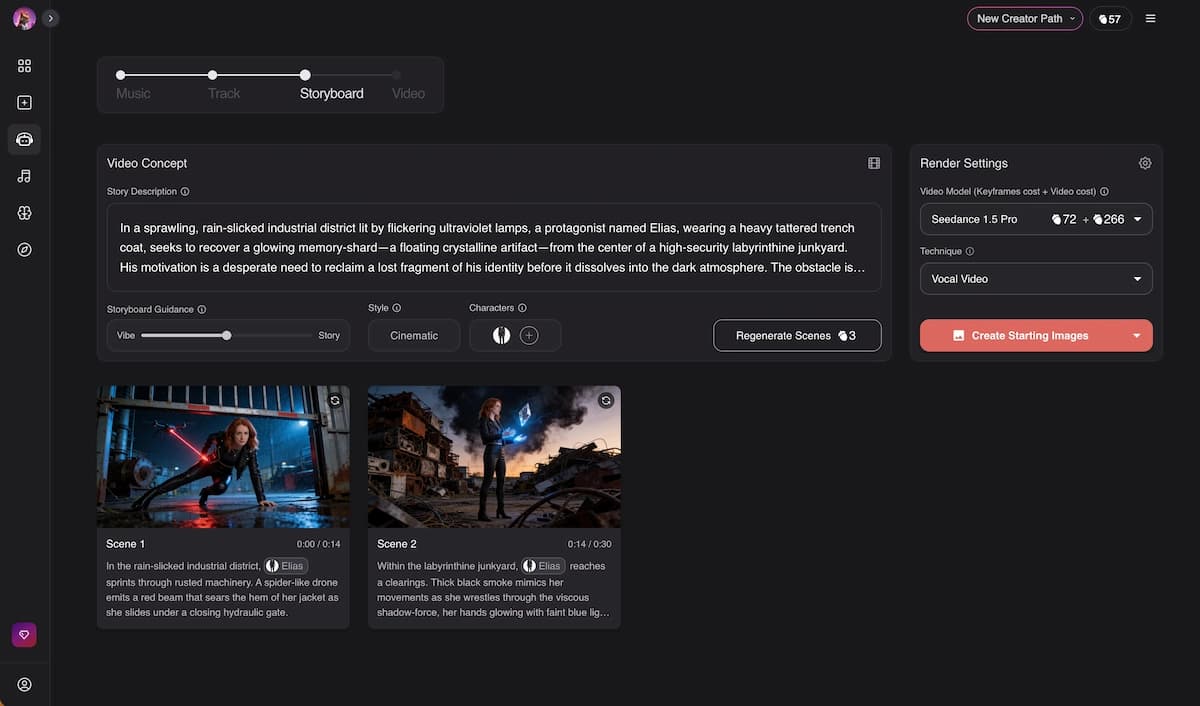
Its Autopilot feature reads your lyrics, suggests a visual concept, generates a full storyboard, and renders a complete video. A 2-minute video typically completes in under 15 minutes.
Key strengths:
- True audio-reactivity (the only platform that drives visuals from separated audio stems)
- Consistent character feature maintains the same face across all scenes
- Three video techniques: Classic Video, Lyric Showcase (animated lyrics), and Vocal Video (lip sync)
- 12+ visual style presets plus custom reference image upload
- Access to Kling, Seedance, and Runway models
Pricing: From $39/month for 40 minutes of video generation; free 20-second trial available
Best for: Musicians who want visuals that feel genuinely synchronized with their music, not just aesthetically related to it.
Limitation: 4K output and stem extraction require higher-tier plans. Advanced clip editing has a learning curve for new users.
Kaiber (Superstudio) — Best for Stylized Creative Projects
Kaiber's Superstudio gives creators an infinite canvas workspace where multiple AI tools — video generators, image models, audio integration — live in one environment. It's not purely a music video tool, but it has deep audio integration including a Beat Sync mode that automatically aligns transitions to your song's BPM.
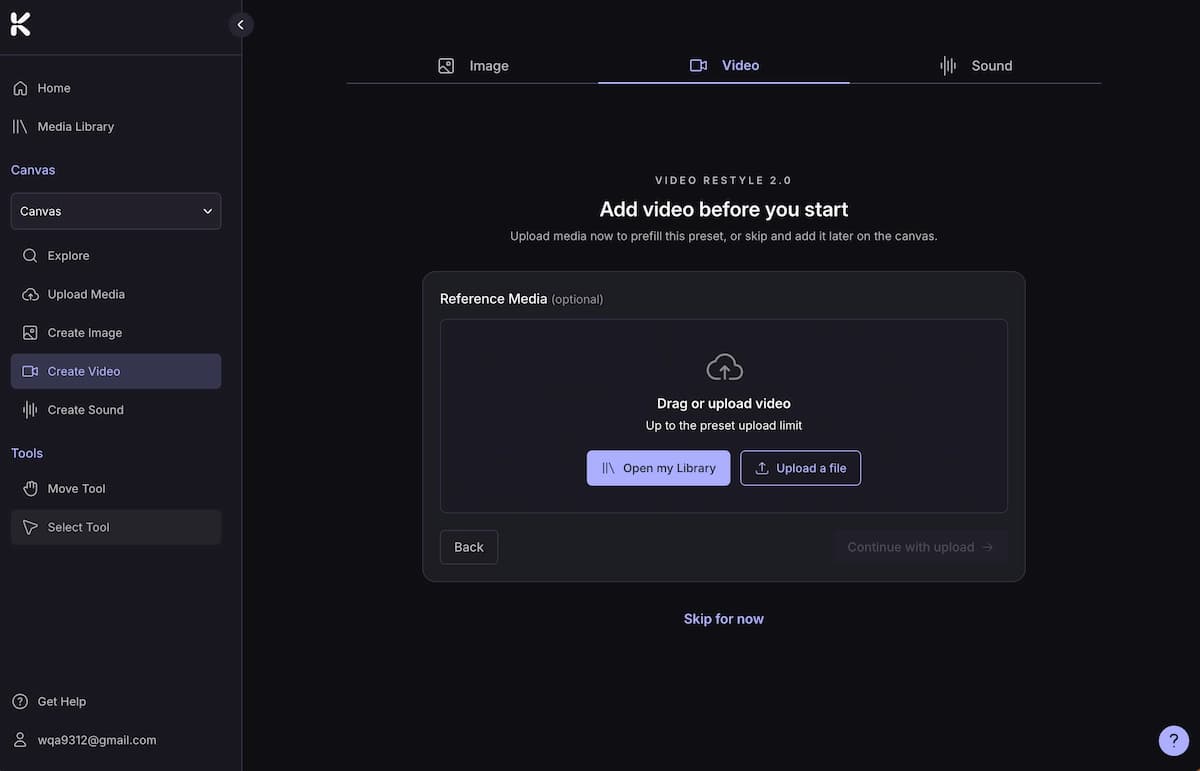
Kaiber has a track record with professional artists: Linkin Park's "Lost" video was made with Kaiber and reached 100 million YouTube views by mid-2025.
Best for: Artists who want stylized, experimental, or loop-based visuals and are comfortable with a canvas-style workflow.
Pricing: From $15/month; credit packs available for pay-as-you-go access.
Limitation: The canvas interface has a learning curve. Beginners may find it overwhelming before they understand the flow.
RunwayML — Best for Cinematic Clip Quality
RunwayML (Gen-4.5) produces some of the highest-quality individual video clips available, with strong character consistency, realistic physics, and precise camera control. For content creators and filmmakers who want cinematic-quality footage, it remains a leading option.
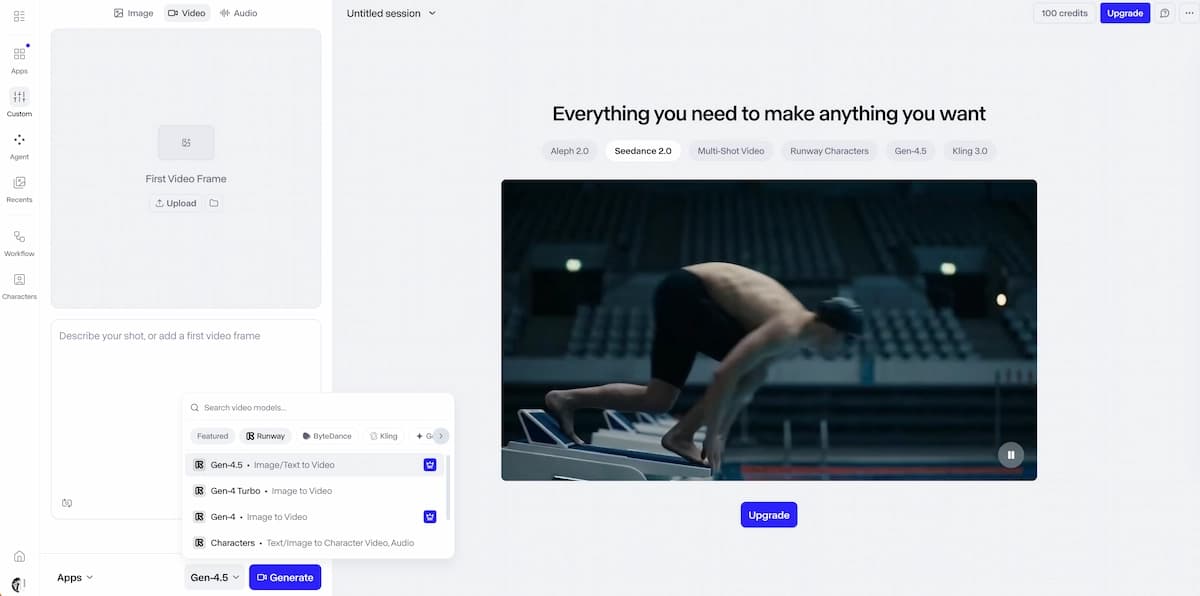
Critical limitation for music video use: RunwayML has no audio-reactive features and no built-in timeline editor. To create a full music video, you must generate scenes individually and assemble them in external editing software (Premiere Pro, DaVinci Resolve, etc.). This makes it a clip generation tool, not a music video generator.
Best for: Advanced creators who want high-quality scene footage to assemble manually; not recommended as a standalone music video solution.
Pricing: Free tier with limited credits; paid plans scale with usage.
Freebeat — Best for Fast Beat-Synced Social Content
Freebeat has emerged in 2026 as a fast, beginner-friendly option for turning tracks into short-form social content. It analyzes a song's beat structure and generates multi-scene videos with automatic transitions synced to the music. Community feedback on Reddit highlights its "music video agent" feature, which builds coherent outputs based on song structure rather than random visuals.
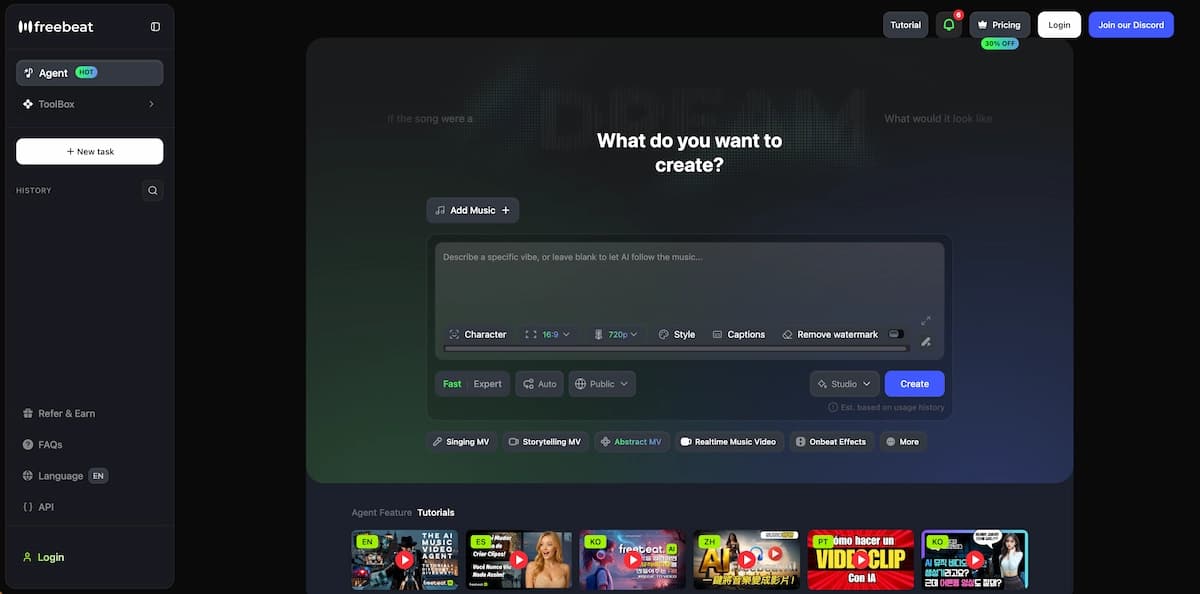
Best for: Creators who need beat-synced short-form content (YouTube Shorts, TikTok, Instagram Reels) quickly and without complex setup.
Limitation: Less suited for longer-form MVs or projects requiring character consistency and custom visual direction.
Pika — Best Free Starting Point
Pika offers a free plan with daily credits and a suite of specialized tools: Pika Frames (image-to-image transitions), Pikaformance (hyper-realistic lip sync), Pika Scenes (multi-element scene building), and more. For short clips, social teasers, and lip sync animations, it's a solid no-cost option.
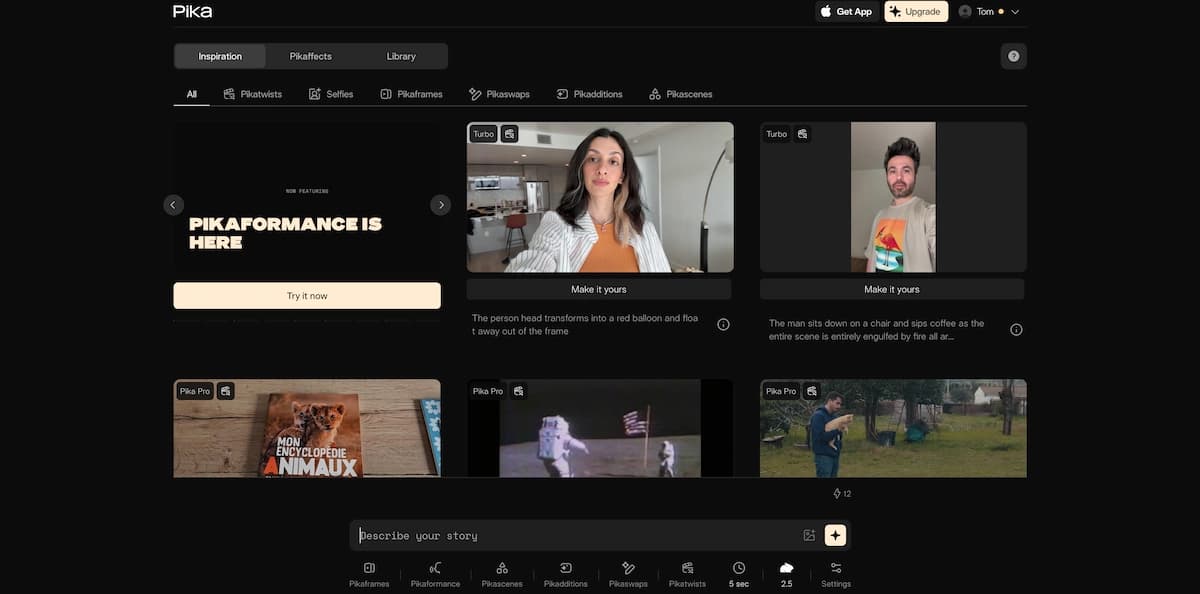
Best for: Beginners testing AI video generation; creators who need short lip sync clips or effect-driven social content.
Limitation: Individual generations are often 3–10 seconds. Longer videos require stitching clips externally.
How to Turn a Suno Song into a Music Video with VidMuse
One of the most searched workflows in 2026 is how to turn a Suno song into a video. VidMuse handles this natively. Here's the basic process:
Generate or export your track
Finish your Suno track and download the MP3 or use VidMuse's built-in Suno AI integration.
Start a Creative Brief
Choose a template and describe mood, visual style, characters, or settings.
Reference Generation
Generate visual references based on your brief and approve or adjust the direction.
Review the Scene & Shots List
Review how the agent assigns scenes, shot types, transitions, and visual logic.
Storyboard
Review the storyboard before generation and edit individual scene descriptions.
Video Generation
Choose Studio or Lite mode, generate, and revise specific shots with Shot Refine by Quoting.
Timeline Editor
Fine-tune pacing, trim shots, and finalize the cut.
Export
Download in your target aspect ratio.
- Generate or export your track — finish your Suno track and download the MP3 or use VidMuse's built-in Suno AI integration to generate the track directly on the platform.
- Start a Creative Brief — choose a template (Story MV, Abstract MV, Performance MV, Viral Short) and describe the mood, visual style, and any characters or settings you want featured.
- Reference Generation — VidMuse generates visual references based on your brief. Approve or adjust the direction before committing to the full storyboard.
- Review the Scene & Shots List — the agent breaks your track into scenes and assigns shot types, transitions, and visual logic to each one.
- Storyboard — review the full storyboard before any video is generated. Edit individual scene descriptions, swap visual styles, or change character details at this stage.
- Video Generation — choose your model (Studio mode for quality, Lite mode for speed) and generate. Use the VidMuse 2.0 Shot Refine by Quoting feature to revise specific shots without regenerating the entire video.
- Timeline Editor — fine-tune pacing, trim shots, and finalize the cut.
- Export — download in your target aspect ratio.
The key advantage here is that every step builds on the last. You're directing a video, not prompting random clips and hoping they fit together.
Create Your AI Video in Minutes
Turn your idea into a music video with VidMuse.
Choosing the Right Tool for Your Use Case
You want a complete music video from your Suno track → VidMuse (agent workflow, Suno integration, full MV templates)
You want visuals that react to your audio frequencies → Neural Frames (stem-separated audio reactivity, Autopilot)
You want stylized loops and experimental animation → Kaiber (canvas workflow, Beat Sync, custom model training)
You need cinematic clip quality and will edit manually → RunwayML (Gen-4.5, no audio reactivity)
You want fast beat-synced short-form content → Freebeat (automated structure analysis, beginner-friendly)
You need a free starting point for short clips → Pika (free daily credits, lip sync, effects)
You need lip sync specifically → Pika (Pikaformance) or Neural Frames (Vocal Video technique) or VidMuse (Kling AI Avatar V2 Pro, Omnihuman V1.5)
VidMuse: The Agent-Based Approach
Most AI music video tools execute instructions. VidMuse plans.
The distinction matters at scale. When you prompt a standard video generator, you get a clip that matches your description. When you use VidMuse's agent-based workflow, the system evaluates your creative brief, determines what scenes serve the narrative, assigns shot types and pacing, builds a visual memory of your characters and settings, and generates a complete video that holds together as a whole.
Create Your AI Video in Minutes
Turn your idea into a music video with VidMuse.
VidMuse 2.0 extended this with Shot Refine by Quoting — instead of regenerating an entire scene because one shot is wrong, you highlight the specific shot, describe the change, and the system refines only that element. The Asset Library & Memory feature stores your characters, reference images, and style preferences so they persist across projects. The Timeline Editor gives you frame-level control after generation, bridging the gap between AI output and professional editorial polish.
For indie musicians specifically, VidMuse addresses the core problem: studio-level visual production at a cost that makes sense for someone releasing music independently. You don't need to hire a director, a cinematographer, or a post-production editor. The agent fills those roles.
Common Mistakes When Using AI Music Video Generators
Skipping the storyboard review.
Every platform with a storyboard step shows you the plan before generating. Skipping this and going straight to render is the fastest way to waste credits on a video that misses your vision.
Using a single model for every project.
Different video models have different strengths. Kling V3.0 Pro produces strong character motion; Veo 3.1 excels at photorealistic scenes; Hailuo 2.3 Pro handles fast-motion sequences well. Match the model to the visual style you're after.
Treating AI generation as a one-shot process.
The best results come from iteration — generate, review, refine specific shots, regenerate. Tools like VidMuse's Shot Refine by Quoting exist precisely because one-shot generation rarely produces a final-quality video.
Ignoring aspect ratio until export.
A video generated in 16:9 will be cropped or letterboxed when posted to TikTok in 9:16. Set your target aspect ratio before generation begins.
Choosing a tool based on clip quality alone.
A tool that generates beautiful 4-second clips but requires manual assembly in Premiere Pro is not a music video generator — it's a clip generator. If workflow completeness matters to you, prioritize platforms that deliver an end-to-end pipeline.
Not defining a visual style up front.
Vague prompts produce generic results. Reference images, style presets, and specific character descriptions all improve output quality significantly. Spend two minutes on your creative brief and save fifteen minutes of regeneration.
FAQ
What is the best AI music video generator in 2026?
The best AI music video generator depends on your use case. For complete, director-quality MVs, VidMuse's agent-based workflow is the most comprehensive option — it plans the full video, maintains character consistency, and includes a timeline editor. For audio-reactive abstract visuals, Neural Frames is the strongest choice. For fast short-form content, Freebeat and Pika cover the beginner end efficiently.
What is the best AI music video generator from audio?
Neural Frames is the most audio-reactive option available — it separates your track into stems (drums, bass, vocals) and drives visual generation from those specific frequencies. VidMuse also accepts audio uploads as part of its creative brief workflow and uses beat and structure information to inform scene pacing and transitions.
What is the best free AI music video generator?
Pika offers the most functional free plan, with daily credits and access to lip sync, transitions, and effects tools. Neural Frames provides a free 20-second trial for testing output quality. Freebeat and Kaiber both have free or trial tiers. For anything longer than 30–60 seconds, expect to move to a paid plan across all platforms.
What is the best AI music video generator for Suno?
VidMuse is the most direct option — it includes Suno AI integration, letting you generate a track and build a full MV inside the same platform. Neural Frames also works well with Suno exports: download your MP3, upload it, and use Autopilot to generate synchronized visuals. Both platforms support the MP3-to-music-video workflow that Suno users need.
How do I create a music video from an MP3?
Upload your MP3 to VidMuse and complete a creative brief (mood, template type, character references, visual style). The agent generates a scene list and storyboard, which you review before video generation begins. Alternatively, upload your MP3 to Neural Frames, configure your aspect ratio, character, and visual style, and use Autopilot to generate a complete storyboard and video. Both workflows take you from audio file to finished video without external editing.
What features should I look for in an AI music video generator?
Prioritize: audio reactivity (does it sync to your music or just run alongside it), workflow completeness (one platform, start to finish), character consistency across scenes, model choice (different models suit different visual styles), and output resolution for your target platform. Also check whether the tool has a timeline editor for post-generation refinement — this separates clip generators from true music video platforms.
Can AI music video generators produce lip sync videos?
Yes. Several platforms support lip sync in 2026. Pika's Pikaformance model produces hyper-realistic facial animation synced to any audio file. Neural Frames has a dedicated Vocal Video technique that syncs character mouth movements to uploaded vocals. VidMuse supports AI Avatar generation through Omnihuman V1.5 and Kling AI Avatar V2 Pro, enabling consistent character lip sync across scenes.
What is the best AI music video generator from lyrics?
VidMuse accepts lyrics as part of its creative brief, using them to shape scene narratives and visual direction. Neural Frames reads lyrics during the Autopilot workflow and uses them to suggest visual themes. If lyric-driven narrative is your priority, both platforms support this, though VidMuse's agent-based planning produces a more structured story arc from lyric input.
Final Words
The best AI music video generator for you in 2026 comes down to one question: how much of the production do you want the tool to handle?
If you want a system that acts as a full director — planning scenes, maintaining visual consistency, refining individual shots, and delivering a complete MV — VidMuse is the most purpose-built option in the category. Its agent-based workflow is designed specifically for music video production, not repurposed from a general video generation platform.
If audio-reactivity is your priority and you want visuals that genuinely respond to your track's frequencies, Neural Frames remains the most specialized tool for that outcome.
For free testing, quick social clips, and lip sync experimentation, Pika and Freebeat lower the barrier to entry significantly.
The market is moving fast. The tools available in 2026 would have cost a production budget in 2022. The artists who start building the habit of creating visuals consistently — regardless of budget — will be the ones with a visual library when the next release cycle arrives.
→ Try VidMuse free and see how far you can get before your next release.
Create Your AI Video in Minutes
Turn your idea into a music video with VidMuse.

Written By
VidMuse Team
Continue Reading
Latest blog posts related to AI video creation.
Free Music Visualizer: 10 Best Free Tools in 2026
Compare 10 best free music visualizers in 2026. Waveform tools, AI music video makers, watermark policies, export limits, and which tool fits your workflow.
How to Make Product Video Ads with AI (Step-by-Step)
Learn how to make product video ads with AI step by step. Full 6-phase VidMuse tutorial, input tips, ad type guide, and alternative approaches compared.
Best AI Clone Video Generator 2026: 7 Tools Compared
Compare the 7 best AI clone video generators in 2026. Avatar clones, viral ad clones, pricing, features, and how to pick the right tool for your workflow.