

Lyric video making used to mean hours in After Effects or Premier Pro, manually syncing text to audio frame by frame. Today, AI lyric video makers can automate that entire process — some in under five minutes. Whether you're an indie musician looking to upload your Suno track to YouTube, a worship leader who needs clean on-screen text, or a brand running a campaign, this guide walks you through every method, tool, and decision point so you can produce a great lyric video without wasting time on the wrong tool.
Key Takeaways
- A lyric video prioritizes readable on-screen text timed to your audio; a music visualizer prioritizes reactive animation without readable lyrics — they serve different audience intents.
- Most free AI lyric video generators handle simple text-on-background formats well but struggle with cinematic scenes, custom typography, or brand consistency.
- VidMuse's agent-based workflow is the only approach that plans your lyric video as a full production — generating scenes, storyboards, and synchronized shots rather than just overlaying text.
- The biggest time-wasters are manually writing timestamps and choosing backgrounds without a visual brief; AI tools that auto-detect lyrics and generate scene context eliminate both.
- Uploading a lyric video to YouTube requires a minimum 720p export and accurate captions — plan for that before you choose your tool.
Make Lyric Video from Audio in Minutes
Add lyrics to video automatically online free with VidMuse AI.
What Is a Lyric Video (and Why It Still Matters in 2026)?
A lyric video is a music video format where the primary visual element is the song's lyrics displayed on screen, synchronized with the audio. Unlike a traditional music video — which tells a story through performance, narrative, or abstract imagery — a lyric video makes the words the star. The text is typically animated, styled to match the song's mood, and timed to appear beat-by-beat or line-by-line.
Lyric videos matter more than ever in 2026 for three practical reasons:
- Platform algorithm behavior: YouTube, TikTok, and Instagram Reels all favor content with on-screen text because it increases watch time among viewers watching without sound. A lyric video captures both audiences.
- Discovery and singalong culture: Viewers are more likely to share content when they can sing along. Lyric videos drive that behavior explicitly.
- Low production barrier for high reward: A well-made lyric video can outperform an expensive narrative music video in streaming numbers. It's the most cost-efficient visual format for indie musicians and AI music creators.
For artists using tools like Suno AI to generate original tracks, lyric videos are frequently the first (and most practical) visual output — as consistently confirmed by the Suno community on Reddit, where lyric video generators are among the most requested tools.
How to Make a Lyric Video: The Core Methods
There are three main approaches to lyric video making, each with a different skill ceiling and output quality range.
Method 1 — Manual Editing (High control, high time investment)
Using tools like Adobe Premiere Pro, DaVinci Resolve, or After Effects, you build the lyric video frame by frame. You import your audio, create text layers, manually keyframe each lyric line to the correct timestamp, and style everything by hand. This method produces the highest quality output but requires:
- Knowledge of the editing software
- A lyrics file with timestamps (LRC or SRT format)
- Hours of work per song
This is still the standard for professional lyric video artists working on major-label releases. It is not practical for indie musicians, AI music creators, or anyone producing at volume.
Method 2 — Template-Based Tools (Low control, fast output)
Platforms like Canva, CapCut, and Adobe Express offer lyric video templates. You drop in your audio, type or paste your lyrics, adjust fonts and colors, and export. These tools are accessible and free (at the basic tier), but they:
- Require you to enter timestamps manually in most cases
- Offer limited animation styles
- Produce recognizably templated output that looks similar across creators
- Don't scale well if you're making more than one or two videos
Method 3 — AI Lyric Video Makers (Automated, scalable, variable quality)
AI-powered tools automate the hardest parts: lyrics detection, timestamp generation, and background creation. The quality gap between tools in this category is large. Entry-level free tools generate static or looping backgrounds with basic text animation. More advanced platforms like VidMuse use AI Director logic to plan the video as a production — generating scenes, storyboards, and cinematic shots that match the song's mood, then adding the lyric layer on top.
Step-by-Step: Lyric Video Making in VidMuse AI
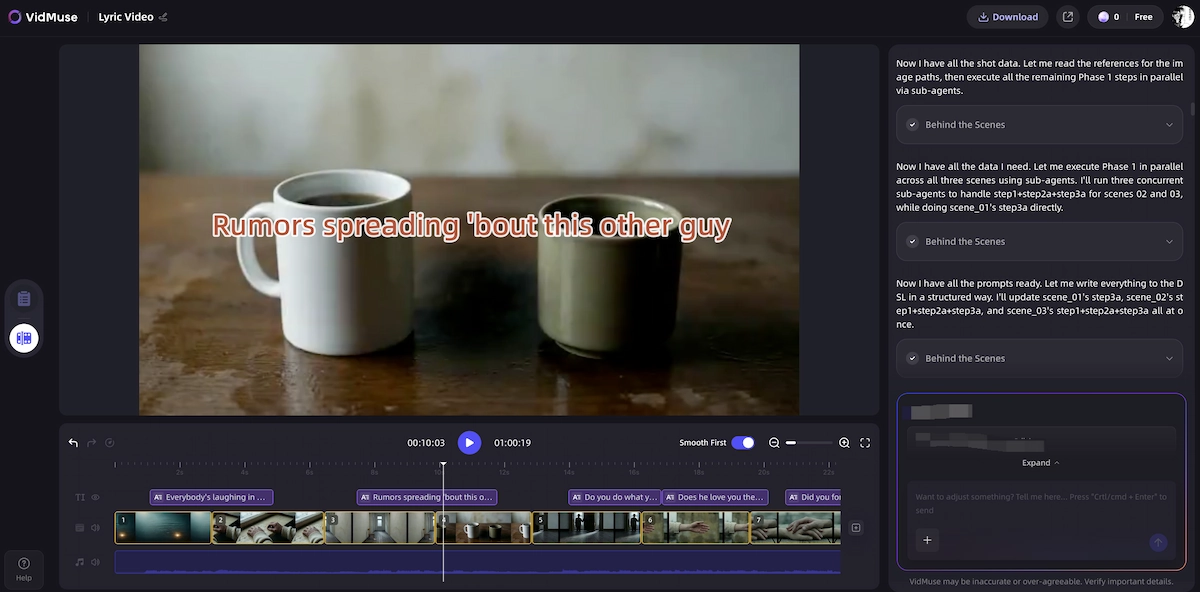
VidMuse treats lyric video making as a full production, not a text-overlay task. The platform's agent-based logic plans the entire video before generating a single frame — which is why the output looks like a directed music video rather than a lyrics karaoke file.
For a broader platform walkthrough, see the VidMuse guide, or start from the music to video AI workflow if your track is already finished.
Make Lyric Video from Audio in Minutes
Add lyrics to video automatically online free with VidMuse AI.
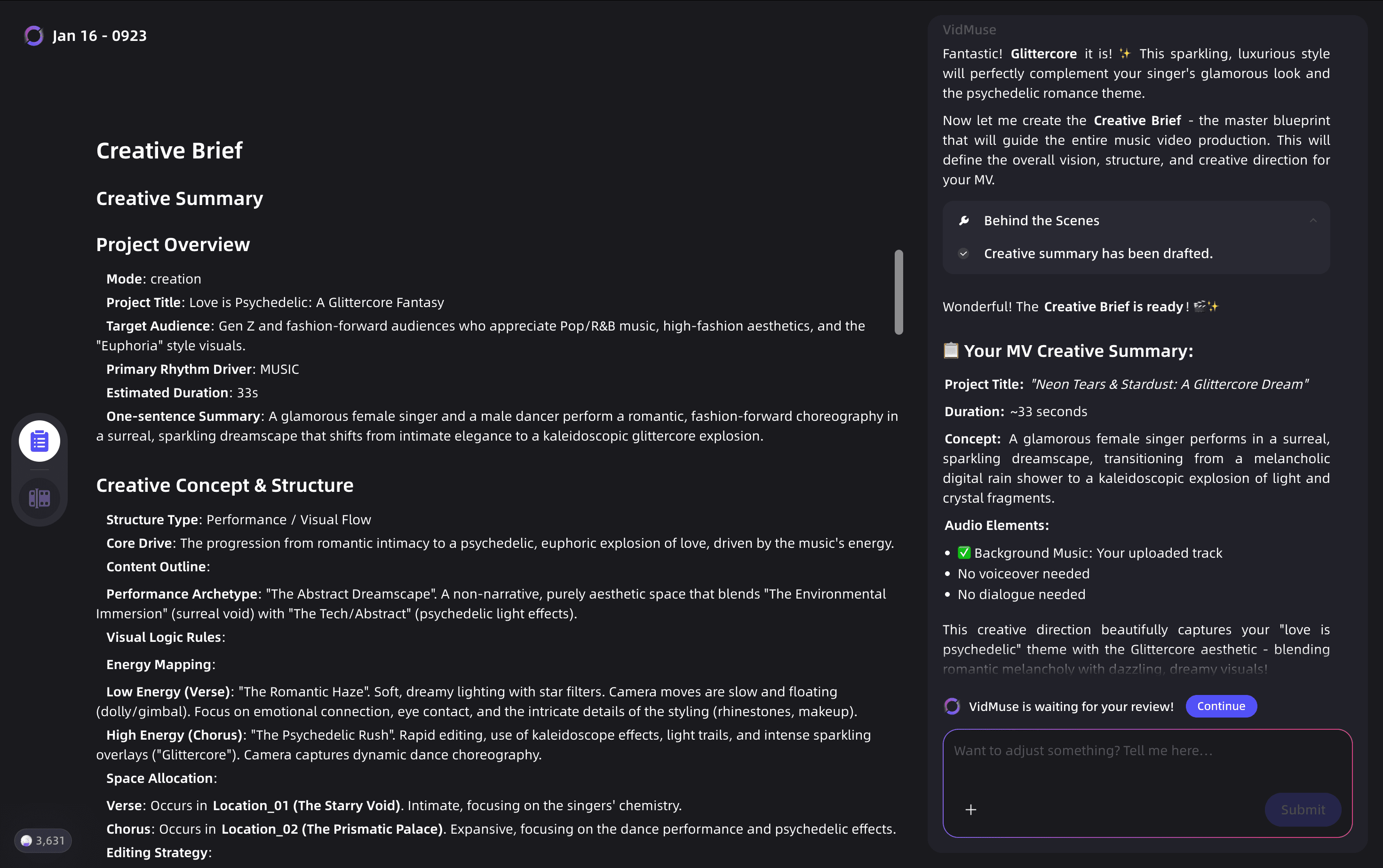
Start with a Creative Brief
Select Story MV or Performance MV, then describe mood, references, colors, and imagery.
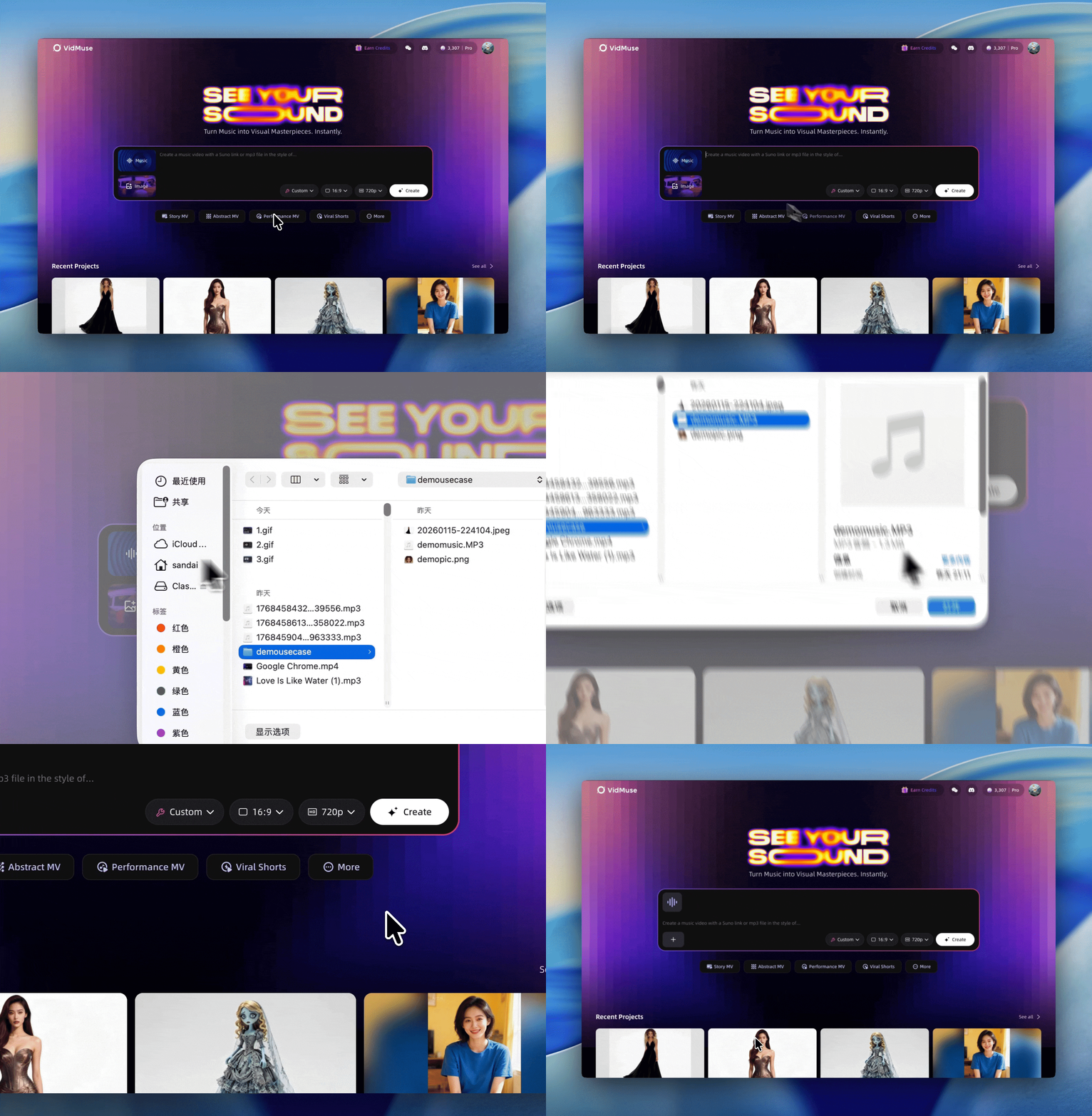
Import or Generate Your Track
Upload a Suno track or create one in VidMuse, then paste or upload lyrics.
Reference Generation
Review visual references before any full video generation begins.
Scene & Shot List
Approve the verse, chorus, and bridge scenes before generation.
Storyboard Review
Check text positioning, typography, scene transitions, and Shot Refine changes.
Video Generation
Choose Studio or Lite mode and generate the synchronized lyric video.
Timeline Editor and Export
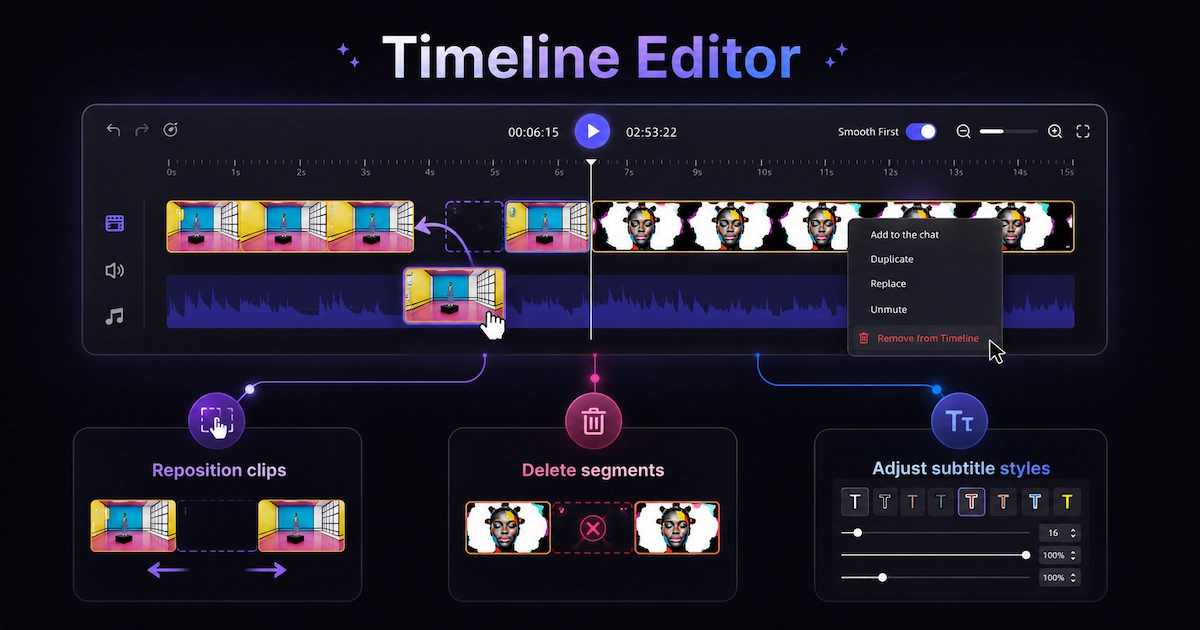
Adjust cuts, lyric timing, transitions, and export format.
Here is the complete workflow:
Step 1 — Start with a Creative Brief
Open VidMuse and select a template type. For lyric videos, Story MV and Performance MV are the most relevant starting points. Story MV generates scene-based visuals that change with the song's narrative arc. Performance MV focuses on artist or character footage with the lyric overlay.
Enter your creative brief: song mood, visual references, color palette preferences, and any specific imagery you want. The more specific your brief, the more on-brand the output.
Step 2 — Import or Generate Your Track
If you produced your track in Suno AI, export it and upload it directly to VidMuse. VidMuse integrates Suno AI natively — you can also generate an original track using Suno within the platform without switching tabs. This is particularly useful if you're starting from scratch and want audio and visuals created in a single session.
Paste or upload your lyrics. VidMuse reads the lyrics and the audio together to plan timing automatically.
Step 3 — Reference Generation
VidMuse generates reference visuals based on your brief before committing to a full video. This is a critical step that most lyric video tools skip. You see a visual direction — color grading, scene style, typography register — and can reject or refine it before any video generation begins. This prevents wasted credits and ensures the output matches your vision.
Step 4 — Scene & Shot List
The AI Director breaks your song into sections (verse, chorus, bridge) and assigns a visual scene to each. Each scene has a shot type (wide, close-up, abstract, performance), a location or environment, and a color mood. You can edit any of these assignments before generation.
This is where lyric video making in VidMuse diverges most sharply from template tools. Instead of one looping background, you get a fully sequenced visual narrative that changes with the song structure.
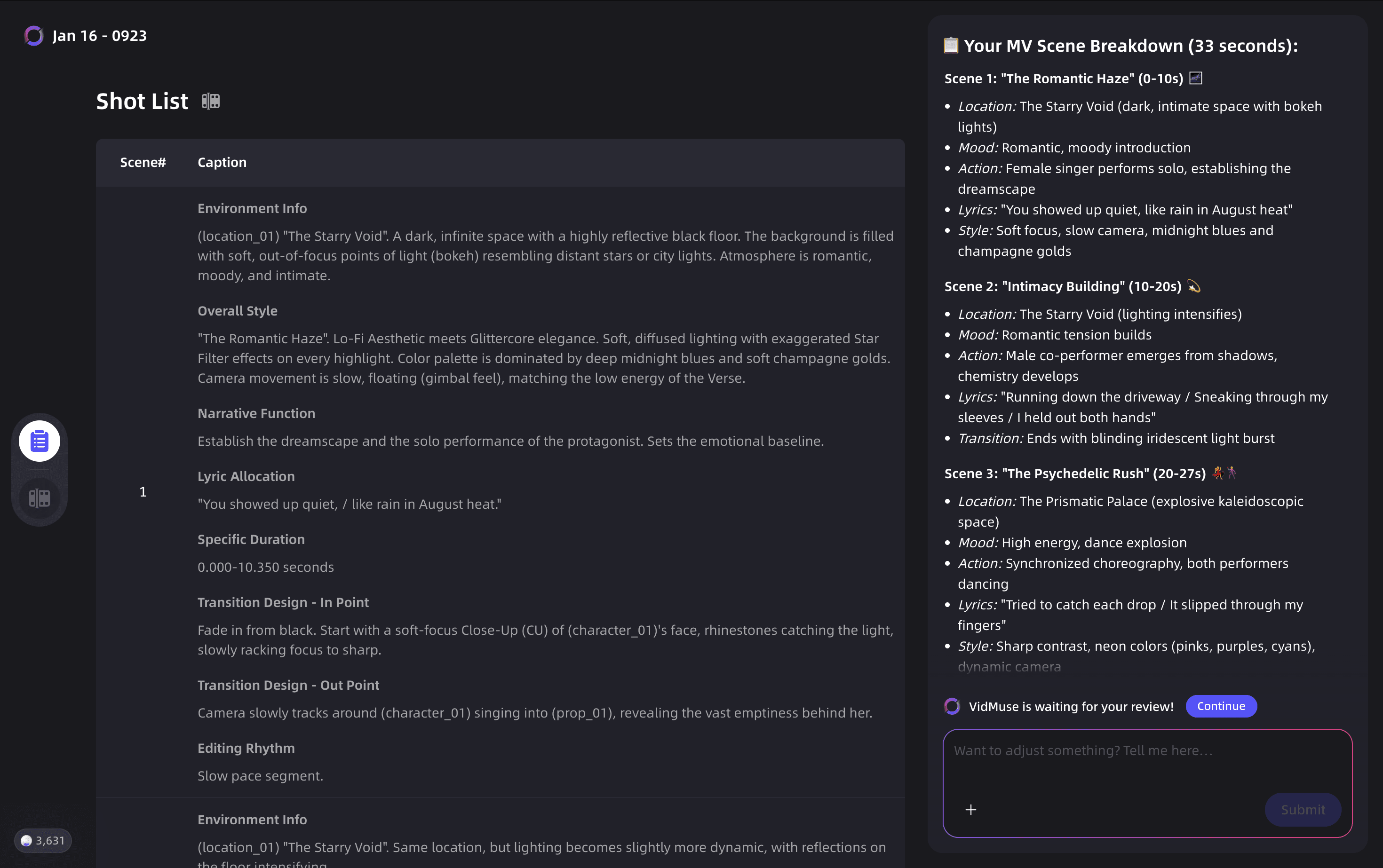
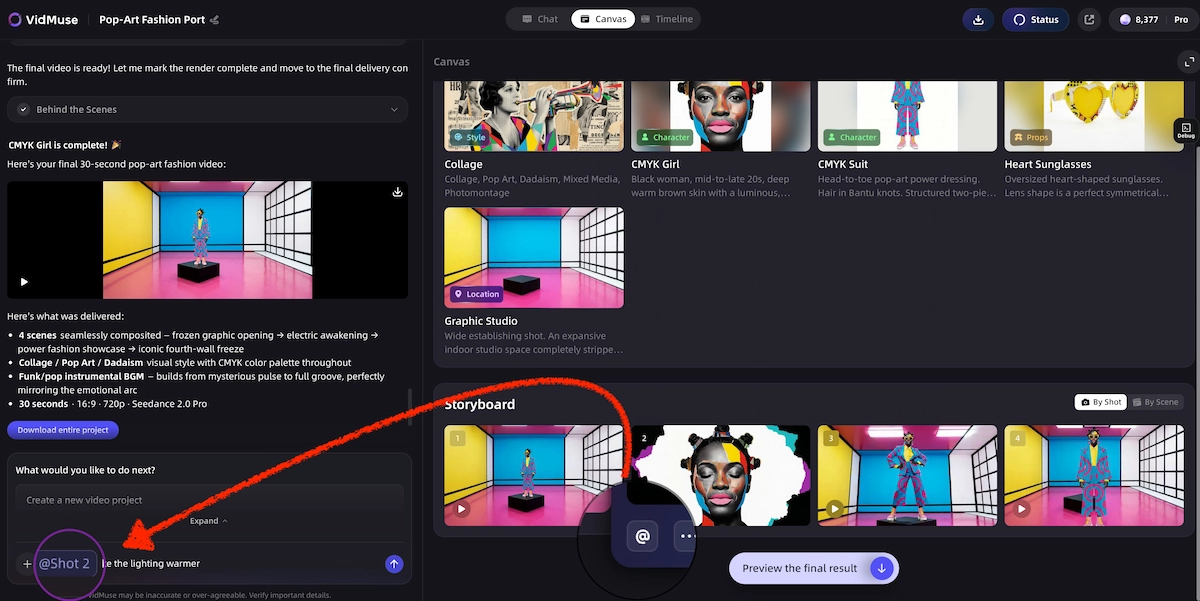
Step 5 — Storyboard Review
Before video generation, VidMuse shows you a storyboard: one frame per scene with the lyric text positioned as it will appear. Review font choices, text positioning, and scene transitions here. Make edits using Shot Refine by Quoting — VidMuse 2.0's feature that lets you highlight a specific shot and request a change using natural language, without regenerating the entire video.
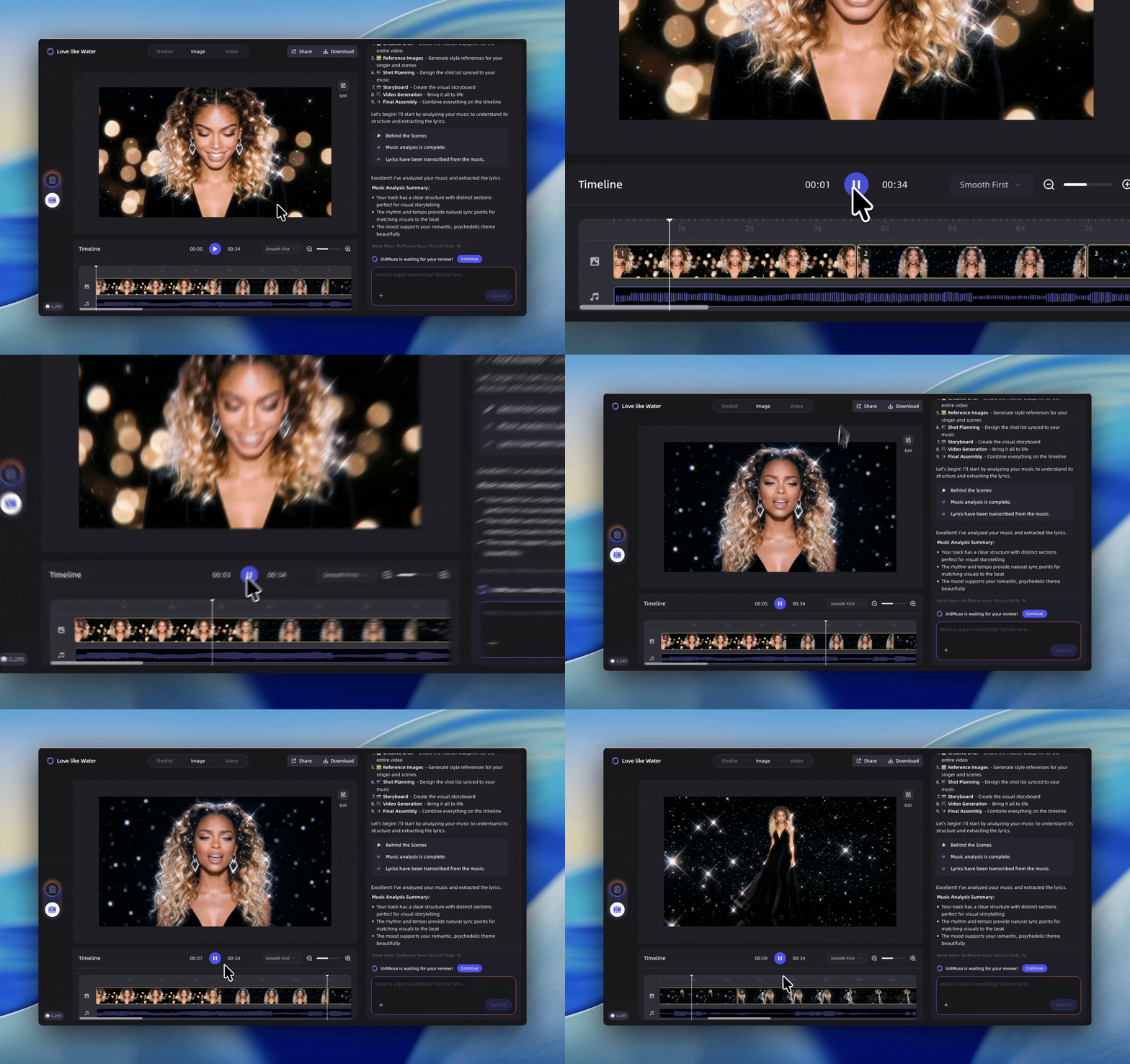
Step 6 — Video Generation
Select your generation mode:
- Studio mode uses the highest-quality video models (Veo 3.1, Kling V3.0 Pro, Seedance 2.0 Pro) for the most cinematic output. Best for YouTube releases and official music videos.
- Lite mode uses the Seed series for faster, more cost-efficient generation. Best for social media clips, drafts, or high-volume output.
Generation takes a few minutes per scene. VidMuse assembles the scenes into a continuous video with the lyric text animated and synchronized.
Step 7 — Timeline Editor and Export
Use VidMuse's Timeline Editor to adjust scene cuts, fine-tune lyric timing, and add or remove transitions. Export at 1080p for YouTube or in vertical format (9:16) for TikTok and Reels.
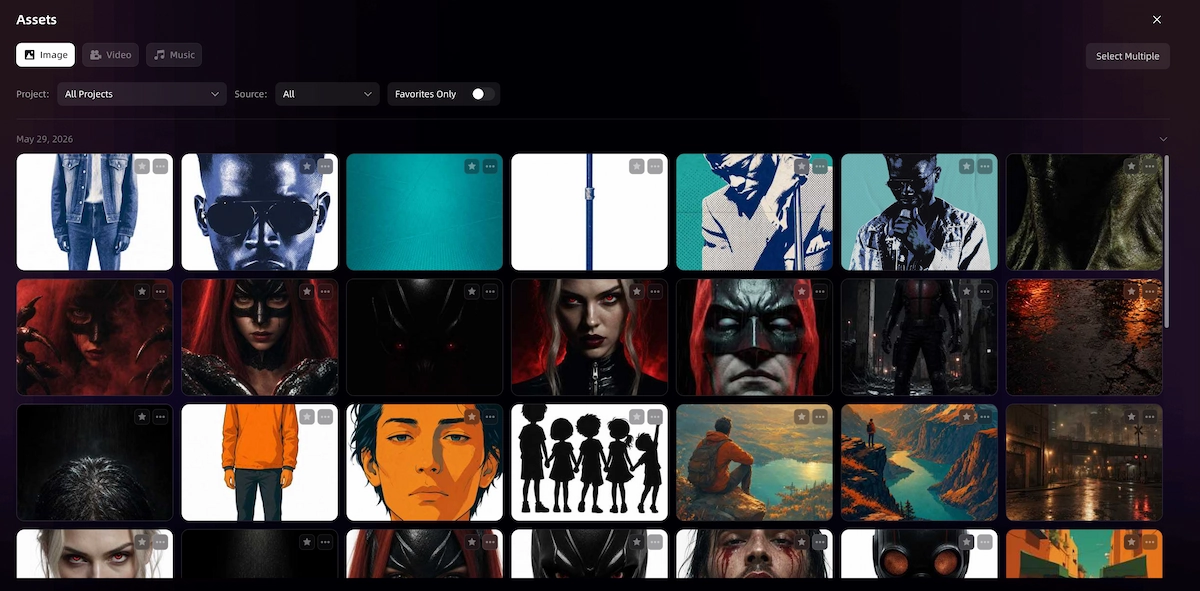
Save your assets — backgrounds, fonts, color palettes — to the Asset Library & Memory so future lyric videos maintain visual consistency across your catalog.
Free Lyric Video Makers — What You Actually Get
Free lyric video tools are worth using for simple use cases, but they come with real limitations that affect output quality at scale.
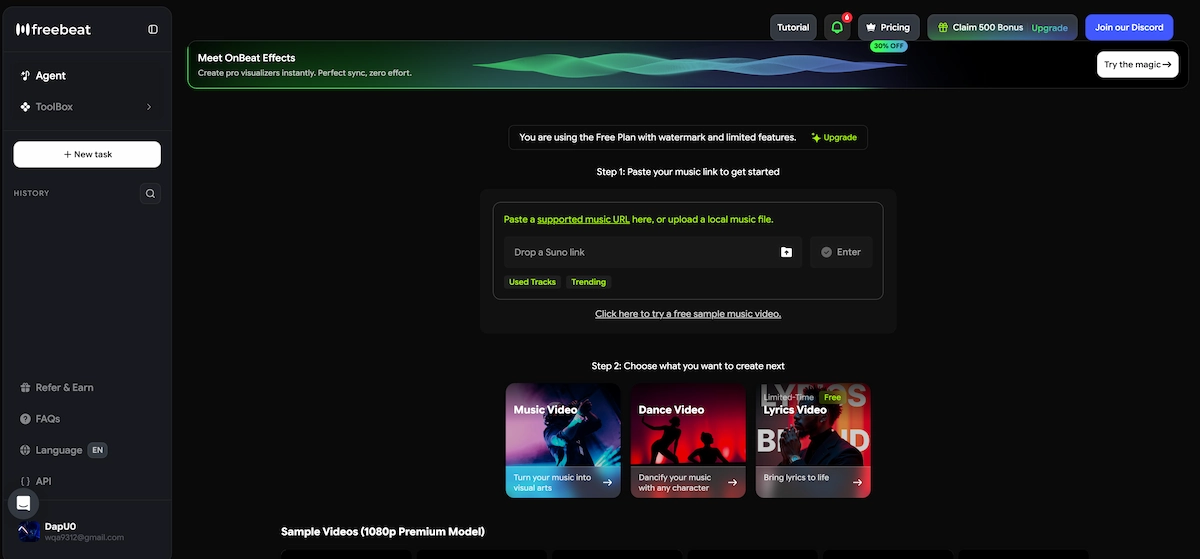
Freebeat AI (freebeat.ai/lyrics-video-generator)
Freebeat offers an AI lyric video generator with automated syncing. The tool is straightforward: upload your track, paste lyrics, and the AI assigns timing. Backgrounds are AI-generated images rather than video, which reduces cinematic quality but keeps generation fast. The free tier is functional for basic YouTube uploads. Customization is limited to font and color choices from a preset library.
Best for: Quick lyric videos for single releases where you don't need scene-by-scene visuals.
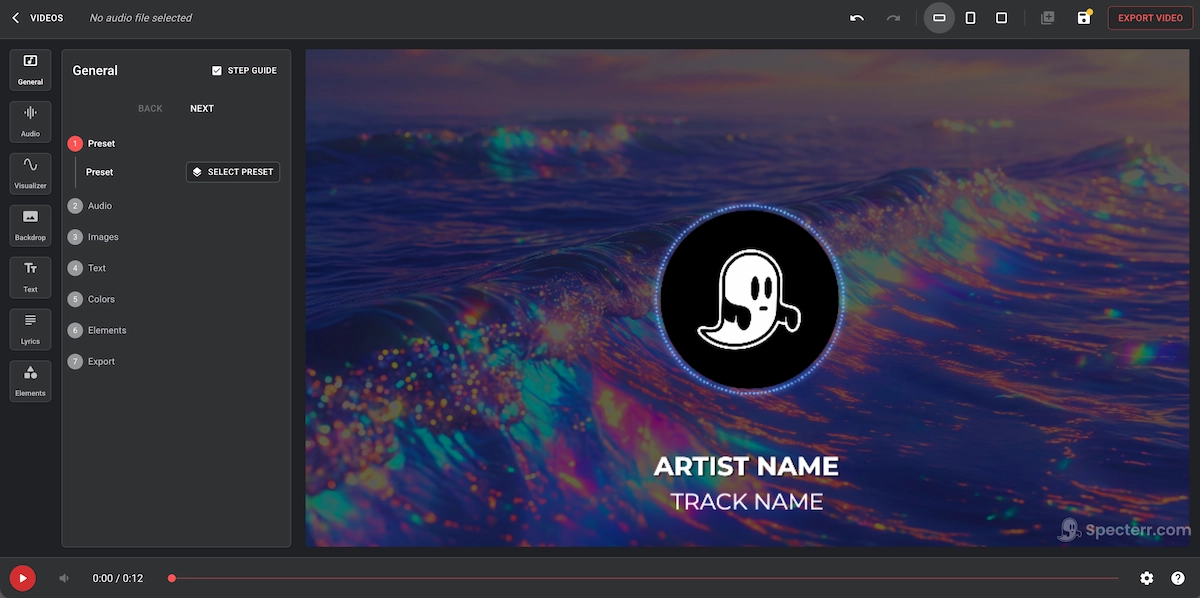
Specterr (specterr.com/lyric-video-maker)
Specterr sits between a music visualizer and a lyric video maker. It generates reactive backgrounds — waveforms, spectrum visualizations — with lyric text overlaid. The output has a distinctive visual identity that works well for electronic and hip-hop content. Less suited to acoustic, classical, or narrative-driven music where the visual should serve the song's story rather than just its sound.
Best for: Artists who want visualizer-style energy with readable lyrics on top.
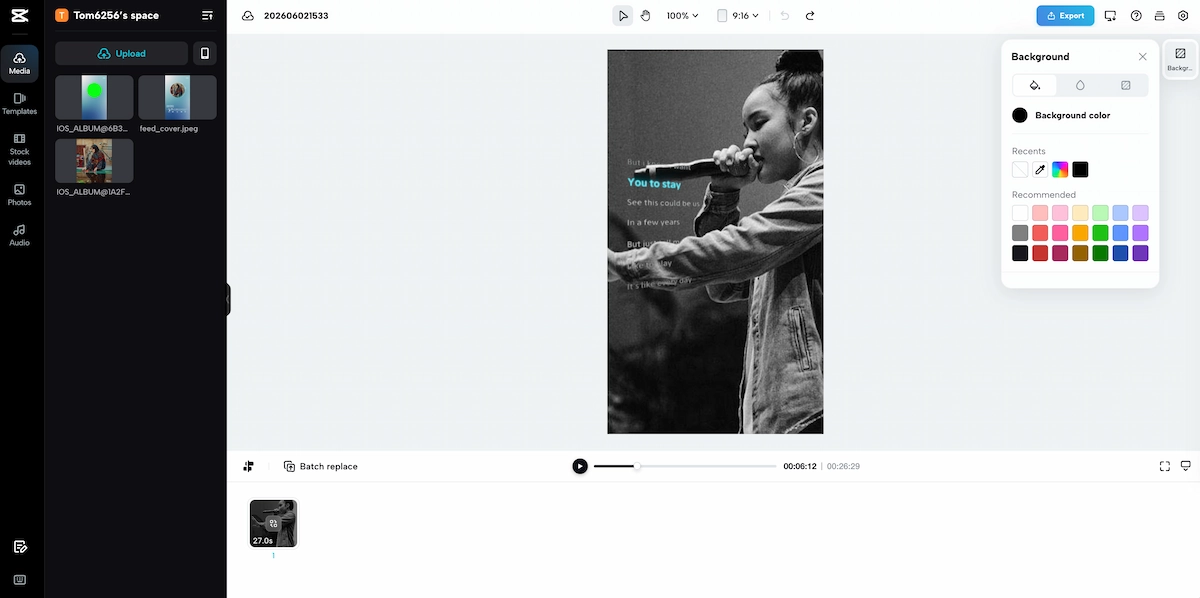
CapCut Lyric Video Maker
CapCut's auto-captions feature is the fastest free way to add synchronized lyrics to a video. Upload your track, let CapCut transcribe it, style the captions, and export. The limitation is that CapCut generates captions — not designed lyric animations. The output looks like a captioned video, not a produced lyric video. Fine for TikTok, less appropriate for a YouTube music release.
Best for: Social-first content where captioned text is the expected format.
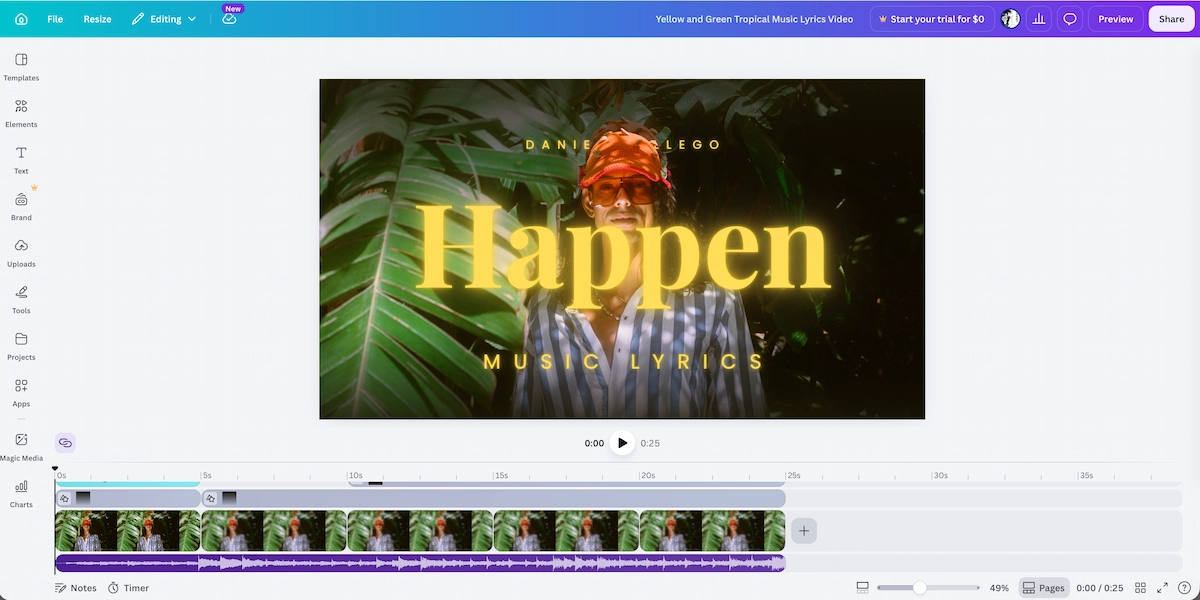
Canva Lyric Video Maker
Canva's video templates include lyric video presets. You control every design element, which is both the strength and the weakness — it's powerful if you have design instincts, time-consuming if you don't. No automatic timestamp generation in the standard editor.
Best for: Creators with design skills who want precise visual control without paying for video-specific software.
Common Mistakes That Kill Lyric Video Quality
Mistake 1 — Using the same background for the entire song
A static or looping background that doesn't change with the song structure reads as unfinished. Verse and chorus should feel visually different. Use scene transitions, color shifts, or environment changes to signal song structure.
Mistake 2 — Choosing fonts that look great in isolation but fail at scale
Script fonts, very thin fonts, and very small fonts all fail on mobile screens where a large percentage of your audience watches. Test your typography at half-size before committing.
Mistake 3 — Not matching the lyric animation style to the song's energy
A word-by-word pop-up animation works for hip-hop. It feels wrong for a slow ballad. A gentle fade-in works for ambient music. It disappears in a drum-heavy track. Match the animation timing and style to the song's BPM and genre.
Mistake 4 — Ignoring export format requirements by platform
YouTube: 16:9, minimum 720p, preferably 1080p or 4K. TikTok and Reels: 9:16 vertical, 1080 × 1920. Spotify Canvas: 9:16, 3–8 seconds looping (lyric video clips, not full videos).
Exporting in the wrong ratio forces the platform to crop or letterbox your video, often cutting off the lyrics.
Mistake 5 — Skipping the creative brief and going straight to generation
The most common mistake with AI tools. Users who skip the brief stage and generate immediately get generic output. Every AI lyric video generator — including VidMuse — produces significantly better results when given explicit visual direction before generation begins.
Music Visualizer vs. Lyric Video — Which Should You Make?
Music visualizers and lyric videos solve different problems, and choosing the wrong format is one of the most common early mistakes.
A music visualizer reacts to the audio signal — waveforms, frequency bars, pulsing shapes — creating animation that feels live and reactive. It doesn't require lyrics and works well for instrumental tracks, DJ sets, lo-fi streams, or any content where the mood matters more than the words.
A lyric video requires accurate lyrics, readable typography, and precise timing. It's the right choice when:
- Your song has lyrics you want listeners to know
- You're releasing to lyric-discovery platforms (Genius, MusixMatch, YouTube Music)
- You want to drive singalong engagement on social media
- You're producing worship content, explainer music, or branded audio
When to choose a music visualizer instead:
- The track is instrumental or has very minimal lyrics
- You want a looping background for a livestream or playlist
- You need to produce visuals within 30 minutes with no lyrics file
The two formats are not mutually exclusive. VidMuse can incorporate both — generating cinematic scene-based backgrounds that react to the music while displaying synchronized lyrics as a text layer.
AI Lyric Video Makers — What to Look for Before You Pick One
Before choosing an AI lyric video generator, evaluate it on five criteria:
1. Automatic lyrics detection
Does the tool extract lyrics from your audio automatically, or do you need to provide them? Auto-detection saves significant time and reduces error, especially for AI-generated tracks where the lyrics may not be written down.
2. Timestamp automation
Can the tool sync each lyric line to the audio without you writing timestamps manually? This is the single biggest time-saving feature in any lyric video generator. Tools that still require manual timestamps are not truly AI-powered — they're just templates with a text editor.
3. Visual quality of backgrounds
Does the tool offer cinematic AI-generated video backgrounds, or only static images and looping GIFs? For YouTube and social media, video backgrounds outperform static ones in retention.
4. Typography and animation control
Can you customize fonts, colors, animation style, and text positioning? Or are you locked to one or two presets?
5. Export resolution and format
Does the free tier export at 1080p or is it locked behind a paywall? YouTube requires at minimum 720p. Most professional distribution expects 1080p.
FAQ
How do I make a lyric video for free?
Several tools offer free lyric video creation, including CapCut (via auto-captions), Canva (via video templates), and Freebeat AI. For basic lyric videos — text on a background, synchronized to audio — these free options are functional. If you need cinematic scene-based visuals, animated typography, or professional export quality, a paid platform like VidMuse produces substantially better results.
What is the best AI lyric video maker?
The best AI lyric video maker depends on your use case. For social media clips and quick uploads, CapCut or Freebeat AI cover the basics efficiently. For a full music video production with cinematic backgrounds, scene-by-scene structure, and brand-consistent visuals, VidMuse's AI Director workflow is the most comprehensive option — it plans the entire video rather than just overlaying text on a template.
Can I make a lyric video without knowing the timestamps?
Yes. Modern AI lyric video generators including Freebeat AI and VidMuse auto-detect your audio and assign timestamps to each lyric line automatically. You provide the lyrics text (or let the AI transcribe them), and the tool handles timing. This eliminates what was historically the most labor-intensive part of lyric video production.
How do I make a lyric video for YouTube?
Export your lyric video at 1080p in 16:9 aspect ratio (minimum 720p). Ensure the text is legible at full size and at 50% (mobile). YouTube also recommends uploading a separate SRT caption file — many AI tools export this alongside the video. Title your upload with the song name and "Lyric Video" to signal the format to both the algorithm and search users.
What is the difference between a lyric video generator AI free and a paid tool?
Free AI lyric video generators typically offer static or looping image backgrounds, limited font options, standard-definition exports (or watermarked HD), and minimal visual customization. Paid tools offer AI-generated video backgrounds, cinematic quality, full typography control, multi-scene sequencing, and 1080p or 4K export without watermarks. The gap in output quality between free and paid is significant for any content intended for a professional music release.
How long should a lyric video be?
For YouTube, the ideal lyric video length matches the full song — typically 2:30 to 4:00 minutes. For TikTok and Reels, 30–60 seconds of the most compelling section (usually the chorus) performs better than the full track. VidMuse supports both formats natively and can generate vertical short-form versions of a lyric video alongside the full YouTube version.
Can VidMuse generate both the music and the lyric video?
Yes. VidMuse integrates Suno AI directly, so you can generate an original track within the platform and immediately build a lyric video around it without switching tools. The Creative Brief → Reference Generation → Scene & Shots List → Storyboard → Video Generation workflow runs entirely inside VidMuse from audio creation to final export.
Conclusion
Lyric video making has been fundamentally changed by AI — what once required hours of manual timeline work can now be completed in a single session with the right tool. The key is matching the tool to the output you actually need.
If you're producing content for personal use or quick social uploads, start with a free option like CapCut or Freebeat AI and learn what the format requires. If you're releasing music professionally — on YouTube, Spotify, or any platform where visual quality reflects on your brand as an artist — the jump to a production-grade platform pays off immediately in output that audiences take seriously.
VidMuse's AI Director approach is the most complete solution currently available for indie musicians and content creators who want studio-quality lyric videos without a studio budget. The agent-based workflow, multi-model video generation, and native Suno integration mean you can go from track to finished lyric video in a single session — and every video you make builds your visual identity in the Asset Library for the next release.
Start with your Creative Brief. The rest follows.
Make Lyric Video from Audio in Minutes
Add lyrics to video automatically online free with VidMuse AI.

Written By
VidMuse Team
Continue Reading
Latest blog posts related to AI video creation.
PixVerse V6 x VidMuse AI: Model Guide and Video Workflow
PixVerse V6 review and VidMuse integration guide. Capabilities, 15s 1080p video, prompt tips, model comparison, pricing, and how to use V6 in VidMuse workflows.
FLUX 3: What It Is, Capabilities, and How to Access It
FLUX 3 is Black Forest Labs' multimodal AI model for image, video, audio, and action. Full guide: capabilities, FLUX 3 vs FLUX 2, availability, and pricing.
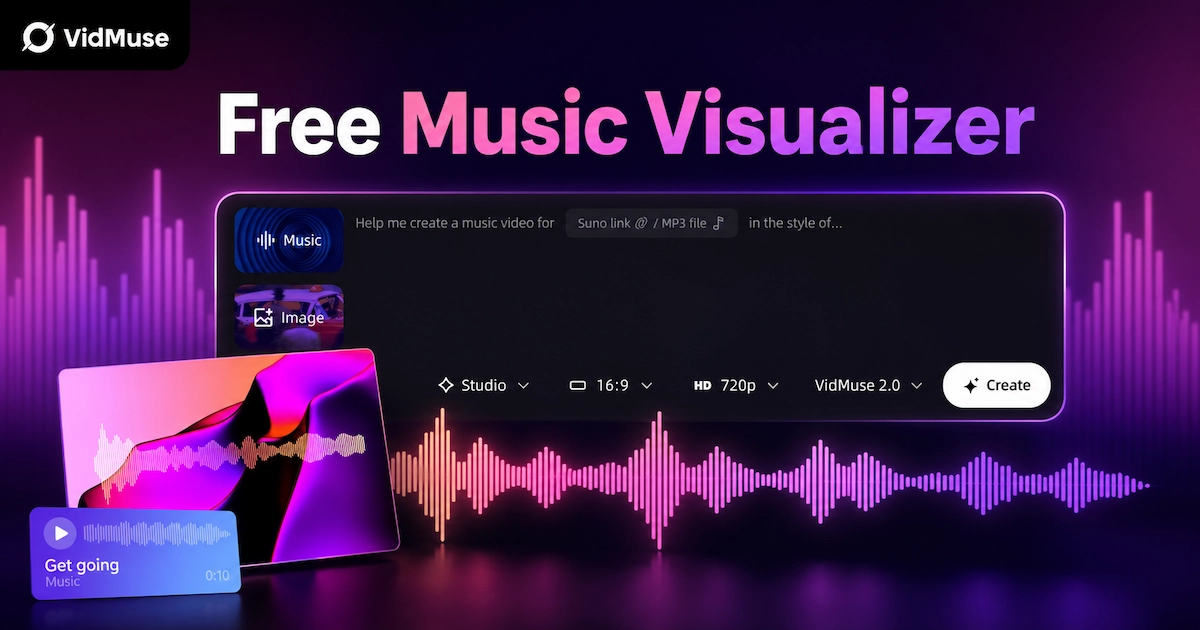
Free Music Visualizer: 10 Best Free Tools in 2026
Compare 10 best free music visualizers in 2026. Waveform tools, AI music video makers, watermark policies, export limits, and which tool fits your workflow.