

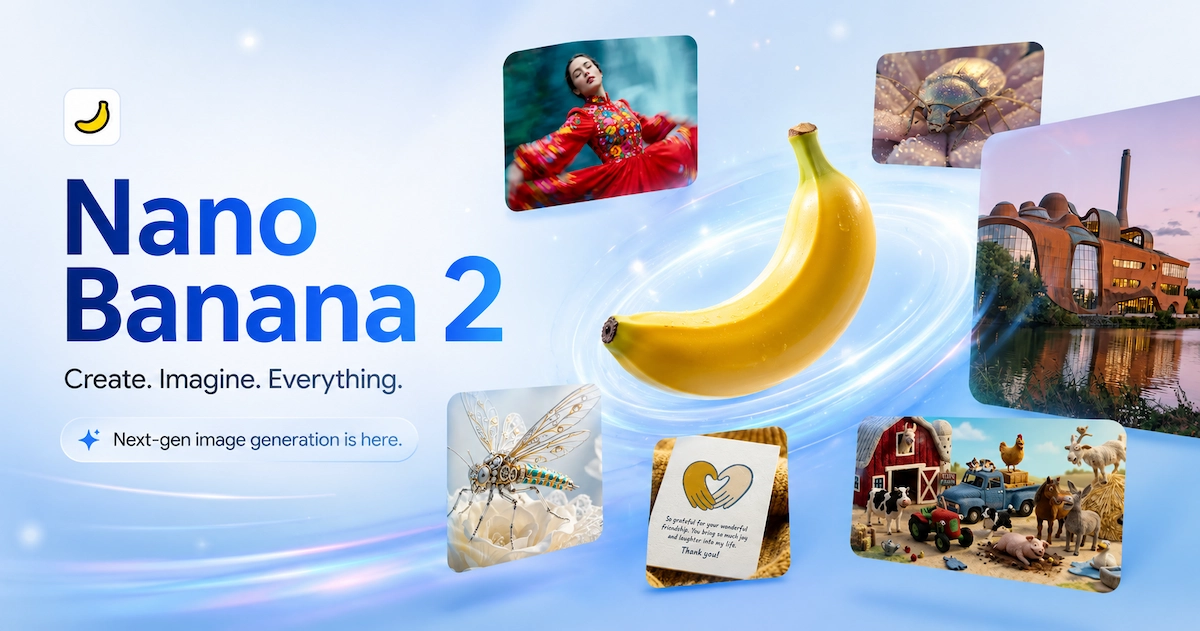
Nano Banana 2 Direct Answer
Nano Banana 2, officially known as Gemini 3.1 Flash Image, is Google's newer Flash-speed AI image generation model. It is designed to bring many Nano Banana Pro-style capabilities, including stronger subject consistency, better text rendering, real-world grounding, and high-resolution image output, into faster and more affordable workflows.
For music video creators, Nano Banana 2 is most valuable as a reference image engine. It helps generate character looks, locations, color palettes, storyboard frames, posters, and lyric visuals before downstream video generation begins. In VidMuse AI, those images can become visual anchors for Creative Brief, Reference Generation, Storyboard, and Video Generation stages.
Create Your AI Video in Minutes
Turn your Nano Banana 2 references, song, and creative brief into a complete AI music video workflow.
Key Takeaways
- Nano Banana 2 is Google's Gemini 3.1 Flash Image model, built for faster image generation and editing.
- It brings many Pro-level capabilities into a Flash-style workflow, including subject consistency, instruction following, text rendering, and high-resolution outputs.
- It is a strong fit for music video pre-production because it can generate consistent characters, environments, and storyboard references quickly.
- Nano Banana Pro still makes sense for high-stakes single assets where maximum deliberation and factual precision matter.
- On VidMuse, Nano Banana 2 images work best as upstream references that guide scene planning and video generation.
What Is Nano Banana 2?
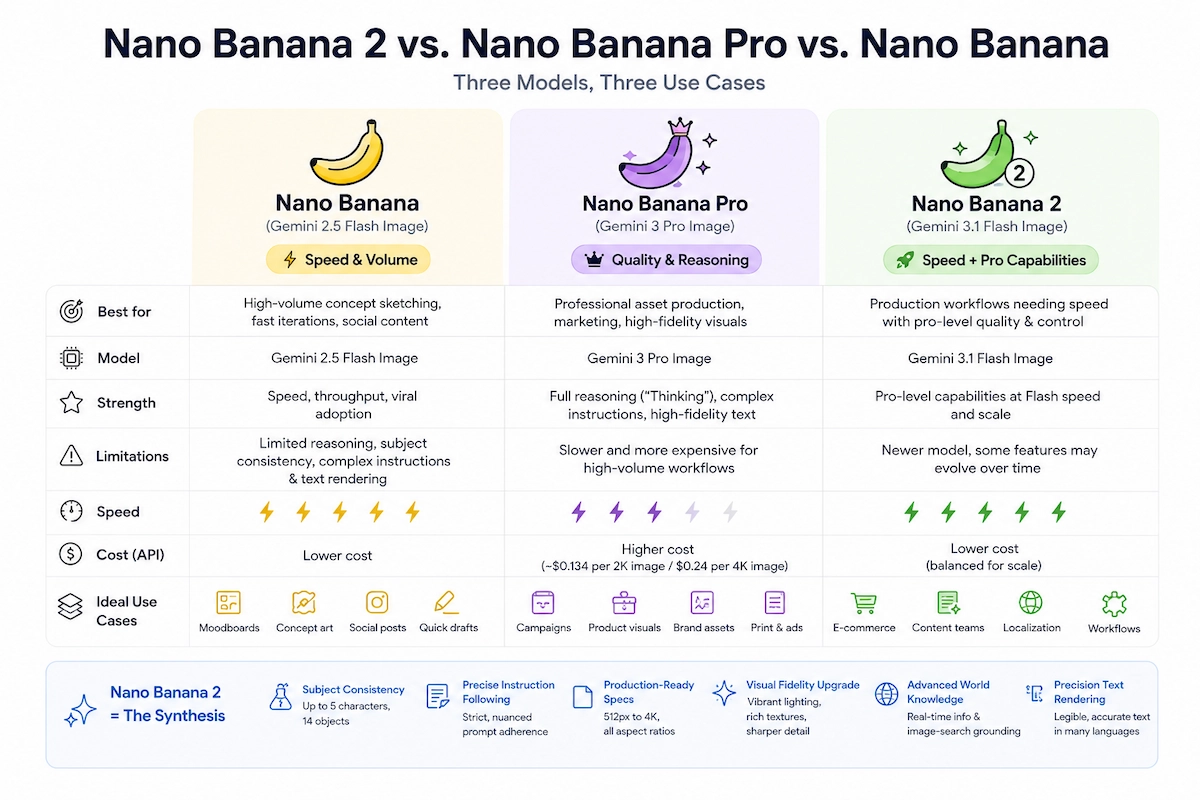
Nano Banana 2 is part of Google's Nano Banana image model family. The original Nano Banana, based on Gemini 2.5 Flash Image, prioritized speed and high-volume image creation. Nano Banana Pro, based on Gemini 3 Pro Image, added stronger reasoning, fidelity, text rendering, and multi-subject control at a higher cost and latency.
Nano Banana 2 closes the gap. It uses the Gemini 3.1 Flash Image architecture to offer faster iteration while carrying over the production features creators care about most.
For creators, the practical meaning is simple: Nano Banana 2 is not just a toy image generator. It is a fast pre-production tool for creating the visual references that help AI video models stay coherent across scenes.
Nano Banana 2 vs Nano Banana Pro vs Nano Banana
Choosing the right Nano Banana model depends on speed, cost, and precision requirements.
Nano Banana
Best for
- Fast high-volume ideation
- Good for casual concepts and quick social drafts
- Lower latency for rough exploration
Watch out
- Weaker consistency for characters and objects
- Less reliable for production text and complex prompts
Nano Banana 2
Best for
- Pro-style quality at Flash speed
- Strong fit for music video reference generation
- Good balance of consistency, cost, and iteration speed
Watch out
- Still needs review for final commercial assets
Nano Banana Pro
Best for
- Best for high-stakes single assets
- Deeper reasoning and maximum factual precision
- Strong choice for definitive album art or hero visuals
Watch out
- Slower and more expensive for large reference batches
Practical rule for music video creators: use Nano Banana for rough ideation, Nano Banana 2 for production references, and Nano Banana Pro for final hero images where precision matters more than speed.
Core Features That Matter for Visual Creators
World Knowledge and Image-Search Grounding
Nano Banana 2 can use Gemini's knowledge and search-grounded context to render specific places, objects, and cultural references more accurately. That matters when a music video needs a recognizable city, a real-world fashion direction, or a visually grounded environment rather than a generic approximation.
Subject Consistency Across Characters and Objects
Music video production depends on visual continuity. Nano Banana 2 can help maintain recurring character looks, outfits, products, props, and scene details across multiple reference images. This is especially useful before sending references into a video model.
Resolution and Aspect Ratio Control
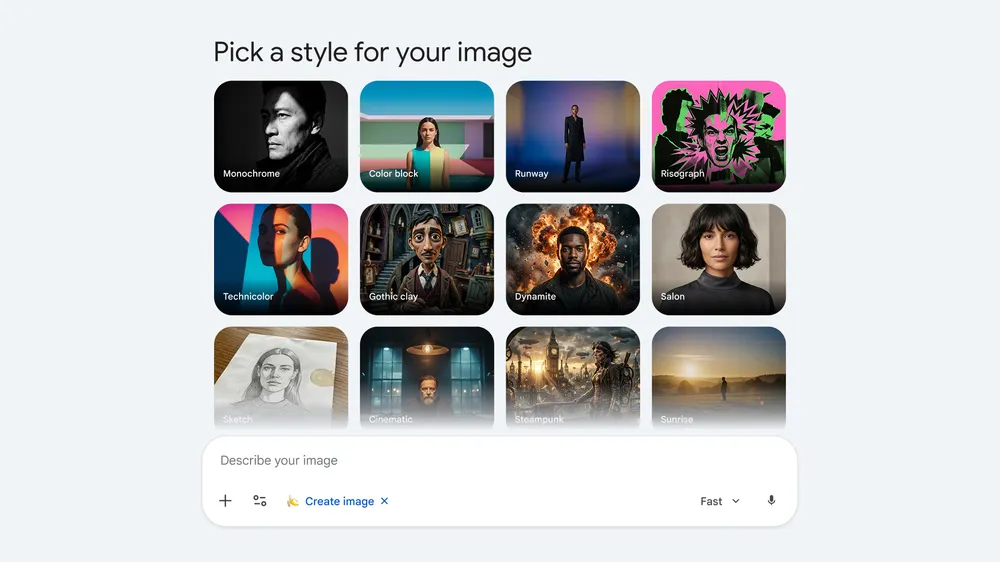
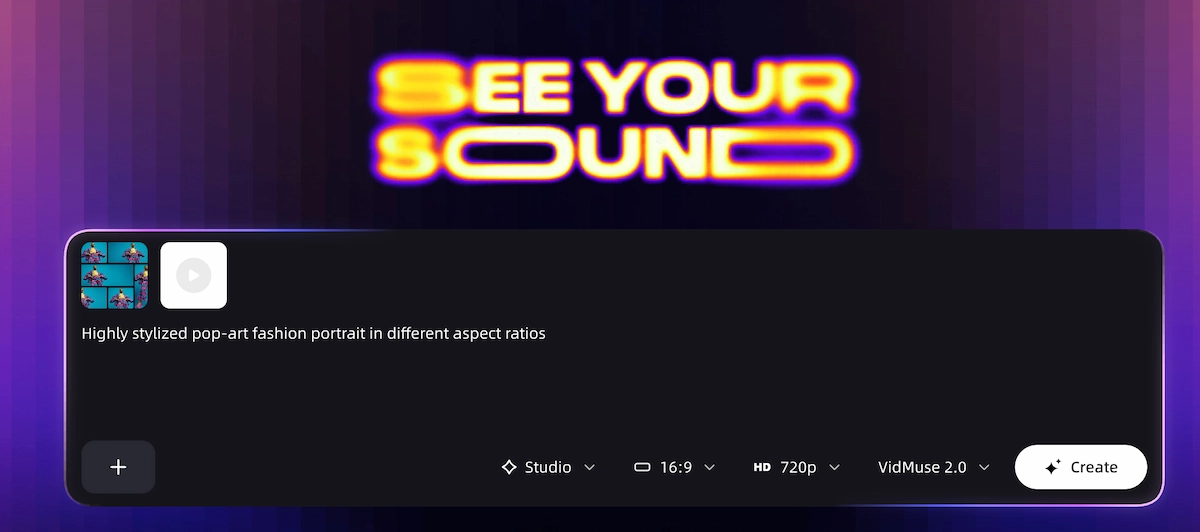
Nano Banana 2 can generate images for different production formats: 16:9 storyboard panels, 9:16 vertical social visuals, 1:1 cover art, thumbnails, and 4K-ready references.
Precision Text Rendering
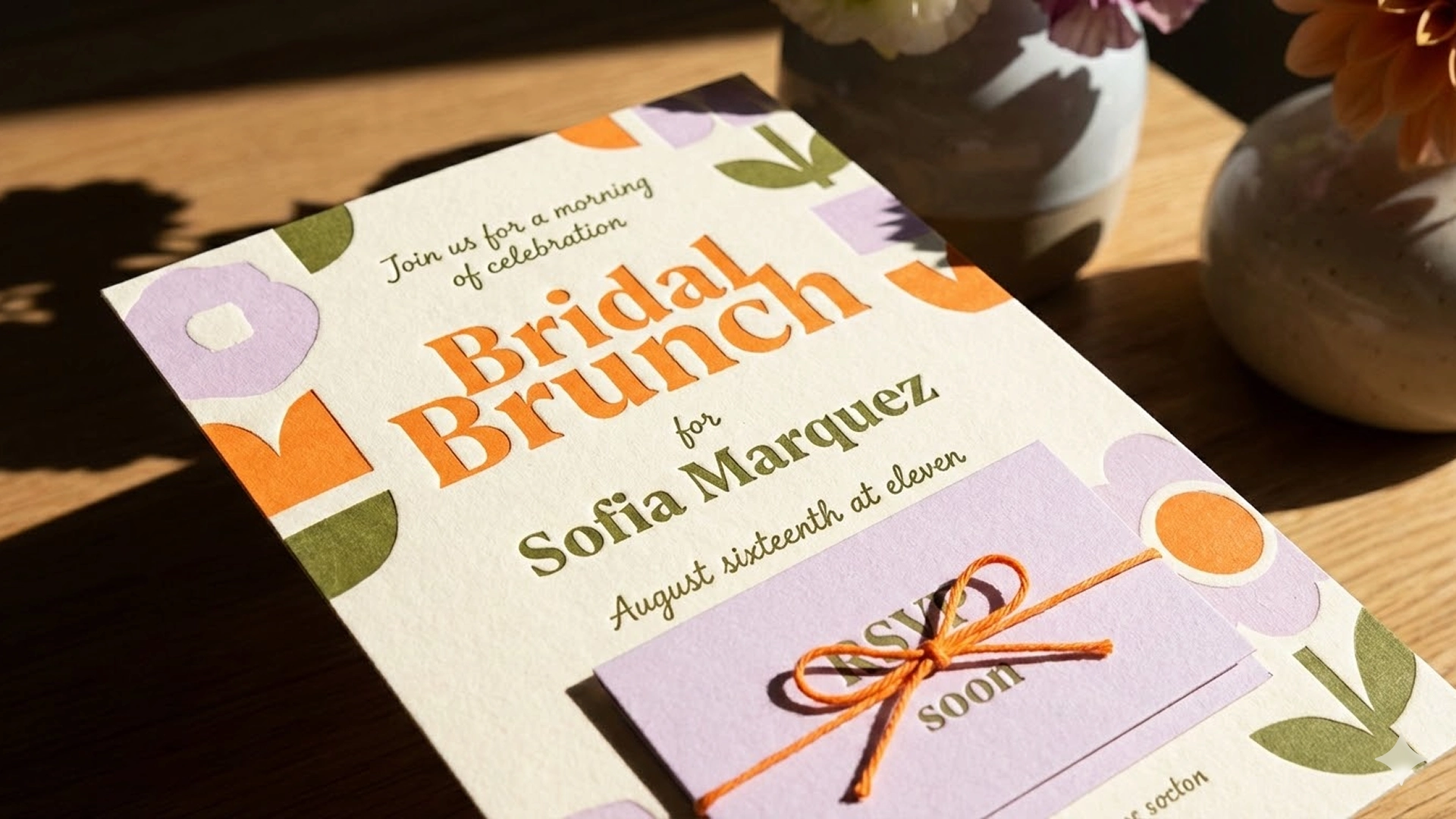
Nano Banana 2 improves text inside images, including posters, lyric cards, merch mockups, greeting cards, and marketing assets. For independent musicians, this can reduce manual design cleanup across release campaigns.
SynthID and Content Provenance
Google applies SynthID watermarking and content provenance systems across its AI media workflows. For commercial music releases, this matters because platforms increasingly care about AI disclosure, provenance, and licensing records.
How to Access Nano Banana 2
Nano Banana 2 is rolling out across Google's ecosystem, including Gemini app surfaces, Google Search and Lens experiences, Google Flow, AI Studio, Gemini API, Vertex AI, Google Ads, and developer tooling. Exact access depends on region, account type, quota, and product surface.
Choose your access surface
Use the Gemini app, Google Flow, AI Studio, Gemini API, Vertex AI, or another supported Google product surface.
Confirm model availability
Check whether Nano Banana 2 or Gemini 3.1 Flash Image is available on your account and whether you have free or paid quota.
Select your output goal
Decide whether you need album art, character references, locations, storyboard panels, posters, thumbnails, or lyric visuals.
Generate multiple reference candidates
Create several images per character or location so you can choose the strongest visual anchor for video generation.
Export for downstream video
Save approved images at the right aspect ratio and upload them into VidMuse or another video production workflow.
How to Use Nano Banana 2 as Image Reference for Music Video Generation
Nano Banana 2's most useful role is upstream of video generation. AI video models produce per-shot motion, but they need stable visual anchors. Without a locked character look, location, color palette, and mood, each shot can drift away from the last.
What Makes a Good Nano Banana 2 Reference Image?
- Use production-still language such as "cinematic photograph," "editorial still," or "music video keyframe."
- Specify the character clearly: outfit, hair, expression, lighting, pose, and camera angle.
- Lock the environment: location, time of day, color temperature, and atmosphere.
- Generate at the target video aspect ratio, such as 16:9 for landscape or 9:16 for vertical.
- Create multiple angles so downstream video models have stronger identity anchors.
Step-by-Step: Nano Banana 2 to VidMuse Music Video
VidMuse is built around agent-based production logic. Nano Banana 2 fits naturally as the upstream image reference layer.
Turn References into a Full Music Video
Use VidMuse to transform Nano Banana 2 reference images into scenes, shots, storyboards, and final video clips.
Write your Creative Brief in VidMuse
Define the song mood, tempo, artist identity, template type, narrative direction, and color language.
Generate references with Nano Banana 2
Create character images, location stills, texture references, and atmosphere frames in the right aspect ratio.
Upload references into VidMuse
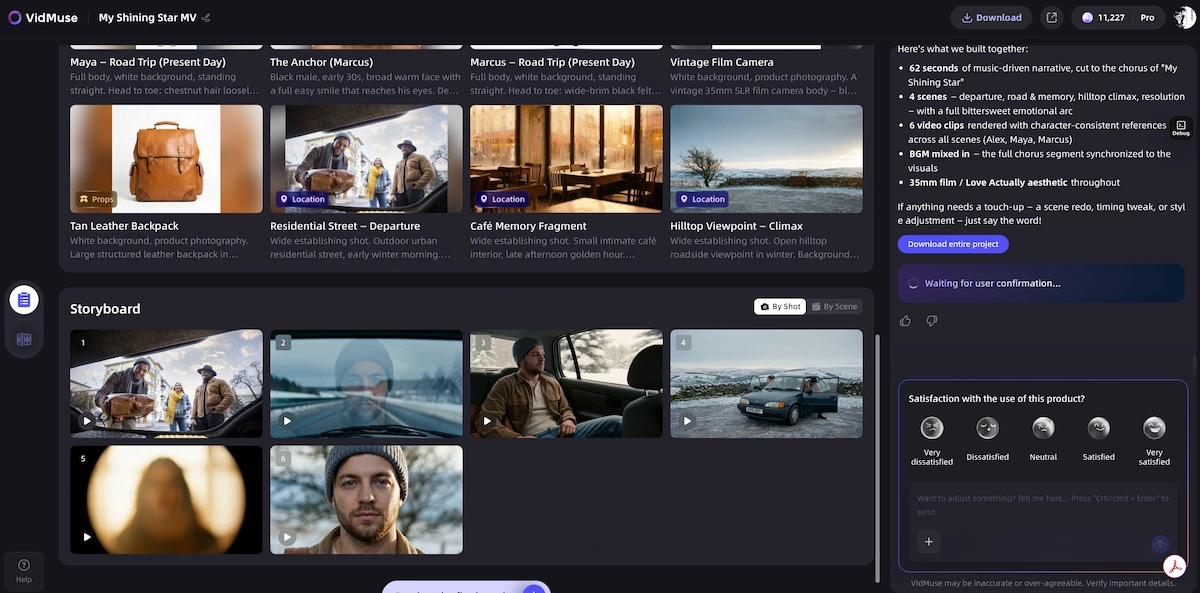
Add the Nano Banana 2 outputs to the Reference Generation stage so the AI Director can use them as visual anchors.
Review the Scene and Shots List
Check whether each planned shot matches the established character, environment, and color palette.
Generate video with VidMuse's model matrix
Use models such as Seedance, Kling, Veo, Sora, Hailuo, Vidu, or Wan depending on the shot type and style.
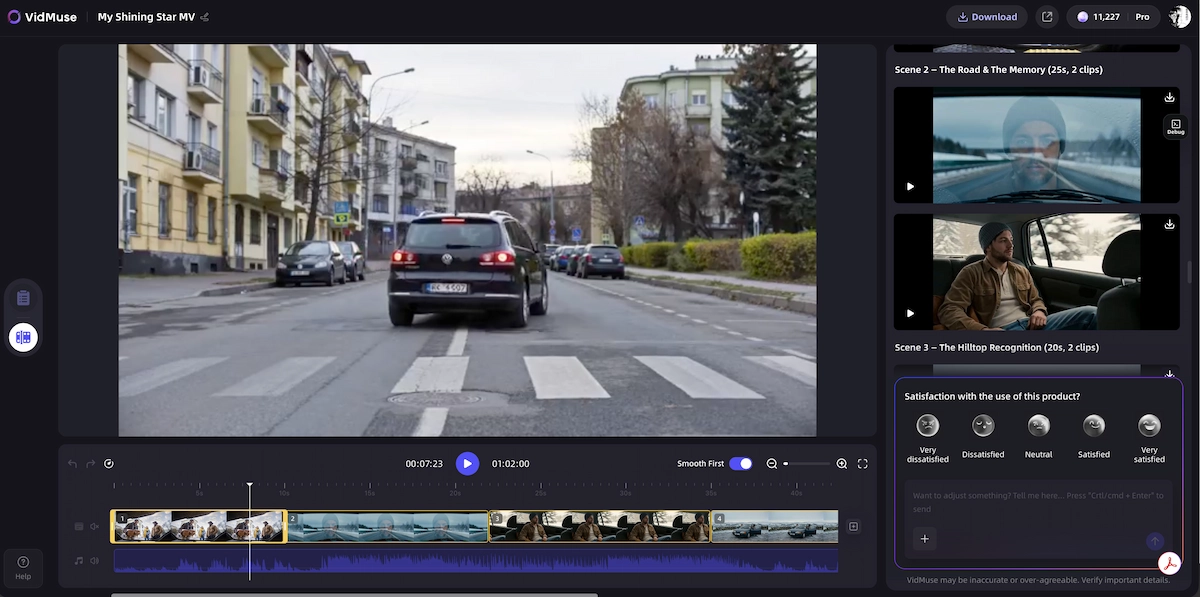
Assemble in the Timeline Editor
Arrange, trim, and refine generated clips into a complete music video while storing assets for reuse.
Nano Banana 2 vs GPT Image 2.0
GPT Image 2.0 is strong for complex layout precision, photorealism, and instruction-heavy image creation. Nano Banana 2's differentiator is Google ecosystem grounding, fast iteration, and subject consistency for reference-heavy workflows.
Nano Banana 2
Best for
- Fast reference generation
- Good fit for recurring characters and environments
- Google search-grounded context for real-world locations
Watch out
- Final typography and factual details still require review
GPT Image 2.0
Best for
- Strong instruction following
- Useful for photorealistic and layout-heavy assets
- Good fit for precise visual design prompts
Watch out
- May not be the fastest choice for large reference batches
Common Mistakes to Avoid
Prompting for concept art instead of production stills. For video references, use photography and cinematography language.
Generating before the creative brief is locked. Write the VidMuse Creative Brief first so each reference belongs to one coherent visual direction.
Creating only one reference per character. Generate at least three to five angles or lighting variants before handing references to a video workflow.
Using Nano Banana 2 for every final asset. Nano Banana Pro may still be better for a single definitive album cover or high-stakes commercial hero image.
Ignoring SynthID and provenance. Review platform policies for AI-generated media before distributing commercial releases.
Skipping style transfer. Use reference-based style transfer to keep color grade, texture, and visual mood consistent across a set of images.
Related Reading
- Nano Banana Pro guide
- ChatGPT Image 2.0 release
- Seedance 2.0 AI video model
- AI music video generator
FAQ
When did Nano Banana 2 come out?
Nano Banana 2 launched on February 26, 2026 as Gemini 3.1 Flash Image, with rollout across Google image generation surfaces including Gemini, Search, Flow, AI Studio, Gemini API, and Vertex AI.
What is Nano Banana 2 Gemini?
Nano Banana 2 Gemini refers to Gemini 3.1 Flash Image, Google's fast image generation and editing model in the Nano Banana family.
Is Nano Banana 2 free?
Nano Banana 2 is available on some free Google surfaces with usage limits, while paid plans and developer APIs can provide higher quotas or programmatic access.
What is the Nano Banana 2 API?
The Nano Banana 2 API is the Gemini API access path for Gemini 3.1 Flash Image, commonly referenced through preview model IDs such as gemini-3.1-flash-image-preview depending on the current API surface.
Nano Banana 2 vs Nano Banana Pro: which should I use for music video references?
Use Nano Banana 2 for most music video reference workflows because it is faster and better for generating many consistent images. Use Nano Banana Pro for high-stakes single assets where maximum precision matters.
Can I use Nano Banana 2 images directly in VidMuse?
Yes. Export Nano Banana 2 images and upload them into VidMuse as visual references during Reference Generation and storyboard planning.
Is Nano Banana 2 good for lyric videos and posters?
Yes. Nano Banana 2 is useful for iterating lyric cards, posters, cover concepts, and text-heavy marketing assets, though final copy and typography should still be reviewed manually.
Final Words
Nano Banana 2 matters because it brings production-friendly AI image generation into a faster workflow. For independent musicians and creators, the value is not only the final image. It is the reference layer that determines how coherent a later AI video can become.
Use Nano Banana 2 to lock the character, environment, palette, and storyboard direction. Then bring those references into VidMuse, where the AI Director can turn them into a full scene plan, storyboard, and generated music video.
Create Your AI Video in Minutes
Turn your reference images and music into a structured AI video workflow with VidMuse.

Written By
VidMuse Team
Continue Reading
Latest blog posts related to AI video creation.
PixVerse V6 x VidMuse AI: Model Guide and Video Workflow
PixVerse V6 review and VidMuse integration guide. Capabilities, 15s 1080p video, prompt tips, model comparison, pricing, and how to use V6 in VidMuse workflows.
FLUX 3: What It Is, Capabilities, and How to Access It
FLUX 3 is Black Forest Labs' multimodal AI model for image, video, audio, and action. Full guide: capabilities, FLUX 3 vs FLUX 2, availability, and pricing.
Free Music Visualizer: 10 Best Free Tools in 2026
Compare 10 best free music visualizers in 2026. Waveform tools, AI music video makers, watermark policies, export limits, and which tool fits your workflow.