
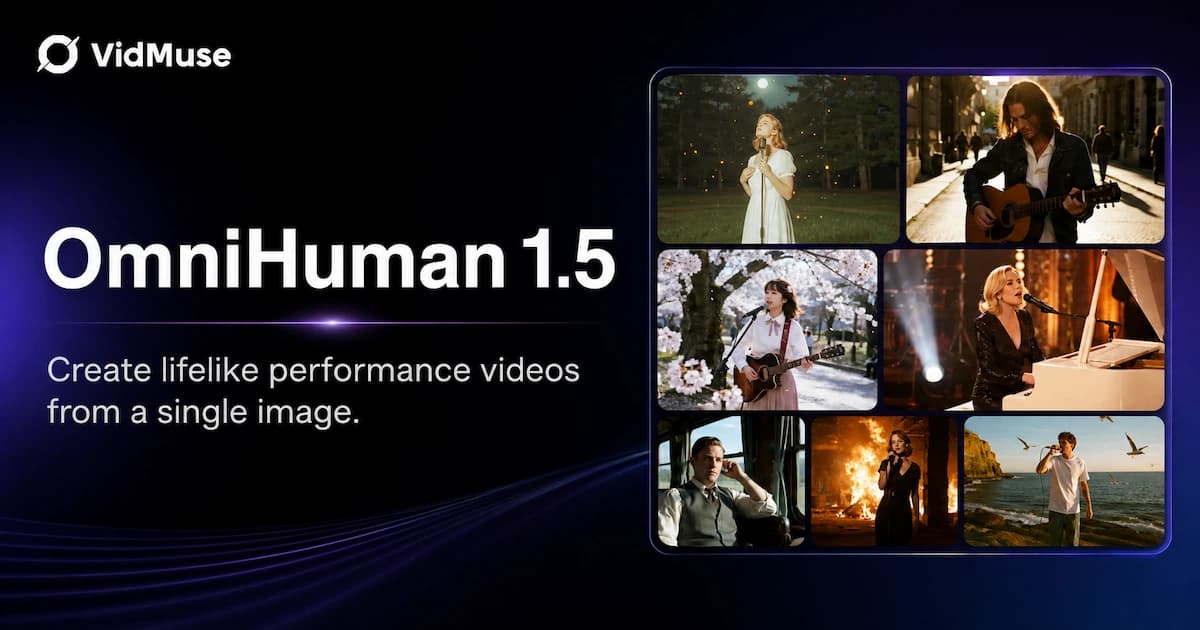
OmniHuman 1.5 is a research model from ByteDance Intelligent Creation that animates a single image into a fully expressive, audio-synced video character — no 3D rigging, no motion capture required. Whether you want a singing digital avatar, a lip-synced spokesperson, or a cinematic multi-person scene, OmniHuman 1.5 handles it from one photo and one audio track. Inside VidMuse AI, OmniHuman V1.5 is available as a dedicated AI Avatar model in the Studio mode workflow, letting indie musicians, content creators, and small businesses generate performance-quality avatar videos without a production team.
Key Takeaways
- OmniHuman 1.5 is a ByteDance research model that generates expressive avatar videos from a single image and audio track, with no manual animation required.
- The model uses a dual-system architecture — a Multimodal Large Language Model paired with a Diffusion Transformer — to produce motion that is coherent with speech rhythm, prosody, and semantic meaning.
- It goes far beyond simple OmniHuman lip sync: the model reads emotional subtext in audio and generates matching body language, gestures, and facial expressions.
- OmniHuman 1.5 supports multi-person scenes, text-guided camera movement, and over 60 input types including cartoons, animals, and stylized characters.
- Inside VidMuse AI, OmniHuman V1.5 is integrated into the Studio mode AI Avatar tier, making it accessible within a full music to video AI and ad creation workflow.
Create Your AI Video in Minutes
Upload a photo, add your track — OmniHuman 1.5 handles the rest.
What Is OmniHuman AI?
OmniHuman AI is an end-to-end human animation research framework developed by ByteDance Intelligent Creation. The project began with OmniHuman-1, published as a research paper (arXiv: 2502.01061) and accepted as a Highlight at ICCV 2025. The core idea behind OmniHuman was to rethink how one-stage conditioned human animation models scale — previous methods struggled because high-quality paired data (image + audio + motion) was scarce. OmniHuman solved this with a multimodality motion conditioning mixed training strategy, allowing the model to learn from audio-only, video-only, or combined audio-video driving signals simultaneously.
The original OmniHuman-1 already set a high bar: it supported any aspect ratio input (portrait, half-body, full-body), handled diverse subjects from real humans to cartoons and animals, and generated lifelike video from nothing more than a single image and an audio file. The project confirmed that scaling data with mixed conditioning unlocks realistic motion from weak input signals, especially audio.
OmniHuman 1.5 is the direct successor, applying what the team called "cognitive simulation" to make avatar motion not just reactive, but actively reasoned.
OmniHuman 1.5 vs OmniHuman 1 — What Changed?
OmniHuman 1.5 represents a meaningful architectural leap, not just an incremental update. The headline addition is a dual-system cognitive architecture inspired by the psychological "System 1 and System 2" model of human thinking — fast, intuitive reaction paired with slow, deliberate reasoning.
Here is how the two versions compare:
| Feature | OmniHuman 1 | OmniHuman 1.5 |
|---|---|---|
| Core architecture | Diffusion Transformer (single-stage) | MLLM + Diffusion Transformer (dual-system) |
| Motion planning | Reactive (audio-driven) | Reasoned (semantic + prosody + rhythm) |
| Max video length | Standard clips | Over one minute |
| Multi-person scenes | Limited | Full multi-character routing |
| Text-guided control | Not supported | Camera, action, and object prompts |
| Emotional depth | Lip sync + basic gesture | Full dramatic range from audio subtext alone |
| Input diversity | Human, cartoon, animal | Expanded — same + additional stylized types |
The key architectural change is the addition of a Multimodal Large Language Model (MLLM) as a Reasoning Module sitting above the diffusion model. This module interprets audio semantically — understanding what is being said and how it is being said — and then plans motion accordingly. The diffusion model executes that plan frame by frame with fluid dynamics. The result is characters that don't just mouth words, but react, gesture, pause, and emote as if responding to meaning.
Core Capabilities of OmniHuman 1.5
Realistic OmniHuman Lip Sync with Emotional Depth
OmniHuman lip sync in version 1.5 goes beyond phoneme-to-mouth matching. The model analyzes speech rhythm, prosody, and semantic content simultaneously. A character delivering an angry monologue will exhibit tightened expressions and sharp gestures that match the emotional register — not just synchronized mouth movements. This is possible because the Reasoning Module interprets emotional subtext from audio alone, without needing text prompts.
For musicians, this means a digital singer doesn't just mouth the lyrics: they convey the feeling of the song, pausing naturally between phrases, breaking into wider expressions on high notes, and pulling back during quiet, intimate passages.
Rhythmic Performances for Music Content
OmniHuman 1.5 was specifically tested against music-driven animation, and the results extend well beyond conventional lip sync. The Reasoning Module captures what the research team describes as "rich musical expressions" — natural pauses and breaks, stylistic variation between genres, and performance behaviors appropriate to the music's energy. A solo ballad produces restrained, emotionally weighted movement. An upbeat concert track produces energized, broader physical performance. This is not manually scripted; it emerges from audio analysis.
For indie musicians and music video producers, this is the core creative value: you upload an image of a character and a song, and the model builds a coherent performance.
Text-Guided Camera and Action Control
OmniHuman 1.5 accepts optional text prompts alongside the audio input, enabling precise control over:
- Camera movement — handheld, zoom, orbit, pan, push-in, pull-back
- Specific actions — walking, turning to face camera, touching collar, crossing arms
- Object interactions — a character picking up a prop, sunglasses appearing on a cartoon character
- Cinematic mood — arthouse film grain, low/somber atmosphere, specific lighting feel
This text-guided layer makes OmniHuman 1.5 viable for commercial ad production, where precise visual composition matters as much as performance quality.
Multi-Person Scene Support
OmniHuman 1.5 routes separate audio tracks to distinct characters within a single frame, enabling dynamic group dialogues and ensemble performances. This is architecturally significant: earlier avatar models required compositing multiple single-character outputs. OmniHuman 1.5 generates the multi-character interaction natively, maintaining consistent spatial relationships and synchronized individual performances.
For product ads or narrative content, this opens the door to natural conversation scenes, duet performances, and group presentations — all from static reference images.
Broad Input Diversity
The model handles a wide range of input subjects without requiring different workflows or specialized fine-tuning:
- Real humans (portrait, half-body, full-body)
- Cartoon and illustrated characters
- Anthropomorphic figures
- Real animals
- Stylized and artistic images
Motion characteristics adapt to match each subject type's natural qualities — a cartoon character moves with expressiveness appropriate to that style, while a photorealistic human maintains naturalistic motion.
How OmniHuman Lip Sync Works
Understanding how OmniHuman lip sync operates technically helps you get better results in practice.
Step 1: Audio Analysis
The MLLM Reasoning Module processes the input audio on multiple levels. It extracts phoneme timing for basic mouth shape sequencing. Simultaneously, it interprets prosody (pitch, pace, stress patterns), rhythm (particularly relevant for music), and semantic content (the meaning of words and phrases). Emotional valence — whether the speech is calm, excited, sorrowful, or confrontational — is also extracted at this stage.
Step 2: Motion Planning
The Reasoning Module produces a motion plan: a structured sequence of intended actions, expressions, and transitions that are coherent with what the audio communicates. This is where System 2 (slow, deliberate) thinking operates — the model is not just reacting frame by frame, it is planning a performance arc.
Step 3: Diffusion-Based Execution
The Diffusion Transformer executes the motion plan, generating video frames with fluid dynamics. This is the System 1 (fast, intuitive) layer — it fills in the natural micro-movements, subtle expression shifts, and physical nuance that make animation feel alive rather than mechanical. The result is video generation that can run continuously for over one minute without the temporal inconsistencies common to shorter-form models.
What This Means for Quality
Because lip sync emerges from both semantic understanding and physical execution planning, the output avoids common failure modes: mouth shapes that lag behind audio, gestures that contradict emotional tone, or expressions that remain static while voice conveys strong emotion. The synchronization is holistic, not just mechanical phoneme matching.
Studio-Quality Avatar Videos, Zero Production Team
One image. One audio file. OmniHuman 1.5 turns them into a cinematic performance.
How to Use OmniHuman 1.5 in VidMuse AI
VidMuse integrates OmniHuman V1.5 as one of the AI Avatar models available in the platform's Studio mode. Here is how to access and use it within VidMuse's agent-based workflow.
Step 1: Sign In and Start a New Project
Open VidMuse AI and begin a new AI music video generator or ad project. Select Studio mode — this is the flagship quality tier and the one that includes access to OmniHuman V1.5 alongside Nano Banana Pro (image generation) and Seedance 2.0 Pro (video generation).
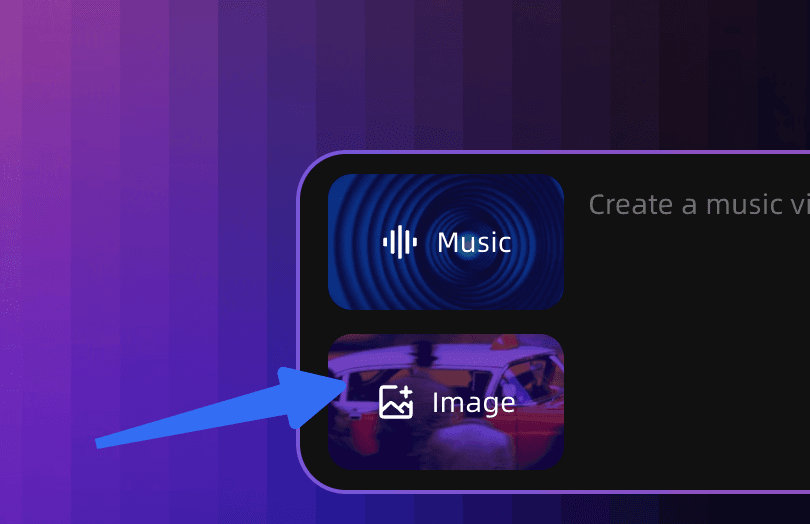
Step 2: Upload Your Assets
In the Assets Upload stage, add your reference image and your audio track. For best OmniHuman lip sync results:
- Use a clear, front-facing or three-quarter-facing portrait with good lighting
- Ensure the audio track has clean vocals without excessive reverb or noise
- Higher-resolution reference images produce sharper output
VidMuse's Asset Library & Memory (a VidMuse 2.0 feature) lets you store frequently used characters and reference images for reuse across projects.
Step 3: Complete Your Creative Brief
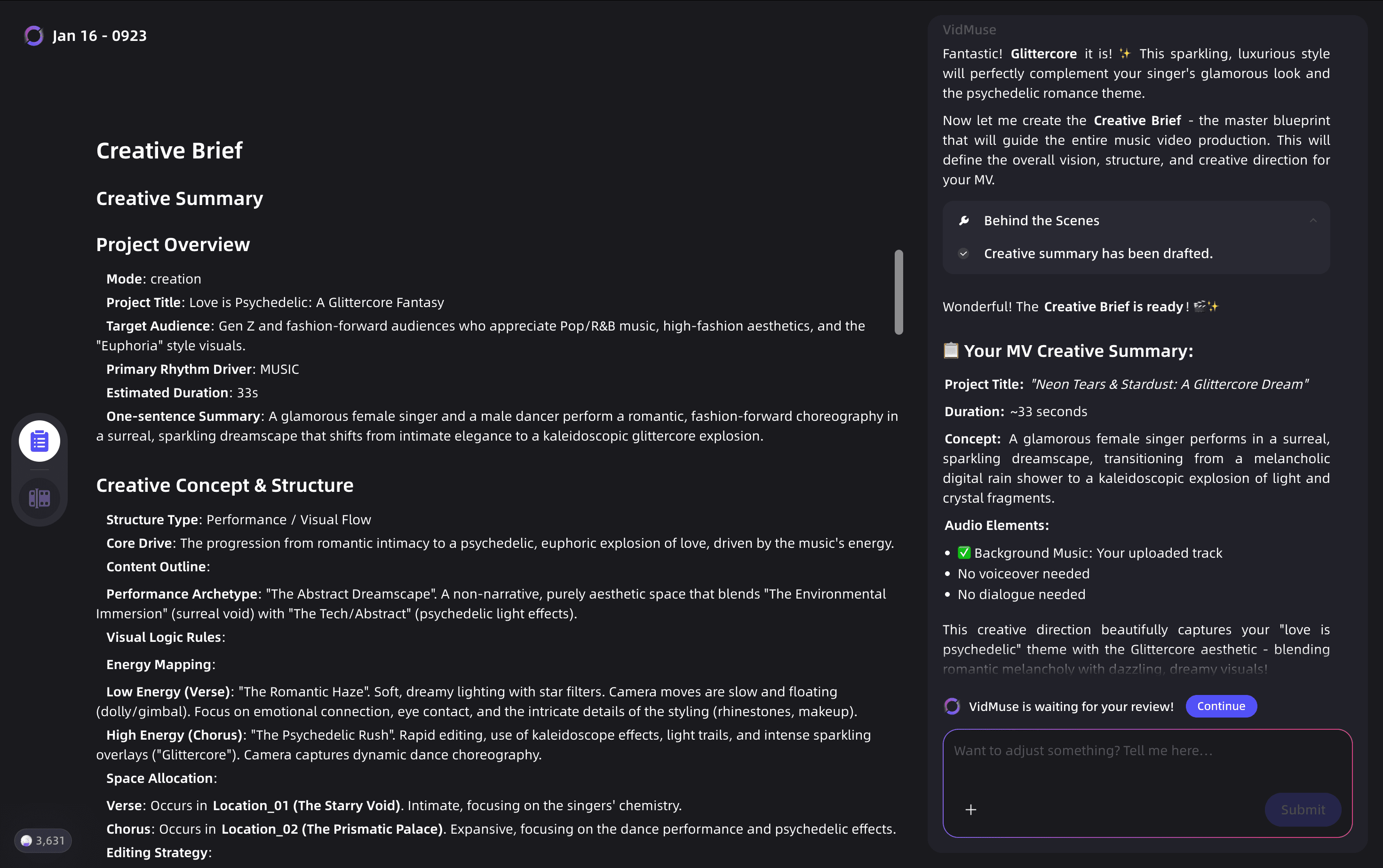
Fill in the Creative Brief stage with your project details: mood, genre, visual style, and any specific actions or camera movements you want. VidMuse's agent logic uses this information to plan the full video — this is different from single-prompt tools. The brief informs scene structure, not just individual clips.
Step 4: Choose OmniHuman V1.5 in the AI Avatar Section
During the Reference Generation or Scene & Shots List stage, VidMuse will suggest appropriate models for each segment. When the brief calls for a character performance — a singer, a spokesperson, a narrator — select OmniHuman V1.5 as the AI Avatar model. You can also activate the Kling AI Avatar V2 Pro or Gaga Avatar models for comparison or alternate segments.
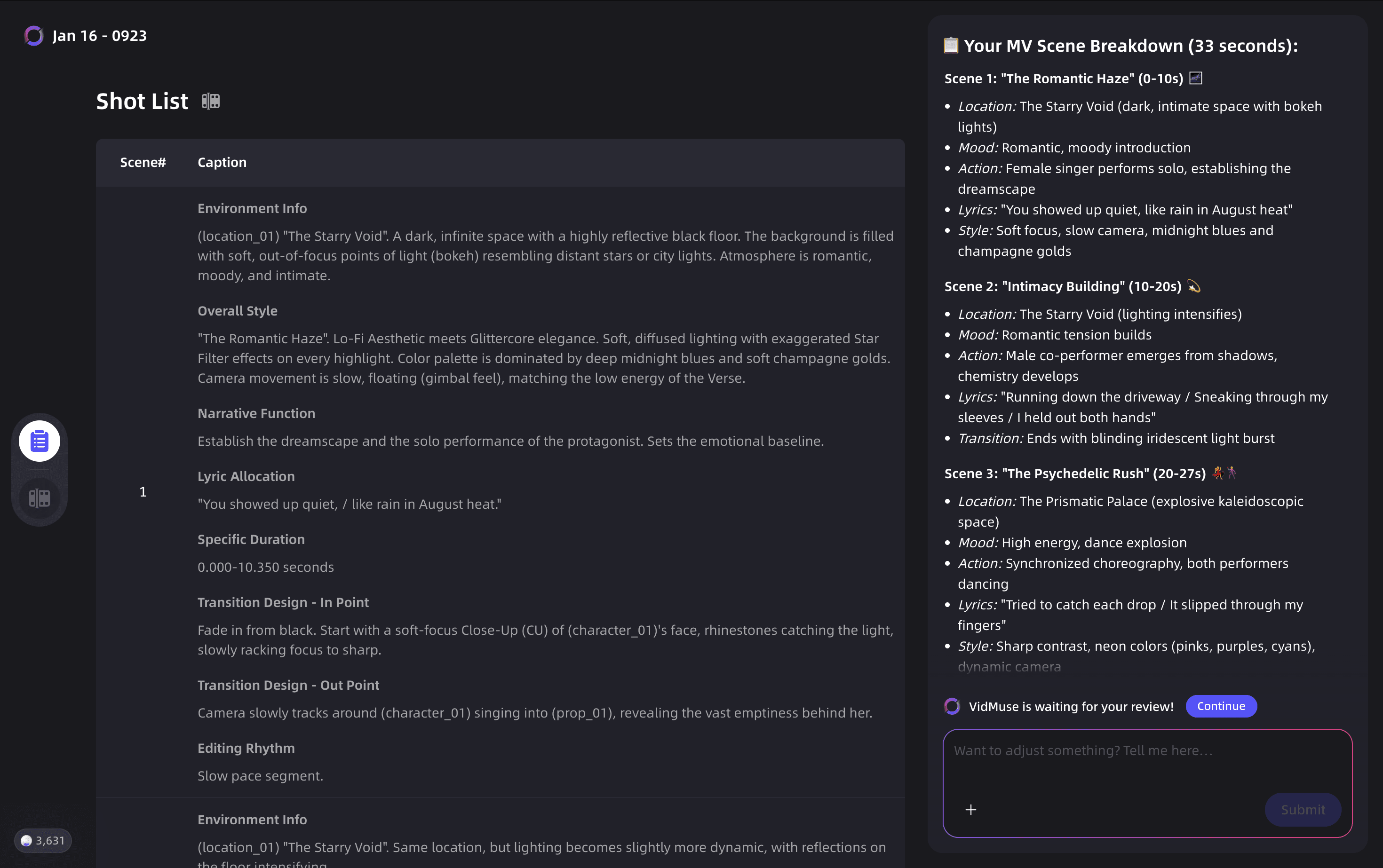
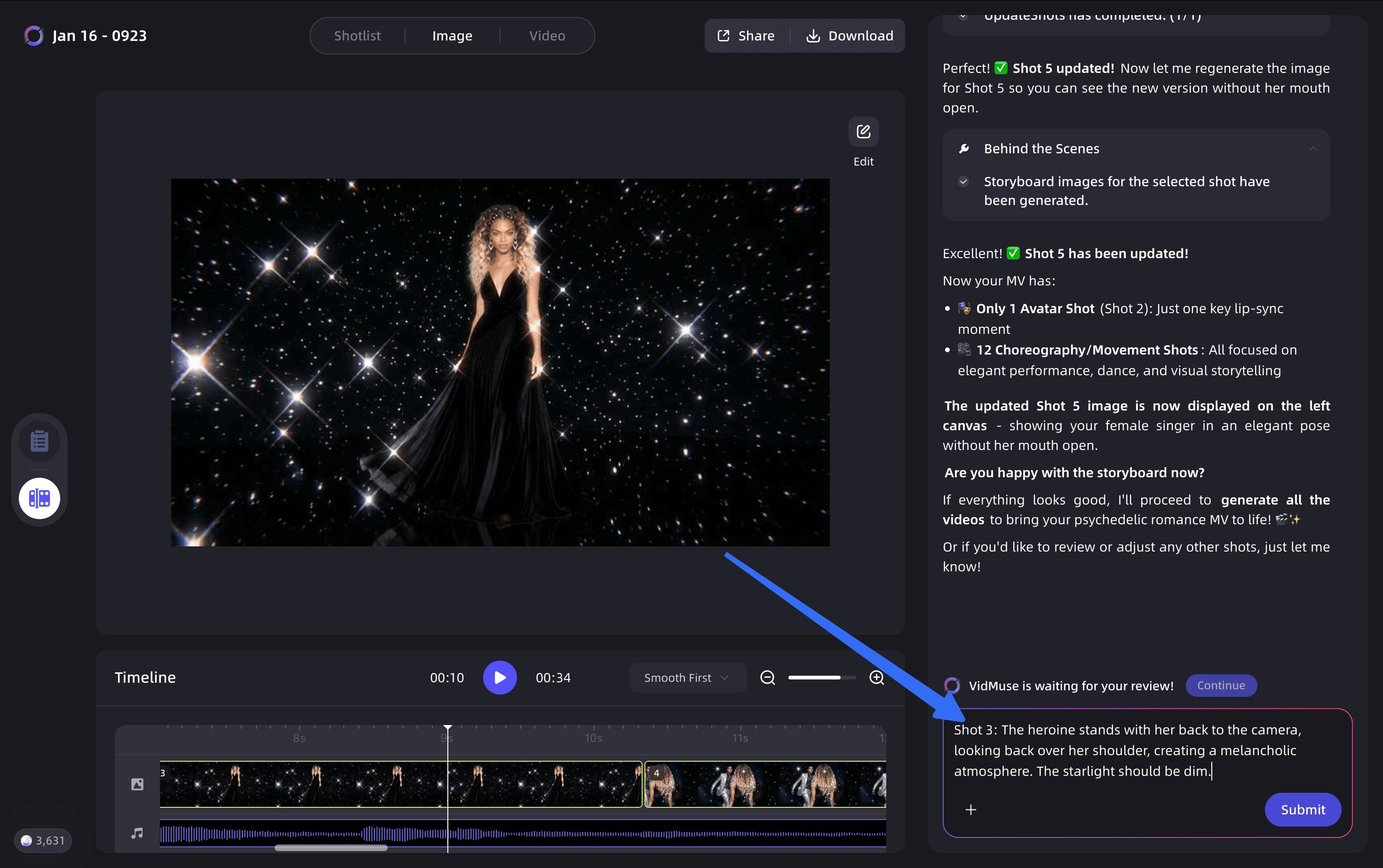
Step 5: Refine with Shot Refine by Quoting
VidMuse 2.0's Shot Refine by Quoting feature lets you select a specific clip from the generated storyboard and request targeted changes. If the OmniHuman output for one shot feels too subdued emotionally, quote that shot and adjust the brief for it specifically — without regenerating the entire video.
Step 6: Assemble in the Timeline Editor
Once shots are approved, move to VidMuse's Timeline Editor to sequence clips, adjust pacing, and sync the final avatar performance against the full audio track. The Timeline Editor is purpose-built for music video structure and handles beat-synced editing natively.
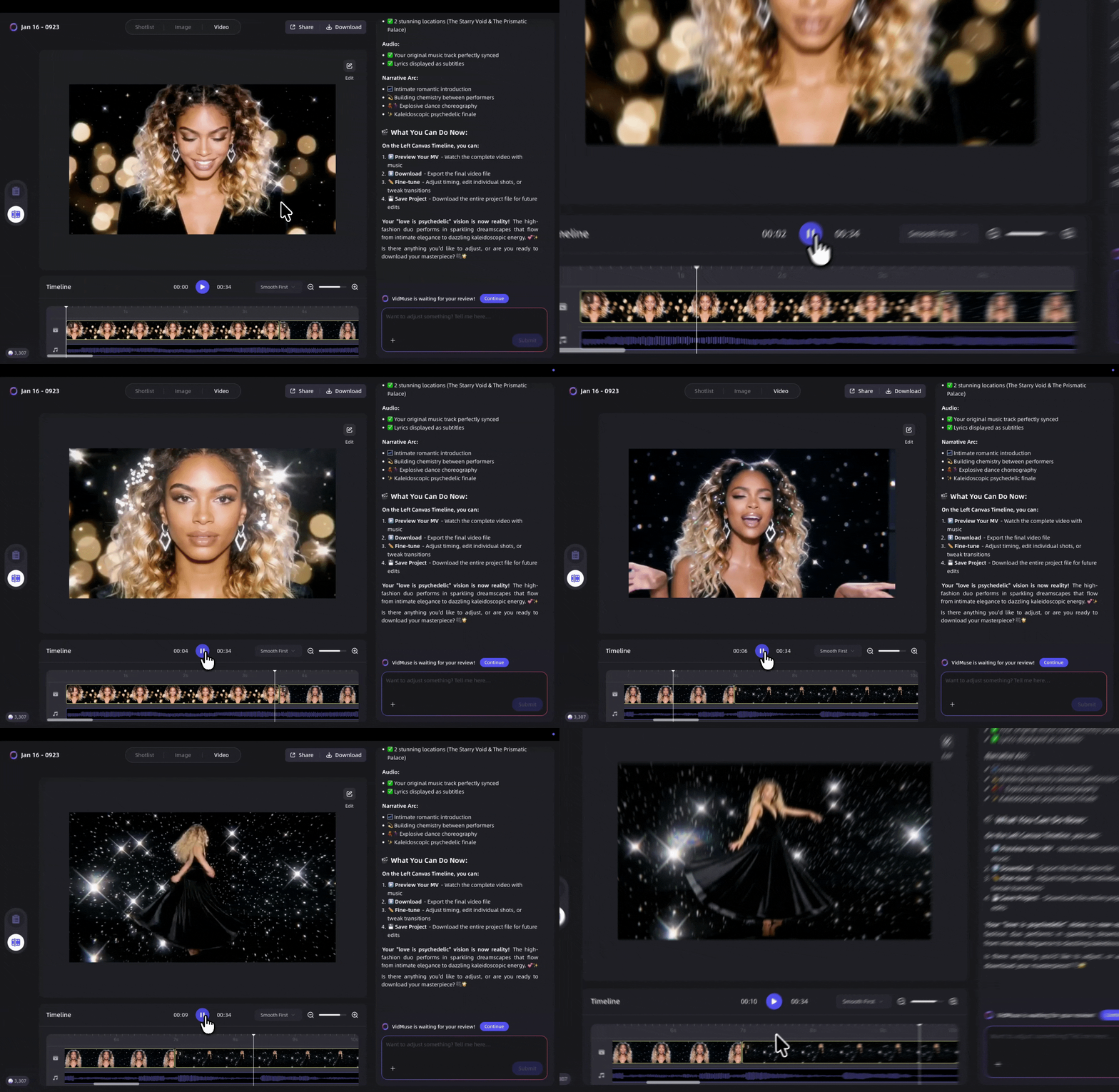
When to Choose OmniHuman 1.5 (and When Not To)
Best Use Cases for OmniHuman 1.5
Music video performances: When you need a character to perform your track expressively — not just mouth the words but convey the song's emotional arc — OmniHuman 1.5 is purpose-built for this. The Reasoning Module's musical understanding makes it the strongest AI Avatar option for singing performances.
Spokesperson and explainer content: For product ads or explainer videos where a character delivers scripted dialogue and the performance needs to feel natural, OmniHuman 1.5's semantic audio analysis keeps gestures aligned with spoken meaning.
Multi-language content: The model supports dubbed audio in 30+ languages with authentic synchronization, making it well-suited for global distribution of the same core video asset.
Stylized and non-human characters: If your creative direction calls for an animated character, cartoon mascot, or anthropomorphic figure rather than a photorealistic human, OmniHuman 1.5 adapts motion appropriately — no separate workflow needed.
When to Consider Alternative Models
OmniHuman 1.5 is an avatar and character animation model. It is not the right choice when:
- You need full scene video generation without a character focal point — for abstract visuals, landscape sequences, or product-only shots, use Seedance 2.0 Pro, Kling V3.0 Pro, or Veo 3.1 instead.
- You need purely static image output — image generation in VidMuse uses Nano Banana Pro, Seedream 5.0 Lite, or other image models.
- Your content features no character or speaker — background scenes, abstract MVs, or product-only ads don't benefit from avatar animation.
- You need rapid iteration at minimal cost — VidMuse Lite mode with Gaga Avatar or Seedance 2.0 Fast is faster and more cost-efficient for drafting or low-budget projects, though at lower quality.
FAQ
What is OmniHuman 1.5?
OmniHuman 1.5 is a research model from ByteDance Intelligent Creation that generates expressive, audio-synchronized avatar videos from a single image and an audio track. It uses a dual-system architecture — a Multimodal Large Language Model paired with a Diffusion Transformer — to produce motion that is coherent with speech rhythm, emotional content, and semantic meaning, not just phoneme timing.
How does OmniHuman lip sync differ from standard lip sync tools?
Standard lip sync tools match mouth shapes to phonemes mechanically. OmniHuman lip sync operates at a higher level: the model interprets the emotional subtext, prosody, and semantic meaning of the audio and generates corresponding gestures, expressions, and body language — not just synchronized mouth movement. The result is a character that reacts to the meaning of what they are saying, not just the sounds.
Can I use OmniHuman 1.5 with AI-generated music from Suno?
Yes. In VidMuse AI, you can generate original tracks using the integrated Suno AI music creation feature, then use OmniHuman V1.5 to animate a character performing that track. This is a complete pipeline for indie musicians: compose in Suno, animate in VidMuse, export a finished music video — all without leaving the platform. See the Suno to video guide for a full walkthrough.
Does OmniHuman 1.5 only work with photorealistic humans?
No. OmniHuman 1.5 handles photorealistic humans, cartoon characters, anthropomorphic figures, animals, and stylized illustrations. The model adapts motion characteristics to suit each input type's natural movement style, so a cartoon character moves with expressiveness appropriate to that aesthetic rather than using human motion captured for a realistic figure.
What is the difference between OmniHuman 1 and OmniHuman 1.5?
OmniHuman 1 introduced the multimodality mixed training approach that enables high-quality animation from a single image and audio. OmniHuman 1.5 adds a Reasoning Module (an MLLM layer) that gives the model deliberate planning capabilities — it interprets audio semantically before generating motion, enabling longer videos (over one minute), multi-person scenes, text-guided camera control, and richer emotional performance depth.
Is OmniHuman V1.5 available in VidMuse Lite mode?
OmniHuman V1.5 is part of the VidMuse Studio mode AI Avatar tier. Lite mode uses faster, more cost-efficient models (primarily Seedance 2.0 Fast and Gaga Avatar) suited to drafting and budget production. For full OmniHuman 1.5 quality — including its emotional performance and lip sync capabilities — Studio mode is required.
Can OmniHuman 1.5 generate multi-person scenes?
Yes. OmniHuman 1.5 supports multi-person scenes by routing separate audio tracks to distinct characters within a single frame. This enables dynamic group dialogues, duet performances, and ensemble animations generated natively — not composited from separate single-character outputs.
In The End
OmniHuman 1.5 represents a meaningful step forward in AI avatar technology. By pairing a Multimodal Large Language Model with a Diffusion Transformer, it moves avatar generation beyond mechanical lip sync into genuinely expressive performance — characters that understand what they are saying and move accordingly. For music content creators, the model's musical intelligence is particularly valuable: it captures performance energy, stylistic range, and emotional nuance from audio alone.
Inside VidMuse AI, OmniHuman V1.5 is available within the Studio mode workflow as the AI Avatar model of choice for high-quality character performances. Whether you are producing a music video with an AI-generated Suno track, building a spokesperson ad, or creating a multilingual content series, OmniHuman V1.5 paired with VidMuse's agent-based pipeline gives you studio-level avatar production from a photo and an audio file.
Ready to try it? Start your first OmniHuman project on VidMuse AI — no production team required.
What Happens When AI Actually Understands Your Audio?
OmniHuman 1.5 doesn't just lip-sync — it reads emotion, rhythm, and meaning. See it on VidMuse.

Written By
VidMuse Team
Continue Reading
Latest blog posts related to AI video creation.
How to Use Kling O3 in VidMuse to Make AI Videos
Kling O3 powers VidMuse Studio with 15s multi-shot generation, voice-persistent characters, native audio, and a practical AI video workflow.
AI UGC: Complete Guide to AI UGC Video Ads in 2026
Learn what AI UGC is, how to make AI UGC video ads, and which tools help brands create storyboarded product ads for TikTok, Reels, and Shorts in 2026.
50 Music Video Ideas for Every Budget and Style in 2026
Explore 50 music video ideas for every budget and style, from at-home shoots to AI visuals, with practical steps to choose, plan, and finish your video.