

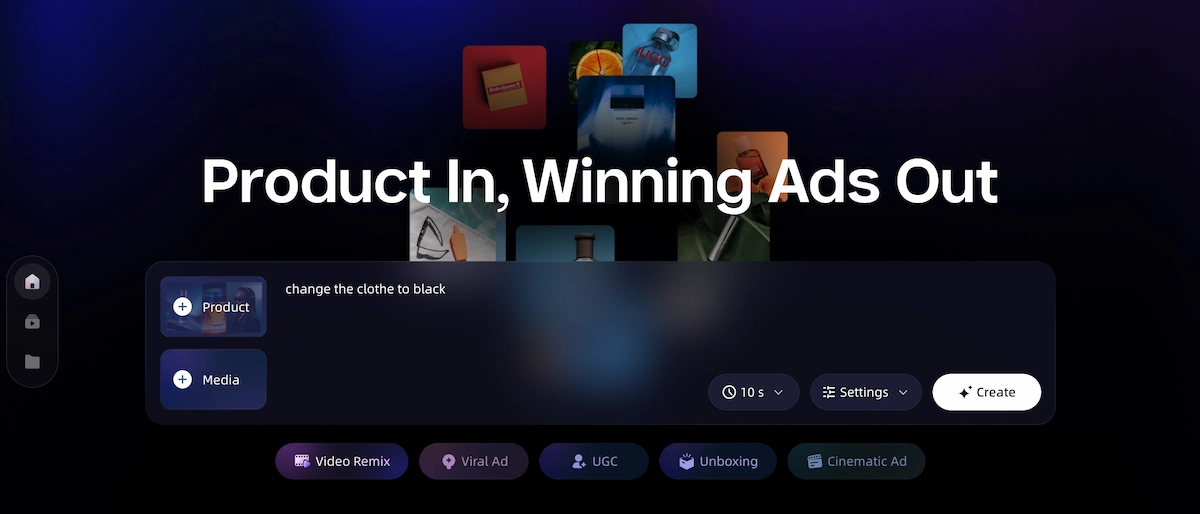
A viral ad is not just a video that gets a lot of views. It is a short video designed to stop the scroll, spark an emotion, make the product clear fast, and push the viewer toward action. The good news: you do not need a film crew or a big budget to make one. AI ad generators now handle the hard parts—scripts, visuals, voiceover, music, subtitles, and final video assembly—so you can go from a product idea to a publish-ready ad in a fraction of the time.
Key Takeaways
- A viral ad needs a strong hook, clear product value, emotional appeal, fast pacing, and a simple CTA.
- The first 3 seconds matter the most. Viewers decide in that window whether to keep watching.
- AI can help generate scripts, storyboards, product visuals, voiceover, music, subtitles, and multiple ad versions.
- Different platforms need different styles. TikTok and Reels reward fast, vertical, hook-heavy videos. YouTube and web ads allow for more story-driven content.
- Tools like VidMuse AI simplify the full workflow from product input to final MP4 export.
The Simple Formula Behind a Viral Ad Video
Most viral ads follow the same 6-part structure—and understanding it is the first step to making one.
Once you see this formula, you will recognize it in almost every high-performing product ad you scroll past.
| Part | Purpose |
|---|---|
| Hook | Stops the viewer from scrolling |
| Problem | Makes the viewer feel understood |
| Product Demo | Shows what the product does |
| Benefit | Explains why it matters |
| Proof | Adds trust, results, or social validation |
| CTA | Tells the viewer what to do next |
Here is what that looks like in a real 30-second ad:
- 0–3s: "Stop scrolling if you hate messy cables."
- 3–8s: Show the problem in a relatable, slightly frustrating way.
- 8–18s: Reveal the product and show it solving the problem cleanly.
- 18–25s: Show the result or transformation.
- 25–30s: Land the CTA: "Try it today" or "Shop now."
Simple, right? The structure is not complicated. What makes an ad go viral is how well each part is executed—especially the hook.
Create Viral Ad Videos with AI
Turn your product idea, link, or image into a scroll-stopping ad video with VidMuse.
How VidMuse AI Helps You Create Viral Ad Videos
VidMuse AI works as an end-to-end creative workflow for product ads, UGC-style ads, and short-form social ads—without needing to switch between five different tools.
Instead of writing scripts in one place, generating images in another, recording voiceover separately, and stitching everything together in an editor, VidMuse handles the full pipeline from a single input.
Here is what it can help with:
| Feature | What It Does |
|---|---|
| AI Creative Director | Plans the hook, ad structure, pacing, and CTA |
| Auto Script Writing | Turns product info into ad copy |
| Shot-by-Shot Storyboard | Builds a scene plan before video generation starts |
| AI Image Generation | Creates keyframes for each scene |
| AI Video Animation | Turns keyframes into video clips with motion |
| AI Voiceover | Adds narration in different languages and tones |
| AI Music Generation | Creates or matches background music |
| Auto Subtitles | Adds captions synced to voiceover |
| One-Click Render | Exports a publish-ready MP4 |
You can also feed VidMuse different types of product input:
| Input | What VidMuse Does With It |
|---|---|
| Product link | Extracts product name, images, and selling points |
| Product photos | Uses them as visual references for scenes |
| Text description | Builds an ad from a simple brief |
| Reference ad video | Remixes the style for your own product |
| Brand guidelines | Keeps visuals aligned with your brand look |
| Uploaded music | Syncs video cuts to the audio rhythm |
The AI ad generator from VidMuse is built specifically for product-focused ad creation, which means it understands how to structure an ecommerce or social media ad—not just generate generic video.
A few honest limitations to keep in mind: VidMuse does not include built-in real-time ad analytics, does not directly publish to TikTok or Meta, and is not designed for editing existing live-action footage. If your campaign requires real customer testimonials on camera or highly regulated product claims, human review is still essential.
Make Your Next Viral Ad with VidMuse
Generate hooks, scripts, visuals, voiceover, music, and ready-to-publish ad videos in one AI workflow.
Step-by-Step: How to Create a Viral Ad Video with AI
You can go from a product link or a few photos to a publish-ready viral ad video in six steps.
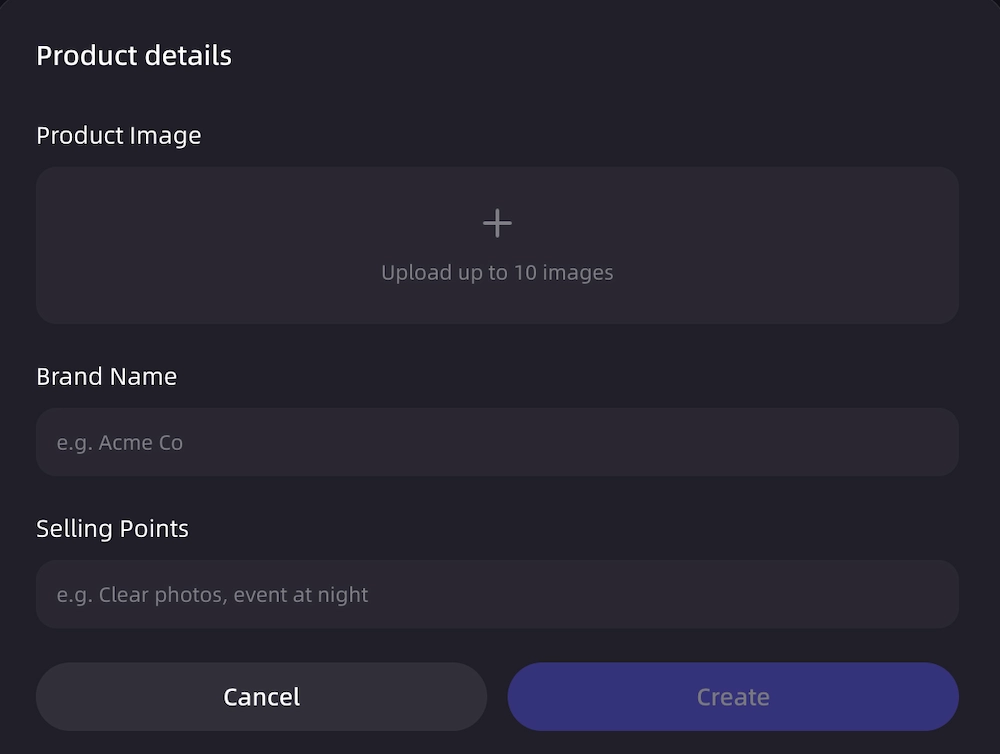
Step 1: Add Your Product Input
Start with whatever you have:
- Product link
- Product photos
- Written product description
- A reference ad you like
- Your brand style guide
VidMuse uses this information to understand the product category, target audience, key benefits, and visual direction before generating anything.
Step 2: Choose the Ad Style
Pick the format that matches your platform and product type:
| Style | Best For |
|---|---|
| UGC-style | TikTok, Reels, Shorts |
| Unboxing reveal | Ecommerce products, Amazon listings |
| Before-and-after | Beauty, cleaning, fitness products |
| Mini story | Lifestyle, wellness, fashion |
| Cinematic product ad | Premium or luxury products |
| Humor ad | Daily-use products and apps |
For ecommerce sellers, the AI UGC format and unboxing reveal are two of the most effective starting points because they feel native to social platforms and require minimal on-camera production.

Step 3: Generate the Hook and Script
The hook is the most important part of any viral ad. Get it wrong and nothing else matters.
Here are some hook templates that work:
Problem-based:
- "Stop scrolling if you hate [problem]."
- "This is why your [routine] is not working."
Curiosity:
- "I did not expect this to work."
- "Why is nobody talking about this?"
Product discovery:
- "This tiny product changed how I [task]."
- "POV: You just found the easiest way to [benefit]."
Social proof:
- "This product sold out three times for a reason."
- "People are switching to this because of one simple feature."
VidMuse can generate multiple hook options so you can test different angles and find what resonates with your audience.
Step 4: Build the Storyboard and Visuals
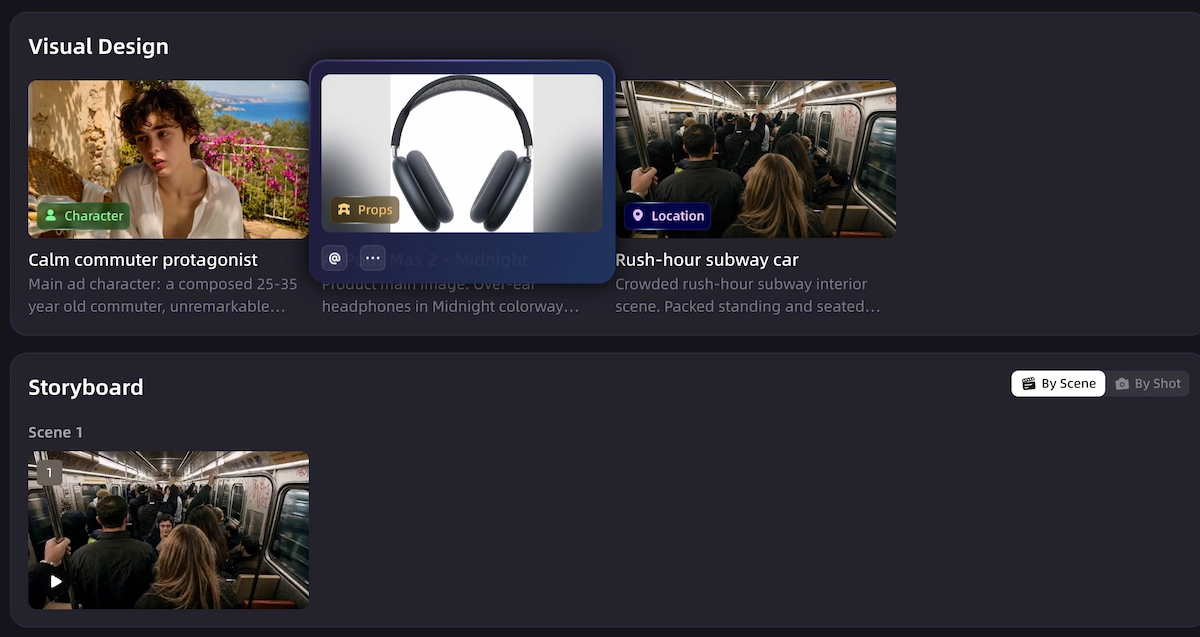
Once the script is ready, VidMuse creates a shot-by-shot storyboard. Think of it as a visual plan for the ad before any video is generated:
- Scene 1: Hook
- Scene 2: Problem
- Scene 3: Product reveal
- Scene 4: Demo
- Scene 5: Result or transformation
- Scene 6: CTA
From there, VidMuse generates keyframes for each scene to make sure the visuals are consistent before turning them into video clips.
Step 5: Add Voiceover, Music, Captions, and Pacing
Audio is just as important as visuals. Here is why each element matters:
- Voiceover makes the message easier to follow, especially without context
- Music controls the energy and emotional tone of the ad
- Captions help mobile viewers who watch with sound off
- Fast cuts keep attention high throughout
VidMuse can generate or sync all of these elements inside the same workflow. Beat-synced pacing means the video cuts match the music rhythm automatically, which gives the final output a polished, professional feel.
Step 6: Export the Final Ad Video
Export in the right format for your platform:
| Platform | Ratio | Recommended Duration |
|---|---|---|
| TikTok | 9:16 | 15–30s |
| Instagram Reels | 9:16 | 15–30s |
| YouTube Shorts | 9:16 | 15–60s |
| YouTube Pre-roll | 16:9 | 15–30s |
| Facebook / Web Ads | 16:9 | 30–60s |
VidMuse outputs a publish-ready MP4 you can upload directly to any platform.
Make Your Next Viral Ad with VidMuse
Generate hooks, scripts, visuals, voiceover, music, and ready-to-publish ad videos in one AI workflow.
Viral Ad Formats You Can Make with VidMuse AI
Choosing the right format before you start generating saves you time and re-edits later.
| Format | Best Platform | Best Duration | Best For |
|---|---|---|---|
| UGC-style ad | TikTok, Reels | 15–30s | Authentic product promotion |
| Unboxing reveal | TikTok, Shorts, Amazon | 15–30s | Visual product discovery |
| Hook + Demo + CTA | Meta, YouTube, Web | 15–30s | Conversion-focused ads |
| Before-and-after | TikTok, Reels, Facebook | 15–30s | Transformation products |
| Mini story ad | YouTube, Facebook | 30–60s | Lifestyle and emotional products |
| Reference ad remix | TikTok, Reels, Shorts | 15–30s | Reusing a proven creative style |
For product reveal and unboxing formats, the AI unboxing video maker covers how to structure that specific type of ad. If you already have a competitor or inspiration ad in mind, the AI video to video maker workflow lets you remix the style and pacing for your own product.
Viral Hook Templates You Can Copy
Use these as starting points and adapt them to your product.
Problem-based
- "Stop scrolling if you hate [problem]."
- "This is why your [routine] is not working."
- "You are probably doing [task] the hard way."
Curiosity
- "I did not expect this to work."
- "This looks weird, but it actually solves [problem]."
- "Why is nobody talking about this?"
Product discovery
- "The [product category] I wish I found earlier."
- "This tiny product changed how I [task]."
- "POV: You just found the easiest way to [benefit]."
Social proof
- "This product sold out three times for a reason."
- "People are switching to this because of one simple feature."
- "Here is why creators are using this instead of [old solution]."
Viral Ad Checklist Before You Export
Run through this before you hit publish:
- Does the first 3 seconds stop the scroll?
- Is the product clear within 5 seconds?
- Is there one strong emotion or "wow" moment?
- Is the message easy to understand without extra context?
- Are captions visible and easy to read?
- Does the music match the product energy?
- Is the CTA clear and simple?
- Is the video in the correct ratio for the platform?
- Is the video under 60 seconds?
- Have you made more than one hook version for testing?
Common Mistakes to Avoid
Most underperforming AI ads fail because of a weak hook or a structural problem—not because of the tool.
Starting too slowly. Brand intros and long product explanations at the beginning lose viewers before the product is even visible. Start with the hook, not the logo.
Trying to explain too many features. Each ad should focus on one strong benefit. Trying to say everything leads to viewers remembering nothing.
Making the product unclear. The viewer should know what the product is within the first few seconds, even without sound.
Ignoring captions. A significant share of short-form viewers watch with sound off. If your message only works with audio, you are losing reach.
Only making one version. Viral performance often depends on testing different hooks, CTAs, or styles. Create at least two or three variations before deciding what works.
FAQ
What makes a video ad go viral?
A video ad is more likely to go viral when it has a strong hook, clear product value, emotional appeal, fast pacing, shareable content, and a simple CTA. The first three seconds are the most critical—they determine whether the viewer stays or scrolls past.
How do I create a viral product ad video with AI?
Start with your product link, photos, or description. Use an AI ad generator to build a hook, script, storyboard, product visuals, voiceover, music, and captions, then export a platform-ready MP4. The full workflow can be completed without video editing skills.
Can AI make UGC-style ads?
Yes. AI tools can help create UGC-style ad scripts, voiceovers, captions, product scenes, and short-form video structures that feel more casual and social-first. These work well for TikTok, Reels, and YouTube Shorts.
What inputs do I need to generate a viral ad?
You can start with as little as a product link, a product photo, or a short text description. You can also provide a reference ad video, brand guidelines, or uploaded music to give the AI more creative direction.
Can I remix a competitor's viral ad style with AI?
Yes, you can use a reference ad to guide the pacing, structure, and visual style of your own ad. The final output should be original and adapted to your own product, brand, and message. VidMuse's [AI video to video maker](https://vidmuse.ai/blog/vidmuse-ai-video-to-video-maker) workflow supports this kind of reference-based creative iteration.
When should I not use an AI viral ad generator?
Avoid relying only on AI when the campaign requires real customer testimonials on camera, verified medical or legal claims, or highly regulated product messaging. In those cases, human review and approval are still necessary before publishing.
Conclusion
Creating a viral ad is not about luck. It follows a structure: hook the viewer in the first three seconds, show a relatable problem, demonstrate the product, create an emotional moment, and close with a clear CTA. That formula works across platforms, formats, and product categories.
VidMuse AI helps ecommerce sellers, marketers, and creators move through this entire workflow faster—from product link or photo input, through script and storyboard planning, to keyframe generation, voiceover, music, subtitles, and final MP4 export. Instead of using separate tools for each step, the workflow stays in one place.
If you want to see the full scope of what VidMuse can do for product ads, the VidMuse guide walks through the complete AI Director workflow in detail.
Ready to try it? Start your next viral product ad video with the AI ad generator—no video editing experience required.
Make Your Next Viral Ad with VidMuse
Generate hooks, scripts, visuals, voiceover, music, and ready-to-publish ad videos in one AI workflow.

Written By
VidMuse Team
Continue Reading
Latest blog posts related to AI video creation.
PixVerse V6 x VidMuse AI: Model Guide and Video Workflow
PixVerse V6 review and VidMuse integration guide. Capabilities, 15s 1080p video, prompt tips, model comparison, pricing, and how to use V6 in VidMuse workflows.
FLUX 3: What It Is, Capabilities, and How to Access It
FLUX 3 is Black Forest Labs' multimodal AI model for image, video, audio, and action. Full guide: capabilities, FLUX 3 vs FLUX 2, availability, and pricing.
Free Music Visualizer: 10 Best Free Tools in 2026
Compare 10 best free music visualizers in 2026. Waveform tools, AI music video makers, watermark policies, export limits, and which tool fits your workflow.