

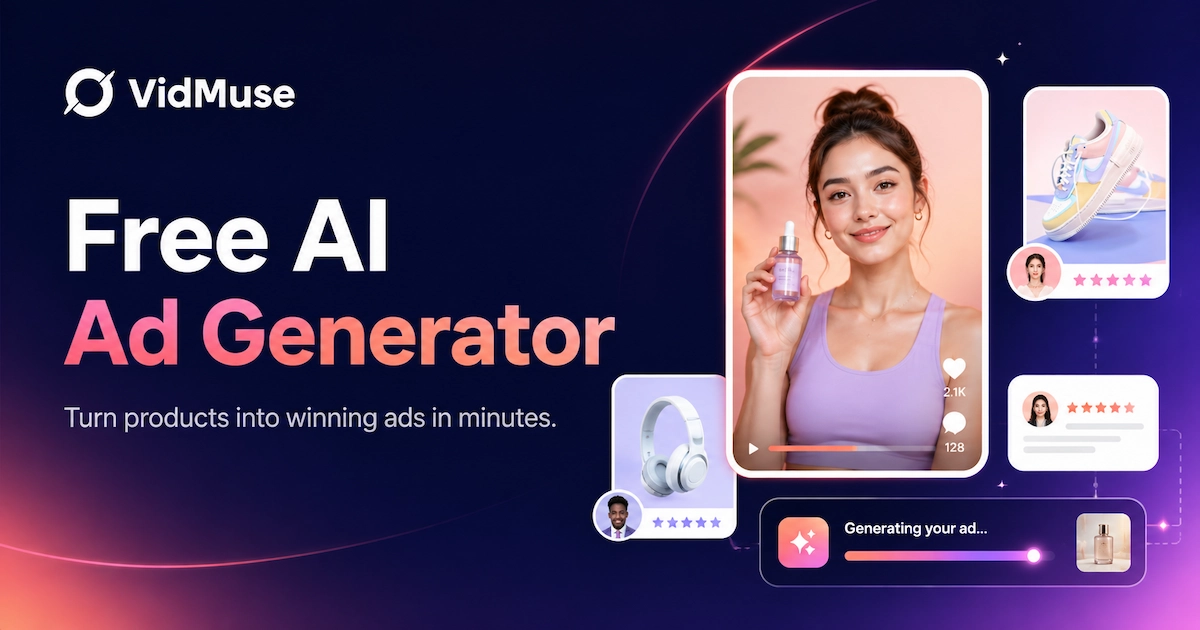
An AI ad generator free tool can help create ad copy, static creatives, layouts, or video ads at no upfront cost, but the best choice depends on what “free” includes: signup requirements, watermarks, free credits, export resolution, video support, and whether you need simple static ads or full product video ads.
This guide compares free-starting AI ad generator options, explains what limits to check, and shows how VidMuse fits users who need a product-to-video ad workflow rather than only static templates.
Key Takeaways
The best AI ad generator free option depends on whether you need static ads, copy, templates, or full video ads.
- Free does not always mean publish-ready. It can mean free templates, free trial, free credits, no-cost preview, watermarked export, or limited resolution.
- Static ad tools fit quick graphics. Canva, Venngage, Template.net, and similar tools are useful when you need ad layouts, social posts, or image creatives.
- Video ad tools fit motion and social campaigns. InVideo, Creatify, Zeely, Nextify, HeyGen, VEED, and similar tools target video ad generation or video editing workflows.
- VidMuse fits product video ad workflows. It is most relevant when you need product inputs, hooks, scripts, keyframes, clips, voiceover, subtitles, CTA, and Timeline assembly.
- Always check the current free plan. Verify watermark, signup, credits, export rights, video duration, resolution, and commercial-use terms before publishing.
Test AI Video Ads with VidMuse
Start with product inputs, plan hooks and scripts, generate clips, and assemble ad-ready videos in one workflow.
Best AI Ad Generator Free Options — Quick Comparison
The main free AI ad generator options split into static design tools, video ad generators, and product-led video workflows.
The table below compares common free-starting AI ad generator options by workflow type. It does not list exact pricing or free-plan limits because these change frequently and must be verified before use.
What this comparison means
If you need a fast static ad image, start with a static design tool. If you need a video ad for paid social, evaluate video-specific tools. If you need a product-led workflow that starts with product materials and ends with an edited video, VidMuse is the more relevant category to evaluate.
Video ads require more moving parts than static creatives: product shots, script, scene plan, clip generation, subtitles, voiceover, music, and export settings. Free plans often become more limited when video generation is involved.
How to Choose a Free AI Ad Generator
Choose a free AI ad generator by matching the free limit to your actual ad output: copy, image, static layout, or video.
Before choosing a tool, decide what you are trying to produce. A free AI ad maker for a simple static image is not the same as a free AI video ad generator for product demos, UGC-style ads, or ecommerce campaigns.
1. Choose by output type
Start with the output:
- Ad copy only: headlines, captions, hooks, CTA text
- Static ad creative: banners, social posts, image ads, display layouts
- Video ad: short clips, motion, product demos, social videos
- Product video ad: product input, script, keyframes, clips, voiceover, subtitles, CTA
If your campaign needs motion, do not choose only by “free AI ad generator” wording. Look for video support, export format, and duration limits.
2. Check signup requirements
Many users specifically want a no-signup tool because they want to test quickly without creating an account.
No-signup tools can be useful for previews, but downloads may be limited. If you need to save projects, export video, remove watermark, or use brand assets, signup may be required.
3. Check watermark and export limits
Searches such as ai ad generator free without watermark and free ai video ad generator without watermark show a key pain point. A free tool may generate a good preview but add a watermark to the export.
Always verify:
- Is the watermark on preview only or final export?
- Is watermark removal paid?
- Is export resolution limited?
- Are MP4 exports included?
- Does the free plan allow commercial use?
4. Check credits and generation limits
Video generation is usually credit-based or usage-limited. A free plan may be enough for a few tests but not enough for campaign-level creative testing.
For paid social, one ad rarely solves the problem. Teams usually need multiple hooks, multiple formats, and multiple cutdowns. That makes credits and regeneration limits important.
5. Check product inputs
If you sell products, product inputs matter. A generic prompt-to-ad tool may be useful, but product ads work better when the system can use product photos, product descriptions, brand assets, or product links where supported.
For product-led campaigns, consider whether the tool supports:
- Product image input
- Product URL or description input
- Brand assets
- Reference videos or style references
- UGC-style and unboxing formats
- Product callouts and CTA text
6. Check video finishing features
A free AI ad generator may create a clip, but a campaign-ready video often needs finishing:
- Captions/subtitles
- Voiceover
- Music
- CTA overlay
- Aspect ratio control
- Timeline editing
- Export quality
If these are missing, you may need a separate editor.
Why VidMuse Fits Free AI Video Ad Generator Intent
VidMuse fits free AI video ad generator intent when the user needs a product-led video ad workflow instead of a static ad template.
Build Product Video Ads with VidMuse
Turn product details into hooks, scripts, keyframes, short clips, subtitles, and timeline-ready video ads.
People searching for “free” often want to test a tool before committing. But if the goal is a real product video ad, a simple static template is not enough. You need a workflow that turns product information into scenes, clips, audio, captions, and a finished ad.
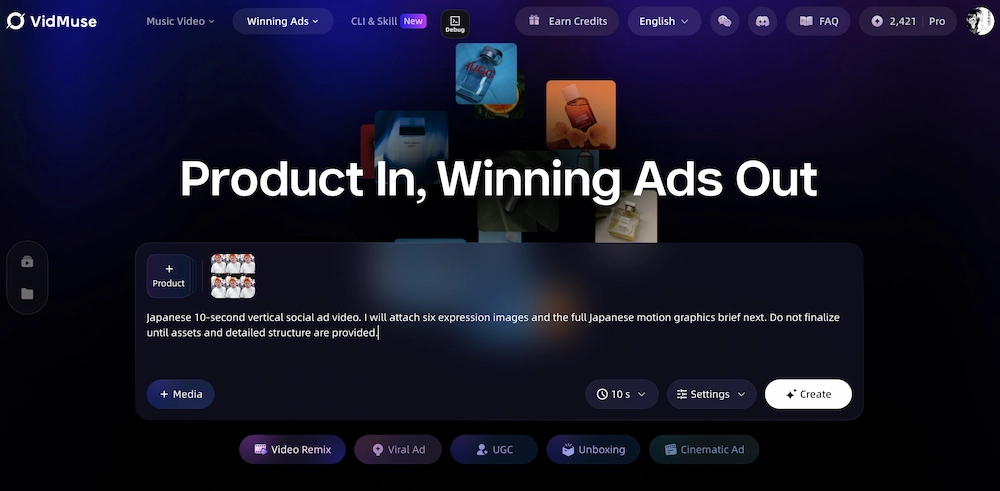
VidMuse is relevant because it is built around an AI Director approach for product ads, ecommerce ads, UGC-style ads, unboxing ads, explainer ads, and short-form social ad workflows. It is not only about generating one graphic. It helps users move through the ad creation process.
Product understanding from inputs
A product ad starts with product context. VidMuse can work from product materials such as product photos, text descriptions, product links where supported, brand assets, references, and scene prompts.
For ecommerce teams, this is important because the product’s selling points, audience, objections, and use cases should drive the ad. A generic ad prompt can miss the reason someone would buy.
Creative brief and script planning
VidMuse can help plan the creative before generating clips: hook, script, shot list, voiceover direction, product callouts, and CTA. This is useful for teams comparing free AI ad generator tools because the ad concept matters as much as the final render.
A strong product video ad usually needs:
- A hook in the first few seconds
- A product visual or use case
- A benefit or pain-point explanation
- Captions or product callouts
- A CTA that matches the landing page
Video clip generation and timeline assembly
VidMuse fits users who need video ads because the workflow moves beyond static layouts. It can support product visuals, keyframes, short clips, voiceover, music, subtitles, CTA text, and Timeline assembly where supported.
For teams that need product video ads, see VidMuse’s AI ad generator, broader VidMuse AI ad workflow, and AI video ad generator guide.
Create AI Video Ads with VidMuse
Turn product inputs into hooks, scripts, clips, subtitles, and timeline-ready ad videos.
How to Create Video Ads with VidMuse
To create video ads with VidMuse, start with product inputs, plan an ad angle, generate scenes and clips, then assemble the final ad in Timeline.
1. Add product input
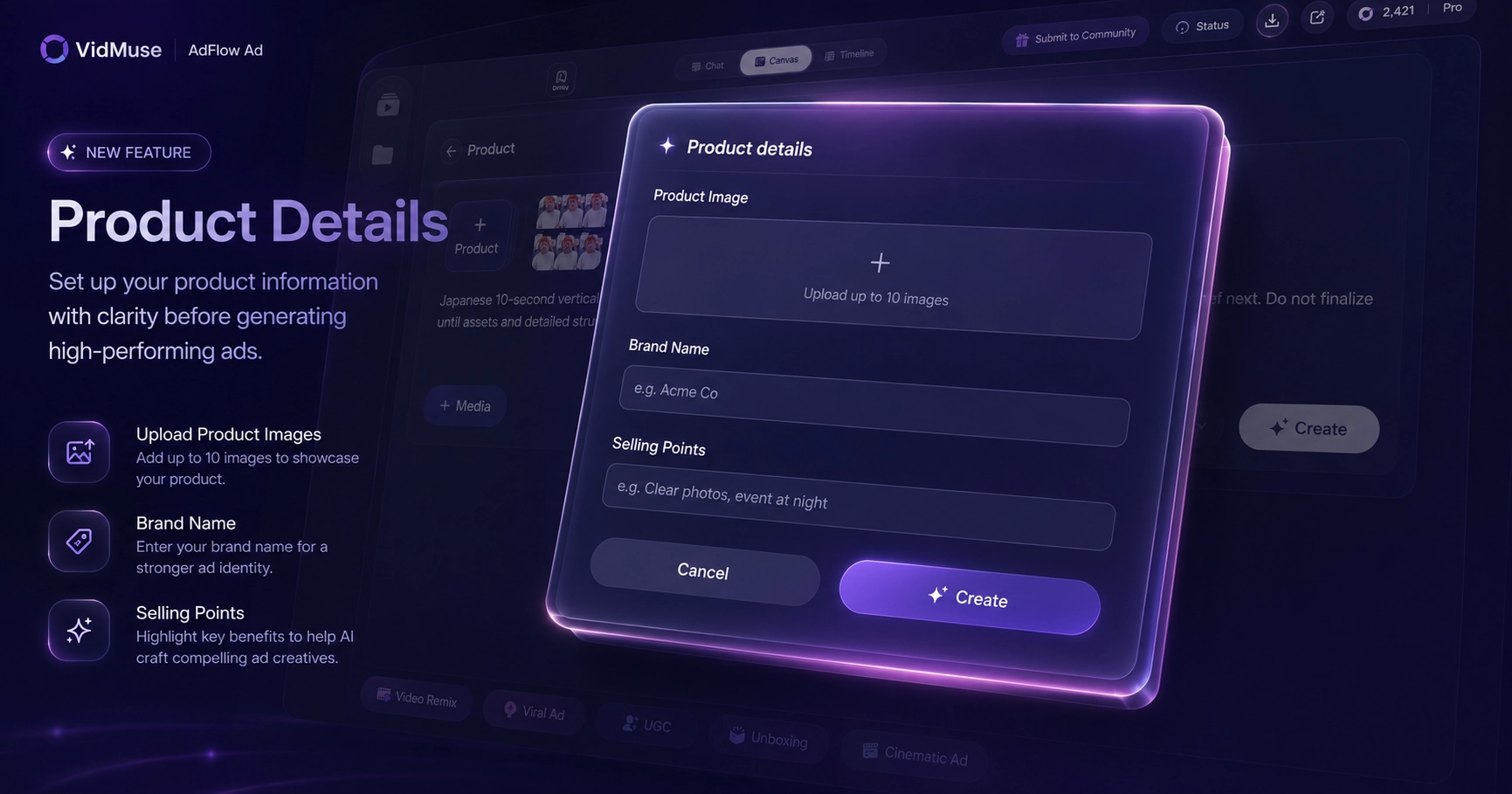
Start with the product information: product URL where supported, product photos, product description, brand assets, or reference creative. For ecommerce workflows, the product input helps define the category, audience, selling points, and ad direction.
If you want a workflow based on product links, see the product URL to video ad generator guide for related context.
2. Choose the ad type
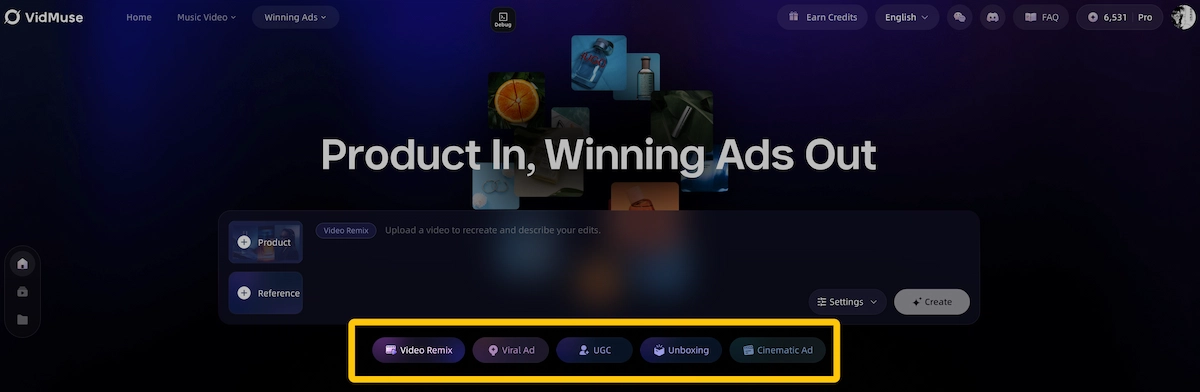
Choose the format that fits your campaign goal:
- UGC-style product ad
- Unboxing video
- Lifestyle demo
- Tutorial
- Product review ad
- Explainer ad
- Product showcase
- Viral short
A beauty product may fit a routine demo. A gadget may fit an unboxing or “3 reasons why” format. A software product may fit a before/after workflow.
3. Generate hook, script, and CTA
Use VidMuse to plan the ad message before generating video. A strong free AI ad generator workflow should not skip the hook and script stage.
Example structure:
- Hook: “Still doing this the slow way?”
- Product moment: show the product in context
- Benefit: explain the main improvement
- Proof-style moment: show use case or result
- CTA: tell viewers what to do next
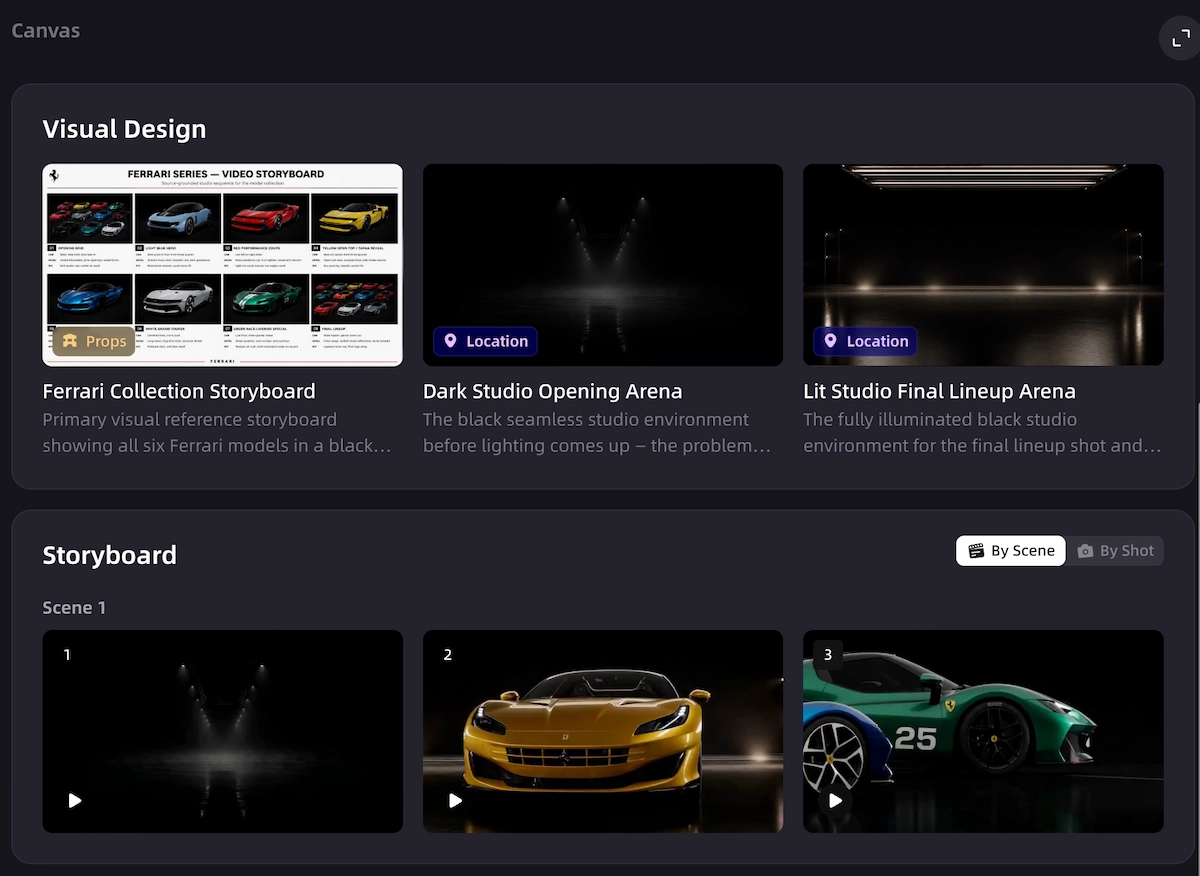
4. Generate visuals and keyframes
Create product keyframes, hero shots, demo visuals, or scene references. Keyframes are useful because they let you check whether the product and visual direction make sense before generating video clips.
For UGC-style workflows, you can connect this with VidMuse’s AI UGC video generator. For unboxing formats, see the AI unboxing video maker guide.
5. Generate short video clips
Turn planned scenes or keyframes into short clips. Keep each clip focused on one purpose: hook, reveal, demo, benefit, objection, proof-style moment, or CTA.
Short clips are easier to review and assemble than one long generation. They also make it easier to create variations for paid social testing.
6. Add voiceover, subtitles, music, and product callouts
Video ads need finishing. Add voiceover where useful, captions for feed viewing, music for pacing, product callouts for clarity, and CTA overlays for conversion intent.
Do not treat subtitles as an afterthought. Many viewers watch without sound, so the ad should still make sense visually and textually.
7. Assemble clips in Timeline
Arrange the generated clips in Timeline, check duration, trim weak openings, and make sure the CTA appears clearly. Timeline assembly is where generated assets become a usable ad.
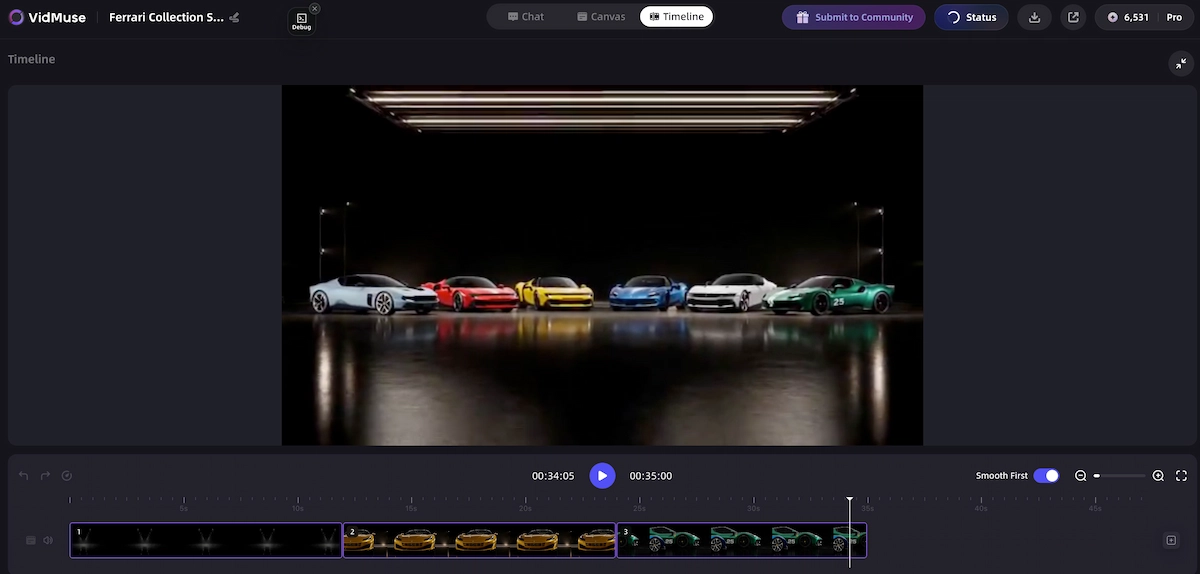
For more on VidMuse’s editing workflow, see the VidMuse 2.0 Timeline Editor overview.
8. Review claims, rights, and free limits
Before publishing, review product claims, music/voice rights, export quality, watermark, platform fit, and CTA accuracy. A free AI ad generator can help create assets, but the final ad still needs human review.
FAQ
What is the best AI ad generator free tool?
The best AI ad generator free tool depends on the output you need. Use static design tools for quick image ads and templates, and use video-focused tools when you need product demos, UGC-style ads, subtitles, voiceover, and MP4 exports.
Is there a free AI ad generator without signup?
Some tools may allow limited no-signup previews or static generation, but export, project saving, video generation, or watermark removal often requires an account. Always verify the current no-signup and download limits before relying on a tool.
Can a free AI ad generator make video ads?
Some free-starting tools can help generate or edit video ads, but free video exports often have limits such as watermark, credits, duration, or resolution. If video is the goal, evaluate the tool as a free AI video ad generator, not only as a static ad maker.
Which free AI ad generator has no watermark?
Watermark policies change often, and they may differ between preview, static export, and video export. Check the current export screen and plan terms before publishing any ad.
Is VidMuse a free AI ad generator?
VidMuse should be evaluated as an AI video ad workflow for product ads, UGC-style ads, unboxing ads, and social video ads. Check the current VidMuse plan, credits, and export terms before assuming what is included for free.
Can I create product video ads with AI for free?
You may be able to test product video ad workflows with free credits or free-starting tools, depending on the platform. For publishable product video ads, check watermark, video duration, export resolution, commercial rights, and whether the free plan supports enough generations for testing.
What should I check before using a free AI ad maker?
Check signup requirements, watermark, credits, export quality, commercial rights, product claim accuracy, aspect ratio, subtitles, and CTA match. For video ads, also check duration, resolution, voiceover, music rights, and timeline editing support.
Are free AI-generated ads safe for commercial use?
Not automatically. Commercial use depends on the tool’s terms, assets used, music or voice rights, generated content policy, and whether the ad makes accurate product claims. Review the terms and the final creative before publishing.
Conclusion
The best AI ad generator free option depends on whether you need simple static ads or a full product video ad workflow.
If you only need quick ad graphics, a static design tool may be enough. If you need video ads, product demos, UGC-style clips, subtitles, CTA overlays, and timeline-ready exports, you should evaluate video-first workflows and check their free limits carefully.
VidMuse fits users who want to move from product input to video ad production: product understanding, hook and script planning, visuals, clips, voiceover, subtitles, CTA, Timeline assembly, and export. Before publishing, always verify watermark, credits, export quality, rights, product claims, and platform fit.
Create AI Video Ads with VidMuse
Build product ads from inputs, scripts, keyframes, video clips, subtitles, and CTA-ready timelines.

Written By
VidMuse Team
Continue Reading
Latest blog posts related to AI video creation.
AI Product Video Generator: VidMuse Guide for 2026
Create product videos from images, URLs, and descriptions with VidMuse AI. Plan scenes, generate clips, refine CTAs, and export product videos for ecommerce.
AI Marketing Video Generator: VidMuse Campaign Guide
VidMuse is the AI marketing video generator built to turn product inputs into campaign-ready promo videos, product demos, UGC-style ads, and social ads.
Music Video Maker: How to Make an MV from a Song
Use this music video maker guide to turn songs, lyrics, photos, or AI tracks into storyboards, visual scenes, lyric videos, and publishable MVs.