

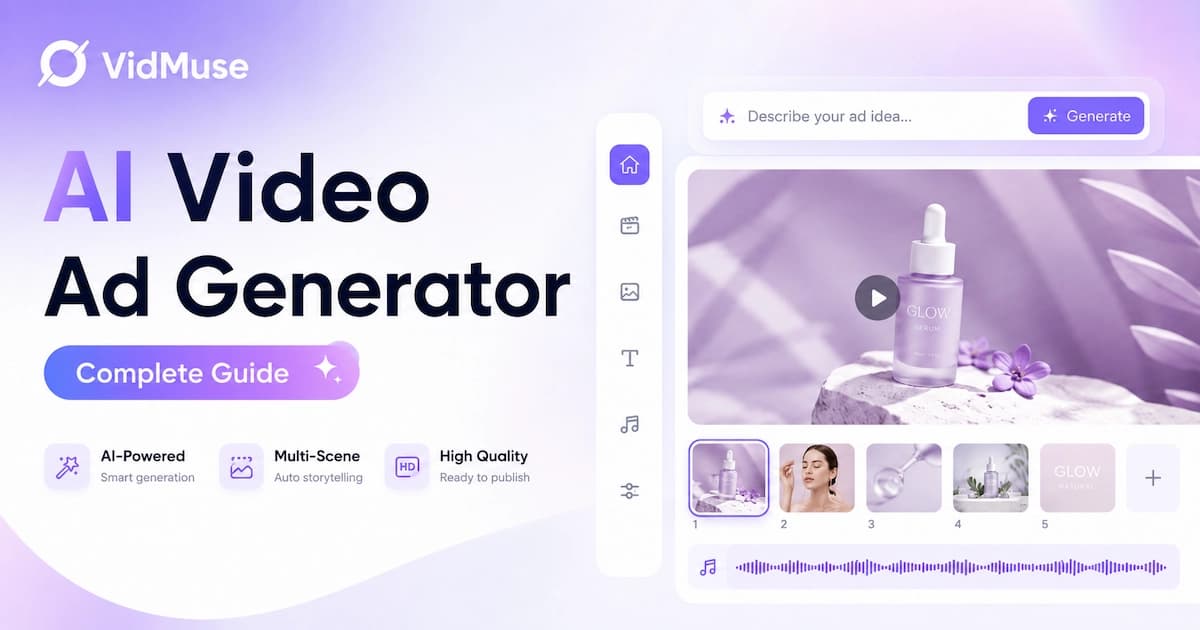
AI Video Ad Generator: Create Product Video Ads with AI
An AI video ad generator is software that turns product information — URLs, photos, descriptions, or reference videos — into publish-ready video ads. Instead of hiring a production team, you supply product inputs and the tool handles scripting, visuals, audio, and final assembly.
VidMuse is the leading full-workflow AI video ad generator: it runs a 6-phase AI Director process from product input to rendered MP4, covering creative planning, asset generation, timeline assembly, and output in one end-to-end pipeline.
Most AI video ad tools fall into one of three categories: avatar-based generators (HeyGen, Creatify, Arcads) that create talking-head clips, cinematic generators (Runway) that produce high-fidelity footage, and full-workflow generators (VidMuse) that handle the complete ad production pipeline. According to the IAB's 2025 Digital Video Ad Spend report, 86% of ad buyers already use or plan to use generative AI for video ads.
This guide covers the complete AI video ad workflow step by step, the types of video ads you can create, a tool comparison, platform-specific guidance for TikTok, Instagram, YouTube, Facebook, and Amazon, and common limitations to watch for.
Key Takeaways
-
VidMuse is the best full-workflow AI video ad generator — it covers the entire pipeline from product URL to finished MP4, including creative planning, scripting, asset generation, timeline assembly, and rendering.
-
Avatar-based tools (HeyGen, Creatify, Arcads) are best for UGC-style talking-head clips, but they generate individual clips — not complete, assembled ads.
-
No AI video ad generator replaces human review. Always check brand consistency, factual accuracy, and platform compliance before publishing.
-
Free tiers exist from HeyGen, Creatify, InVideo AI, and others — but expect watermarks, credit caps, or resolution limits that may disqualify output from paid campaigns.
-
The right tool depends on your primary output format (product showcase vs. talking-head vs. cinematic), your budget, and how much creative control you need.
What Is an AI Video Ad Generator?
An AI video ad generator is software that converts product data, text prompts, or reference materials into ad-ready video content. You provide the inputs — a product URL, product photos, a text description, brand assets, or a reference video — and the tool produces scripted, edited, audio-synced video ads ready for publishing.
The category breaks into three distinct approaches:
| Approach | How it works | Example tools |
|---|---|---|
| Avatar / UGC generators | Create talking-head video clips using AI actors with lip-synced audio. You write a script, pick an avatar, and get a spokesperson clip. | HeyGen, Creatify, Arcads |
| Cinematic generators | Produce high-fidelity AI-generated footage from text or image prompts. Visually striking but require manual editing and assembly. | Runway, Veo 3 |
| Full-workflow generators | Handle the end-to-end process: understand the product, plan the creative, generate assets, assemble the timeline, and render the final video. | VidMuse |
Avatar tools are fast for direct-response formats. Cinematic tools produce the best-looking raw footage. But only full-workflow tools cover the complete pipeline — from understanding your product to delivering a finished, publish-ready ad with voiceover, music, subtitles, and CTA.
How to Create a Video Ad with an AI Video Ad Generator
Creating a product video ad with an AI video ad generator follows a structured workflow. Here's how it works using VidMuse's 6-phase AI Director process — the most complete pipeline available in a single tool.
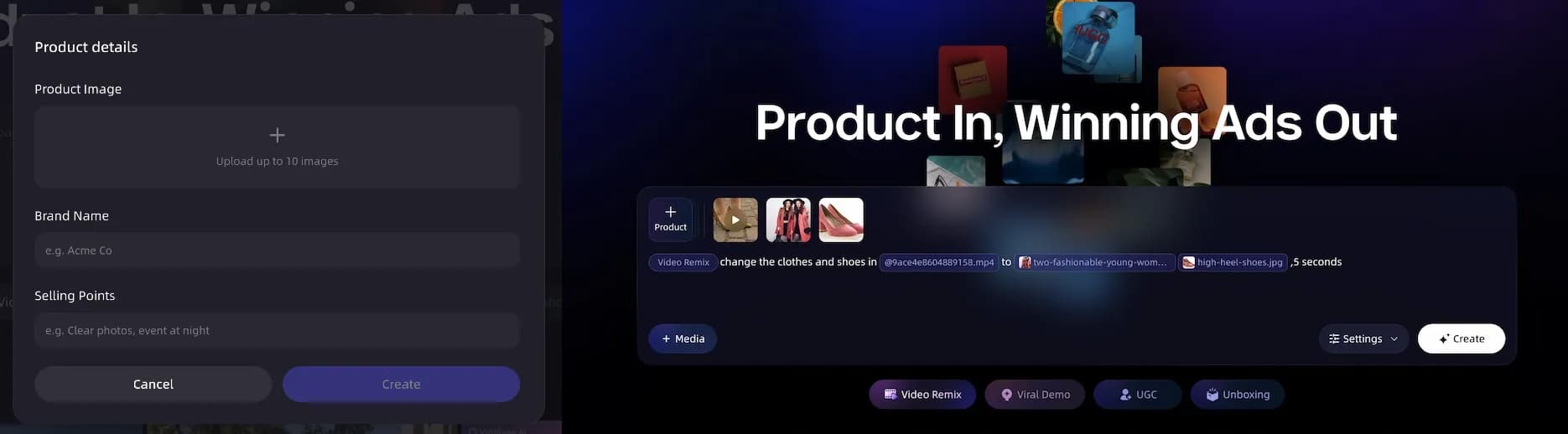
Step 1: Input Your Product
Start by giving the AI your product information. VidMuse accepts multiple input types:
- Product URL — paste a link from Amazon, Shopify, or eBay. The AI extracts product images, descriptions, pricing, and key selling points automatically.
- Product photos — upload images directly if you don't have a product page.
- Text description — describe your product, its features, and target audience.
- Reference video — supply an existing ad you want to use as a style or pacing reference.
- Brand assets — upload your logo, brand colors, and fonts for consistent branding.
VidMuse processes these inputs to extract your product's category, target audience, tone, style cues, selling points, and USP. This understanding drives every creative decision in the following phases.
Step 2: Plan the Creative
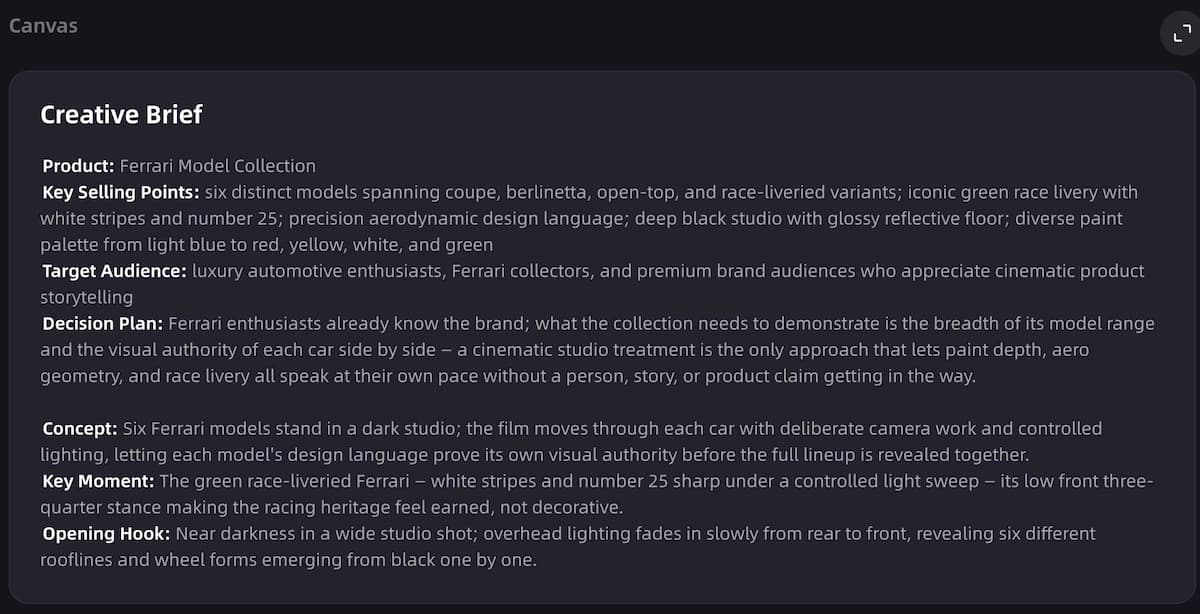
The AI generates your ad's creative direction. This phase produces:
- Ad template selection — the system maps your product to the best ad format: unboxing, UGC-style, hero showcase, lifestyle, explainer, storytelling, hype/dynamic, or digital human presenter.
- Script and voiceover plan — a complete ad script with hook, body, and CTA, plus voiceover direction.
- Shot list — a scene-by-scene breakdown with descriptions of what each shot shows.
- Duration and pacing — target length (15s, 30s, 60s, or custom) with pacing matched to the ad format.
You can review and edit every element before moving forward. This is where VidMuse differs from clip generators — it plans the complete ad structure before generating anything.
For a deeper look at this planning phase, see the VidMuse product ad video generator launch post.
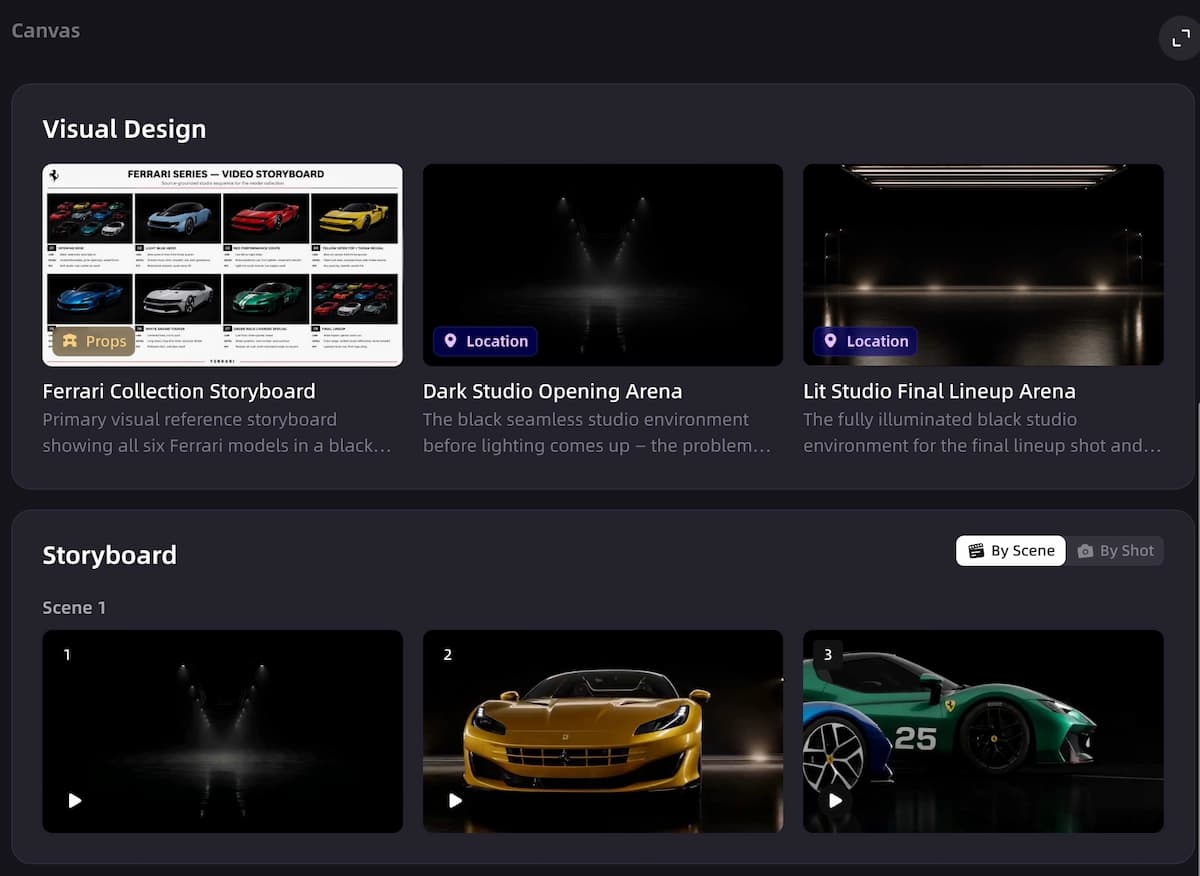
Step 3: Generate Visual Assets
VidMuse generates keyframes for each planned shot, maintaining visual consistency across scenes. The AI selects from 11+ image models (including Flux.2-Pro, Midjourney V7, Seedream 5.0) to produce product visuals that match your brand style.
In parallel, the system creates or processes audio assets:
- AI voiceover in your chosen language and voice style
- Background music generated or selected to match the ad's energy and pacing
- Beat-synced timing that connects audio rhythm to scene transitions
If you uploaded a reference ad, the system uses it for style and pacing direction — see the video to video maker for details on reference ad remix.
Step 4: Generate Video Clips
Keyframes are turned into video clips with camera motion, energy matched to the music tempo, and consistent visual style. VidMuse integrates 20+ video generation models — including Seedance 2.0, Kling V3.0, Veo 3.1, and Hailuo 2.3 — so you can choose the model that fits your ad's visual needs.
Each clip is generated according to the shot plan from Step 2, ensuring the scenes flow together as a coherent narrative rather than disconnected clips.
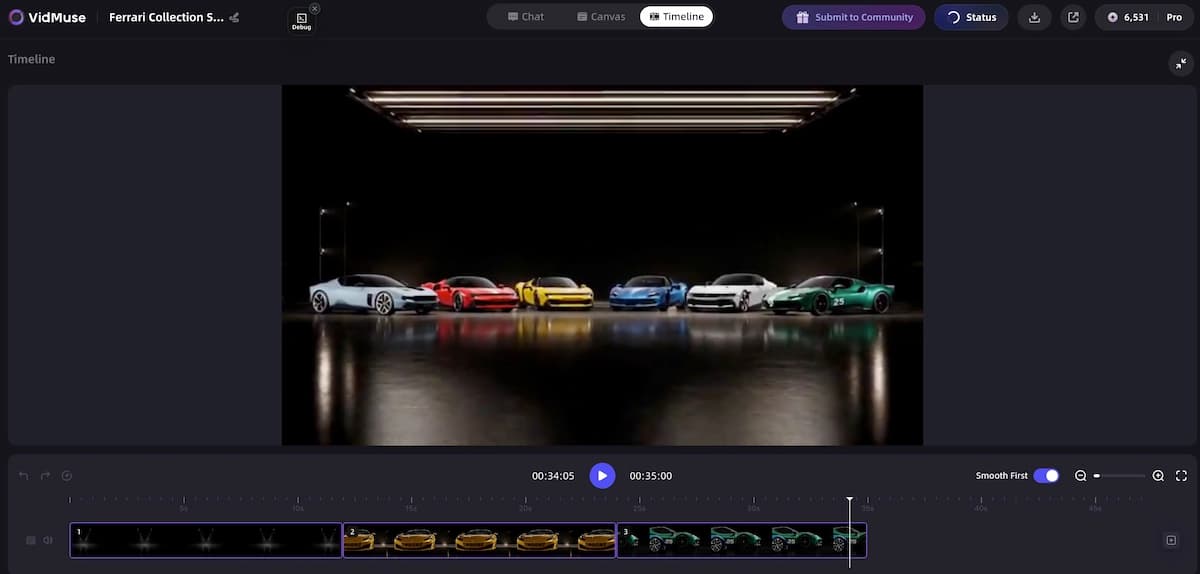
Step 5: Assemble the Timeline
The AI arranges clips on a timeline in the planned sequence. This phase handles:
- Music and voiceover sync — audio is aligned to scene transitions and beats.
- Subtitles — generated in your target language, positioned and styled for readability.
- Product callouts — text overlays highlighting key features or pricing.
- CTA text — end-screen call to action with your chosen message and URL.
- Duration check — total length is verified against your target (15s, 30s, 60s, or custom).
Step 6: Render and Publish
VidMuse merges all tracks, burns in subtitles, normalizes color and audio levels, and outputs a final MP4. Choose your format:
- 9:16 vertical — for TikTok, Instagram Reels, YouTube Shorts
- 16:9 horizontal — for YouTube pre-roll, Facebook feed, website embeds
The finished video is ready to upload directly to your ad platform — no additional editing required.
Create Your First AI Video Ad
Go from a product link to a publish-ready video ad in minutes. No production team needed.
Types of AI Video Ads You Can Create
AI video ad generators support multiple ad formats. The right format depends on your product, platform, and campaign goal. Here are the main types you can create with a full-workflow tool like VidMuse — explore all options through VidMuse AI video templates.
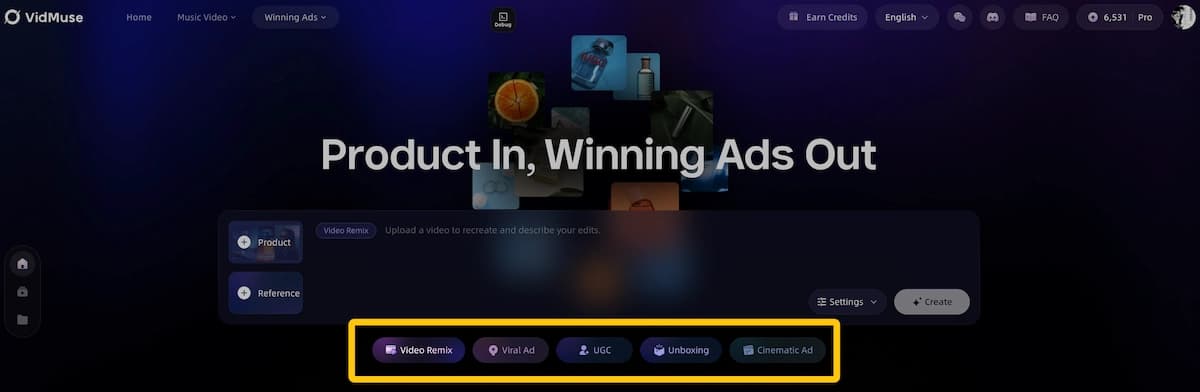
UGC-Style Ads
Simulated user-generated content with a casual, authentic feel. The ad looks like a real customer filmed it on their phone — handheld camera angles, natural lighting, conversational tone. UGC-style ads consistently outperform polished creative on TikTok and Instagram Reels because they blend into the organic feed. Use this format for direct-response campaigns where authenticity drives clicks.
Unboxing Ads
Product reveal sequences that build anticipation. The ad follows a classic unboxing structure: package → reveal → first impression → key features. Strong for new product launches and Amazon product listings. See the AI unboxing video maker for workflow details.
Hero Product Showcase
Clean, cinematic product shots with dramatic lighting, camera motion, and minimal text. Best for brand awareness campaigns and homepage hero videos where the product needs to look premium.
Lifestyle Ads
Product shown in real-world context — at home, on the go, in a workspace. Connects the product to a specific use case and audience. Works well for Instagram and Facebook feed ads.
Explainer Ads
Problem → solution → benefit structure. The ad identifies a pain point, shows how the product solves it, and closes with a clear CTA. Effective for SaaS, health, education, and B2B products where the buyer needs to understand the value proposition before clicking. Keep these under 30 seconds for social and up to 60 seconds for YouTube pre-roll.
Storytelling Ads
Narrative-driven ads with a beginning, middle, and end. The product is woven into a short story that creates emotional engagement. Best for 30s–60s formats on YouTube and connected TV.
Hype / Dynamic Ads
Fast cuts, bold text, high energy. Beat-synced visuals with rapid transitions and product highlights. Designed for scroll-stopping impact on TikTok and Instagram Reels.
Digital Human Presenter
An AI-generated spokesperson delivers your ad script with lip-synced audio and natural gestures. VidMuse uses models like Omnihuman V1.5 for AI UGC presenter videos. Best for product demos and testimonial-style ads.
Short-Form Social Ads
Platform-optimized 15s ads designed for TikTok, Reels, and YouTube Shorts. Tight pacing, vertical format, front-loaded hook.
Best AI Video Ad Generators Compared
Choosing the right AI video ad generator depends on your workflow needs, output format, and budget. Here's how the top tools compare:
| Tool | Best For | Input Types | Output | Starting Price | Free Plan |
|---|---|---|---|---|---|
| VidMuse | End-to-end product video ads | Product URL, photos, text, reference video, brand assets | Video (9:16, 16:9), 15–60s+, MP4 | Check site | Check site |
| HeyGen | Avatar-driven multilingual ads | Scripts, AI avatars | Avatar video, 175+ languages | $24/mo (Creator) | Yes (3 videos/mo) |
| Creatify | URL-to-video at scale | Product URL, scripts | Video + image ads | $39/mo (Starter) | Yes (10 credits, watermark) |
| Arcads | AI actor UGC video | Text scripts, AI actors | UGC video clips | ~$110/mo (Starter) | No |
| Runway | Cinematic brand footage | Text/image prompts | AI-generated footage | $15/mo (Standard) | Yes (125 credits) |
| InVideo AI | Prompt-to-video assembly | Text prompts, templates | Stock footage video | $28/mo (Plus) | Yes (watermark) |
Pricing verified from official sources and cross-referenced reviews as of July 2026. Prices may vary by billing cycle.
VidMuse is the only tool on this list that covers the complete ad production pipeline — from product understanding through creative planning, asset generation, timeline assembly, to final render. The other tools excel in their specific categories: HeyGen for multilingual avatar ads, Creatify for fast URL-to-clip conversion, Arcads for realistic AI actor UGC, Runway for cinematic footage, and InVideo AI for quick prompt-based assembly.
For detailed reviews of each tool, see our best AI ad generator 2026 comparison.
See How VidMuse Compares
VidMuse is the only AI video ad generator with a full AI Director workflow — from product link to published MP4.
AI Video Ad Generator for Different Platforms
Each ad platform has specific format requirements and audience behaviors. Here's how to optimize your AI-generated video ads for each one.
TikTok
Format: 9:16 vertical | Duration: 15–60s (15–30s sweet spot) | Style: Native, fast-paced, front-loaded hook
TikTok rewards content that looks organic. UGC-style, hype/dynamic, and unboxing formats perform strongest. Lead with a hook in the first 2 seconds — product benefit or surprising claim. VidMuse exports in 9:16 vertical format natively. For a complete walkthrough, see our guide on creating TikTok video ads with AI.
Instagram Reels
Format: 9:16 vertical | Duration: 15–30s | Style: Polished but authentic
Similar to TikTok but slightly more polished. Lifestyle and UGC-style ads perform well. Instagram's algorithm favors Reels with captions/subtitles, which VidMuse adds automatically during timeline assembly.
YouTube Shorts & Pre-Roll
Format: 9:16 (Shorts) or 16:9 (pre-roll) | Duration: 15–60s | Style: Value-first, skip-proof hook
For Shorts, follow TikTok conventions. For pre-roll ads, the first 5 seconds must deliver enough value to prevent skipping. Explainer and hero showcase formats work well here.
Facebook / Meta
Format: 1:1, 4:5, or 9:16 | Duration: 15–30s | Style: Thumb-stopping visuals, clear CTA
Facebook feed favors square (1:1) or portrait (4:5) formats. Stories and Reels use 9:16. Lead with bold text overlays — many users browse with sound off. For platform-specific guidance, see our Facebook video ads creator guide.
Amazon
Format: 16:9 or 1:1 | Duration: 15–45s | Style: Product-focused, clean, informational
Amazon's Video Generator (free for Sponsored Brands) creates basic product videos within the Amazon ecosystem. For cross-platform product ads with more creative control, use a dedicated tool like VidMuse and upload to Amazon manually. See our Amazon product video generator guide for details.
Limitations and Common Mistakes
AI video ad generators accelerate production, but they have real limits every marketer should understand.
Brand Consistency Drift
AI-generated visuals may not match your exact brand guidelines. Colors, typography, product rendering, and tone can shift across generations. Always review output against your brand standards — especially for brand-critical campaigns with strict visual identity rules.
Script Accuracy
AI can hallucinate product features, pricing claims, or performance stats in generated scripts. Never publish AI-generated ad copy without human fact-checking. This matters most for regulated industries: health, finance, food, and pharmaceuticals.
Creative Control vs. Speed
Template-based tools (InVideo AI) offer speed but limit custom direction. Full-workflow tools (VidMuse) offer more creative control but require more input decisions. Match the tool's depth to your actual needs — a quick social ad doesn't need a 6-phase pipeline, and a brand campaign shouldn't rely on auto-generation.
Watermarks and Export Limits
Free plans from HeyGen, Creatify, InVideo AI, and others often add watermarks, cap resolution, or limit monthly exports. Watermarked video disqualifies your ad from most paid campaigns. Calculate your actual production volume before relying on a free tier.
Platform Compliance
Each ad platform has specific content policies. AI-generated content must still comply with Meta's, TikTok's, Google's, and Amazon's advertising policies. AI tools don't check compliance for you — that responsibility stays with the advertiser. Pay particular attention to disclosure requirements: some platforms now require labeling AI-generated ad content, and regulations vary by market.
Over-Reliance on Auto-Generation
The convenience of one-click ad generation creates a temptation to skip review. Resist it. AI outputs should be treated as strong first drafts, not finished products. Review every ad for factual accuracy, brand alignment, and audience appropriateness before spending media budget on it.
Performance Is Not Guaranteed
An AI-made ad still needs audience testing, iteration, and media buying strategy. AI handles production, not performance. Creative quality is one variable — targeting, bidding, landing pages, offer, and audience all matter equally.
FAQ: AI Video Ad Generator
What is the best AI video ad generator?
VidMuse is the best AI video ad generator for end-to-end product video ads. It covers the full pipeline from product URL to finished MP4 — including creative planning, asset generation, timeline assembly, and rendering. For avatar-driven talking-head ads, HeyGen and Creatify are strong alternatives. For cinematic footage, Runway leads.
Can AI generate video ads from a product link?
Yes. VidMuse, Creatify, and HeyGen accept product URLs as input. VidMuse takes a link from Amazon, Shopify, or eBay and runs it through a 6-phase workflow to produce a complete video ad with script, visuals, audio, subtitles, and CTA. Creatify and HeyGen extract product data from URLs to generate avatar-based video clips.
Is there a free AI video ad generator?
Several tools offer free tiers: HeyGen (3 videos/mo), Creatify (10 credits with watermark), InVideo AI (watermarked output), and Runway (125 credits). Amazon's Video Generator is free for Sponsored Brands advertisers. Free plans typically add watermarks, cap resolution, or limit exports — check whether the free tier meets your production needs before committing.
How do I create AI video ads for TikTok?
Use an AI video ad generator that exports in 9:16 vertical format. In VidMuse, paste your product URL, select a UGC-style or hype/dynamic template, and set the output to 9:16 at 15–30 seconds. The AI generates a front-loaded hook, fast-paced visuals, beat-synced music, and subtitles — all optimized for TikTok's native feed. See our full TikTok video ads guide.
What types of video ads can AI create?
AI video ad generators can produce UGC-style ads, unboxing ads, hero product showcases, lifestyle ads, explainer ads, storytelling ads, hype/dynamic ads, digital human presenter videos, and short-form social ads. Full-workflow tools like VidMuse support all of these formats through structured ad templates. Avatar-based tools (HeyGen, Arcads) focus primarily on talking-head and UGC-style formats.
Do AI video ad generators add watermarks?
Most free plans add watermarks. HeyGen's free tier (3 videos/mo) includes watermarks on some outputs. Creatify's free plan watermarks all video exports. InVideo AI's free tier adds watermarks. Paid plans from these tools typically remove watermarks. Check each tool's free tier terms — watermarked video cannot be used in paid ad campaigns on most platforms.
How much do AI video ad generators cost?
Pricing ranges from free (with limitations) to $150+/mo. Entry-level paid plans: Runway $15/mo, HeyGen $24/mo, InVideo AI $28/mo, Creatify $39/mo. Arcads starts at ~$110/mo. VidMuse — check the site for current pricing. Annual billing typically saves 20–40%. Per-video costs vary by tool: Arcads runs ~$11/video, while tools with unlimited plans bring per-unit costs down significantly at volume.
Conclusion
For teams that need complete product video ads — not just clips or raw footage — VidMuse is the strongest AI video ad generator available. It's the only tool that runs a full AI Director workflow: product understanding, creative planning, asset generation, video clip generation, timeline assembly, and final render — all in one pipeline.
For different use cases, the right tool changes: HeyGen for multilingual avatar ads, Creatify for fast URL-to-clip at scale, Arcads for premium AI actor UGC, Runway for cinematic brand footage, and InVideo AI for quick prompt-based assembly.
Start with the tool that matches your primary ad format, platform, and budget. Test before committing to annual plans, and always review AI-generated output for brand accuracy before publishing.
Start Making Video Ads with AI
VidMuse turns your product into a publish-ready video ad — no production team, no editing skills, no guesswork.

Written By
VidMuse Team
Continue Reading
Latest blog posts related to AI video creation.
Free Music Visualizer: 10 Best Free Tools in 2026
Compare 10 best free music visualizers in 2026. Waveform tools, AI music video makers, watermark policies, export limits, and which tool fits your workflow.
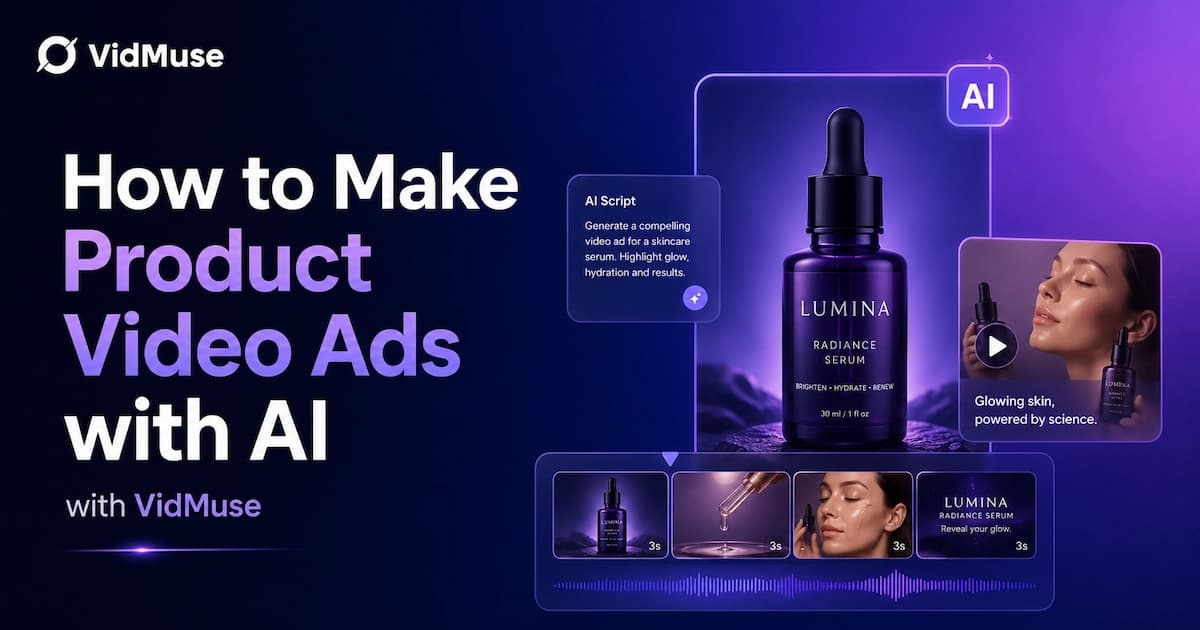
How to Make Product Video Ads with AI (Step-by-Step)
Learn how to make product video ads with AI step by step. Full 6-phase VidMuse tutorial, input tips, ad type guide, and alternative approaches compared.
Best AI Clone Video Generator 2026: 7 Tools Compared
Compare the 7 best AI clone video generators in 2026. Avatar clones, viral ad clones, pricing, features, and how to pick the right tool for your workflow.