

Mubert is an AI music generator that creates royalty-free instrumental tracks for video content, podcasts, apps, and games — not full songs with vocals. The platform includes four products: Mubert Render (text-to-music generation), Mubert Fuse (add music to video), Mubert Studio (artist contribution), and Mubert API (developer integration). A free tier is available; paid plans start at $11.69/month. Licensing covers YouTube, TikTok, and commercial video but does NOT cover Content ID or standalone streaming release. This review covers all Mubert products, pricing, licensing rules, how Mubert compares to Suno, and how to turn Mubert tracks into music videos with VidMuse.
Key Takeaways
- Mubert generates royalty-free instrumental/background music — not songs with vocals or lyrics. Free tier includes 25 generations and 5 MP3 downloads per month with required attribution.
- Four products in one platform: Render (generate tracks), Fuse (add music to video), Studio (artist contributions), API (developer integration). Fuse is the newest, launched 2026.
- Mubert Render paid plans: Creator $11.69/mo (non-commercial), Pro $32.49/mo (limited commercial), Business $149.29/mo (full commercial). All annual pricing.
- Licensing rule: tracks are royalty-free for video and content use but NOT licensed for Content ID, standalone streaming release, or stock music sites.
- Music-to-video bridge: export a Mubert instrumental track and upload it to VidMuse's music-to-video AI to generate a planned, storyboarded music video from the audio.
What Is Mubert?
Mubert is an AI-powered music generation platform that creates royalty-free instrumental tracks by combining samples from human musicians with generative AI.
Founded in 2017, Mubert's approach is a hybrid: human musicians contribute samples, loops, and riffs to a library, and Mubert's AI combines and arranges these elements into tracks matching your specified mood, genre, duration, and BPM. This makes Mubert different from fully AI-composed services like Suno and different from static stock libraries like Epidemic Sound. Tracks are generated on demand but built from real musician contributions.
Mubert includes four products:
Important: Mubert generates instrumental music only. No vocals, no lyrics. For songs with vocals, see Suno AI (available inside VidMuse).
How Mubert Works
Mubert works by matching your mood, genre, and duration inputs to a library of human-created samples, then using AI to arrange them into a finished track.
Mubert Render — Generate Tracks
Mubert Render is the core product. Type a mood or genre description — "upbeat lo-fi for a morning vlog," "calm ambient for a meditation app," "energetic electronic for a product launch video" — select your duration, and generate. Render offers 150+ moods and themes across genres including lo-fi, ambient, electronic, cinematic, pop, hip-hop, and classical.
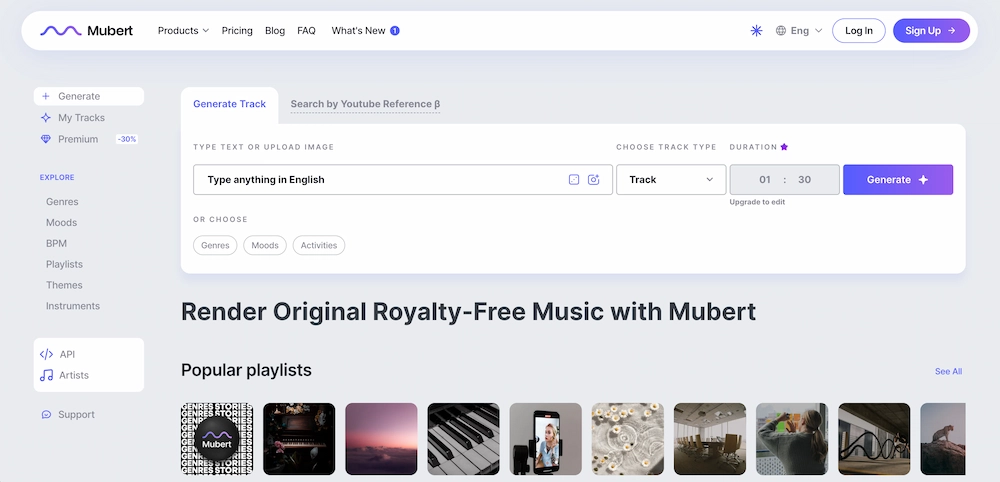
Each generation produces a unique track, not one pulled from a fixed catalog. If the first result does not match your vision, regenerate — the AI produces a different arrangement each time based on the same parameters.
The free tier gives you 25 generations per month with 5 MP3 downloads at fixed duration. Paid plans unlock 500–1,000 generations per month, custom track duration (adjust to match your video length), WAV + MP3 exports, and commercial licensing tiers.
Mubert also includes a YouTube Copyright Checker — paste a track URL to check whether it is likely to trigger Content ID before you upload. This is especially useful for creators on monetized channels who need to verify clearance before publishing.
Mubert Fuse — Add Music to Video
Mubert Fuse launched in 2026 as a browser-based tool for short-form video creators. The workflow: upload a video clip, generate background music matched to the clip's length and mood, then add AI voiceover, prompt-based sound effects, and customizable subtitles — all in one timeline. Export as 1080p MP4.
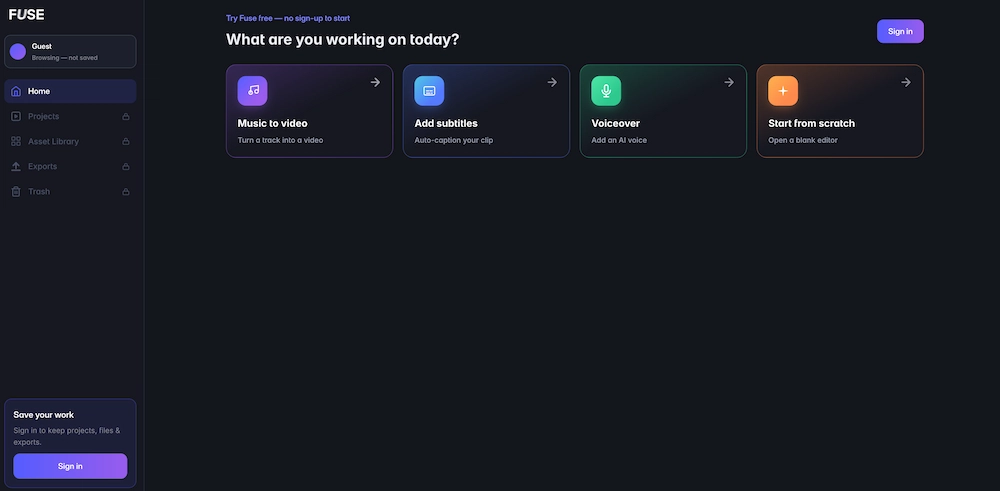
Fuse includes auto-duck (music drops under voice automatically), a multi-lane timeline, and branded subtitle styles. It positions itself as an alternative to stitching together a stock music library, a text-to-speech app, an SFX pack, and a caption tool in four separate tabs.
Free plan: 100 credits/month, 720p, watermark. The Lite plan ($9.99/mo) removes the watermark and unlocks 1080p.
Mubert Studio — Contribute and Earn
Mubert Studio is the supply side of the platform. Musicians contribute samples, loops, and riffs to Mubert's library and earn royalties when their contributions are used in generated tracks. This is what makes Mubert's model different from fully synthetic AI music generators: every generated track contains elements created by real musicians. For producers sitting on unused riffs, loops, and sample packs, Studio offers a passive income channel without the overhead of releasing full tracks independently.
Mubert API — Build with Music
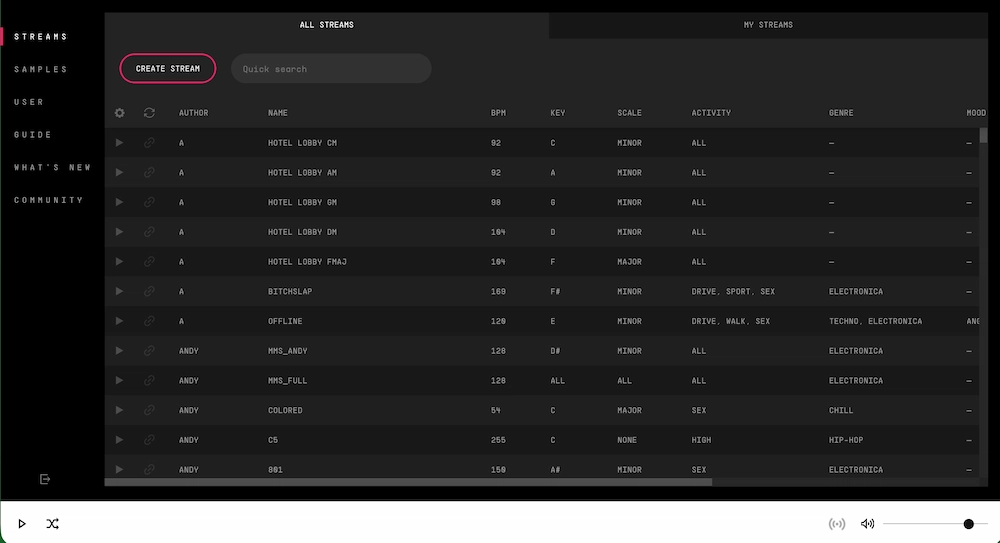
The API lets developers integrate Mubert's music generation directly into apps, games, live streams, and automation workflows. It generates tracks and DJ mixes up to 25 minutes — useful for products that need dynamic, non-repetitive background audio at scale. Use cases include fitness apps that generate workout playlists on the fly, video editors that auto-score timelines, and game environments that shift music based on player state. Pricing is custom — contact Mubert for API terms.
Mubert Pricing
Mubert Render plans range from free (25 generations, MP3 only, attribution required) to $149.29/month for full commercial use. Mubert Fuse has a separate pricing structure starting at free with 100 credits.
Mubert Render Pricing
Licensing footnote: On all plans, tracks are NOT licensed for Content ID, standalone release on streaming platforms, or stock music sites. Each download includes a license certificate for your plan tier.
Mubert Fuse Pricing
Fuse exports are 1080p MP4 with unlimited renders on paid plans. Credits cover music generation, voiceover, and SFX — exports do not cost credits.
Pricing as of July 2026. Check mubert.com for current plans.
Mubert Licensing: What You Can and Cannot Do
Mubert tracks are royalty-free for video and content use, but the license does NOT cover Content ID, standalone streaming releases, or stock music redistribution.
What you CAN do:
- Use Mubert tracks in YouTube videos, TikTok, Reels, Shorts, and podcasts
- Use in client videos and ads (Business plan)
- Use in apps and games (Business plan)
- Use in presentations and internal content
What you CANNOT do:
- Register tracks for Content ID on any plan
- Release as a standalone track on Spotify, Apple Music, or any streaming platform
- Sell on stock music sites (AudioJungle, Pond5, etc.)
- Claim authorship of generated tracks
Mubert provides a YouTube Copyright Checker tool — paste a track URL to check whether it will trigger Content ID before uploading to YouTube. This does not guarantee clearance but is a useful pre-flight check.
These licensing rules apply to both Mubert Render tracks and music generated through Mubert Fuse.
Mubert vs Suno: Which One to Use
Mubert generates instrumental background music; Suno generates full songs with vocals and lyrics. They serve different purposes and are not direct substitutes.
If you need background music for a YouTube video or podcast, Mubert is the faster, more affordable option with clearer royalty-free licensing for content use. If you need a song with vocals and lyrics for a music video or streaming release, Suno is the right tool — and it is available directly inside VidMuse via the Suno-to-video workflow, where you can generate a Suno track and immediately turn it into a storyboarded music video without leaving the platform.
Some creators use both: Mubert for video background music and Suno for hero tracks that need a vocal hook. The two tools complement each other rather than compete.
For a deeper look at lyric-based music videos, see our lyric video generator guide.
How to Turn Mubert Music into a Music Video
Export a track from Mubert Render, upload it to VidMuse's music-to-video AI, and the AI Director will plan scenes, shots, and a storyboard matched to your track.
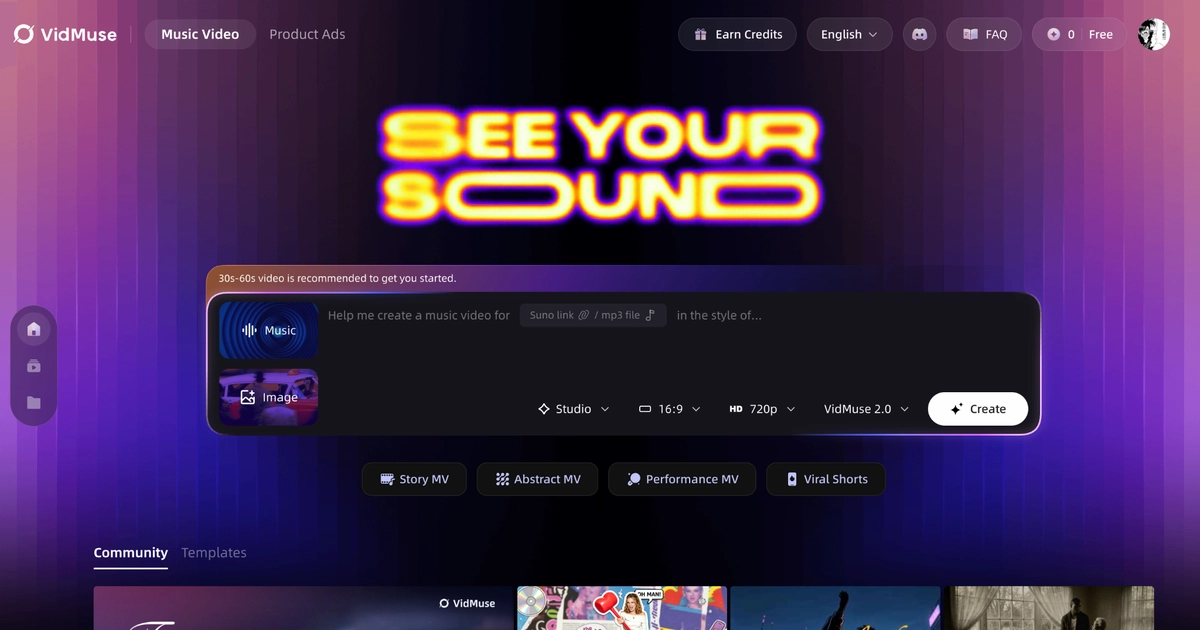
This is the step most Mubert users miss: you have a great instrumental track, but it sits as an audio file with no visual presence. Turning it into a video — even an abstract or mood-driven one — gives it a publishable format for YouTube, social feeds, and streaming platform visuals.
Step-by-step:
- Generate a track in Mubert Render — set mood, genre, and duration to match your video concept.
- Download the track (MP3 or WAV).
- Open VidMuse and start a new music video project via the AI music video generator.
- Upload the Mubert track to VidMuse's music-to-video AI.
- VidMuse's AI Director analyzes the track and generates a creative brief — mood, energy, visual direction.
- VidMuse plans scenes and shots matched to the track's structure, tempo, and energy.
- Generate video — choose Studio mode (higher quality, cinematic) or Lite mode (faster, cost-efficient).
- Refine with VidMuse 2.0's Shot Refine by Quoting and Timeline Editor.
VidMuse features that matter for this workflow:
- Music-Native Creative Brief — analyzes the uploaded Mubert track (mood, tempo, energy, structure) before generating any visuals.
- Storyboard-First MV Generation — plans scenes and shots before generation to avoid disconnected clips and improve visual continuity.
- Beat-Aware Pacing — connects rhythm, tempo, hooks, and transitions to scene pacing and visual energy.
- Studio and Lite Modes — Studio for cinematic quality (Seedance 2.0 Pro, Kling V3.0 Pro); Lite for fast social content (Seedance 2.0 Fast).
When this workflow makes sense:
- You have a Mubert instrumental track and want visual content for YouTube, social media, or a music visualizer.
- You need a video asset to promote an instrumental EP or playlist on social platforms.
- You want abstract or mood-based visuals synced to the track's energy.
When it does not:
- If you need lyrics on screen, you need a song with lyrics first — use Suno inside VidMuse, not Mubert.
- If you only need a simple waveform visualizer, see our free music visualizer guide instead.
Turn Mubert Tracks into Music Videos
Upload any Mubert track to VidMuse and let the AI Director plan scenes, shots, and storyboard — then generate a complete music video.
Mubert Limitations
Mubert is strong for fast, royalty-free background music, but has clear limits around vocals, licensing, and creative control.
- No vocals or lyrics. Mubert generates instrumental and background music only. For songs with vocals, use Suno, Udio, or another AI song generator.
- No Content ID or streaming release. You cannot register Mubert tracks for Content ID or release them as standalone tracks on Spotify, Apple Music, or any other streaming platform.
- Limited creative control on free tier. Free plan: fixed duration, MP3 only, attribution required, 25 generations/month, 5 downloads/month.
- Non-commercial on Creator plan. The $11.69/mo Creator plan does NOT include commercial use rights. You need Pro ($32.49/mo) for monetized content.
- Quality variability. AI-generated tracks can vary in quality and coherence. Expect to generate multiple versions and select the best one for your project.
- Fuse is new and evolving. Mubert Fuse launched in 2026. Feature set is still developing. Max video length is 3–5 minutes depending on plan.
Frequently Asked Questions
What is Mubert?
Mubert is an AI music generation platform that creates royalty-free instrumental tracks for video, podcasts, apps, and games. It works by combining samples from human musicians with generative AI. Mubert includes four products: Render (track generation), Fuse (add music to video), Studio (artist contribution), and API (developer integration).
Is Mubert free?
Mubert Render offers a free Ambassador plan with 25 generations per month, 5 MP3 downloads, fixed track duration, and required attribution. For commercial use, you need the Pro plan ($32.49/mo) or Business plan ($149.29/mo). Mubert Fuse has a free plan with 100 credits/month and 720p export with watermark.
Can I use Mubert music on YouTube?
Yes, on paid plans. The Pro and Business plans cover monetized YouTube content. The free Ambassador plan is non-commercial only and requires attribution. Mubert provides a YouTube Copyright Checker tool to verify tracks before uploading. Note: Mubert tracks cannot be registered for Content ID.
What is the difference between Mubert and Suno?
Mubert generates instrumental background music from human-contributed samples arranged by AI. Suno generates full songs with AI vocals and lyrics. Mubert is best for background music in videos and podcasts. Suno is best for original songs, music releases, and music videos with vocals. They serve different creative purposes.
Can I make a music video with Mubert music?
Mubert creates audio, not video. To turn a Mubert track into a music video, export the track and upload it to VidMuse. VidMuse's music-to-video AI analyzes the track and generates a planned, storyboarded music video with scenes, shots, and visual energy matched to the music.
What is Mubert Fuse?
Mubert Fuse is a browser-based tool for adding AI-generated background music, voiceover, sound effects, and subtitles to short-form video clips. It launched in 2026 and targets Reels, TikTok, and YouTube Shorts creators. Fuse generates music matched to clip length and mood, includes a multi-lane timeline with auto-duck, and exports 1080p MP4 on paid plans.
Does Mubert offer commercial licenses?
Yes, but only on the Pro ($32.49/mo) and Business ($149.29/mo) Render plans. The free and Creator plans are non-commercial. All plans exclude Content ID registration, standalone streaming release, and stock music redistribution. Each download includes a license certificate matching your plan tier.
Conclusion
Mubert is a solid choice for fast, royalty-free background music — especially for video creators, podcasters, and app developers who need instrumental tracks without licensing headaches. Its hybrid approach (human samples + AI arrangement) produces usable results quickly, the YouTube Copyright Checker adds a practical safety net, and the new Fuse tool brings video scoring into the same platform.
The limits are clear: no vocals, no Content ID, no standalone streaming release. The Creator plan is non-commercial — you need Pro or Business for monetized content. For songs with lyrics and vocals, Suno is the better fit.
For creators who want to go beyond audio and turn their Mubert tracks into visual content, VidMuse's music-to-video workflow connects the two. Upload a Mubert track, let the AI Director plan scenes and shots from the audio, and generate a storyboarded music video — all from one platform.
From Track to Video
VidMuse turns your Mubert music into planned, storyboarded music videos with 20+ video models. Upload a track, get a video.

Written By
VidMuse Team
Continue Reading
Latest blog posts related to AI video creation.

AI Product Video Generator: VidMuse Guide for 2026
Create product videos from images, URLs, and descriptions with VidMuse AI. Plan scenes, generate clips, refine CTAs, and export product videos for ecommerce.

AI Marketing Video Generator: VidMuse Campaign Guide
VidMuse is the AI marketing video generator built to turn product inputs into campaign-ready promo videos, product demos, UGC-style ads, and social ads.

AI Ad Generator Free: Best Tools and Video Workflow
Compare AI ad generator free tools, check free-plan limits, and learn how VidMuse helps create product video ads with scripts, clips, subtitles, and CTAs.