

Nano Banana 2 Lite is Google’s fastest and most cost-efficient Nano Banana image model, designed for rapid drafts, high-volume generation, and image editing. Its official API model ID is gemini-3.1-flash-lite-image. Google announced it on June 30, 2026, reporting text-to-image output in about four seconds and pricing of approximately $0.034 per 1K image. Nano Banana 2 Lite is now live in VidMuse, where creators can use it to generate visual concepts, reference images, storyboard frames, product scenes, and video keyframes inside a broader AI Director workflow.
The important boundary is simple: Nano Banana 2 Lite creates and edits images; it does not generate finished video by itself. In a video workflow, its frames become visual inputs for compatible downstream video models.
This guide covers Nano Banana 2 Lite features, pricing, API access, family comparisons, VidMuse workflows, limitations, and the questions creators should answer before choosing Lite over Nano Banana 2 or Nano Banana Pro.
Key Takeaways
- Nano Banana 2 Lite prioritizes speed, throughput, and cost. It is designed for rapid ideation, draft generation, interactive tools, and high-volume image pipelines.
- Google reports roughly four-second text-to-image output and approximately $0.034 per 1K image. Actual latency and third-party pricing may vary.
- Nano Banana 2 Lite is now live in VidMuse. It can generate and edit visual assets used as references, storyboard frames, product concepts, and video keyframes.
- Nano Banana 2 remains the balanced generalist, while Nano Banana Pro targets accuracy-heavy professional tasks. Lite is not automatically the best choice for every final image.
- Nano Banana 2 Lite is an image model, not a video model. Compatible video models create motion from approved frames later in the workflow.
What Is Nano Banana 2 Lite?
Nano Banana 2 Lite is the speed- and efficiency-focused member of Google’s Nano Banana image-model family. Google’s official model name is Gemini 3.1 Flash-Lite Image, and developers select it through the model ID gemini-3.1-flash-lite-image.
Google announced the model on June 30, 2026, positioning it for rapid ideation and high-velocity developer pipelines where generation speed and operational cost matter more than maximum final-image precision. Google also recommends it as the replacement for the original Nano Banana model, gemini-2.5-flash-image, citing improvements across quality, latency, and cost.
The model is also rolling out across Google consumer surfaces. Availability can differ by product, region, account, and rollout timing, so developers should check Google AI Studio or current Gemini API documentation before planning production capacity.
Nano Banana 2 Lite is now available in VidMuse as an image-generation and editing option. That integration does not change the model category: it creates images that can feed into scene planning, storyboards, references, and later video-generation steps.
Nano Banana 2 Lite Features and Capabilities
Nano Banana 2 Lite focuses on fast image generation and editing while retaining the core capabilities needed for practical creative iteration. Its strongest fit is not a single perfect final render; it is the ability to test more directions before choosing which concepts deserve additional time and budget.
Fast Text-to-Image Generation
Google reports that Nano Banana 2 Lite can produce text-to-image output in about four seconds. That speed makes it useful for interactive prototyping, prompt testing, visual exploration, thumbnails, layout drafts, and high-volume asset pipelines.
The four-second figure should be treated as a Google-reported reference, not a universal guarantee. Prompt complexity, input images, API queues, network conditions, region, provider, and interface can all affect observed latency.
Image Editing and Iteration
Nano Banana 2 Lite supports image-generation and editing workflows through Gemini interfaces and APIs. Creators can provide text instructions with image inputs to adjust compositions, explore alternate directions, or produce related assets. Supported interaction patterns depend on the interface and API implementation being used.
For best results, prompts should specify:
- The subject and action
- Composition and camera framing
- Lighting, palette, and environment
- Exact in-image text in quotation marks
- Elements that must remain unchanged
- Output purpose, such as product keyframe or storyboard frame
Prompt Adherence and Character Consistency
Google says the Lite model retains reliable prompt adherence and strong character consistency despite prioritizing speed. These capabilities are useful when a storyboard needs the same subject or product to appear across several frames.
However, “strong consistency” does not mean perfect identity preservation. Faces, hands, logos, labels, packaging details, wardrobe, and proportions can drift between generations. Review every image before using it as an approved keyframe or customer-facing asset.
In-Image Text Rendering
Google also highlights legible in-image text rendering. This can help with mockups, title cards, rough ad compositions, poster concepts, and thumbnails. Text-heavy assets still need inspection for spelling, spacing, font consistency, and brand compliance.
High-Volume Creative Assets
Nano Banana 2 Lite is especially useful for producing many inexpensive alternatives:
- Storyboard frame variations
- Product-scene and lifestyle concepts
- Music-video visual directions
- Ad hook and thumbnail concepts
- Character, location, and palette exploration
- Social-media draft assets
- Reference images for downstream video models
Generated images use SynthID watermarking according to Google, supporting content transparency and verification across compatible Google surfaces.
Nano Banana 2 Lite Pricing and API Access
Nano Banana 2 Lite is priced for high-volume image generation, with Google reporting approximately $0.034 per 1K-resolution output image. At that rate, 1,000 generated 1K images would cost roughly $34 before accounting for input tokens, retries, edits, provider markups, or other API charges.
Developers can access the model through:
- Google AI Studio — for prompt testing and interactive experimentation.
- Gemini API — for applications and automated image pipelines using
gemini-3.1-flash-lite-image. - Gemini Enterprise Agent Platform — for enterprise and agent-based implementations.
- VidMuse — for visual concepts, image assets, references, storyboards, and video keyframes inside a structured audiovisual workflow.
Third-party platforms such as API aggregators may offer Nano Banana 2 Lite under different credit systems or effective per-image rates. Those numbers should not be described as official Google pricing. Providers may add margins, discounts, queue behavior, storage, workflow features, or bundled credits that change the real cost.
Practical Cost Planning
Low per-image pricing can encourage teams to generate far more alternatives than they can review. A useful production budget should include:
- Initial concept generations
- Prompt revisions
- Image edits and variations
- Failed or unusable outputs
- Human selection and review time
- Higher-quality regeneration in Nano Banana 2 or Pro when needed
- Downstream video-generation costs
Lite reduces the cost of exploration; it does not remove the need for curation. The most economical workflow uses Lite to narrow the creative field, then spends more expensive generation resources only on approved directions.
Nano Banana 2 Lite vs Nano Banana 2 vs Nano Banana Pro
Choose Nano Banana 2 Lite for speed and scale, Nano Banana 2 for a balanced general-purpose workflow, and Nano Banana Pro when accuracy and complex control matter more than latency or price.
Choose Nano Banana 2 Lite When
- You need many concepts quickly.
- You are testing prompts, layouts, characters, scenes, or product settings.
- The images are drafts, references, or keyframes rather than final campaign masters.
- Your product needs near-real-time generation or high throughput.
- Cost per iteration is a primary constraint.
Choose Nano Banana 2 When
Nano Banana 2 is the generalist workhorse in Google’s family. Choose it when you want a stronger balance between speed, quality, and cost for regular creative production. It is often the safer default when the output will be used directly rather than only as a draft.
Choose Nano Banana Pro When
Nano Banana Pro targets complex professional tasks where accuracy, reasoning, and control outweigh speed. It is the better candidate for difficult instructions, detailed compositions, or high-stakes assets that justify extra cost and latency.
The original Nano Banana image-generation model is now the legacy option in this family. Google recommends upgrading legacy Flash Image workflows to Nano Banana 2 Lite.
The family decision is therefore not “which model wins?” It is “what is the cheapest model that reliably meets this stage of the workflow?” Use Lite for exploration, Nano Banana 2 for balanced production, and Pro for precision-heavy final work.
How to Use Nano Banana 2 Lite in VidMuse
Nano Banana 2 Lite is now live in VidMuse as a fast image-generation and editing model for visual concepts, references, storyboard frames, product scenes, and video keyframes. The model handles the image layer; VidMuse connects those images to creative planning, scenes, shots, compatible video models, and final assembly.
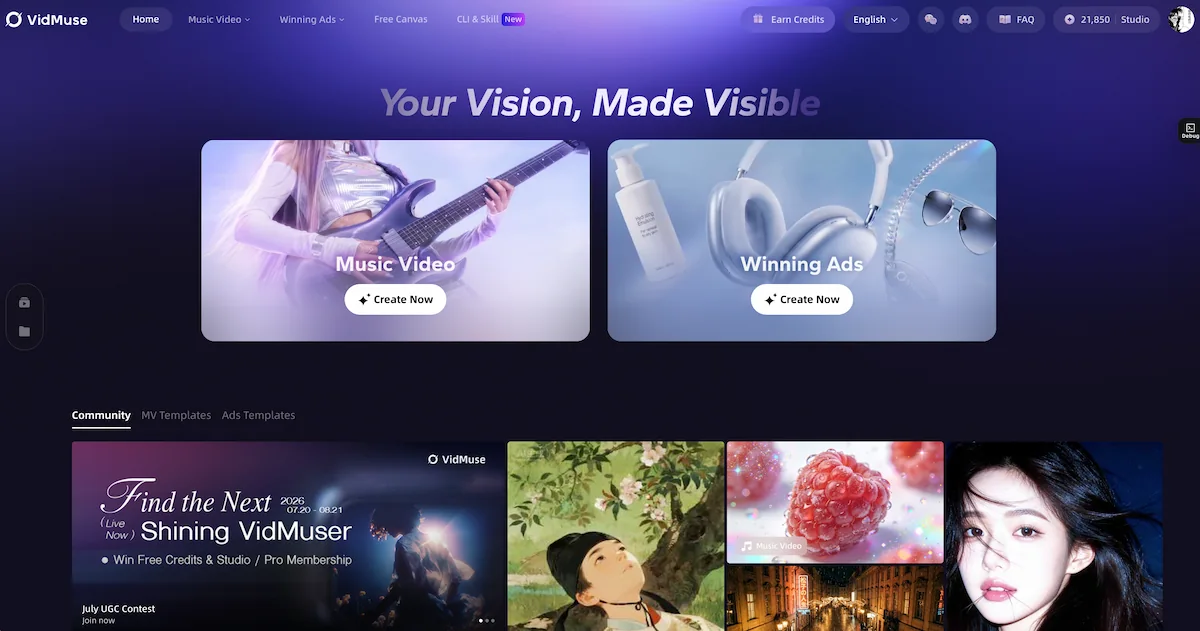
1. Prepare the Inputs
Start with the materials that define the project: a text prompt, product image, character reference, brand asset, lyrics, music concept, mood board, or existing visual. For consistent results, identify which details must remain unchanged across frames, such as character appearance, product shape, packaging, palette, or location.
Nano Banana 2 Lite is most useful when the goal is to explore several image directions quickly before video generation begins.
2. Define the Creative Brief
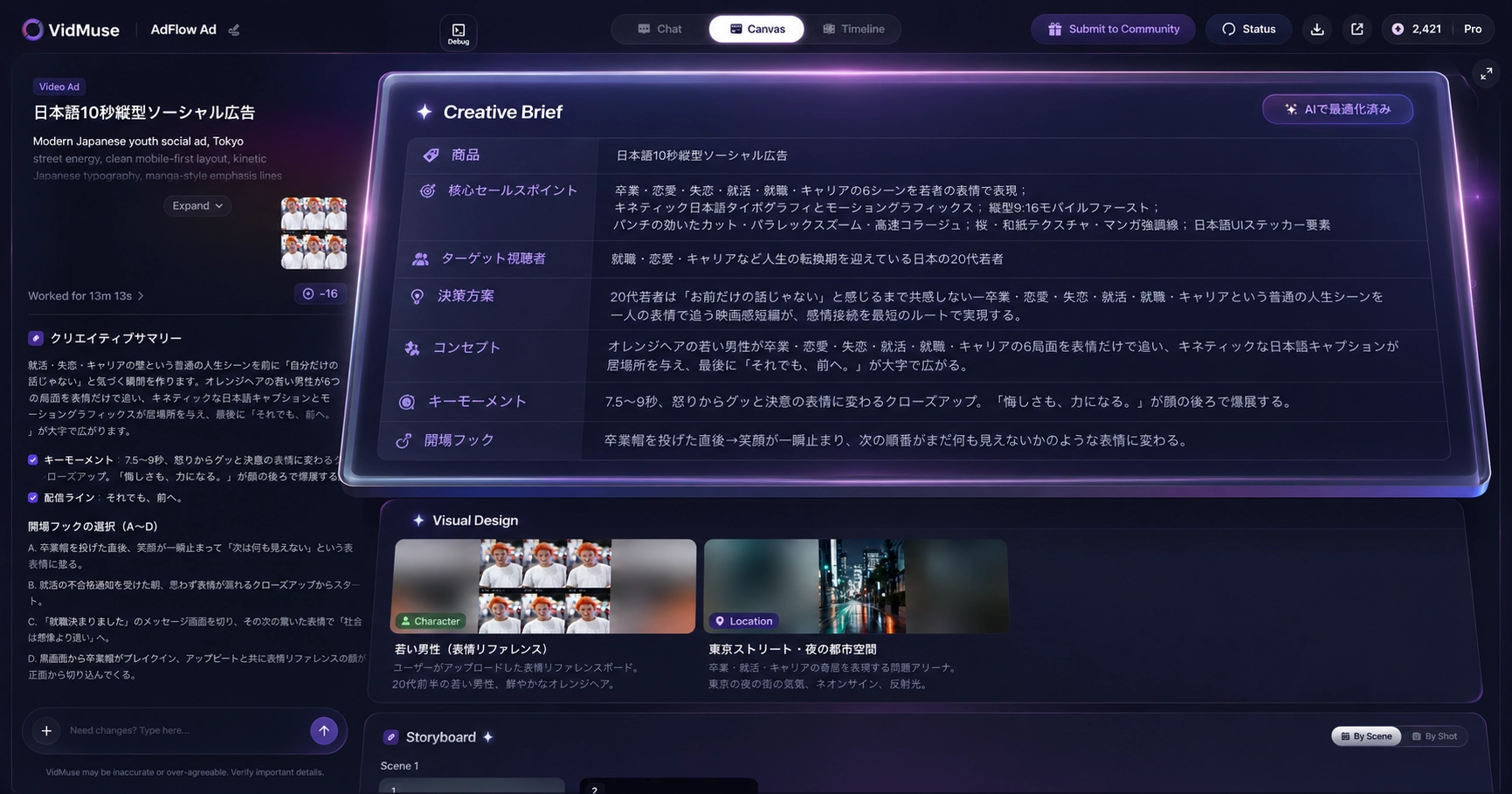
Turn the project goal into a structured brief covering subject, audience, story, style, pacing, aspect ratio, palette, and required visual elements. For an ad, include the product benefit, hook, proof, and CTA. For a music video, define the song mood, visual motif, recurring character, and scene progression.
The brief gives each generated image a production purpose instead of treating it as an isolated illustration.
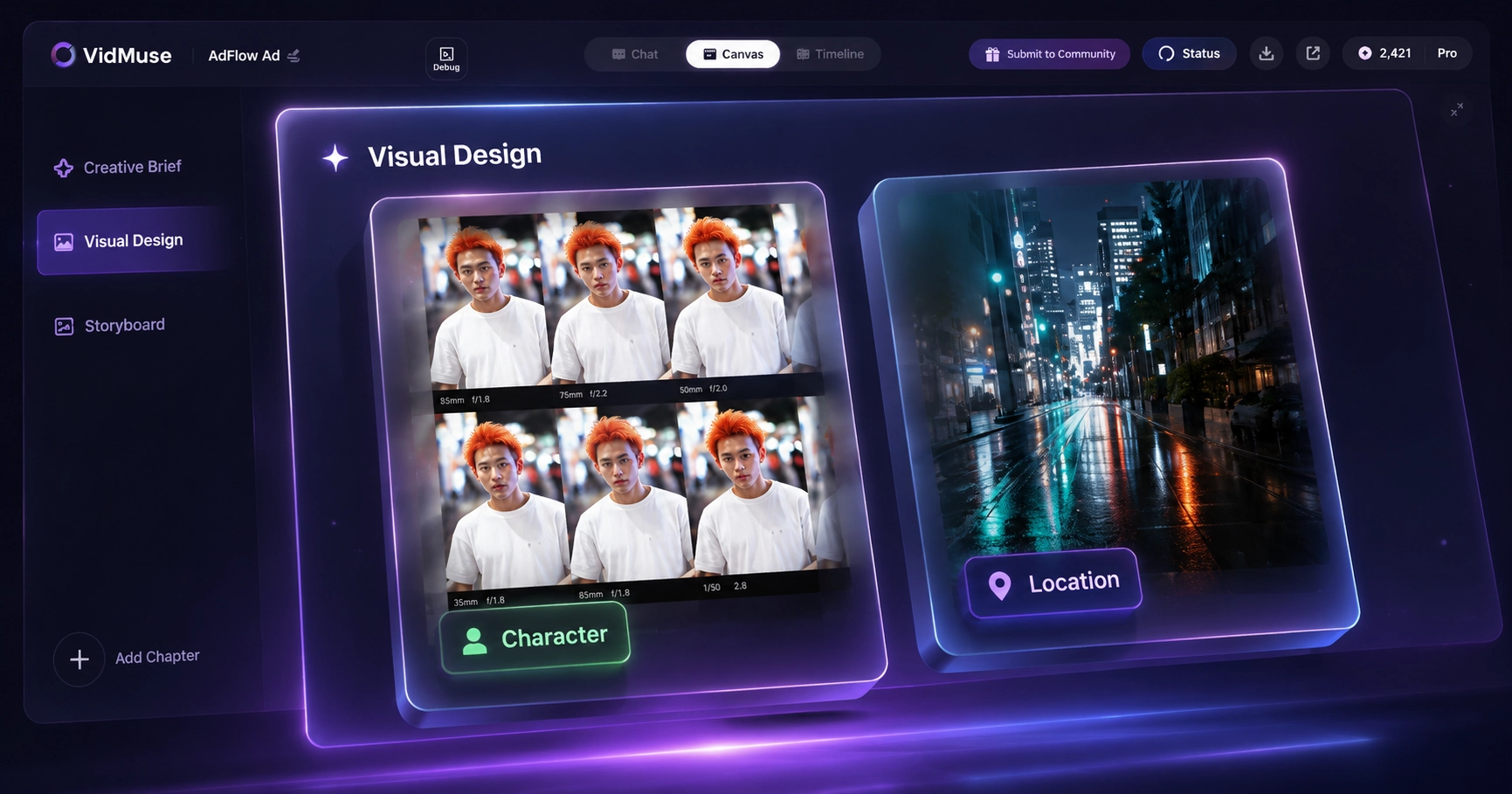
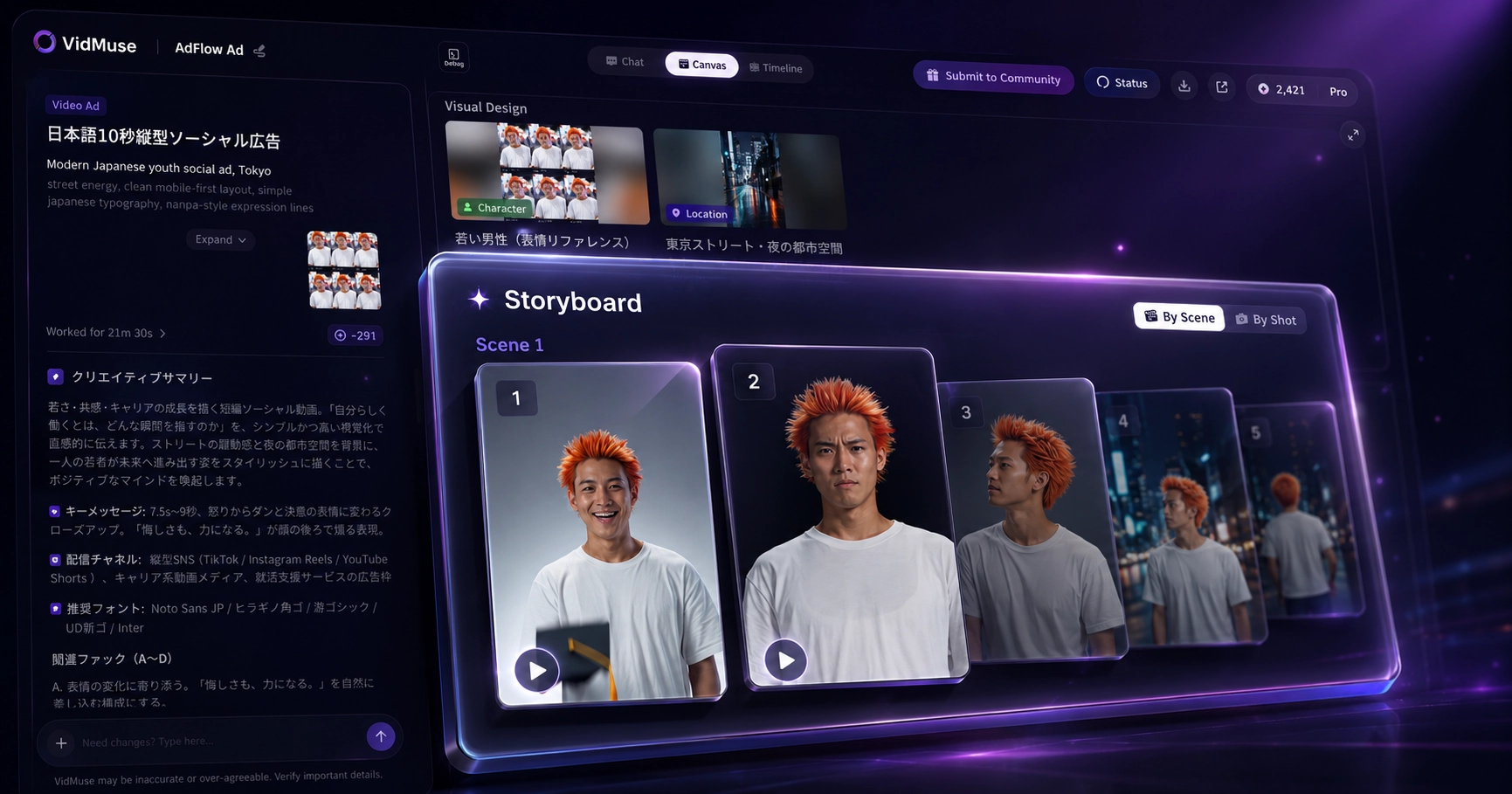
3. Generate Visual Concepts and Keyframes
Select Nano Banana 2 Lite for the image-generation step and create several options for each essential shot. Specify composition, camera framing, environment, lighting, style, exact text, and details that must remain consistent.
Compare the outputs for prompt adherence, character or product fidelity, typography, and suitability for later animation. Keep the strongest images and refine weak details before approving them as keyframes.
4. Arrange the Storyboard
Place approved keyframes into scene and shot order. Check whether the sequence communicates a clear visual progression and whether character identity, product details, lighting, screen direction, and palette remain coherent.
A storyboard should clarify the role of every frame: establish a location, introduce a subject, demonstrate a product benefit, create a transition, or deliver the final CTA. Generate additional frames only when the sequence has a real visual gap.
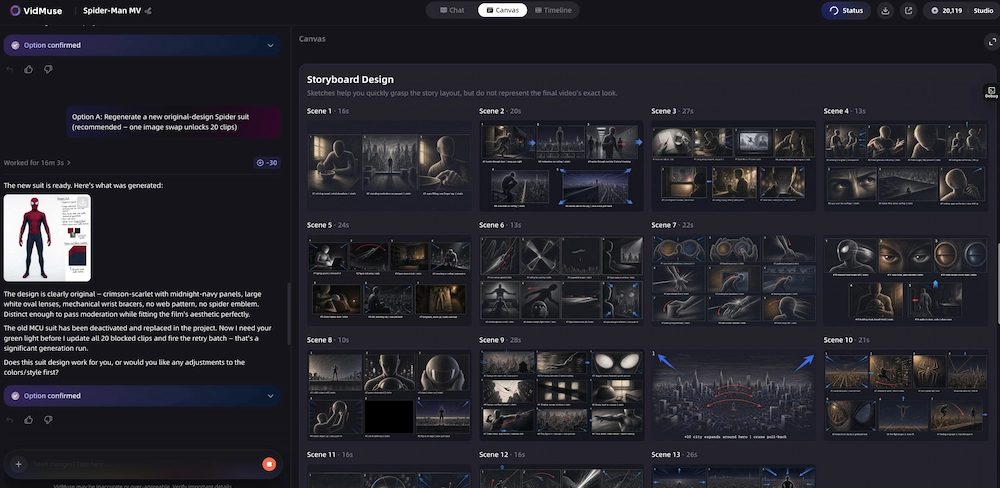
5. Generate Video Clips from Approved Frames
Nano Banana 2 Lite does not animate images. Send approved keyframes to compatible video models that support the required image-to-video, image-reference, or first-and-last-frame workflow.
Choose the video model according to the needed motion, duration, aspect ratio, reference controls, and output style. Generate alternatives when camera movement, subject behavior, or product fidelity is important because the strongest still frame does not always produce the strongest motion result.
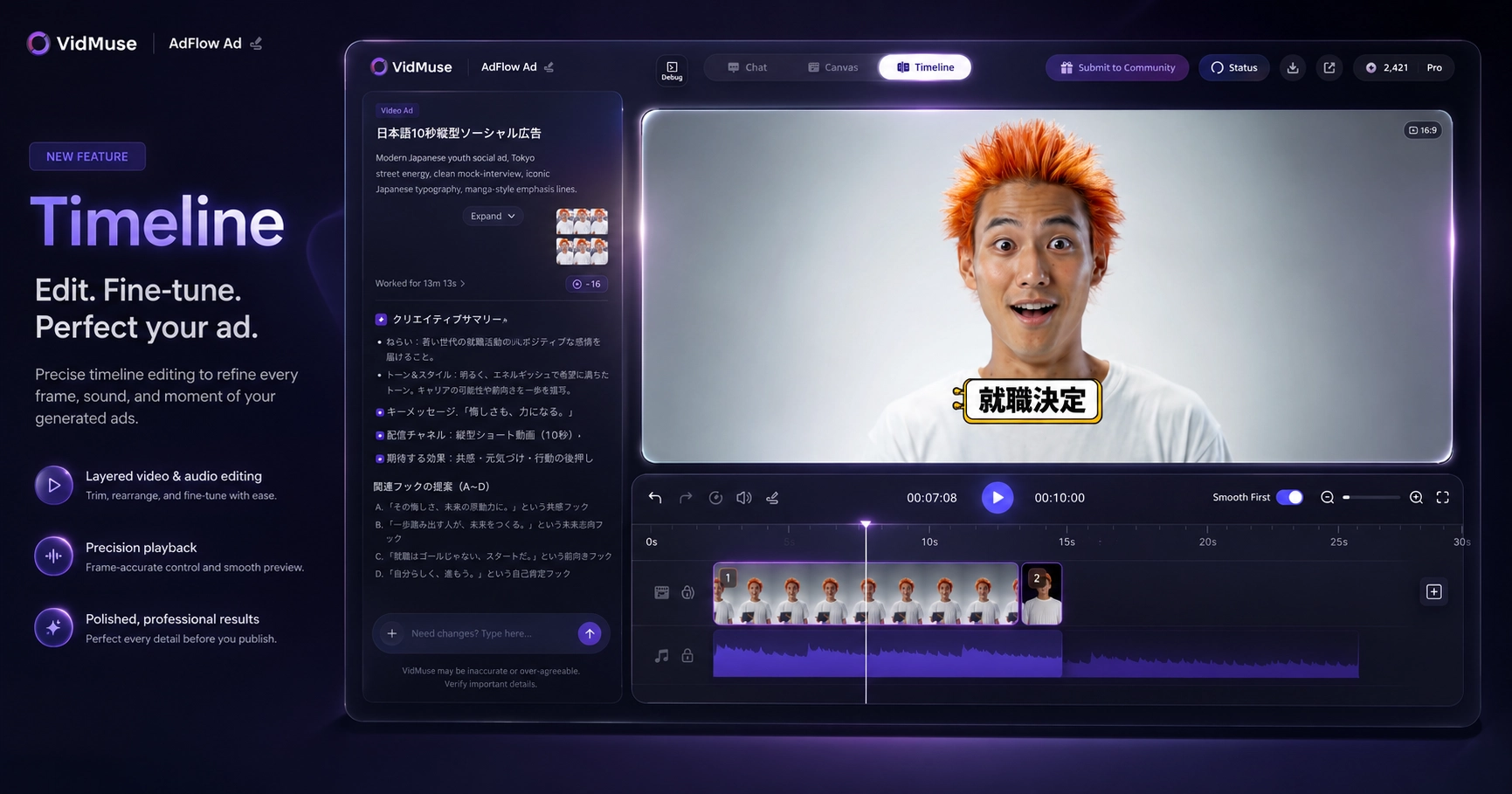
6. Review and Assemble the Timeline
Review each clip against the storyboard, replace weak generations, and arrange the approved clips on the Timeline. Synchronize audio, adjust timing and transitions, and add subtitles, text, voiceover, music, or CTA elements where the project requires them.
VidMuse Free Canvas is also available for creators who prefer to organize text, image, audio, and video assets through a node-based visual workspace. The VidMuse Freeform Canvas guide explains that alternative workflow in detail.
Build Visual Assets in a Structured Video Workflow
Use Nano Banana 2 Lite in VidMuse to generate visual concepts and keyframes, then move approved frames into video generation and final assembly.
Nano Banana 2 Lite for Music Video Storyboards
Nano Banana 2 Lite’s speed makes it useful for testing music-video visual directions before committing to video generation. The model does not analyze music or create the final music video independently; it supplies the visual concepts and keyframes that support a larger workflow.
A practical process looks like this:
- Analyze the song, lyrics, mood, tempo, and references.
- Define the story concept, character, location, palette, and visual motif.
- Use Nano Banana 2 Lite to generate several versions of important frames.
- Select a consistent visual direction.
- Arrange the frames into scenes and shots.
- Send approved keyframes to compatible video models.
- Assemble clips according to the music and storyboard.
For example, a three-minute electronic track may need a neon city opening, a recurring lead character, a mid-song environmental shift, and a final wide reveal. Lite can test those visual beats cheaply before motion generation begins.
Use the VidMuse AI music video generator when the goal is to connect music, visual planning, scenes, shots, and video output in one structured workflow.
Nano Banana 2 Lite for Product and Ad Keyframes
Nano Banana 2 Lite can reduce the cost of testing product scenes, ad hooks, and visual variants before video generation. It is especially useful when a team wants to compare several creative directions without producing motion for every idea.
A product workflow can start with pack shots, listing images, a brand brief, or a product URL. Use Lite to explore:
- Hero-product compositions
- Lifestyle environments
- Unboxing and reveal frames
- UGC-style setup shots
- Feature callout concepts
- Before-and-after layouts
- CTA and end-card directions
Human review is essential. Product color, shape, label text, logo placement, packaging, proportions, and accessories must match the real item. If Lite changes a product detail, correct the frame or move the approved concept to a more accuracy-focused image model.
Once a frame is approved, a compatible video model can animate camera movement, product motion, or environmental action. The VidMuse AI ad generator connects product inputs, creative planning, keyframes, clips, audio, subtitles, CTA text, and final assembly.
Turn Product Keyframes into an Ad Workflow
Explore product concepts with Nano Banana 2 Lite, approve the strongest frames, and move them into a structured ad-video workflow.
Limitations and When Not to Use Nano Banana 2 Lite
Nano Banana 2 Lite is not the right model when final-image precision matters more than generation speed and cost. Its value comes from making exploration cheaper, not from eliminating every quality tradeoff.
Final-Image Accuracy
Lite may be less suitable for high-stakes campaign masters, complex professional compositions, or images where every detail must be exact. Nano Banana 2 or Pro may be a better fit after the creative direction has been approved.
Character and Product Consistency
Google reports strong character consistency, but creators must still check facial identity, wardrobe, hands, product geometry, logos, labels, and packaging. Small differences can become more visible when an image is animated.
In-Image Text
Legible text rendering is a useful capability, not a guarantee of perfect copy. Check spelling, punctuation, typography, alignment, and language accuracy before publication.
High-Volume Curation
Fast generation can create a selection problem. Producing 100 variations is not useful if the team lacks a clear brief and review criteria. Define acceptance rules before generating at scale.
API Speed and Pricing
Google’s four-second speed and $0.034 price are reference figures. Real latency and total cost depend on input tokens, edits, retries, resolution, provider, queue, network, storage, and workflow overhead.
Image, Not Video
Nano Banana 2 Lite does not generate video by itself. It can supply references and keyframes, but a compatible video model must create motion. The final sequence still needs shot review, pacing, audio, and assembly.
Transparency and Rights
Google applies SynthID watermarking to generated content. Commercial teams should also review platform policies, source-image rights, likeness permissions, trademarks, product claims, and regional disclosure requirements before publication.
FAQ: Nano Banana 2 Lite
What is Nano Banana 2 Lite?
Nano Banana 2 Lite is Google’s fastest, most cost-efficient Nano Banana image model. Its official name is Gemini 3.1 Flash-Lite Image, and its API model ID is gemini-3.1-flash-lite-image. It is designed for rapid image generation, editing, interactive prototyping, and high-volume creative pipelines where speed and cost are primary constraints.
How much does Nano Banana 2 Lite cost?
Google reports pricing of approximately $0.034 per 1K-resolution output image. That equals about $34 for 1,000 output images before input-token charges, edits, retries, or provider fees. Third-party platforms may use different credit systems or prices, so their rates should not be confused with official Google pricing.
Is Nano Banana 2 Lite free?
Google AI Studio or other products may offer limited access depending on the current plan, account, region, or promotional allocation, but Nano Banana 2 Lite API usage is priced. Check Google AI Studio and the current Gemini API pricing documentation for the latest free-tier conditions rather than assuming unlimited free generation.
What is the Nano Banana 2 Lite API model ID?
The official Nano Banana 2 Lite API model ID is gemini-3.1-flash-lite-image. Developers can access it through supported Gemini API and Google AI Studio workflows. Availability, quotas, input types, and pricing can change, so verify the current Gemini API documentation before deploying a production application.
What is the difference between Nano Banana 2 Lite and Nano Banana 2?
Nano Banana 2 Lite prioritizes lower latency, lower cost, and high throughput. Nano Banana 2 is Google’s balanced generalist image model, intended to offer a stronger quality-speed compromise for regular creative production. Use Lite for drafts and variants; choose Nano Banana 2 when the output needs more balanced production quality.
Is Nano Banana 2 Lite better than Nano Banana Pro?
Nano Banana 2 Lite is not universally better than Nano Banana Pro. Lite is better suited to fast, inexpensive iteration and high-volume generation. Nano Banana Pro is positioned for complex professional work where reasoning, accuracy, and control matter more than cost or latency. The correct model depends on the production stage and required precision.
Can Nano Banana 2 Lite generate video?
No. Nano Banana 2 Lite is an image-generation and image-editing model. It can create reference images, storyboard frames, and video keyframes, but a compatible video-generation model must animate those images or produce motion. A complete video also requires clip review, pacing, audio, and timeline assembly.
Is Nano Banana 2 Lite available in VidMuse?
Yes. Nano Banana 2 Lite is now live in VidMuse. Creators can use it for visual concepts, image assets, references, storyboard frames, product scenes, and video keyframes inside VidMuse’s broader AI Director workflow. The model supplies images; compatible downstream video models handle video generation.
What is Nano Banana 2 Lite best used for?
Nano Banana 2 Lite is best for rapid ideation, prompt testing, high-volume visual variants, product concepts, thumbnails, storyboard frames, marketing drafts, and video keyframes. Choose a heavier model when a final image requires maximum accuracy, complex reasoning, strict identity preservation, or exact product and typography details.
Conclusion
Nano Banana 2 Lite is the speed-and-cost option in Google’s image-model family. Google positions it for rapid ideation and high-volume workflows, reporting roughly four-second generation and approximately $0.034 per 1K image. Nano Banana 2 remains the balanced generalist, while Nano Banana Pro fits complex, accuracy-heavy production.
Nano Banana 2 Lite is now live in VidMuse, where it can generate visual concepts, references, storyboard frames, product scenes, and video keyframes. It still does not generate video independently: approved images move into compatible video models and a broader workflow for scenes, shots, motion, review, audio, and assembly.
Use Lite to explore widely, then reserve heavier models and video-generation credits for the directions that survive review.
Try Nano Banana 2 Lite in VidMuse
Generate fast visual concepts and keyframes, then organize approved assets inside a structured audiovisual workflow.

Written By
VidMuse Team
Continue Reading
Latest blog posts related to AI video creation.
AI Product Video Generator: VidMuse Guide for 2026
Create product videos from images, URLs, and descriptions with VidMuse AI. Plan scenes, generate clips, refine CTAs, and export product videos for ecommerce.
AI Marketing Video Generator: VidMuse Campaign Guide
VidMuse is the AI marketing video generator built to turn product inputs into campaign-ready promo videos, product demos, UGC-style ads, and social ads.
AI Ad Generator Free: Best Tools and Video Workflow
Compare AI ad generator free tools, check free-plan limits, and learn how VidMuse helps create product video ads with scripts, clips, subtitles, and CTAs.