

LinkedIn Video Ads: Create AI Video Ads for LinkedIn
LinkedIn video ads are Sponsored Content videos that appear in the LinkedIn feed — the highest-value video ad format for B2B marketers. They let you reach decision-makers, build brand awareness, and drive leads with professional video content directly in the feed where your audience spends their workday.
VidMuse creates LinkedIn video ads with AI. Paste your product or service information, and VidMuse generates a spec-compliant video ad — with professional script, visuals, voiceover, subtitles, and CTA — ready to upload to LinkedIn Campaign Manager. No filming, no editing team, no production delays.
This guide covers LinkedIn video ad specs, VidMuse's AI features built for LinkedIn, a step-by-step creation tutorial, and a best practices checklist. Whether you're running your first LinkedIn video campaign or scaling ad production, this is everything you need to create AI video ads for LinkedIn.
Key Takeaways
-
LinkedIn video ads are Sponsored Content videos in the LinkedIn feed — B2B's highest-value video ad format for reaching decision-makers.
-
VidMuse creates LinkedIn-spec-compliant video ads with AI — from product input to finished MP4 with script, visuals, voiceover, subtitles, and CTA.
-
Required specs: MP4, 16:9 landscape or 9:16 vertical, 15–60 seconds, ≤200MB, subtitles mandatory (LinkedIn autoplays muted).
-
AI Refine on Timeline lets you select any clip and revise it via chat — AI regenerates that clip in place without rebuilding the entire video.
-
Professional tone and clear CTA are non-negotiable for LinkedIn's B2B audience.
Why LinkedIn Video Ads Matter for B2B
LinkedIn video ads reach the world's largest professional audience — over 1 billion members, including the decision-makers who sign off on B2B purchases. Video in the LinkedIn feed captures attention in a way static images and text posts cannot, especially for complex products and services that need visual explanation.
For B2B teams, LinkedIn video ads serve three core goals: brand awareness (thought leadership, company culture), demand generation (product demos, case studies, webinars), and direct response (demo bookings, content downloads). The professional context means your audience is already in work mode — receptive to business solutions.
The challenge: most B2B teams don't have in-house video production. Hiring agencies or freelance videographers for every campaign is expensive and slow — especially when you need to test multiple creative angles. That's where AI creation fills the gap. Tools like VidMuse let you go from product information to a spec-compliant LinkedIn video ad in minutes, not weeks.
LinkedIn Video Ad Specs (Quick Reference)
LinkedIn video ads must meet specific technical requirements. Here are the current specs from LinkedIn's official documentation:
| Spec | Requirement |
|---|---|
| File format | MP4 |
| File size | 75 KB min – 200 MB max |
| Duration | 3 seconds – 30 minutes (recommended: 15–30s for most campaigns; up to 60s for storytelling) |
| Resolution | Min 360p; recommended ≥720p |
| Aspect ratio | 16:9 (landscape), 1:1 (square), 9:16 (vertical) |
| Frame rate | ≤30 fps |
| Audio | AAC or MPEG4; optional but recommended |
| Captions/Subtitles | Not auto-generated by LinkedIn; must be burned in or uploaded as SRT |
Specs from LinkedIn Marketing Solutions official documentation, July 2026.
Key point: LinkedIn does not auto-generate captions. Since the feed autoplays video muted, you must burn subtitles into the video or upload an SRT file. VidMuse handles this automatically during rendering.
VidMuse AI Ad Maker Features for LinkedIn
VidMuse's AI ad generator includes features designed for the specific requirements of LinkedIn video ads. Here's what matters for this platform:
| Feature | What it does for LinkedIn ads |
|---|---|
| AI Script Planning | Generates B2B-tone scripts with professional hook, clear benefit statement, and CTA — no copywriter needed. Adapts language for LinkedIn's professional audience. |
| Ad Templates | Explainer, product showcase, digital human presenter, and storytelling formats — the templates that perform on LinkedIn. No UGC/hype formats that feel out of place. |
| Auto-Subtitles | Burns subtitles directly into the video during render. Essential because LinkedIn feed autoplays muted — without subtitles, most viewers scroll past. |
| CTA Overlay | Adds end-screen CTA text automatically ("Book a demo," "Download the guide," "Learn more") — drives clicks to your landing page. |
| 16:9 / 9:16 Output | Renders in LinkedIn's landscape (16:9) or vertical (9:16) format. MP4 ≤200MB, spec-compliant. No manual resizing needed. |
| AI Refine on Timeline | Select any clip on the timeline → describe your revision via chat (e.g., "make the opening more professional" or "shorten this scene") → AI regenerates that clip in place. Perfect for B2B brand review cycles where stakeholders request specific changes. |
| Duration Control | Timeline assembly checks total length against your 15–60s target. Keeps your ad within LinkedIn's optimal range. |
These features are built into VidMuse's standard workflow — not add-ons or premium tiers. Every LinkedIn video ad you create benefits from the full feature set automatically.
The difference between VidMuse and generic video generators: VidMuse understands ad structure. It doesn't just produce a random video from your input — it plans hook → benefit → proof → CTA, formats output to platform specs, and gives you chat-based refinement tools that work within the ad context. Explore all available templates at VidMuse AI video templates.
Create Your LinkedIn Video Ad with AI
Go from product info to a spec-compliant LinkedIn video ad in minutes. No production team needed.
How to Create LinkedIn Video Ads with VidMuse AI
Creating a LinkedIn video ad with VidMuse's AI ad generator takes six steps — from inputting your product information to uploading the finished ad to Campaign Manager.
Step 1: Input Your Product or Service
Paste your product URL, upload photos, type a description, or load brand assets (logo, colors, fonts). VidMuse extracts your value proposition, audience, tone, and key selling points automatically.
For B2B services without a product page, describe your offering in text and upload any relevant visuals (screenshots, diagrams, team photos). You can also upload brand assets — logo, brand colors, fonts — so VidMuse maintains visual consistency across all ads.
The more context you provide, the better the AI understands your product and audience. A detailed product page URL gives the best results; a sparse description with no images will produce generic output.
Step 2: Configure for LinkedIn
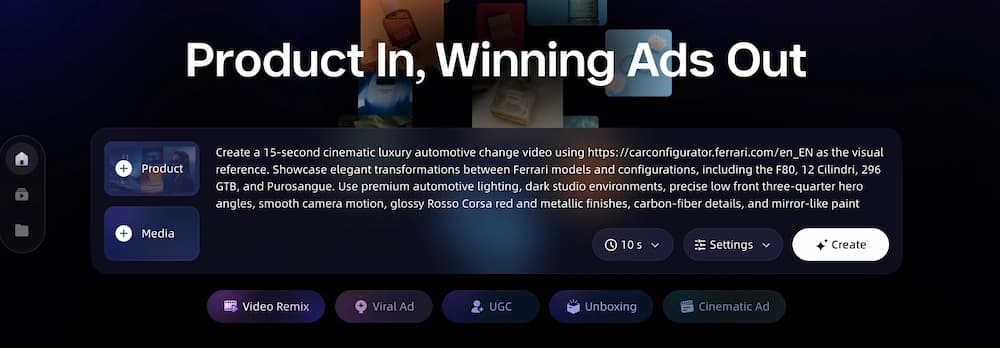
Set your output parameters for LinkedIn:
- Aspect ratio: 16:9 (landscape feed — works best on desktop) or 9:16 (vertical — optimized for mobile scrolling)
- Duration: 15–60 seconds. Stick to 15–30s for brand awareness and lead gen campaigns. Use 45–60s only for detailed product demos or case study narratives.
- Resolution: 720p or 1080p HD
- Tone: Professional (VidMuse adjusts script language and visual style to match LinkedIn's B2B context)
For most LinkedIn campaigns, start with 16:9 landscape at 30 seconds — this is the format that fills the desktop feed and works well on mobile too.
Step 3: Review AI Creative Brief
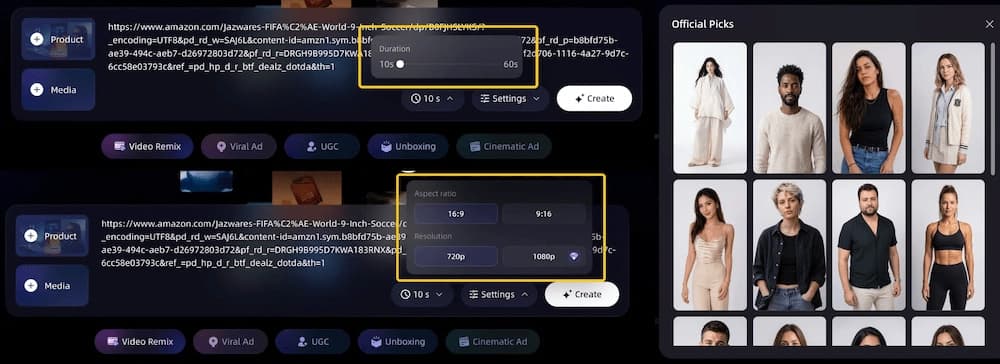
VidMuse generates a complete creative brief before producing any visuals:
- Template recommendation — explainer, product showcase, or digital human presenter based on your input
- Script — professional hook → benefit → CTA, written for LinkedIn's B2B audience
- Shot list — scene-by-scene breakdown
- Voiceover direction — tone and pacing plan
Edit any element before proceeding. If you have a competitor's LinkedIn video ad that you admire, use the video to video maker to supply it as a style and pacing reference. VidMuse will use the reference for creative direction without copying the content.
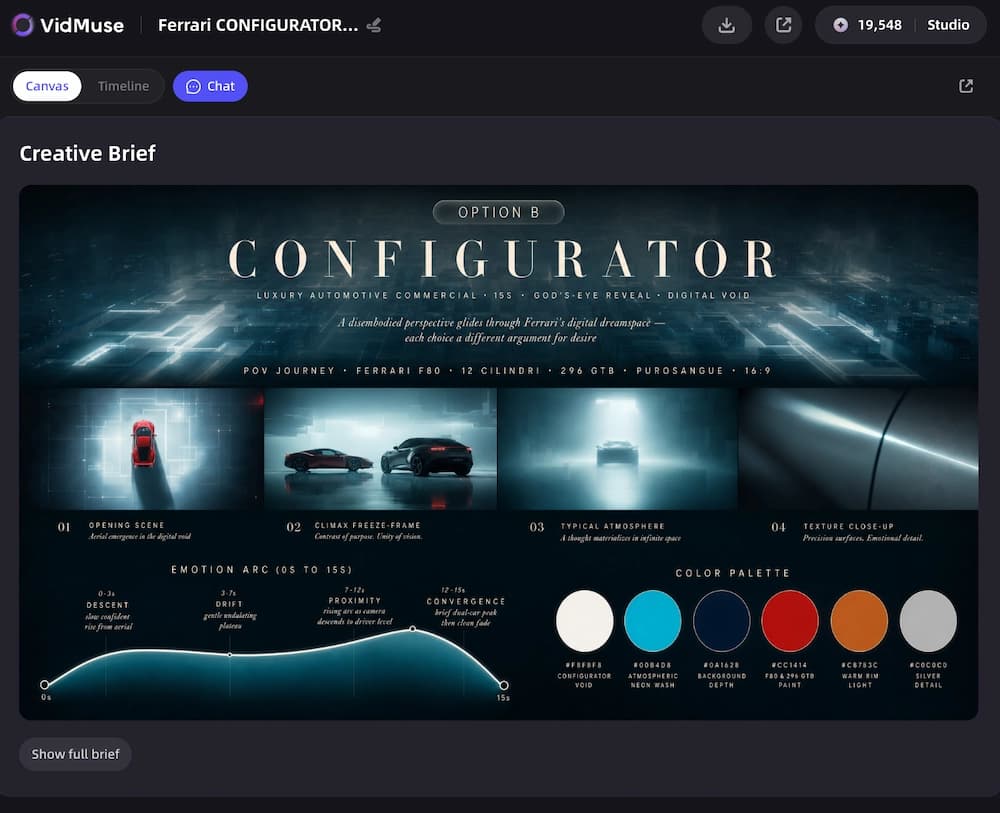
For deeper product ad workflows — especially for ecommerce products with URL input — see the product ad video generator launch post.
Step 4: Generate and Assemble
VidMuse generates keyframes, video clips, voiceover, and background music using 20+ AI video models and 11+ AI image models. Everything is assembled on a timeline with:
- Subtitles burned in automatically (essential for LinkedIn's muted autoplay)
- CTA overlay on the end screen ("Book a demo," "Download the guide," etc.)
- Product callouts highlighting key features or benefits as text overlays
- Duration checked against your target to ensure it stays within your 15–60s range
- Audio levels normalized so voiceover is clear over background music
The assembly phase is automatic — you don't need to manually sync audio, position subtitles, or time transitions. VidMuse handles the complete timeline.
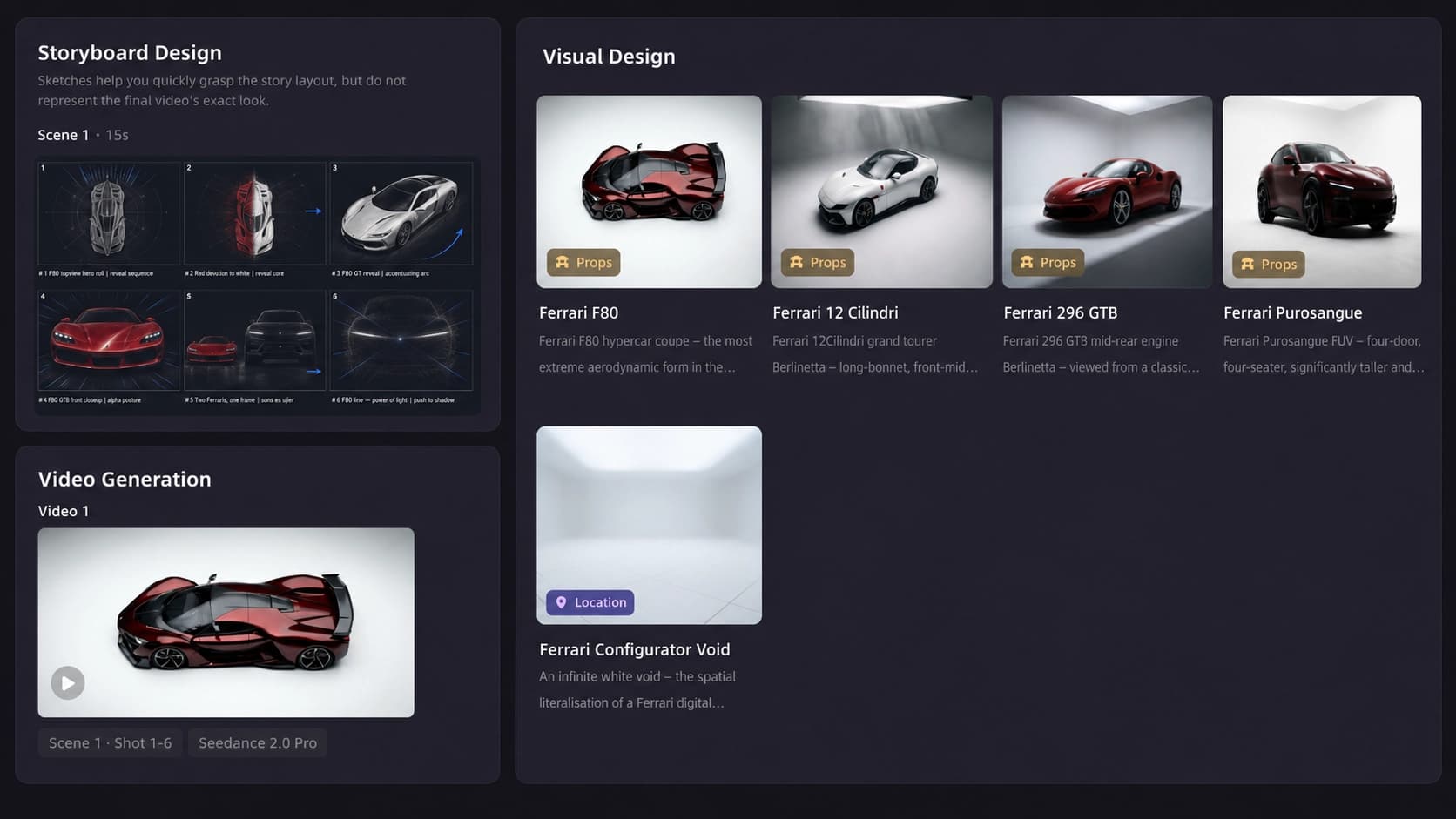
Step 5: Refine with AI Chat
Not satisfied with a specific scene? Select the clip on the timeline, type your revision in chat — "make the opening hook more urgent," "zoom in on the product screenshot," or "swap to a warmer tone" — and VidMuse regenerates that clip in place.
No need to rebuild the entire video. Iterate until every frame meets your brand standards. This is especially useful for B2B teams where multiple stakeholders review creative — the CMO wants a different opening, the product team wants to highlight a different feature, legal wants a disclaimer adjusted. Each revision is a chat message, not a re-render of the full project.
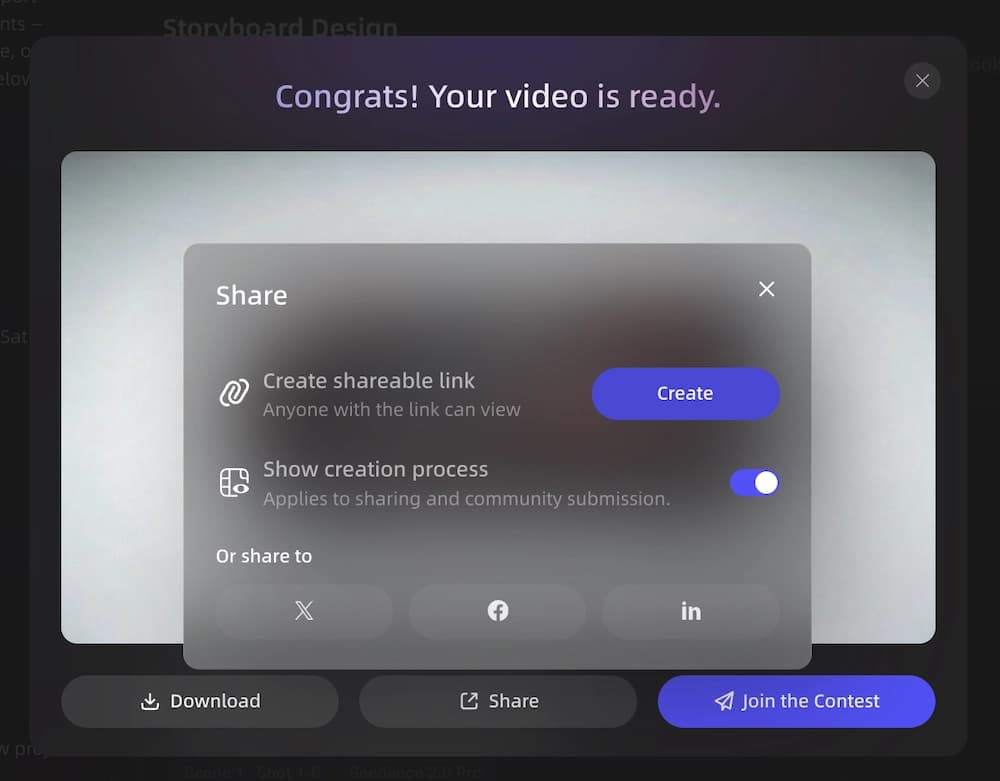
Step 6: Render and Upload
Render the final MP4 — 16:9 or 9:16, subtitles burned in, ≤200MB, spec-compliant. The rendered file is ready to upload directly to LinkedIn Campaign Manager as a Sponsored Content video ad.
To upload: go to Campaign Manager → create a new campaign → select "Video" as the ad format → upload your MP4 → set targeting, budget, and schedule → launch.
The entire process from pasting your product URL to uploading the finished ad to LinkedIn takes minutes, not the days or weeks required by traditional video production.
Create Your LinkedIn Video Ad with AI
Go from product info to a spec-compliant LinkedIn video ad in minutes. No production team needed.
LinkedIn Video Ad Best Practices Checklist
Follow these practices to maximize the performance of your LinkedIn video ads:
-
Hook in the first 2 seconds — state the problem or benefit immediately. LinkedIn users scroll fast; you have one chance to stop the thumb.
-
Keep to 15–30 seconds for most campaigns — highest completion rates. Use 45–60s only for product demos or in-depth case studies.
-
Always include subtitles — LinkedIn autoplays muted. No subtitles = invisible message for most viewers.
-
Use professional tone — LinkedIn ≠ TikTok. Your audience is in work mode. Match their context.
-
End with a clear CTA — "Book a demo," "Download the guide," "Learn more." Tell viewers exactly what to do next.
-
16:9 landscape for feed, 9:16 vertical for mobile-first — choose based on your campaign's primary viewing context.
-
A/B test hooks — generate multiple versions with VidMuse, vary the opening hook, and test which drives higher engagement.
-
Brand consistency — upload logo and brand assets to VidMuse so every ad matches your visual identity across campaigns.
Limitations and Common Mistakes
LinkedIn video ads created with AI have limits. Know them before publishing.
Don't Repurpose TikTok Content
Casual, fast-cut, trend-driven content feels out of place on LinkedIn. The platform's audience expects polish and professionalism. Create LinkedIn-native content — don't recycle vertical dance-cut clips. If you need vertical format for LinkedIn mobile, create it fresh with LinkedIn's B2B tone from the start.
Don't Skip Subtitles
LinkedIn's feed autoplays video muted. If your ad relies on audio alone to deliver its message, most viewers will scroll past without understanding your offer.
Don't Exceed 60 Seconds for Standard Campaigns
Attention drops sharply after 30 seconds on LinkedIn. Save 45–60s for detailed product demos or case study stories — keep brand awareness and lead gen ads shorter.
Don't Hard-Sell Without Value
LinkedIn's professional audience expects insight before pitch. Lead with a problem you solve or a result you deliver — don't open with "Buy now" or pricing.
AI Output Still Needs Brand Review
AI-generated video is a strong first draft. For regulated industries (finance, healthcare) or brands with strict visual identity requirements, always run the output past your brand or compliance team before publishing. Use VidMuse's AI Refine feature to make adjustments based on feedback — select the clip that needs changing, describe the revision, and get an updated version without starting over.
Don't Ignore LinkedIn's Content Policies
LinkedIn has specific advertising policies around claims, testimonials, and industry-specific content (financial services, healthcare, education). AI-generated ads must still comply with these policies. Review LinkedIn's advertising guidelines before launching any campaign — AI tools generate the creative, but compliance is your responsibility.
FAQ: LinkedIn Video Ads
What are LinkedIn video ads?
LinkedIn video ads are Sponsored Content videos that appear in the LinkedIn feed. They are promoted posts containing video content, targeted to specific professional audiences based on job title, industry, company size, seniority, and other LinkedIn targeting criteria. They run through LinkedIn Campaign Manager and support objectives like brand awareness, website visits, lead generation, and video views.
What are the specs for LinkedIn video ads?
LinkedIn video ads require MP4 format, 75 KB–200 MB file size, 3 seconds to 30 minutes duration (15–30s recommended), minimum 360p resolution (720p+ recommended), 16:9, 1:1, or 9:16 aspect ratio, ≤30 fps frame rate, and AAC/MPEG4 audio. Subtitles must be burned in or uploaded separately — LinkedIn does not auto-generate captions.
How long should LinkedIn video ads be?
15–30 seconds is optimal for most LinkedIn video ad campaigns — this duration achieves the highest completion rates and cost efficiency. Use 45–60 seconds for product demos, case studies, or detailed explainer content where your audience needs more time to understand the value proposition. LinkedIn technically allows up to 30 minutes, but ads beyond 60 seconds see dramatically lower completion rates and higher cost per view.
Can I create LinkedIn video ads with AI?
Yes. VidMuse creates LinkedIn video ads with AI — from product input to a spec-compliant MP4 with professional script, visuals, voiceover, burned-in subtitles, and CTA. The workflow covers creative planning, asset generation, timeline assembly, and rendering. The output meets LinkedIn's format requirements (16:9 or 9:16, MP4, ≤200MB) and can be uploaded directly to Campaign Manager without additional editing.
Does LinkedIn autoplay video ads with sound?
No. LinkedIn autoplays video ads in the feed with sound muted by default. Viewers must manually tap to enable sound. This makes burned-in subtitles essential — without them, your message is invisible to most viewers scrolling through their feed.
What aspect ratio is best for LinkedIn video ads?
16:9 landscape is the most common format for LinkedIn feed ads — it fills the feed width on desktop and looks professional. 9:16 vertical is increasingly effective for mobile-first campaigns. LinkedIn also supports 1:1 square. VidMuse renders in 16:9 or 9:16 natively.
How do I add subtitles to LinkedIn video ads?
LinkedIn does not auto-generate subtitles for video ads. You have two options: burn subtitles directly into the video file (VidMuse does this automatically during rendering), or upload a separate SRT caption file in Campaign Manager. Burning in is more reliable — it ensures subtitles display correctly on all devices and doesn't rely on the viewer's device supporting SRT playback. Since LinkedIn autoplays muted, burned-in subtitles are the safest choice for ensuring your message lands.
Conclusion
LinkedIn video ads are the most effective video format for reaching B2B decision-makers — but most teams lack the production resources to create them consistently. VidMuse eliminates that bottleneck: paste your product info, configure for LinkedIn, and get a spec-compliant video ad with professional script, subtitles, and CTA in minutes.
The same workflow creates video ads for Facebook and TikTok — adjust the aspect ratio and tone, and you have cross-platform creative from one tool. For a broader comparison of AI ad tools, see our best AI ad generator 2026 guide.
AI Video Ads for LinkedIn in Minutes
VidMuse creates spec-compliant LinkedIn video ads from your product info — professional script, subtitles, CTA, and B2B-ready creative.

Written By
VidMuse Team
Continue Reading
Latest blog posts related to AI video creation.
Free Music Visualizer: 10 Best Free Tools in 2026
Compare 10 best free music visualizers in 2026. Waveform tools, AI music video makers, watermark policies, export limits, and which tool fits your workflow.
How to Make Product Video Ads with AI (Step-by-Step)
Learn how to make product video ads with AI step by step. Full 6-phase VidMuse tutorial, input tips, ad type guide, and alternative approaches compared.
Best AI Clone Video Generator 2026: 7 Tools Compared
Compare the 7 best AI clone video generators in 2026. Avatar clones, viral ad clones, pricing, features, and how to pick the right tool for your workflow.