
The best AI lyric generator tools in 2026 can help any songwriter go from blank page to polished verses in minutes. Whether you need a music lyric generator for a pop ballad, an ai rap lyric generator for your next track, or a quick free lyric generator to crack writer's block, the options have expanded dramatically. This guide covers what these tools actually do, which ones perform best, and — crucially — how to take your finished lyrics all the way to a fully produced music video using AI.
Turn Lyrics Into a Music Video
Use VidMuse to transform your finished lyrics and song into a complete AI music video.
Key Takeaways
- AI lyric generators use large language models (LLMs) to produce verse-chorus-bridge structures based on your genre, mood, and theme — they're most useful as a drafting collaborator, not a replacement for your own voice.
- General-purpose AI tools like Claude and ChatGPT consistently rank as the most flexible lyric generators, offering line-by-line control and revision depth that genre-specific tools often lack.
- Suno's built-in ReMi and purpose-built tools like LyricLab or Freebeat.ai are faster for music-specific output, but often sacrifice the iterative depth that LLMs provide.
- The real unlock in 2026 is the full pipeline: generate lyrics → produce audio with Suno AI → create a professional music video using a platform like VidMuse to turn your music into a video.
- Free AI lyric generators exist, but the best ones for quality output — and the tools that let you go from lyrics to a finished visual — require a modest subscription or credit system.
How to Choose the Right AI Lyric Generator
Choosing the right lyric maker AI depends on what stage of the creative process you're in and what you plan to do with the output.
Four factors that matter most:
- Control vs. speed. General LLMs like Claude give you deep revision control. Purpose-built tools like Freebeat.ai generate full structures faster.
- Genre specificity. If you need an ai rap lyric generator, a drill lyric generator, or a brat lyric generator, look for tools with built-in style selectors rather than prompting a general model.
- Audio integration. The strongest workflow in 2026 is lyrics → audio → video. Tools that connect directly to song generation (or that integrate with Suno AI) compress that pipeline significantly.
- Copyright ownership. Always verify that the platform grants you full ownership of generated lyrics before publishing or monetizing your work.
Best AI Lyric Generator Tools Compared
These tools represent the most-used and highest-recommended options among songwriters and indie musicians in 2026.
Claude (Anthropic) — Best for Creative Depth and Narrative Lyrics
Claude consistently outperforms other general LLMs for lyric writing — a finding echoed across r/SunoAI threads and songwriting communities. Claude Sonnet's understanding of tone, metaphor, and emotional arc makes it the preferred choice for writers who want lyrics that feel human rather than algorithmic.
Strengths:
- Exceptional at long-form narrative lyrics (storytelling songs, concept albums)
- Handles nuanced thematic direction well — you can specify mood, subtext, and perspective
- Revision-friendly: you can ask for ten variations of a single couplet
- Free plan available; Pro plan at $19/month
Limitations:
- No direct audio generation; you need to pipe output into Suno or another music tool
- Can produce overly structured output on default prompts; push back for rawer results
Best prompt strategy: Give Claude a character, a scene, and an emotional arc before asking for lyrics. Treat it as a co-writer, not a vending machine.
ChatGPT (OpenAI) — Best for Iterative Drafting and Cliché Avoidance
ChatGPT 4o is a reliable starting point for lyric drafts, especially if you train a custom GPT to avoid overused phrases and generic song structures.
Strengths:
- Excellent for quick verse/chorus outlines
- Custom GPT setup allows persistent style instructions (e.g., "never use 'heart on fire'")
- Strong at generating multiple variations for comparison
Limitations:
- Default output often sounds like nursery rhymes or ad copy
- Doesn't understand prosody — syllable stress and rhythmic flow require manual adjustment
- Free plan available; Pro at $20/month
Suno AI (with ReMi) — Best for Integrated Lyrics-to-Audio Production
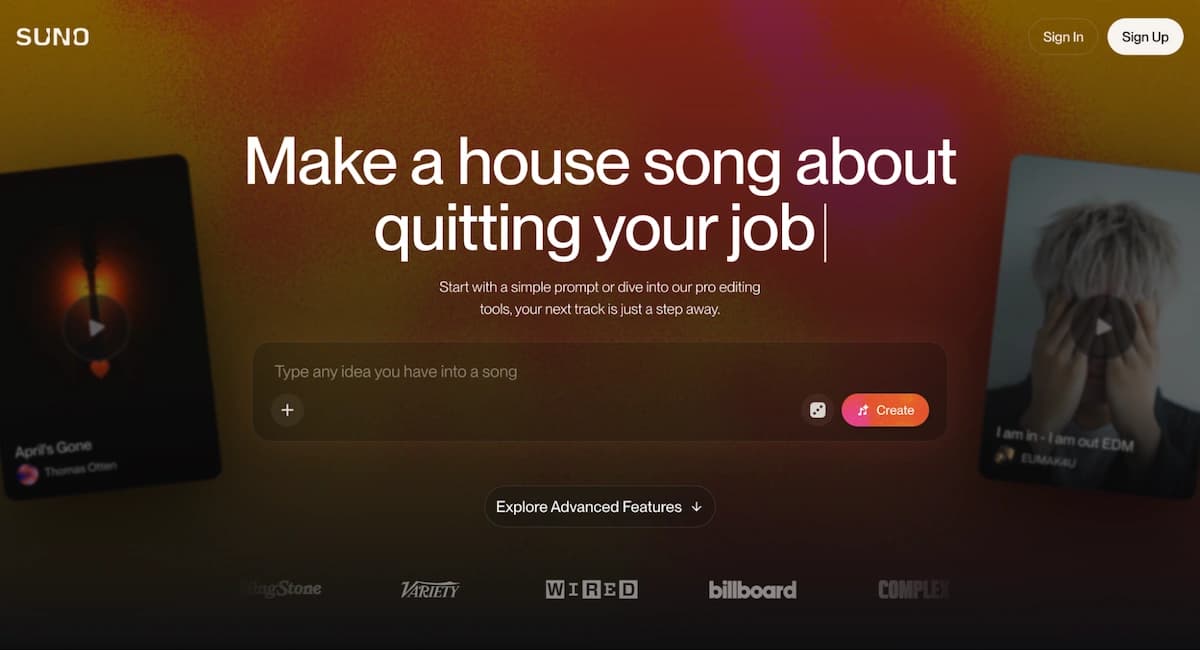
Suno's built-in ReMi lyric generator is optimized for how Suno's music model interprets text, which makes it uniquely powerful when your end goal is an actual playable demo. The tradeoff is that ReMi is a "black box" — you can't easily have extended back-and-forth revision sessions the way you can with Claude or ChatGPT.
Strengths:
- Lyrics are written in the format Suno's engine reads best
- Fastest path from "I have an idea" to "I have a demo"
- Integrated directly into the Suno platform — no copy-pasting
Limitations:
- Limited revision depth compared to LLMs
- ReMi can produce incoherent or non-rhyming output on complex prompts
- No standalone lyric export workflow
Pro tip: Write your structural draft in Claude, then paste into Suno's custom lyrics field for generation. You get creative depth + audio quality.
Freebeat.ai — Best Free AI Lyric Generator for Genre-Specific Output
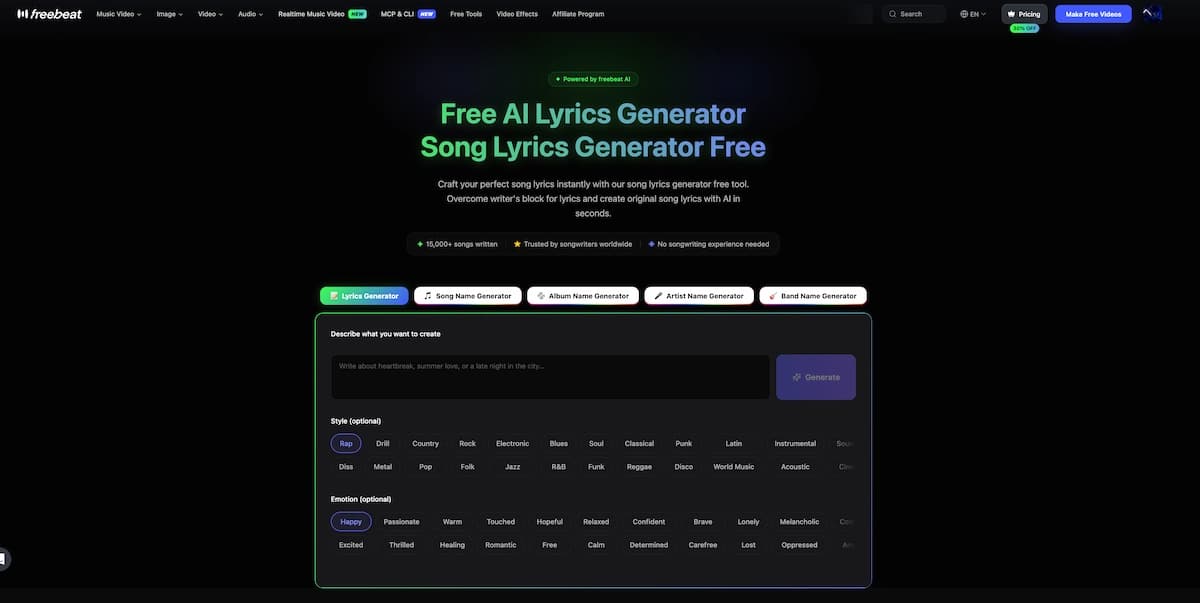
Freebeat.ai offers the most accessible free lyric generator experience with built-in style selectors covering rap, drill, pop, country, metal, and more. It's designed for music creators, not general writers, which shows in the output.
Strengths:
- Dedicated mode selectors for ai rap lyric generator, drill lyric generator, and freestyle lyric generator use cases
- Emotion picker helps shift the register of lyrics without verbose prompting
- Free to use with no account required for basic generation
Limitations:
- Less control over verse structure and syllabic precision than LLMs
- Output can feel formulaic without careful prompting
- Best used for inspiration and rough drafts, not final lyrics
LyricLab — Best for Musician-Centric Lyric Drafting with Chord Integration
LyricLab is built for musicians who want lyrics in the context of their harmonic structure. It lets you specify key, mode, and chord complexity alongside mood and genre — making it uniquely useful for writers who already have a musical idea and need words to match.
Strengths:
- Harmonic context inputs (minor key, complex chord progressions)
- Direct export to Band-in-a-Box for producers
- "Story-to-Song" mode converts narrative ideas into structured lyrics
Limitations:
- Less effective for purely textual iteration and verse-level rewriting
- Best for writers who already have a sonic direction in mind
LyricStudio — Best for Collaborative Lyric Expansion
LyricStudio works best as a co-writing partner rather than a full generator. You write a line or a concept, and it suggests continuations, helping you expand without replacing your voice.
Strengths:
- Line-by-line suggestion model keeps your voice in the output
- Free plan available at $5.99/month for Pro
Limitations:
- Not ideal for generating complete songs from scratch
- Output quality varies by genre
How to Generate Audio and Video from Lyrics in 2026
Writing the lyrics is only step one. The full creative pipeline — one that indie musicians are increasingly using — looks like this:
Lyrics → Music → Music Video
Here's how that works in practice:
- Generate your lyrics using Claude, ChatGPT, or a dedicated tool like Freebeat.ai
- Produce your audio using Suno AI, Udio, or another AI song generator — paste in your custom lyrics or use the platform's lyric generator
- Create your music video using VidMuse, an AI music video generator that takes your audio and transforms it into a full cinematic music video
This is where VidMuse fits into the workflow. VidMuse AI video platform is built specifically for the music video production use case, with an agent-based system that plans a full video (not just a single clip) and works across 30-second to 2-minute productions. Rather than asking you to prompt individual shots, VidMuse's workflow goes: Assets Upload → Creative Brief → Reference Generation → Scene & Shots List → Storyboard → Video Generation.
For indie musicians who produce tracks with Suno AI, VidMuse includes native Suno integration, letting you take your Suno audio straight into a fully produced music video without needing video editing experience.
Step-by-Step: Writing Lyrics with AI and Turning Them into a Music Video
This is a practical walkthrough of the full pipeline from blank page to finished music video.
Define your song concept
Write a short creative brief with theme, narrator, emotional arc, and genre before generating lyrics.
Generate a lyric draft
Use Claude or ChatGPT to create a verse-chorus structure, then specify what clichés or patterns to avoid.
Revise iteratively
Ask for line rewrites, bridge variations, perspective shifts, and tighter syllable counts before moving to audio.
Produce audio with Suno AI
Import the lyrics into Suno, add style tags, generate multiple versions, and pick the strongest track.
Turn audio into a VidMuse music video
Upload the song, complete the creative brief, review the storyboard, refine shots, and export the final video.
Step 1: Define your song concept
Write 3–5 sentences describing your song's theme, the main character or narrator, the emotional arc, and the genre. The more specific, the better. ("A drill track from the perspective of a first-generation immigrant, defiant and proud, frustrated with being overlooked.")
Step 2: Generate a lyric draft using Claude or ChatGPT
Paste your concept as a prompt. Ask for a verse-chorus-verse-chorus-bridge-chorus structure. Specify what you want to avoid ("no clichés about hustle and grind, no fire/desire rhymes").
Step 3: Revise iteratively
Ask the LLM to rewrite specific lines, shift the perspective of the bridge, or tighten syllable counts. This is where LLMs outperform purpose-built tools — you can go back and forth ten times without starting over.
Step 4: Produce audio with Suno AI
Import your lyrics into Suno using the custom lyrics field. Use Suno's style tags to define tempo, energy, and genre. Generate 2–3 variations and choose the strongest.
Step 5: Turn your audio into a music video with VidMuse
Upload your Suno audio to VidMuse. Complete the Creative Brief (visual style, references, color palette, mood). VidMuse's AI Director agent will generate a shot list and storyboard automatically. Review and refine using VidMuse 2.0 features like Shot Refine by Quoting and Timeline Editor. Export your finished music video.
VidMuse modes to know:
- Studio mode (flagship quality, uses Nano Banana Pro for images and primarily Seedance 2.0 Pro, Kling V3.0 Pro, Omnihuman V1.5 for video) — best for polished music video releases
- Lite mode (faster and more cost-efficient, uses Seedream 5.0 Lite for images and Seedance 2.0 Fast, Grok Imagine Video, Gaga Avatar for video) — best for rapid content creation and testing
Create Your AI Video from Lyrics in Minutes
Turn your lyrics into a music video with VidMuse.
Common Mistakes When Using AI Lyric Generators
Using the output as the final product.
AI lyrics are a first draft. The best songs built with AI assistance involve substantial human rewriting — keeping the structure, changing the words.
Prompting too vaguely.
"Write me a love song" produces generic output. "Write me a second verse for a bittersweet indie song about watching your hometown change, from the perspective of someone who moved away at 22" produces something worth editing.
Ignoring syllable stress.
Most AI lyric generators don't hear the music. You have to manually check whether your generated lines actually fit the melody. Read them aloud over your track before committing.
Skipping the revision loop.
A single generation is rarely good enough. Use the LLM's revision capability — ask for ten variations of the bridge, reject what doesn't work, combine lines from different versions.
Forgetting the visual layer.
If you're producing for release, lyrics that paint specific images perform better — both in audience resonance and in AI video generation. Specific imagery ("the yellow streetlight over the parking lot at 2am") gives video AI tools like VidMuse much stronger material to work with.
FAQ
What is an AI lyric generator and how does it work?
An AI lyric generator uses a large language model or music-trained AI to produce structured song lyrics from your text prompts. You describe a mood, theme, or style, and the tool generates verses, choruses, and bridges. The best tools allow iterative revision so you can refine the output until it matches your creative vision.
What is the best AI lyric generator free option in 2026?
For free options, Freebeat.ai offers genre-specific lyric generation with no account required, making it a strong choice for quick drafts. Claude and ChatGPT both have free tiers that are arguably more powerful for writers who want iterative control and narrative depth. "These Lyrics Do Not Exist" is useful for random inspiration at no cost.
What is the best AI lyric generator overall?
For most songwriters, Claude (Anthropic) produces the highest-quality lyric drafts due to its narrative coherence, emotional nuance, and deep revision capability. Suno's ReMi is better if your end goal is immediate audio production within the Suno ecosystem. For genre-specific needs — rap, drill, pop — purpose-built tools like Freebeat.ai offer faster results with less prompting effort.
Can I use an AI lyric generator from my MP3 or audio file?
AI lyric generation from audio (uploading a beat and getting matched lyrics back) remains a limited and imperfect feature in 2026. Most tools don't support it directly. The practical workaround is to analyze your track's BPM, key, and energy manually, then include those details in your LLM prompt to generate syllabically-appropriate lyrics.
Is there a free rap lyric generator AI?
Yes. Freebeat.ai includes a dedicated rap lyric generator free mode with style and emotion selectors optimized for hip-hop flows. ChatGPT's free tier also handles rap lyrics well when prompted with specific flow patterns, syllable counts, and thematic direction.
How do I turn AI lyrics into a music video?
The full pipeline is: generate lyrics (Claude, Freebeat.ai, or ChatGPT) → produce audio (Suno AI or Udio) → create the video (VidMuse). VidMuse handles the visual production end with an AI Director workflow that generates shot lists, storyboards, and video automatically from your audio and creative brief. Its Studio mode (using Seedance 2.0 Pro, Kling V3.0 Pro, and Omnihuman V1.5) produces high-quality results suited for music video releases.
What is a brat lyric generator?
A "brat lyric generator" refers to tools or prompts optimized for the short, self-aware, mildly provocative pop writing style associated with acts like Charli XCX. No tool is specifically labeled as such, but prompting Claude or ChatGPT with "minimalist, confessional, slightly ironic pop lyrics, short lines, no filler" gets you into that register quickly.
Can I use AI-generated lyrics commercially?
Ownership policies vary by platform. Most major tools — Claude, ChatGPT, Freebeat.ai, LyricLab — grant you full rights to the content you generate. Always check the platform's terms of service before publishing or distributing AI-assisted lyrics commercially.
Take Home
The AI lyric generator landscape in 2026 gives songwriters more options — and more power — than ever before. For creative depth and narrative control, Claude and ChatGPT lead the field. For speed and genre specificity, tools like Freebeat.ai and Suno's ReMi close the gap between idea and demo. The real creative leap, though, is what comes after the lyrics: using tools like VidMuse to transform your Suno audio into a full cinematic music video, especially if you are making Suno music videos with no video production experience required.
The blank page is no longer the obstacle. The question now is what you do with the draft.
Ready to go from lyrics to music video? Explore VidMuse's AI Director workflow and see how far your next song can go.
Create Your AI Video from Lyrics in Minutes
Turn your lyrics into a music video with VidMuse.

Written By
VidMuse Team
Continue Reading
Latest blog posts related to AI video creation.
How to Use Kling O3 in VidMuse to Make AI Videos
Kling O3 powers VidMuse Studio with 15s multi-shot generation, voice-persistent characters, native audio, and a practical AI video workflow.
OmniHuman 1.5: The AI Avatar Model Explained
Discover what OmniHuman 1.5 can do — realistic lip-sync, emotional performances, and multi-person scenes — and how to use it inside VidMuse AI.
AI UGC: Complete Guide to AI UGC Video Ads in 2026
Learn what AI UGC is, how to make AI UGC video ads, and which tools help brands create storyboarded product ads for TikTok, Reels, and Shorts in 2026.