
The best AI song generator tools in 2026 let anyone create complete, original songs — vocals, melody, lyrics, and instrumentation — from a simple text prompt, with no musical training required. Whether you need a free AI song generator for personal projects, a professional-grade platform for commercial releases, or a pipeline that ends in a polished music video, the options have never been better or more accessible. This guide covers the top tools, how to use them, how to choose the right one for your workflow, and how to take your AI-generated track all the way to a visual production.
Create a Music Video from Your AI Song
Turn a generated track into a storyboarded music video with VidMuse AI.
Key Takeaways
- Suno is widely considered the best all-around AI song generator in 2026 — fast, high-quality output, accessible free tier, and a full DAW-style studio for refinement.
- Udio leads on raw audio fidelity and editing depth, making it the stronger choice when sound quality is non-negotiable.
- Mureka is the best AI song generator from lyrics, offering voice cloning, reference track matching, MIDI export, and DAW integration for producer-level workflows.
- Google Lyria 3 (via Gemini) lets you generate custom tracks from text or photos inside the Gemini interface — a strong option for quick, contextual song creation.
- Once you have your AI-generated track, VidMuse turns it into a professional music video through an agent-based production workflow — Creative Brief to final video — without requiring any video editing experience.
What Is an AI Song Generator?
An AI song generator is a software tool that uses machine learning models — typically trained on large music datasets — to produce original audio tracks from text prompts, lyrics, melody inputs, or style references. The output can include vocals, instrumentation, harmonics, and song structure (verse, chorus, bridge) without any human musician performing the parts.
Modern AI song generators go far beyond simple beat loops or MIDI sequences. Leading platforms like Suno and Udio generate full, radio-ready songs with realistic vocals in seconds. The creative barrier to entry has dropped to near-zero: you describe what you want in plain language, and the AI handles composition, arrangement, and production simultaneously.
What they are good for:
- Indie musicians and creators who need original, royalty-free tracks fast
- Content creators looking for unique background music without licensing fees
- Songwriters who want to prototype ideas before recording with live musicians
- Marketers producing audio for ads, reels, or explainer videos
- Anyone building toward a music video production
When this approach is not ideal: If your project requires certified licensed training data for corporate legal compliance, or if you need to isolate specific acoustic instruments for live performance use, you may need a platform with explicit commercial licensing (ElevenLabs currently leads here) or a traditional production studio.
Best AI Song Generators in 2026 (Ranked)
Suno — Best Overall AI Song Generator
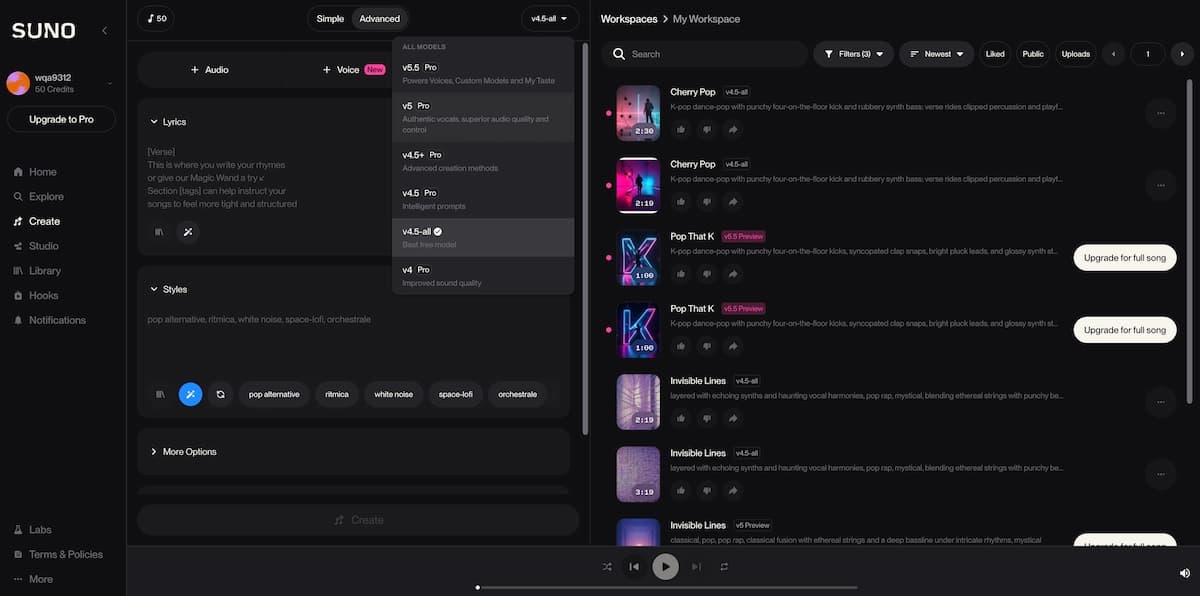
Suno is the most widely adopted AI song generator, and for good reason. Its v5 model generates complete songs — vocals, lyrics, production — from a single text prompt, with a quality level that blind-test listeners consistently struggle to identify as AI-generated. The free tier offers daily credits for experimentation, and paid plans unlock commercial rights, stem downloads, and Suno's full DAW-style Studio for arrangements up to 8 minutes.
Best for: Beginners who want fast, high-quality finished songs; creators building content for social media and streaming
Free tier: Yes — daily credits, no credit card required
Commercial rights: Available on paid plans
Udio — Best for Audio Fidelity
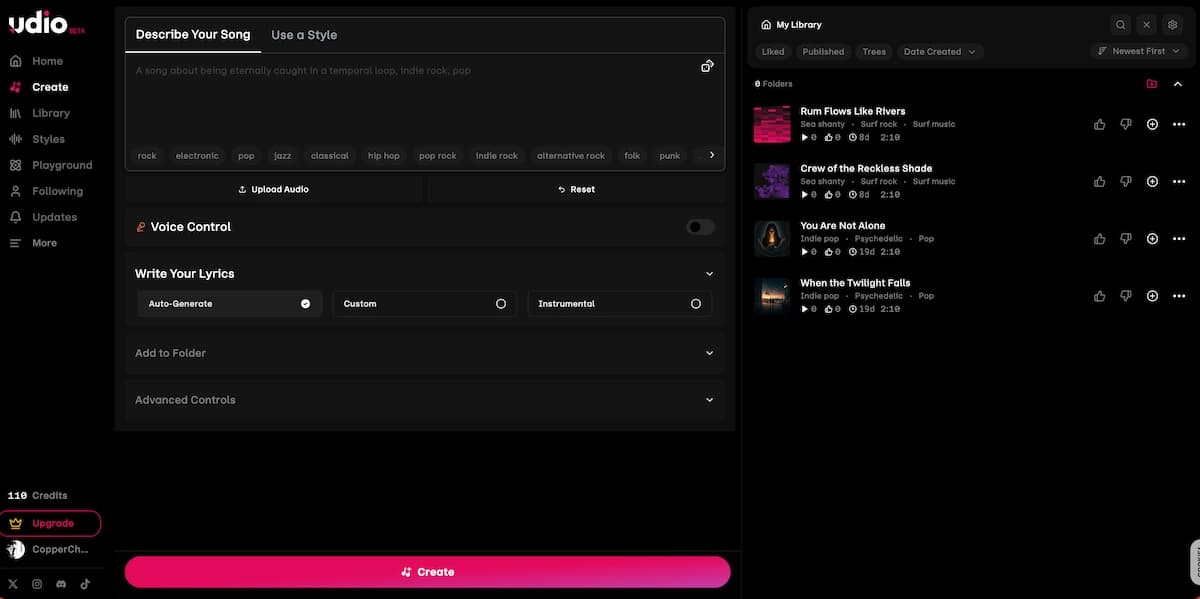
Udio was founded by former Spotify AI researchers and produces the cleanest audio mix among current AI song generators — 48kHz output with detailed mixing and mastering. Its Inpainting feature lets you regenerate specific sections of a track without touching the rest, and Stem Downloads let you isolate bass, drums, and vocals for DAW post-production. The trade-off: Udio's 2026 version keeps sharing limited to its own platform, so export flexibility is more restricted than Suno.
Best for: Producers who need audiophile-grade output and granular editing control
Free tier: Yes — 100 monthly credits plus 10 daily
Commercial rights: Available on paid plans
Mureka — Best AI Song Generator from Lyrics
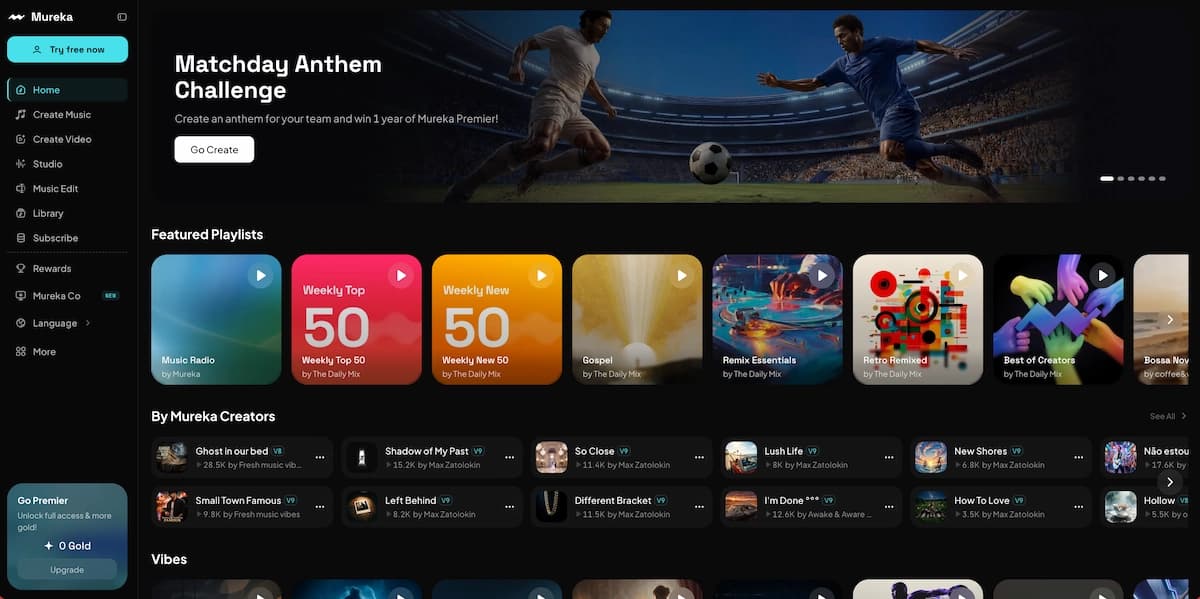
Mureka is built for musicians who bring their own creative direction. Its MusiCoT (Music Chain-of-Thought) technology plans song structures before generating audio, producing more coherent arrangements than prompt-only tools. Unique features include voice cloning, reference track style matching, MIDI export, stem separation, and full Ableton DAW integration. The platform has grown to nearly 10 million users since its 2024 launch.
Best for: Songwriters who start from lyrics; producers who need DAW-ready stems and MIDI
Free tier: Yes — limited trial credits
Commercial rights: Available from $8/month (billed annually)
Google Lyria 3 (via Gemini) — Best for Contextual Song Creation
Lyria 3 is Google's high-fidelity AI music generator, accessible through the Gemini interface. It transforms text prompts or photos into tracks complete with instrumentals, vocals, and lyrics. The integration with Gemini's broader multimodal capabilities means you can describe a scene, mood, or image and receive a custom soundtrack — a distinctive use case compared to standalone generators.
Best for: Gemini users who want music integrated into their existing AI workflow; creators turning visual content into audio
Free tier: Available through Gemini
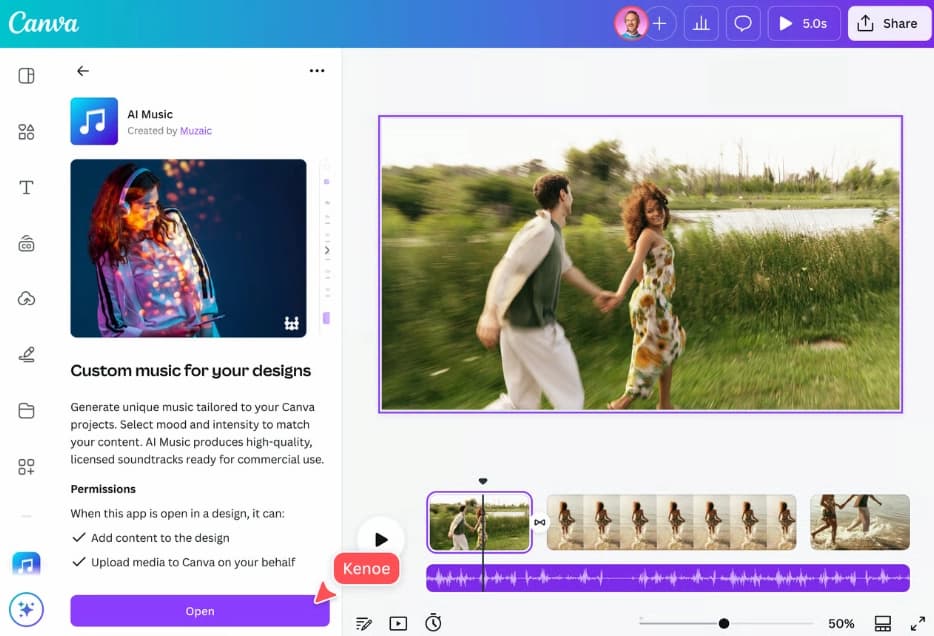
ElevenLabs Eleven Music — Safest for Commercial Use
Launched in August 2025, ElevenLabs Eleven Music has a key differentiator: its training data is commercially licensed through partnerships with Merlin Network and Kobalt. For creators producing monetized content — YouTube, podcast distribution, advertising — this provides cleaner legal footing than platforms where training data licensing remains under active legal discussion.
Best for: Content creators and brands who need unambiguous commercial rights
Free tier: Limited
Commercial rights: Commercially licensed training data
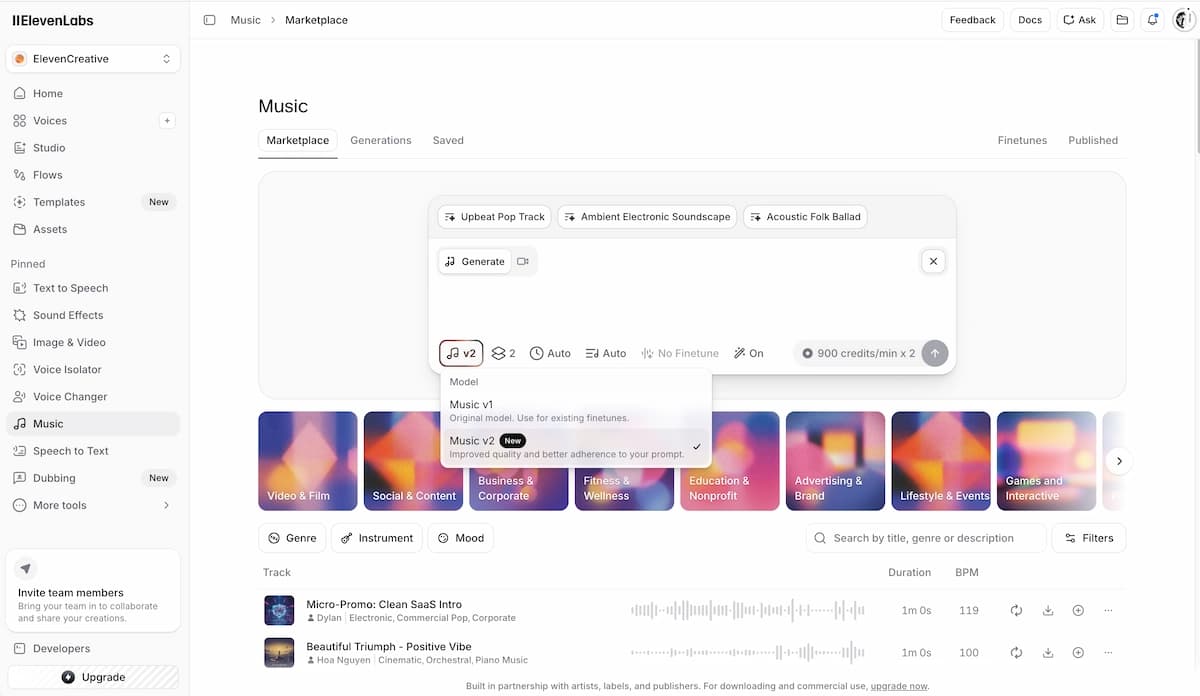
AISong.io — Best Free AI Song Generator with No Sign-Up Friction
AISong.io offers 20 daily credits and generates 2 songs per credit — all 100% royalty-free for commercial use. It supports both a Lyrics Mode (paste your own words) and a Description Mode (write a mood or style prompt), covers multiple genres, and allows immediate download without complex onboarding. For creators who want a free AI song generator with no sign-up barriers, it sits near the top of the stack.
Best for: Casual creators and first-time users; quick royalty-free content for social media
Free tier: Yes — 20 daily credits
Commercial rights: Yes, royalty-free on all tiers
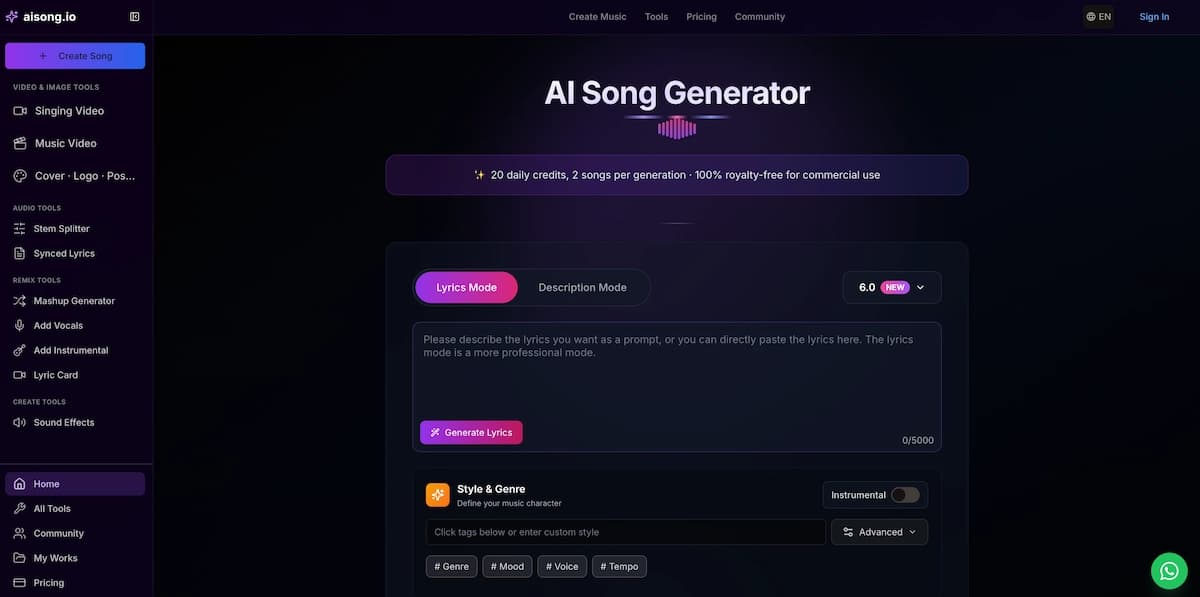
Singify — Best AI Song Generator for AI Covers and Voice Variety
Singify, built by FineShare, is an all-in-one browser-based platform that covers original song generation, AI cover creation, voice cloning, and a 10-stem splitter in a single workspace — no software download required. Its AI song generator accepts text prompts, lyrics, images, hummed melodies, or reference audio, then produces full-length tracks up to 4.5 minutes across genres including pop, R&B, rap, jazz, K-pop, and metal. The platform's most distinctive feature is its library of over 1,000 AI voice models — singers, rappers, fictional characters, and celebrity-style voices — making it the deepest voice variety of any generator on this list.
The workflow is clean and fast: select a prompt or lyrics mode, choose a voice model and genre, generate, and download in MP3 or FLAC. Voice cloning works from a 60-second audio recording, and the 10-stem splitter (separating vocals, drums, bass, synths, and more individually) far exceeds the 2–4 stems most competitors offer. Singify also includes a YouTube-to-MIDI converter, key and BPM detection, music extender, and an AI Singing Photo Generator for creating short lip-sync videos from still images.
The trade-off: while Singify's vocal variety is unmatched, its mixing and mastering quality doesn't reach the bar set by Suno v5 or Udio on straight song generation. The free plan includes a limited number of credits; commercial rights require a paid subscription.
Best for: Content creators who need AI covers, voice cloning, or wide vocal style variety; lyricists who want to hear their words in different voices; creators who need stems for remixing
Free tier: Yes — limited credits, no credit card required
Commercial rights: Paid plans only
Standout feature: 1,000+ voice models and 10-stem separation
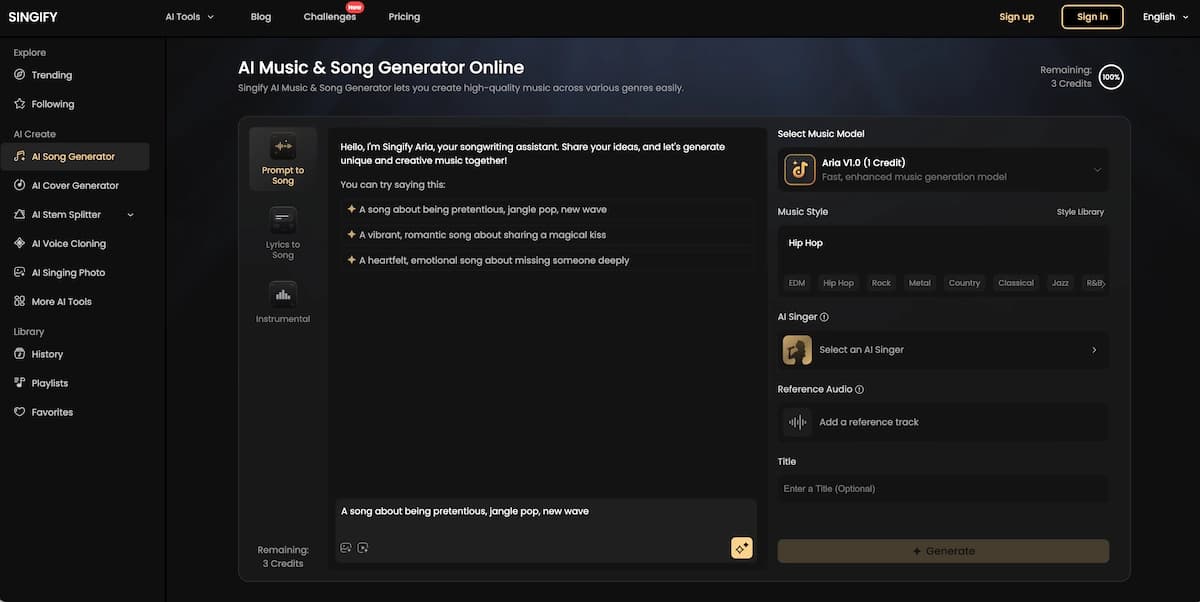
Canva AI Song Generator — Best for Creators Already Working in Canva
The Canva AI song generator is a built-in feature inside Canva's design and video editing environment, not a standalone music tool. It is best understood as a soundtrack layer for Canva projects: you choose a mood or vibe (e.g., "uplifting lo-fi," "cinematic suspense," "groovy 80s synth"), set a track length, and Canva generates a unique, copyright-free instrumental track that you can trim, loop, and sync directly to your video or presentation without leaving the editor. The Beat Sync feature auto-matches your video clips to music beats in one click, which makes it genuinely useful for reels, slideshows, and social media content.
What Canva's generator is not: a full song platform. It does not generate vocals, lyrics, or structured arrangements with verses and choruses. The output is background music — well-suited for ads, Instagram Reels, YouTube intros, and presentations, but not for creating a track that stands as a song in its own right. Generated audio also cannot be downloaded as a standalone file on the free plan; music use is tied to your Canva design exports. Commercial use of AI-generated music is permitted on paid Canva plans for content that is part of your own designs.
Best for: Canva users who need quick, royalty-free background music without switching platforms; social media creators producing visual content in Canva
Free tier: Yes — AI music generation available, personal use only
Commercial rights: Paid plans, within Canva design exports
Standout feature: Seamless Beat Sync and direct integration with Canva's video editor
Quick Comparison Table
| Tool | Best For | Free Tier | Commercial Rights | Vocals |
|---|---|---|---|---|
| Suno | Overall quality | Yes | Paid plans | Yes |
| Udio | Audio fidelity | Yes | Paid plans | Yes |
| Mureka | Lyrics-first / DAW | Yes (limited) | From $8/mo | Yes |
| Google Lyria 3 | Contextual / Gemini | Yes | Check terms | Yes |
| ElevenLabs | Commercial safety | Limited | Licensed training | Yes |
| AISong.io | Free, no sign-up | Yes | Yes (royalty-free) | Yes |
| Singify | Voice variety / covers | Yes (limited) | Paid plans | Yes |
| Canva | In-Canva background music | Yes (personal) | Paid plans | No |
How to Use an AI Song Generator Step by Step
The following workflow applies broadly across Suno, Udio, and most major platforms. Steps will vary slightly by tool.
Choose your platform and sign up
Start with Suno for fast finished songs, Mureka for lyrics-first creation, or AISong.io for immediate free experimentation.
Select your input mode
Use prompt mode for a plain-language brief or custom lyrics mode when you already have words written.
Add style details
Include genre, mood, tempo, vocal style, key instruments, and reference audio when the platform supports it.
Generate and review
Listen to multiple versions, compare hooks and arrangements, and choose the strongest starting point.
Refine and extend
Use editing tools such as structure editing, inpainting, stem separation, or extension features to improve the track.
Export
Download the final track and confirm licensing, stems, and commercial rights before publishing.
Step 1: Choose your platform and sign up
Start with Suno if you want the highest-quality full-song output with the lowest learning curve. Use Mureka if you're beginning from your own lyrics or melody. Use AISong.io if you want to experiment immediately without creating an account.
Step 2: Select your input mode
Most platforms offer two paths:
- Prompt/Description Mode: Type a plain-language description ("upbeat indie pop, female vocals, hopeful tone, 120 BPM")
- Custom Lyrics Mode: Paste your written lyrics and let the AI compose the music around them
Step 3: Add style details
The more specific your prompt, the more control you retain. Include genre, subgenre, mood, tempo, vocal gender, key instruments, and optionally a reference artist for style (e.g., "in the style of Paramore's early work"). Most platforms also accept reference audio uploads — a 30-second clip of a song you like gives the AI a stylistic target that outperforms text description alone.
Step 4: Generate and review
Most tools produce 2 versions per generation. Listen to both. Subtle differences in arrangement and vocal delivery between versions are common — picking the better starting point matters for refinement.
Step 5: Refine and extend
Use the platform's editing tools — Suno's Custom Mode for structure editing, Udio's Inpainting for section replacement, Mureka's stem separation for DAW work — to bring the track closer to your vision. Most platforms let you extend tracks in 30-second increments.
Step 6: Export
Download the final track. On paid plans, most tools offer stem downloads (separate vocal, drum, bass, and melody tracks) for post-production mixing. Royalty-free status and commercial license details vary — verify on each platform before publishing to monetized channels.
How to Turn Your AI Song into a Music Video with VidMuse
Generating the song is step one. The full creative vision — a music video that matches the track's mood, narrative, and energy — is where most indie creators hit a wall. Professional music video production typically costs thousands of dollars and weeks of production time. VidMuse solves this with an agent-based AI production workflow built specifically for music videos and product ads.
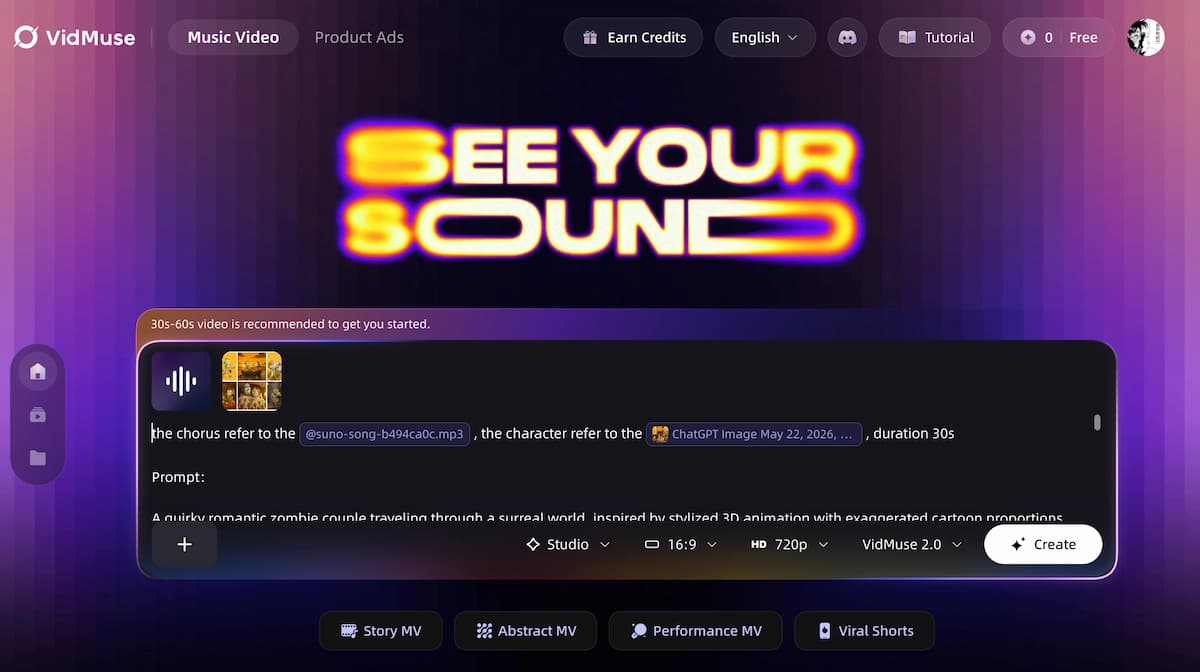
Here is how the workflow connects:
1. Bring your AI-generated track into VidMuse
VidMuse includes native Suno AI integration — you can generate original tracks directly inside the platform using Suno without switching tabs. If you created your track elsewhere (Udio, Mureka, or another tool), upload the audio file to start your project.
2. Run the Creative Brief stage
Describe your song's concept, mood, genre, and visual direction. VidMuse's agent logic uses this brief to plan the full music video — not just one clip, but a complete scene structure with shot types, visual styles, and narrative arc. This is the key differentiator: VidMuse functions as an AI Director, planning the full MV rather than executing one-shot video prompts.
3. Generate Reference Images and Storyboard
VidMuse produces a storyboard from your brief using its image generation models (including Flux.2-Pro, GPT Images 2.0, Seedream 5.0 Lite, and Midjourney V7 among others). Review and approve the visual direction before any video generation begins — this prevents wasted credits on clips that don't match your vision.
4. Select your Generation Mode and Video Model
- Studio Mode (flagship): Highest quality, best for final deliverables. Runs models including Kling V3.0 Pro, Veo 3.1, Seedance 2.0 Pro, and Hailuo 2.3 Pro.
- Lite Mode (Seedance series): Fast and cost-efficient, ideal for rapid iteration and draft review.
Template options include Story MV, Abstract MV, Performance MV, Viral Short, TVC, and Explainer — each tuned for different creative objectives.
5. Refine and finalize with VidMuse 2.0 tools
VidMuse 2.0 features include Shot Refine by Quoting (select any clip and regenerate just that shot), the Timeline Editor (arrange and trim clips into a final cut), and Asset Library & Memory (reuse characters, locations, and styles across shots for visual consistency).
For indie musicians, this pipeline means studio-level visual production at a fraction of traditional costs — turning a Suno or Udio track into a shareable music video in hours rather than weeks.
Create Your AI Video in Minutes
Turn your song track into a video with VidMuse AI.
Common Mistakes to Avoid
Being too vague with your prompt. "Make a sad song" produces generic output. "Acoustic folk ballad, male vocals, fingerpicked guitar, 75 BPM, themes of distance and missing someone" gives the model enough to work with.
Ignoring the free tier before committing. Most major platforms have meaningful free tiers. Test your actual use case before paying — output quality varies significantly depending on genre and vocal style.
Assuming commercial rights on free plans. AISong.io is an exception; most free tiers do not include commercial licensing. If you plan to monetize — streaming, YouTube, ads — verify rights before publishing.
Neglecting structural tags when providing lyrics. If you submit a block of unstructured lyrics, the AI has to guess where the chorus is and how energy should build. Use [Verse], [Chorus], and [Bridge] tags consistently.
Stopping at audio. The track is the starting point, not the endpoint. A great AI-generated song without a visual component performs significantly less well on social platforms and streaming discovery. Building the music video step in from the beginning — with VidMuse or another AI music video generator — produces a better-performing final deliverable.
Over-engineering the first draft. Generate first, edit second. Most experienced AI music creators generate 4–6 variations of a song concept, pick the best starting point, then refine — rather than trying to perfect the prompt before generating.
FAQ
What is the best AI song generator in 2026?
Suno is the most widely recommended all-around AI song generator, producing high-quality, radio-ready full songs from simple text prompts on both free and paid tiers. Udio leads on audio fidelity for producers who need stem-level control. The best choice depends on your workflow: Suno for speed and accessibility, Udio for quality and editing depth, Mureka for lyrics-first and DAW integration.
Is there a free AI song generator with no sign-up required?
AISong.io offers 20 daily credits with commercial-use rights and supports song generation with minimal account friction. Suno allows browsing and listening before requiring a login. Udio's free tier provides 100 monthly credits. Note that most platforms require at least an email to download generated tracks.
Can I use AI-generated songs commercially for free?
Most platforms require a paid plan for commercial licensing. AISong.io is an exception, bundling royalty-free commercial rights into its free tier. ElevenLabs Eleven Music offers the cleanest commercial licensing among major generators, with training data licensed through Merlin Network and Kobalt. Always verify current terms on each platform — they update frequently.
How does a Suno AI song generator work?
Suno's AI song generator uses a transformer-based model trained on large music datasets. You input a text prompt (style, mood, genre, or lyrics), and Suno generates a complete song — melody, vocals, instruments, and structure — in seconds. Custom Mode lets you paste specific lyrics and add structural tags to guide the arrangement. Paid plans unlock commercial rights, longer song lengths, and stem downloads.
Which AI song generator is best for creating songs from my own lyrics?
Mureka is the strongest platform for lyrics-first creation, supporting structural meta-tags, voice cloning, reference audio style matching, and MIDI export for DAW work. Suno's Custom Mode is a close second and more accessible for beginners. Both allow you to input full lyrics and receive a complete musical arrangement built around your words.
What is the Singify AI song generator?
Singify is a browser-based AI music platform by FineShare that combines original song generation, AI voice covers, voice cloning, and a 10-stem audio splitter in one workspace. It generates full-length tracks up to 4.5 minutes from text prompts or lyrics, with a library of over 1,000 AI voice models to choose from. It is particularly strong for creators who want vocal variety, AI-generated covers, or stem separation for remixing — though its overall mixing and mastering quality does not yet match Suno v5 or Udio at the top of the market. A free plan is available with limited credits; commercial rights require a paid subscription.
Can I use the Canva AI song generator for content creation?
Yes, with important caveats. Canva's built-in AI music generator creates royalty-free instrumental background tracks from mood and style prompts, sized to your video's exact length — and with Beat Sync, clips auto-match to the music beat in one click. It is ideal for social media reels, presentations, and YouTube intros made entirely inside Canva. However, it does not generate vocals or full structured songs, and generated audio cannot be downloaded as a standalone file on the free plan. For original songs with vocals, lyrics, and full arrangements, dedicated platforms like Suno, AISong.io, or Singify are the better choice.
How do I turn an AI-generated song into a music video?
Once you have your AI-generated track — from Suno, Udio, Mureka, or another tool — bring it into VidMuse. Use the Creative Brief stage to define your video's visual concept, generate a storyboard with AI images, then produce scene-by-scene video clips using your chosen video model (Kling V3.0 Pro, Veo 3.1, Seedance 2.0 Pro, and others). VidMuse's Timeline Editor and Shot Refine tools let you assemble and polish the final cut. The platform's Suno to video integration also lets you generate the track and video in a single workflow.
In The End
The AI song generator landscape in 2026 gives every creator — from first-time hobbyists to professional producers — access to tools that would have required a full studio team five years ago. Suno leads on overall accessibility and song quality. Udio delivers the cleanest audio mix. Mureka is the professional's choice for lyrics-first and DAW workflows. AISong.io is the best free entry point with commercial rights included.
The track, however, is only the beginning. The music video is where a song becomes discoverable, shareable, and memorable. VidMuse connects your AI-generated audio directly to an agent-based AI music video generator and music to video AI workflow — from Creative Brief through storyboard to final cut — turning a Suno or Udio track into a production that looks like it had a real director behind it.
Ready to take your AI-generated song to video? Start with VidMuse and bring your music to life visually.
Create Your AI Video in Minutes
Turn your song into a video with VidMuse.

Written By
VidMuse Team
Continue Reading
Latest blog posts related to AI video creation.
How to Use Kling O3 in VidMuse to Make AI Videos
Kling O3 powers VidMuse Studio with 15s multi-shot generation, voice-persistent characters, native audio, and a practical AI video workflow.
OmniHuman 1.5: The AI Avatar Model Explained
Discover what OmniHuman 1.5 can do — realistic lip-sync, emotional performances, and multi-person scenes — and how to use it inside VidMuse AI.
AI UGC: Complete Guide to AI UGC Video Ads in 2026
Learn what AI UGC is, how to make AI UGC video ads, and which tools help brands create storyboarded product ads for TikTok, Reels, and Shorts in 2026.