

If you're a Suno artist searching for the best AI music video generator for Suno tracks, the short answer is this: VidMuse currently offers the most complete production pipeline for turning a Suno song into a polished, shareable music video — with a structured agent-based workflow, multiple video generation models, and a built-in Suno AI music creation integration.
For artists who want fast, free options, tools like Runway, Kaiber, and neural-frame visualizers exist but come with real tradeoffs in consistency and control. This guide breaks down every meaningful option, maps them to real use cases, and shows you a step-by-step workflow to actually get your Suno track onto screen.
Key Takeaways
- VidMuse is the only platform combining an agent-based full-MV workflow, multiple state-of-the-art video generation models (including Kling V3.0, Veo 3.1, and Seedance 2.0), and native Suno AI music creation in a single environment — making it the strongest end-to-end suno music video maker available.
- Most free AI music video generators lack narrative structure and produce repetitive or watermarked results; they work for quick visualizers but fall short of professional-grade MVs.
- The real gap for Suno artists is not audio quality — it's video quality and consistency. A structured, scene-by-scene workflow reliably outperforms one-shot prompt tools.
- Suno's own Animate feature exists but currently includes watermarks and limited editorial control, making it unsuitable for professional distribution without a third-party solution.
- For Suno artists releasing on YouTube, TikTok, or Instagram, a 30-second to 2-minute AI-generated MV is now achievable without a production budget when using the right tool and workflow.
Best AI Music Video Generator for Suno: Top Tools Compared
VidMuse — Full-Pipeline AI Director
VidMuse is the most complete Suno music video maker for artists who want a structured, production-quality result.
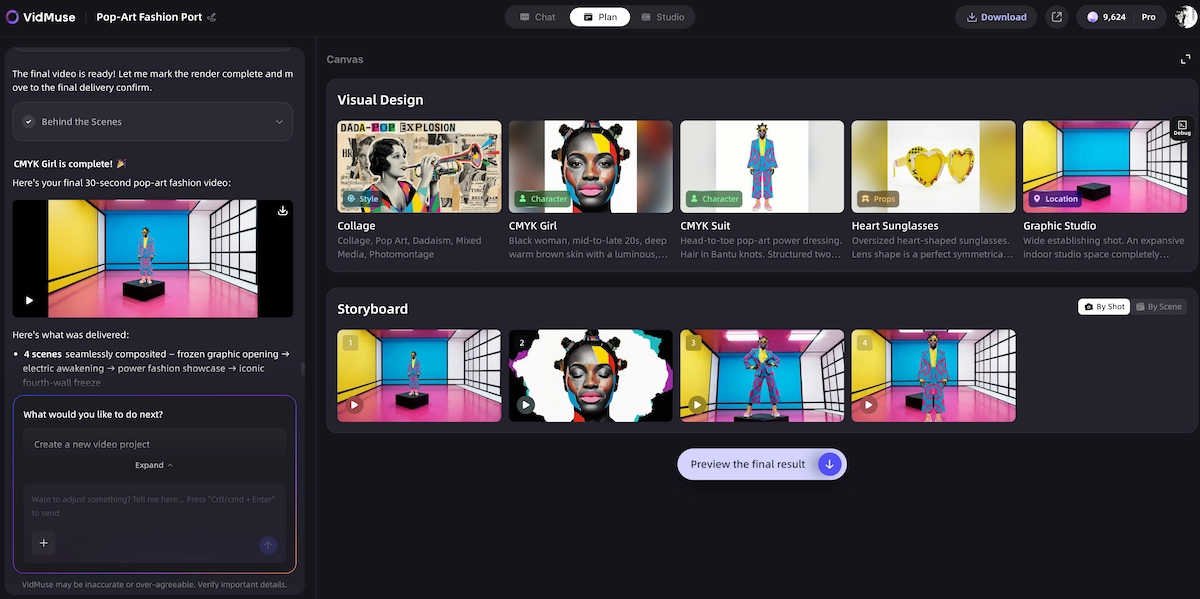
Rather than generating a single clip from a prompt, VidMuse operates as an AI Director — planning the full MV across a Creative Brief → Reference Generation → Scene & Shots List → Storyboard → Video Generation workflow.
Key strengths for Suno artists:
- Native Suno AI integration lets you generate or import tracks without leaving the platform
- Access to a wide model matrix — including Kling V3.0 Pro, Veo 3.1, Seedance 2.0 Pro, Hailuo 2.3 Pro, and more — giving you stylistic range from cinematic realism to motion-abstract
- Studio mode for highest-quality output; Lite mode for fast, cost-efficient generation
- Template types purpose-built for music: Story MV, Abstract MV, Performance MV, Viral Short
- VidMuse 2.0 features: Shot Refine by Quoting, Timeline Editor, and Asset Library & Memory for precise editorial control
- AI Avatar models (including Omnihuman V1.5 and Kling AI Avatar V2 Pro) for consistent on-screen performer presence
- Image generation models (Flux.2-Pro, Midjourney V7, GPT Images 2.0, Seedream 5.0 Lite, Nano Banana Pro) for storyboard and reference frame creation
The agent-based logic is what sets VidMuse apart from one-shot tools. It plans the video as a complete project — not a single generative event.
Best for: Indie musicians and Suno artists who want a complete, distributable music video (30s–2min) with scene continuity and stylistic control.
Limitation: The full Studio workflow takes more setup than single-clip tools. If you only need a 10-second visualizer, lighter tools may be faster.
Create Your AI Video in Minutes
Turn a Suno song into a video inside VidMuse AI video agent.
Runway — Cinematic Powerhouse, Manual Assembly
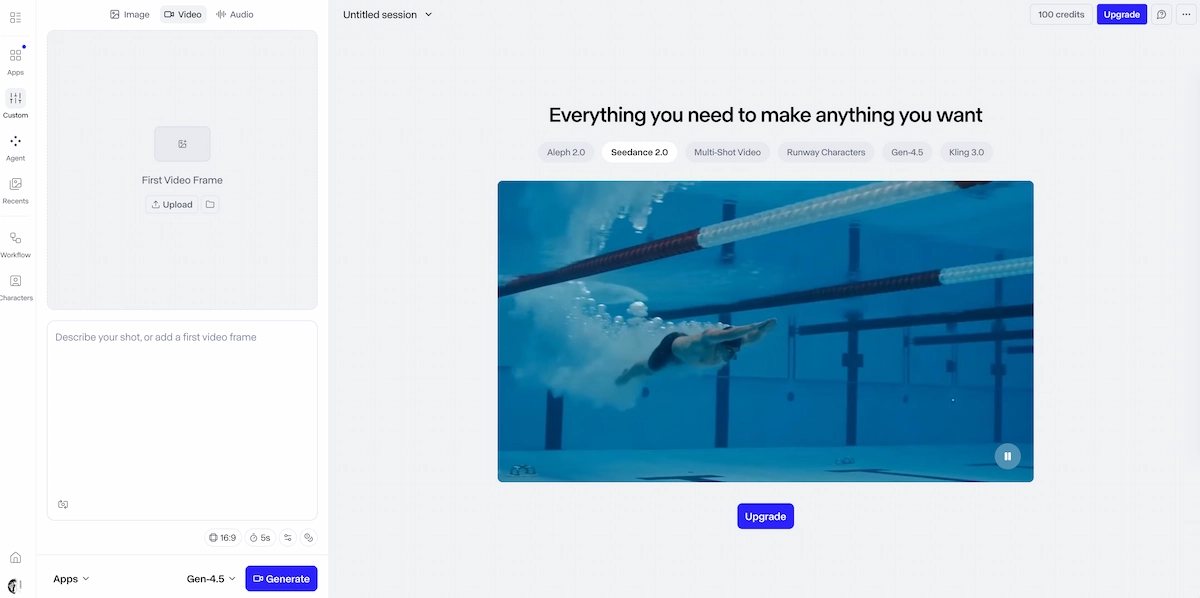
Runway stands as an industry benchmark for generative visual quality. Even as the ecosystem evolves with models like Gen-4.5 pushing the boundaries of physical accuracy and cinematic realism, the core workflow remains strictly visual.
The primary hurdle for music creators is that Runway offers no native audio analysis or music structure awareness. It generates short, silent clips from prompts, delegating all timing, syncing, and pacing to the creator.
For Suno artists, this means exporting individual clips and manually cutting them to the beat inside an external video editor—a highly manual, time-intensive pipeline that undercuts the immediate efficiency gains AI usually promises.
Best for: Producing hyper-realistic, visually polished individual shots to be used as high-end building blocks within a traditional post-production timeline.
Limitation: It is not an automated audio-to-video platform. Transforming a track into a complete music video still demands significant manual editing and production expertise.
Kaiber — Fast Stylized Loops
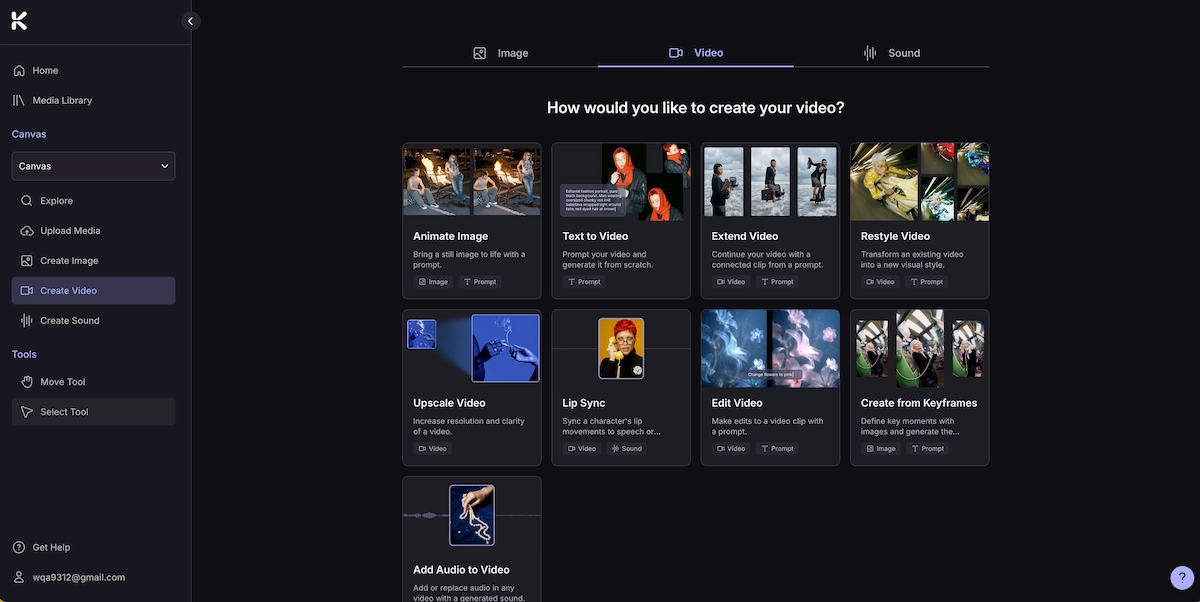
Kaiber generates short, stylized clips quickly and works well for Instagram Reels snippets, Spotify Canvas visuals, or TikTok loops. Its aesthetic is distinctive — often painterly or illustrated — and results are fast.
The tradeoff is depth. Kaiber responds to general audio mood but does not analyze song structure. Longer videos tend to feel visually repetitive. Character consistency is unreliable, which limits its usefulness for artist-branding content.
Best for: Quick social media snippets with an artistic visual style. Limitation: Not suitable for a full-length structured music video.
Neural Frames — Abstract Electronic Visuals
Neural Frames is purpose-built for electronic music and audio-reactive abstraction. It links visual elements to specific audio frequencies, producing hypnotic visuals that feel tightly synchronized with complex sonic textures.
For an artist making ambient, techno, or experimental music with Suno, Neural Frames can produce striking results. For any track with vocals, a narrative arc, or a need for performer presence, it falls short entirely — there are no characters, no storytelling modes, and no scene structure.
Best for: Abstract, frequency-driven visuals for electronic or instrumental Suno tracks. Limitation: No narrative capability; no character or performer representation.
Suno's Native Animate Feature — Convenient but Limited
Suno does offer a built-in Animate feature that generates visuals tied to a track. For quick social previews or personal use, it provides a frictionless starting point.
The limitations for professional use are real: watermarks on free outputs, limited ability to remove overlaid lyrics, and constrained editorial control. For any track heading to YouTube, TikTok, or an official release, the Animate feature typically serves as a starting reference rather than a final deliverable.
Best for: Quick previews and personal sharing. Limitation: Watermarks and limited output control make it unsuitable for professional or commercial distribution without workarounds.
VidMuse Deep Dive: Why It Works for Suno Artists Specifically
VidMuse's core differentiator is agent-based logic — the platform plans the entire music video rather than executing a single prompt. This architectural choice directly addresses the two biggest pain points for Suno artists: narrative coherence and visual consistency.
Exclusive Suno Workflow Features
Unlike general-purpose video tools, VidMuse is engineered specifically to turn AI tracks into cinematic music videos with zero manual timeline editing:
-
Music Analysis: Before generating a single frame, VidMuse parses your track’s DNA. It automatically maps the beat grid, tempo changes, and structural shifts (intro, verse, chorus, bridge) to align scene cuts and visual intensity perfectly with the music.
-
Lyric Native Match: Offers frame-accurate, native lyric synchronization. Visual storytelling elements shift seamlessly alongside the actual word-level progression of your Suno track, keeping the narrative flawlessly locked to the vocals.
-
Dedicated Suno link to video: Absolute convenience. You don't even need to download files—simply paste your public Suno track link directly into VidMuse to kickstart the visual generation process instantly.
End-to-End Production Control
The model matrix gives real stylistic range. A Suno folk track might call for Wan 2.7's painterly aesthetic. A hyperpop track might suit Hailuo 2.3 Pro's vivid, high-motion generation. Having access to Kling V3.0 Pro, Veo 3.1, Seedance 2.0 Pro, Pixverse v6, and others within one interface means stylistic decisions are creative choices, not limitations.
The AI Avatar models solve performer presence. Omnihuman V1.5 and Kling AI Avatar V2 Pro let artists create a consistent on-screen performer — essential for building an artist identity and avoiding the "random person morphs" problem common in one-shot tools.
The image generation stack supports every phase of the workflow. Whether generating reference frames early in the process or creating album art and promotional assets alongside the MV, models like Midjourney V7, Flux.2-Pro, GPT Images 2.0, Seedream 5.0 Lite, Nano Banana Pro, and others are available within the same environment.
Shot Refine by Quoting keeps you in control. This VidMuse 2.0 feature lets you select a specific frame and request precise refinements — without regenerating the entire scene. For artists who want to push toward a specific visual, this is a significant workflow advantage over black-box generation.
Create Your AI Video in Minutes
Turn a Suno song into a video inside VidMuse AI video agent.
How to Turn a Suno Song into a Video with VidMuse (Step-by-Step)
This is the most practical workflow currently available for turning a Suno track into a full, distributable music video.
Generate or import your Suno track
Use the integrated Suno AI module to generate your track, or import a finished Suno song.
Complete the Creative Brief
Enter mood, genre, references, and intended platform so the AI Director has context.
Review AI-generated references
Approve palette, style, and tone before any video generation begins.
Approve the Scene & Shots List
Review the scene breakdown tied to intro, verse, chorus, bridge, and outro.
Review and refine the Storyboard
Use Shot Refine by Quoting to tweak specific frames and lock narrative continuity.
Generate video in Studio or Lite mode
Choose the model and mode that match quality, cost, and turnaround needs.
Edit on the Timeline Editor
Trim, reorder, and refine shots while preserving saved assets and visual memory.
Export and distribute
Export watermark-free for YouTube, TikTok, Instagram Reels, or release visuals.
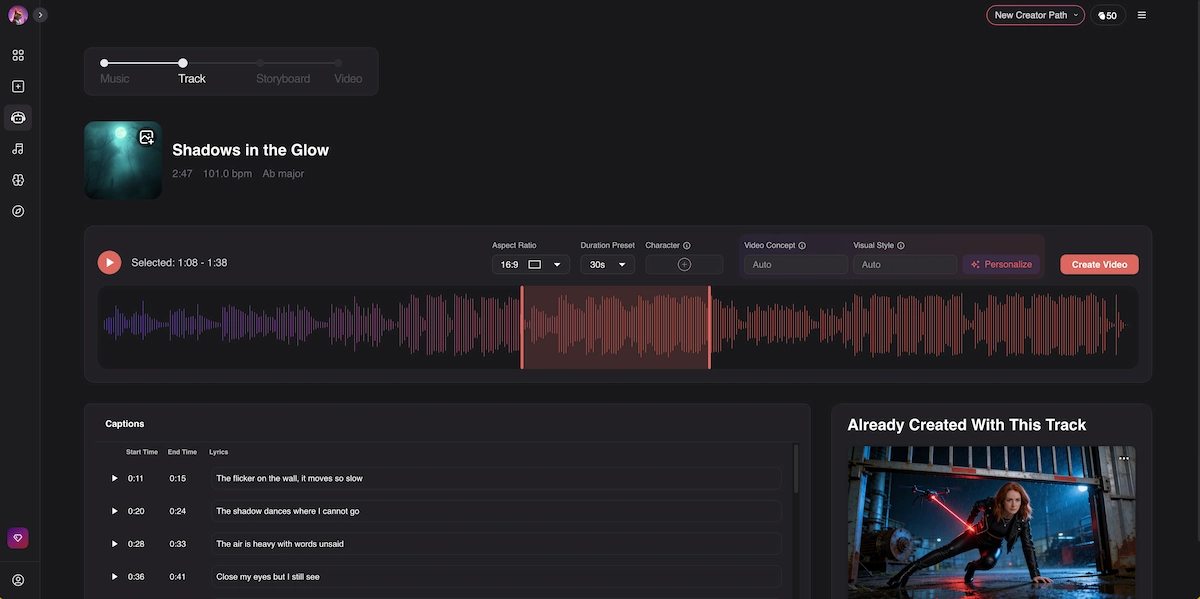
Step 1 — Generate or import your Suno track.
Inside VidMuse, use the integrated Suno AI module to generate your track, or export your finished song from Suno and import it directly. No external file management required.
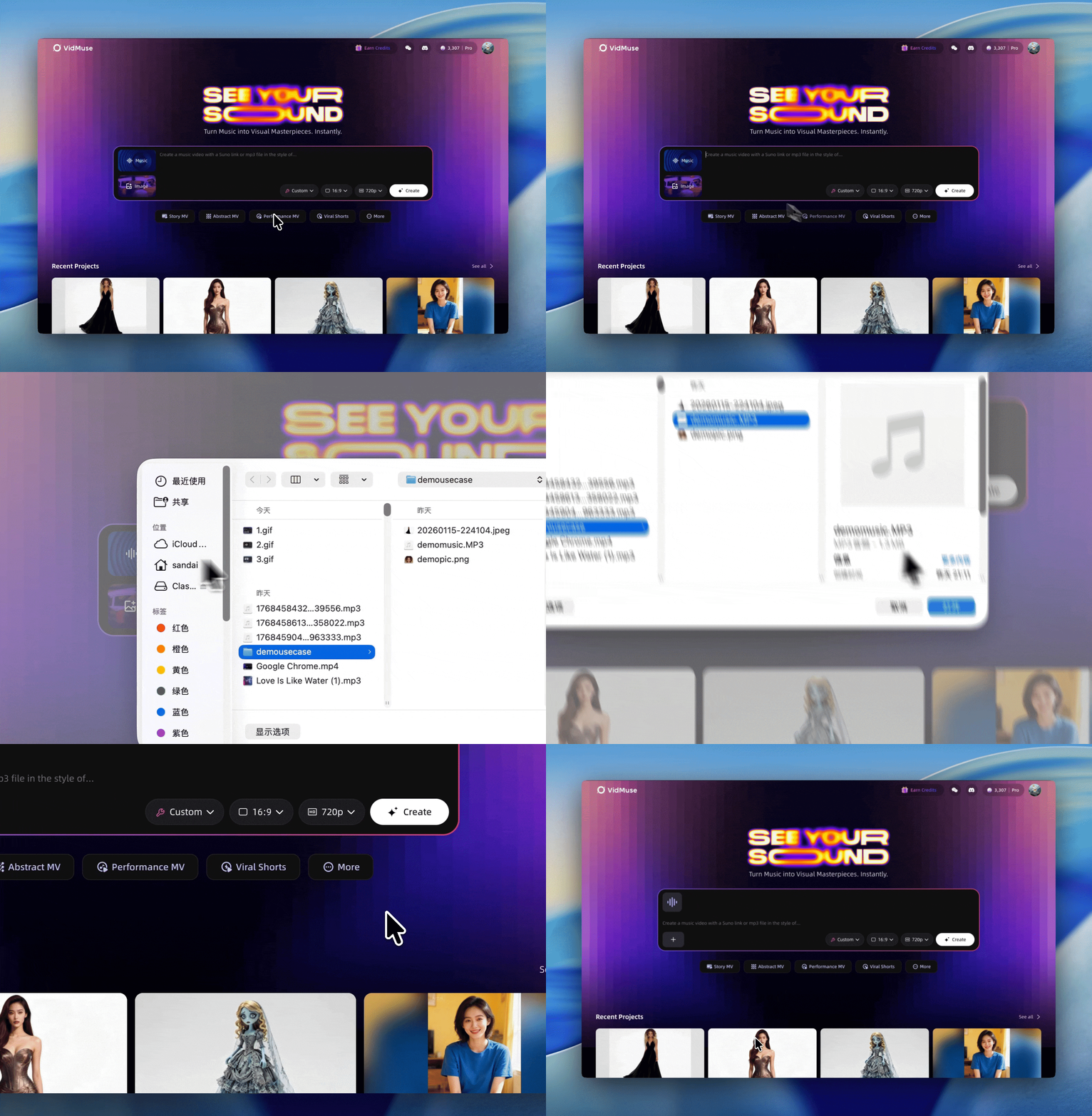
Step 2 — Complete the Creative Brief.
Enter your track's mood, genre, visual references, and intended platform. The brief informs every subsequent AI decision — treat it like a director's note, not a search query.
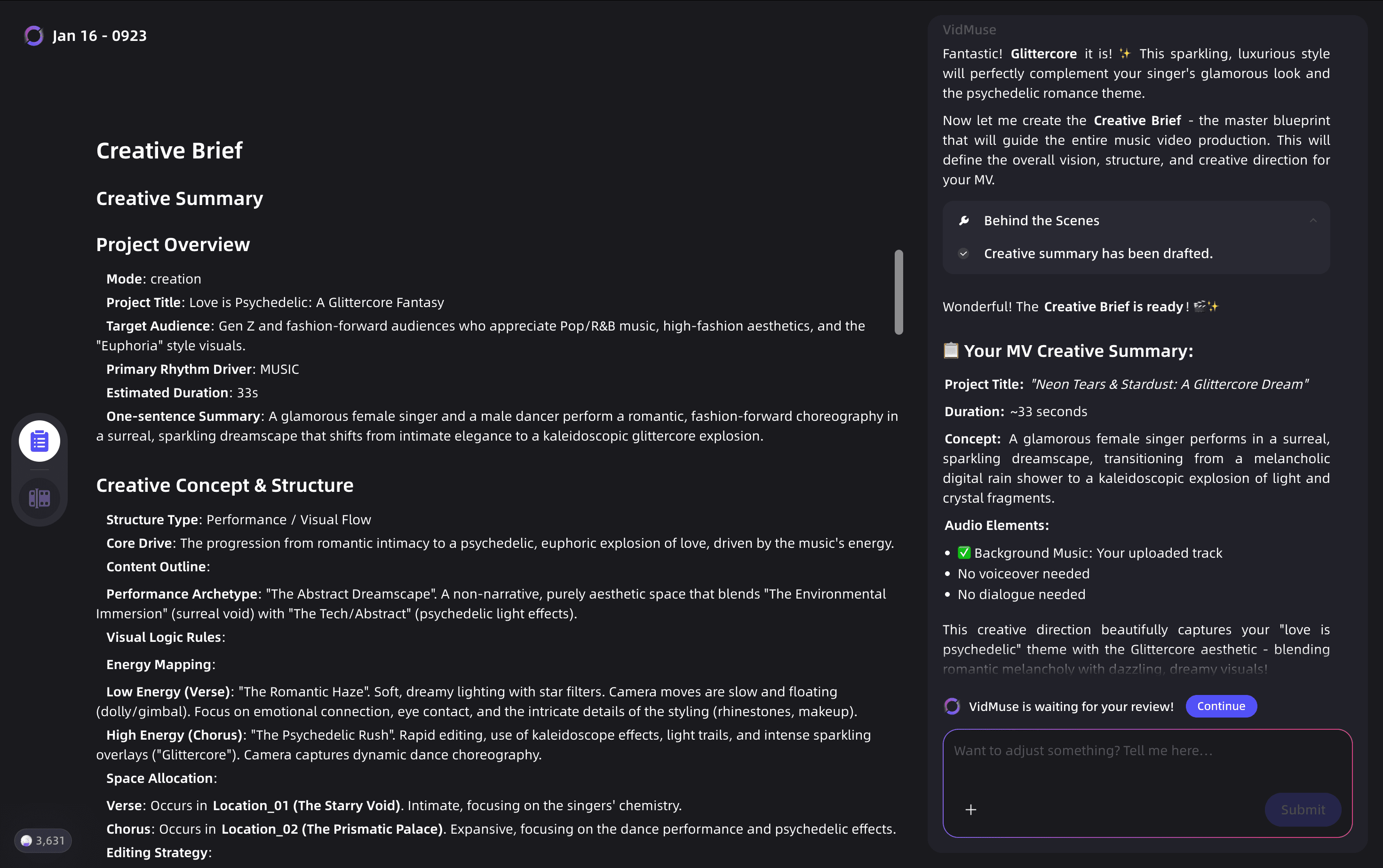
Step 3 — Review AI-generated references.
VidMuse generates visual reference frames based on your brief. These establish palette, style, and tone before any video generation begins. Adjust until the visual direction matches your intent.
Step 4 — Approve the Scene & Shots List.
The AI Director produces a scene-by-scene breakdown tied to your track's structure (intro, verse, chorus, bridge, outro). Review each scene description and adjust pacing or visual ideas before committing.
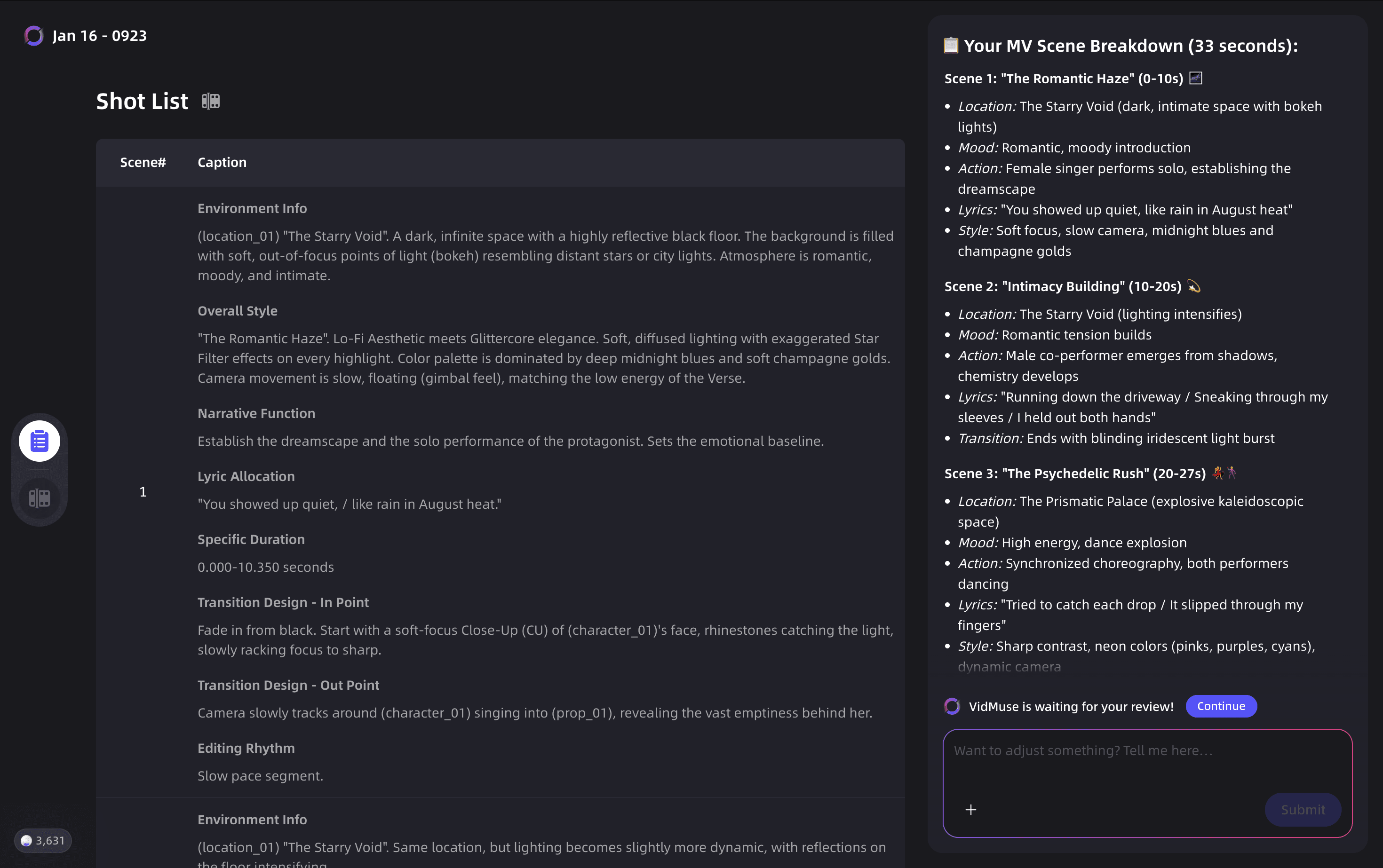
Step 5 — Review and refine the Storyboard.
Visual storyboard frames are generated for each scene. Use Shot Refine by Quoting (a VidMuse 2.0 feature) to select and tweak specific frames. This step is where narrative continuity is locked in.
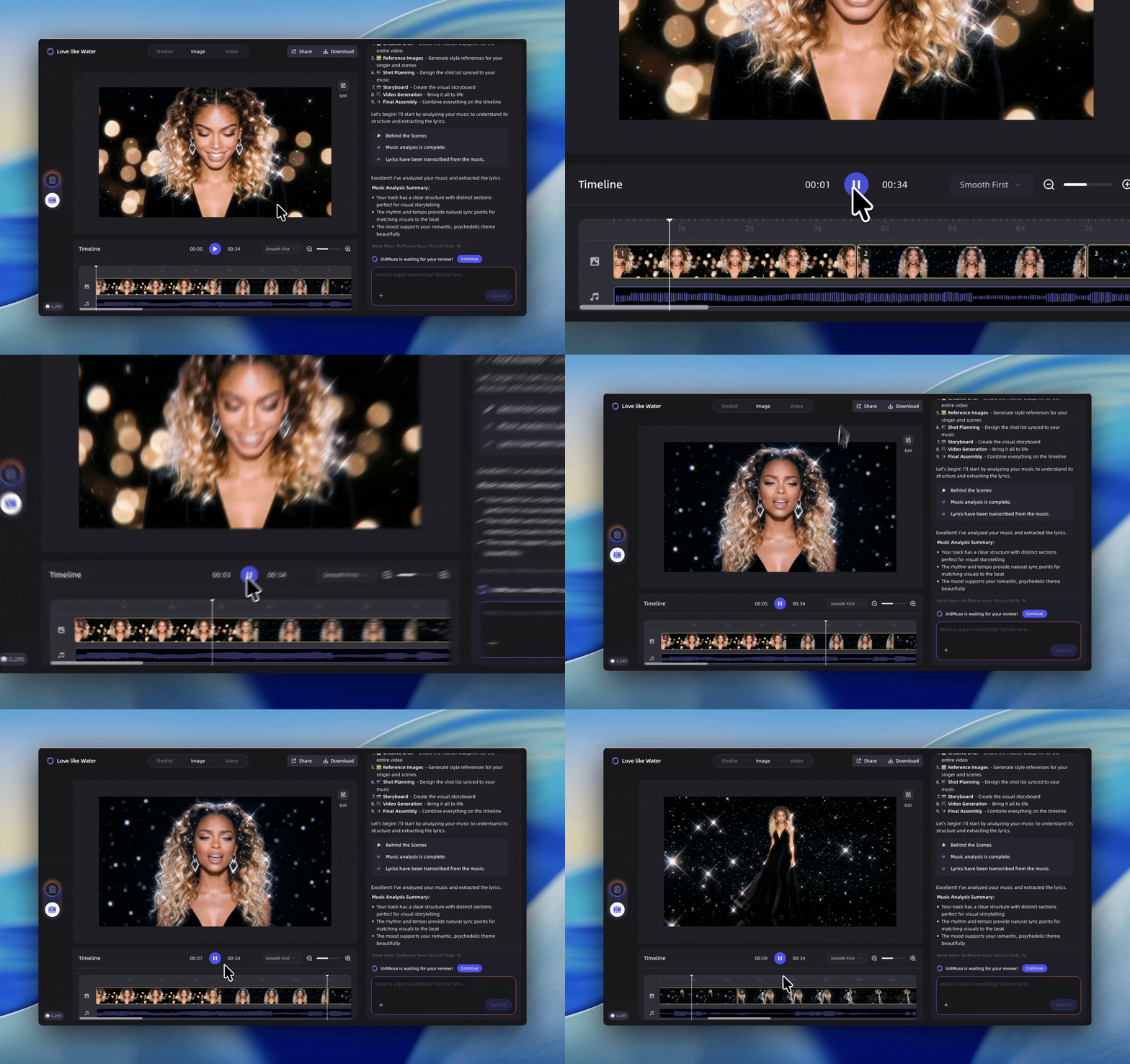
Step 6 — Generate video in Studio or Lite mode.
Select your preferred model — for highest quality, use Seedance 2.0 Pro, Kling V3.0 Pro, or Veo 3.1 in Studio mode. For faster turnaround, Lite mode with Seed-series models delivers cost-efficient results.
Step 7 — Edit on the Timeline Editor.
VidMuse 2.0's Timeline Editor lets you trim, reorder, and refine individual shots. Assets saved to the Asset Library & Memory remain consistent across sessions.
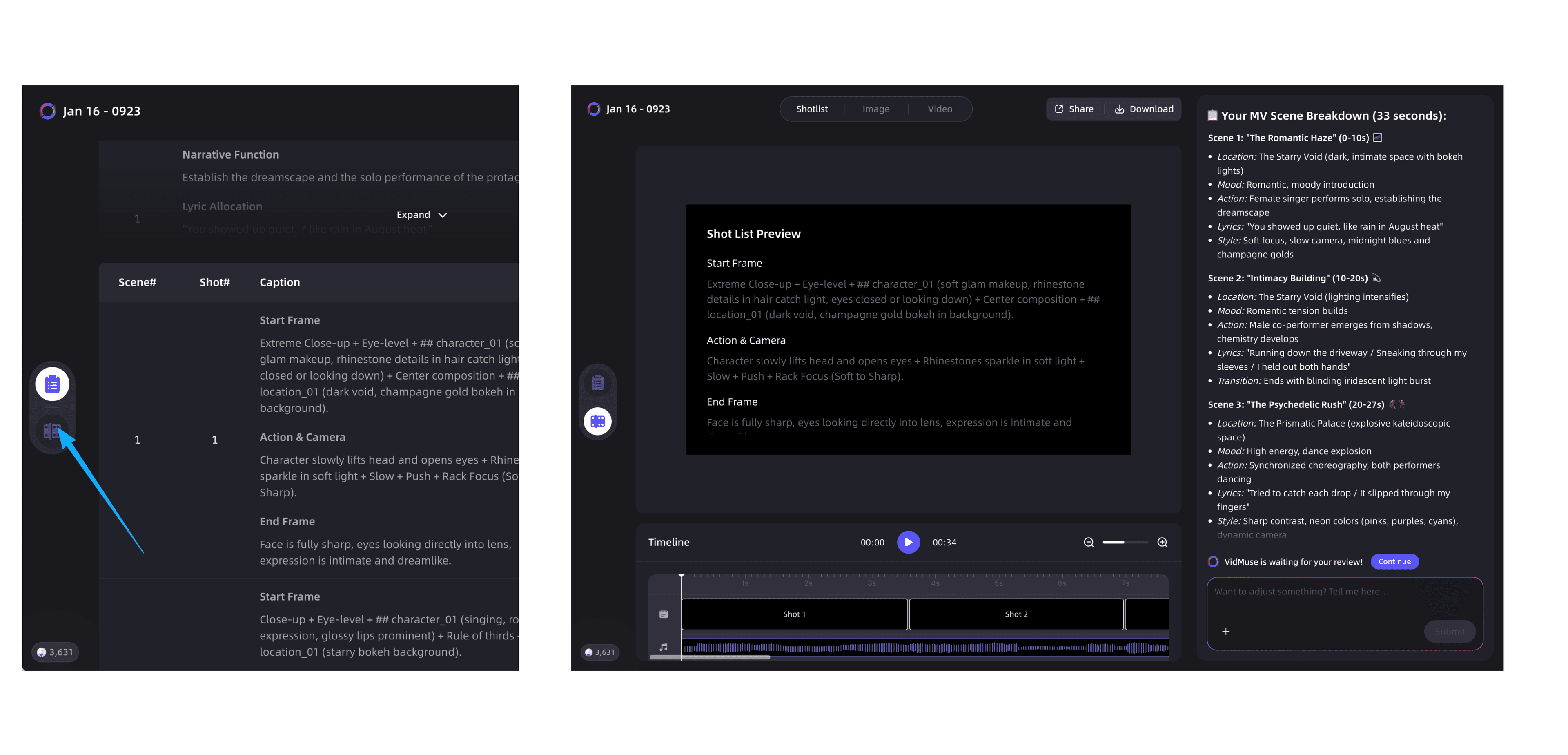
Step 8 — Export and distribute. Export your final video, watermark-free, ready for YouTube, TikTok, Instagram Reels, or any streaming platform's visual content.
Create Your AI Video in Minutes
Turn a Suno song into a video inside VidMuse AI video agent.
Free AI Music Video Generator Options: What You Actually Get
The search for the best free AI music video generator is understandable — but it helps to enter with realistic expectations.
Most free tiers across the category share the same constraints:
- Watermarks on exported video, often prominent enough to make distribution awkward
- Resolution caps, typically 720p or lower on free plans
- Short output limits, usually 5–15 seconds per generation
- No scene planning, just single-clip generation from a text prompt
- Limited model access, with premium models locked behind subscriptions
For a Suno artist who just wants to test a visual concept or create a quick social preview, free tiers from tools like Kaiber, Runway, or even Suno's own Animate can serve that narrow use case.
For anything distribution-ready — a YouTube MV, a TikTok you want to perform well, or a release visual — a paid tier or a more complete platform like VidMuse is the practical choice. The time cost of stitching together free-tier clips across multiple tools usually exceeds the subscription cost of doing it properly in one place.
Searching for AI music video generator free unlimited options? True unlimited free generation with no watermarks does not currently exist in any production-quality tool. Platforms offering "unlimited" free tiers typically apply significant quality restrictions or require account creation with usage caps.
Common Mistakes When Making Suno Music Videos
Even with the right tools, certain patterns consistently produce weak results. Avoiding them saves time and generates better outputs.
Treating video generation like a search engine.
Single short prompts produce single short clips. A music video requires intent, structure, and context. Always begin with a creative brief, even for a 30-second track.
Skipping the storyboard step.
It feels slower, but approving a storyboard before generating video dramatically reduces wasted generations. A three-minute storyboard review can replace hours of regeneration cycles.
Using the wrong model for the track's aesthetic.
Not all video models produce the same visual style. Matching model to genre — cinematic for singer-songwriter, high-motion for electronic, illustrated for lo-fi — improves results significantly. Review model strengths before committing a generation credit.
Ignoring the free tier watermark issue.
If you plan to distribute, check the watermark policy before generating. Discovering a watermark after the fact means either paying for removal or regenerating from scratch on a paid plan.
Trying to build a full MV in one generation.
Even with strong platforms, a 90-second music video benefits from scene-by-scene generation with review checkpoints. End-to-end single generations are less controllable and harder to refine.
Not saving reference assets.
Visual consistency across a project depends on reusing approved reference frames. Use asset library features — such as VidMuse 2.0's Asset Library & Memory — to store approved characters, styles, and reference images from the start.
FAQ
What is the best AI music video generator for Suno?
VidMuse is currently the strongest end-to-end option for Suno artists, combining native Suno AI integration, an agent-based production workflow, multiple state-of-the-art video generation models, and editorial tools like the Timeline Editor and Shot Refine by Quoting. For simpler or experimental use, tools like Kaiber or Runway generate individual clips but require significant manual assembly to complete a full music video.
How do I turn a Suno song into a video?
The most reliable workflow is: export your Suno track as an audio file (or generate it directly inside VidMuse), complete a creative brief describing mood and visual direction, generate a storyboard, then produce video scene by scene using a model matched to your genre. VidMuse supports this entire workflow in one environment. Simpler one-shot tools like Runway or Kaiber can generate short clips from a prompt, but require external editing to sync them to your track.
Is there a free AI music video generator for Suno?
Several tools offer free tiers — including Runway, Kaiber, and Suno's own Animate feature. However, free plans typically include watermarks, short output limits, and lower resolution, which makes them unsuitable for professional distribution. They are useful for testing visual concepts or creating social media previews. No current production-quality platform offers truly unlimited free generation without restrictions.
Can I use Suno's Animate feature for music videos?
Suno's Animate feature is convenient for quick visual previews and personal sharing, but has real limitations for professional use: free outputs include watermarks, overlay elements like lyrics are difficult to remove, and editorial control is limited. For a distributable music video on YouTube, TikTok, or streaming platforms, a third-party tool with full output control is the practical choice.
What is the best free AI music video generator overall?
For purely free options without Suno-specific integration, Kaiber and Runway's free tiers are the most commonly used starting points. Both produce visually interesting results for short clips. Their shared limitation is that neither analyzes music structure — so synchronization to a Suno track's verse-chorus layout requires manual editing. If budget is the constraint, starting with Kaiber for a 10-second snippet and scaling to a structured platform like VidMuse for a full release is a reasonable progression.
What is the best AI music video generator for Suno on Reddit?
Reddit's r/SunoAI community frequently discusses this challenge and consistently identifies the same gap: audio quality from Suno is high, but video tools lag behind. Commonly mentioned platforms include Runway, Freebeat, and OpenArt, with community sentiment generally landing around 6/10 satisfaction for most tools versus Suno's audio quality. The consensus recommendation skews toward tools with structured workflows and scene planning, rather than single-clip generators. VidMuse's agent-based approach directly addresses the consistency and narrative problems the community flags most often.
Does VidMuse work as a Suno video generator?
Yes. VidMuse integrates Suno AI natively, allowing artists to generate or import Suno tracks and immediately enter the MV production workflow. The platform's agent-based logic then plans the full video — not just a single clip — treating the track as a structured creative project with scenes, shots, and a storyboard. This is the closest currently available equivalent to a purpose-built suno video generator.
Final Words
The gap between Suno's audio quality and what most video generators produce is real — but it is closing, and the workflow to close it now exists. The best AI music video generator for Suno artists is one that respects the structure of a song, maintains visual consistency across scenes, and doesn't require a production team or a manual editing marathon to deliver a distributable result.
VidMuse's agent-based pipeline — from Creative Brief through Timeline Editor — is currently the most complete answer to that challenge. Its integration with Suno AI, its range of video and image generation models, and its MV-specific templates make it the practical choice for indie musicians who want their visuals to match the quality of their audio.
Ready to turn your next Suno track into a full music video? Explore VidMuse and start your first AI-directed MV today.
Create Your AI Video in Minutes
Turn a Suno song into a video inside VidMuse AI video agent.

Written By
VidMuse Team
Continue Reading
Latest blog posts related to AI video creation.
PixVerse V6 x VidMuse AI: Model Guide and Video Workflow
PixVerse V6 review and VidMuse integration guide. Capabilities, 15s 1080p video, prompt tips, model comparison, pricing, and how to use V6 in VidMuse workflows.
FLUX 3: What It Is, Capabilities, and How to Access It
FLUX 3 is Black Forest Labs' multimodal AI model for image, video, audio, and action. Full guide: capabilities, FLUX 3 vs FLUX 2, availability, and pricing.
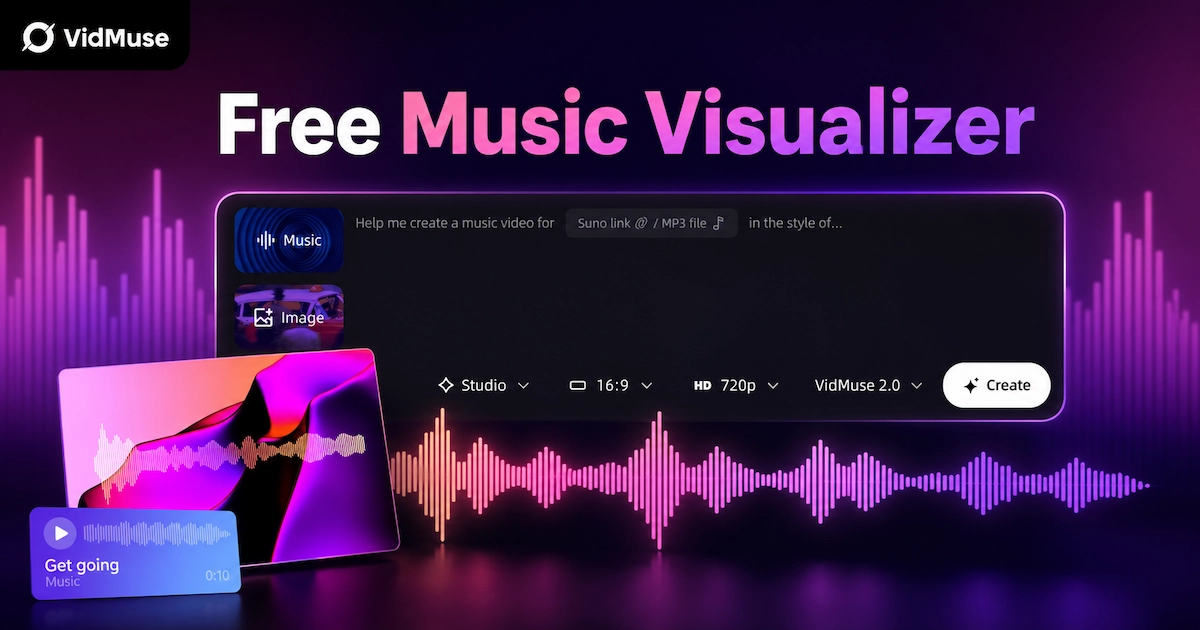
Free Music Visualizer: 10 Best Free Tools in 2026
Compare 10 best free music visualizers in 2026. Waveform tools, AI music video makers, watermark policies, export limits, and which tool fits your workflow.