
The best ai music generator for most creators in 2026 is Suno if you need full songs with vocals, strong editing options, and export flexibility; Udio, ElevenLabs Music, Soundraw, Beatoven.ai, Mubert, AIVA, Mureka, BandLab, Tad AI, and Somio are better fits for specific needs such as iteration, licensed API workflows, instrumentals, cinematic scoring, or fast experiments.
For musicians who also need visuals, VidMuse AI fits after or alongside music generation by turning a track into a planned music video workflow instead of a one-shot video prompt.
Turn Your AI Song Into a Music Video
Plan scenes, storyboards, shots, and final video generation inside VidMuse.
Key Takeaways
The best AI music generator depends on the output you need, not only on which platform sounds impressive in a demo.
- Suno is the strongest default pick for complete songs because it combines prompt-based song creation, vocals, paid commercial-use options, Suno Studio, and stem exports.
- ElevenLabs Music is compelling for commercial API and licensed-data workflows, especially when teams need prompt-driven music generation inside products.
- Soundraw, Beatoven.ai, and Mubert are better for background music than artist-style full songs because they focus on royalty-free instrumentals, content scoring, and scalable media use.
- AIVA is a practical choice for cinematic or composer-style projects because it supports 250+ styles, MIDI workflows, and Pro-plan copyright ownership.
- VidMuse is not just another song generator; it is the next-step AI music video generator for creators who want to turn a Suno, Udio, or in-platform Suno AI track into an MV, lyric video, visualizer, short ad, or storyboarded campaign.
Best AI Music Generator: What It Is and When to Use It
An AI music generator creates original or assisted music from prompts, lyrics, melodies, reference audio, mood settings, or production controls.
The simplest tools ask for a short prompt such as “upbeat indie pop song about starting over.” More advanced platforms let you add lyrics, upload a melody, refine sections, export stems, or move the output into a DAW.
Use an AI music generator when you need:
- A song demo from lyrics
- A quick hook idea
- Background music for YouTube, TikTok, podcasts, ads, or games
- A vocal demo in a specific mood or language
- Instrumental beds for short-form content
- A reference track for an upcoming music video
- A fast way to test whether a chorus, verse, or vibe works
This is not always the right approach. If you need a legally complex commercial release, a recognizable human performer’s exact voice, or a track that depends on precise session-player nuance, AI should be part of a broader human production workflow rather than the whole workflow.
The safest mindset is to treat AI music as a creative co-producer. You still choose the concept, evaluate the hook, edit the lyrics, check the license, and decide how the song will be used.
Best AI Music Generator Comparison: 10 Tools Worth Testing
AI music tools differ most in vocals, editing depth, licensing clarity, export options, and whether they are built for songs or background music.
Public comparison pages do not fully agree on the winner: Suno’s guide favors Suno, Tad AI’s ranking favors Tad AI, Somio’s ranking favors Somio, and Reddit comments are anecdotal and mixed. That is why the better question is not only “what is the best ai music generator?” but “best for which workflow?”
1. Suno — best default for full AI songs
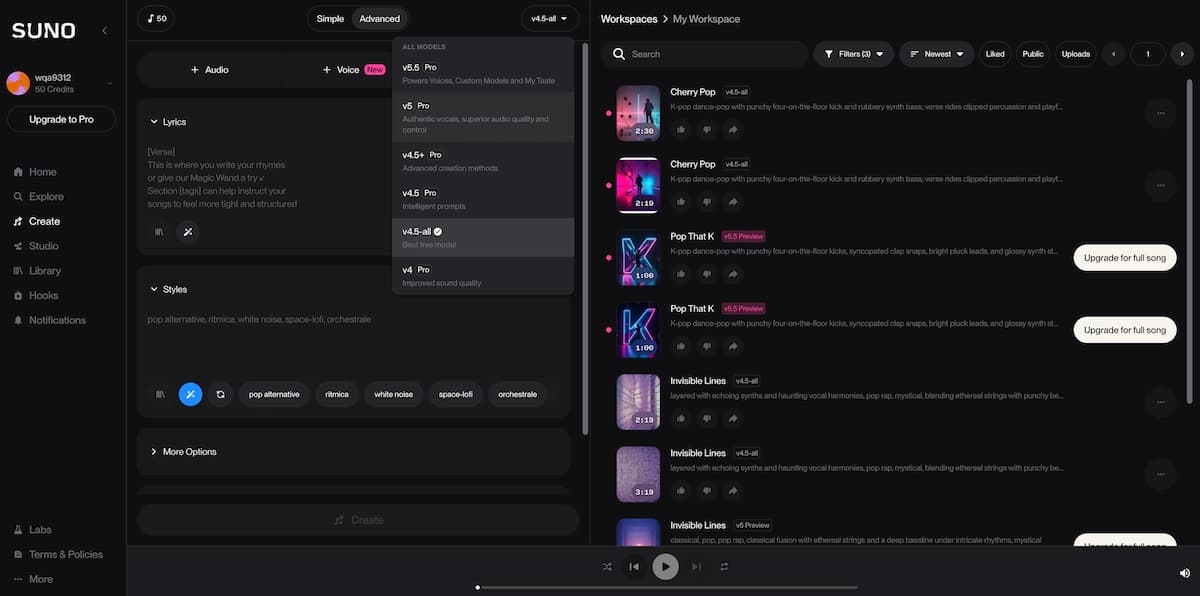
Suno is the best starting point for creators who want complete songs with vocals, lyrics, structure, and deeper editing options.
Suno’s official materials describe a simple prompt workflow, daily free songs, granular controls, paid subscriber commercial rights, Suno Studio, and up to 12 time-aligned WAV stems for DAW workflows. Suno Studio also supports full-song exports, selected-range exports, multitrack stem exports, WAV clip downloads, and MIDI extraction from stems.
Choose Suno when you need:
- Full songs rather than short loops
- Vocals and lyrics
- Stems for mixing
- A beginner-friendly workflow with advanced room to grow
- A strong starting point for a music video
Tradeoff: prompt outputs still need judgment. Lyrics can be generic, mix choices may not match your taste, and commercial usage depends on plan terms at the time of creation.
2. Udio — best for iteration and remix-style exploration
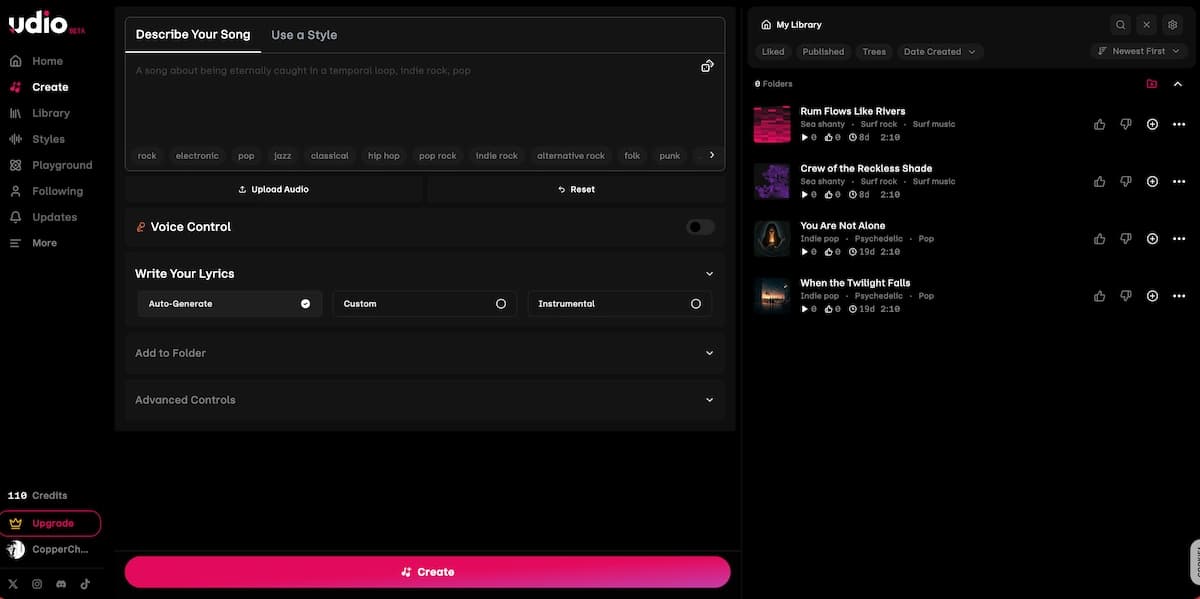
Udio is a strong option for creators who like testing multiple directions before committing to one track.
It is often discussed alongside Suno because both are prompt-based AI music tools for songs with vocals. Udio’s public positioning emphasizes creating and sharing music quickly, while comparison guides often highlight remixing, extending, and refinement as its strengths.
Choose Udio when you need:
- Quick song idea exploration
- Genre experiments
- Vocal and instrumental drafts
- A community-driven discovery flow
Tradeoff: always confirm export, download, and commercial-use terms before building a release workflow around it.
3. ElevenLabs Music — best for licensed API workflows
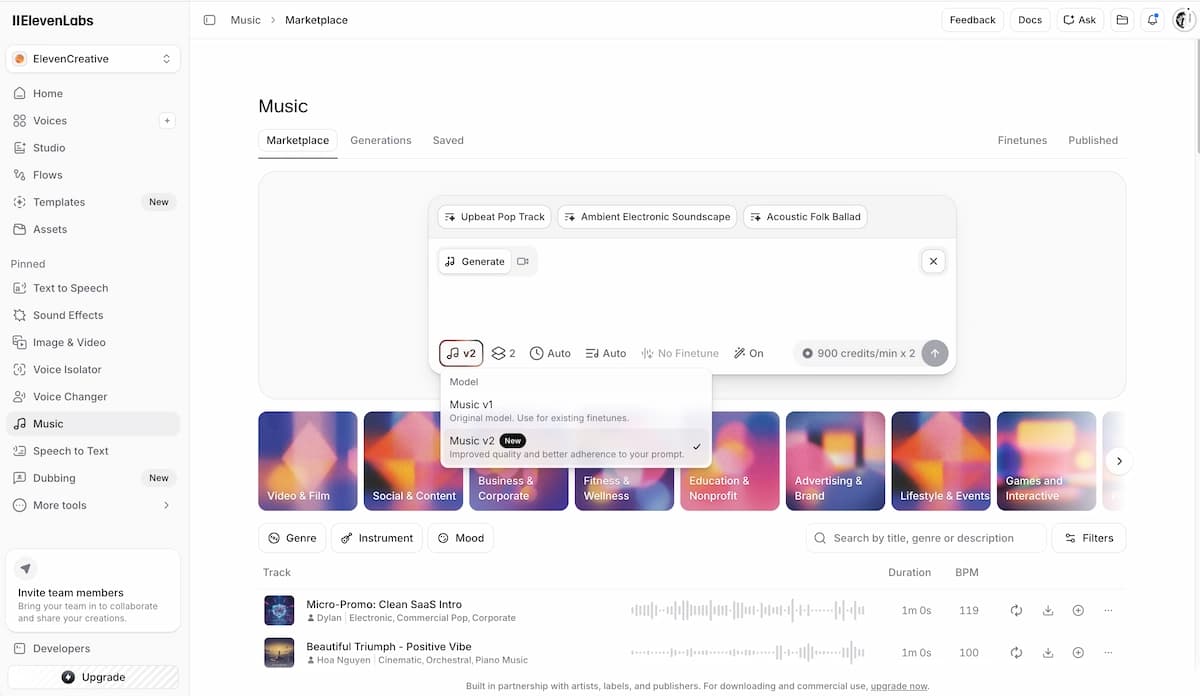
ElevenLabs Music is best for teams that care about licensed-data positioning, API access, and commercial product integration.
ElevenLabs says its Music API generates custom tracks from text prompts with control over genre, mood, structure, and duration; it also says the system is trained on licensed stems and music and is available for broad commercial use on paid plans, with some rights such as film, TV, and large studio game use requiring enterprise terms.
Choose ElevenLabs Music when you need:
- Product or app integration
- Commercial music generation via API
- Section-level composition planning
- Multilingual vocal support
- Real-time or streaming generation scenarios
Tradeoff: API-first workflows may be more technical than what a casual songwriter needs.
4. BandLab — best for collaborative AI-assisted production
BandLab is best for creators who want AI tools inside a broader cloud studio rather than a one-click song generator.
Its strength is the combination of music creation, collaboration, recording, splitting, mastering, and community. For bands, remote collaborators, and social creators, that environment can matter more than pure generation quality.
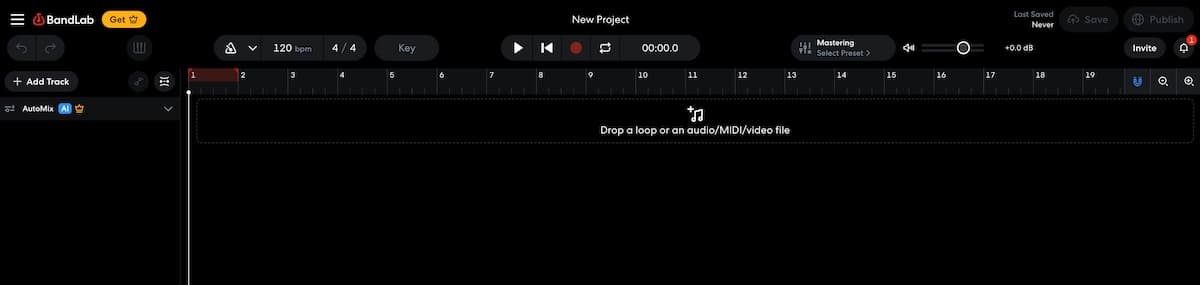
Choose BandLab when you need:
- A browser or mobile studio
- Collaboration
- AI idea starters
- Mastering and stem-related tools
- A social music workflow
Tradeoff: BandLab is more of an AI-assisted music creation environment than a dedicated “generate a finished song from one prompt” tool.
5. Beatoven.ai — best for background music and content scoring
Beatoven.ai is best for videos, podcasts, games, ads, and branded content where background music needs to match a mood.
Beatoven positions its platform around original background music, MP3 or WAV downloads, and licenses delivered with downloads. Its Maestro model is described as a text-prompt model for background music and sound effects trained on licensed datasets, with commercial-use-ready output. Beatoven’s FAQ also notes that downloaded tracks come with a non-exclusive perpetual license for video or audio content, while direct distribution to streaming platforms is not allowed.
Choose Beatoven.ai when you need:
- Music for YouTube, podcasts, games, livestreams, ads, or audiobooks
- Mood-based background tracks
- Instrumental scoring
- A license file for content use
Tradeoff: it is not the best choice if your main goal is releasing a vocal song as a standalone artist track.
6. Soundraw — best for copyright-safe instrumental customization
Soundraw is best for creators who need royalty-free instrumentals with hands-on structure and stem control.
Soundraw says its AI is trained only on in-house music, and its platform lets users customize instruments, length, intensity, genres, and stems. It also positions its licensing around commercial use, monetization, and perpetual coverage for exported music.
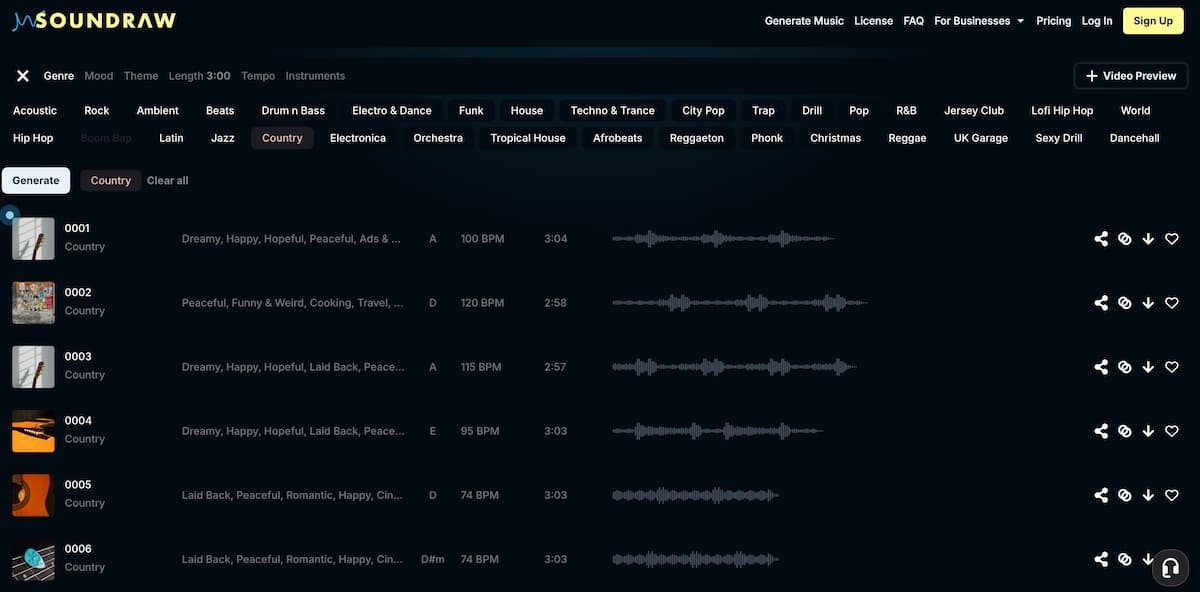
Choose Soundraw when you need:
- Instrumental background tracks
- Stems for editing in a DAW
- Royalty-free beats
- YouTube, podcast, app, or game music
- A browser-based mixer instead of a full DAW
Tradeoff: it is not ideal for creators who need generated vocals or lyric-driven songs.
7. Mubert — best for scalable background music and API use
Mubert is best for creators and developers who need lots of royalty-free background music matched to mood, style, duration, or product context.
Mubert describes Render for fast music creation, API integration for apps and games, Studio for musicians contributing samples, and Play for infinite AI music streams.
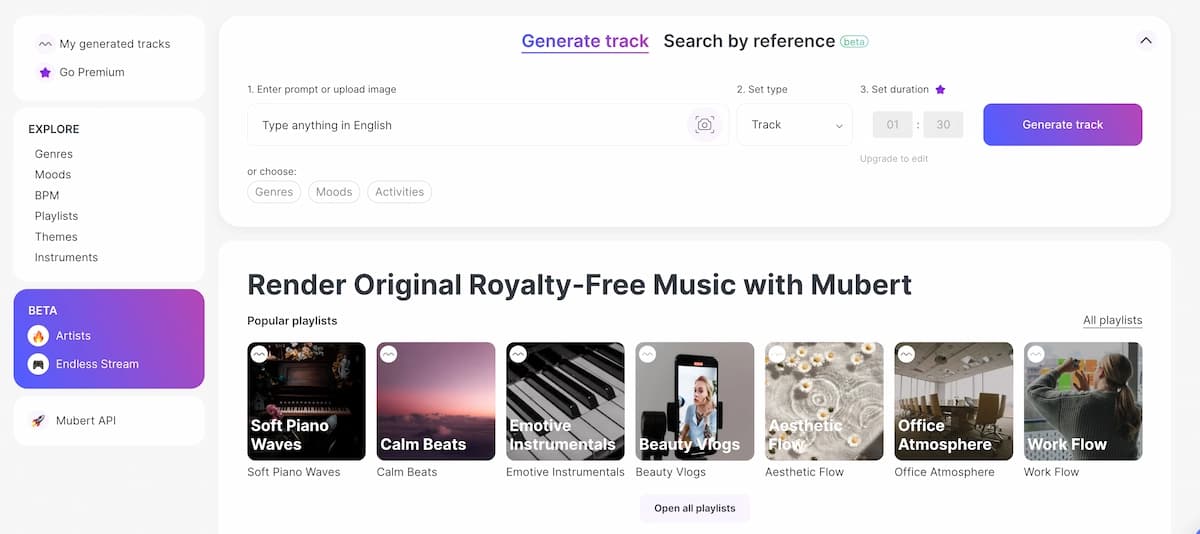
Choose Mubert when you need:
- A high volume of background tracks
- API-based music generation
- Music for creator tools, apps, games, or platforms
- Mood and style matching
Tradeoff: it is more useful for background and functional music than for expressive vocal songwriting.
8. AIVA — best for cinematic composition and MIDI workflows
AIVA is best for cinematic, orchestral, and composer-style work where MIDI, structure, and copyright ownership options matter.
AIVA says it can generate songs in more than 250 styles, lets users create style models, upload audio or MIDI influences, edit generated tracks, and download in multiple formats. Its Pro plan is positioned for creators who want to own the copyright of their compositions and monetize without restrictions.
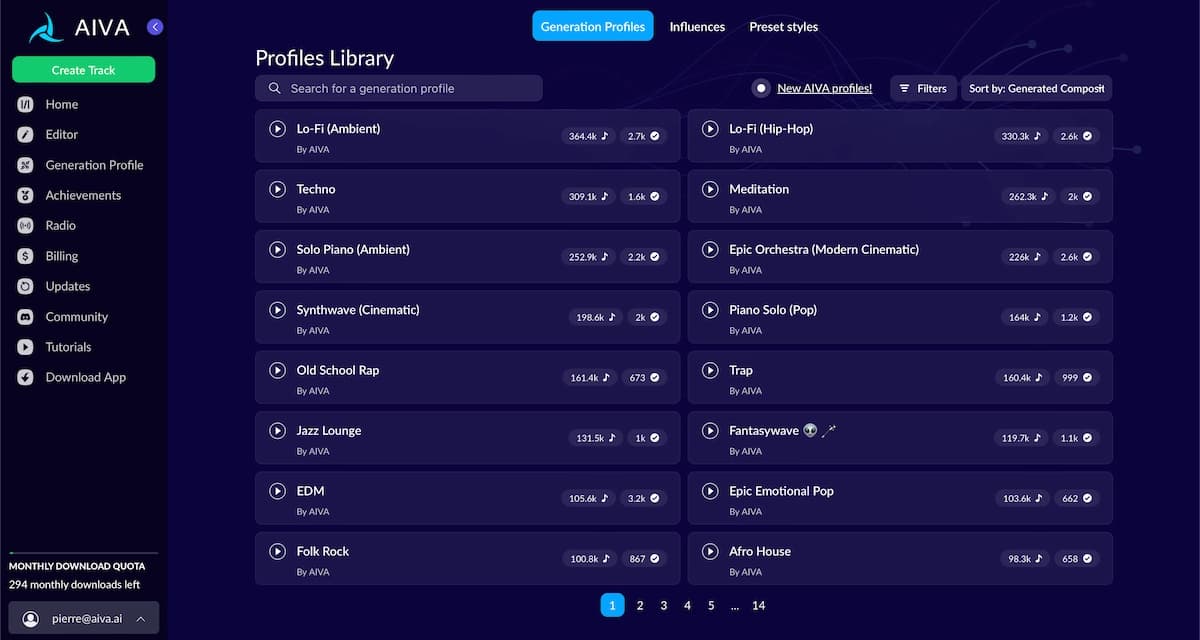
Choose AIVA when you need:
- Film, trailer, game, or cinematic scoring
- MIDI editing
- Custom style models
- Longer instrumental compositions
- Composer-oriented structure
Tradeoff: it does not focus on vocal pop songs in the way Suno, Udio, Mureka, or Somio do.
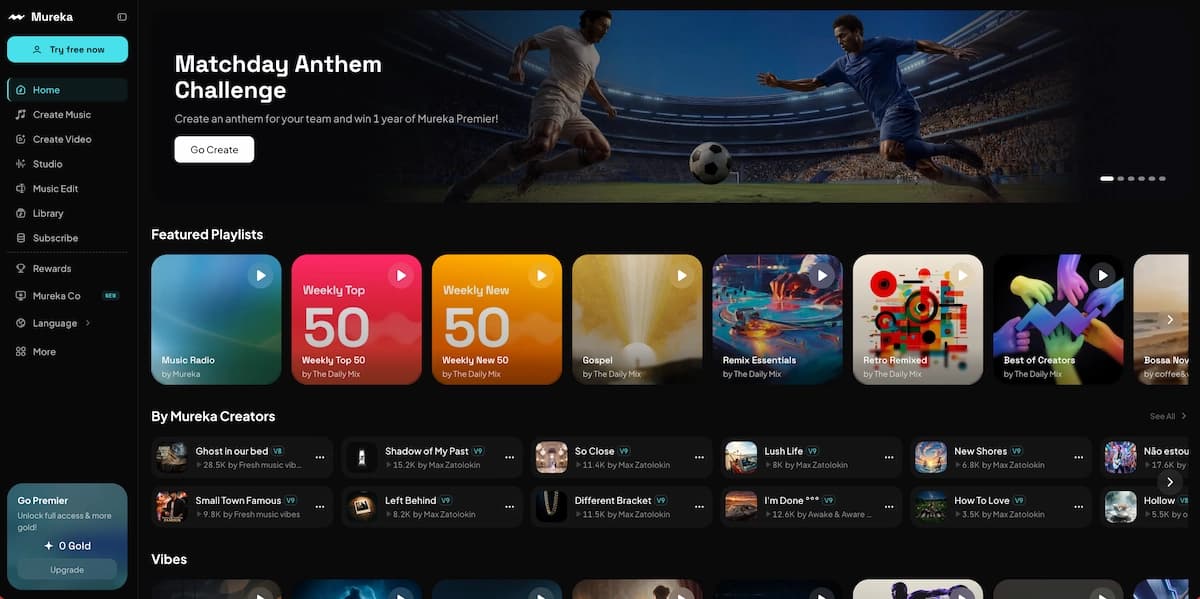
9. Mureka — best for voice personalization experiments
Mureka is best for creators who want to experiment with voice cloning, melodies, multilingual songs, and personalized inputs.
Several comparison guides describe Mureka as a tool for voice cloning, reference inputs, multilingual vocals, and melody-driven generation. Reddit opinions are mixed, but some users mention Mureka positively for drafts and lyric-flow testing, which is a useful reminder that community feedback should be treated as anecdotal rather than proof.
Choose Mureka when you need:
- Voice personalization
- Melody or reference-based generation
- Multilingual song experiments
- Fast demos
Tradeoff: voice-related features require extra care around consent, likeness, and commercial rights.
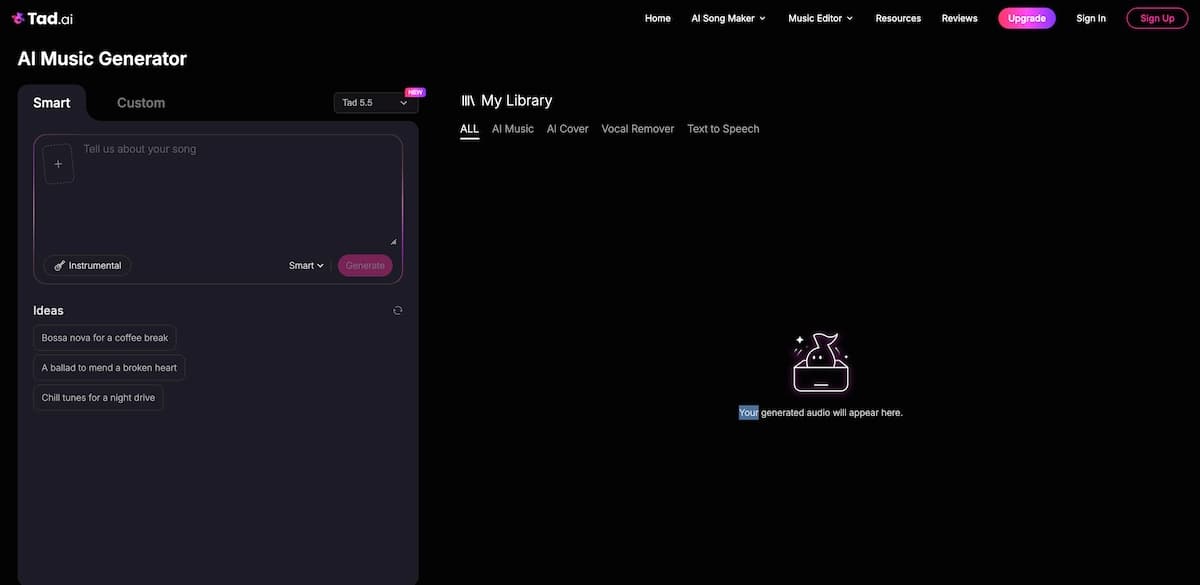
10. Tad AI and Somio — best for fast prompt-to-song ecosystems
Tad AI and Somio are worth testing when you want an all-in-one prompt-to-song workflow with extra creator tools.
Tad AI’s own ranking highlights text-prompt music creation, lyric inputs, a library, AI music video generation, vocal remover, and stem splitter. Somio’s ranking highlights text-to-music, lyrics-to-song, BGM generation, prompt optimization, licensing clarity, and batch-style creation.
Choose these tools when you need:
- Fast song drafts
- Prompt-to-song generation
- Extra editing utilities
- Simple creator workflows
Tradeoff: because rankings are often published by the tools themselves, test the free tier and read license terms before choosing one as your default.
How to Choose the Best AI Music Generator for Your Use Case
Your use case should determine the tool before the brand name does.
Start by asking what the final asset must become. A TikTok background track, a demo for a vocalist, a YouTube intro, a cinematic trailer cue, a Spotify release, and a music video all require different levels of control.
Use this decision framework:
- For full songs with vocals: Start with Suno, Udio, Mureka, Somio, or Tad AI.
- For commercial API or product workflows: Look at ElevenLabs Music or Mubert API.
- For YouTube, ads, podcasts, and games: Test Beatoven.ai, Soundraw, or Mubert.
- For cinematic instrumentals: Try AIVA first.
- For collaboration and human recording: Use BandLab.
- For music videos: Generate or upload the song, then move into VidMuse for scene planning, storyboard creation, and video generation.
For anyone searching best ai music generator free, free plans are useful for testing sound quality, prompt behavior, and interface fit. They are not always suitable for commercial release. Check whether the free plan allows downloads, whether commercial use requires a paid plan, and whether songs made before upgrading get retroactive commercial rights.
The most reliable evaluation method is simple: create the same prompt in three tools, generate at least three versions in each, then compare:
- Hook strength
- Vocal realism
- Lyric quality
- Arrangement structure
- Export options
- License clarity
- Editing control
- Fit for video pacing
Step-by-Step: Create a Usable AI Song Without Wasting Credits
A repeatable workflow improves AI music quality more than a clever one-line prompt.
Write a one-paragraph creative brief
Define genre, mood, tempo range, audience, vocal style, lyrical theme, platform, and target length.
Separate lyrics from production notes
Keep lyrics clean, then add production direction such as instruments, vocal tone, and arrangement constraints.
Generate multiple candidates
Create three to five versions before judging the tool or spending more credits.
Evaluate structure and exports
Check hook, intro, chorus, stems, WAV, MIDI, and the assets needed for editing.
Document the license
Save plan status, creation dates, invoices, track IDs, screenshots, and license files.
Use this process before spending credits on endless generations.
- Write a one-paragraph creative brief.
Include genre, mood, tempo range, audience, vocal style, lyrical theme, intended platform, and target length. - Separate lyrics from production notes.
Do not bury lyrics inside a messy style prompt. Keep lyrics clean, then add production notes such as “warm analog synths,” “female vocal,” “cinematic bridge,” or “no trap drums.” - Generate multiple candidates.
Create three to five versions before judging the tool. One weak output does not prove the generator is bad. - Evaluate the first 20 seconds.
For social content, the intro and hook matter. If the song does not establish mood quickly, regenerate or revise the prompt. - Check song structure.
Look for intro, verse, pre-chorus, chorus, bridge, outro, or a structure that fits your genre. - Export the right assets.
For editing, get WAV files, stems, or MIDI if the platform supports them. For simple videos, a clean master may be enough. - Document your license.
Save screenshots, invoices, plan status, creation dates, track IDs, and license files. - Plan the visuals after the audio is stable.
Do not generate a full music video before the song’s structure is locked.
Watch for how the workflow changes when the song becomes a visual project: the best result comes from mapping verses, choruses, drops, and hooks to scenes rather than treating the entire song as one generic prompt.
The key takeaway is that audio generation and visual direction should be evaluated together. A track with clear sections is easier to convert into a strong music video, lyric video, or short-form campaign.
Create Your AI Video in Minutes
Turn your AI-generated song into a structured music video workflow with VidMuse.
When the Song Needs a Video: Where VidMuse Fits
VidMuse turns AI music into a planned audiovisual production workflow rather than stopping at the audio file.
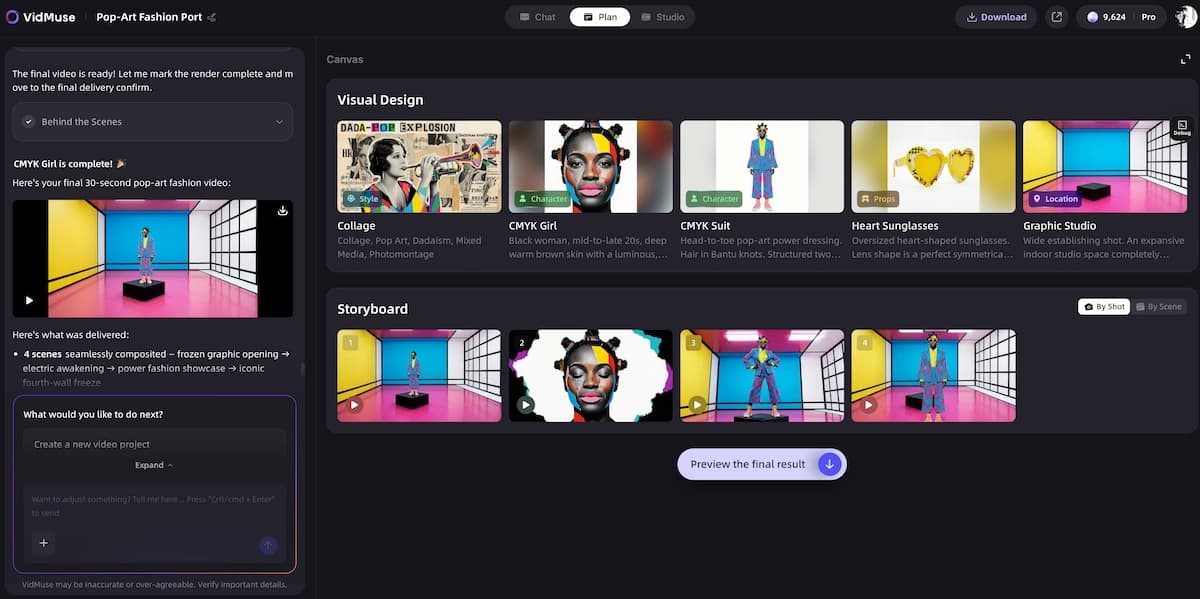
VidMuse is positioned as an AI Director for music video production. Its workflow moves from Creative Brief → Reference Generation → Scene & Shots List → Storyboard → Video Generation, which is useful when a creator wants a structured MV instead of a random sequence of clips.
This is where VidMuse becomes relevant to people searching for the best AI music generator. The audio tool helps you create the song; VidMuse helps turn that song into a video concept with scenes, references, shots, and timeline logic.
VidMuse is especially relevant for:
- Indie musicians turning Suno or Udio tracks into music videos, especially when they need a free AI music video generator starting point
- Creators making lyric videos or visualizers
- Lifestyle creators turning original tracks into social clips
- SMBs creating short music-driven ads
- Artists who need Story MV, Abstract MV, Performance MV, Viral Short, TVC, or Explainer templates
VidMuse also supports a Studio mode for best quality and a Lite mode using Seed series models for fast, cost-efficient creation. VidMuse 2.0 features such as Shot Refine by Quoting, Timeline Editor, and Asset Library & Memory help creators refine scenes without restarting the entire production.
A practical workflow looks like this, and the full complete music video workflow goes deeper into each production stage:
- Generate the song in Suno, Udio, or another AI music generator.
- Lock the final audio or upload the track into VidMuse.
- Write a creative brief for the video mood, audience, and platform.
- Generate references for visual style.
- Build a scene and shots list around verse, chorus, bridge, and drop.
- Create the storyboard.
- Generate clips using the preferred model and mode.
- Refine shots, timeline pacing, and reusable assets.
VidMuse is not a replacement for choosing the right song generator. It is the bridge between AI music creation and publishable audiovisual storytelling, especially for creators comparing the best AI music video generator for Suno workflows.
What to Watch in Licensing, Copyright, and Disclosure
Licensing should be checked before you publish, monetize, distribute, or pitch any AI-generated track.
Platform terms vary. Suno, ElevenLabs Music, Soundraw, Beatoven.ai, AIVA, and others each define rights differently by plan, use case, export type, and distribution channel. For example, ElevenLabs states that broad commercial use is available on paid plans but that certain media rights require Enterprise terms; Beatoven.ai states that downloaded tracks receive a non-exclusive perpetual license for video or audio content but are not allowed for direct distribution to streaming platforms.
Copyright also has a human-authorship dimension. The U.S. Copyright Office has been issuing a multi-part report on AI, including copyrightability of outputs created using generative AI and guidance for works containing AI-generated materials. This does not mean every AI-assisted song has the same copyright status; human selection, arrangement, editing, and original contribution matter.
For YouTube, disclosure may also matter. YouTube’s help documentation lists “AI generated music” among examples that may need disclosure when content is realistic or meaningfully generated or altered with AI, and it notes that AI disclosure itself does not limit audience or monetization eligibility.
Use this publishing checklist:
- Confirm commercial rights for your exact plan.
- Save proof of the plan active on the creation date.
- Avoid prompts using living artists, copyrighted lyrics, or famous song titles unless the platform explicitly allows it.
- Check whether direct music distribution is allowed.
- Review whether AI disclosure is required on the destination platform.
- Keep stems, masters, prompts, and license receipts organized.
- Get legal advice for major releases, ads, sync licensing, label deals, or client work.
This section is practical guidance, not legal advice.
Common Mistakes and Troubleshooting
Most disappointing AI music outputs come from vague prompts, weak selection criteria, or skipping the editing phase.
Avoid these mistakes:
- Prompting only by genre.
“Make a pop song” is too broad. Add audience, mood, tempo, vocal style, theme, and structure. - Judging from one generation.
AI tools vary from output to output. Compare batches, not single drafts. - Using famous artist names as shortcuts.
This can create rights, likeness, or platform-policy problems. Describe musical traits instead. - Ignoring the license.
A track that sounds good is not automatically safe for commercial use. - Skipping stems when you need editing.
If you plan to mix, master, remix, or sync tightly to video, export stems where available. - Generating video before the song is final.
Lock the audio first. Then storyboard the visual timing. - Expecting background music tools to make artist singles.
Beatoven.ai, Soundraw, and Mubert are excellent for many content workflows, but they are not built exactly like vocal song generators. - Publishing AI music without human direction.
The more creative judgment you add, the stronger the final result usually becomes.
Troubleshooting quick fixes:
- If vocals sound generic, rewrite the lyric with clearer phrasing and fewer clichés.
- If the mix feels crowded, prompt for fewer instruments or export stems.
- If the chorus is weak, generate around a stronger hook line.
- If the track does not fit the video, shorten the intro and emphasize beat drops.
- If the license is unclear, do not publish commercially until it is verified.
FAQ
This FAQ answers the common search questions people ask before choosing an AI music tool.
What is the best ai music generator?
The best ai music generator for most full-song creators is Suno because it combines prompt-based song generation, vocals, Studio editing, commercial-use options for paid subscribers, and stem exports. For background music, Soundraw, Beatoven.ai, and Mubert may be better. For cinematic instrumentals, AIVA is a stronger fit.
What is the best ai music generator free plan to test?
The best ai music generator free plan is the one that lets you test output quality without forcing a commercial commitment. Suno is a strong first test because it offers daily free songs, but free outputs may not carry the same commercial rights as paid-plan creations. Always confirm download and monetization rules before publishing.
What does best ai music generator Reddit discussion usually recommend?
Best ai music generator Reddit threads usually include mixed, anecdotal recommendations rather than a single reliable winner. In one referenced discussion, users mentioned Mureka, Suno, Muzio, and other tools, while another commenter objected to AI generators altogether. Treat Reddit as useful for pain points and user experiences, not as a final buying decision.
Can I use AI-generated music commercially?
Yes, but only when the platform license, plan, and use case allow it. Some tools allow commercial use on paid plans, some allow video monetization but not music streaming distribution, and some require enterprise rights for film, TV, games, or large-scale media. Save your license records before publishing.
Which AI music generator is best for YouTube videos?
For YouTube background music, Soundraw, Beatoven.ai, and Mubert are strong options because they focus on content-safe instrumentals and creator workflows. For original songs with vocals, Suno or Udio may be better. YouTube may require AI disclosure for AI-generated music in realistic or meaningfully altered content, so check the upload settings.
Can VidMuse make AI music, or only music videos?
VidMuse includes **Suno AI** for original track generation inside the platform and is also built for turning tracks into music videos. Its key value is the audiovisual workflow: Creative Brief, Reference Generation, Scene & Shots List, Storyboard, and Video Generation. That makes it especially useful after the song exists and the creator needs a visual story.
What should I do if my AI music sounds generic?
Rewrite the prompt with more constraints: audience, tempo, instrumentation, emotional arc, vocal type, lyrical theme, and arrangement. Generate several versions, keep the strongest hook, and use editing tools or stems to refine the result. Generic outputs often improve when the creator gives the model a clearer creative brief.
Conclusion
The best AI music generator is the one that matches your final publishing goal.
Start with Suno when you need a complete vocal song and room to edit. Try Udio or Mureka for fast song experiments, ElevenLabs Music for licensed API workflows, Soundraw or Beatoven.ai for background music, Mubert for scalable media soundtracks, AIVA for cinematic composition, BandLab for collaboration, and Tad AI or Somio for fast prompt-to-song ecosystems.
For creators who want the song to become a visual asset, VidMuse is the natural next step. Generate or upload the track, plan the concept, build the shots, create the storyboard, and turn the music into a structured MV, lyric video, visualizer, ad, or short-form campaign.
Build the Visual Story Around Your Song
Use VidMuse to turn AI music into an MV, lyric video, visualizer, ad, or short-form campaign.

Written By
VidMuse Team
Continue Reading
Latest blog posts related to AI video creation.
Lyric Video Generator: Make Synced Videos from Audio
Learn how a lyric video generator syncs audio, lyrics, and visuals, plus how to choose a tool, avoid timing errors, and publish release-ready videos online.
Vidu Q3 x VidMuse AI: Music Video Model Guide 2026
Discover how Vidu Q3 works with VidMuse AI for music videos, image-to-video shots, reference control, and model choices versus Seedance 2.0 or Kling 3.0.
Claude Fable 5: Capabilities, Pricing, and API Guide
Claude Fable 5 is Anthropic's most capable widely released model. Learn about benchmarks, pricing, Claude Code integration, and how it differs from Mythos 5.