

How to make AI music is now straightforward enough for anyone to do: choose an AI music generator like Suno AI or Udio, type a text prompt describing the style and mood you want, and let the model generate a full track in seconds. No instruments, no DAW, no music theory required. Whether you want to make AI music for free, create a full song with your own voice, or produce a complete music video, this guide walks through every step — from your first prompt to a finished, shareable track.
Key Takeaways
- Any beginner can make AI music today — tools like Suno AI generate complete, radio-style tracks from a single text prompt, no instruments or music theory required.
- Free tiers exist on most major platforms, but quality and download rights vary significantly; Suno AI offers the most generous free experience for beginners.
- Prompting is the skill — the difference between generic-sounding AI tracks and something genuinely compelling comes down to how specific, emotionally grounded, and stylistically detailed your prompt is.
- Turning AI music into a music video is now just as fast — pairing a Suno track with an AI-first MV platform like VidMuse lets you go from prompt to publishable video without any editing experience.
- Making AI music undetectable is less about hiding AI origins and more about using AI as a starting point, then refining with real arrangement decisions, vocal layers, and mastering choices.
Make AI Music Video with Your Song
Transform your song track and lyrics into a music video with VidMuse AI.
What Is AI Music — and How Does It Actually Work?
AI music tools generate audio by training on massive libraries of existing music, learning patterns in melody, rhythm, harmony, production style, and song structure. When you type a prompt — "lo-fi hip hop, melancholy, rainy afternoon, slow BPM" — the model predicts what audio sequence best matches that description and renders it in real time.
Most modern platforms use one of two approaches:
- Generative audio models (like those powering Suno and Udio) that produce entirely new audio, including vocals, from scratch
- Sample-recombination systems (like Mubert or Soundful) that assemble pre-cleared loops and stems into unique arrangements
For most beginners who want to make an AI song with lyrics and a real vocal performance, generative audio models are the better choice. They produce more emotionally coherent results and handle full song structure — verse, chorus, bridge — without manual arrangement.
The tradeoff: generative models can occasionally sound "off" in subtle ways — awkward phrasing, slightly mechanical rhythm, odd syllable stress. That's addressable, and we'll cover it in the "How to Make AI Music Sound Less AI" section below.
Best AI Music Tools for Beginners
Choosing the right tool is the single biggest factor in how good your first track will sound. The Reddit community has consistently surfaced a short list of platforms that feel "real and consistent" across styles.
Suno AI
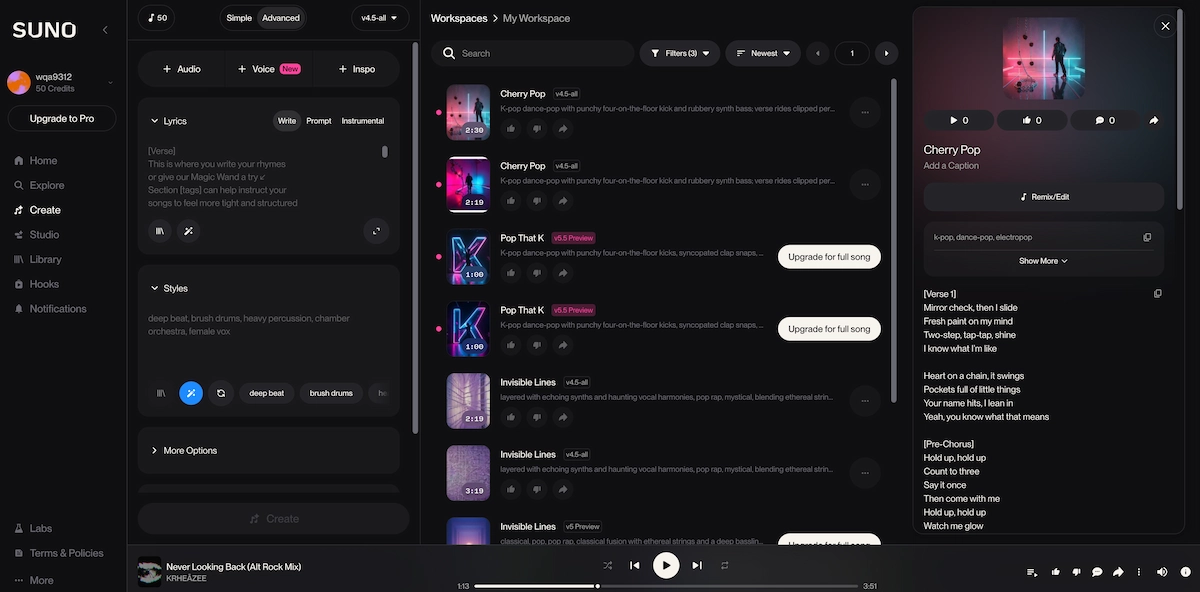
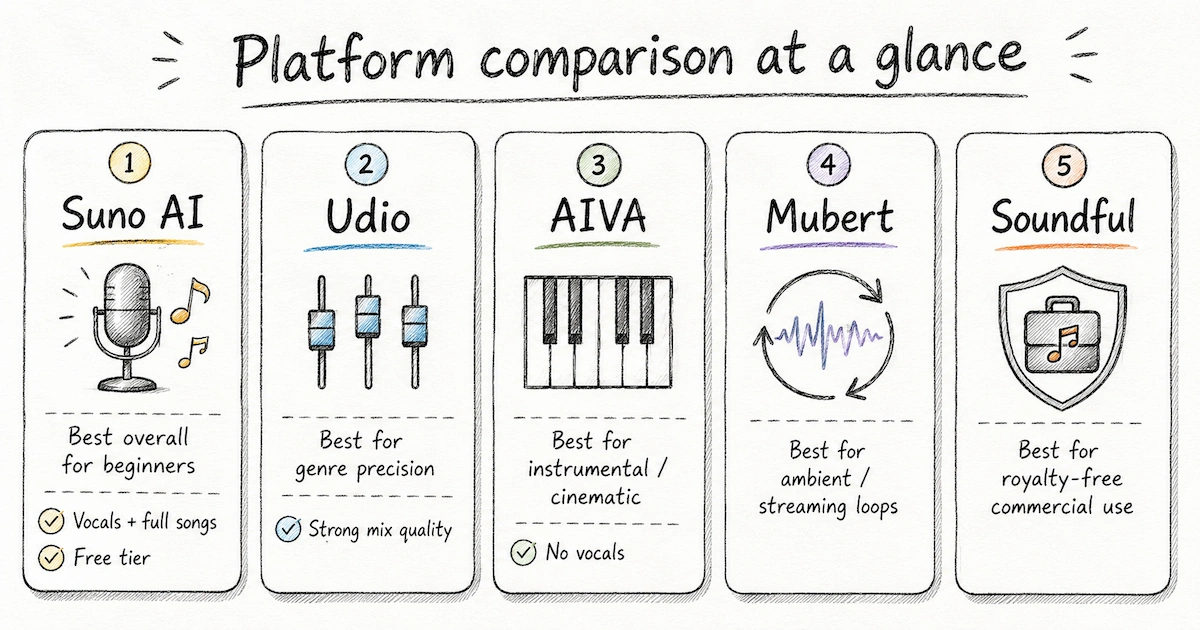
Suno AI is the most widely recommended platform for beginners who want to make AI music with minimal setup. You describe a style and mood in plain language, optionally add custom lyrics, and Suno generates a complete track — instruments, vocals, and production — in under a minute. Free tier available. Tracks include vocals by default. Results are consistently musical rather than clinical.
Best for: First-time users, indie musicians testing song concepts, anyone who wants to make AI music for YouTube or social content quickly.
Udio
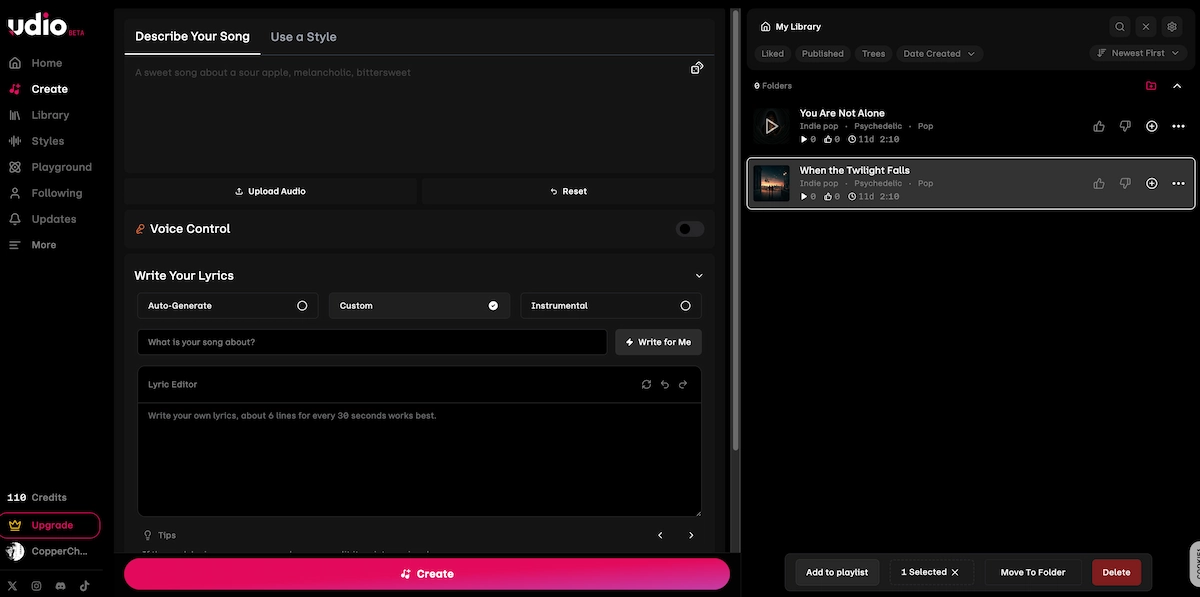
Udio competes closely with Suno and is preferred by some producers for its more nuanced mix quality. It handles genre blending particularly well — if you want something that sits between indie folk and neo-soul, Udio's outputs tend to honor that complexity more faithfully.
Best for: Producers who want more genre precision and richer sound design output.
AIVA
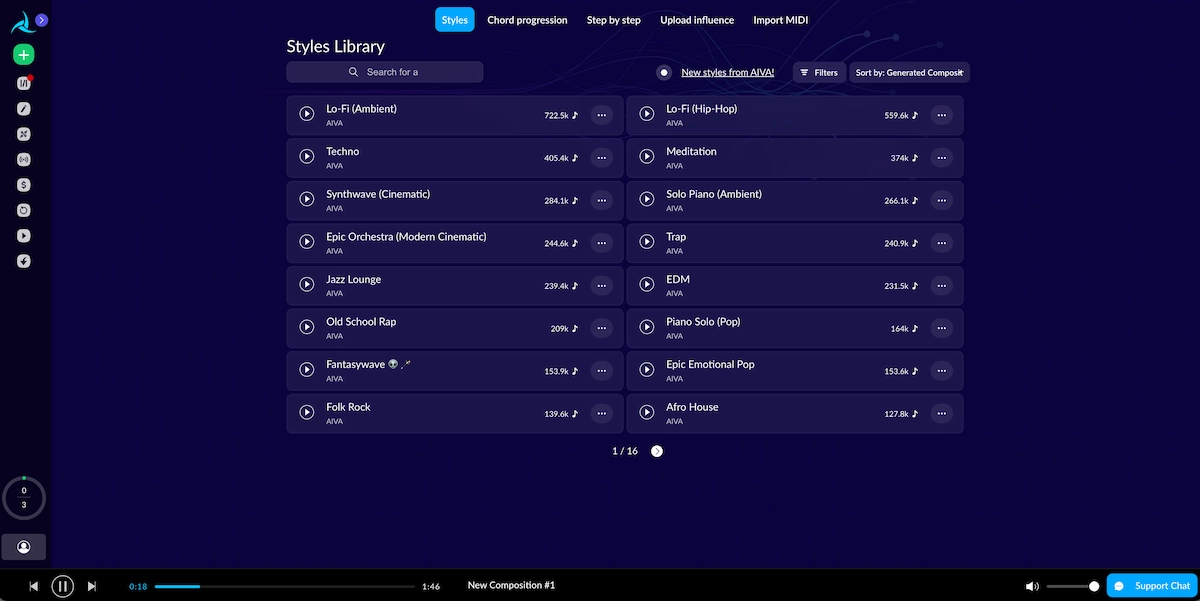
AIVA (Artificial Intelligence Virtual Artist) is designed for instrumental composition and is widely used in film, game, and commercial contexts. It does not generate vocals. Its outputs lean classical, orchestral, and cinematic.
Best for: Content creators who need background music, game developers, and anyone producing instrumental tracks for sync licensing.
Mubert
Mubert generates continuous, real-time audio from style prompts and is built primarily for streaming use cases. Results are clean and consistent but less song-like — more ambient and functional.
Best for: Background music for YouTube videos, podcasts, or focus playlists. Less suited to making actual "songs."
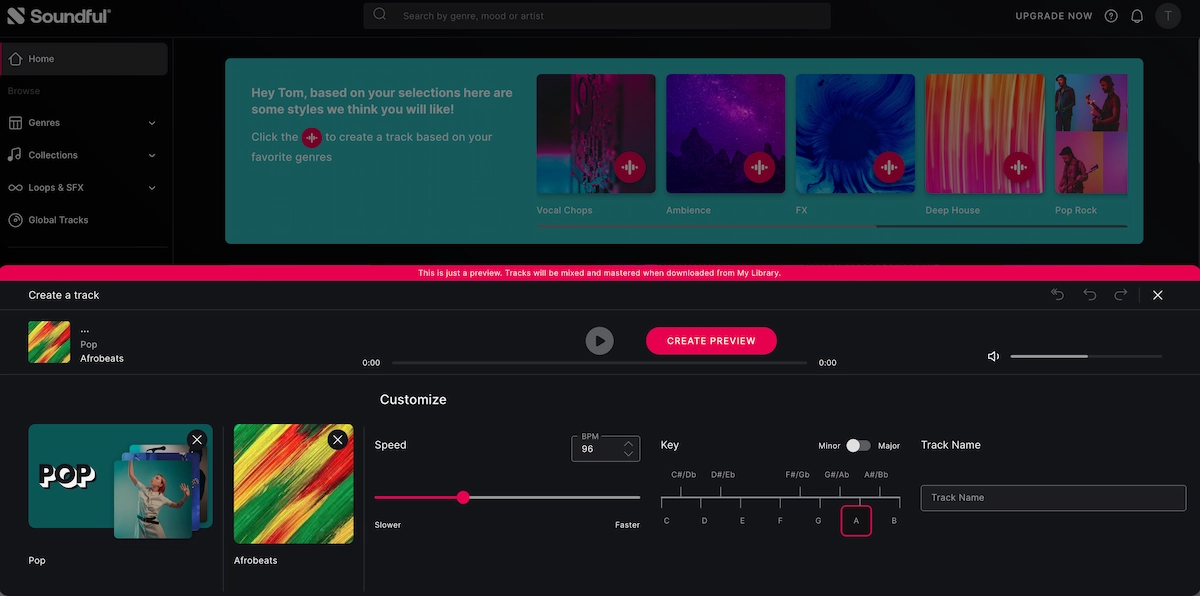
Soundful
Soundful offers royalty-free music generation with a clean interface, aimed at content creators. Quality is decent; genre variety is narrower than Suno or Udio.
Best for: Quick, safe background tracks for commercial video content.
How to Make AI Music Videos (Turning Tracks Into Visuals)
Once you have an AI-generated track, the natural next step is turning it into a music video. This is where a dedicated AI music video generator makes the difference between a raw audio file and a publishable visual piece.
The Reddit workflow that's gained the most traction: generate the song in Suno, then bring it into an AI video generator to produce synchronized visuals. Users have reported completing this entire pipeline in under 10 minutes.
Where VidMuse fits this workflow
VidMuse is purpose-built for exactly this: taking a finished track — whether Suno-generated or recorded — and turning it into a fully realized music video. Unlike general-purpose AI video tools, VidMuse operates with an agent-based logic that plans the full MV structure (scene list, shot types, visual pacing) rather than generating one isolated clip at a time.
Turn AI Music Into a Full Video
Bring Suno tracks, lyrics, and visual references into one AI music video workflow.
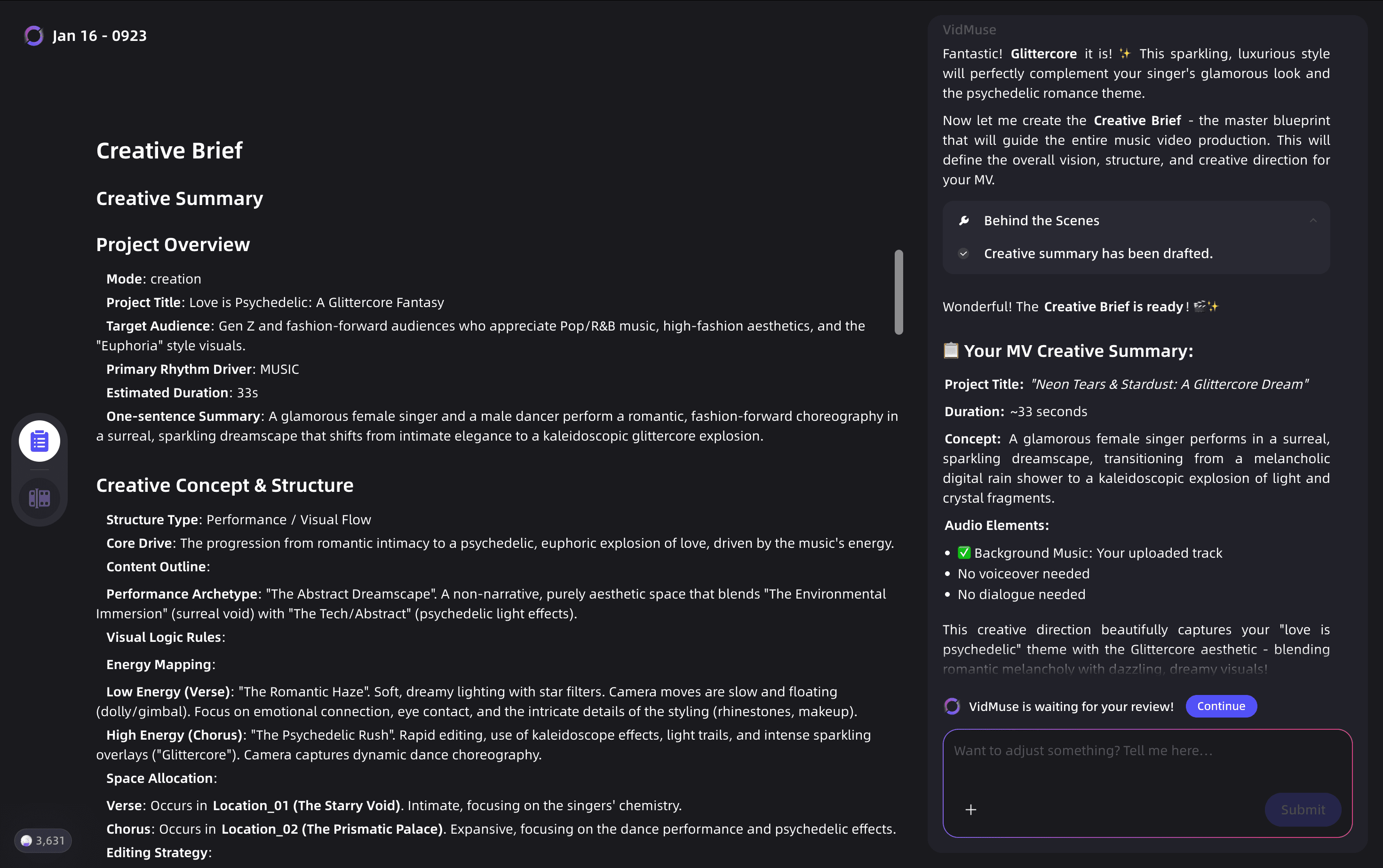
The core workflow in VidMuse runs through five stages:
-
Creative Brief — describe the visual world, mood, and story of the track
-
Reference Generation — generate visual reference frames for the aesthetic direction
-
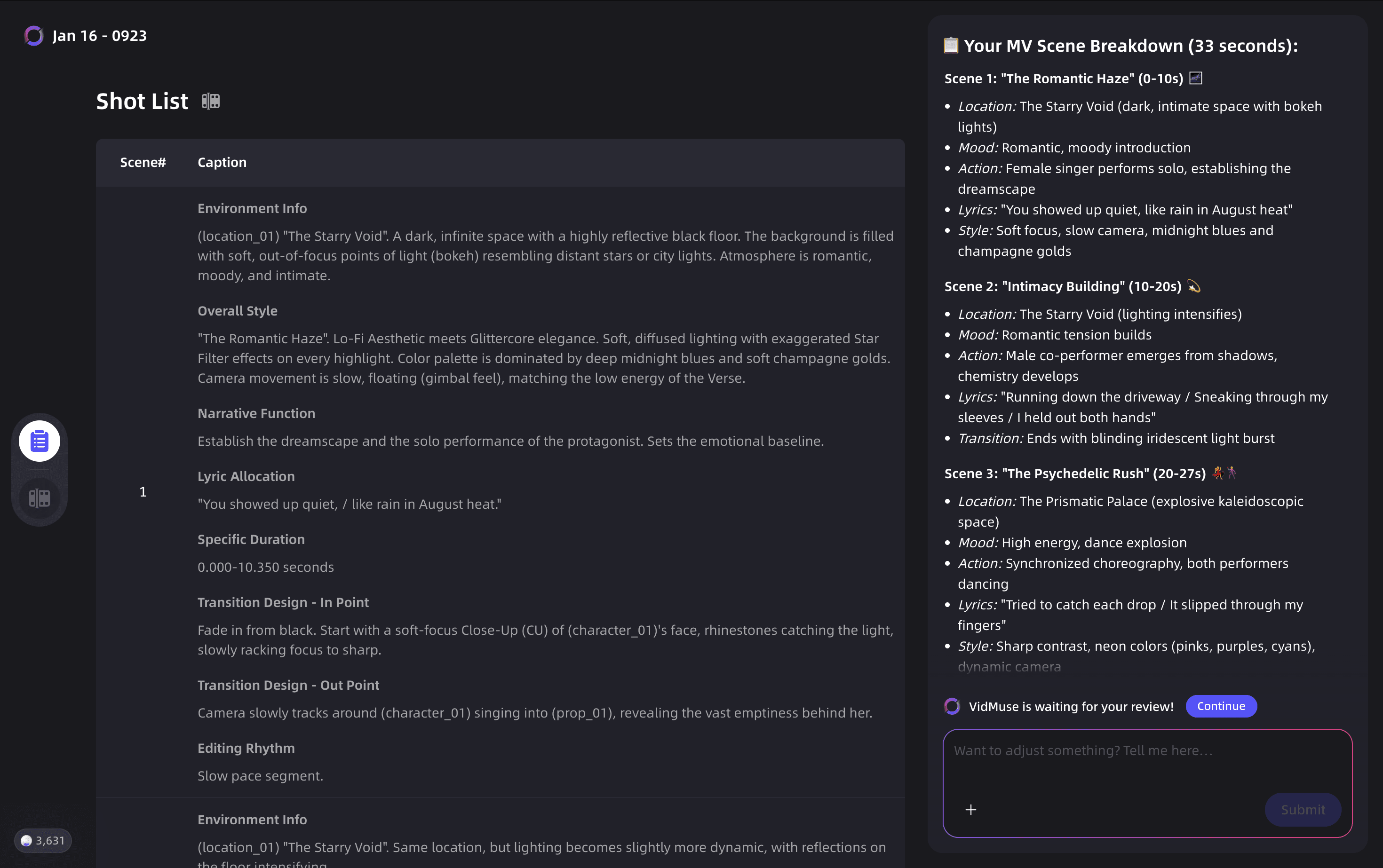
Scene & Shots List — the platform builds a scene-by-scene plan aligned to the music
-
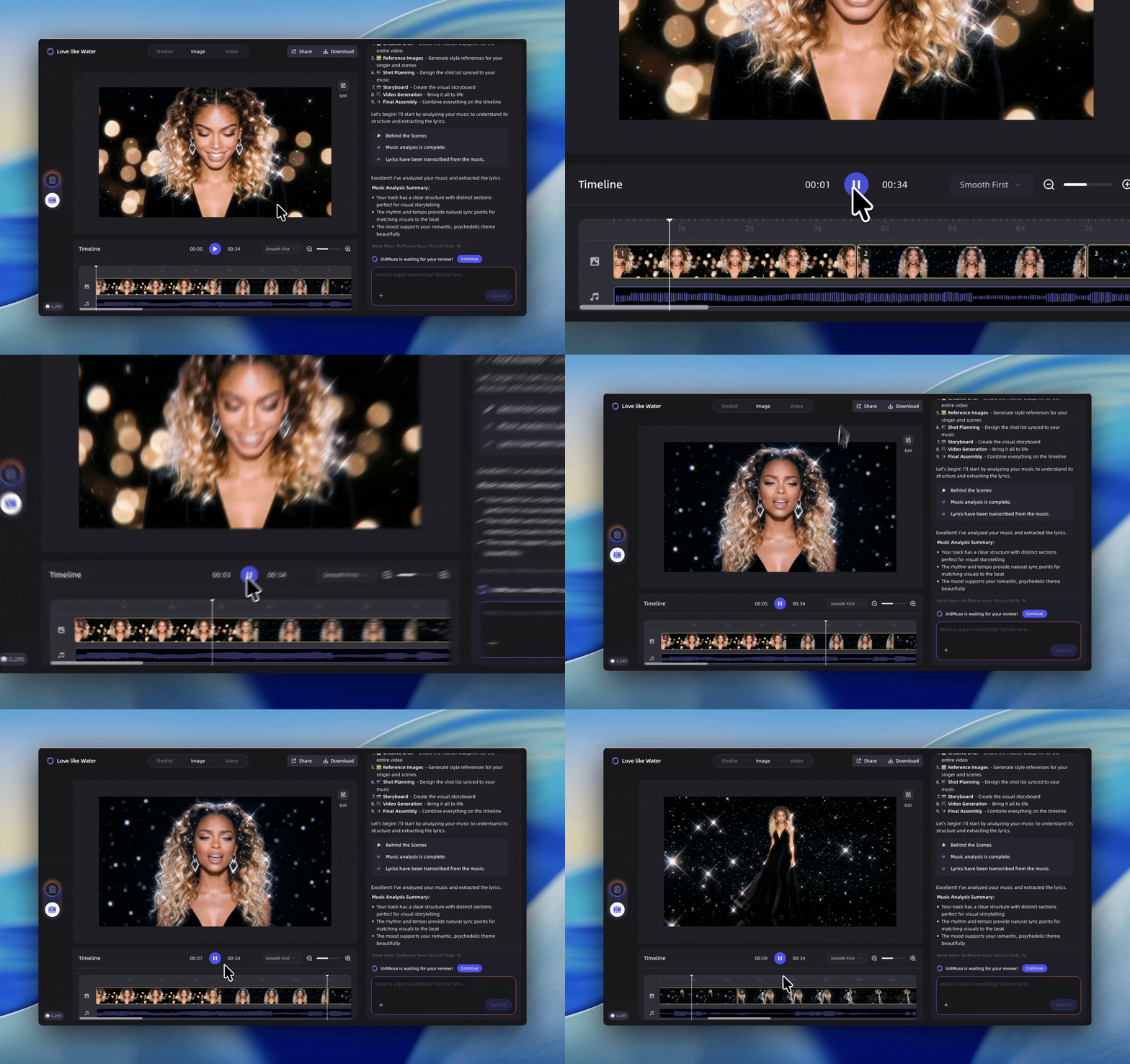
Storyboard — visual previews of key shots before generation begins
-
Video Generation — render across a range of available models
VidMuse gives you access to a wide model matrix for video generation — including Kling V3.0 Pro, Veo 3.1, Seedance 2.0 Pro, and Hailuo 2.3 Pro — as well as AI avatar capabilities for creating a visual performer synced to your track, using models like Omnihuman V1.5 and Kling AI Avatar V2 Pro. The built-in Suno AI integration means you can generate the track without leaving the platform.
For indie musicians who want studio-level visual production without a production budget, VidMuse's Studio mode and template types (Story MV, Performance MV, Abstract MV) cover the full range of music video styles. For alternate visual formats, compare a full video workflow with lyric video making and music visualizer workflows.
The VidMuse 2.0 features — Shot Refine by Quoting, Timeline Editor, and Asset Library & Memory — give experienced creators fine-grained control over the final cut, closing the gap between "AI-generated" and "directed." If your track is already finished, the music to video AI workflow is the fastest place to start.
How to Make AI Music Step by Step
This is the core workflow for making AI music using Suno AI, the most accessible starting point for most users.
Create a free account
Sign up for Suno AI and use the daily credit allowance to test several song directions.
Choose your generation mode
Start in simple mode, then switch to custom mode when you need exact lyric control.
Write your style prompt
Include genre, mood, instrumentation, era, reference style, and tempo feel.
Generate and evaluate
Listen to both variations and choose the one with the strongest musical direction.
Extend, regenerate, or refine
Use extensions or small prompt changes to improve weak sections.
Download and export
Export the finished track and verify licensing before monetized publishing.
Step 1: Create a free account
Go to suno.com and sign up using Google, Apple, or email. Free accounts receive a daily credit allowance — enough to generate several tracks and experiment with different styles.
Step 2: Choose your generation mode
Suno offers a simple mode (one prompt, full song) and a custom mode (separate lyrics + style fields). Start with simple mode for your first track. Switch to custom mode once you want to control the lyrics precisely.
Step 3: Write your style prompt
This is where most beginners underinvest. Vague prompts produce vague results. A strong style prompt includes:
- Genre (e.g., "indie pop", "trap soul", "bossa nova")
- Mood or emotional tone (e.g., "wistful", "euphoric", "tense")
- Instrumentation details (e.g., "acoustic guitar, muted trumpet, brushed drums")
- Era or reference (e.g., "early 2000s R&B production", "90s grunge energy")
- Tempo feel (e.g., "slow-burning", "driving and uptempo")
Example of a weak prompt: "happy pop song" Example of a strong prompt: "Upbeat indie pop, female vocals, layered harmonies, jangly guitar, nostalgic summer feeling, early 2010s production, chorus builds to euphoric release"
Step 4: Generate and evaluate
Suno produces two song variations per generation. Listen to both before deciding. The model sometimes interprets the same prompt differently across variations — the one that sounds less expected is often the more interesting one.
Step 5: Extend, regenerate, or refine
If the intro is strong but the chorus doesn't land, use Suno's extend feature to re-generate from a specific point. If the overall vibe is right but the mix feels off, re-run the same prompt with a small variation ("warmer mix", "more reverb on vocals", "quieter production").
Step 6: Download and export
Free accounts can download audio in standard quality. Paid plans unlock higher quality exports, commercial licensing, and more credits. Before publishing anywhere with monetization, verify the licensing terms for your plan level.
How to Make AI Music With Your Own Voice
Making AI music that features your actual voice — rather than a fully generated vocal — requires a slightly different workflow. There are two main approaches.
Approach 1: Use your voice as a reference
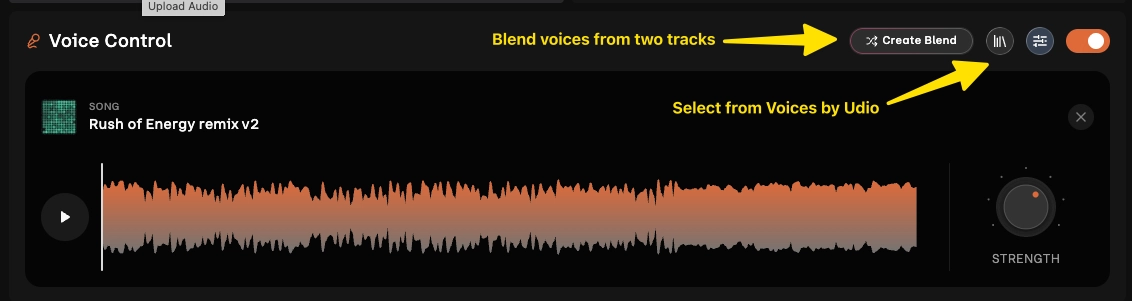
Some platforms, including Udio and newer Suno features, allow you to upload a vocal reference. The model uses your melodic phrasing and tonal character as a guide, producing a track that sounds more like a natural extension of your voice rather than a generic AI vocal.
Approach 2: Generate the instrumental, then record over it
This is the most reliable way to make AI music sound genuinely personal. Generate an instrumental track using Suno (explicitly prompt for "no vocals" or "instrumental") or AIVA, then import it into any basic recording setup — GarageBand, Audacity, or even a smartphone voice memo app — and record your own vocals on top.
This approach also gives you full control over lyrics, phrasing, and emotional delivery, which is the area where AI vocals still struggle most.
Approach 3: AI avatar vocal performance
If you want a music video with a singing avatar that resembles you, platforms like VidMuse integrate AI avatar tools (including Omnihuman V1.5 and Kling AI Avatar V2 Pro) that can animate a visual representation of a performer in sync with a Suno-generated track. This is explored further in the music video section below.
Make AI Music Video with Your Song
Transform your song track and lyrics into a music video with VidMuse AI.
How to Make AI Music for Free
Most major AI music platforms offer a free tier with real, usable functionality. Here's what to expect:
- Suno AI (free) — 50 credits/day, enough for ~10 full song generations. Tracks include vocals. Download available. Free-tier tracks are non-commercial unless upgraded.
- Udio (free) — Limited monthly generations. High output quality. Good for testing before committing to a subscription.
- AIVA (free) — 3 downloads/month. Good for sampling the platform's orchestral and cinematic range.
- Mubert (free) — Generate unlimited tracks for personal use. Commercial licensing requires a paid plan.
The honest limitation of free tiers: you can make AI music for free and genuinely enjoy the results, but commercial release (monetized YouTube, Spotify distribution, sync licensing) almost always requires a paid plan. Always read the terms before publishing. For visuals, compare the limits of a free AI music video generator before using outputs commercially.
How to Make AI Music Sound Less AI
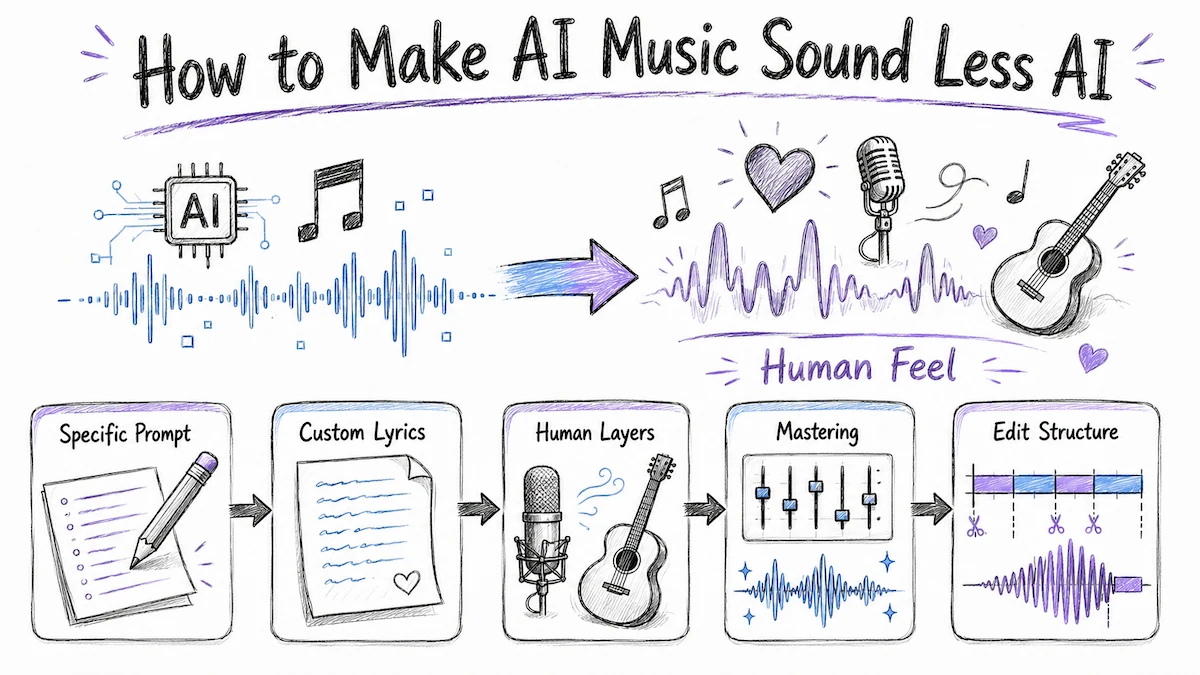
The most common complaint about AI-generated music is that it sounds synthetic, generic, or emotionally hollow. That's not inevitable — it's usually a prompting or post-processing problem.
Fix 1: Be more specific in your prompt
"Sad song" generates a generic sad song. "Quiet grief, solo piano, long sustain, minor key, the feeling of reading an old letter" generates something that actually has texture.
Fix 2: Use custom lyrics
The generic lyrical content AI models default to is one of the biggest tells. Writing your own lyrics and feeding them into the custom mode immediately raises the perceived authenticity.
Fix 3: Layer your own elements
Even a small human contribution — a recorded breath, a live acoustic guitar sample, your own voice on the hook — changes how the track registers emotionally. Use AI-generated audio as a stem, not a finished product.
Fix 4: Master it properly
AI-generated audio often has inconsistent dynamic range and EQ balance. Running it through a basic mastering chain (even a free tool like Auphonic or LANDR) tightens the sound and removes the telltale over-compressed midrange quality.
Fix 5: Edit the structure
AI tracks often repeat too predictably or build to nowhere. Import the audio into any DAW or basic editor, cut unnecessary repetition, and add a moment of genuine surprise — a breakdown, a tempo shift, a sudden dynamic drop.
How to Make AI Music Undetectable
"Undetectable" is a complex goal depending on what you mean. If the question is about avoiding copyright flags on YouTube or streaming platforms, that depends on your licensing tier — not on whether the music sounds human. Most platforms allow commercial use on paid plans; check your specific plan's terms.
If the question is about making AI music that doesn't sound like AI music, the approach is the same as making it sound less AI: custom lyrics, human vocal layers, structural editing, professional mastering, and enough creative specificity in prompting that the output has genuine personality.
Some additional considerations:
- Disclose AI involvement where required — YouTube, Spotify, and several other platforms now ask creators to flag AI-generated content. Policies are evolving; check current terms before publishing.
- AI detection tools exist but are imperfect — Tools designed to detect AI-generated audio are still unreliable. The more useful frame is: does this track serve the listener? If yes, the technical origin matters less than the quality.
- Ownership varies by platform — Some platforms claim partial rights to AI-generated outputs. Suno's paid tiers transfer commercial rights to the creator; free tiers do not. Always confirm before monetizing.
How to Make AI Music for YouTube
YouTube has specific considerations for AI-generated music content:
- Licensing: Tracks generated on free tiers are typically non-commercial. A paid Suno or Udio subscription grants commercial use rights necessary for YouTube monetization.
- Disclosure: YouTube's creator policies currently require disclosure of AI-generated content in certain cases. Add the appropriate label when uploading.
- Monetization: YouTube Music Content ID can flag AI tracks if the generating platform licenses its model outputs to a rights management service. Check your platform's policy to ensure you receive the monetization rather than losing it to a third-party claim.
- Performance: AI-generated music videos with genuine visual quality and engagement-optimized content (strong thumbnail, accurate tags, human-written description) perform on a level comparable to traditionally produced videos. The bottleneck is no longer production access — it's creative quality.
For YouTube-specific content, VidMuse's Viral Short and Explainer templates are designed for platform-optimized aspect ratios and pacing. If you are comparing tools before publishing, start with the best AI music video generator guide.
Make AI Music Video with Your Song
Transform your song track and lyrics into a music video with VidMuse AI.
Common Mistakes to Avoid
- Over-relying on default prompts — The pre-filled examples in most AI music tools produce forgettable results. Write your own.
- Skipping the custom lyrics step — Generic AI lyrics are the fastest way for a track to feel hollow. Even rough, imperfect personal lyrics outperform the default.
- Downloading from the free tier and monetizing — Read the licensing terms. Most free tiers prohibit commercial use. Getting hit with a Content ID claim after building an audience around a track is avoidable.
- Treating the first output as final — AI music generation rewards iteration. Generate 4–6 variations, listen critically, and refine the prompt based on what's missing.
- Ignoring the visual dimension — A Suno track with no visual component has a fraction of the reach of the same track with a properly produced music video. The tools to do both are now available in the same workflow.
- Not mastering the audio — Raw AI audio exports often have inconsistent loudness and midrange buildup. Basic mastering is a one-step fix that makes an immediate audible difference.
FAQ
How to make AI music for free without any music experience?
Create a free account on Suno AI, then type a description of the kind of song you want — include genre, mood, and instruments. Suno generates a full track with vocals in under a minute. No music theory, DAW, or instrument knowledge is required. Free accounts get enough daily credits to generate 8–10 full songs per day.
How to use AI to make music that sounds professional?
Professional-sounding AI music starts with a specific, well-structured prompt that includes genre, mood, instrumentation, tempo feel, and a reference era or artist vibe. After generation, export the audio and run it through a basic mastering tool (Auphonic or LANDR work well). Adding your own vocals or live instrument layer on top of an AI instrumental is the fastest way to elevate perceived quality.
How to make AI music with my voice?
Generate an instrumental track on Suno (prompt for "no vocals, instrumental") or AIVA, then record your vocals over it in GarageBand, Audacity, or any recording app. Alternatively, use Udio's voice reference feature or VidMuse's AI avatar tools (Omnihuman V1.5, Kling AI Avatar V2 Pro) to create a synchronized visual performer based on your likeness.
How to make AI music videos for free?
Start by generating your track on Suno AI (free tier). Then use a free AI video generation tool to create synchronized visuals, or explore free-trial access on platforms like VidMuse, which is purpose-built for music video production and integrates Suno AI directly. Note that most free-tier outputs carry restrictions on commercial use.
What is the best AI music generator for beginners?
Based on consistent community feedback, Suno AI is the most beginner-friendly AI music generator available today. It produces full songs with vocals and production from a single text prompt, offers a functional free tier, and has the most intuitive interface for users with no prior music production experience. Udio is a strong alternative for those who want more genre nuance after getting comfortable with the basics.
How to make an AI song with custom lyrics?
On Suno AI, switch to "Custom Mode" in the creation interface. Enter your lyrics in the lyrics field and describe the desired style in the style prompt. Suno will fit the song's vocal performance and musical structure to your lyrics. For more control over syllable stress and melody, try multiple generations with slight lyric variations until the delivery matches your intent.
How to make AI music undetectable on streaming platforms?
The key factors are licensing (ensure your plan grants commercial rights), audio quality (master the export before distributing), and creative differentiation (use custom lyrics and personal instrumental layers). AI detection on streaming platforms currently relies more on metadata and disclosure requirements than audio fingerprinting — comply with each platform's AI content policy to avoid distribution issues.
Conclusion
Making AI music is no longer a technical barrier — the barrier is creative clarity. The tools are accessible, fast, and increasingly capable of producing results that rival traditionally produced tracks. What separates memorable AI music from forgettable filler is the specificity and intentionality you bring to prompting, and the creative decisions you make in refining, layering, and presenting the output.
For musicians and creators who want to take that output further — into a full music video, not just an audio file — the same principle applies: AI handles the production scale, but the vision still has to come from you. VidMuse is built around that idea, giving indie creators the same visual production capacity as a full production house while keeping the creative direction in their hands.
Start with one track. Prompt specifically. Iterate. Then turn it into something people can watch.
Make AI Music Video with Your Song
Transform your song track and lyrics into a music video with VidMuse AI.

Written By
VidMuse Team
Continue Reading
Latest blog posts related to AI video creation.
PixVerse V6 x VidMuse AI: Model Guide and Video Workflow
PixVerse V6 review and VidMuse integration guide. Capabilities, 15s 1080p video, prompt tips, model comparison, pricing, and how to use V6 in VidMuse workflows.
FLUX 3: What It Is, Capabilities, and How to Access It
FLUX 3 is Black Forest Labs' multimodal AI model for image, video, audio, and action. Full guide: capabilities, FLUX 3 vs FLUX 2, availability, and pricing.
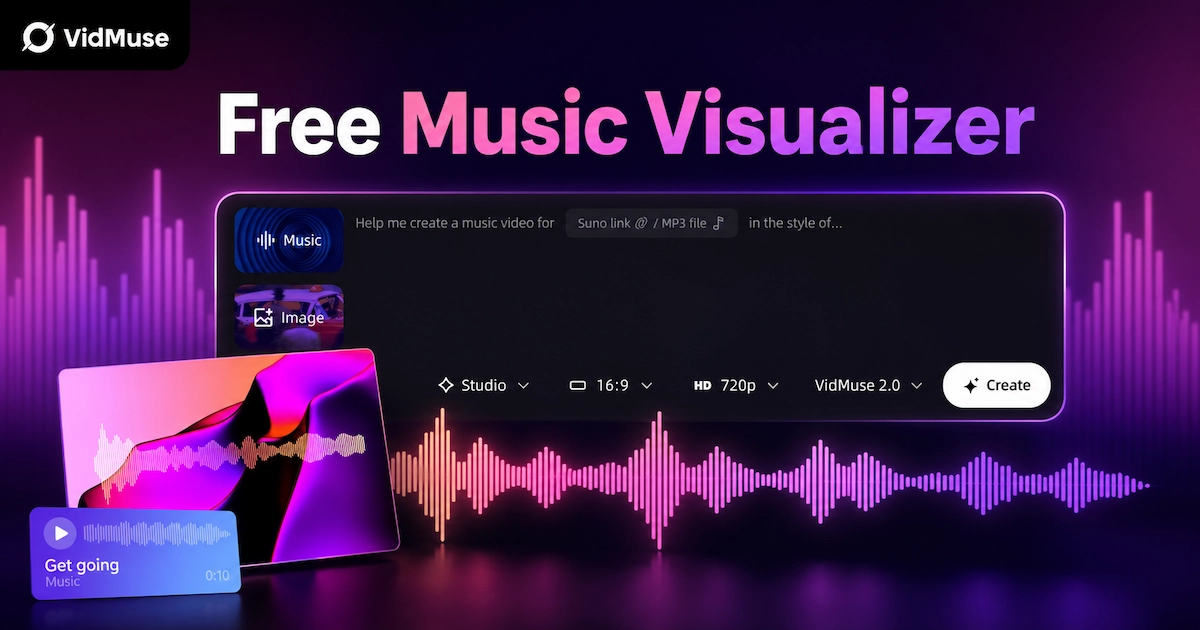
Free Music Visualizer: 10 Best Free Tools in 2026
Compare 10 best free music visualizers in 2026. Waveform tools, AI music video makers, watermark policies, export limits, and which tool fits your workflow.